I found the group within my 12 meg model causing the issue. If I explode it, it exports.
Oops, your profile's looking a bit empty! To help us tailor your experience, please fill in key details like your SketchUp version, skill level, operating system, and more. Update and save your info on your profile page today!
Urasik Extensions | Lots of new extensions to check out Learn More
P
Offline
Posts
-
RE: EXPORTING 3D MODEL TO CAD
-
EXPORTING 3D MODEL TO CAD
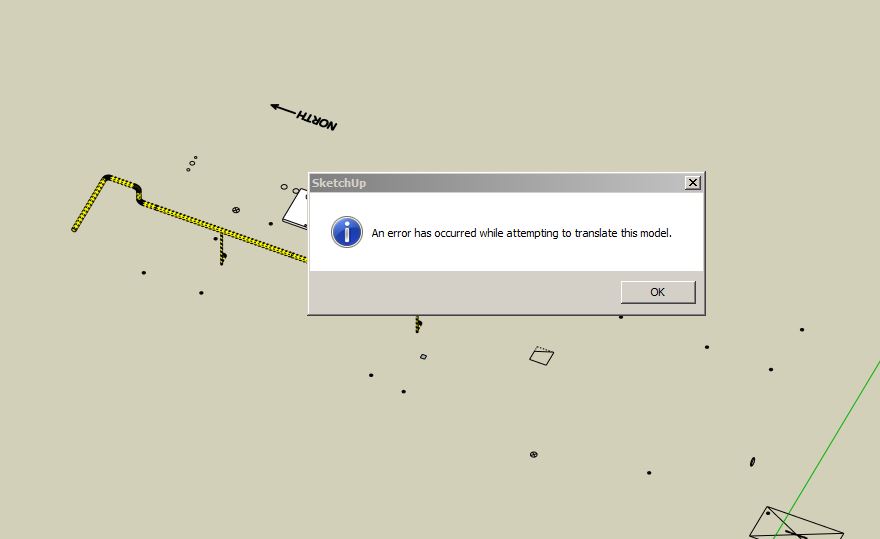
I usually never have a problem - except this time I get: An error has occurred while attempting to translate this model.
-
RE: Pipe-along-path
OK - so I tried the window > preferences > extensions > install extensions button and navigated to the download folder. I picked TIG-weld.RBZ and sure enough it installed.
 I did the same for the cut-face extension (and all this time I was wondering why it didn't show up in SketchUp) as well as for for TT_lib. Not sure what the latter does though.
Anyway, I TIG-welded a couple paths but they still did not extrude.
-
RE: Pipe-along-path
@dave r said:
How did you attempt to install TIG-Weld? Did you just put the downloaded RBZ file into Plugins?
Yes
-
RE: Pipe-along-path
OK - so I deleted the old weld plugin and installed the TIG-weld ver-2.0 plugin. However, the plugin will not work. See attached.....
-
RE: Pipe-along-path
I tried that, without luck. The weld extension I use looks like this:
LOAD SUPPORT FILES
require 'sketchup.rb'
require 'extensions.rb'CREATE EXTENSION
ext = SketchupExtension.new('Weld', 'smustard_Weld/weld.rb')
EXTENSION INFORMATION
ext.creator = 'Rick Wilson'
ext.version = '3.0.1'
ext.copyright = '2004, Rick Wilson'
ext.description = 'Create custom toolbars through a WebDialog'REGISTER AND LOAD THE EXTENSION
Sketchup.register_extension(ext, true)
-
RE: Pipe-along-path
Please see attached samples. FYI - my diameters are normally between 2'' and 18'' with 8 segments.
SAMPLES FROM PIPE-ALONG-PATH FAIL TO EXTRUDE COLLECTION 3-20-16.skp
-
RE: Pipe-along-path
Not sure what you mean by purge. Just try any of the paths. You may want to avoid the ones labelled they will freeze the program. They should almost all be ''square''. I test that by creating temporary faces between vertices and placing the circle tool on the face. If the tool is red, green or blue, the linework is orthogonal and not skewed.
-
RE: Pipe-along-path
Attached, find model containing additional paths that will not extrude with PIPE-ALONG-PATH.

-
FIND TEXT
I don't suppose LayOut has a 'find text' feature, right? Finding a certain word, character or number in a LayOut document filled hundreds annotations is a drag.
-
PDF SIZE FOR LO 2016
If Trimble overhauled the pdf code to greatly reduce their size, why is my 2016 version creating PDF’s TWICE the size of 2015? I have output quality set to high on both versions.
-
Edit quality vs. hybrid/vector/raster
Can someone explain the advantage of choosing one method over the other?
And what does the 'background' feature do in the styles tab? -
''no preview available'' in Win 7's windows
With preview pane enabled, one of my Windows 7 machines refuses to display a preview image of LayOut and SketchUp files. Everything else previews properly - JPG, Notepad, Excel, Word and PDF. Any ideas?
-
RE: 2015 Can't anchor crossing Tape Measures
I noticed an infinite length tape measure line [guide] and a finite length tape measure line with a point at the end [guide point] both stretched across a flat plane and crossing each other do not provide an intersection inference. A slight annoyance but not the end of the world.
-
OVERLAPPING 3D TEXT
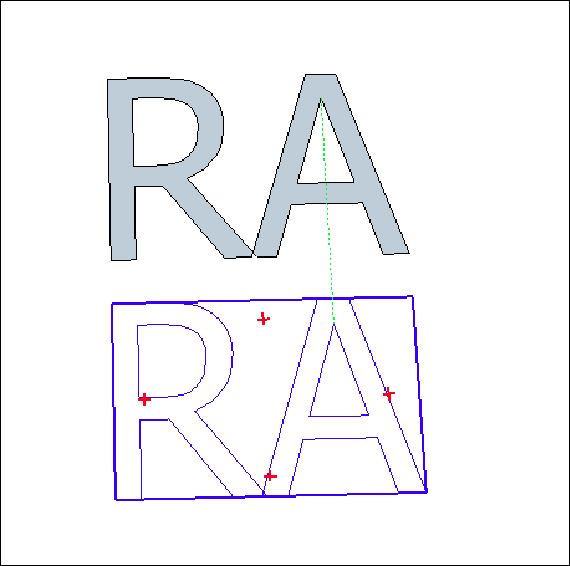
Type Tahoma's uppercase R and A into the 3D Text Tool with filled form checked. Now place the text into the model, explode it, group it and move it. Why does the face material get left behind? Is it due to the slight overlapping of the characters? Note - uppercase X and Y overlap - yet behave properly. And by the way, this tool should create objects as groups instead of components by default. How many times have you changed a 3D text component only to realize there were multiple copies throughout a big model that you really wanted to remain unchanged?
-
RE: Unstable viewports
FYI
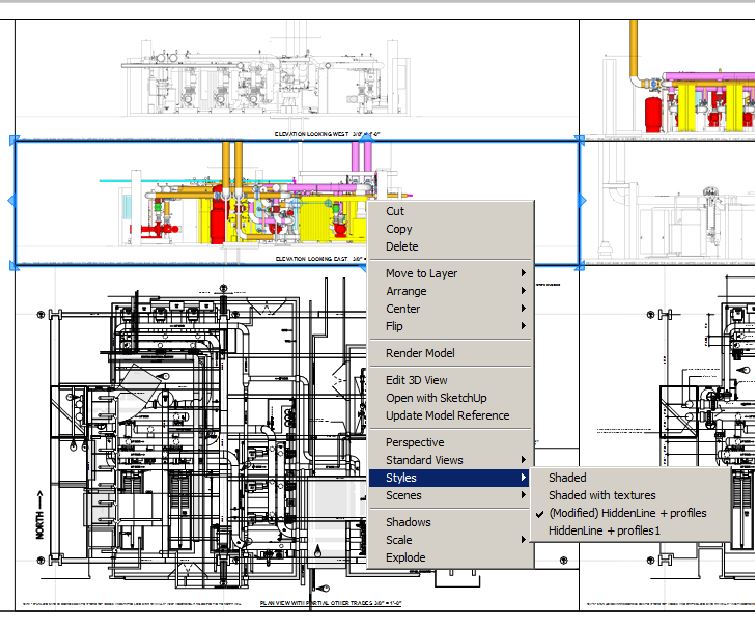
Here is an example of a viewport in LO 2016 that was found with an unexpected style change when the program was re-launched. You can see 'hidden line' is checked, which is how I have it set-up in SU, but it's being erroneously displayed as 'shaded...'.
-
RE: BACKSPACE
Interesting. But in my opinion, whether you user the backspace key or make the effort to keep the carriage return out of your selection, it's a time robbing glitch.