thanks! that works!
Oops, your profile's looking a bit empty! To help us tailor your experience, please fill in key details like your SketchUp version, skill level, operating system, and more. Update and save your info on your profile page today!
Urasik Extensions | Lots of new extensions to check out Learn More
P
Offline
Posts
-
Labels are hiding behind models
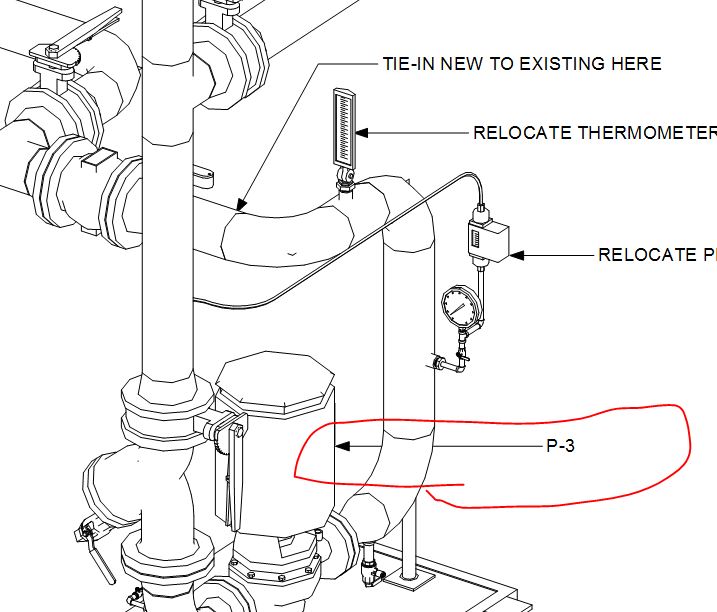
depending on the direction I stretch out my labels, some of them are hidden behind the sketchup objects in my viewport. I think I ran into this once or twice before, and I solved it with the send / move forward or backward tools. not so this time.
-
RE: Blue pound sign in sheet list
casca - can you elaborate or re-phrase "Go to Nvidia or ATI settings and force LO one of the apps those devices deal with."
-
RE: Blue pound sign in sheet list
LO is so useful, useful, useful, yet so slow, slow, slow.............
-
Blue pound sign in sheet list
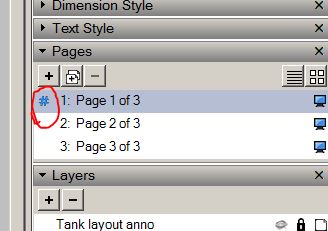
What does the blue pound sign indicate?
-
RE: Component Names in Custom Libraries
So I just tried this:
Component name given to library:
~!@#$%^&*()_+-=/*{}[]|\:";'<>?,/Component name accepted by library:
~!@_$%_()-___{}_______'_____Therefore, these were converted to underscores:
^&_+=/[]|:";<>?,/Tried saving a skp file as:
~!@#$%^&*()_+-=/*{}[]|\:";'<>?,/Result:
"invalid file name"Tried saving a skp file as:
~!@_$%_()-___{}_______'_____Result:
~!@_$%_()-___{}_______'_____Conclusion:
I am bummed-out about losing & and/or + in my component names. Oh well. -
Component Names in Custom Libraries
Why are some keyboard characters such as "&" and "+" replaced by an underscore when saving a new component to subject location? Can someone provide a list of other disallowed characters?
-
DROPBOX stores autosaves................
FYI..........DROPBOX saves your file upon every autosave. So suppose you need to backtrack to find how/where/when you made an error, or you want to copy an object that you erased, just open the folder where the model is stored in your machine, right-click on the file and select 'view previous versions'. I have the paid-for version of DROPBOX, but I would be surprised if the free version doesn't offer this feature.
-
RE: [Plugin] Layer Tools (1.1.0)
all done, but still not seeing 'hide layer by pick'................sorry, I do see it. did not realize I had to re-start sketchup when using this new method of installing extensions. however, the functionality of the extension seems to be amiss. maybe it's conflicting with my layers panel extension.
-
RE: [Plugin] Layer Tools (1.1.0)
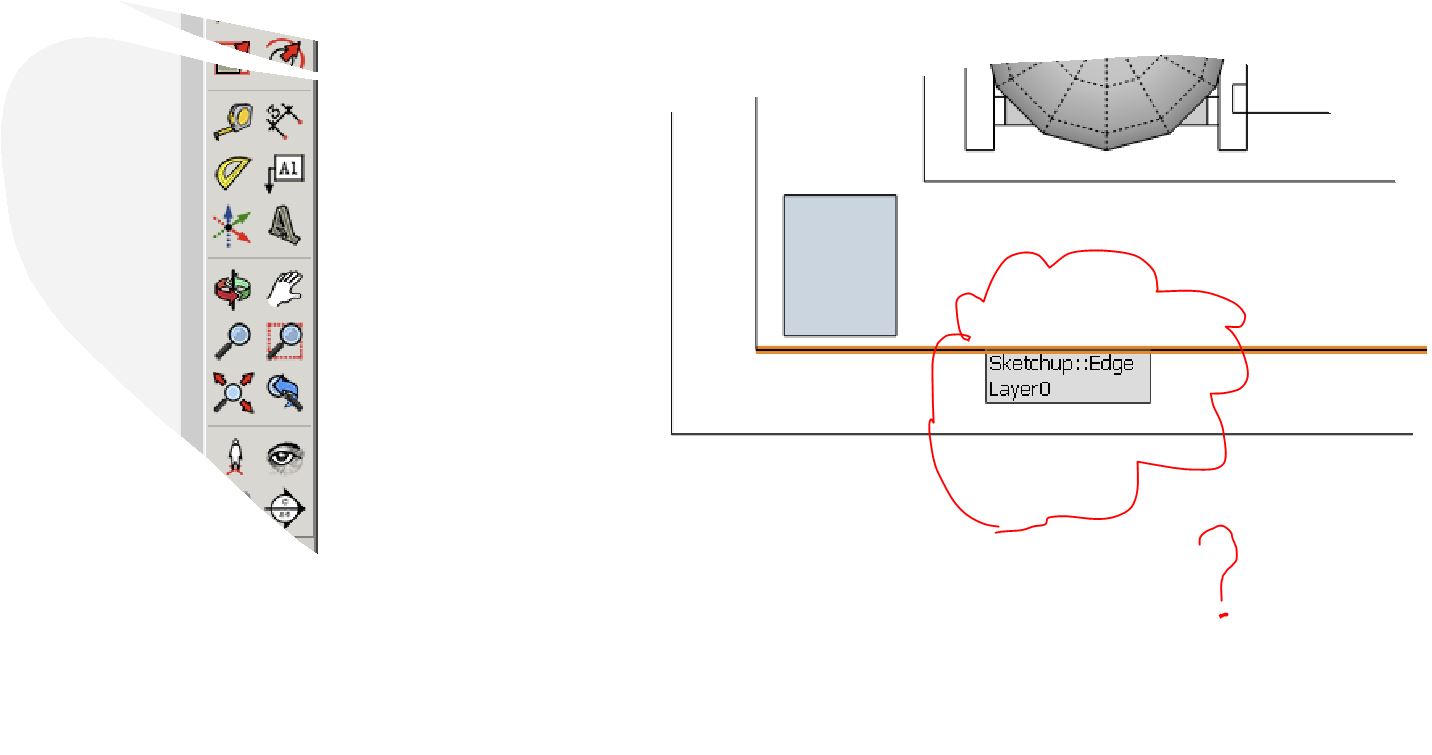
I am not seeing the tool in the menus. Why does the icon appear without a blue 'book'?
-
Gray areas when using raster or hybrid
I suppose there is no simple way to allow sketchup model objects that are painted semi-transparently to appear solid in layout when using raster or hybrid settings? The style used is hidden line.
What is the 'background' checkbox for in the styles tab of the model tray?
hybrid causes gray areas.layout
-
RE: Viewport scale not checked-off
when you say 'tray', are you referring to the measurements indicator at the lower right of the screen? if so, it does not display the scale in my version 2015.0.9350.
-
Viewport scale not checked-off
Why would a viewport set to a certain scale not have it checked-off in the scale list fly-out in the context menu? Please see attached. Some viewports in the same drawing do exhibit the scale correctly. Others do not.
-
RE: BEAM WITH 63 ENTITIES
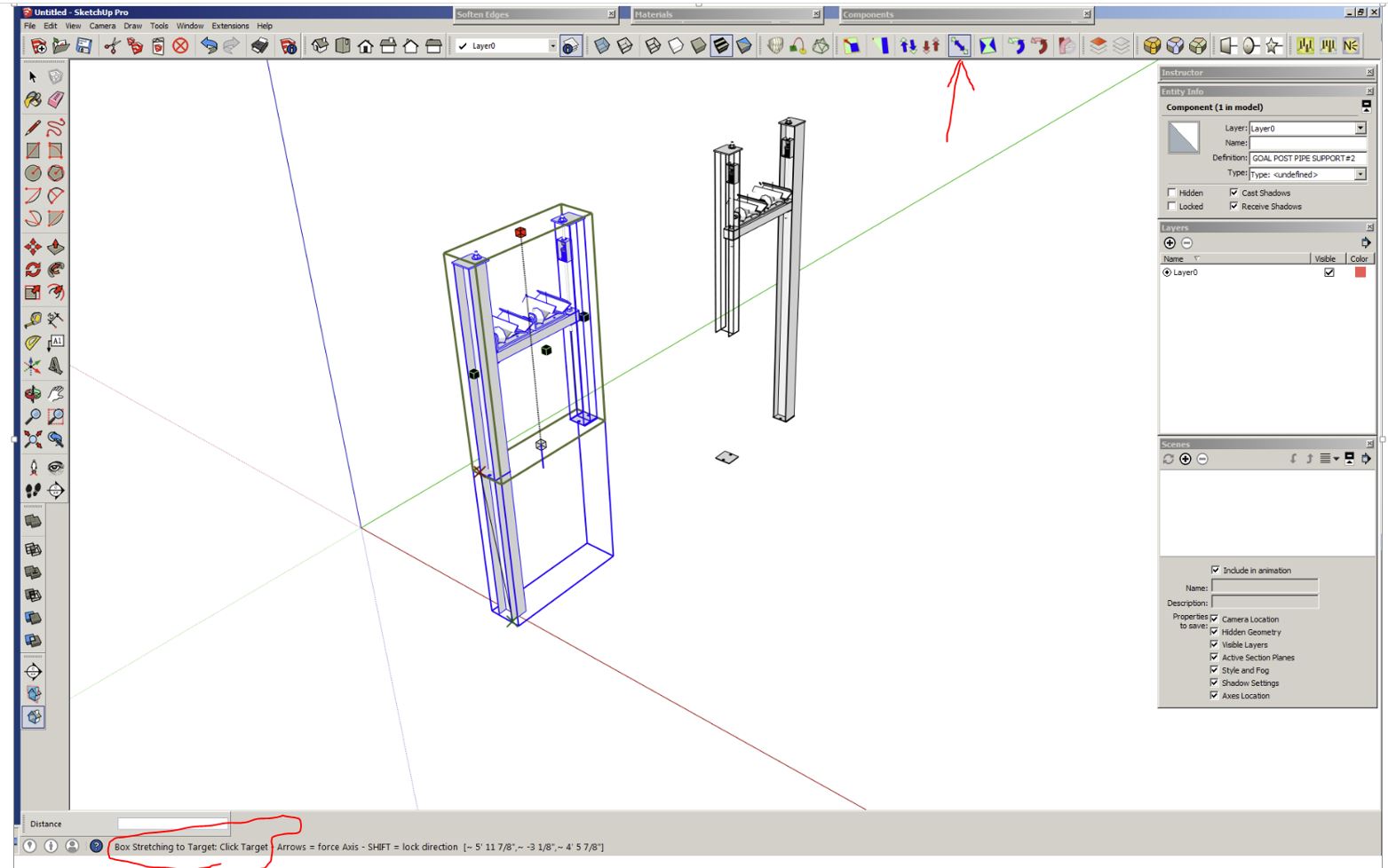
ok - I found the corrupt file in my work pc recycle bin. apply fredoscale and use the 'box stretch to target' option. click the origin onto one of the leg's baseplate and you should see strange wireframe effects take place as you stretch/collapse the component.
-
RE: BEAM WITH 63 ENTITIES
"So you're saying there's no point........" [no, i guess i failed to preserve a copy of the entire faulty file - except for the one piece in the first part of this post]
"My guess would be that at some stage ..." [i don't believe this particular stretching tool creates a new group or component]
-
RE: BEAM WITH 63 ENTITIES
here is the full component - but you will not find anything wrong with it now because I fiddled with it and overwrote it it numerous times. when it went weird, was when i used the 'box stretch to target' feature of fredoscale. like i said, you need to be careful and don't rush when building nested components.
-
RE: BEAM WITH 63 ENTITIES
"I guess I don't know what "unusual" thing..." [i was merely trying to do what you had mentioned in the prior message]
"Is it possible there's more important info..." [i suppose so, but the moral to the story is this ghosting phenomenon can happen unless you are VERY careful with nested stuff. I just don't understand why the ghost's entities don't show up in the Outliner]
-
RE: BEAM WITH 63 ENTITIES
Why am I not seeing anything unusual with a right-to-left crossing window selection on the beam top in the un-scaled group?
I would normally use P/P, but this beam is really nested in a more complex group. I noticed the strange behavior of this particular beam when I FredoScaled the larger group. -
BEAM WITH 63 ENTITIES
I had what i thought was a simple H-beam group. But when I shortened it with FredoScale, the 'skin' was pulled down, yet a soft 'core' stayed in place. When I open the group for editing, and triple-click the beam, the entity dialogue box shows 50 entities. But if instead of triple-clicking, I type Ctrl-A, the box shows 63 entities. If you zoom into the top of the undisturbed beam when it's open for editing, and you click the faces, you can see something strange. It's as if two faces are sharing what only should only be one face. The overlying face is a tad bit shorter because you can barely make out it's top 'edge'. Also, I get the 'Don't panic!' message if I try to copy this beam group. One last thing, I don't get the 'skin pulldown' when using native scale tool.