sketchucation logo sketchucation
    • Login
    1. Home
    2. pcmoor
    3. Posts
    Oops, your profile's looking a bit empty! To help us tailor your experience, please fill in key details like your SketchUp version, skill level, operating system, and more. Update and save your info on your profile page today!
    FredoBend | Powerful new bending tool for SketchUp Download
    P
    Offline
    • Profile
    • Following 0
    • Followers 0
    • Topics 1
    • Posts 378
    • Groups 1

    Posts

    Recent Best Controversial
    • RE: Change length of rectangle frame without change its thicknes

      Method 3
      somewhat follows the line of reasoning of method 2

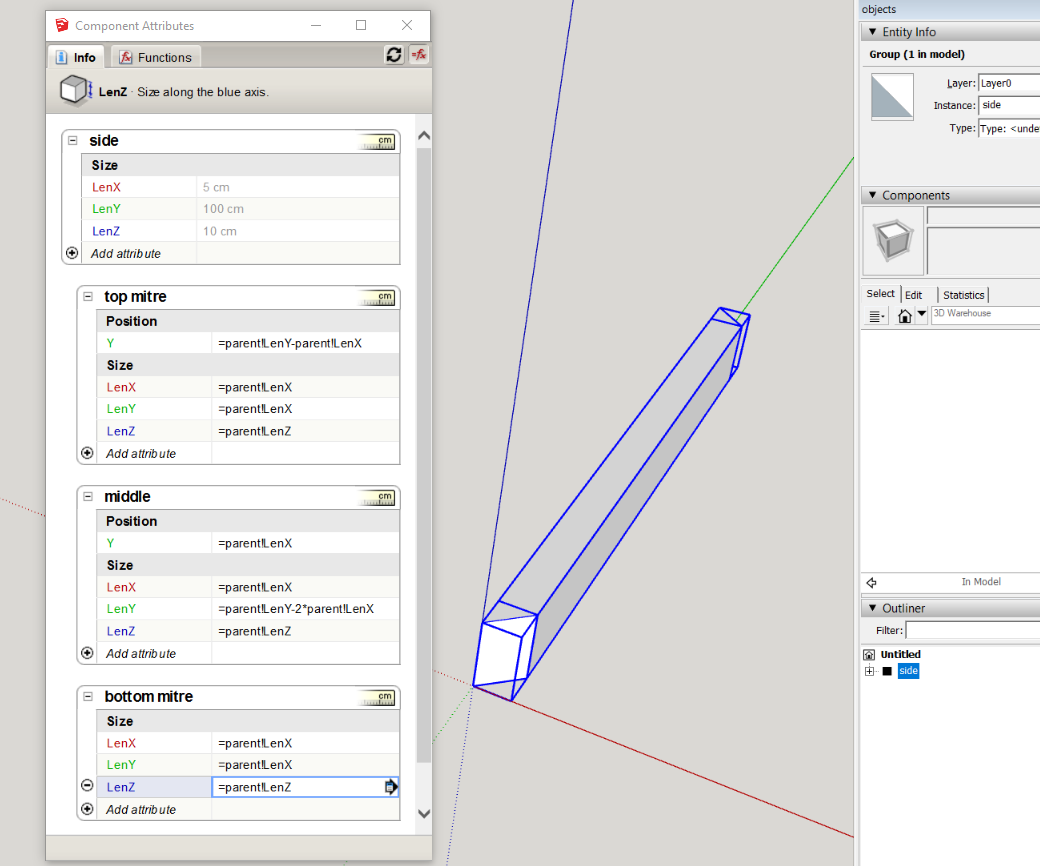
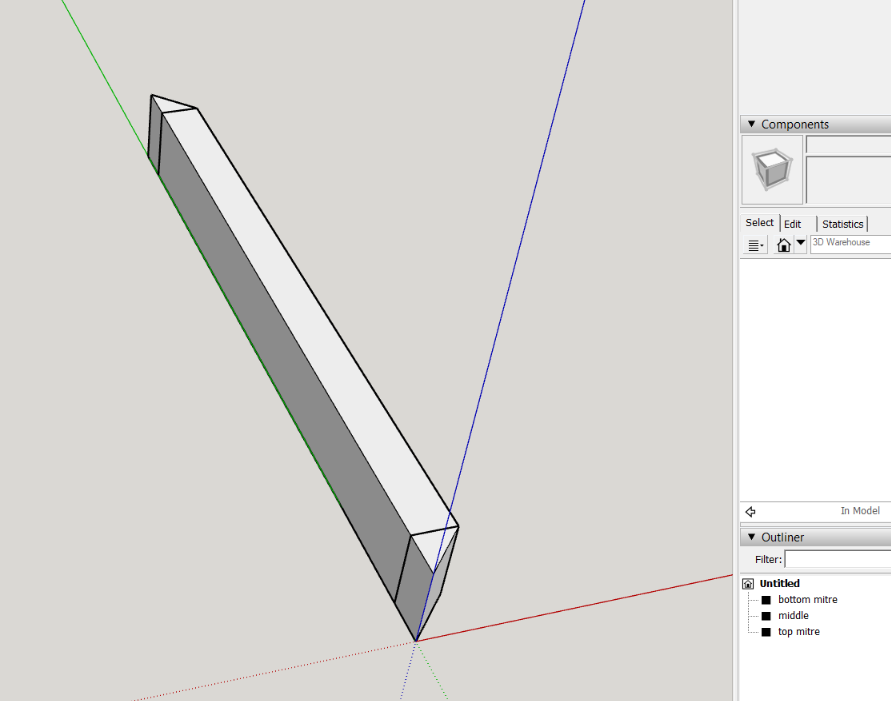
      create rectangle 900x50 and pushpull it 100mm, make it a group "middle"
      create 45deg wedges either end, groups "bottom mitre", "top mitre"

      Capture.PNG

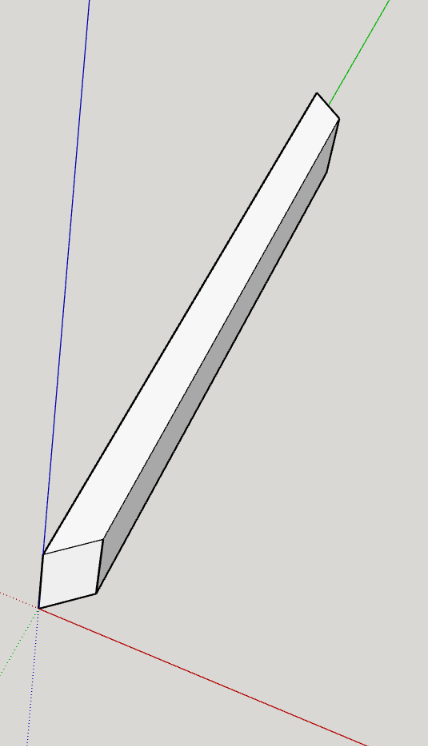
      make it a group called "side" and create the relationship / formulas, again I used parent as I intend to copy and make unique sides
      Capture2.PNG

      now hide the joining geometry and group, this then in formation should be similar to the side in method 2, but mitered rather than over lap

      Capture3.PNG

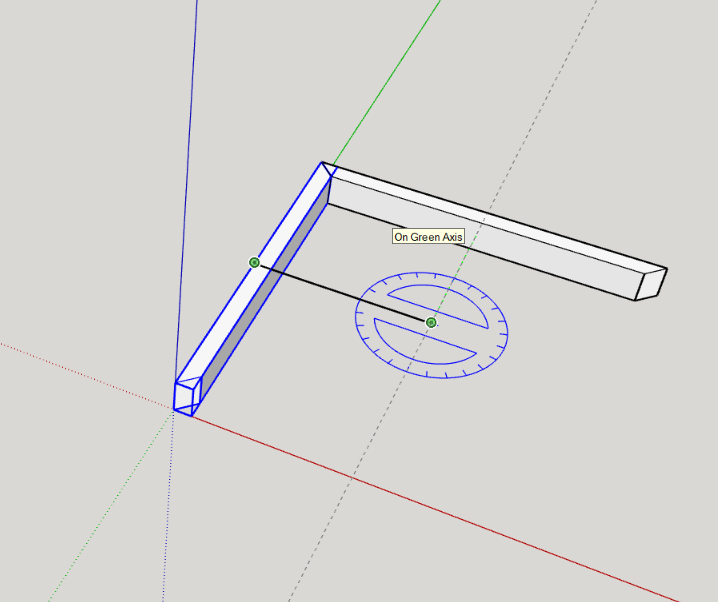
      do the rotate @ 500mm as before, copy(control) *3

      Capture4.PNG
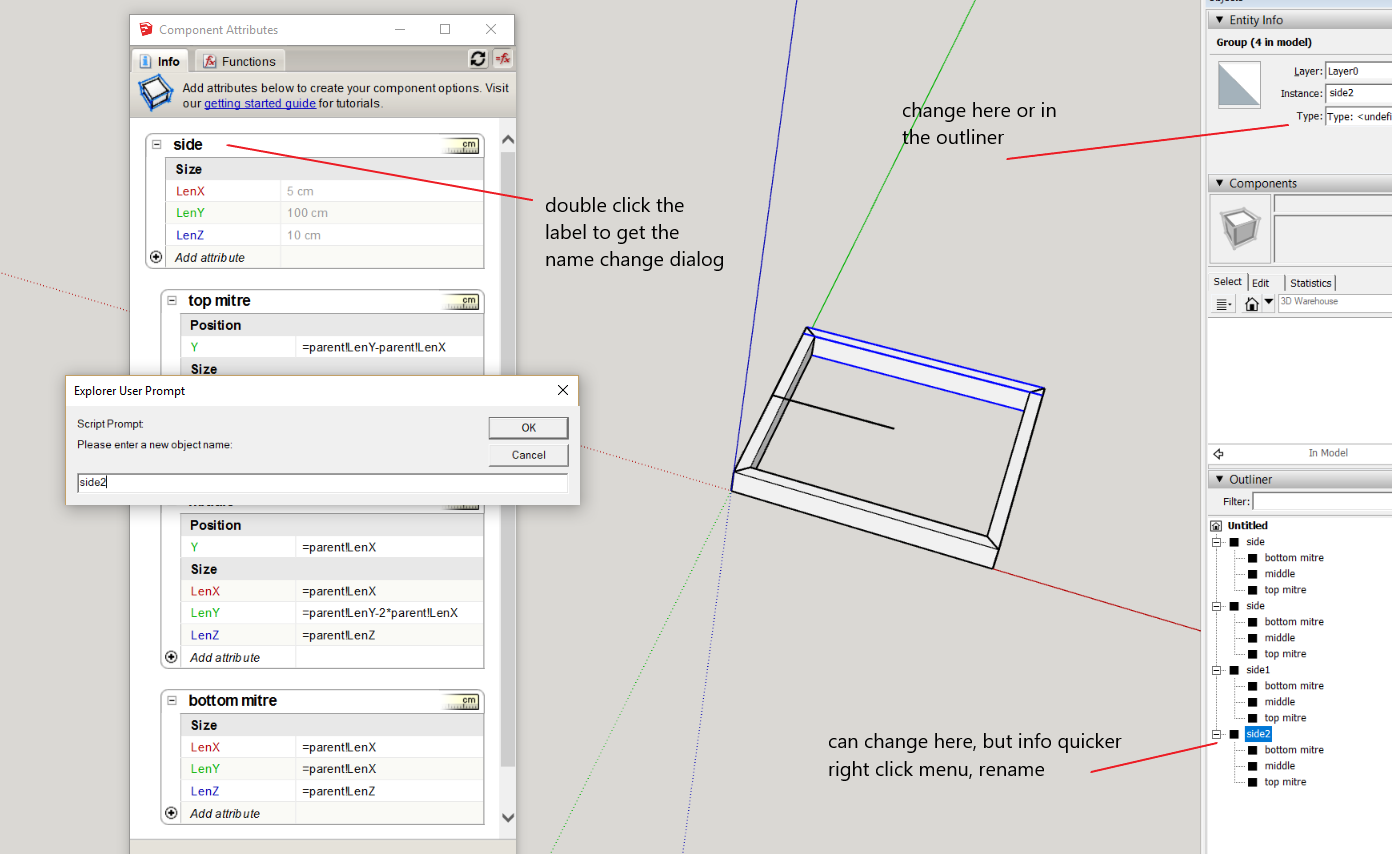
      change the group instance name in both model info and the attribute dialog
      Capture5.PNG
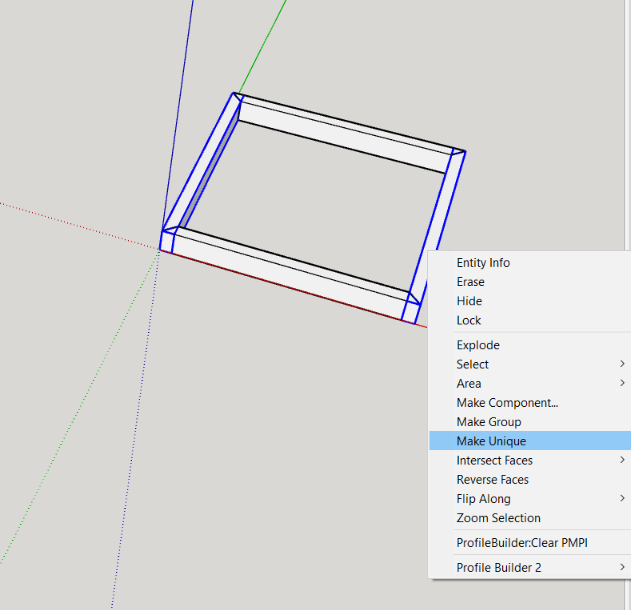
      it is important to confirm that the groups are unique (changing the instance name or position may not create separate definitions (the copies initially share the same definition, that relationship needs to be broken) so pair each one and right click make unique
      Capture6.PNG

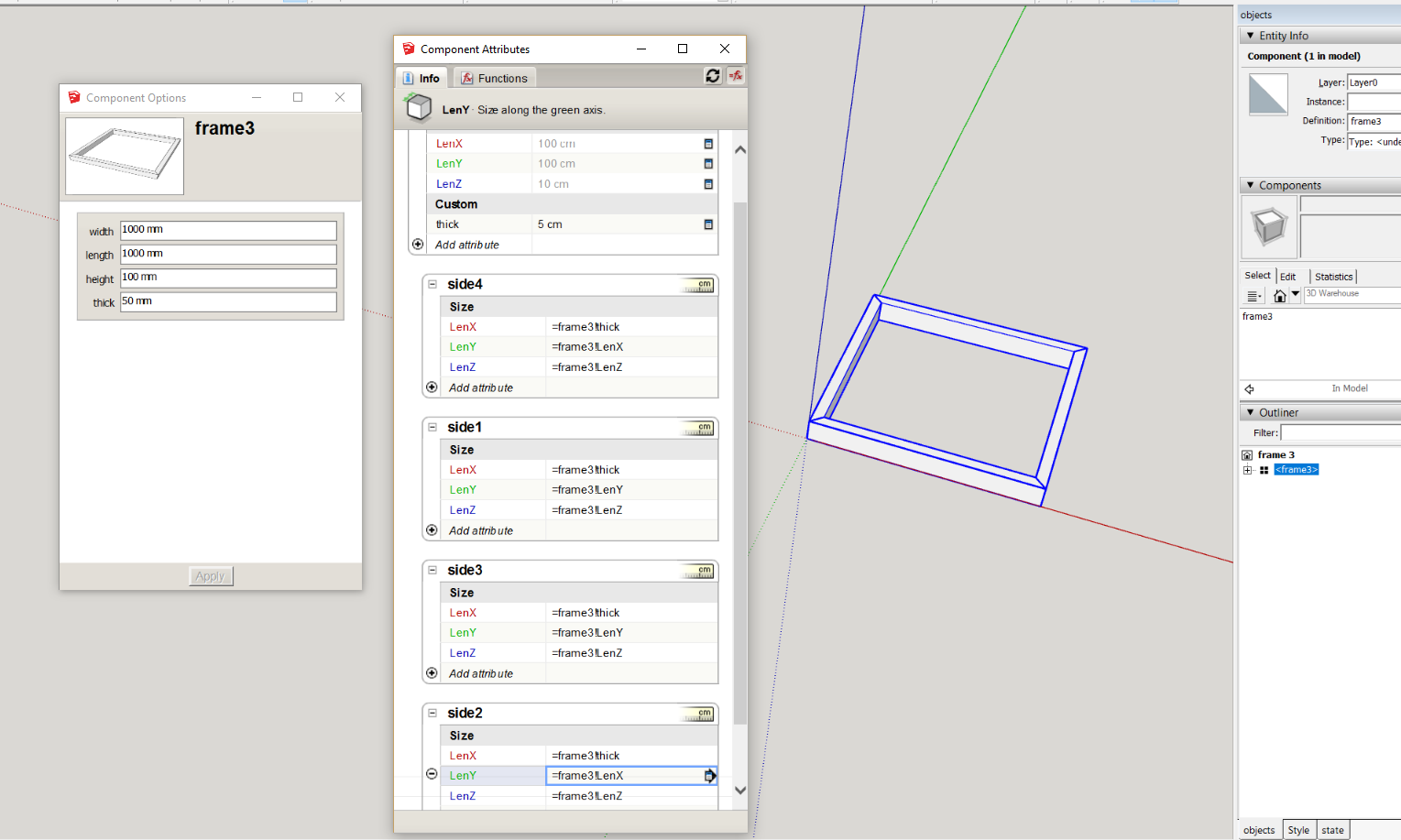
      now make all the unique sides a component, "frame3"

      fill in the relational formulas
      Capture7.PNG

      completed example attached


      frame 3.skp

      posted in Dynamic Components
      P
      pcmoor
    • RE: Change length of rectangle frame without change its thicknes

      method 2
      create one side of the frame, that is the thickness, depth and the length
      that is 1000 x 50 rectangle pushpull 100mm to match side of the first example
      make this a group, named "side"

      now draw a reference line from the center of the group, 500mm long (half of its length) then select the "side" group and use the rotate tool centered on the end of this line, press control, and copy rotate it 90degs then enter *3 to copy rotate to form the full frame
      this creates groups on the boundary of the component bounding box, with their axis pointing inwards
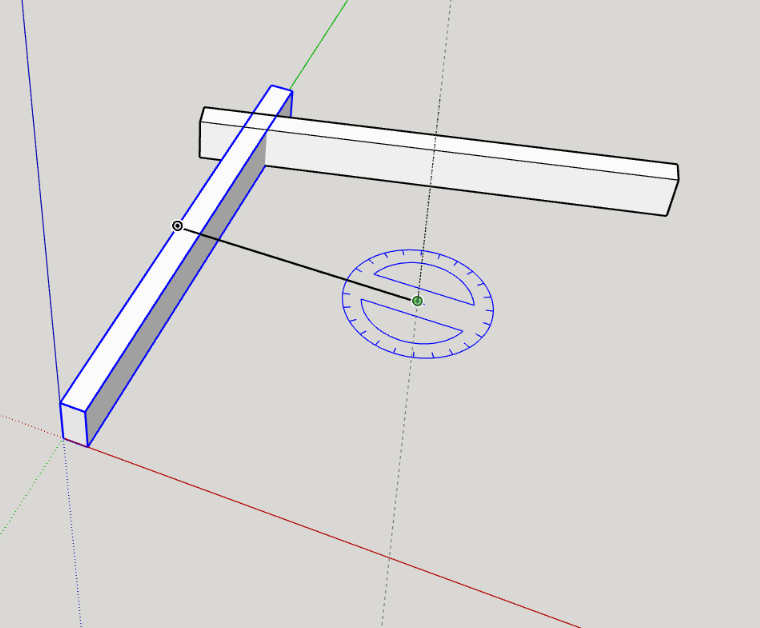
      Capture2.PNG
      Now delete the line, select all the sides and make them a component "frame2"
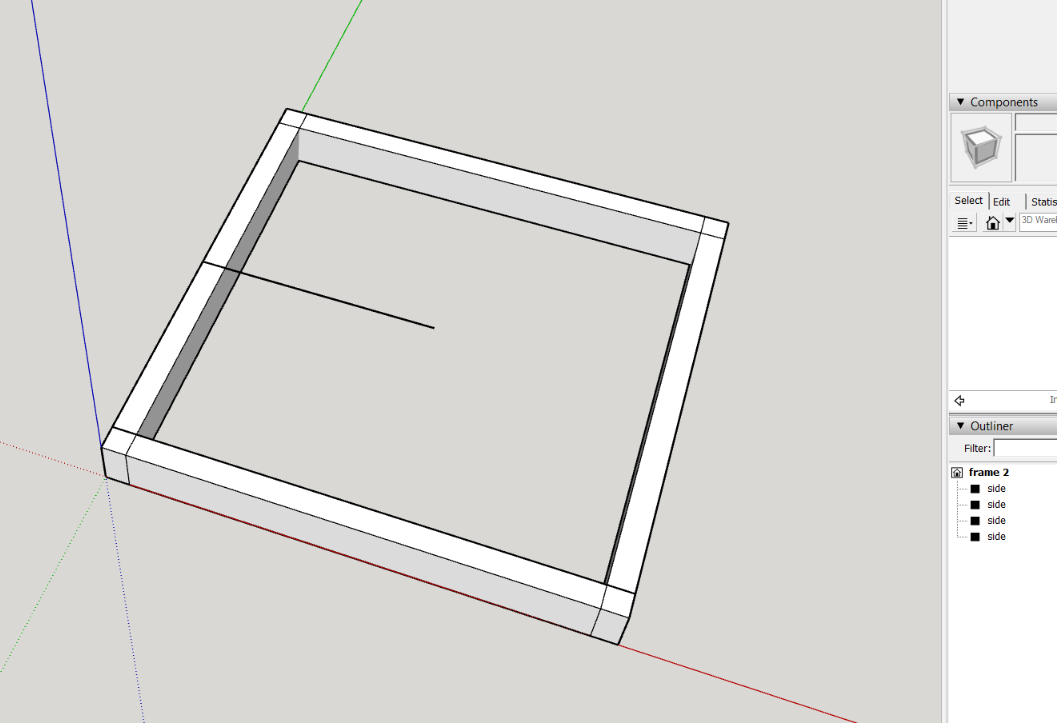
      Capture3.PNG
      open the attribute dialog and add an attribute "thick" and expose this to the option dialog, enter 50mm (5cm) as value
      expose the size attributes of the frame and label them as you like
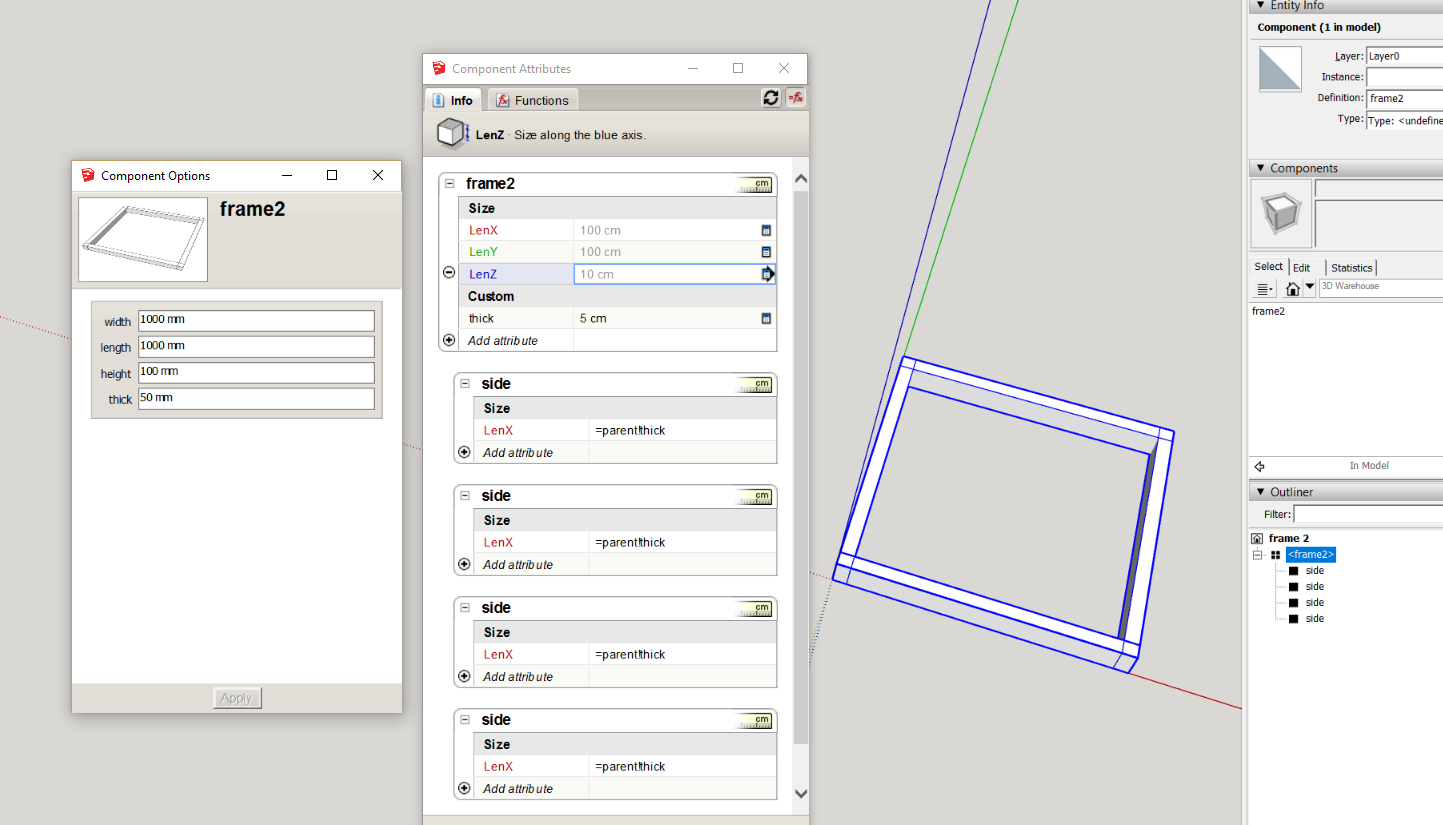
      Capture4.PNG
      in the LenX attribute of the "side" groups write then copy
      =parent!thick
      (note: parent is a general term for the parent group or component and can be used instead of the name, this is good for copies and common formula)

      This component will now change as per options or scaling, to remove the lap of the groups, after a change one uses outershell on the groups
      So open the frame2 component, select the groups and make them a component "outershell and explode me", create an attribute "thick" and write or copy
      =parent!thick
      (initially you will see the red # in the side groups, but this will go once the above formula is entered in thick)
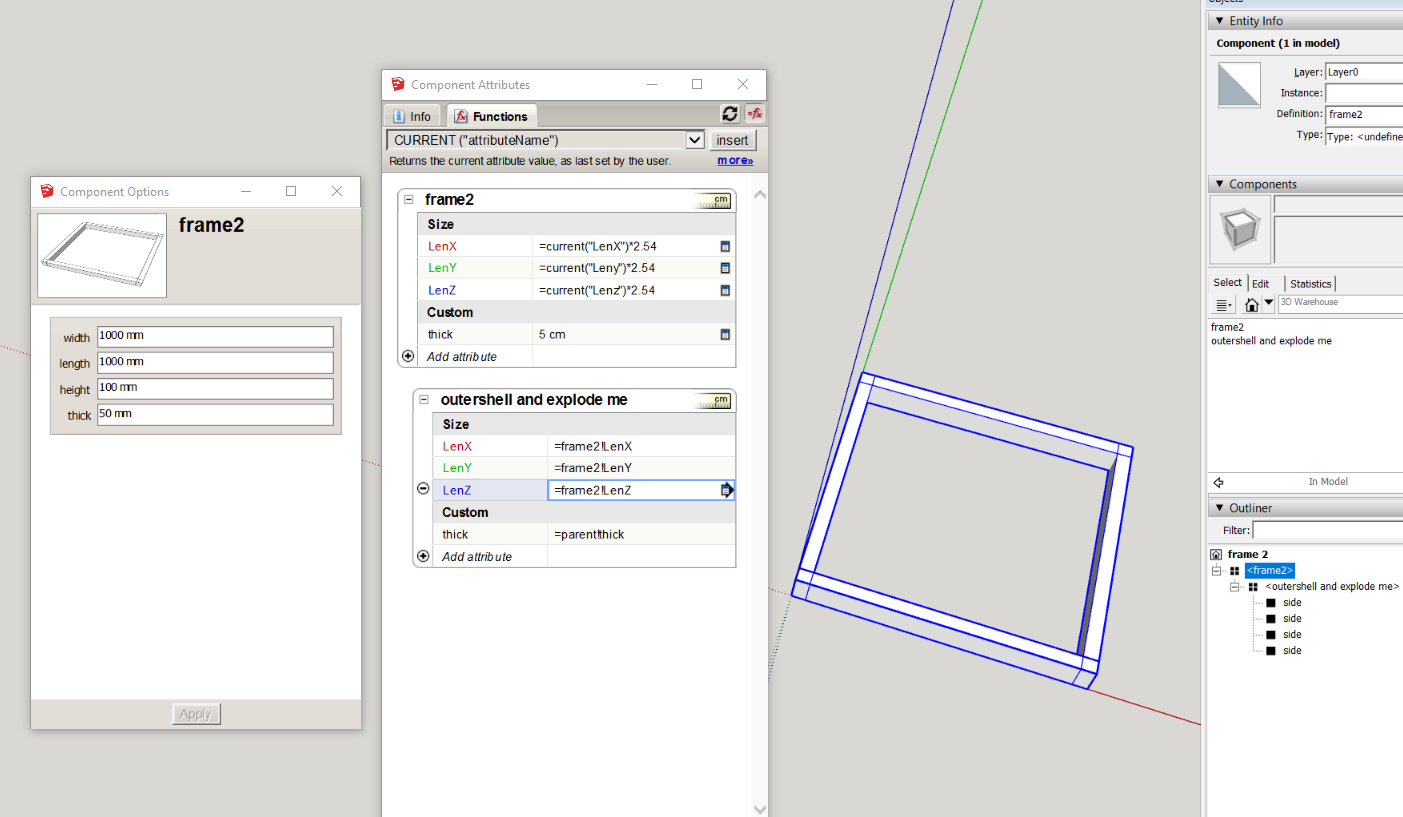
      Capture5.PNG
      you will now have a point to use the right click menu within the outliner to simplify the DC (dynamic component).
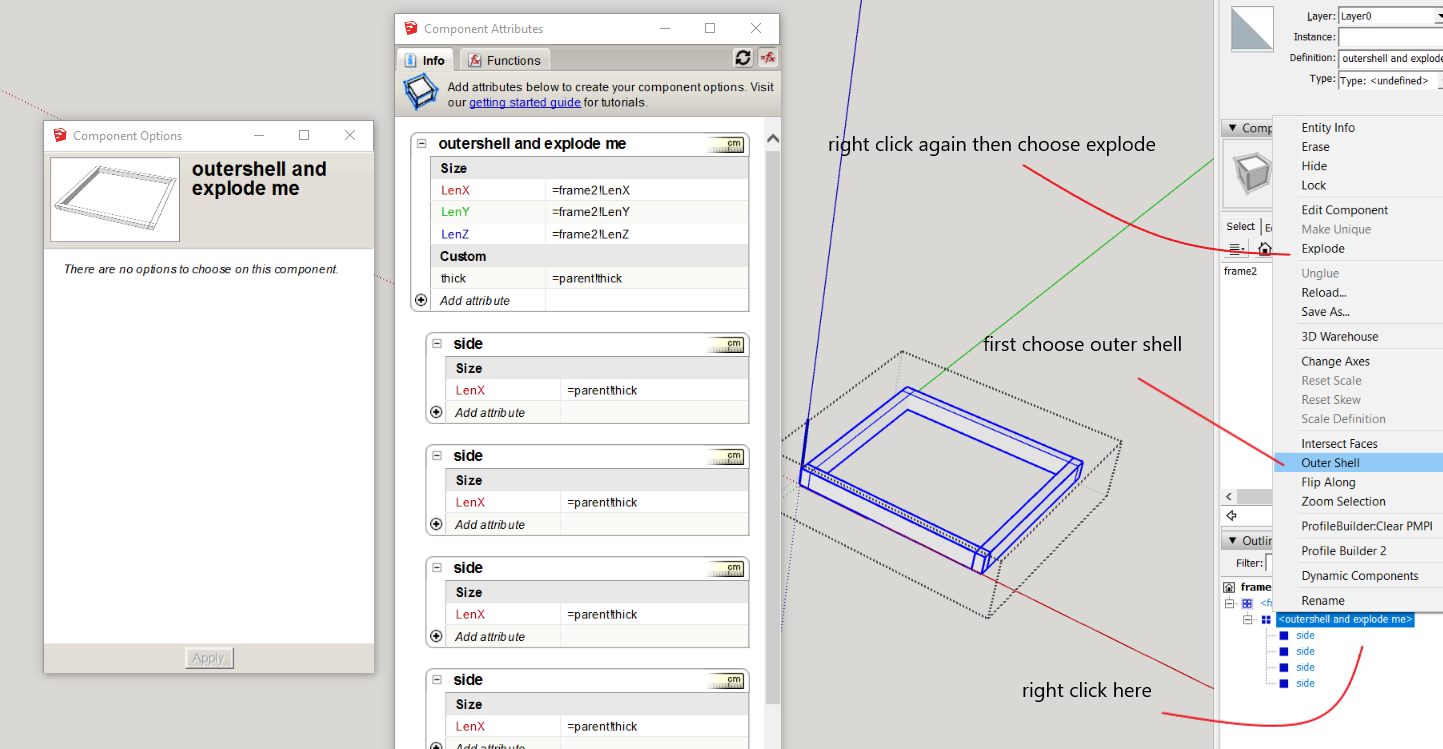
      Capture7.PNG
      However this destroys the dynamic part. There is a way a DC can be reinstated via a swap with a saved file of the DC. To enable the DC to match the existing attributes we need to add "current" formulas, the current function returns the last set value in inches, so for metric one converts this to centimeters by multiplying by 2.54

      =current("LenX")*2.54
      =current("Leny")*2.54
      =current("Lenz")*2.54
      for the size attributes
      then in the outershell component make the size attributes equal to the frame2 component
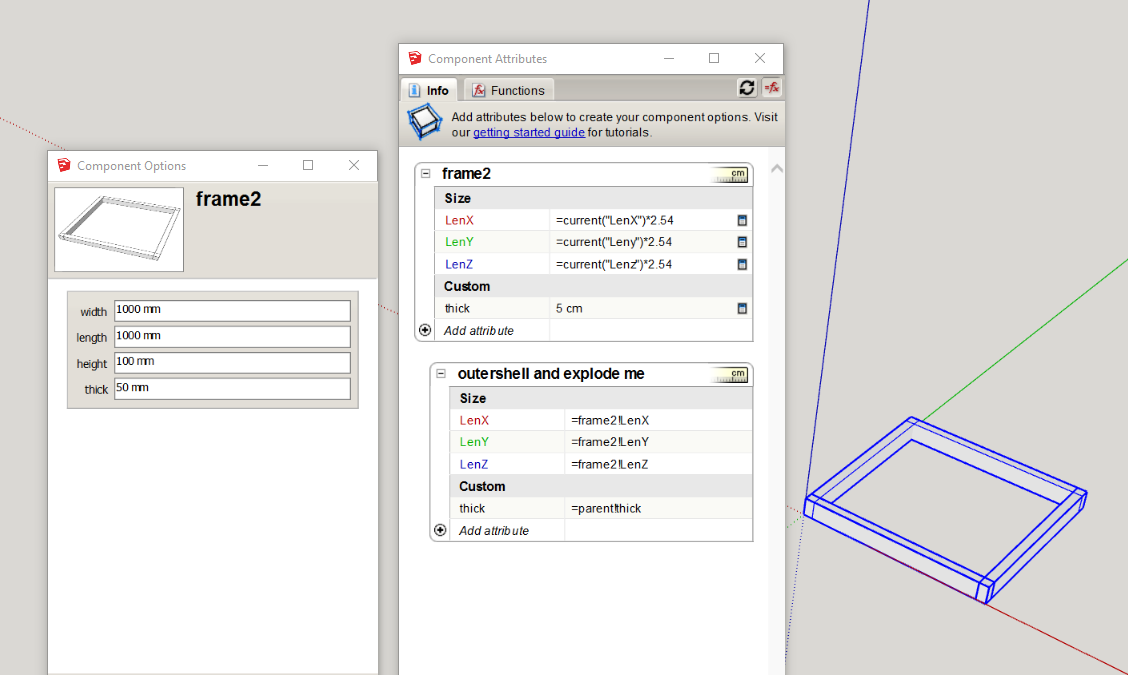
      Capture8.PNG
      Now this DC must be saved (via right click menu) as a component file (folder of your choice) as changing the values via the option dialog will overwrite the current formula, this does not mater as the swapping DC to replace the simplified version still has.

      have attached the working file, the DC should be right saved before changing the options for the swapping DC


      frame 2.skp
      posted in Dynamic Components
      P
      pcmoor
    • RE: Change length of rectangle frame without change its thicknes

      Method 1:
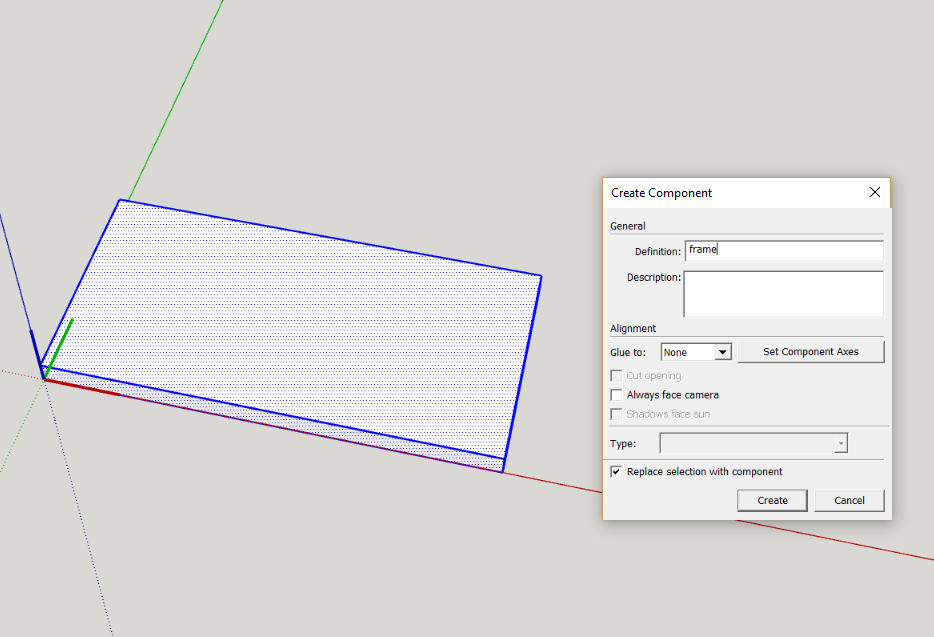
      first work with a know volume, draw a rectangle 2000mm x 1000mm and pushpull a thickness of 100mm make it a component call it frame,
      Capture.PNG
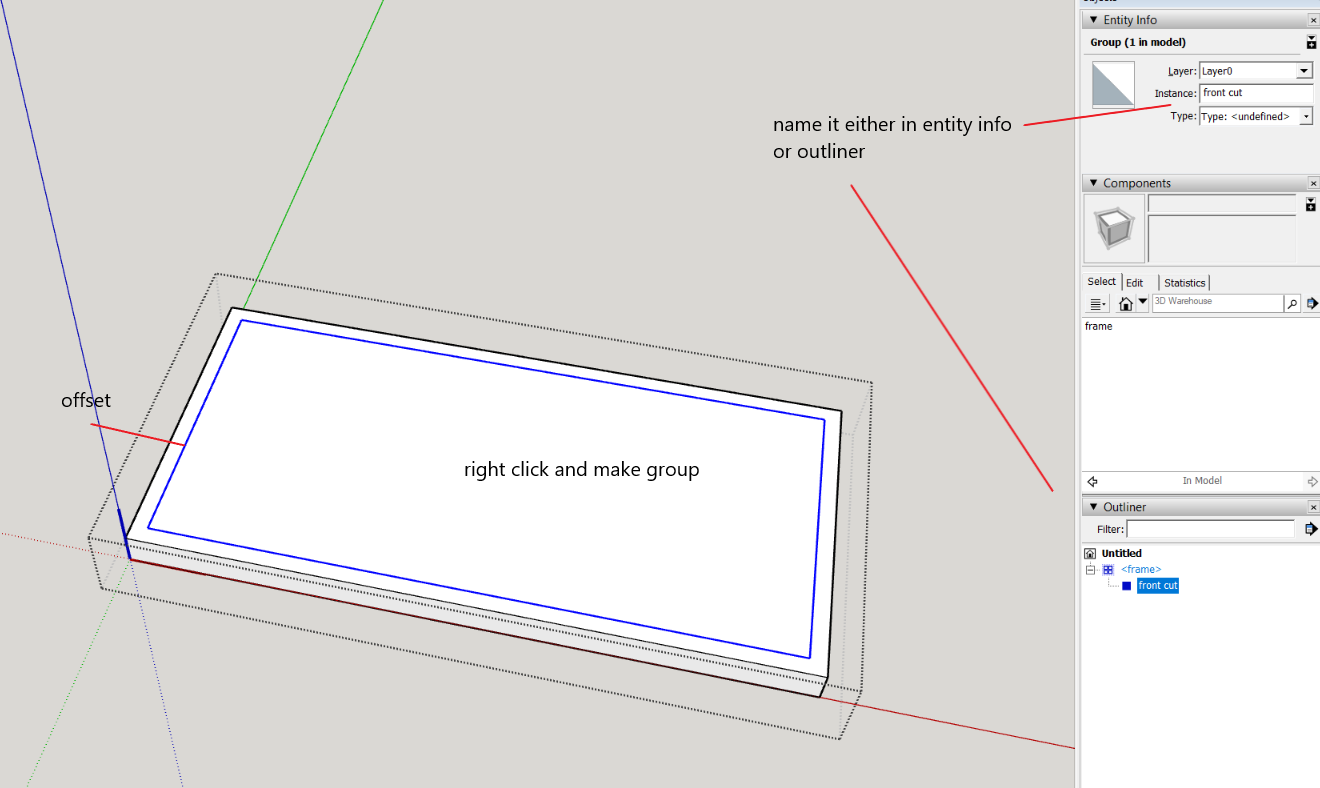
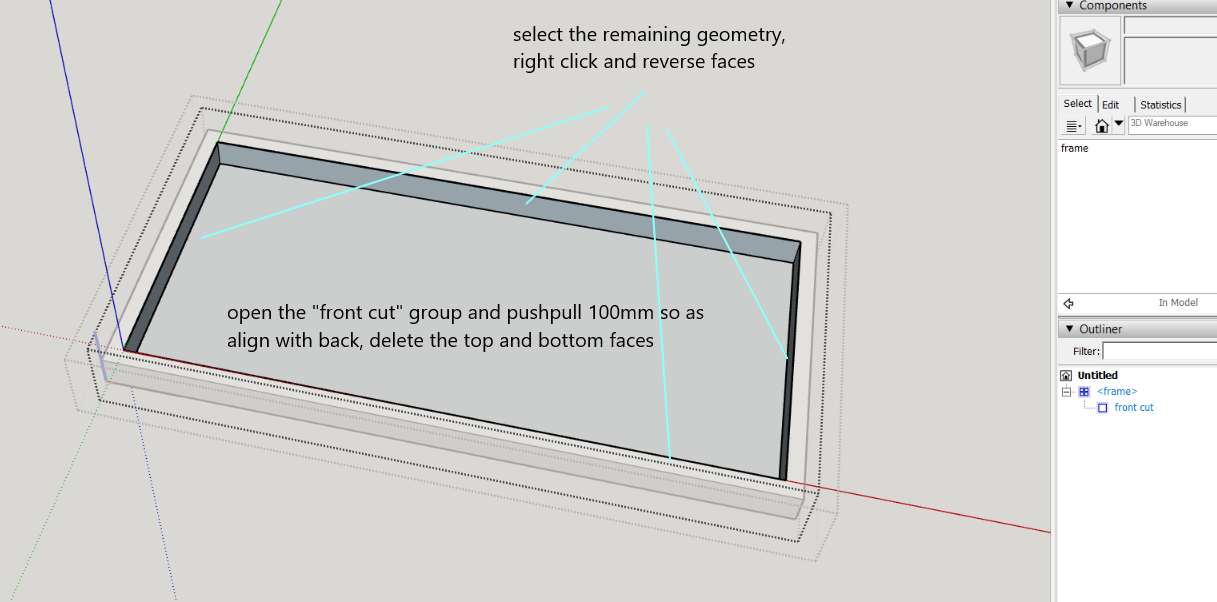
      open the component and offset a face 50mm for a known frame thickness, make this a group, name it "front cut", open this group and pushpull it 100mm. Then delete the front and back faces, (reverse the rim faces) close this group.
      Capture2.PNG
      Capture3.PNG
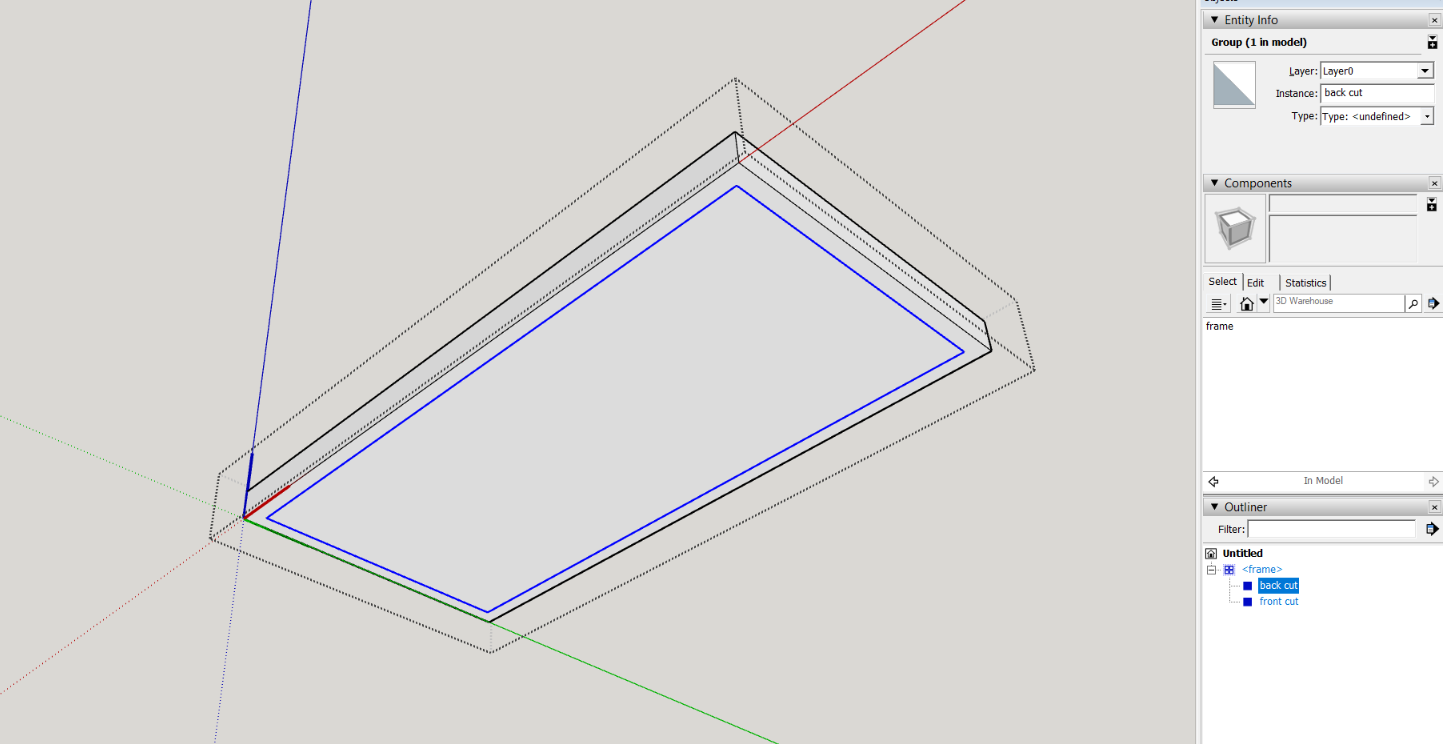
      then whilst still within the open component, "frame" draw (trace) a matching rectangle on the back surface, select this and make it a group called "back cut", open this and delete its face.
      Capture4.PNG
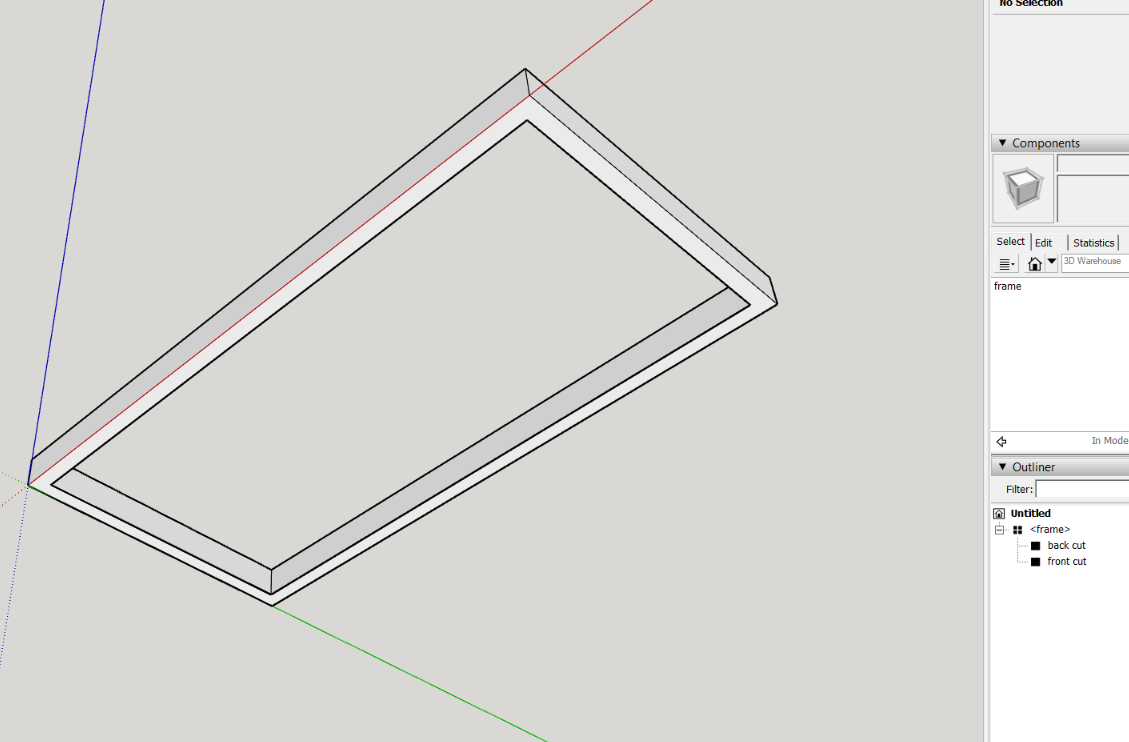
      You should now have a frame that is 50mm wide and 100mm deep with and overall size of 2m x 1m
      Capture5.PNG
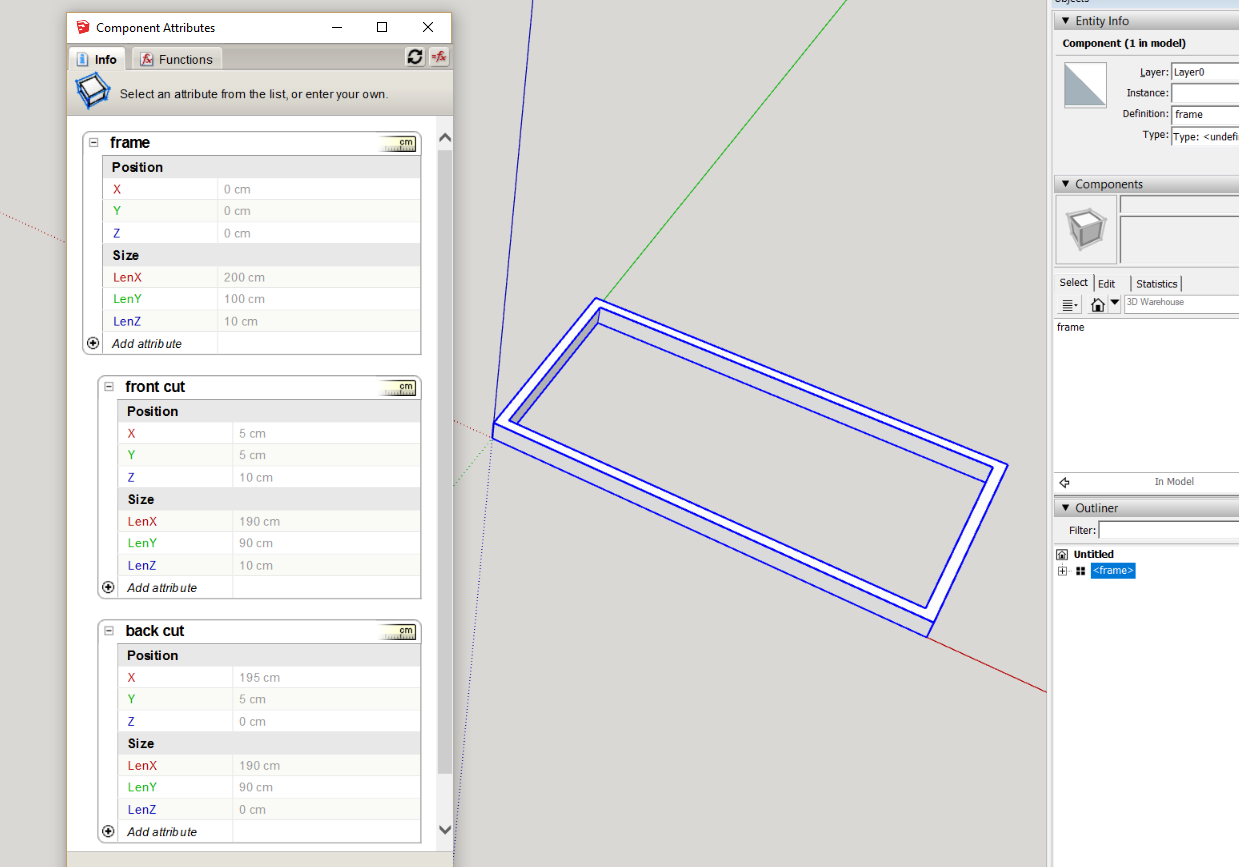
      open the attribute dialog and open the position and size attribute groups of the frame component and its two embedded groups front cut and back cut
      Capture6.PNG
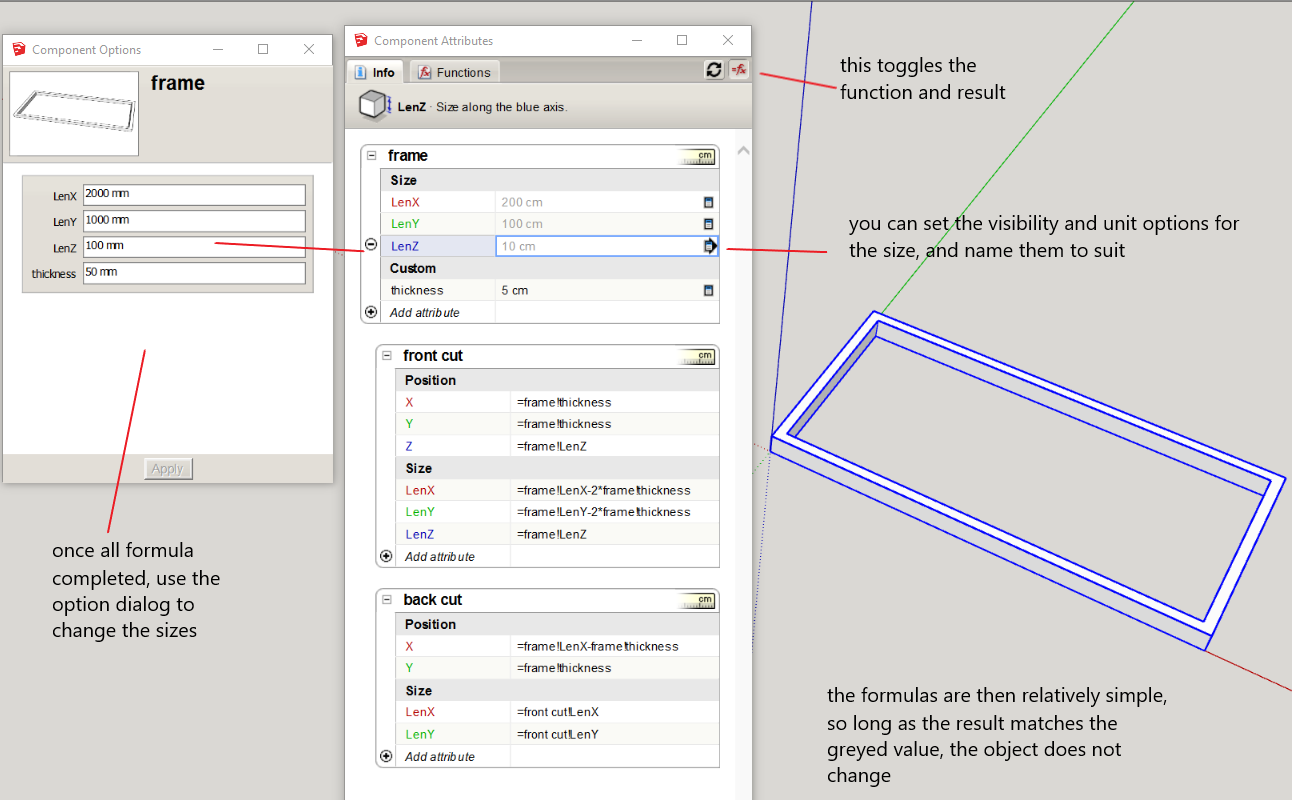
      the greyed out values should be familiar with the known dimensions of the object created, the next stage is to create formula in regards to the relationship of the geometry, its important that the results match these grey values, otherwise you will create scaling issues that will come back to haunt you later.
      open the option dialog.
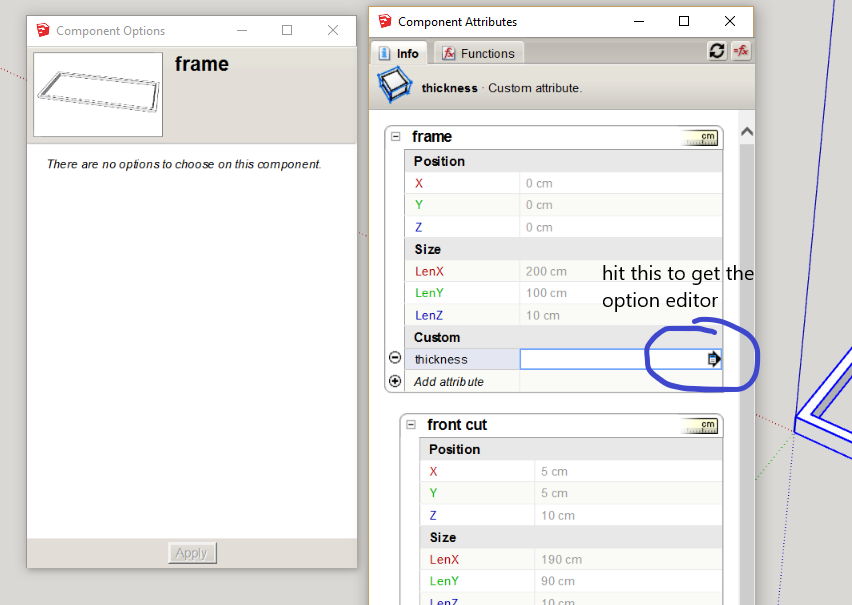
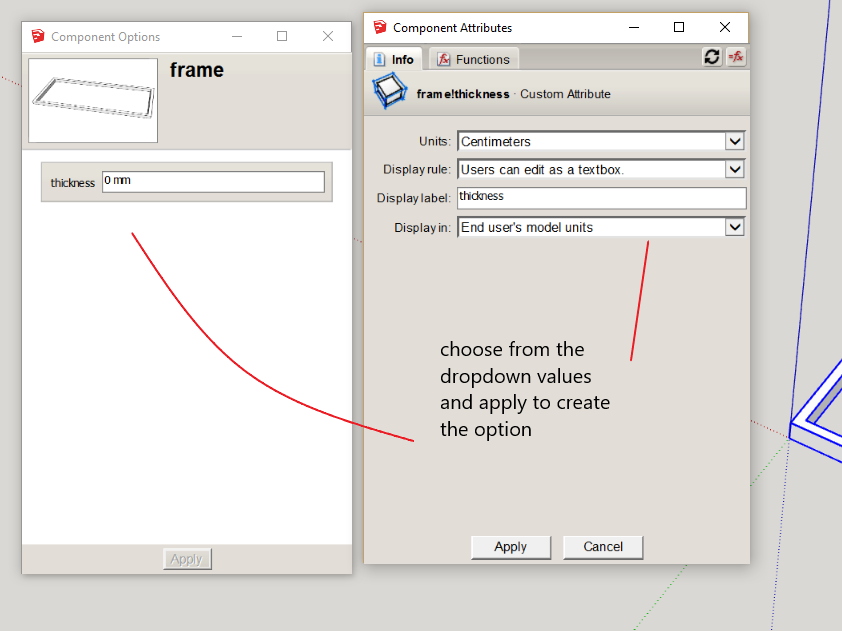
      create an attribute in the frame for the thickness, if you using metric, its important to select centimeters
      Capture7.PNG
      Capture8.PNG
      set this to 50mm (5cm)
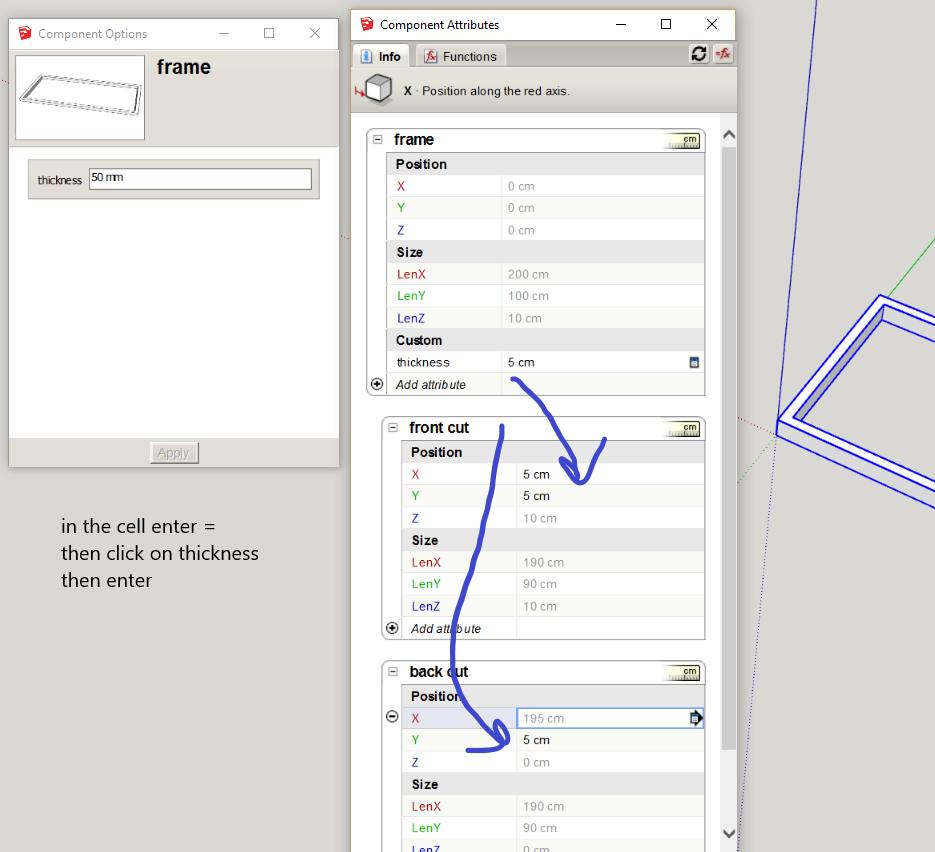
      you will note that X,Y in the "front cut" group is 5cm, this the same as the thickness (you will start to see the reason to start with known and unique dimensions for your base geometry), you can click these values in after an equals sign, by selecting the cell as one does in excel or any other spread sheet program
      Capture9.PNG
      in the "back cut', Y matches, but X is 195, that is because its axis is in the other direction, for this case we will leave it alone, although you can change it if you want. So its value is the outside lenX of the frame minus the thickness
      Capture10.PNG
      so one works out the rest


      frame.skp

      posted in Dynamic Components
      P
      pcmoor
    • RE: DC multiple different OnClick movements

      this is probably the clearest and most simple, rather than use a load of conditional statements

      source: Jack de Moel
      https://forums.sketchup.com/t/multiple-dynamic-components-w-n-a-dynamic-component/48035/6
      Capture.PNG

      I made a cube as required based on his technique


      cube example.skp

      posted in Dynamic Components
      P
      pcmoor
    • RE: Redraw Multiple Items

      perhaps you could make your own?
      a ruby snippet: either use ent or sel
      test in the ruby console

      ` mod = Sketchup.active_model # Open model
      ent = mod.entities # All entities in model
      sel = mod.selection # Current selection

      dcs = $dc_observers.get_latest_class

      ent.each { |e|
      if e.is_a? Sketchup::ComponentInstance
      dcs.redraw_with_undo(e)
      end}`

      posted in Dynamic Components
      P
      pcmoor
    • RE: Area Reporting by Components

      Because you are altering the raw geometry rather than using a formula to do this (which would be too involved and impractical, I suggest either place an attribute that can be changed via onClick or the option dialog to cause the redraw.

      I added redraw to the onClick, this means you have to select the interact finger to do the redraw after..a few too many clicks
      If the Dynamic Component is further developed and the option dialog had too be used then this will automate the redraw after pressing apply

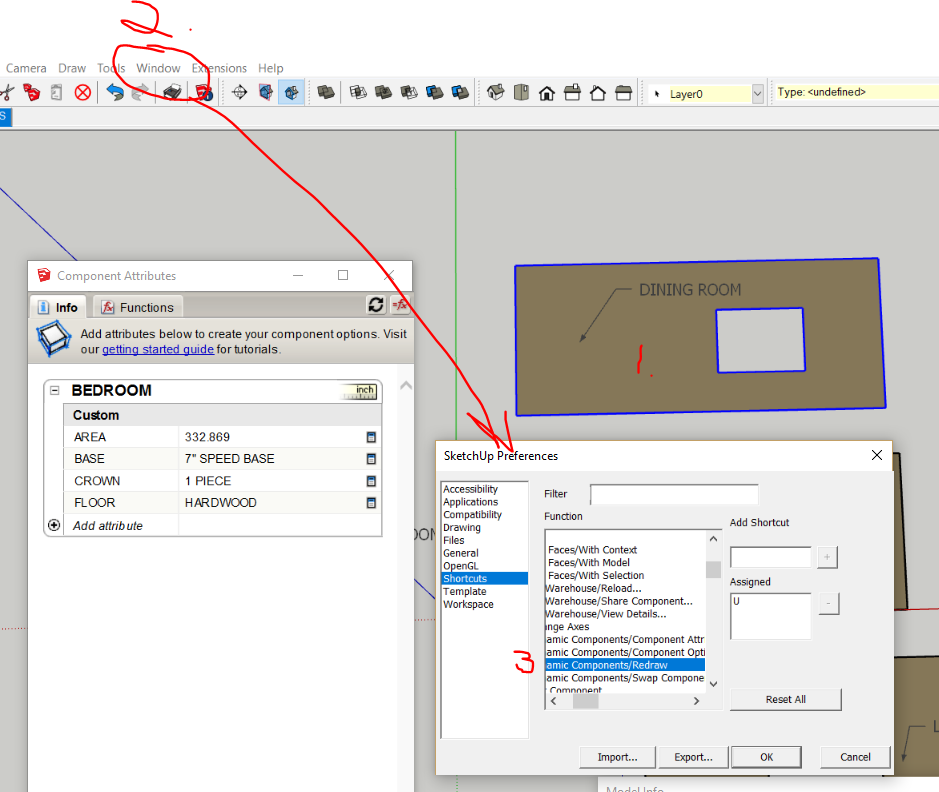
      Another alternative, and probably the quickest (safest) is to create a shortcut key, and press it after closing the component (click any outer space) with it still selected

      1. select one of the components (necessary to show the right click options in the shortcut menu)

      2.from the top menu go to: window / preferences / shortcuts

      3.select Edit/Item/Dynamic Components/Redraw in the dropdown menu and assign a letter like U or N that have not be assigned

      Then after altering the shape, close and press u

      Capture.PNG

      I took the liberty of changing the attribute label to data (changed by double click on bedroom label) then use the name attribute, copy the new component name here


      FLOORS.skp

      posted in Dynamic Components
      P
      pcmoor
    • RE: Component ordering

      can you upload an example? and some more explanation so one can determine how you are using layers, groups, scenes

      posted in SketchUp Discussions
      P
      pcmoor
    • RE: Mother child

      all onclick functions should on the same level of nesting otherwise the top will work in preference to the lower as its triggered first and shields the rest.
      Combine two or more actions using semicolon between onclick functions, or use a common variable

      cheers
      philip

      PS
      had to fix the height reference to stop the overall shrinking to change in the bounding box as toe is withdrawn
      change group to component as can not reference a group back to the parent

      the base is the trigger for the slide


      RetractableTrays (1).skp

      posted in Dynamic Components
      P
      pcmoor
    • RE: Search a DC attribute string value

      More or less correct. As you know find returns a position but that is -1 (an error) if there is no instance of the required text. So adding the text you are trying to find to the end of the original string, then if there is no other instance, then position return will not be -1 but the length of the original string plus one,
      So the difference between (position-len(original string)) returns a negative number if another instance is found, which if<0 will return true

      added the above example with extra attributes to show steps clearer. but better to use one liners to save space in your DC dialog, once understood


      separated fields

      posted in Dynamic Components
      P
      pcmoor
    • RE: Search a DC attribute string value

      Add the required text to the end of the string then use "find", then compare the length of the original string and position returned by find. By adding your text to the end, find will always return a value


      test string.skp

      posted in Dynamic Components
      P
      pcmoor
    • RE: Import multiple same components

      Try Eneroth Component Replacer
      https://forums.sketchup.com/t/eneroth-component-replacer/46283

      posted in SketchUp Discussions
      P
      pcmoor
    • RE: Push pull faces inside group/comp

      how about scaling the group?, start then enter the new dimension and units, or match the inference

      posted in SketchUp Feature Requests
      P
      pcmoor
    • RE: ENTITY INFO DIALOGUE BOX BUG!!!

      have you tested it with all the plugins disabled?

      posted in SketchUp Bug Reporting
      P
      pcmoor
    • RE: Dynamic Component for holes

      to create a DC hole that can be copied, one need to double wrap the hole in a cutting DC. Start with the first cutting component as you uploaded add a line, make both a cutting component, enter and delete line. Then the wrapped hole will cut as copied within the outer cutting face


      save as version 7

      posted in Developers' Forum
      P
      pcmoor
    • RE: Erratic Duplication of Dynamic Components?

      the wall component, although has a nested group, this group has no changing attributes. You will find any one level DC will not be made unique by SU operations unless you do, it is the nested changes that cause this. So one designs to take advantage of the differences. I make a complicated DC with various nesting able to be simplified via explode, outer shell to a one level component (which can be replaced with its original or another), so copies remain same, this has added advantages for material reports, file size, intellectual protection if shared, material painting....

      posted in Developers' Forum
      P
      pcmoor
    • RE: Auto Length

      Hi

      You could add a dimension within the component aligned with the face. Dimensions can be tweaked via the window/model info menu, select dimensions.

      If you create a board component then you can scale to any other size by entering the measure followed by the units

      To create a board where the material is not stretched after scaling, right click an make unique, and then right click and scale definition

      Further more one can add a tag in the dimension followed by <> this will create a named item followed by the dimension


      tagged with board...

      posted in Newbie Forum
      P
      pcmoor
    • RE: Boolean Subtraction or ???

      @sdmitch said:

      What should the distance be from the end of the rebar to edge of the slab?

      50mm or 2 inch

      posted in Developers' Forum
      P
      pcmoor
    • RE: Australian Victorian balustrade?

      Outline the lace structure, push out 25mm, then add photo texture of the lace

      posted in SketchUp Discussions
      P
      pcmoor
    • RE: Dynamic mattress/bed Questions

      OR(logicalValue1,logicalValue2,...logicalValueN)

      so quite likely

      =IF(or(Size = "King", Size = "Super King"),200,190)

      posted in Dynamic Components
      P
      pcmoor
    • RE: Auto Text Export

      I believe that he is referring to an inserted excel table, and changing the cell reference to suit. I guess it is a possible workflow to excess stored data

      posted in LayOut Discussions
      P
      pcmoor
    • 1
    • 2
    • 6
    • 7
    • 8
    • 9
    • 10
    • 18
    • 19
    • 8 / 19