See previous post "Revit-like Adaptive Component"
http://sketchucation.com/forums/viewtopic.php?f=289%26amp;t=63810
as a guide
See previous post "Revit-like Adaptive Component"
http://sketchucation.com/forums/viewtopic.php?f=289%26amp;t=63810
as a guide
right click the component, then from the menu select make unique if there are other components at a different scale, and then select scale definition
all you you need to do is delete the face at the cutter within the component
find needs to return a value, a position. so if if there is no match it fails. Since there is no error catch procedure, it is not possible to
IF(find("SINGLE",OPENING!TYPE)>0,FALSE,TRUE) unless "SINGLE" exists, can only be true or an error
in sketchup window/model info/units change the precision, save and update the layout model
this is a DC text changer to reflect the first five numbers or period of lenX, a bit involved, and could be fine tuned to only copy a digit if it exists more than once. However it depends on how the machining reacts to invisible entities.
try it and let us know if its worth pursuing
Hi John,
Would a dimension in line with the face (edited via window/model info / dimension) work?
example attached
Philip
another idea
export the layout as a dwg, open in a free or economical dwg program like draftsight, make one line entity a polyline, use command join and select the others to form the area. Area calculations done in properties.
Or (probably easier) one can transfer the required lines from paper space to model space, then save, import into sketchup, and change them to include surface (redraw a line) then use smart labels
Most likely the parts will be nested and hard to figure using the definition, so I would
2, use the onclick alert(name) to help identify the sizes/items in the model
3.create a quantity report based on name and quantity in the report writer, save to model (eventually make this file the working template)
4 have this sent to excel and use a VBA routine or formulas to tidy it up, sum like sizes
5, send model to layout, use smart labels to denote parts
6, with 2017, import the table, or a image if <2017
attached a quick example
@juju said:
Another approach I, for one, did not consider. Any way one can start incorporating the creation of return reveals (thickness, so when cut through in plan illustrates correctly) and lintels as well?
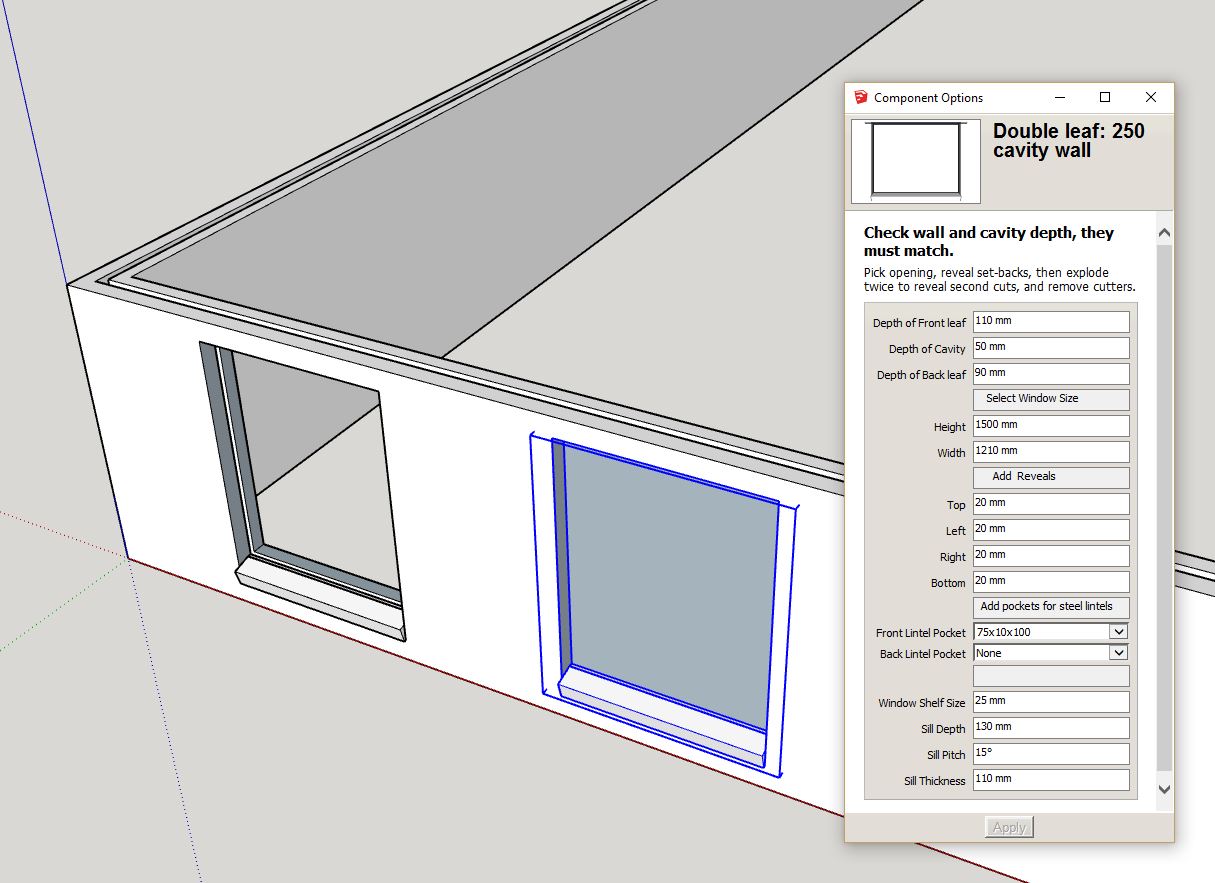
Alternatively call it using a ruby that does the extra things you want / need including exploding the cutting component and removing it.
It depends on how much detail one requires, the lintels can be incorporated, the linings/reveals would be better as part of the window install, a window DC set to scale and nested two deep to survive the double explosion is doable. Then that can be swapped with a detailed one, client choice. Will give it a go over the weekend, plus add the insulation factor.
Philip
another idea is to develop a DC cutter, but the leafs need to be raw geometry within the group

3D Warehouse is a website of searchable, pre-made 3D models that works seamlessly with SketchUp.
(3dwarehouse.sketchup.com)
thus can have different reveal sizes, sill....to make up time
the difference between my examples (hide.skp) and your model (save.skp) is the parent is a component in mine whereas yours is a group. It appears groups can't pass down a value, but rather they need to reference the parent.
hav't an explanation to why example 2 does not work, however able to fix using example 1
will look into it tomorrow
create an attribute say called hide in the parent and give it a value 0, toggle this via the onClick with SET("hide", 0, 1).
Then for hidden attribute value within the children(legs)
hidden = parent!hide (or char!hide)
License type:Free/Make?
I believe its a Pro feature
if you find it difficult to align the plane, make a plane by attaching the center points, top and bottom of both pipes, then draw a line from the mid points between the "top" to the same on the "bottom" then push pull the planes either way to get the intersection plane. (Top and Bottom maybe left and right depending on the orientation)
thanks Kaas & Garry, will give ruby a serious go.
no point in wasting my sketchup experience, although will purchase a CAD plateform, probably BricsCad. although will checkout the others mentioned first
Thanks for the insights
Yes I will look else where, waiting is not the answer
I will keep sketchup as a hobby, maybe explore a bit more ruby...in my spare time...for a while
Once I find the software I will move there. Cheers and thanks for the forum, I hope there are equally as good