@rich o brien said:
Next week either the 24th or the 26th. I erased the email with the date but I'm close with those dates.
24th
 Offline
@rich o brien said:
Next week either the 24th or the 26th. I erased the email with the date but I'm close with those dates.
24th
Cascadeur looks really nice, didn't know it's free.
I've always used Adobe Mixamo or ActorCore Accurig for similar tasks.
For that kind of objects I would reccomend to use Vertex Tools/ Sub-d and also Artisan.
You can find plenty of tutorials on the plugins websites and also on youtube.
Depending of the kind of models you are after, you may want to also have a look into Curviloft and Extrusion tools.
@ntxdave said:
How did you animate the stuff you scooped?
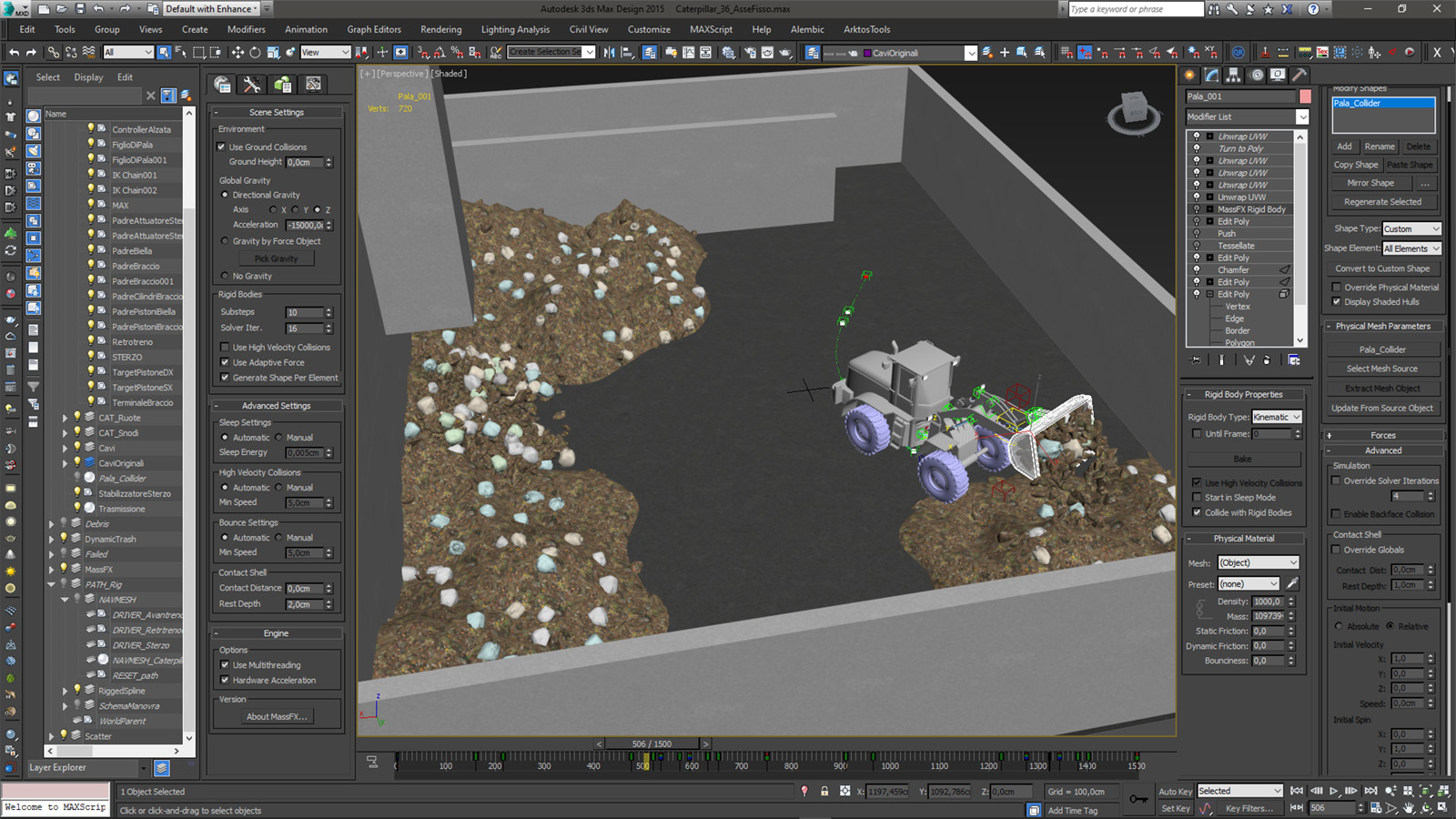
I used the physics and collision engine inbuilt in 3dsMax which is called "Mass FX" (actually developed from Nvidia).
I could have done pretty similar stuff straight in Unity if it was meant to be interactive, but for plain animation, doing that in 3dsMax allows to bake the animation to keyframe when you are happy with the simulation, so that is way more consistent and lighweight compared to have the simulation running at runtime every single time you hit the play button.
Basically it works in this way:
_ you set up the colliders, there are 3 main categoryes which are static (quite self explainatory), kinematics (the ones which have an arbitrary animation, in this specific case, those are the bucket and the arm), and dynamics (the ones wich are not animated by themselves but reacts to gravity and collision with other dynamic and kinematics objects, in this case the trash objects)
_ you set up all the additional simulation parameters such as gravity (also some wind if you want), density/mass of the objects, friction, bounciness and so on
_ you hit the simulate button and go grab a beer
_ you come back with your beer, change some parameters, hit the simulated button again and go grab some other beer
_ repeat the previous step the required number of iteration to make the simulation work properly
_ when you are completely high, the beer is finished and the simulation is working properly (or at least you think so) you can finally hit the bake button and make it into a persistent animation that you can safely playback and export.
@rich o brien said:
Wonderful. Color grading makes it pop! Is it a LUT?
Thank you! Yep there's a LUT applied amongst other fx.
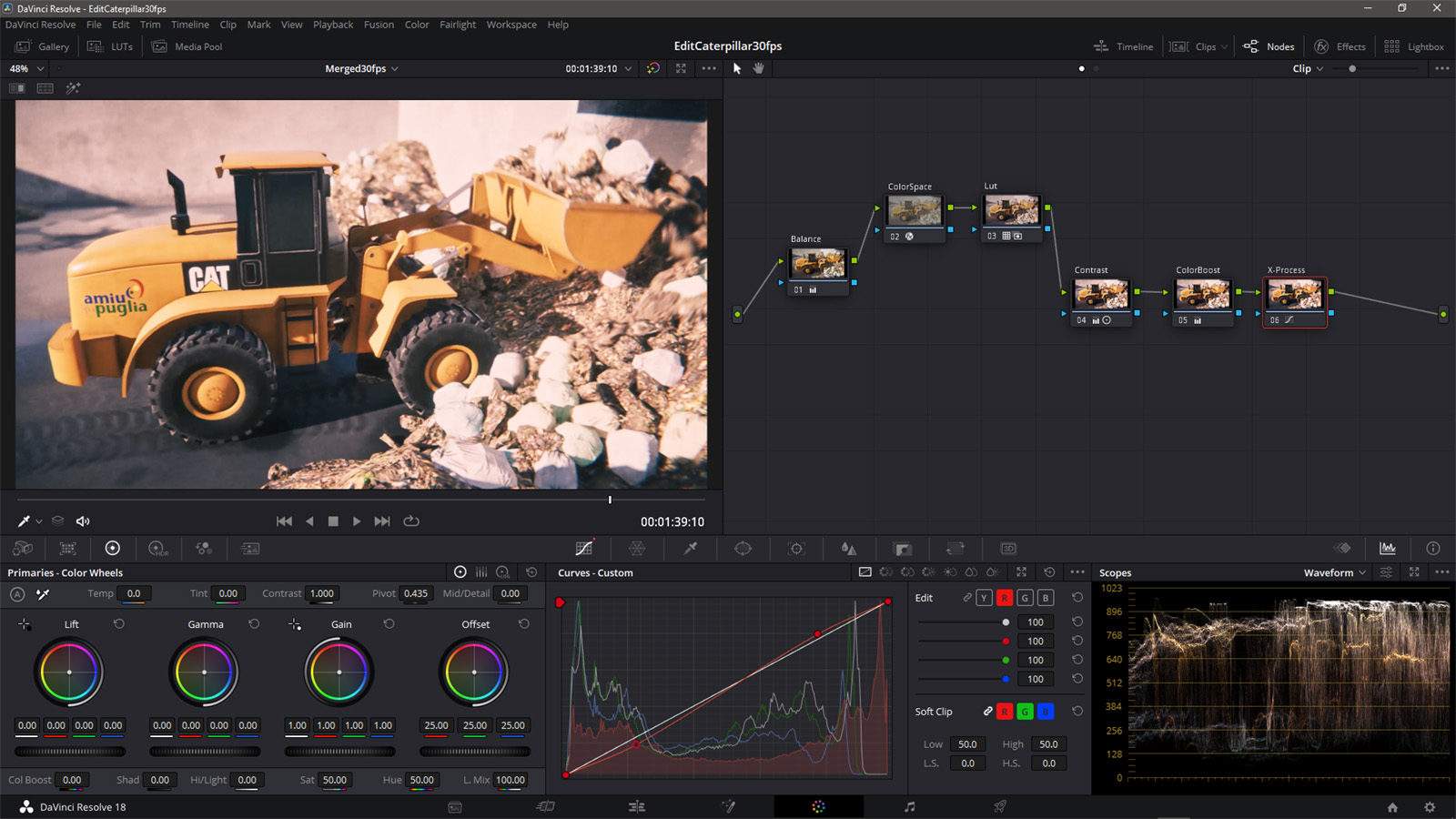
Basically I worked on the colors in 2 steps.. the first step was done on the single clips to balance a bit the exposure, shadows and hilights and have them a tad more consistent between each other.
In the second step (the one in the screenshot) I created a nested timeline to grade all the balanced clips at once, converted the color space to Cineon Film Log (to make the Davinci inbuilt LUTs work properly) and then applied a DCI-P3 Kodak 2383 D55 LUT.
The other two nodes before and after are to slighty balance it and bring in a bit more of contrast and detail.
The last node is for Cross processing.. used the red channel curve to slightly bring down the red in the dark and slightly up in the light (to get a bit of greenish tint to the shadows and a bit of warm in the hilights).
@rich o brien said:
I love the mounted camera showing the hinge operation. The DOF really did lead the eye in.
Actually there's quite a bit of action goin'on in the hinge zone, there are the steering pistons pushing and pulling, the cable flexing and twisting a little, the transmission rod rotating..
I initially didn't plan to animate all of that, but looking at the animation you could clearly see that something was quite off (at least my OCD noticed it, so I fixed all of that).. but is the typical kind of stuff that you tend to spot only when it's off, when is working properly you can barely see that.. you know..
So after all that hard work I decided to set up a dedicated camera to make that at least slightly noticeable LOL.
@rich o brien said:
Take the rest of the summer off
Actually I fear that I'll spend nearly the whole summer fighting with this stuff, because the deadline for the complete video will be around september/october..
But it's all good, will be fun to do this, lot of action going on, different vehicles and machinery and also particle systems, gas flowing into pipes and more fun stuff 
I recently started a new project. The full project will be a video to show a composting plant and explain how it works.
I started to fiddle with one of the most complex elements in the animation, a wheel loader which dig and carry around different flavours of garbage.
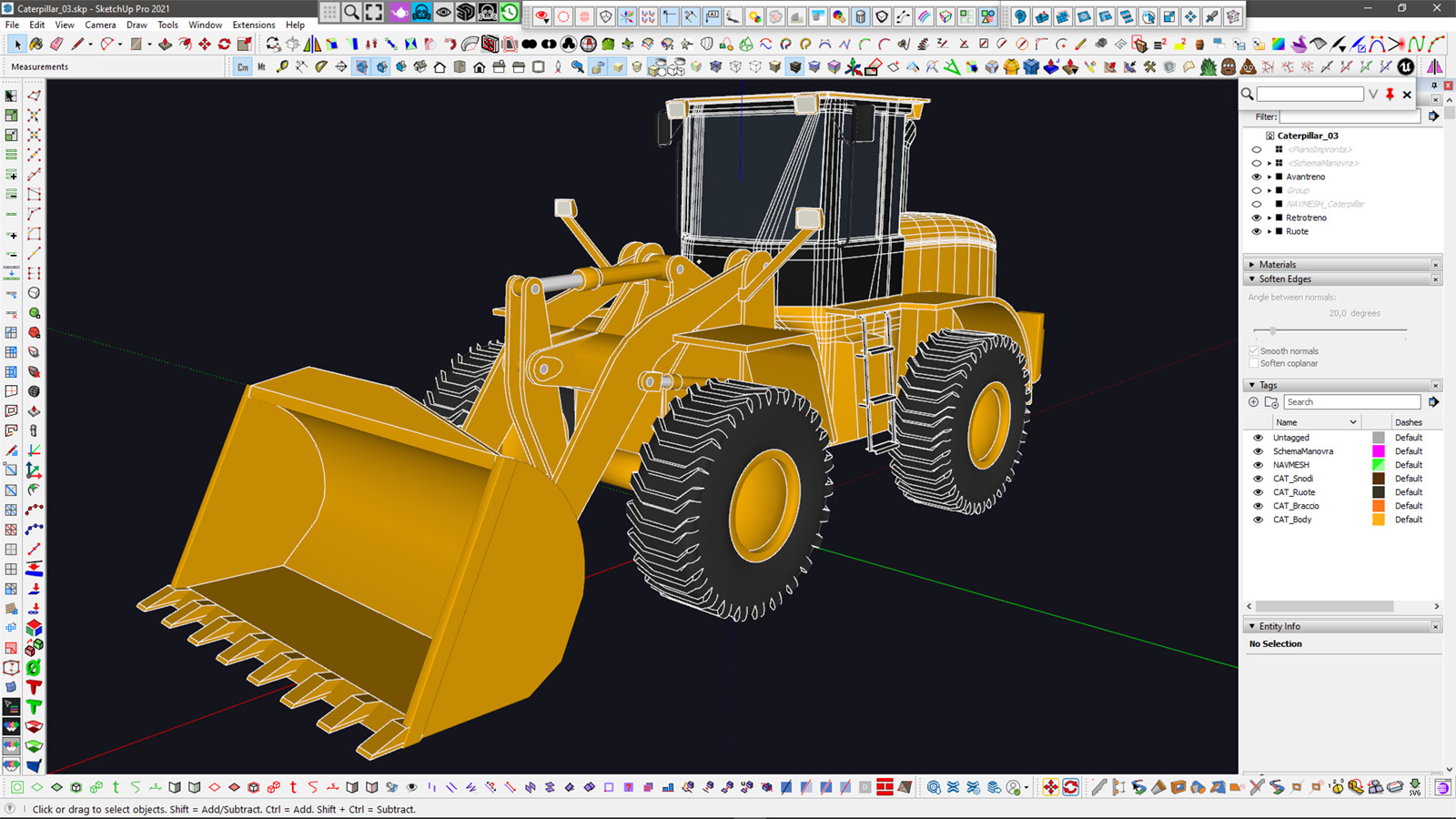
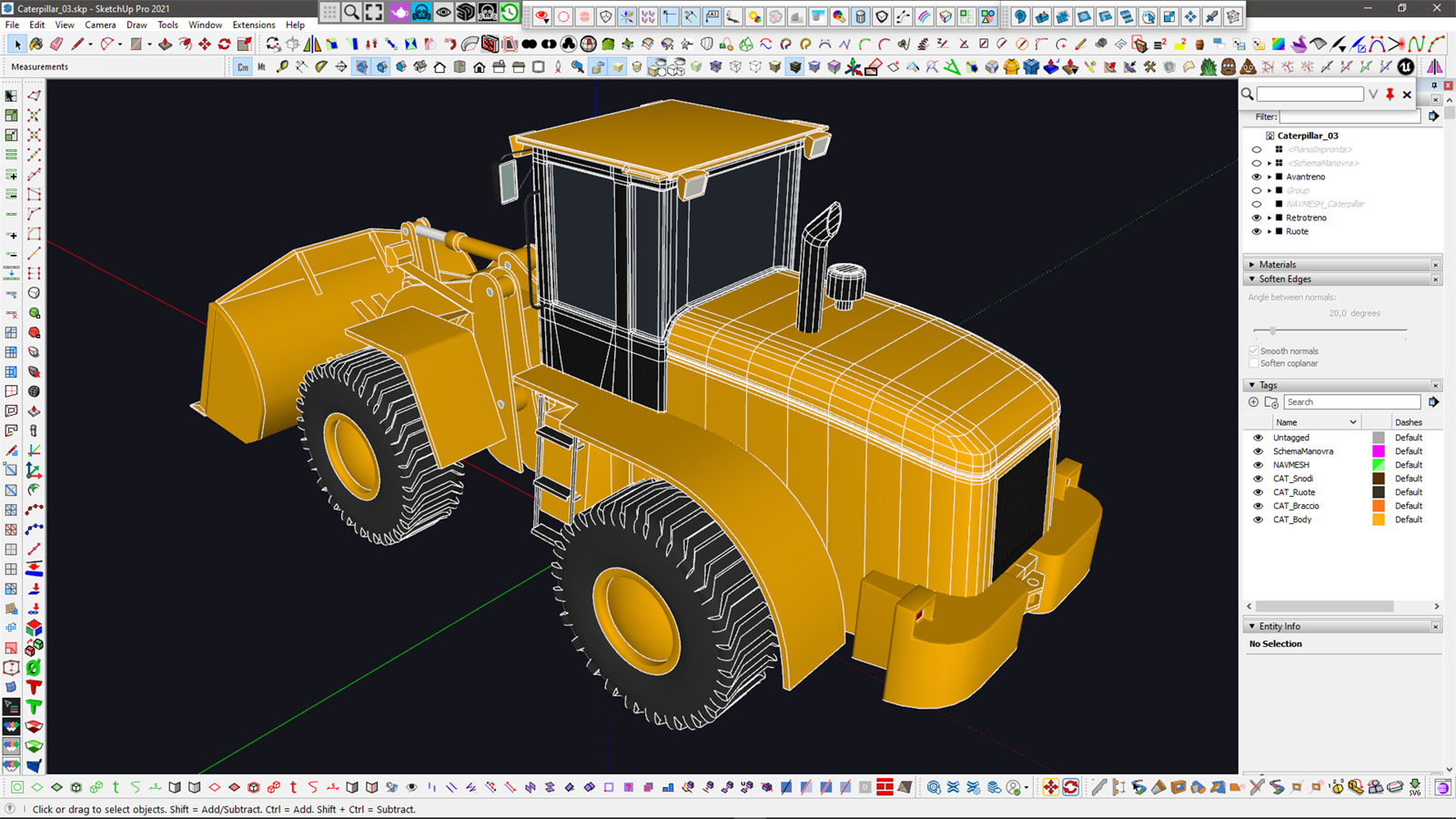
I started to model it in SketchUp to get the most accurate possible geometry for the mechanic animation.
For the front part, I mostly used simple native tools alongside FredoCorner to round off some edge here and there.
The back part was modeled by subdivisions and then converted to plain mesh and optimized to low poly.
I organized the hierarchy and the pivots in a meaningful way and exported the model to 3dsMax to animate it..
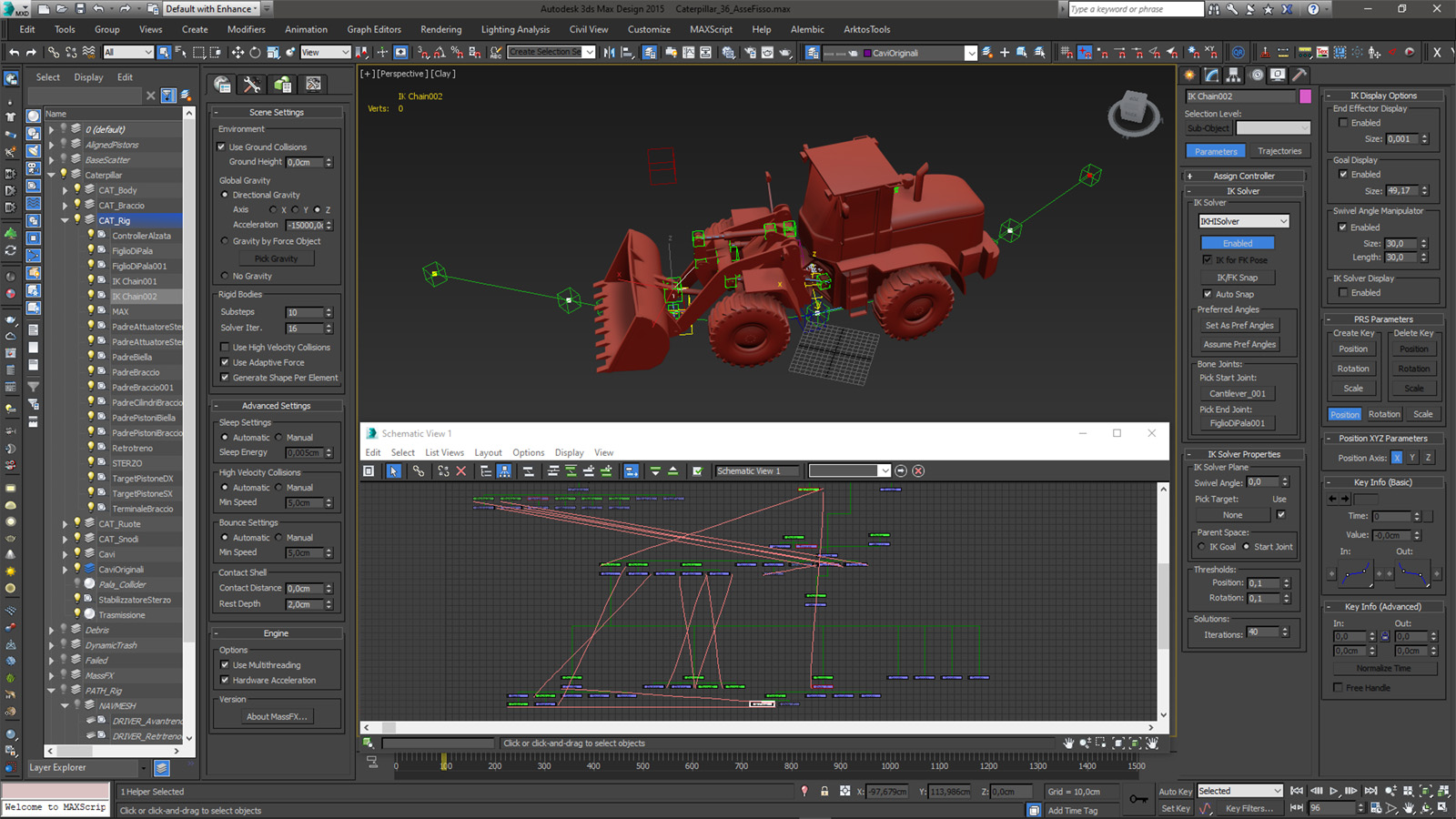
In 3dsMax I created a rigged setup.. the main rig for the bucket is based on 2 different inverse kinematics chains, one for the main arm and the other for the bucket leverage.
The pistons are simply hold togheter using some "look at" constraint, so that no matter how you move and stretch them, they constantly align themselves with each other.
The whole thing is animated along a spline, which is also animated itself with a series of dummies driving the control points, allowing for multiple paths using a single spline.
Actually there is an hidden mesh which animates along the spline, with a few dummies attached and linked togheter using some more "look at" constraints to properly orient themselves when the vehicle turns left and right.
The actual vehicle parts are linked to those dummies, this was needed because the front part of this beast rotates as a whole and the overall rig behavior is more similar to a train than a "normal car" (I know this may sound a bit confusing, but.. it is what it is).
The wheels and the transmission axle simply have their X rotation parameter wired to the main rig X translation parameter along the spline, so that whenever the veichle moves, everything spins nicely accordingly..
After that all this quite complex rig is set up, the whole thing can be animated keyframing only 3 main parameters: percentage along path, bucket height and bucket tilt (and of course the translation of a couple of spline control points when I need to change the path). Everything else follows accordingly.
In 3dsMax I also quickly blocked out a simple test enviroment using freeform and scatter tools to set up the trash heaps.
For the actual plant model I'll use Sketchup based on cad files coming from the real world project, but for the sake of this test, some quick and dirty playground was good enough to start with.. just to check out the main workflow.
In Max I also created a few colliders for the bucket and the front parts to try some physic simulation of the "dynamic" trash..
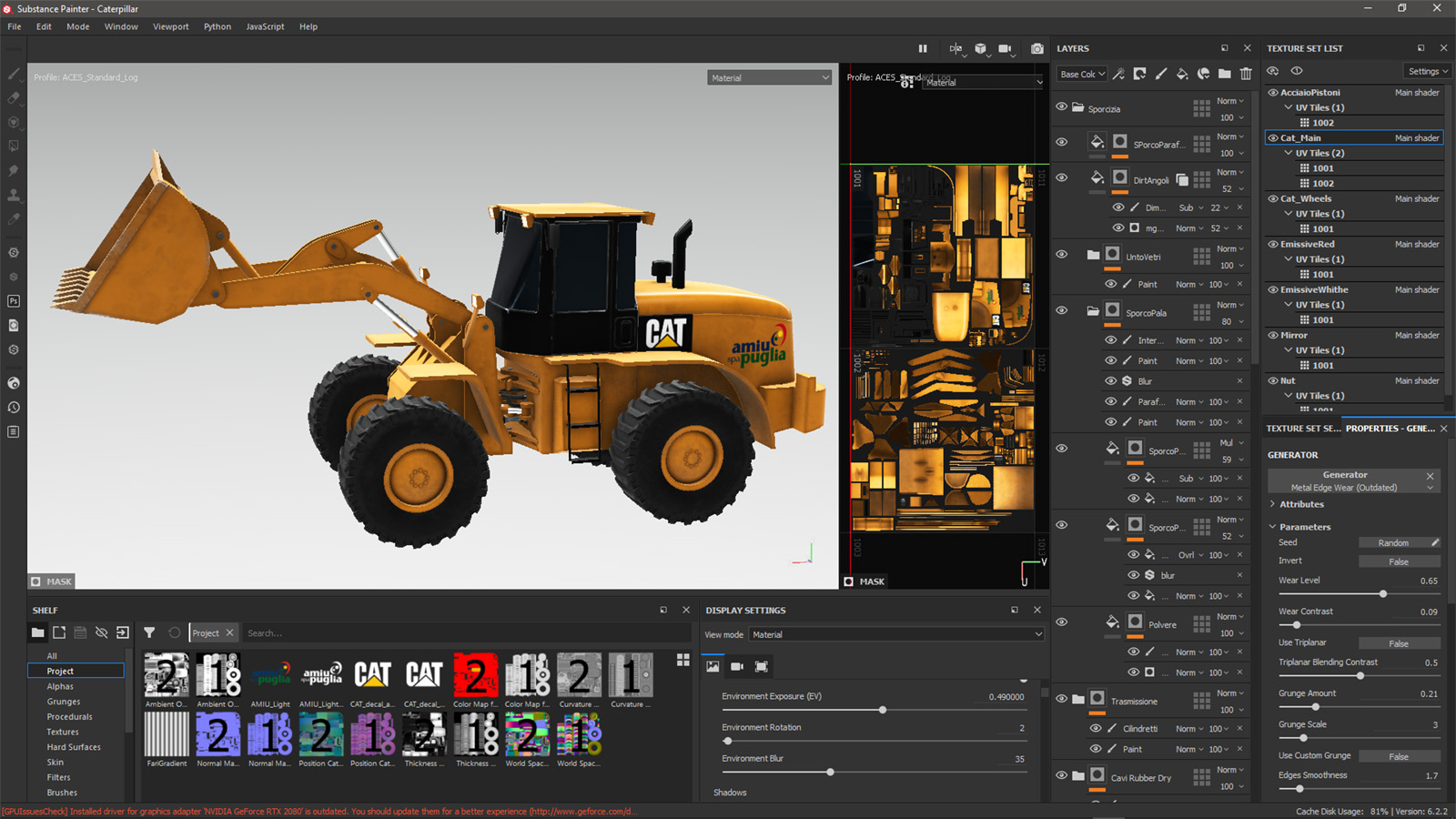
I then exported the model to Substance for texturing using a couple of UDIM tiles for the main vehicle and a simple atlas for the wheels and tires. Applyed some decals for the logos and used a few generators and particle brushes to add dirt and damages to the materials.
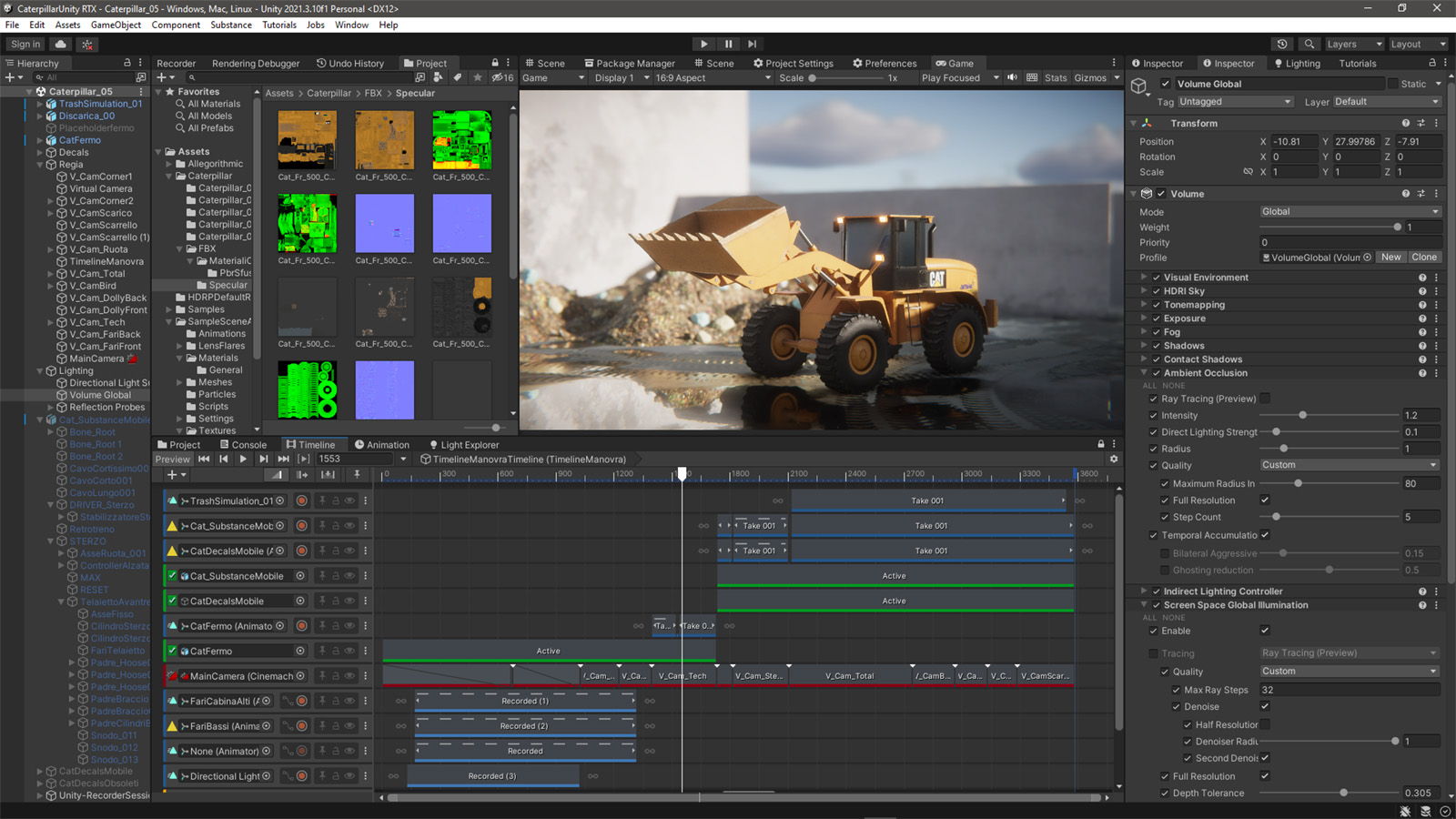
I then imported everything in Unity3d to render it out using the HD Render Pipeline.
I exported different models in a modular way (3 individual fbx for playground/static trash, dynamic trash and wheel loader) for better control and then assembled everything up again in Unity.
The whole lighting is based on an HDRI skybox (with a layer of volumetric clouds added) and a simple directional light for the sun.
In Unity I also added a lot of decals to improve the appearence of the static scene and animated the lights of the Caterpillar just for the sake of fun.
I also created a dozen of smart Cinemachine cameras with different "follow" and "look at" constraints and a bunch of postprocessing effects such as lens flare, bloom, vignette, chromatic aberration and so on..
I recorded the whole sequence and sent it to Davinci Resolve for final postproduction.
I added some cuts to finetune the overall flow and cleanup some imperfection, added the music and the end titles, a couple of simple transitions, but most of all, I did a bit of color correction and color grading to balance the overall lighting and add a little more of "early morning mood" to the scene.
Here's the finished test sequence.. I hope you enjoy it.
That plugin makes the components unique, doesn't create plain groups.. isn't it?
If you want them to be converted into plain groups, you can simply group the geometry which is inside each component and then explode the components, so you will be left with actual groups.
@laurent002 said:
Hello,
I have installed LordOfTheToolBars on sketchup 2023, but there is no access to any menus tools. Only icons. It means that i can't creat icons, anything.
The most interresting thing about your plugin.
What can I do to fixe or modify to fixe that link problem.
Thanks for your help.
Not exactly the same, but you can achieve similar result with this workaround.
http://sketchucation.com/forums/viewtopic.php?f=323&t=73776&view=unread#p687744
@laurent002 said:
Bonjour,
J'ai installé LordOfTheToolbars sur la version 2023, mais il semble qu'il ne trouve pas le chemin pour accéder aux menus, y a-t-il une procédure manuel pour lui indiquer le chemin ? Il semble que je n'ai pas trouvé comment faire. Du coup je me suis remis à la version 2022 faute de pouvoir retrouver mon organisation fonctionnel. Faut-il attendre une mise à jour ou est-ce qu'il y a un moyen de rendre fonctionnel l'accès aux menus.
Merci
Tout est expliqué en anglais dans les derniers posts précédant celui-ci
@rich o brien said:
There's no need to update this forum because there's a shiny new one only around the corner.
Just sorting out the last bits and pieces.
Great news!
@aiden said:
it is set to use the RTX card
So we can exclude problems with GPU or model (because you say the same exact model works ok on a different machine).
Next troubleshooting steps:
I would check if it can be related the specific Sketchup version, because your coworker uses a slighty older one and works ok, and I myself use 2021.1.332 and works really fast with TOS.
Are you sure you are running the latest possible version of libfredo6?
If you try to use TOS with the ruby console opened, it gives you some error message?
Can you confirm that this problem only occours whith TOS? Or maybe it's present in other plugins?
Can you try to disable all the others plugins and use only TOS to see if there's some plugin "conflict" going on?
@aiden said:
Perhaps the RTX cards have an issue here?
I would suggest to check into the Nvidia control panel (you can find in the context menu if you right click on an empty space in your Windows desktop bakcground), go to application specific settings, scroll the drop down menu to select Sketchup 2021 and make sure that's using the 3090 and NOT the integrated gpu.
@dave r said:
@aiden said:
Integrated GPUs such as the ones you are using have never been recommended because they historically have poor OpenGL support and because they are using CPU RAM instead of dedicated RAM for graphics processing.Based on the GPUs your coworker's computer would be a better choice for SketchUp.
By no means Nvidia rtx3090 is an integrated gpu.
It's an high-end discrete gpu and it's actually waaaay more modern and powerful than the 1080.
@aismebel said:
Hi. I could not figure out your instructions on how to restore the tools from the "Menu" ((
Maybe write in more detail? Thank you in advance.
I wrote exactly the more detailed description I can think of.
Is actually the "step by step" explaination and I also added the code you need and the reference page for the syntax you should use to recall your shortcuts from SendKeys.
Please notice that this DOES NOT restore the "menu button" functionality of LOTT in SU23.
This is just a workaround to create a ruby script button in LOTT that can mimic the missing "menu button" feature.
The ruby script just invokes a shortcut when you hit the toolbar button.
You need to assign that shortcut (to the menu item you want to create a button for) before creating the button itself.
@sjs66 said:
Wow, super impressive modelling job.
Looks like it handles okay on the track in Unity too?
Nice work!
Thank you so much.
Yeah, it performs very well on the Eau Rouge - Raidillon section.. 
Someday I'll manage to find the time to complete that animation! 
I would like to recreate some other iconic section..
I was thinking about Tunnel In Montecarlo (but could be hard to find a proper camera car for timing/audio), Parabolica In Monza, maybe Rivazza 1/2 in Imola or peraphs Bico De Pato in Interlagos.. not sure..
@kaas said:
Just be aware that this fix won't last forever. I'm using it in one of my plugins and SU2022 is already warning me it will be deprecated in a next version of Ruby.
Well, I'm not a developer so I don't know a lot about this.. I've just found this snippet long ago to make it work with the old "Toolbar Editor" plugin.
Actually I don't need this that much right now, because I still use 2021 with classic perpetual license and LOTT works like a charm in SU21.
By the way I tested this in 2023 and it works 100% for now.
Maybe in future Ruby version this will be replaced with some different syntax to handle Sendkeys 
@gordon mclaren said:
I use the "Personal Command Menu" often and would definitely like to see it working again.
I have a workaround for this.
Assign some weird shortcut to your menu item (I say "weird" because maybe you don't want to waste some available handy keyboard shortcut for this).
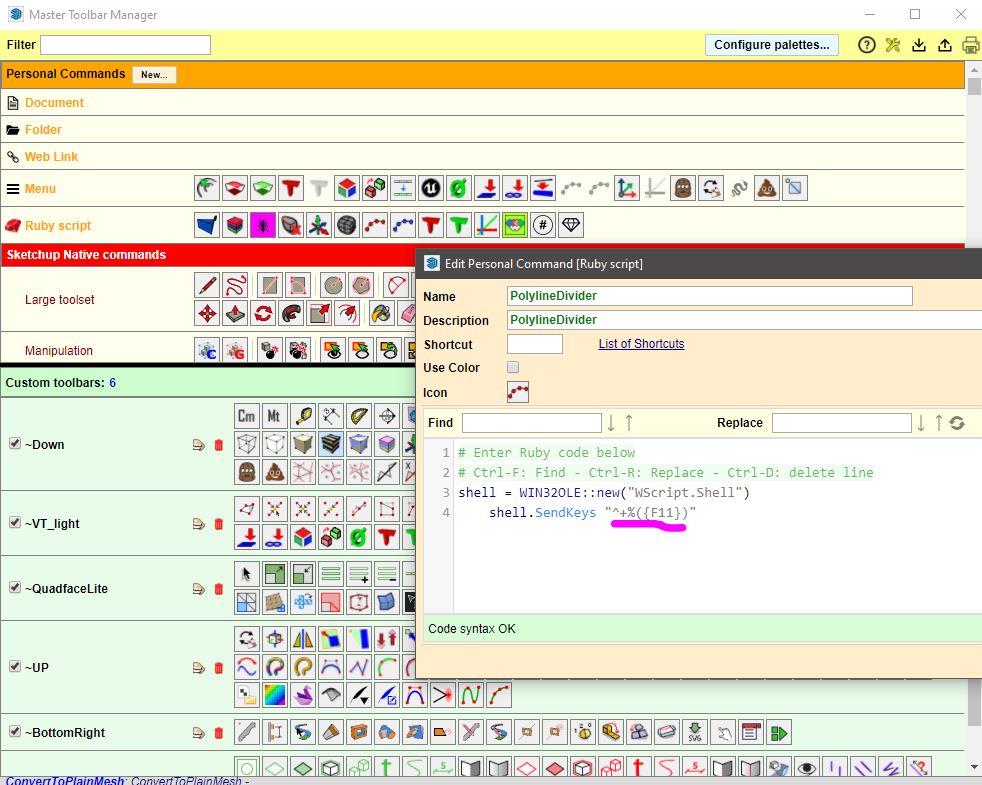
Then create a ruby script button and type in the following:
shell = WIN32OLE;;new("WScript.Shell")
shell.SendKeys "InsertYourWeirdSendkeyShortcutHere"
Insert your shortcut between quotes using the "Microsoft sendkeys" syntax, you can find the reference at this link:
Here's an example.. this one would be equivalent to press "Ctrl+Shift+ALt+F11" each time you push hit the toolbar button.
@frascati said:
"Rich showed you a native way to do it."
"Smoove has a falloff...."
I need to go back and change my "intermediate" level of understanding to "beginner"
"Smoove" is a member here? And a "falloff" is a what? Do the four images he posted suffice as a "tutorial"?
Not sure why you are so rude, nobody is in owe of doing turorials for you.
By the way what Rich said is more than enough, those are the only (pretty self explainatory) tools to attempt a similar shape in vanilla Sketchup.
As already said, is pointless to try to model this kind of shapes using only native tools.
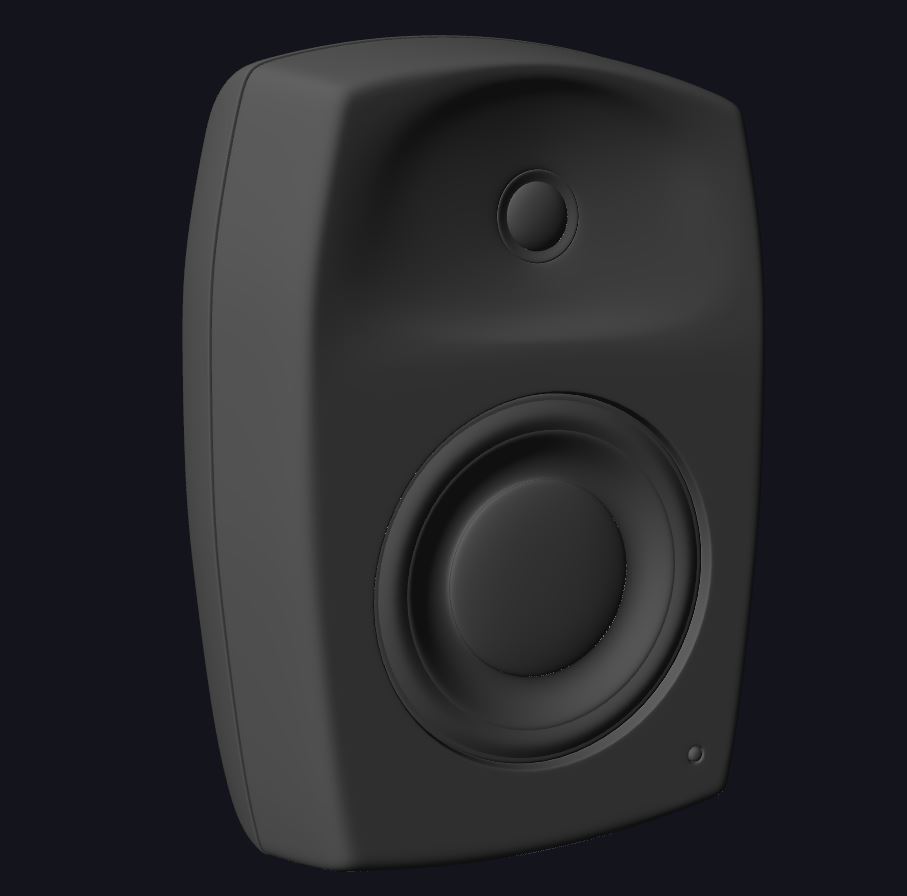
Here's my 15 minutes draft using QFT/VT2/SubD.