
Where do you come up with midels like this?
Do you create them from scratch or is there some place where they are available.
How do you create the backgrounds like this (I.e. a snowy background)?
 Offline
Where do you come up with midels like this?
Do you create them from scratch or is there some place where they are available.
How do you create the backgrounds like this (I.e. a snowy background)?
OK, that works and I will do some more "playing around".
@tuna1957 said in I’ve Been “Boxed”:
@ntxdave Dave, Box posted a link in his last post. Smash and it’ll get you there.
I did look at his link (I do not have Facebook) and I really did not find what I was looking for in the other link. However, I went to the Sketchup Tutorials and looked at one of the links there and finally found what I was looking for. Now I am trying to learn some things again. I really appreciate the help I am getting.
Although I used SketchUp for several years, I have been away for several months and am having to learn some things all over again. I guess that is what happens as we age (I have to look back to see 80). 
@pilou said in Alphabet to sketch(up):
Maybe today but in 10 years ?
if the planet is still alive!
 This whole environment is about drawing/designing skill OF THE USERS/PARTICIPANTS
At least that is my opinion!
Some more "playing around" and working with the feedback I get.
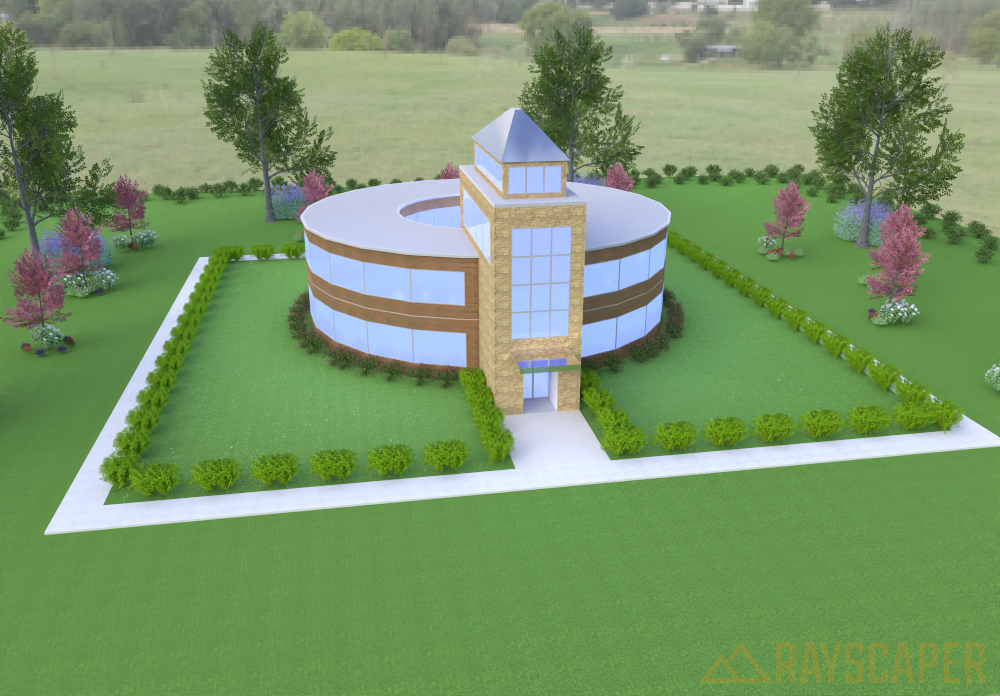
@tuna1957 I have been trying that but so far am not doing very well (making me feel pretty dumb). 🤪
On thing I do have a little problem with in the videos is that he obviously enters info in the text boxes that you cannot see in the video. I will continue watching and figure things out. Maybe this is what happens as we age and are away for a while.
@majid As always, very interesting!
I also have not been doing much lately. Good to see you back. 
@pixelcruncher said in Rayscaper Learning-Practice:
The render result not appearing is definitely a bug. Will post an update on that tomorrow. Sorry about that. Anyone else seeing the same issue?
On the HDRI image thumbnail, there’s a heart
️ icon in the top-left corner you can click to favorite an HDRI.
OK, Sorry, I did not see the heart before. I just did it and yes it was moved to the Favorites tab. A suggestion might be to make the heart icon with the HDRI image look like the one in your post.
Just to let everyone know, I finally got the whole issue resolved. As it turned out, all I had to do was go to the Extension Mager and uninstall the Scan Essentials plugin.
I appreciate all of the response.
@pixelcruncher Thanks for the update. Everything seems to be working correctly now.
@Dave-R Very nice sir!
You said all SketchUp. Did you use any plugins? I wish I had the knowledge/skill to do something like this. I am not an artist or engineer and see many post from people like you and am very impressed.
@L-i-am Thank you sir. That is a better explanation than any of the sources I read.
@pixelcruncher said in Rayscaper New Releases:
Hey, Rayscaper friends!
Help me build the community
I'm on Twitter (X) now: https://twitter.com/Rayscaper3d/ - Please follow the @Rayscaper3d that will help me grow the community and spread the word about Rayscaper!
If you like Rayscaper, please share your renders! This will help me showcase its capabilities to other potential users.
Happy Rendering!
OK, I set up an account on Twitter, but I have to say that so far what I see is not something I like. I think there has to be a better way to promote your product and get positive feedback.
I have shared several renders on the Rayscaper Learning-Practice thread. If you think any of them are worth posting somewhere, feel free. The ones I have shared so far are inspired by @majid and his book.
Again, I think it would be good (better IMO) if you started your own forum. Another idea might be to get Rich to set up a category on SketchUcation for Rendering and then a subcategory for Rayscaper (but that might bypass some SketchUp users).
@tuna1957 Well, I am beginning to learn but I have a LONG way to go. 
As it turns out, using the Extension Manager did not really uninstall the Trimble Scan Essentials plugin. However, do to some replies from others, I did get the issue resolved.
OK, I finally got everything setup correctly now. It was kind of an awkward process but here is what I did:
Once again, I really want to thank everyone (on the SketchUp and SketchUcation forums) for the replies and insight of how to get things going correctly again.
As I said in the original post, I have been gone for a while. Now I can get back to using SketchUp (latest version) again.
@Mike-Amos said in Rayscaper New Releases:
I can confirm that the 0.9.27 update has successfully completed.
Thanks.
I tried it but every time I launched Rayscaper it crashed SketchUp. So I have gone back to 0.9.23.
In order to get it working, I had to uninstall 0.9.27 and then reinstall 0.9.23 (which was the only other download I had).
I have to admit that I am still working with the "free" version. I do like it and anticipate purchasing but I am still trying to lean and improve my skills. One of the things I still have a little problem with is matching stuff I create (in particular vegetation) with HDRI files but I am exploring ways to handle this situation.
@L-i-am said in Having a bad day?:
Hi Guys have not been very active of late as I am temporally on a med that completely stifles creativity, hence no sketchup. However this appeared on facebook. It made me smile from ear to ear. Careful though it can be
I know how you feel. I had some surgery a few months ago and am trying to get back too SketchUp. As @rich-o-brien and a couple of others can tell you, I have been having some problems getting back into it. Trying to use some features that I either have not used before (or at least for a long time) and have asked some pretty silly/dumb questions. However, I am determined to learn/get back with it.
Hope all is well with you and you can get back with it. I know you have posted some great work in the past and you will get there again.

