sketchucation logo sketchucation
    • Login
    1. Home
    2. medeek
    3. Best
    Oops, your profile's looking a bit empty! To help us tailor your experience, please fill in key details like your SketchUp version, skill level, operating system, and more. Update and save your info on your profile page today!
    ⚠️ Important | Libfredo 15.6b introduces important bugfixes for Fredo's Extensions Update
    Offline
    • Profile
    • Following 0
    • Followers 3
    • Topics 63
    • Posts 3,309
    • Groups 2

    Posts

    Recent Best Controversial
    • RE: 3D Truss Models

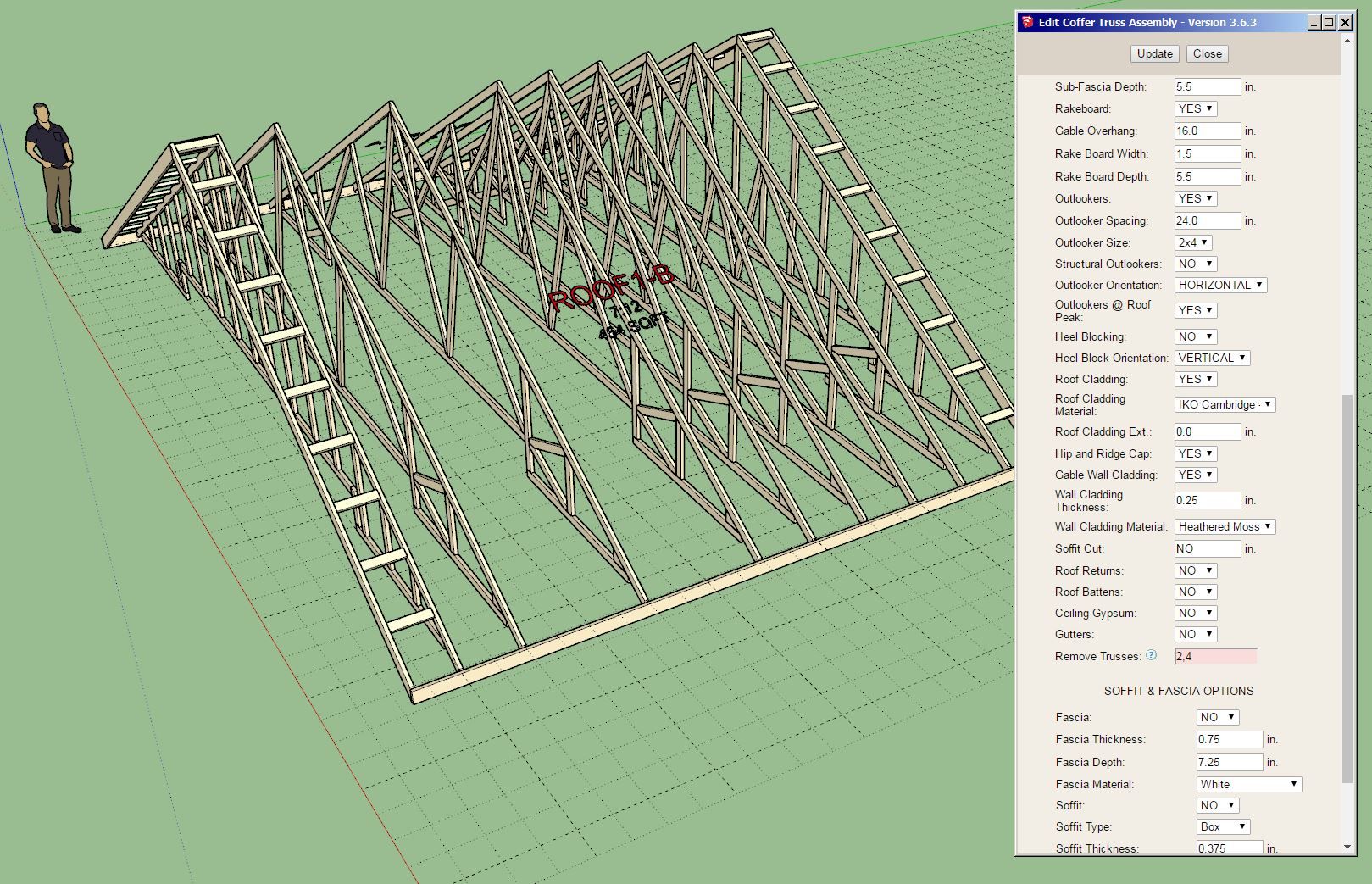
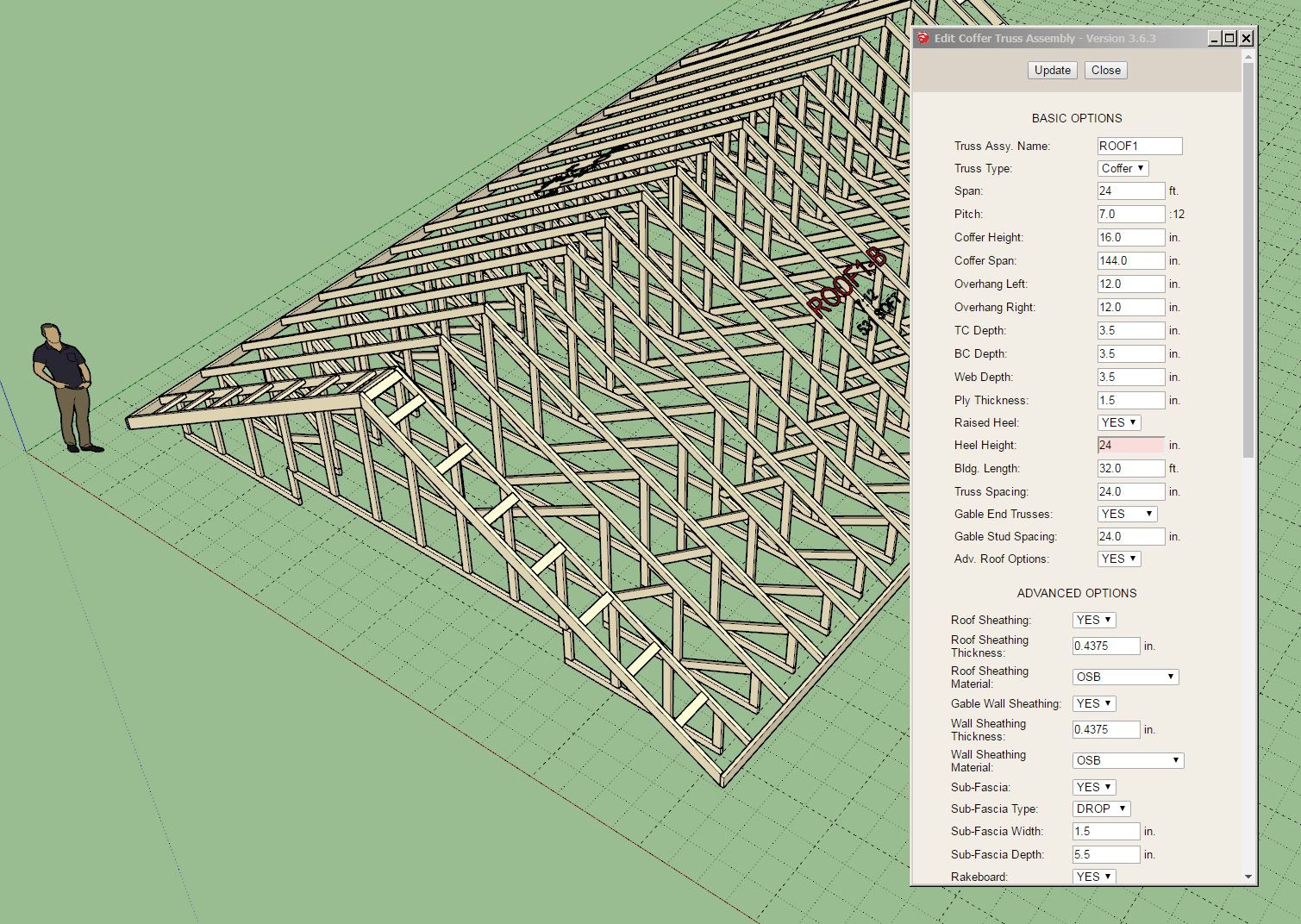
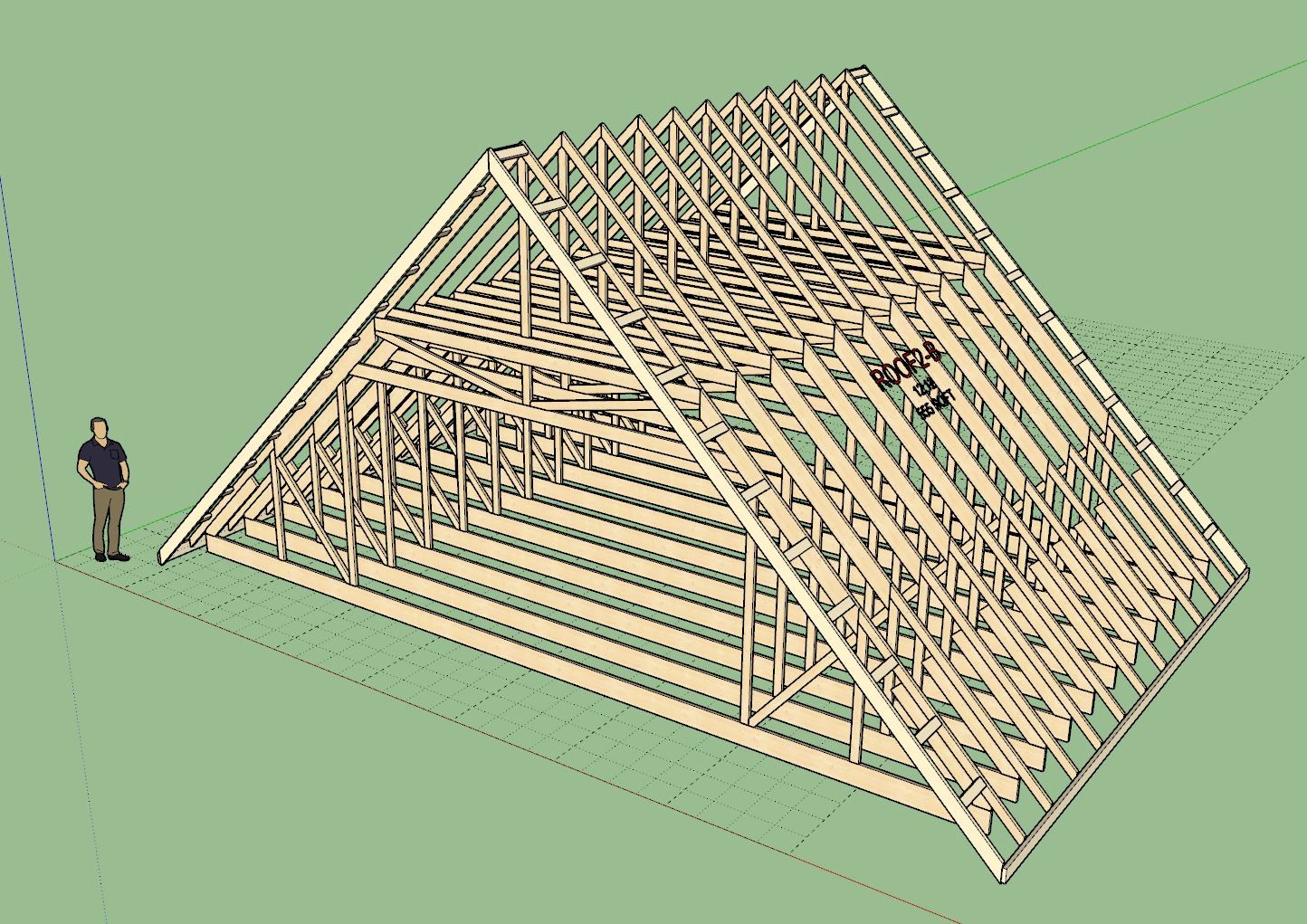
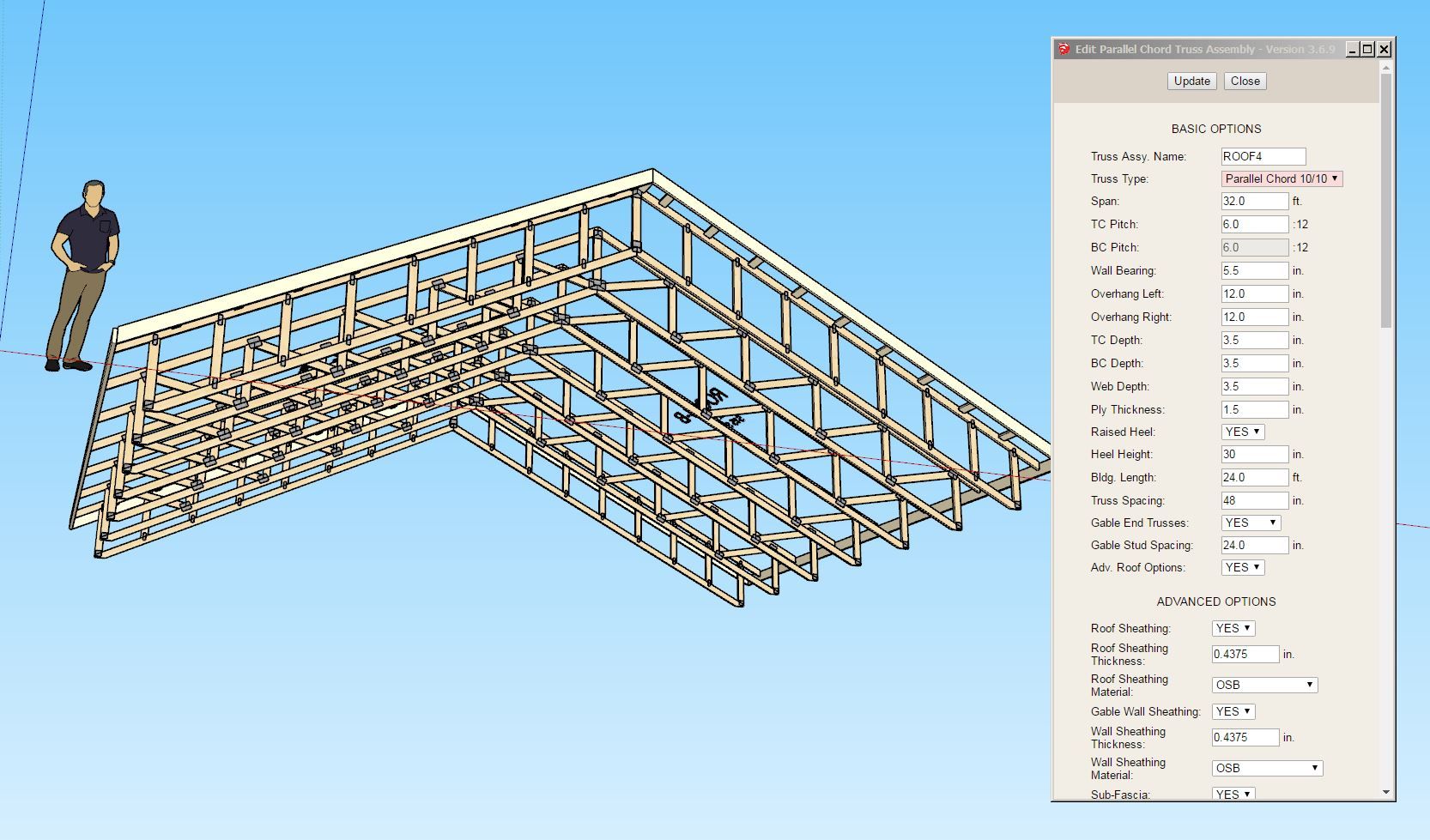
      Version 3.7.0 - 04.13.2025

      • Enabled wood grain texture for the following truss types: attic, symmetric cathedral, cathedral, cambered, tail bearing, coffer, tray, and parallel chord.
      • Added the following Parallel Chord truss type: 10/10.

      truss_su897_800.jpg truss_su898_800.jpg

      posted in Plugins
      medeekM
      medeek
    • RE: Medeek Wall Plugin

      Version 3.9.8 - 05.04.2025

      • Added the Connect Corner tool to the Medeek Wall Tools II toolbar.
      • Updated the Opening Copy tool with the left and right hand slider window.
      • Fixed a specific bug related to glulam columns with a vertical offset equal to the wall bottom plate thickness.

      Tutorial 69 - Connect Corner Tool (9:12 min.)

      posted in Plugins
      medeekM
      medeek
    • RE: Medeek Wall Plugin

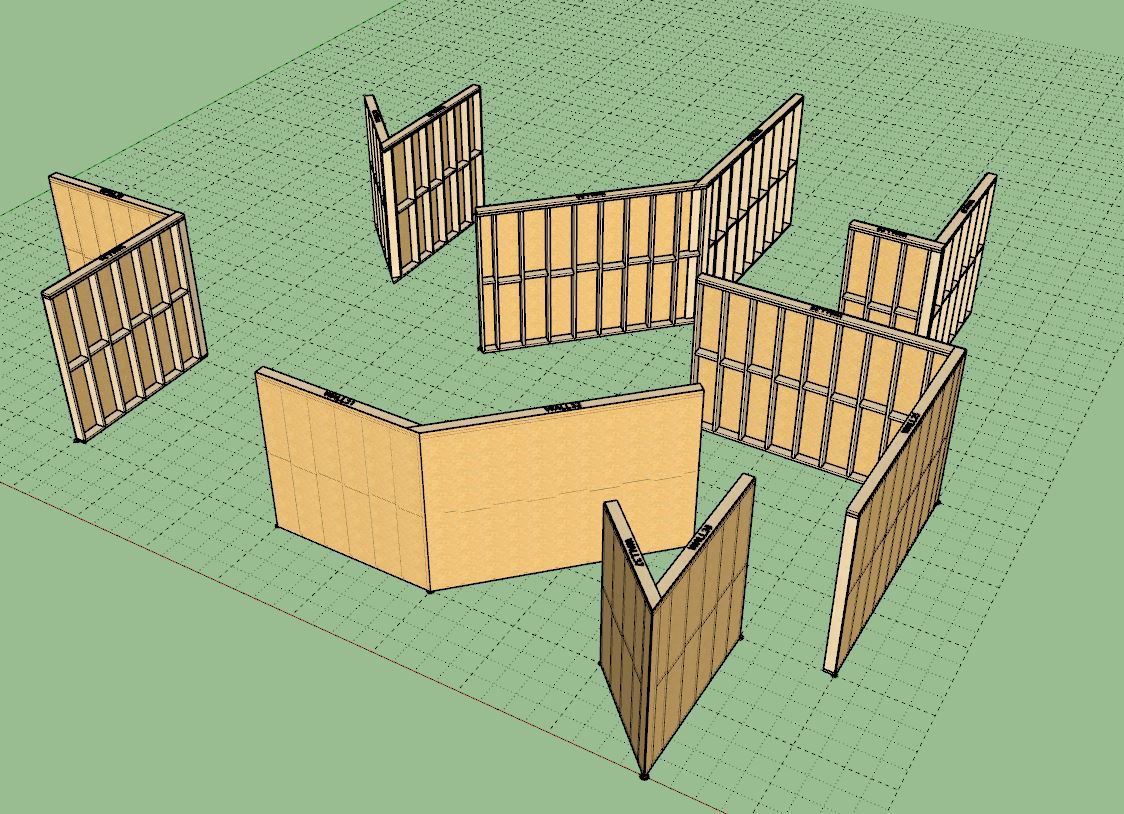
      Version 3.9.9 - 05.09.2025

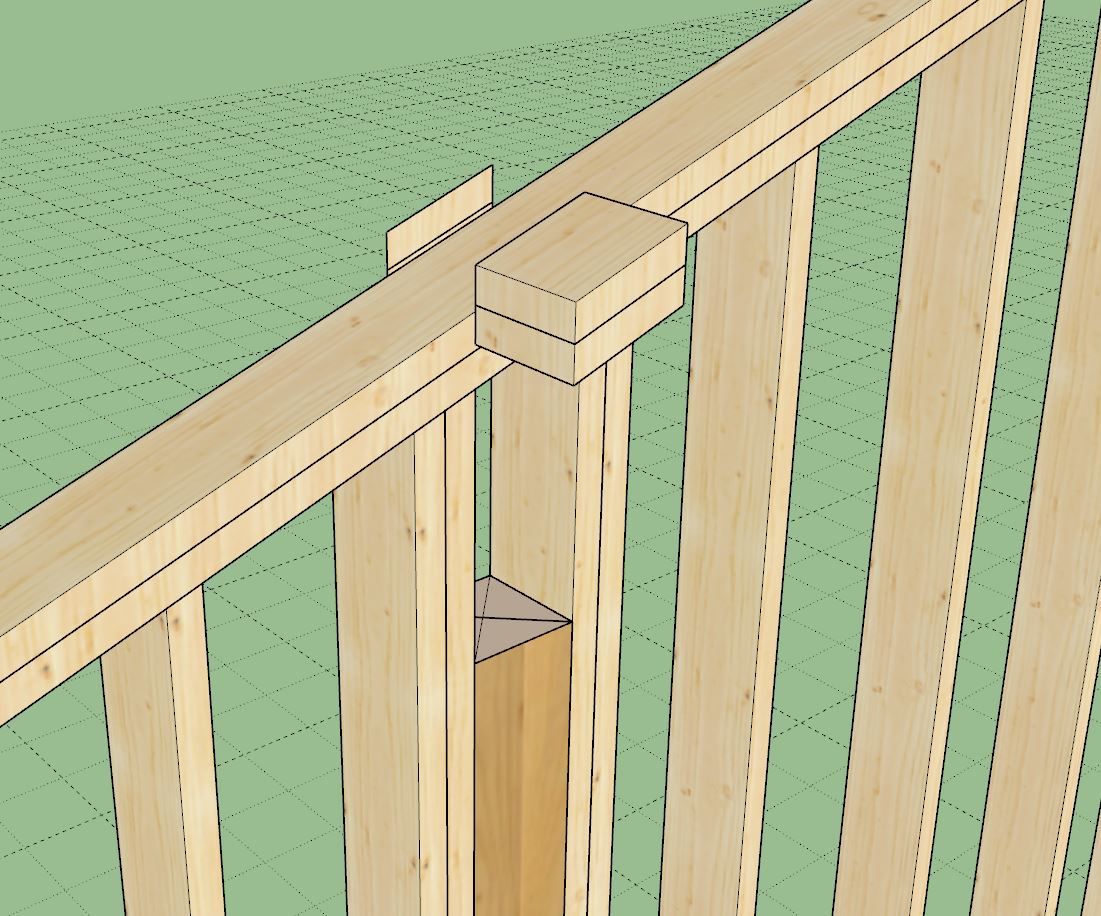
      • Updated the Connect Corner tool to work with non-orthogonal walls.
      • Fixed a bug with the in-wall column tool for gable walls.
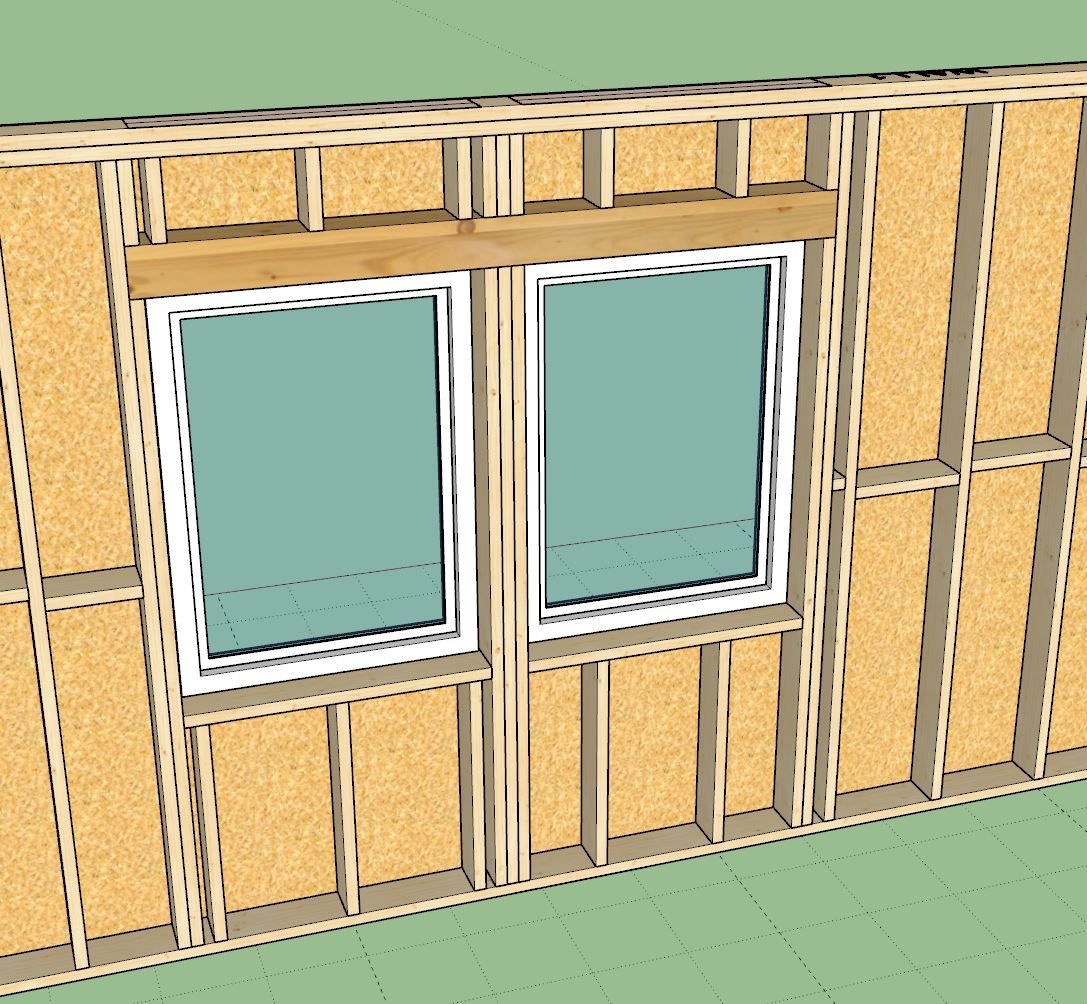
      • Enabled Advanced Framing Options within the window module.
      • Added the Advanced Framing Options parameter within the Windows tab of the global settings.
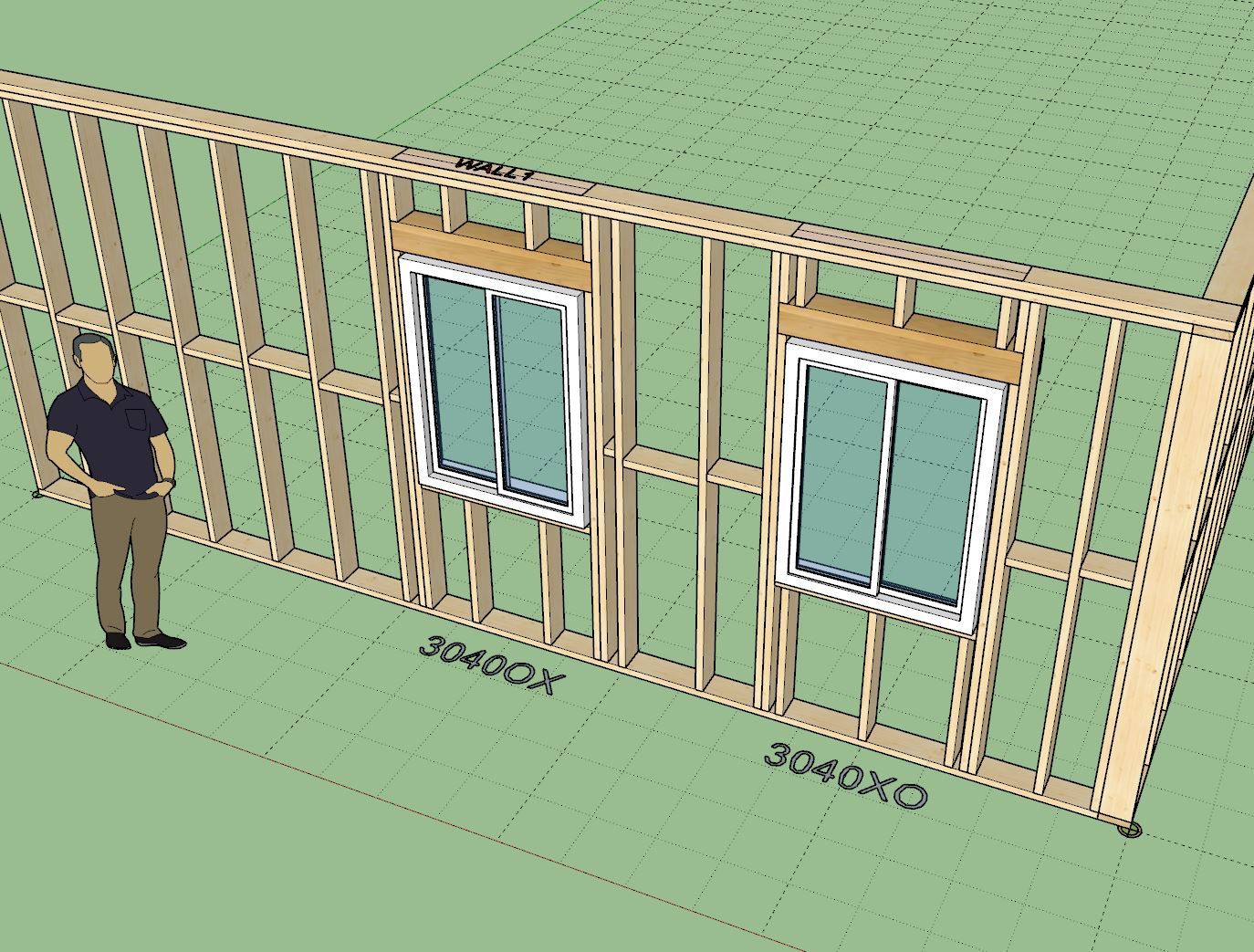
      • Fixed the callout for right handed slider (OX) windows.
      • Enabled zero stool extensions and zero stool projections for all window casing options.

      wall_su985_800.jpg
      wall_su986_800.jpg
      wall_su988_800.jpg
      wall_su989_800.jpg

      posted in Plugins
      medeekM
      medeek
    • RE: Medeek Floor

      Tutorial 22 - Floor Openings (13:59 min.)

      posted in Plugins
      medeekM
      medeek
    • RE: Medeek Floor

      Tutorial 23 - Joist Removal (8:06 min.)

      posted in Plugins
      medeekM
      medeek
    • RE: Medeek HVAC

      The following toolbar will be added for HVAC Appliances:

      hvac_app_su_menu_active.jpg

      The HVAC Appliance tool will be for adding AC units, furnaces, fans, VAV’s, boilers etc… Essentially any preconfigured HVAC equipment that is not duct work.

      The will be simple stand alone assemblies that one can reposition using the native tools.

      posted in Plugins
      medeekM
      medeek
    • RE: Medeek Wall Plugin

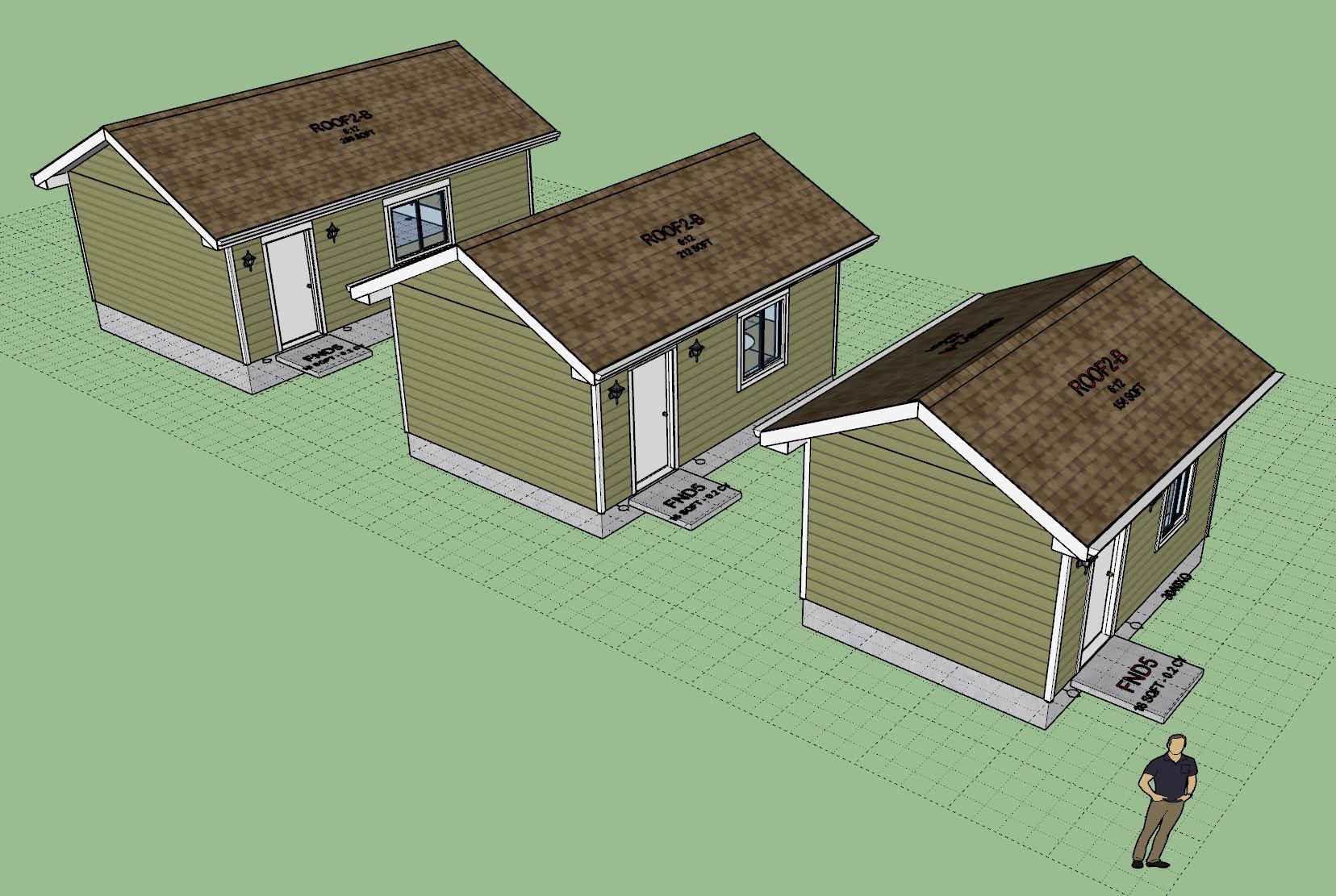
      Some Youtube viewers of this video reached out and told me that they had more equipment than could reasonably fit within such a small structure. I agree, maybe a 16'x12' space is a bit cramped for anyone, especially if you are also using it for a content creation studio. This is where the parametrics of the extensions come in real handy:
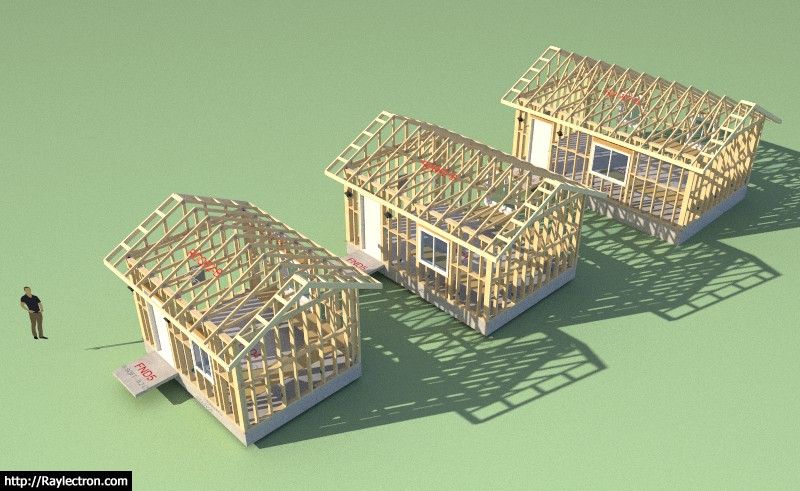
      wall_su1003_800.jpg

      wall_su1004_800.jpg

      wall_su1005_800.jpg

      The model(s) can be viewed and downloaded here:

      Link Preview Image
      3D Warehouse

      3D Warehouse is a website of searchable, pre-made 3D models that works seamlessly with SketchUp.

      favicon

      (3dwarehouse.sketchup.com)

      posted in Plugins
      medeekM
      medeek
    • RE: Medeek HVAC

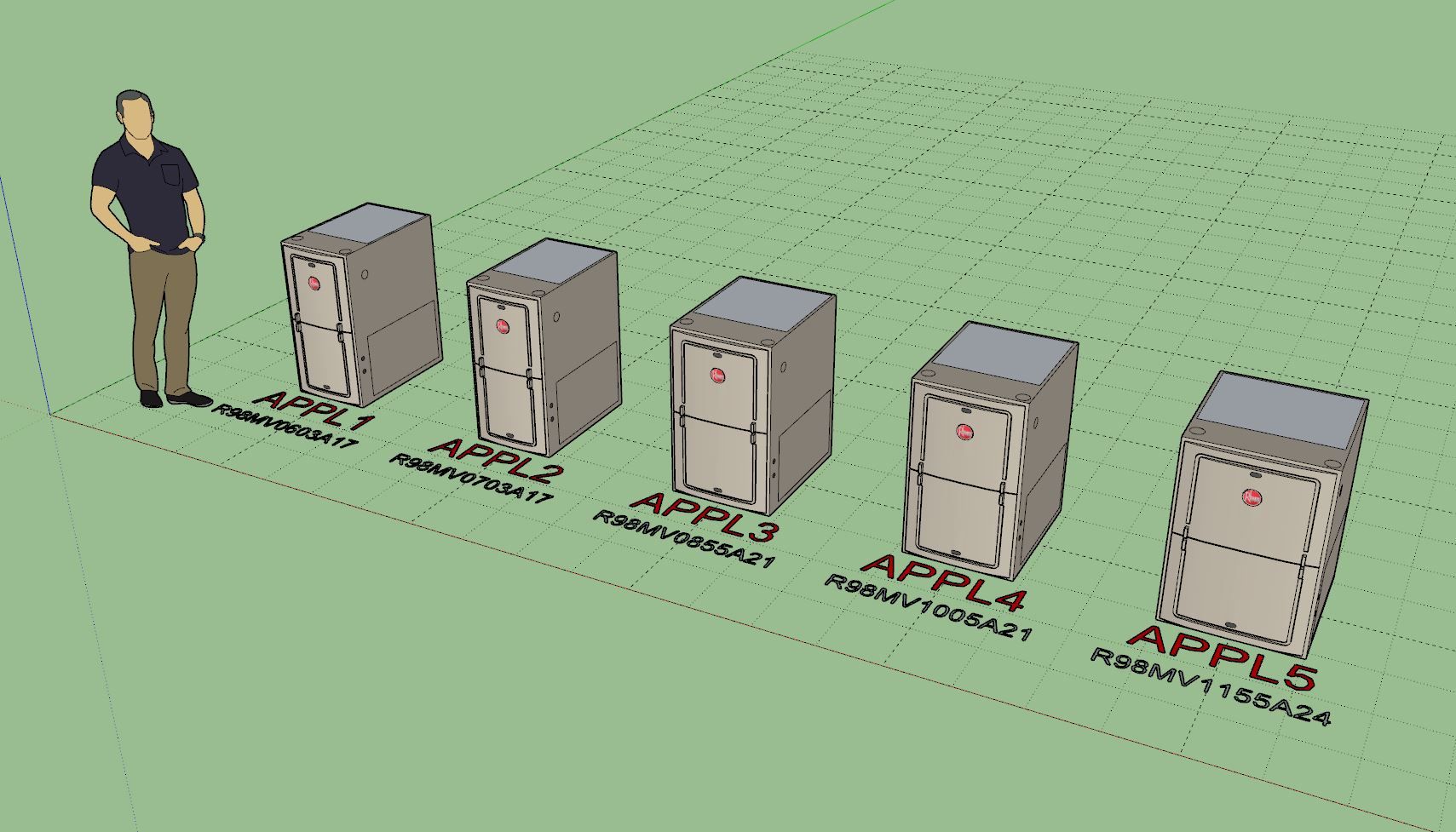
      Version 0.9.1 - 07.29.2025

      • Updated the draw and edit menus for HVAC appliances.
      • Added the following brands and associated models into the HVAC appliance built-in library: Bryant, Rheem

      hvac_su052_800.jpg

      posted in Plugins
      medeekM
      medeek
    • RE: Medeek Engineering

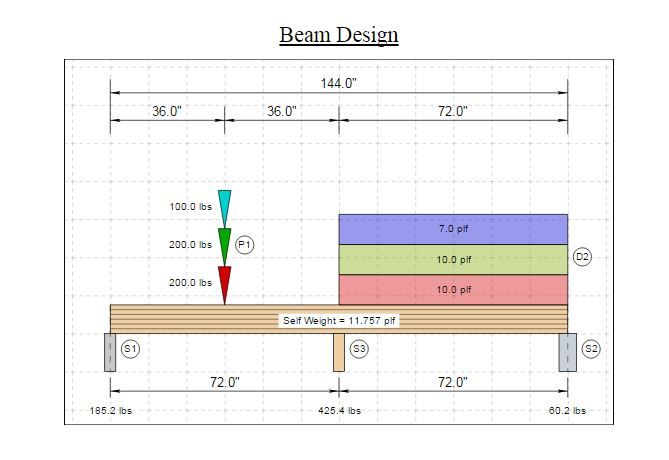
      Version 0.8.2 - 09.09.2025

      • Enabled loads and reactions (values) within the load diagram.
      • Fixed a bug with end supports that are not centered on the start or end of the beam.
      • Improved the formatting logic (SVG and HTML) for the load diagram.

      eng_su49_800.jpg

      posted in Plugins
      medeekM
      medeek
    • RE: Medeek Engineering

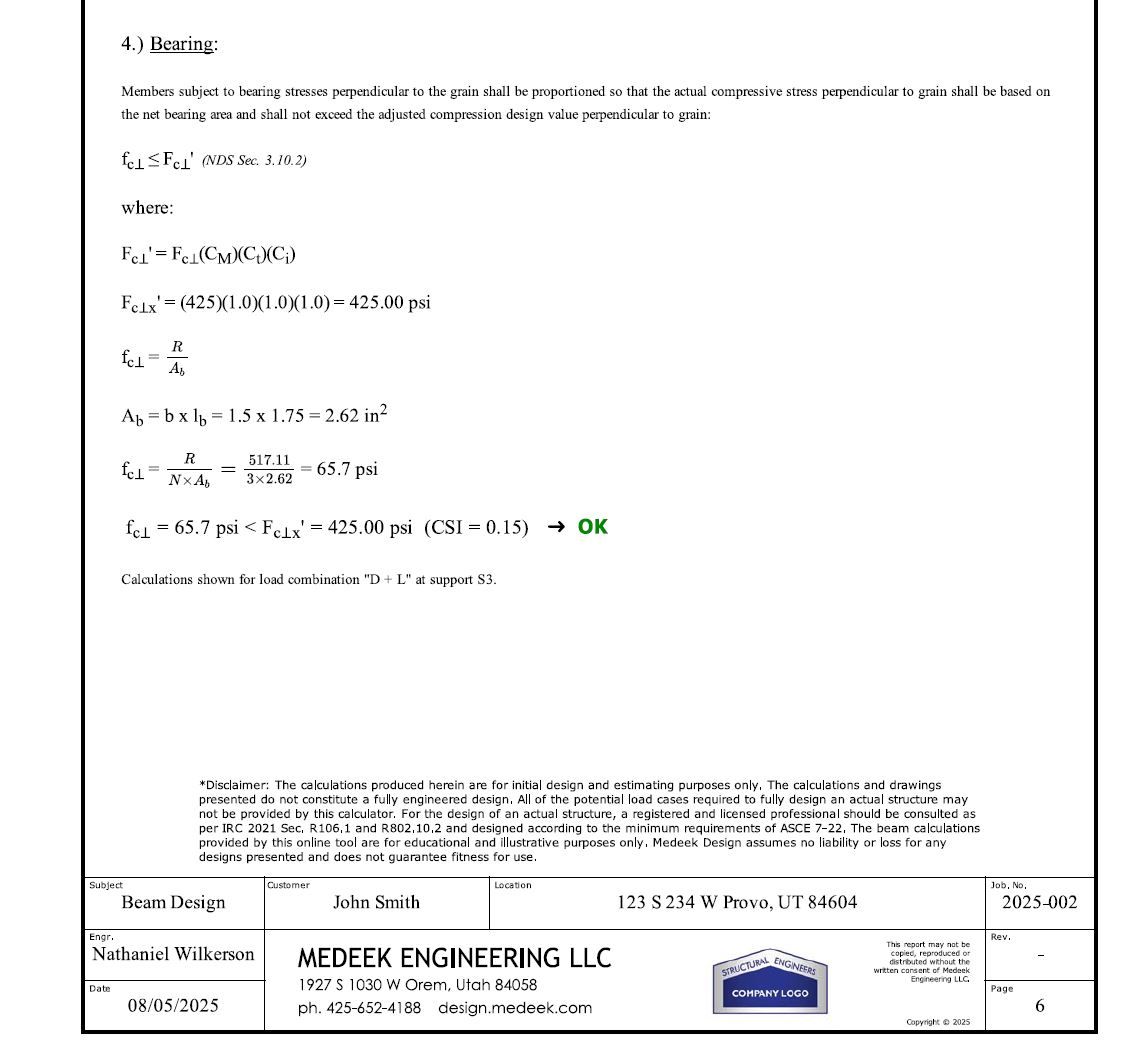
      First look at the bearing check:

      eng_su52_800.jpg

      I also need to update my disclaimer, the disclaimer shown is for my previous online calculator, it needs some changes.

      posted in Plugins
      medeekM
      medeek
    • RE: Medeek Engineering

      Here are a couple examples, everything should be complete, but I will now spend the next couple of weeks error checking and seeing if I can break the engine or the report formatting. I will also need to test against other third party programs to make sure all my calcs are indeed correct. It is amazing how easy it is to make errors in the code on something this extensive.

      https://design.medeek.com/resources/engplugin/TEST1/EB_TEST1_2SPAN_1POINT_REV8.pdf

      https://design.medeek.com/resources/engplugin/TEST1/EB_TEST1_3SPAN_3POINT_REV1.pdf

      Currently the calculator will only handle sawn lumber beams. Once I'm fairly certain I've eliminated any bugs or other issues I will then extend the logic so we can handle glulam and timber beams. Once that is done I will probably next work on LVL, LSL, and PSL and then finally I will include the ability to analyze various I-joists from the major manufacturers.

      I've been slowly working on this for about three months now, probably another month to go.

      posted in Plugins
      medeekM
      medeek
    • RE: Medeek Wall Plugin

      Medeek Wall Plugin Tutorial 47 - Custom Glass Garage Doors (w/ Webcam)

      posted in Plugins
      medeekM
      medeek
    • RE: Medeek Project

      Version 1.1.9 - 03.22.2024

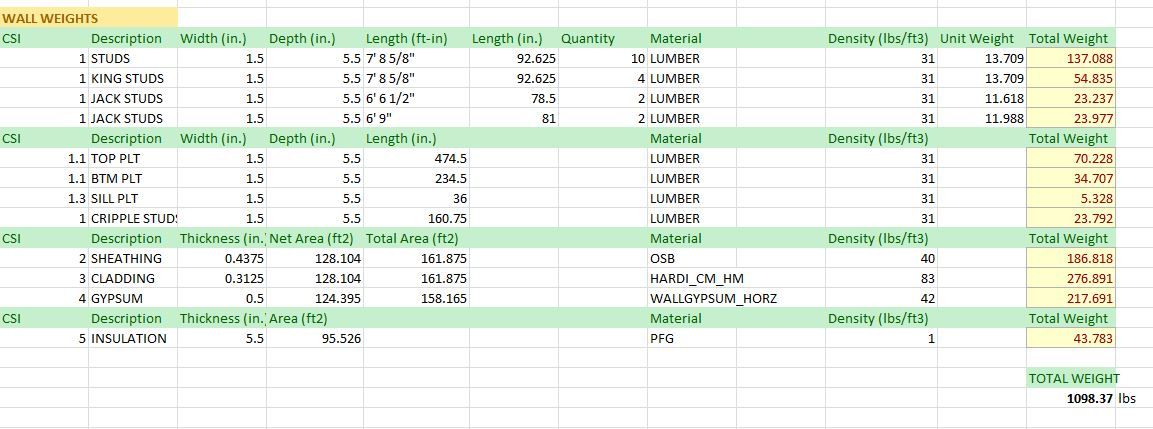
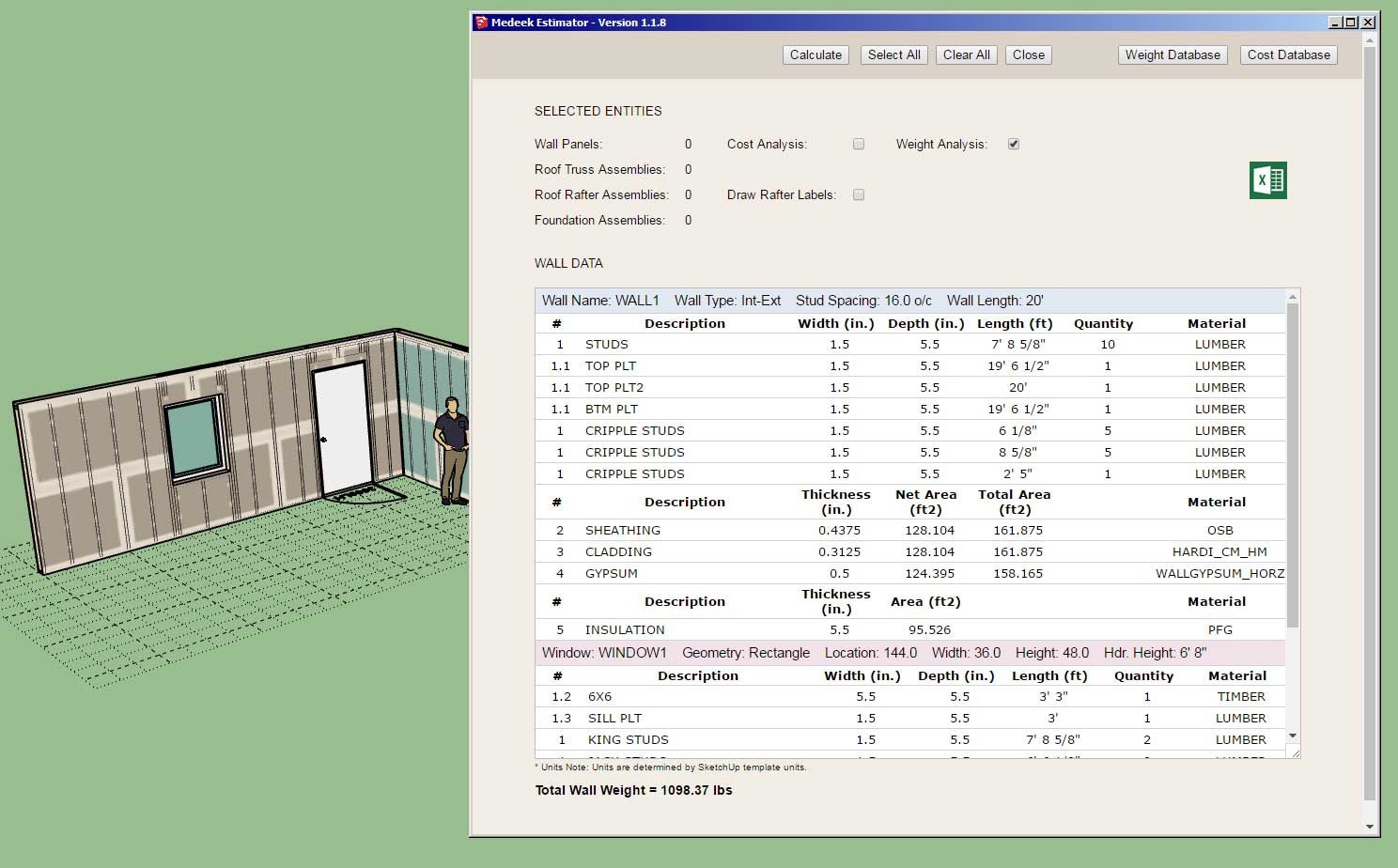
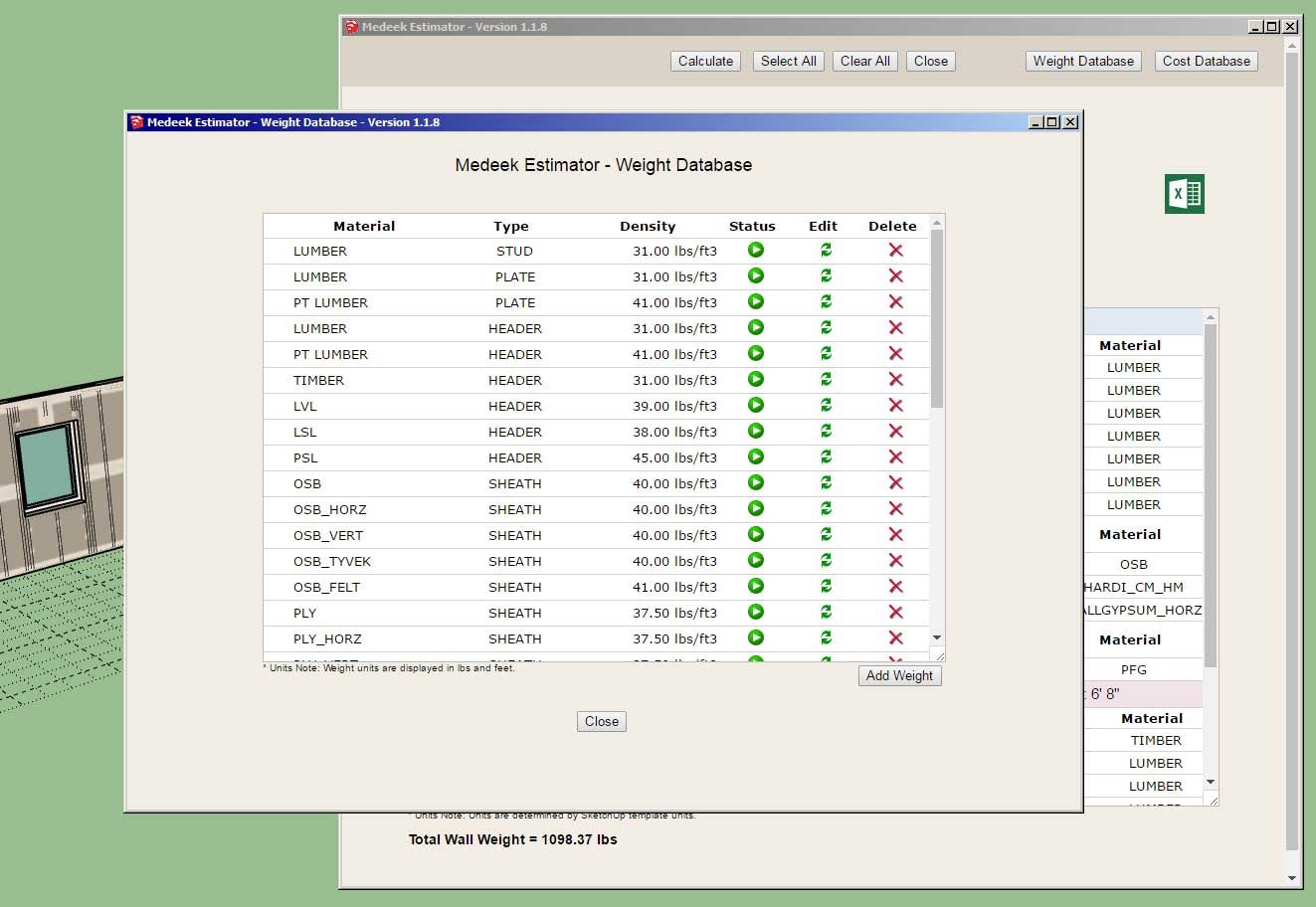
      • Added a Weight Database to the Medeek Estimating Module.
      • Enabled Weight Analysis to the Medeek Estimating Module for Rectangular Wall Panels.
      • Fixed some minor bugs with the estimating module for wall panels.

      project_su34_800.jpg

      project_su35_800.jpg

      project_su36_800.jpg

      posted in Plugins
      medeekM
      medeek
    • RE: Medeek Project

      I've officially released the plugin now. However I do consider it still in BETA since I have not yet added the Project Info tool:

      Link Preview Image
      Medeek Design Inc. - Medeek Project

      Medeek Design Inc. - Medeek Project

      favicon

      (design.medeek.com)

      I think it would be very useful if one could input the project address and then have it not only pinpoint the lat and long but also give the elevation and the site criteria at that location (ie. Seismic, Snow Loads, and Wind Speeds.)

      Granted this would probably only work fully for locations in the United States and possibly Canada but I think it would be a useful feature.

      Version 1.0.0 - 01.11.2023

      • Created the Medeek Project Plugin, utilizing SketchUp's Ruby API.

      Medeek Design Inc. - Medeek Project Plugin Changelog

      Medeek Design Inc. - Medeek Project Plugin Changelog

      favicon

      (design.medeek.com)

      Also note that if you purchase the mdkBIM bundle today it will include a license/serial for the following plugins:

      Wall, Truss, Foundation, Floor and Project

      Since the Floor plugin is not yet complete you will not be able to download and install this unreleased plugin but all of the others are available.

      Also note that the price of the mdkBIM bundle has not increased.

      posted in Plugins
      medeekM
      medeek
    • RE: Medeek Project

      First look at the project info tool:

      https://global.discourse-cdn.com/sketchup/original/3X/f/c/fc308bcbd10f1fab850cea5fd6bd0050bd05dbc7.jpeg

      I still have some major changes for the General tab. First and foremost I want to try in incorporate an interactive Google Maps window with a button to auto-geo locate based on the address that is input by the user. Then also have the ability to zoom the map as necessary and refine the geo-location on the map. Using the Google maps API I should be able to get the lat, long and elevation (which will be important for the determination of other site criteria).

      I've already done a good bit of programming using the Google API's on my website (running on my server) but this is something a bit new so I'm still uncertain if it will work within SketchUp. This should prove to be interesting.

      posted in Plugins
      medeekM
      medeek
    • RE: 3D Truss Models

      Version 3.4.2 - 04.23.2024

      • Fixed a compatibility bug with SketchUp 2024 (Fixnum & Bignum) while maintaining backward compatibility with previous versions of SketchUp.
      posted in Plugins
      medeekM
      medeek
    • RE: Foundation Plugin

      [b]Version 1.9.8[/b] - 04.28.2024

      • Updated the license verification system with a more secure and improved algorithm.
      • Updated the polyline stemwall tool with an improved wireframe preview which includes the footing.
      posted in Plugins
      medeekM
      medeek
    • RE: 3D Truss Models

      Version 3.4.5 - 05.10.2024

      • Enabled ceiling insulation for shed rafter roofs: Batt, Blown-in.
      • Enabled ceiling insulation for gable rafter roofs: Batt, Blown-in.
      • Enabled ceiling insulation for hip rafter roofs: Batt, Blown-in.
      • Enabled the "Edit Truss Assembly" function for all flat trusses (imperial and metric units).

      alt text

      alt text

      alt text

      alt text

      alt text

      posted in Plugins
      medeekM
      medeek
    • RE: Medeek Wall Plugin

      Version 3.6.1 - 05.13.2024
      Added Symbol 2 Layer specfically for 2D door swing symbols (Layer tab of the global settings).

      http://design.medeek.com/resources/wallplugin/images7/wall_su763_800.jpg

      posted in Plugins
      medeekM
      medeek
    • RE: Medeek Electrical

      Version 1.4.3 - 05.15.2024

      • Added a “SQTUBE” shape to the wire module for electrical chases.

      alt text

      posted in Plugins
      medeekM
      medeek
    • 1 / 1