sketchucation logo sketchucation
    • Login
    1. Home
    2. HornOxx
    3. Best
    Oops, your profile's looking a bit empty! To help us tailor your experience, please fill in key details like your SketchUp version, skill level, operating system, and more. Update and save your info on your profile page today!
    Check out Febhouse | New extensions for Shadow Analysis in SketchUp Download
    HornOxxH Offline
    • Profile
    • Following 0
    • Followers 2
    • Topics 105
    • Posts 1,928
    • Groups 2

    Posts

    Recent Best Controversial
    • RE: Julia Eneroth's Viewport Resizer / SketchUp 2023

      TH Darmstadt / Architektur, and a completely digital-free education back then (not even Zuse) 😉 This (CAD) topic then came over me very intensively in my first year of work, but thankfully in a company that provided very good training...

      Yes, I agree with you that this issue discussed here has been a flaw since the beginning and yes, it also annoys me that Sketchup never fixed this flaw.

      Again to your script and for information for everyone participating here - in the meantime I played through at least 10 scenarios (a: because this topic is so important to me and b: because I have to simulate the output of my many colleagues and our cross-workplace collaboration) and in all these scenarios your script consistently delivered the same and good output results! Prima! I even included the downstream render output in this test, with excellent results as well.
      Again, Thanks! to All!!

      I'm definitely going to deal with the scripting topic - because that's the only key to solving problems like this!
      faust 07.jpg

      posted in Extensions & Applications Discussions
      HornOxxH
      HornOxx
    • RE: SubD examples and models

      😮Boahhhhh !
      Respect Panixia - the project and your presentation here are impressive!

      posted in SUbD
      HornOxxH
      HornOxx
    • RE: Joker’s Stairs

      @rich o brien said:

      ...Haha! Now we to vote to add Hornox' Graffiti to it...

      😆 😆 👍

      posted in Gallery
      HornOxxH
      HornOxx
    • RE: Julia Eneroth's Viewport Resizer / SketchUp 2023

      Hi all - apparently there is a solution to my (for you surely annoying) viewport export dilemma, and that is by using Sketchup's own onboard tools:
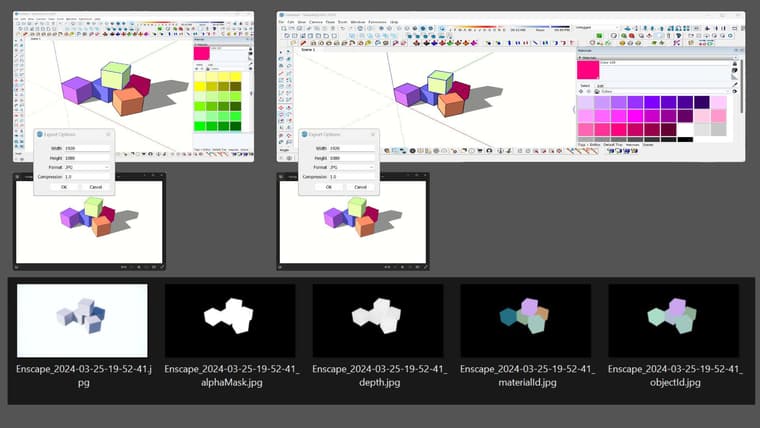
      Instead of using the classic 2D export you can use the animation export instead. There you do not export a video file but individual frames, for example as png or jpg with the setting 1 frame per second.
      There you can set a viewport-independent export resolution. I have tested this under all possible settings and various viewport modifications, I always get identical export image results, and these even fit together with a downstream renderer (e.g. Enscape) provided the renderer is set to Sketup's viewport synchronisation.
      0036f8a0-bd1f-4375-8acd-a988d30d02be-image.png
      I wouldn't have come up with this obvious solution if Eric M Sargeant hadn't posted his video Batch Exporting Scenes and Styles
      Batch Exporting Scenes and Styles
      So thanks to Eric M Sergeant and all of you here 😉

      posted in Extensions & Applications Discussions
      HornOxxH
      HornOxx
    • RE: SubD examples and models

      Thanks, Panixia for adding your models above! (I had overlooked them and am very happy that you are giving us the opportunity to see them)
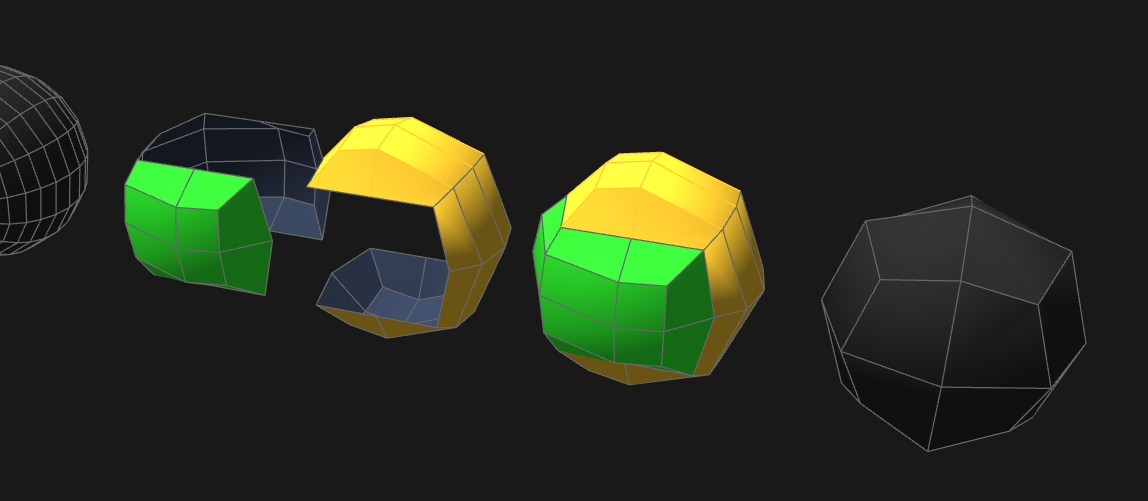
      “Tricky Ball” was a significant understatement—you first have to come up with the idea of editing a sphere in such a way that it looks like two interlocking hands rotated 90°! And then in such an accurate form. And I'm not even talking about your following amazing skills required to create those “ridges” around the sphere-shape! 😉
      Respect! What a beautiful work.

      image.png

      posted in SUbD
      HornOxxH
      HornOxx
    • RE: Finished snowy lane render

      sehr sehr gut! 👍 👍

      posted in Gallery
      HornOxxH
      HornOxx
    • RE: Is there a fracturing tool for SketchUp?

      @Rich-O-Brien A direct hit! 👍 Thanks Rich!

      posted in Extensions & Applications Discussions
      HornOxxH
      HornOxx
    • RE: Game Assets

      Prima!!

      posted in WIP
      HornOxxH
      HornOxx
    • RE: "Watt" Micrometer

      @Dave-R 👍 very understandable, and all the better that these kinds of things "cross your path [D: über den Weg laufen]", as we say here. I feel the same way, I do other (SkUp-)things for my private pleasure than the things I have to do to earn money...

      posted in Gallery
      HornOxxH
      HornOxx
    • RE: EasyOffset / my new plugin #3

      Thanks for your feedback Glenn-at-home
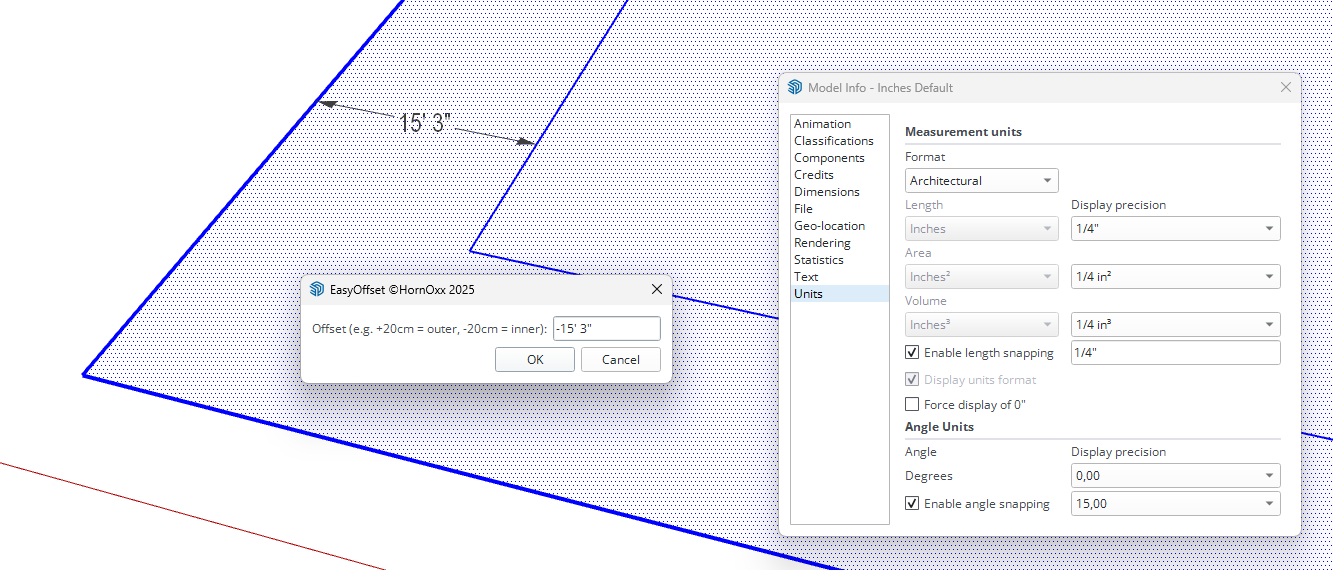
      Hmm, strange. I used also an inches default Master for testing. For me, entering inches (for example) works without any problems in the SU versions mentioned. Is there perhaps something wrong with my inch measurement entry and doesn´t correspond to practice? For example: for 15 feet inward,would you write " -15 " or " -15' "?
      ( 😂 by the way, this is a pretty complicated system for me to write)
      5bfc0a3a-ef87-4495-a97f-cc77542dee4f-image.png

      posted in Extensions & Applications Discussions
      HornOxxH
      HornOxx
    • RE: Game Assets

      prima!

      posted in WIP
      HornOxxH
      HornOxx
    • RE: Render from WIP.

      😶 BOAHHH and even at this stage, an outstanding piece of work in every respect!
      How great it looks that you are combining (however?!) this AO look with parts that are "normally" rendered👍

      posted in Gallery
      HornOxxH
      HornOxx
    • RE: Movie Software Suggestion/Recommendation

      Hi🖐️
      I'm making fast and simple progress with CapCut—it's very simple and straightforward (and there are a lot of help-tuts on Youtube)
      It has all the needed features, such as transitions, text, sound, etc., and even keyframe animation...
      https://www.capcut.com

      db968400-dc2e-4265-a868-82e8e70bcf4b-image.jpeg

      posted in Extensions & Applications Discussions
      HornOxxH
      HornOxx
    • RE: [Plugin] Multiple Offsets (Updated 09-Feb-2014)

      Hi everyone—does anyone know if this plugin also works somehow on SU 2025? Unfortunately, I can't get it to work.

      posted in Plugins
      HornOxxH
      HornOxx
    • RE: For fans of aircraft modeling

      @Tru-la-la 👍 wundebar!

      posted in Gallery
      HornOxxH
      HornOxx
    • RE: How to get and activate a NEW SketchUp Pro

      Rich O Brien and @sketch3d-de
      Thank you Both so much for all these helpful tips and, above all, for your patience.
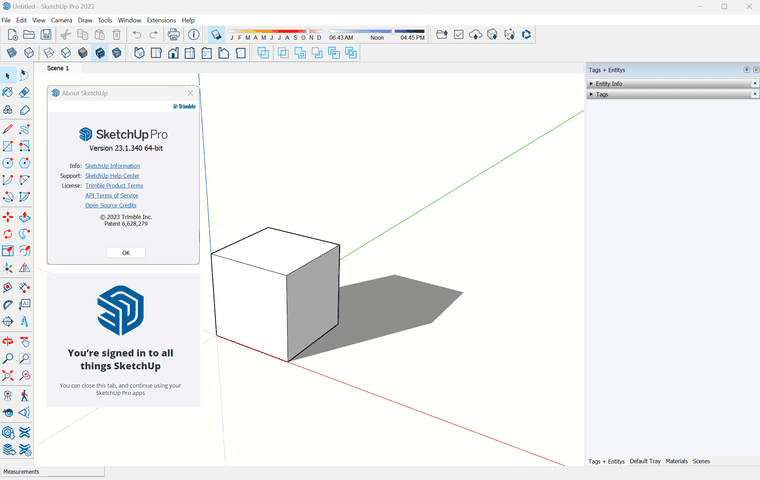
      With your guidance above I have actually got the thing up and running!!! 👍
      (I always behave like a neandertal in such activation and licensing affairs)

      9d326bfc-0a93-4a8e-95ce-9f079485c86e-image.png

      posted in Newbie Forum
      HornOxxH
      HornOxx
    • RE: Movie Software Suggestion/Recommendation

      @Rich-O-Brien said:

      I've zero knowledge of CapCut but are Effects only exposed to paid versions?

      🖐️
      ...as is the case with many free software versions, CapCut Free comes with a limited range of effects (transitions, text effects, etc.). The features that are only available in the Pro version are clearly marked as such.
      Regardless, CapCut Free can rightly be called a full-featured app because everything you need is included.
      Personally, I love this because it avoids that unbearable “PowerPoint” urge—so common among many users—to make everything fly, scroll, or dissolve in some silly way! —Here, too, the rule applies: Less is usually more!

      posted in Extensions & Applications Discussions
      HornOxxH
      HornOxx
    • RE: Old radio

      Prima !! 👏

      posted in Gallery
      HornOxxH
      HornOxx
    • RE: How to get and activate a NEW SketchUp Pro

      🤣 ouch me! - you meant the original page, of course.

      I had already updated the link to your new page and the obvious disappeared from my perception
      3162056d-18f8-4f56-a6f5-42194ebec02f-image.png
      many thanks!

      posted in Newbie Forum
      HornOxxH
      HornOxx
    • RE: I am searching for two plugins

      @alexpacio2013 said:

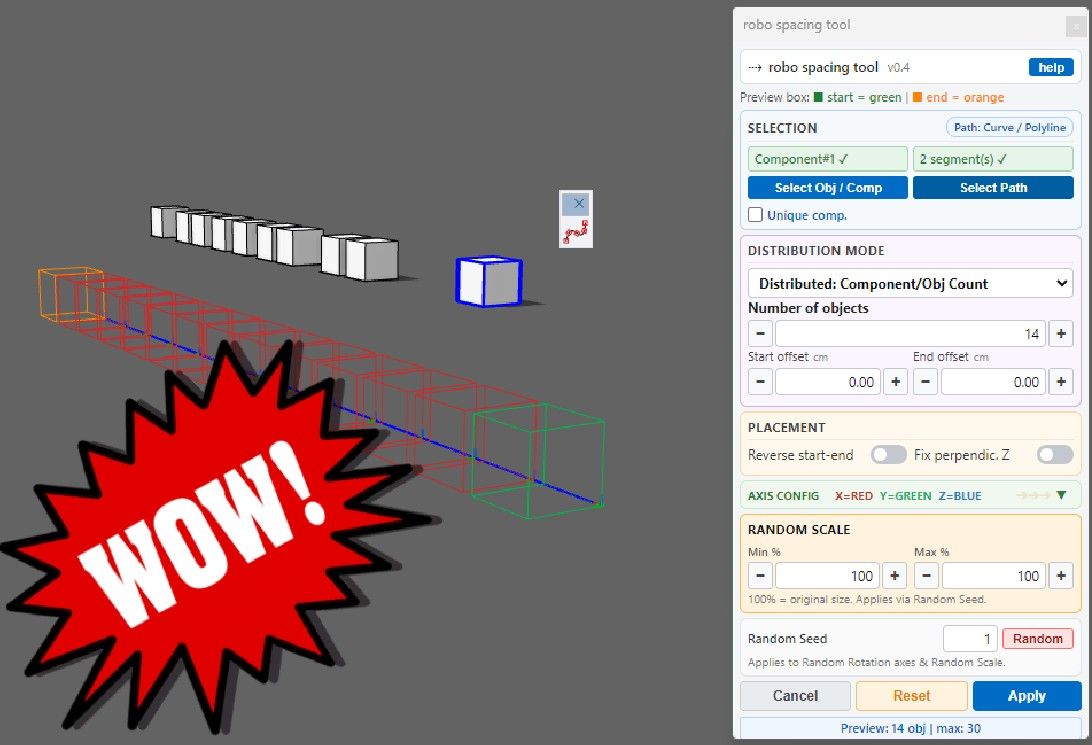
      @HornOxx For the first question, try this plugin that distributes components along a path, both in a distributed manner and with spacing. Additionally, you can also rotate and resize the objects during distribution.
      ---> robo spacing tool

      WUNDERBAR !!!
      An absolutely fantastic recommendation, Alexpacio — and on top of that, a tool I’ve never come across anywhere before. I’m already looking forward to exploring its capabilities beyond the mundane task I’m currently working on.

      Best!
      191c27ca-99c9-42d3-85c1-9f7e42052781-image.jpeg

      posted in Extensions & Applications Discussions
      HornOxxH
      HornOxx
    • 1 / 1