Thank you SO much for taking the time to share this with us, Jan...!

I see Thomas used Thea4SU in his presentation...! 
 F
Offline
F
Offline
Thank you SO much for taking the time to share this with us, Jan...!
I see Thomas used Thea4SU in his presentation...!
Really nice...!
I can only imagine that the ceiling must be quite heavy - poly-wise...?!
I didn't know that you were attending the 3D Base Camp, Jan...!?
But thanks for posting these...!
Looking forward to see - and hear - more...!
I use LO on a daily basis and I couldn't live without it...!
Unfortunately I won't be able to come to the SCF Basecamp in London...
Yes, there's a lot that need to be improved and lots of new features that could get implemented...
If Trimble decide to implement the Ruby SDK, I'm sure we'll see a lot of great new features, similar to what we've seen with SU...
Indeed a nice render...
Somehow a simple scene, yet there's a lot of small details that makes it pop...
The tulips seem to need some love... 
I'm looking so much forward to this...
It's a real shame that I don't get the opportunity to meet you in London... 
You can't embed an image with a link to a website...
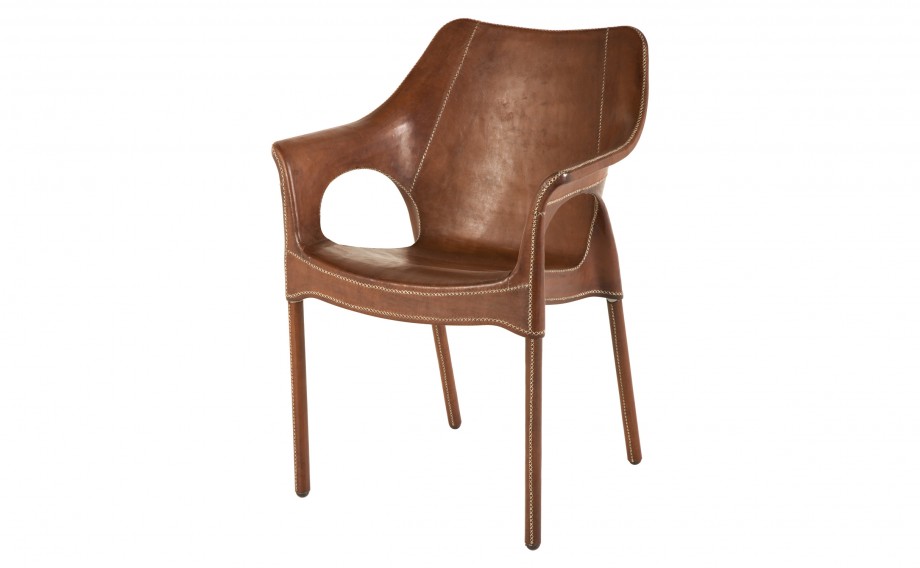
Here's the image of the chair...
@pilou said:
Ah ok: a photo montage, not a 3D plane texturized!
Nope...
In Thea Render you simply apply an IBL to the Background channel and then select the Wrapping to "Fit" or "Center"... 
Thanks, all... Much appreciated...!
@pilou said:
How are made the bombing waves ?
As Mike already have mentioned, they simulate the blast from the jet engines...
I saw an image when I searched for some inspiration...
https://www.pinterest.com/pin/339107046920833424/
Then I found it in a higher resolution, removed the original airplane using the content aware fill tool in Photoshop and inserted it as a background IBL in Thea Render...
Here's the image without the plane - but rescaled to be able to upload it here...

@pilou said:
Simple dynamic components works fine in LightUp !
As a PDF document...?!?
From the video you've posted as well as the manual you've posted a link to, I don't see that it's converted to a 3D PDF document, which is what the OP asked for...
Can you please elaborate, Pilou...??
Hi All,
Although I work with 3D modeling and SketchUp every day, I haven't posted anything here for ages...
This is primary because the models I make for my job are subject to NDA's in most cases...
Besides, showing you a detailed model of how a cooling installation is going to be assembled is not really eye catching... 
But lately I've been having lots of fun playing with some aeroplane models I found at http://www.colacola.se
If you visit the website you'll see that it's a 3D artist from Sweden named Anders Lejczak, hence all credits for the models goes to him...
What I've done is to import the models to SketchUp, clean from odd geometry, group various parts and finally apply materials, where the UV mapping have failed during import - or where I want to be able to have a better control of the materials...
Any way... It gave me the chance to play around with some of the models available...
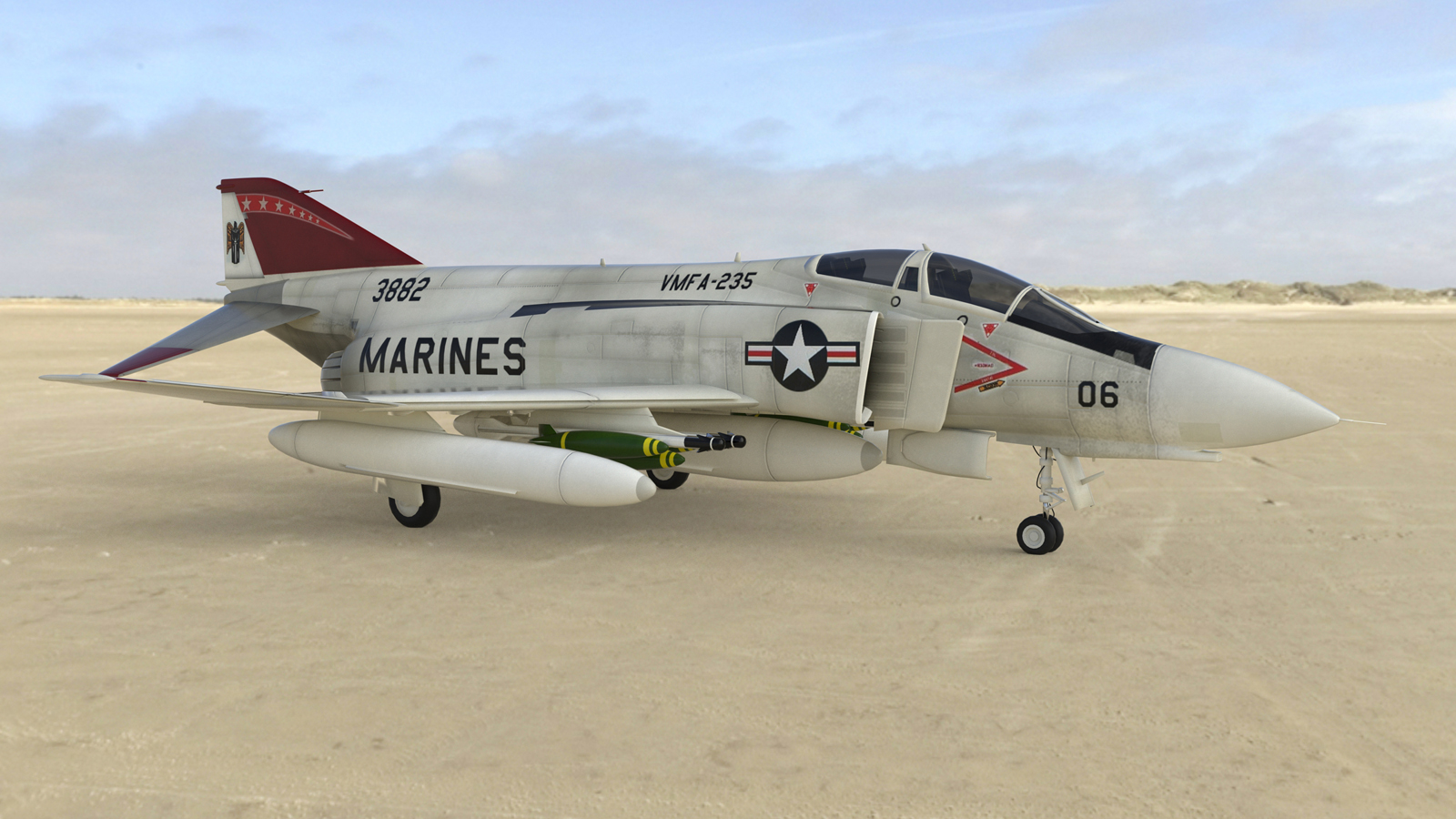
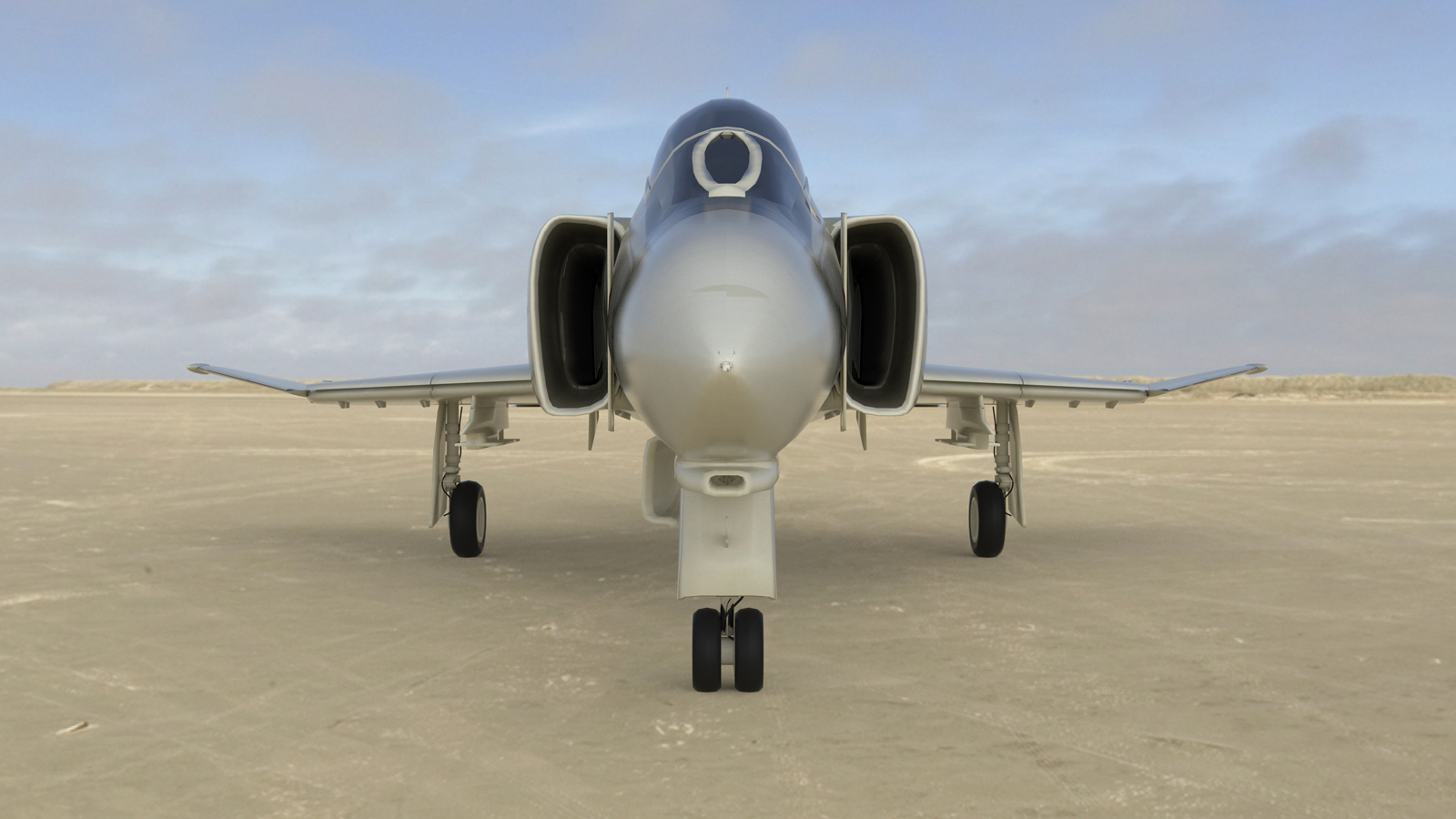
Here's the latest I did earlier today of the McDonnell Douglas F-4 Phantom...
Had to reduce the size as the max resolution here at SCF is 1600px...
Apart from that, these are raw renders = no post pro
Hope you like them...!?


I assume that you're asking if the dynamic actions will transfer to the 3D PDF, when using SimLab - right...?
Unfortunately they don't...
However, it also makes sense as the "Interact with dynamic components" pointer is something only SU is capable of, hence it's not something Acrobat Reader is able to...
The only thing you can do is to create camera views in SimLab, which will get exported to the 3D PDF document...
I've attached a sample I just made...
In SU you can open the doors, the trunk and hood and more - but these don't work in the PDF...
Great to see that you guys have lots of fun...!
I also import models available in both FBX and OBJ format with SimLab...
SimLap does a great job, but you will need to cleanup the models to reduce the size and make them usable in many cases...
You can benefit by installing the CleanUp plugin by Thomthom...
Please note that some models will take very long time to cleanup...
(by very long time, I mean 3-4 hours!
The plugin will estimate how long time it takes to cleanup a model, however, these estimates are usually never correct... Models are usually cleaned up a lot quicker then what the plugin have estimated...
Hope this can help you further...!?
Aahhh... Dave R beat me...
First you select the tool and then you enter the number of segments...
Now you start to draw the form/figure and you'll be able to enter the radius value...
@mina nady said:
nw i have a name , uv mapping , and i searched for uv mapping tools in google and i found sketchuv plugin , i am trying to use it nw.
UV-mapping is a very basic thing in 3D modeling, yet it seem to be one of the most important things, users don't really understand...
Just to get a brief explanation, I suggest you read this...
https://en.wikipedia.org/wiki/UV_mapping
@mina nady said:
isn't there any easier way to do the job ? It would be very hard to do that to every surface i have , especially for large Projects
You don't need to use a plugin to assign UV-coordinates to a surface in SketchUp...
Like I wrote...
@frederik said:
However, you don't UV-map a mesh simply by applying a color in SU...
You can apply a texture material in SU and then you get the UV-maps applied and you'll be able to use a Vray texture material subsequently...
@mina nady said:
I am totally new to these forums , how can i upload photos here ?
An image says more than a thousand words...
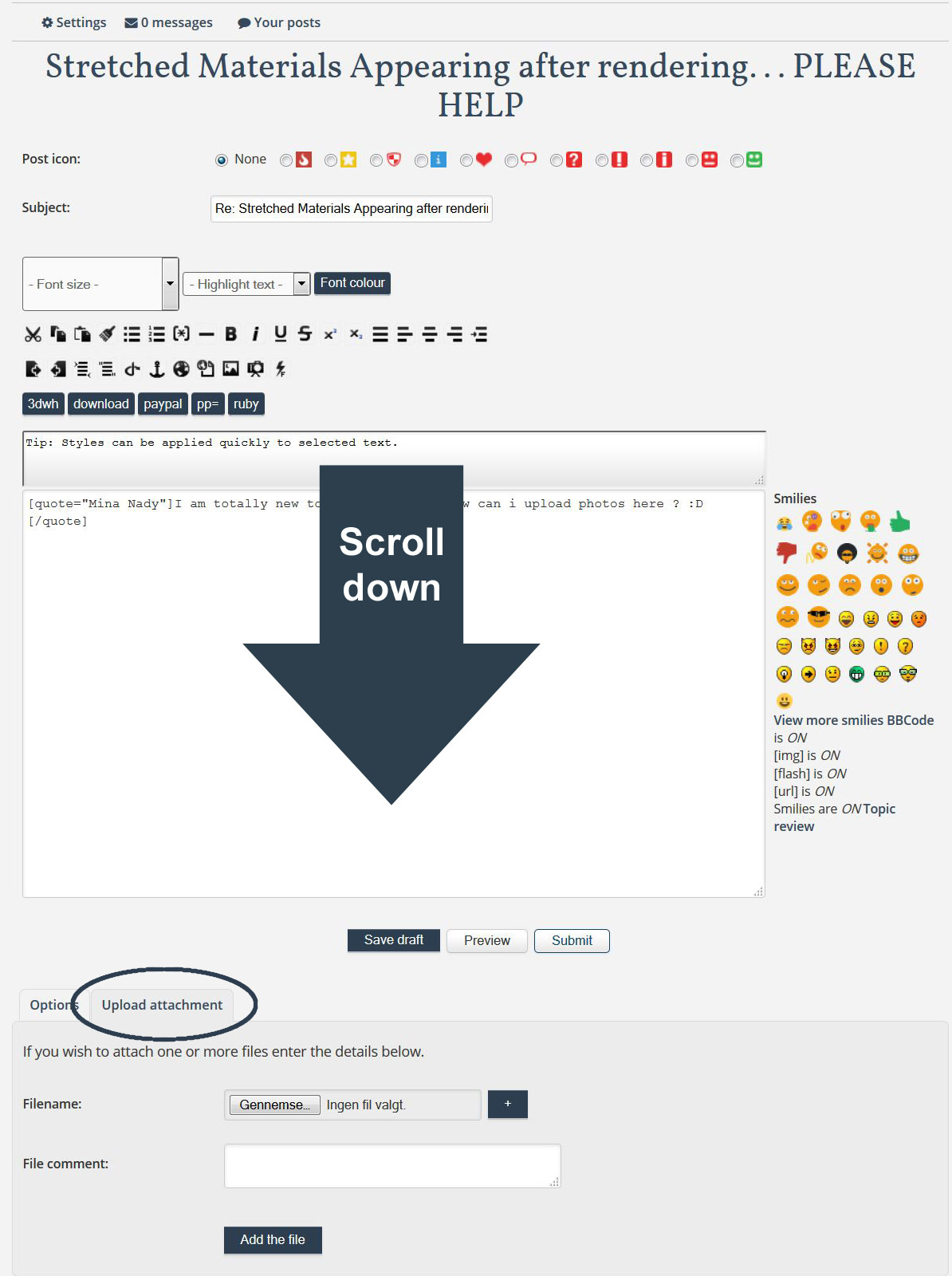
Didn't the answer I provided help you in any way...?

