sketchucation logo sketchucation
    • Login
    1. Home
    2. Daniel S
    3. Posts
    Oops, your profile's looking a bit empty! To help us tailor your experience, please fill in key details like your SketchUp version, skill level, operating system, and more. Update and save your info on your profile page today!
    🔌 Easy Offset | Offset selected faces in SketchUp in positive and negative offsets. Download
    D
    Offline
    • Profile
    • Following 0
    • Followers 0
    • Topics 18
    • Posts 339
    • Groups 1

    Posts

    Recent Best Controversial
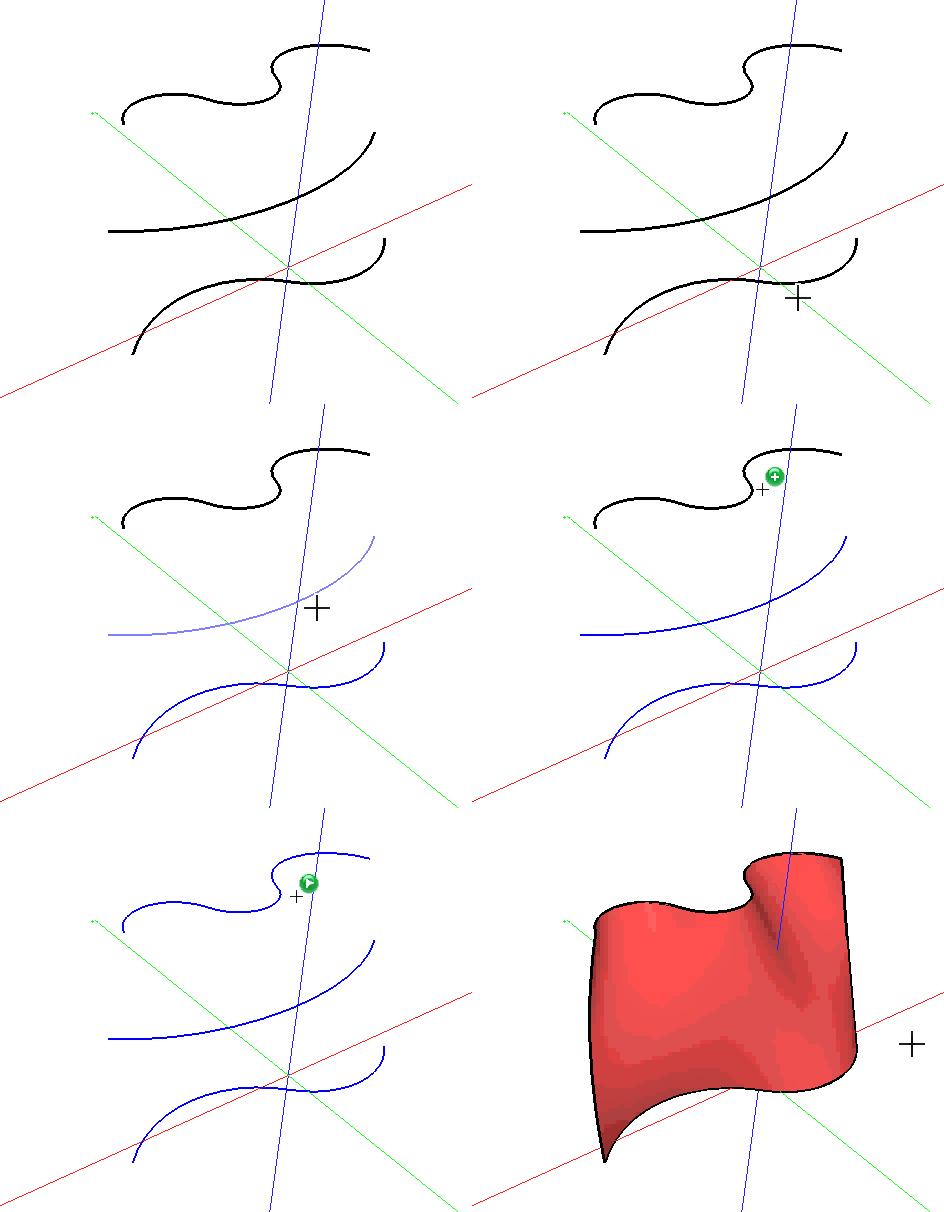
    • RE: [Plugin] Simple Loft alpha 0.1b -- UPDATED May-15-09

      Looks great!! Very good first version Chris!! 😍 😍 😍

      I'm wondering what will be the the missing key piece.

      There is not too much to say because you mention most of the problems in "what´s missing".
      Having to Make the Splines with the same amount of segments is perhaps the problem that makes it more difficult to use.

      Congratulations and thank you!!!

      Daniel S
      posted in Plugins
      D
      Daniel S
    • RE: Loft questions

      @chris fullmer said:

      Ahh, that totally answers my question. Yes, those splines are not planar. Interesting.

      Can you do a loft with only 2 spline instead of three? Maybe if you could just loft everything in the attached model? That would be helpful! Thanks,

      Chris

      Here i attach the results.
      If you need more send me the .skp.

      Daniel S


      Loft tests1 results.zip

      posted in Developers' Forum
      D
      Daniel S
    • RE: Loft questions

      I don´t understand well the question.
      Here i attach an example. Can you make the lines and put the .skp file here? So I can make the loft and show you the result.

      Daniel S


      Loft.skp

      posted in Developers' Forum
      D
      Daniel S
    • RE: [Plugin] Skin.rb

      Very good preview Chris!! 😍 😍 😍
      Please keep us updated about the evolution with more videos.

      Daniel S

      posted in Plugins
      D
      Daniel S
    • RE: [Plugin] Skin.rb

      a loft tool would be really useful!

      I made this quick example with Bonzai3D:
      Bonzai3D Loft.gif

      Daniel S

      posted in Plugins
      D
      Daniel S
    • RE: [Plugin Library] LibFredo6 - v15.8b - 12 Jan 26

      Fredo..

      I don´t know if this is the correct place for this request.
      Can be added something like this menu to LibFredo6?:
      menu.gif
      (It is from: http://www.3skeng.com)

      This menu can be part of your plugins...

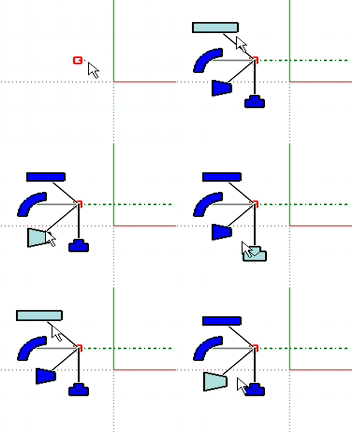
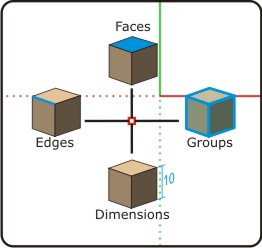
      I don´t know if your HoverSelect will be extended to select faces, groups, dimensions... but the idea is to have only one button on the toolbar and with a key you can see and select all the other options with the onscreen menu:
      Selector menu.jpg

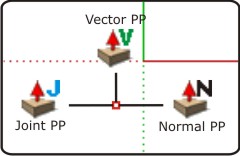
      Example for JPP tool:
      JPP menu.jpg

      Daniel S

      posted in Plugins
      D
      Daniel S
    • RE: [Plugin] New Piping System Plugin

      I just install this one, but is not working here:

      Error: #<FloatDomainError: Infinity>
      (eval):213:in round' (eval):213:in roundToSystemUnits'
      (eval):1546:in getDiameter' (eval):2340:in onMouseMove'
      Error: #<FloatDomainError: Infinity>
      (eval):213:in round' (eval):213:in roundToSystemUnits'
      (eval):1546:in getDiameter' (eval):2340:in onMouseMove'
      (eval):213

      Any idea?

      Daniel S

      posted in Plugins
      D
      Daniel S
    • RE: Joint Push Pull Classic (Old version) - v2.2a - 26 Apr 17

      Works well here too.
      And then you need to reassign your shortcuts 😉.

      Daniel S

      posted in Plugins
      D
      Daniel S
    • RE: Must Have Ruby Plugins - Visual Index

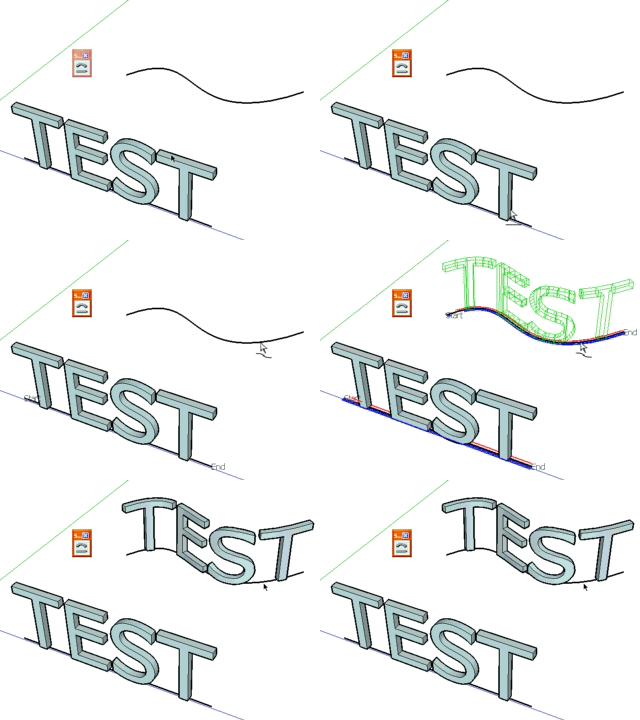
      Shape Bender
      Author: Chris Fullmer
      ShapeBender.gif


      Daniel S

      posted in Plugins
      D
      Daniel S
    • RE: [Plugin] Shape Bender Beta

      @chris fullmer said:

      Oh, I have another idea Daniel. Do you have component spray installed? If so, make sure you have the most recent version. Here's the link:

      301 Moved Permanently

      favicon

      (www.sketchucation.com)

      Chris

      I update the component spray plugin and now Shape Bender works fine. 😍

      Thank you,
      Daniel S

      posted in Plugins
      D
      Daniel S
    • RE: [Plugin] Shape Bender Beta

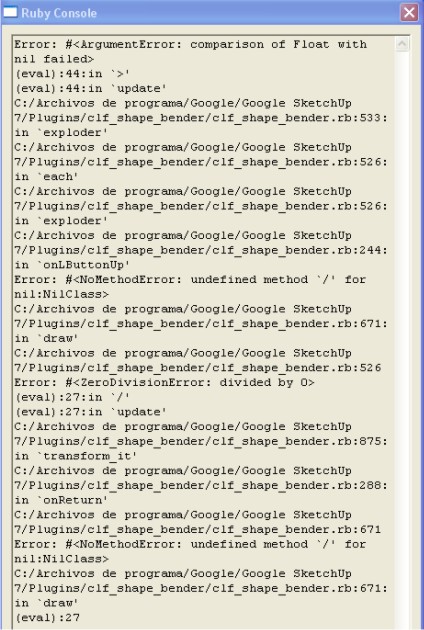
      oops.. this version dosen`t work for me. I have progressbar.rb
      I can select the first line and the endline. But it dosen´t show the object in wireframe mode and with enter dosen´t accept... so i can´t bend.

      Any idea what is happening?

      Daniel S


      problem.jpg

      posted in Plugins
      D
      Daniel S
    • RE: [Plugin] Round Edge - v1.0 (by Bezier)

      @teamsda said:

      We hope that in the future someone will develop a commercial grade bull-nosing and filleting (edge smoothing) script with capabilities similar to what is depicted in the attached video.
      Team SDA

      That video looks familiar to me.

      And the Original Source. A good place for script ideas 😛

      Daniel S

      posted in Plugins
      D
      Daniel S
    • RE: [Plugin] Shape Bender Beta

      Yes, your plugin do that... but not works everytime... it depends where you put the first line. It`s easy to have unexpected results.
      Here i attach a working example. Just select the text, run your plugin, select firt line and then the helix. It takes some time but it works.

      And i attach an example to make a double bend... In your video you make a lot of operations to get the result when you can apply directly on a 3d curve (you don´t get the exactly same result). In the model you will see that i have to move the 3d curve because you can´t use it if the endline is directly into the surface (here using Fredo´s Arc On Surface).

      Daniel S


      Helix working.skp


      double bend.skp

      posted in Plugins
      D
      Daniel S
    • RE: [Plugin] Shape Bender Beta

      Chris:
      I attach my first .skp test using shape bender. 😍 😍
      Thank you!!!

      Daniel S


      Shape bender test.skp

      posted in Plugins
      D
      Daniel S
    • RE: [Plugin][$] FredoScale - v3.6a - 01 Apr 24

      @unknownuser said:

      *And the other thing I hope you will add in a next version is allowing for the Bend tool to align itself to a plane, without having to use a surface. That is possible with the regular Rotate tool, where you orbit the scene so it aligns itself to a particular plane. That doesn't work with your Bend tool though.
      My workaround is to draw a temporary surface so I can align the tool how I want it to.

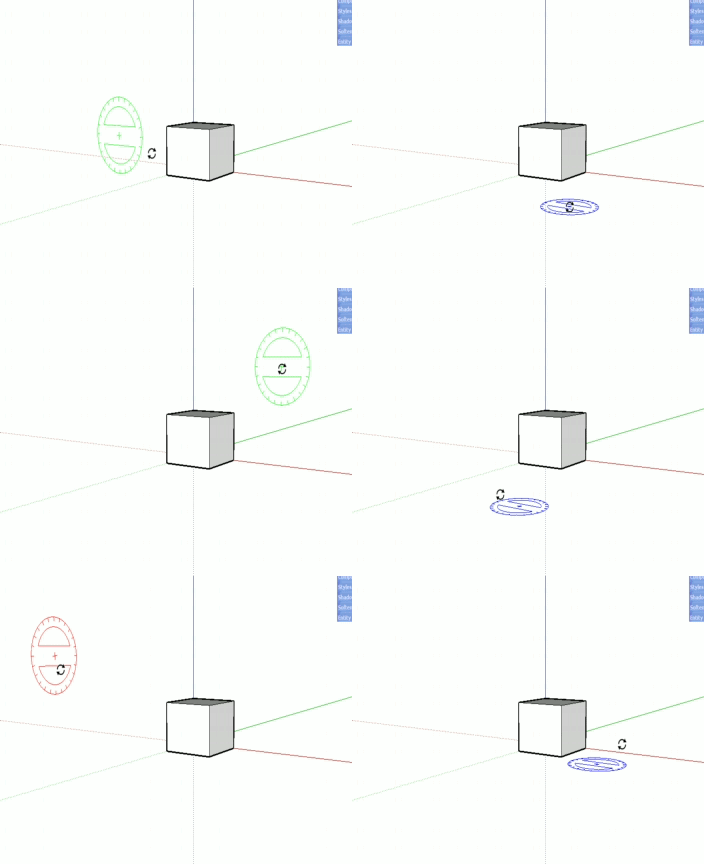
      Not sure, but I think that he talks about this option:

      aligntoplane

      Daniel S

      posted in Plugins
      D
      Daniel S
    • RE: [Plugin][$] FredoScale - v3.6a - 01 Apr 24

      I dont know if its difficult to add more features to this plugin. But a good option for the bend will be to press CTRL and the plugin bend symmetrically around the center.

      Now is possible this:

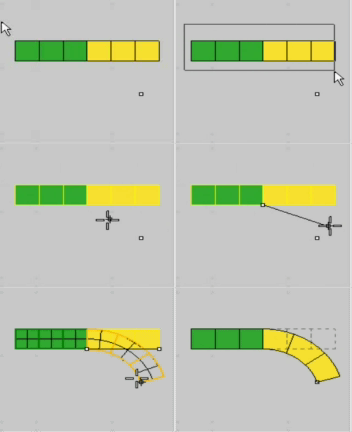
      Bend.gif

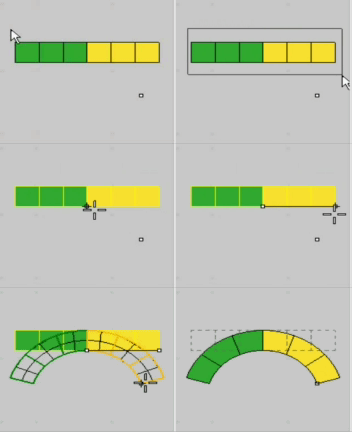
      and this is the idea:

      Symmetric Bend.gif

      Daniel S

      posted in Plugins
      D
      Daniel S
    • RE: Rediculous

      It happens the same to me the other day... but with Fredo6`s FreeScale have no problem.

      Daniel S

      posted in SketchUp Feature Requests
      D
      Daniel S
    • RE: Shape Bender - preview

      Amazing!!!

      About the last example of the video: Do you think that will work if the endline is directly into the surface? (for example using Fredo´s Line On Surface).
      LineOnSurface.jpg
      Or for making it easier to bend on surface, do you think that can work like the SU drape tool where you select the group and then the mesh on which you want to bend? (Of course that instead of edges it will bend the group)

      Daniel S

      posted in Developers' Forum
      D
      Daniel S
    • RE: [Plugin][$] FredoScale - v3.6a - 01 Apr 24

      I make alternative icons and cursors for this plugin:

      FreeScale Icons.jpg

      Here you can download:

      IMAGES_Alternative1.zip

      Extract into FREESCALE_Dir_20 and set this ones in "Tools>Fredo6 Collection>Free Scale>Default Parameters"

      Daniel S

      posted in Plugins
      D
      Daniel S
    • RE: [Plugin][$] FredoScale - v3.6a - 01 Apr 24

      The latest Lib6Protractor.rb works very well like the native SU tool.

      Thank you Again!!!

      Daniel S

      posted in Plugins
      D
      Daniel S
    • 1 / 1