Great Plugin!!!
Thank you for showing this one.
Perhaps you can add [Plugin] to the subject.
Daniel S
Great Plugin!!!
Thank you for showing this one.
Perhaps you can add [Plugin] to the subject.
Daniel S
Thankyou Cadfather!!!
@unknownuser said:
Can you show me an example where the center of the Group's bounding box is dissimilar from the geometric one?
Quick example:
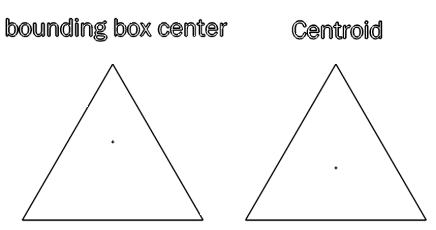
(centroid is the geometric center)
Daniel S
Edit: another example:
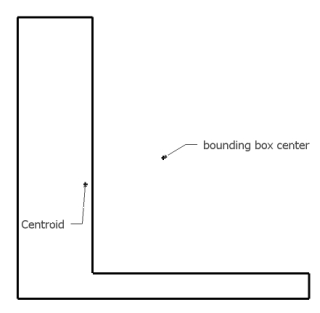
This maybe can help you... Only for 2d shapes:
http://forums.sketchucation.com/viewtopic.php?f=180&t=13378&p=98736
Daniel S
You can use Chris Fullmer´s Shape Bender:
http://forums.sketchucation.com/viewtopic.php?f=180&t=18210
First make a helix and bend it to a curve.
Quick Example:
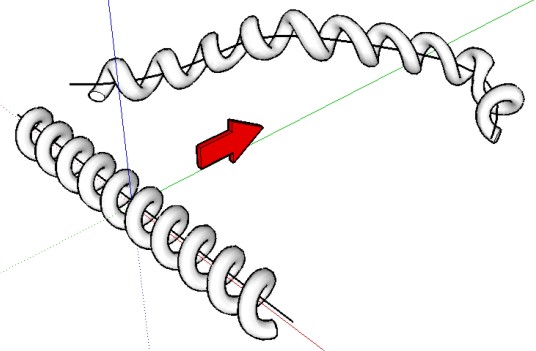
Daniel S
@tonyl said:
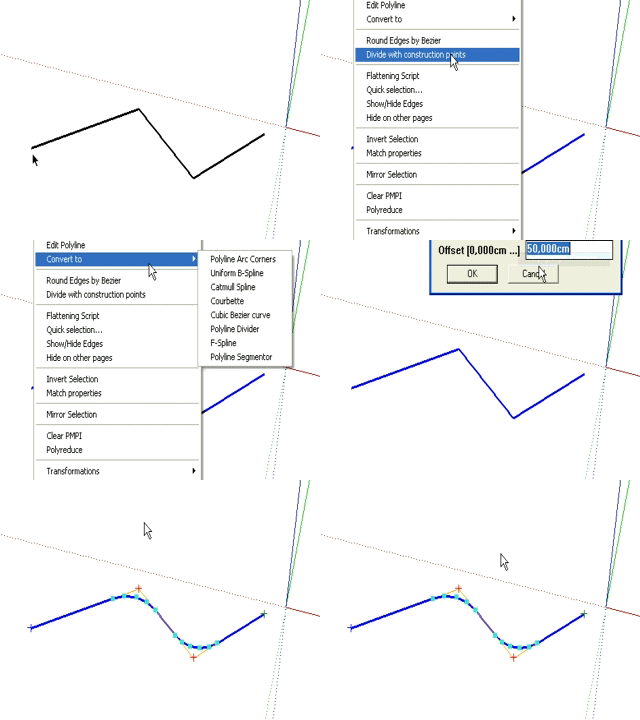
one question : how do u convert polyline to polyline arc corners?
Right click on the polyline and choose: convert to polyline arc corners.
Daniel S
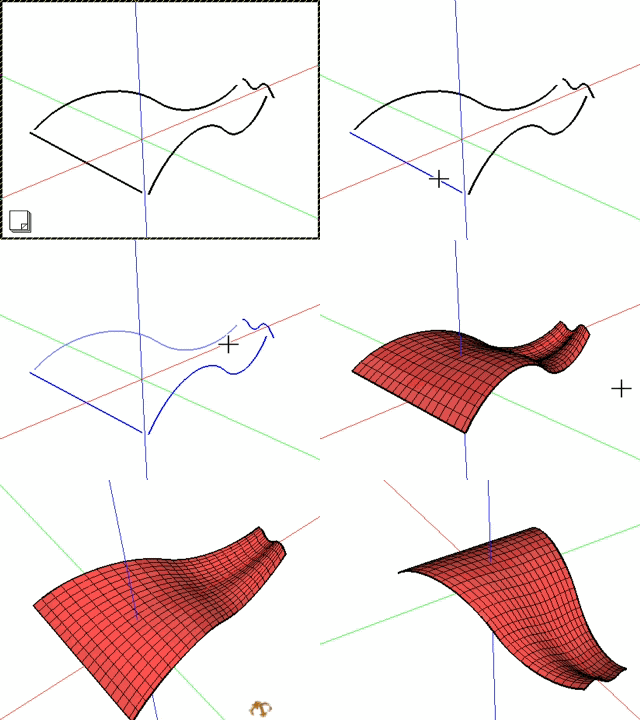
Each spline must have the same amount of segments and with Fredo´s Bezier plugin it´s easy to create this (has an option for Precision: total number of segments of the generated curve).
I just try this option with Loft alpha and:
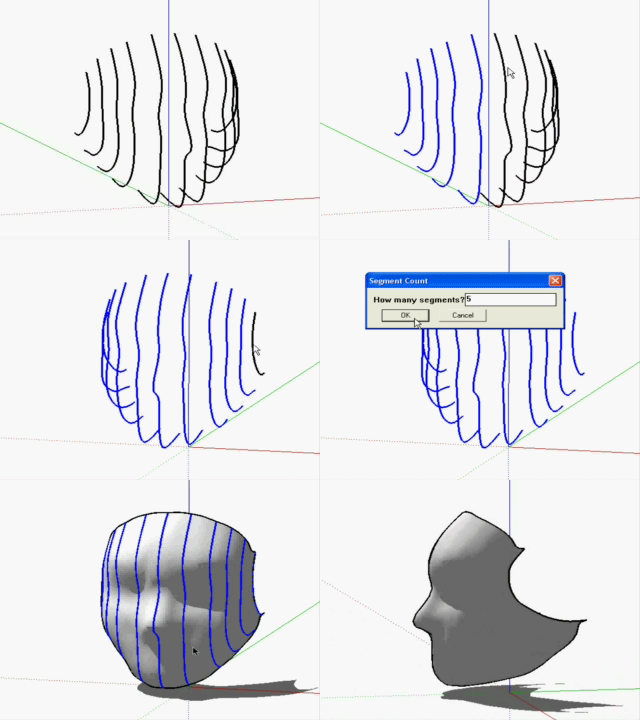
It´s great combination of plugins.
Daniel S
@plot-paris said:
I am afraid there will always be a problem to use the like in SketchUp though. because doing these transformations with a polygon modeller means a dramatic increase of polygons - something SU isn't too fond of.
I think that can work with a method like the one used in Fredoscale that has a Slicer (for Bend and Twist). Slices what it needs and not all.
Easily bend a flat surface to create wavy, swoopy, and curved objects is something that Sketchup needs. This tool makes that.
Here another video showing that you can use something like Line On Surface after making the curved surface and deform that line too. Is very powerful.
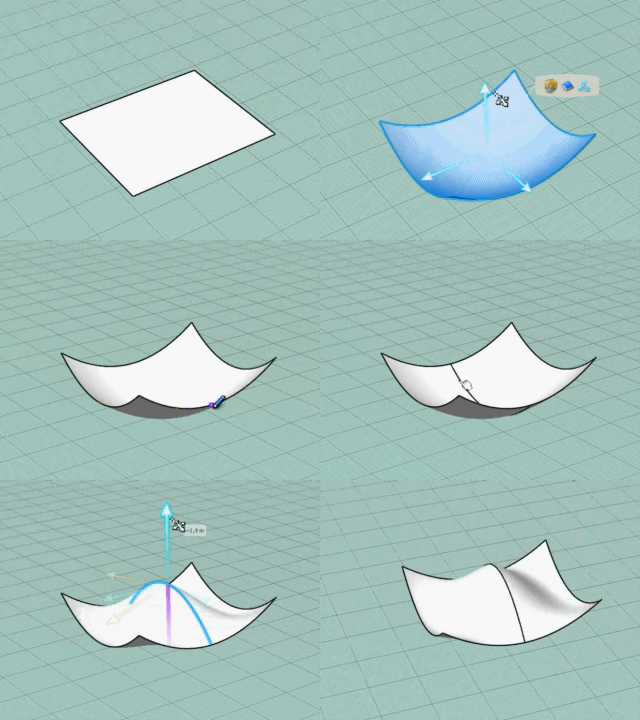
Here a simulation of this tool in SketchUp:
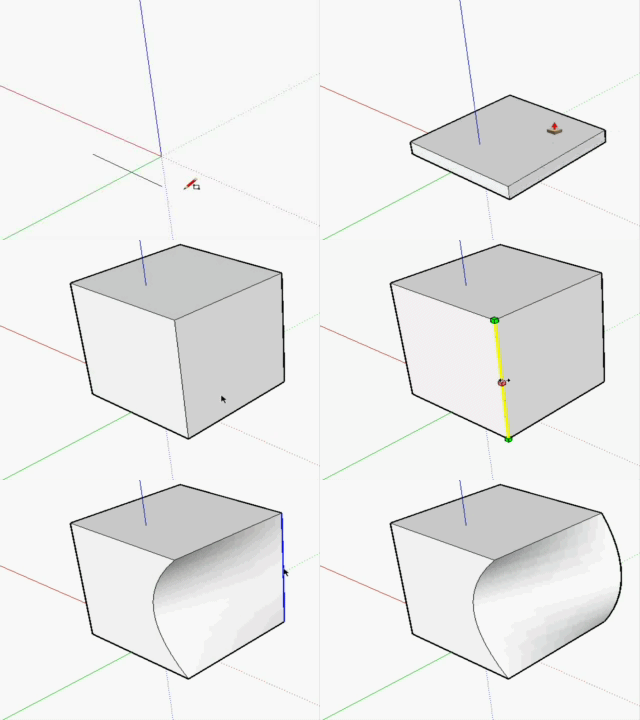
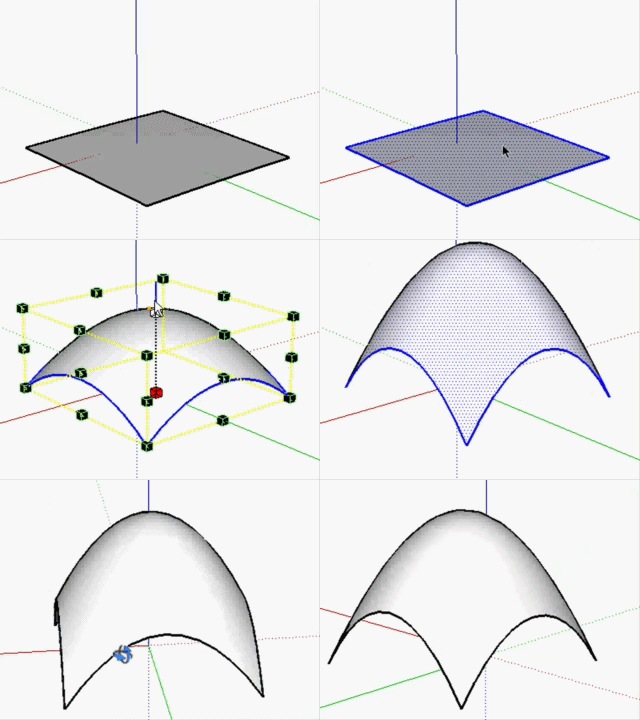
Daniel S
@chris fullmer said:
ok, I added Magyar and Spanish. I've got a feeling the magyar might be a bit cryptic!
Chris
I must say that the spanish translation is a lot much better than in Google translate.. but still has glitches.
If I only read the rosy translation I understand that rosy plays the guitar for you and that you play to be a kid. Changing 5 or 6 words will make a perfect translation.
But is really helpful to have rosy. Thank you for showing this Chris!
Daniel S
Something very similar to plot-pairs original idea is in 3dvia shape:
http://forums.sketchucation.com/viewtopic.php?f=180&t=19321
I must say that a tool like this would be fantastic for Sketchup.
Daniel S
Chris, could you try from english to spanish? And what happens if you paste a text? "Rosy" translates all too?
Daniel S
@unknownuser said:
Daniel,
If you don't mind, I will make them the primary icons, because mine were really ugly.
Of course you can, and thanks again for working in this plugin.
@craigslist.men said:
is there any way i can round the edge only bit like a 1/16 or even less?
A workaround is to scale the model. For example with my units you can´t round less than 0,5 cm. So if you need to round 0,4 cm you can scale up the model 10 times and round 4 cm. Then you scale down (0,1) and you have the rounded edges in 0,4 cm.
If you need less you can scale 100 times larger or even more, and scale down when done.
Daniel S
@unknownuser said:
This is in the making, but I hardly find time to progress.
Fredo
Just to know that you´re behind a new version makes me happy 
I´m not impatient too.. but I just make alternative icons for the future plugin 
Daniel S

I don´t know if Fredo put that image too see what Pico mean or if he is showing the next version of round edge????
Daniel S
@unknownuser said:
That would be great. What program are you doing that in Daniel?
3DVIA Shape.
@chris fullmer said:
As an example, there is a moment in the last video that shows the chair being made. They deform the back arc, and then do the front. How do they gaurantee that the 2 deformations are identical and not just "sort of close".
I think that the tools are precise. The best for the chair will be to deform the back and the front together:
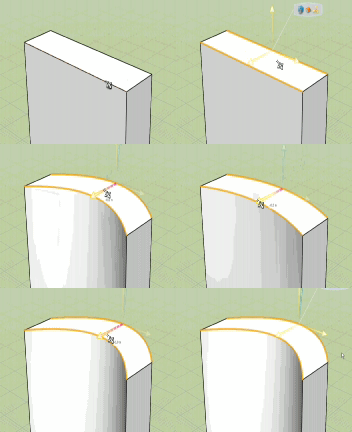
SketchUp has precise measurements with the VCB.
3DVIA seems to have the measurements directly onscreen:
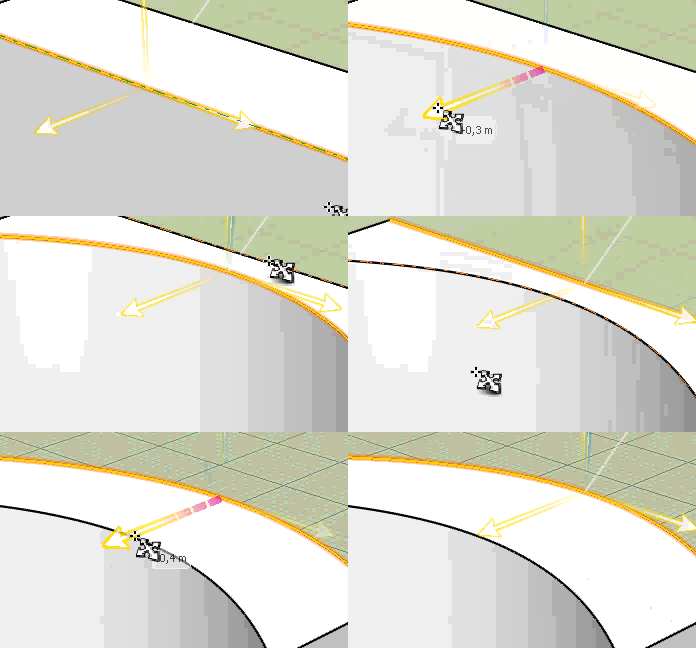
(I move 0,5 meters the front and back)
without zoom:
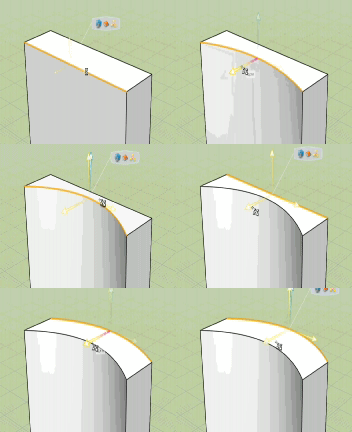
This tool is fantastic!
Daniel S
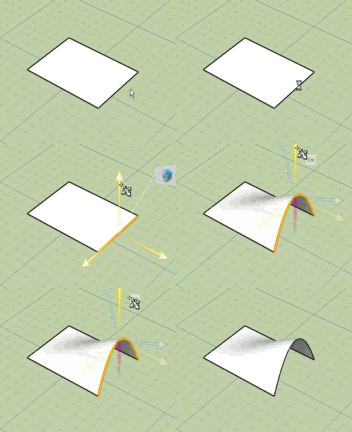
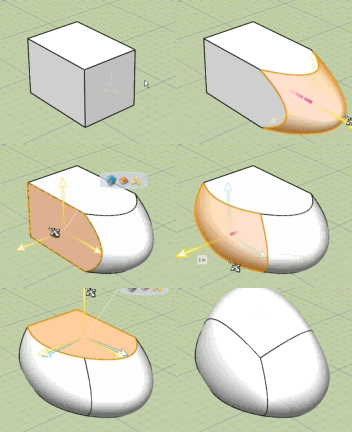
Here I take a rectangle and deform one edge:
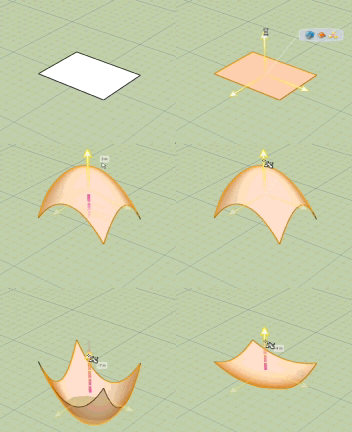
Here I deform one face (the four edges):
Here two edges at the same time:
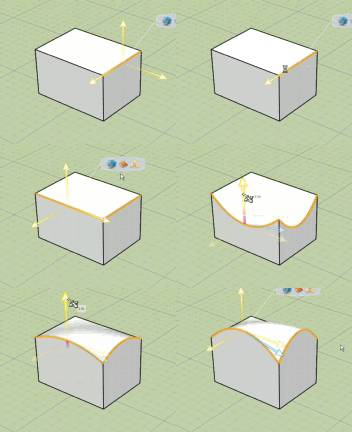
Here Faces:
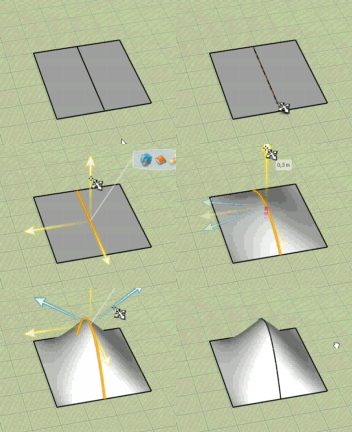
Here an internal edge:
Here quick example of what can you do (not made by me):
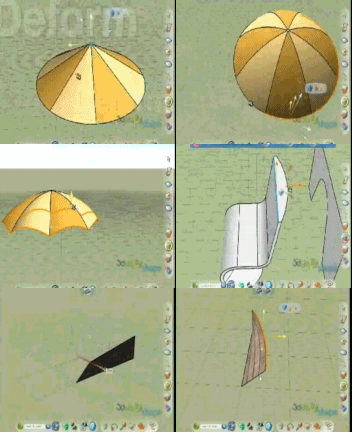
It is possible to make something like this in SketchUp?
Daniel S
@daniel s said:
Jim...
Can you edit and replace ... FredoScale2
Thank you in advance,
Daniel S
Daniel's new FredoScale Animated GIF has been added to the Visual Index and removed from this post. Thanks Daniel!
this post edited by:
-- Jim
@unknownuser said:
This is intentional. You can only select at the first level of the active model, as in Sketchup native. Anyway, you would have some problem with the selection, if you selected within a component or group.
It is difficult to me to explain this in english so i make this gif:
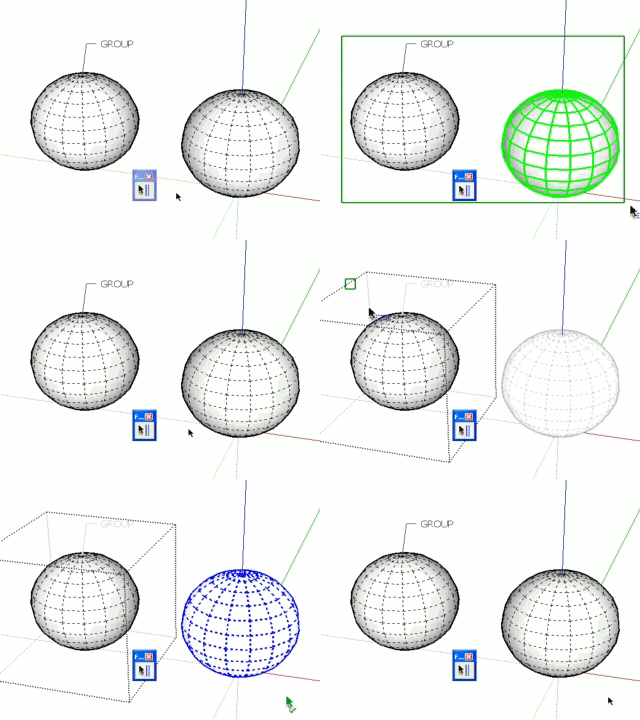
The first time the selection is good because selects all at the first level (visible-only / Ray Cast Selection).
The second time I´m editing a group, but dosen´t selects what is inside the group but yes what it is outside. This is intentional? In SketchUp if you are editing a group you can select all what is inside the group and nothing outside. In this case it´s not selecting inside the group and yes outside this group.
Daniel S
This is the next generation of UI in SketchUp!!!
A lot better, quick, easy and more efficient than the webdialogs (and I assume that is also more compatible for macs).
I make alternative icons and cursors for this plugin:
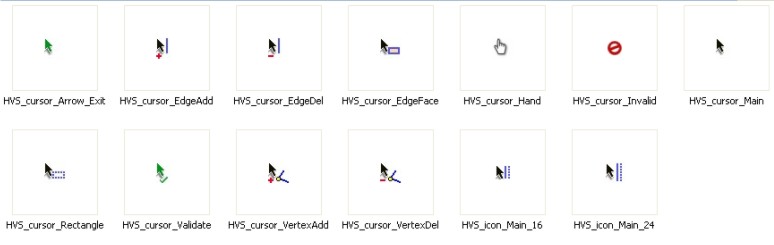
Here you can download them:
To drop into HOVERSELECT_Dir_11 folder
Extract into Plugins\HOVERSELECT_Dir_11 and set this ones in "Tools>Fredo6 Collection>HoverSelect>Default Parameters...
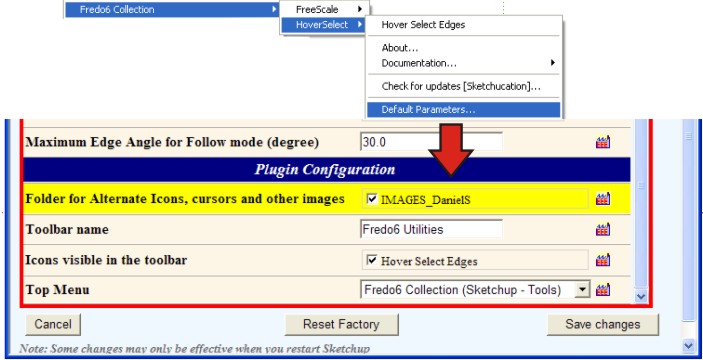
Thank you again Fredo!!
Daniel S
PS. The new Edge selection via rectangle dosen´t work inside groups (I mean double click on group to edit and then select the hoverselect).
@watkins said:
What happens if one tries to use two half circles to create a bowl (see image). The edges are not suitable for joining.
This is for me the problem with loft.
There are other tools that creates surfaces bounded by 2, 3 or 4 curves..
It looks like a double loft.
But something like this is possible?