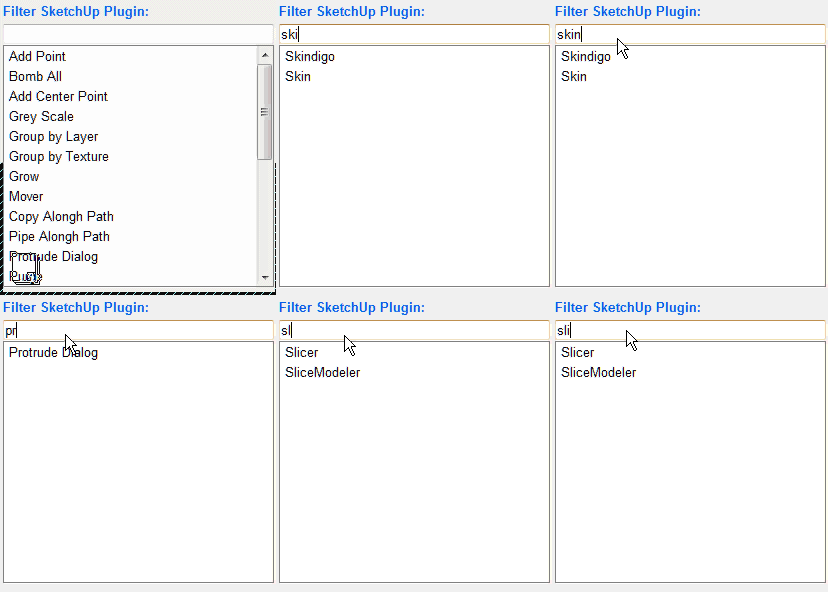
A good idea will be to have a webdialog and something like a filter to search the plugin.
Then with a double click execute the ruby.
Here I make a simulation:
Daniel S
A good idea will be to have a webdialog and something like a filter to search the plugin.
Then with a double click execute the ruby.
Here I make a simulation:
Daniel S
There is an old program made by one SU user that worked very well.
Now I tried it with SU7 and creates the .skm but dosen´t apply the texture in SU... is strange.
The ruby console says:
Error; #<NoMethodError; undefined method `attribute_dictionaries' for nil;NilClass>
C;/Archivos de programa/Google/Google SketchUp 7/Plugins/SkIndigo_1_1_15.rb;2044;in `initialize'
C;/Archivos de programa/Google/Google SketchUp 7/Plugins/SkIndigo_1_1_15.rb;3611;in `new'
C;/Archivos de programa/Google/Google SketchUp 7/Plugins/SkIndigo_1_1_15.rb;3611;in `onMaterialSetCurrent'
C;/Archivos de programa/Google/Google SketchUp 7/Plugins/SkIndigo_1_1_15.rb;2044
Perhaps is not the place to put this... but i attach an example of the .skm that dosent work. I cant attach the program because of SCF rules and i cannot find a link to the original creators program.
It`s an executable Jar file, so if anyone knows how to program and correct this program send me a PM.
It will be very usefull for all.
Daniel S
Subdivide and Smooth Commercial Plugin: $22.00
Author: Dale Martens (Whaat)
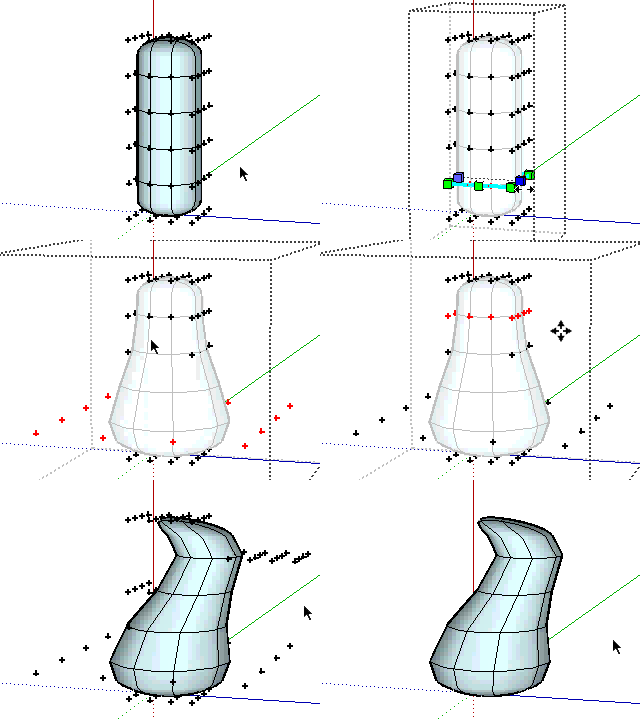
Daniel S
Soap Skin & Bubble
Author: Josef Leibinger
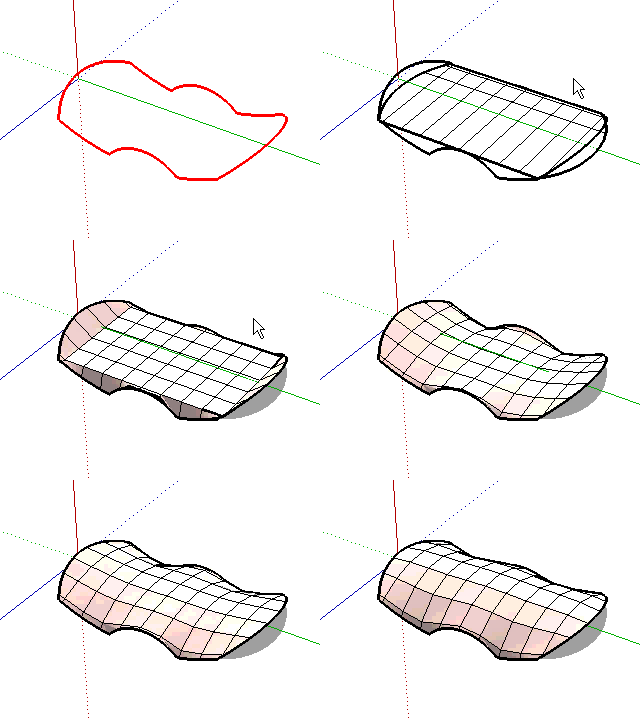
Skin
Author: ArchitectBoy
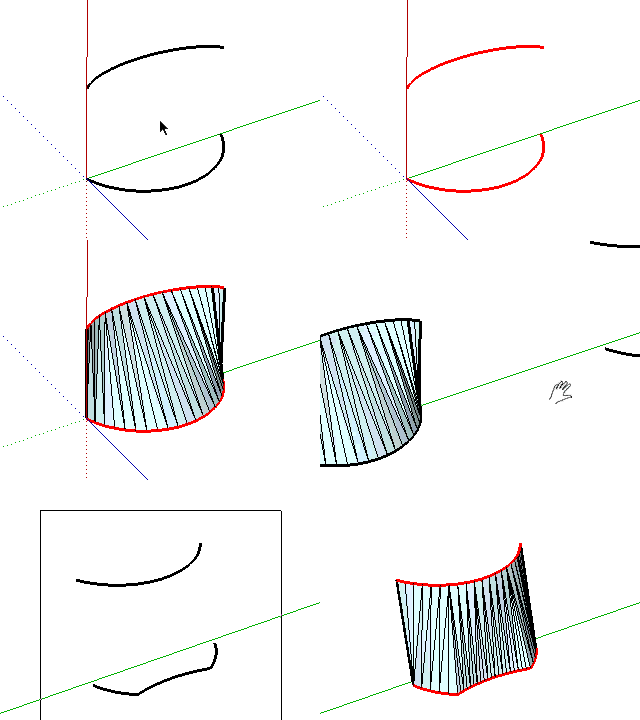
Unfold
Author: Jim
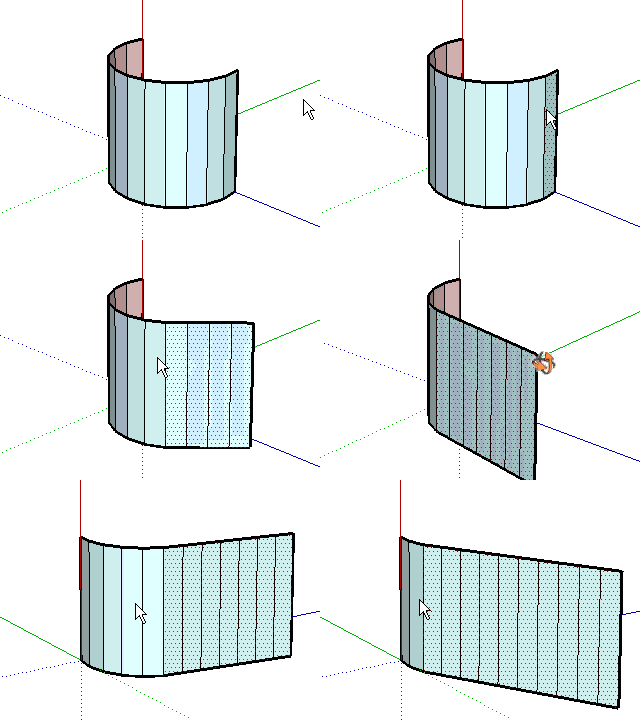
Protrude
Author: Jim
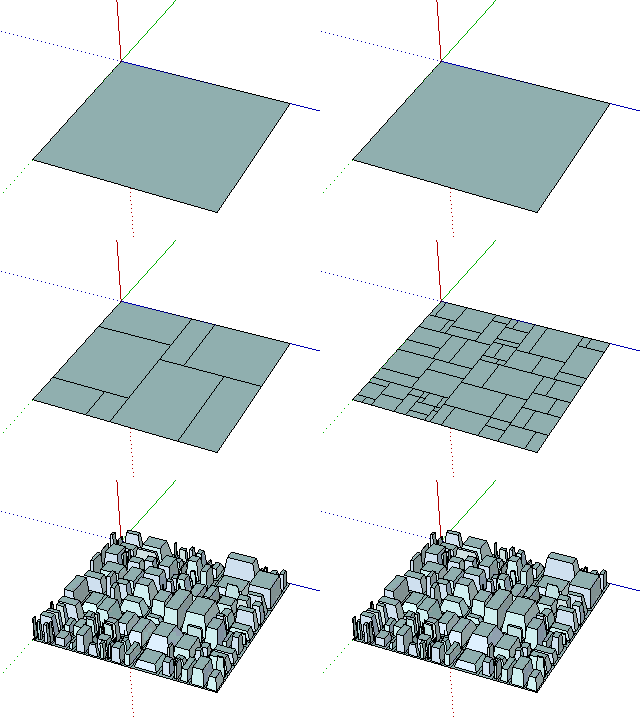
Grey Scale
Author: Jim
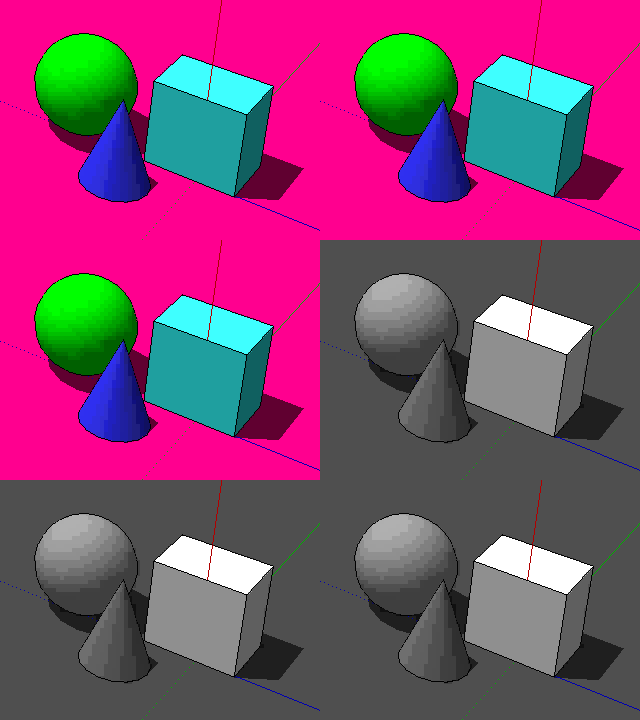
Daniel S
Joint Push Pull - Visual Edition
Author: Fredo6
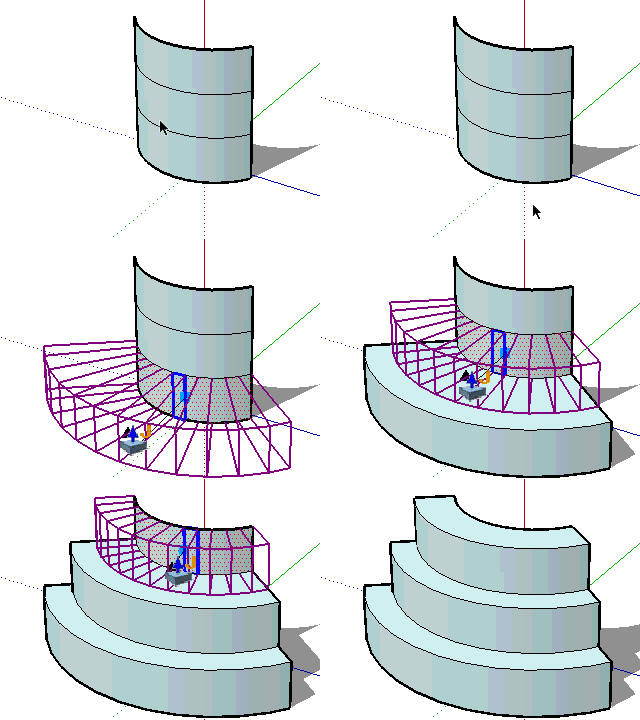
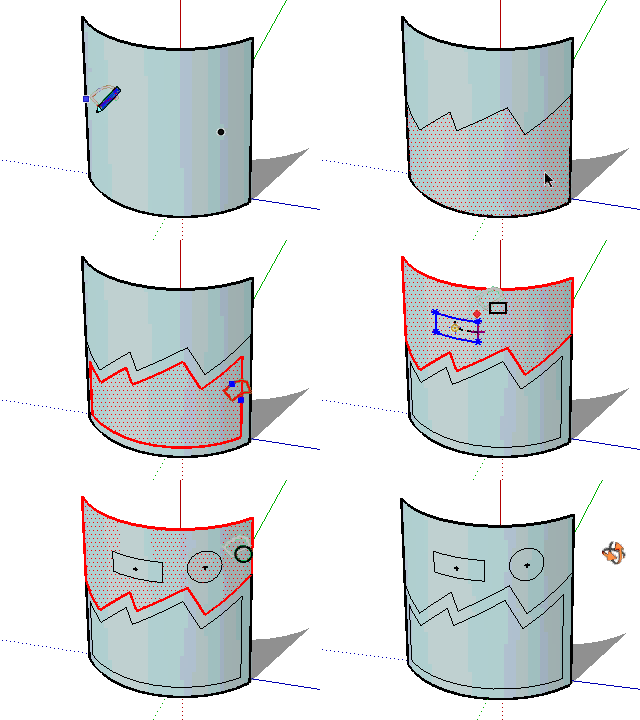
Tools On Surface - v1.3
Author: Fredo6
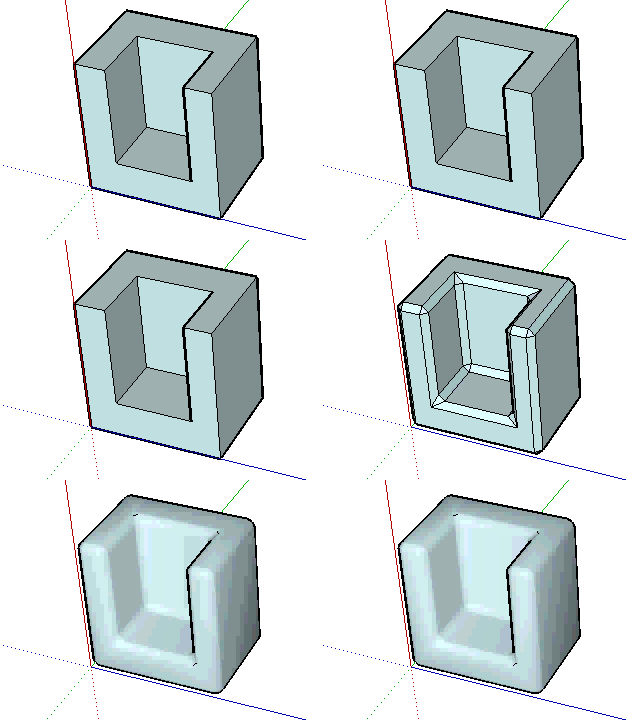
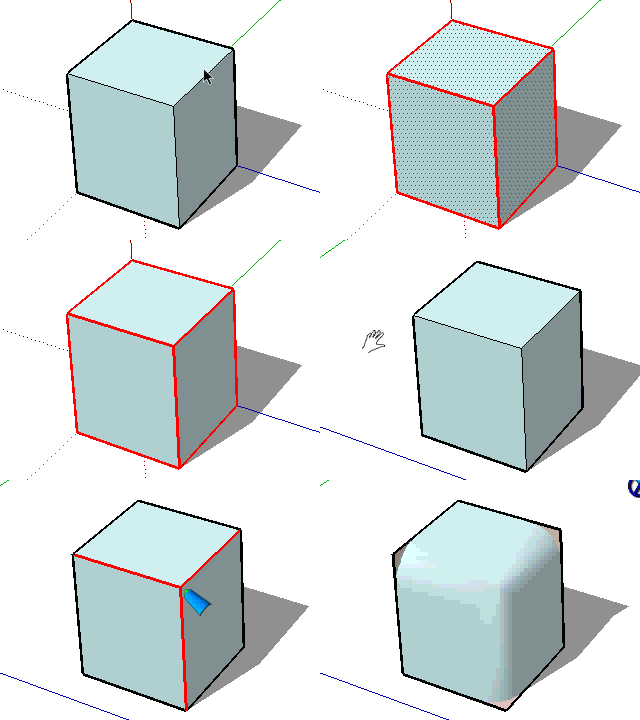
Round Edge - v1.0 (by Bezier)
Author: Fredo6
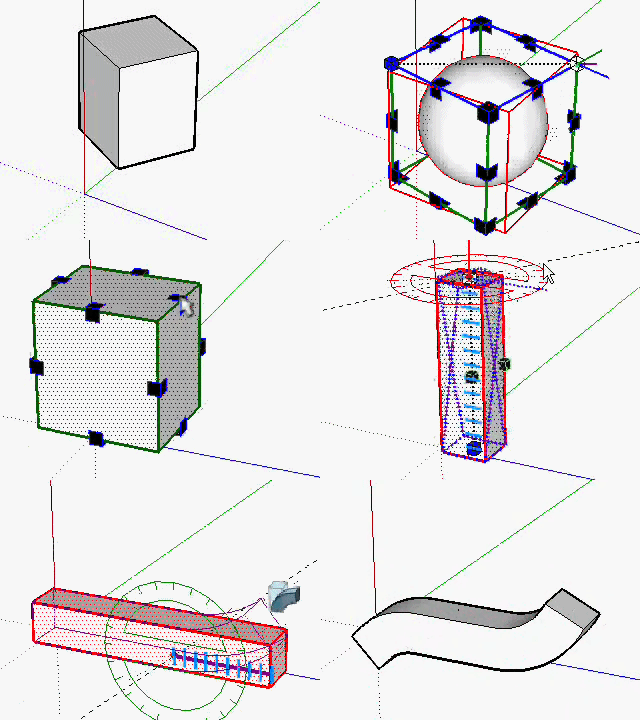
FredoScale 2.0 (Scale, Taper, Plane Shear, Stretch, Bend, Twist, Rotate)
Author: Fredo6
Daniel S
@unknownuser said:
With the holdiays, I am just resuming some work on my scripts. Indeed, I will try to fix issues with Round Edge (and maybe develop the spheric / elliptic option).
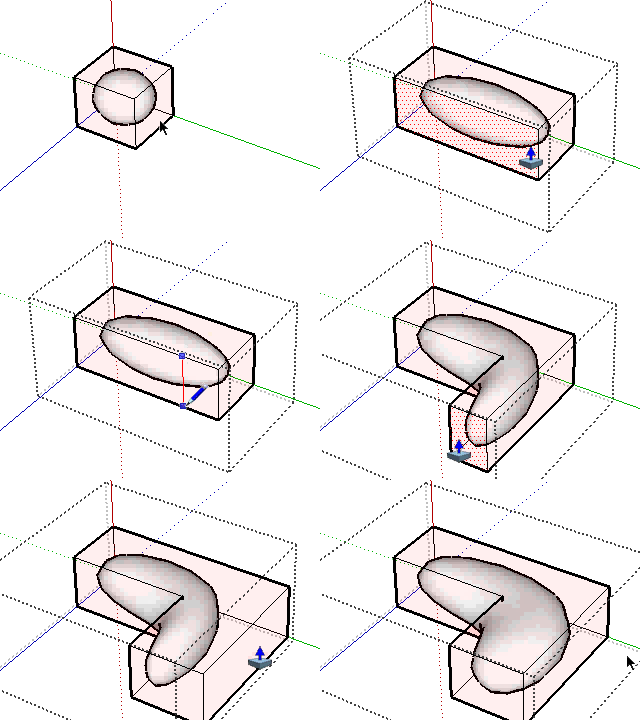
Fredo, When you say to develop the spheric / elliptic option do you mean something like the attachment image?
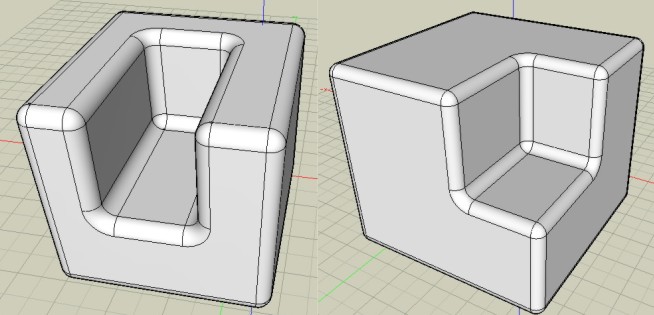
That would be a huge improvement 
Thank you again for this amazing must-have tool...
Daniel S
SU7 has an option called Combine Textures (The Combine Textures menu item combines separate textures on adjacent co-planar faces into a single larger texture. This feature also, optionally, removes edges between co-planar faces to reduce the polygon count for the model as a whole. Context-click on multiple selected parallel faces, with at least one face having a texture, and select Combine Textures to create a texture which is unique to that set of faces.)
This is a great tool, but it will be more usefull if it`s extended into curved surfaces. This Color by Z or the Tools On Surface are examples of plugins that will be benefit.
Daniel S
Not exactly, but something similar that can help you:
Camera OrbitOnTarget v1
Daniel S
@unknownuser said:
Does it possible to make a sort of "stock" Icon / Ruby where user takes only that interest him for make his own tools bar?
Like this for example
I´m not a programmer but Fredo6 in his FreeScale tool has something like this. You can enter going to Tools>Fredo6 Collection>FreeScale>Default Parameters and in the webdialog you can choose the icons visible in the toolbar. This is great!!.. i dont know if this can be extended to all our plugins folder or if its needed a change in the code of every plugin. But seems possible.
Daniel S
@unknownuser said:
Oh, sorry. It must have been the @Last Skethcup forum before that one. March 2006 is when Google bought @Last - a few months later, the forums were move to Google Groups. They were supposed to have transfered all the original posts over, and they probably did, but the search facility doesn't work.
You still can view and search in the old @Last SOFTWARE SketchUp forums. I still can enter with my username.
Here is a link to the old original Ruby forum:
http://betaforum.sketchup.com/forumdisplay.php?f=4
A part of the history of SketchUp.
Daniel S
 @Last Software - Pre-Google" title="@Last Software - Pre-Google" class=" img-fluid img-markdown" />
[flash=648,480:2cnizyra]http://youtube.com/v/WcCL7FqwFfk[/flash:2cnizyra]
This is the code for embedding a youtube video here in SCF:
[flash=648,480]http://youtube.com/v/WcCL7FqwFfk[/flash]
Daniel S
Fredo,
This new version fixes all the problems in the scale tool in all the axis.
I didn´t try before the Taper with negative scales. Seems that now there is a problem only if you try to Taper with negative scales about center (pressing the Ctrl key). All the rest works very well.
I attach a video of this too.
Thank you,
Daniel S
Fredo already post a shear transformation plugin that works very well.
Click here: PlaneShear
It`s not very popular because it´s inside a question topic.
Daniel S
Yes, now works very well! thank you!. For me was easy to reproduce because it happened every time I tried to scale about center.
Another problem that I have is when trying to scale Red, Green, Blue (all togheter) with a negative number.
I attach a video showing this.
In the video you will see that if I try to scale only red axis negative, only green negative or only blue negative all works well... but if I take a red blue and green grip to a negative number it turns crazy. The same happens if I press the ctrl key. It works well if I scale one axis only.
Daniel S
Hi Fredo, I update to this new version.
The first thing I try is a problem that I have in the previous version, but the problem is still there.
I have some issues trying to scale about center (after press CTRL key).
I attach a video showing what happens. Is like the center of the group is updated when you try to scale.
Daniel S
Now is working right!
Amazing Plugin!!
Thank you Fredo!!!
Daniel S
Now works!!!... but not well!! 
I don`t know how to explain it in english but i attach a video showing that it dosen´t scale well (i put 30 and the result is 76,200cm). But now works!!
Thank you for looking into this,
Daniel S.
PS. It must be only my problem because I remeber in the past I had problems with TIG`s slicer... was working for everyone but not for me and then he fixes the problem and said that was a problem about the comma.
I tried with the new version of LibFredo6 but have no luck... still can`t use the dimension dialog box.
But i find something strange in my Plugins directory: there is a new folder called "DEFPARAM_Dir" and is empty. I delete this folder, but every time that I open a new SketchUp it creates the folder again.
I never had this folder before.
Daniel S
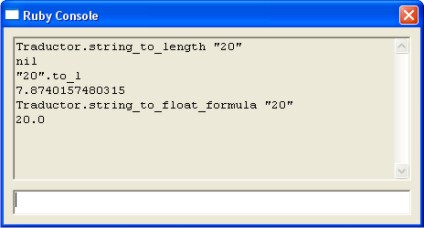
Fredo: This is the ruby console result when I enter the commands:
Traductor.string_to_length "20"
nil
"20".to_l
7.8740157480315
Traductor.string_to_float_formula "20"
20.0
I attach a screenshot too.
Daniel S
Fredo:
When i put in the ruby console
Traductor.string_to_length_formula "20"
It returns:
Traductor.string_to_length_formula "20"
nil
When i have open the ruby console and try to use the dialog box don`t report anything.
I have the same problem with the taper.. it dosen´t accept what i put on the dialog box.
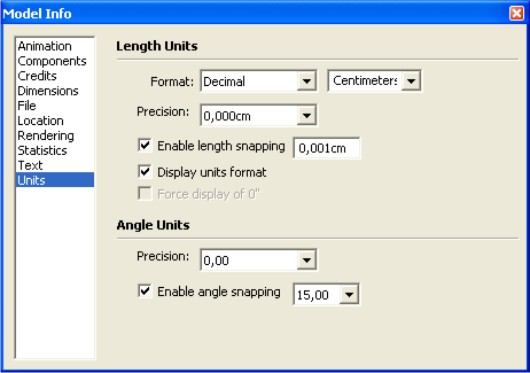
I attach a screenshoot of my units.
Daniel S