sketchucation logo sketchucation
    • Login
    1. Home
    2. Box
    3. Posts
    Oops, your profile's looking a bit empty! To help us tailor your experience, please fill in key details like your SketchUp version, skill level, operating system, and more. Update and save your info on your profile page today!
    πŸ”Œ Easy Offset | Offset selected faces in SketchUp in positive and negative offsets. Download
    Offline
    • Profile
    • Following 1
    • Followers 4
    • Topics 46
    • Posts 5,313
    • Groups 1

    Posts

    Recent Best Controversial
    • RE: Elusive angle in a few pencils

      None taken Tig, it's just one of those mathematic annoyances.
      We were looking at it from different perspectives, me from the vertical and you the horizontal.

      Either way I think the correct answer to jim4366's question is, in reality it's not possible to get all the connecting surfaces to be coplanar, even rotating all three, the original by .333333333333333deg (while connected to the next leg) and the other two by 70.333333333333333333 from the vertical or 19.333333333333333 from the horizontal, will still leave a none coplanar connection, albeit infinitesimal.

      I imagine writing a plugin to do it would be annoying.

      posted in SketchUp Discussions
      BoxB
      Box
    • RE: Elusive angle in a few pencils

      True, but that's why I edited my post above and said 70.33333 deg.
      It struck me that 19 was too little and 20 was too much so it had to be one third of one deg which is usually .333333 recurring.

      posted in SketchUp Discussions
      BoxB
      Box
    • RE: Elusive angle in a few pencils

      Tig, subtract 19.27 from 90. πŸ˜„

      posted in SketchUp Discussions
      BoxB
      Box
    • Elusive angle in a few pencils

      The mathematics escapes me at the moment, but I'm pretty sure the angle you need is 70deg.

      Edit: Come to think of it, I suspect it's going to be something like 70.333333333333 Deg

      posted in SketchUp Discussions sketchup
      BoxB
      Box
    • RE: Snowy Pinecone - Christmas Challenge Tut

      Thanks Eric,
      I still haven't done any rendering, but it's good to know I am thinking the right way.

      posted in SketchUp Tutorials
      BoxB
      Box
    • RE: Snowy Pinecone - Christmas Challenge Tut

      Very nice to watch, just one small question.

      You appeared to turn the surfaces inside out, the silver gray colour as your working surface rather than the white, I have always thought the white side was the outside.
      Am I wrong and it doesn't matter, or is it only relevant when rendering or something else?

      posted in SketchUp Tutorials
      BoxB
      Box
    • RE: Human face-trials,tutorial..challenge?!

      Ah, of course, I've been following SDS2 with interest, as a sculptor this sort of workflow is wonderful to me. I can do it physically in stone, wood, glass etc but to be able to do it virtually would be amazing for me.
      Thanks Pete, I will follow quietly with great interest.

      posted in Organic Modelling
      BoxB
      Box
    • RE: Human face-trials,tutorial..challenge?!

      Wonderful and very useful work, but I'm not quite understanding which tools you are using?

      I have achieved similar,nowhere near as good, using Tigs extrusion tools, but it required a multitude of beziers and a lot of planning.

      posted in Organic Modelling
      BoxB
      Box
    • RE: White Christmas

      I'm certainly having a white christmas, we've had several metres over the last week or so.
      The only way out of my house at the moment would be through the second floor windows with skis.
      Not much point in doing that anyway because I can't see where my van is parked, it's somewhere between the garages but the snow has made them disappear too.

      posted in Corner Bar
      BoxB
      Box
    • RE: Re: Some Funny Pics.

      Topical in two ways.


      image022.jpg

      posted in Corner Bar
      BoxB
      Box
    • RE: [Plugin][Code]SKMtools,Material/ImageTools

      Perfect Tig, thanks, works now.

      posted in Plugins
      BoxB
      Box
    • RE: [Plugin][Code]SKMtools,Material/ImageTools

      I've tried it again on a different computer and same result. Nothing.

      Just to be sure, I downloaded the .zip, double click, select extract all, browse to Plugin folder, extract all. Should I be doing anything else, or perhaps there is another file from one of your other tools that I am missing.

      Other thoughts would be,

      I may have a conflicting plugin

      or

      I have sketchup installed in the default location, ie: in program files.

      I just installed your other plugin, Manifold in exactly the same way and it works perfectly.

      posted in Plugins
      BoxB
      Box
    • RE: [Plugin][Code]SKMtools,Material/ImageTools

      It's odd Tig, it's all as you say it should be, but still nothing showing up.
      It's late for me now so I'll have another try with it tomorrow.

      Thanks

      posted in Plugins
      BoxB
      Box
    • RE: [Plugin][Code]SKMtools,Material/ImageTools

      I don't think its a PEBCAC for me, I've searched everywhere, not a sausage.

      I've restarted, reextracted, copy and pasted instead of extract all, nothing nadda zilch πŸ’š


      Animation.jpg

      posted in Plugins
      BoxB
      Box
    • RE: [Plugin][Code]SKMtools,Material/ImageTools

      Tig I get the same problem as Bob James.

      I've extracted all to the plugins folder, but nothing to be seen anywhere.
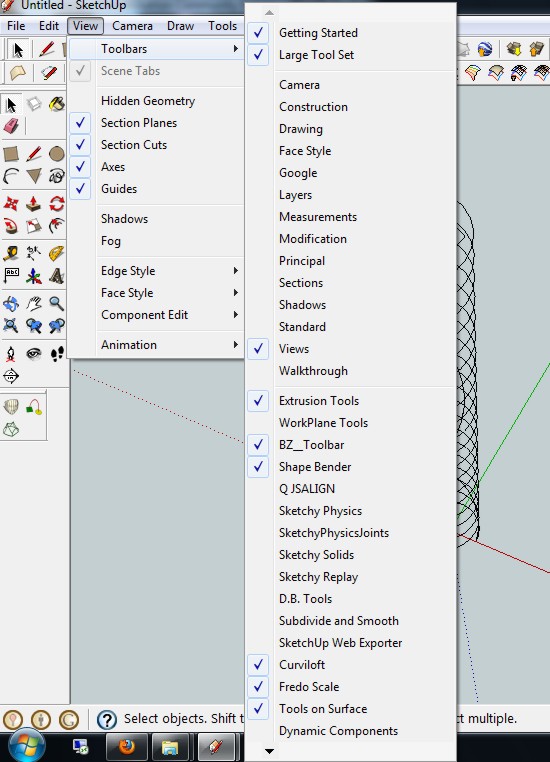
      Looked for it in View toolbars, windows preferences, doesn't seem to load.

      posted in Plugins
      BoxB
      Box
    • RE: Re: Some Funny Pics.

      Did I mention my day job is a ventriloquist.

      posted in Corner Bar
      BoxB
      Box
    • RE: Spiral Extrusion?

      Curviloft works for this quite well, using the middle one, follow given path.
      It does tilt the spiral slightly so if you want a perfectly vertical spiral it's best to make it with two full faces so that you create a tube, then you can just pop a cylinder up the middle and remove the inner half of the tube.


      Spiral Curviloft.skp

      posted in Plugins
      BoxB
      Box
    • RE: Trying to import a JPEG. What am I missing?

      Change the drop down at the bottom of the browsing window to look for .jpg

      posted in SketchUp Discussions
      BoxB
      Box
    • RE: Cut top off an egg

      Love to, but have important appointment at the Pub.

      posted in Newbie Forum
      BoxB
      Box
    • RE: Cut top off an egg

      With pleasure.

      http://i155.photobucket.com/albums/s296/storeben/Chick.gif

      posted in Newbie Forum
      BoxB
      Box
    • 1 / 1