Now if there were bloody pigeon footprints leaving the room ...
Oops, your profile's looking a bit empty! To help us tailor your experience, please fill in key details like your SketchUp version, skill level, operating system, and more. Update and save your info on your profile page today!
Urasik Extensions | Lots of new extensions to check out Learn More
 Offline
Posts
-
RE: Might Be Disturbed
-
RE: Group by Layer
@rich o brien said:
Just locking his poor spelling before he edits

You write a thousand eloquent posts, do they call you box the eloquent...
You shag one sheep! -
RE: Group by Layer
What is this strange thing you refer to, Layer, never head of it.
-
RE: Preferred location file notification every time
@onzki said:
My user account is already set an admin level too when it was installed.
This can also cause some permissions issues, Tig and others knows more on this than I do.
-
RE: Amana Church Bench
Quick someone call a clown doctor, this man needs surgery to repair a seriously fractured humerus.
-
RE: Preferred location file notification every time
Good to hear Rich.
-
RE: Preferred location file notification every time
Interesting that I got a thumbs down for my response.
Guess I'll go back to not bothering. -
RE: Preferred location file notification every time
Sounds like your IT department broke the Permissions of your installation.
You will probably need them to do this:
Find the Install.exe file, select it and right click and choose Run as Administrator, then choose Repair when given the option and follow the prompts. -
RE: [Plugin][$] FredoScale - v3.6a - 01 Apr 24
@meeetch said:
The point is that a paid plugin shouldn't stop working just because there is an update available,
The whole point of the update was to fix the problem that was causing the plugin to stop working. So it isn't an update it is a bug fix. Why are people getting so 'angry' these days. Sure it's an annoyance, but it takes no time to fix and for most people the sketucation tool updated it for them before they were even aware there was a possible bug in it. And as for making comments about cracking, why would you even say that!
-
RE: Followme tool help Fredo courbette
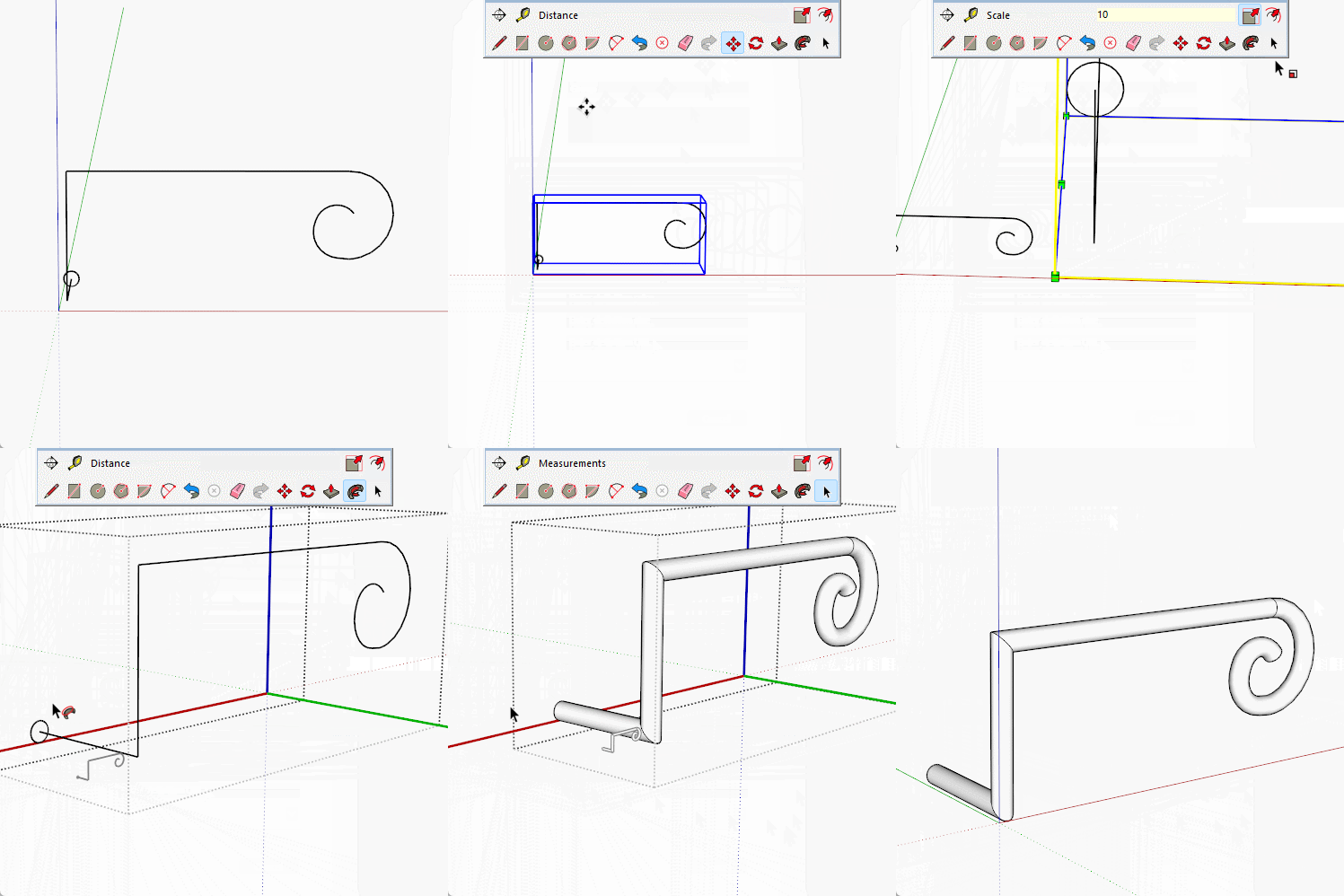
Scale! the geometry of the arc is too small for follow me to be able to make the faces.
If you scale the geometry up by a factor of ten it will work, and by using what is known as the Dave Method, you can use a scaled version to edit the original.
-
RE: [Plugin][$] FredoScale - v3.6a - 01 Apr 24
If you installed Fredoscale using the sketchucation tool, which you must have if you have a licensed version, then you simply open the Sketchcation tool, it will check for updates and in a few clicks you have installed the update and are back working again.
-
RE: FredoScale gives error when launched
My mistake, knew it was one or the other.
-
RE: FredoScale gives error when launched
I believe Fredo has released an update of Libfredo to address this issue.
-
RE: Modeling help
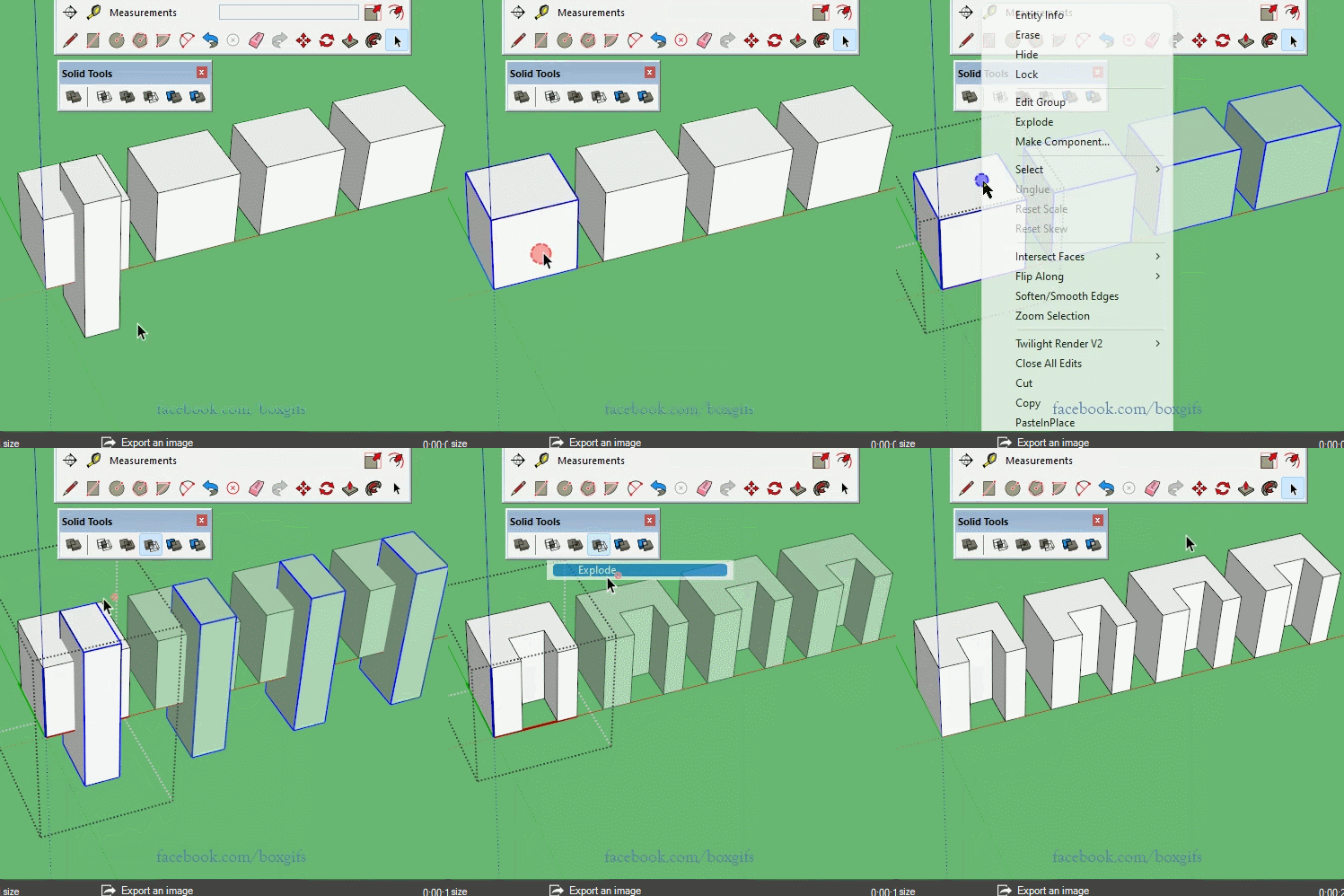
The only added step is to enter the component, triple click, make group, then explode at the end.
If you don't want to make those clicks but the plugin. -
RE: Modeling help
@samodelkin_77 said:
But this plugin is paid, I wanted to do with standard tools...
Well then as Rich mention, temporarily make the contents of the component a group, perform the solid tool action on that group, then explode the result, leaving you with the original component and all other instances edited as you want.
-
RE: Rotate a solid to XYZ plane
The answer to that really depends on what shape you started with and which specific unfold tool you used.
-
RE: A solution for Amazon deliveries
An issue you may have missed is the restriction of access when a parcel has been delivered. If, as you have shown earlier, the door cannot open with a parcel in the chute because it will hit the wall, you will run into problems. You can't stop to open the chute and retrieve the package while trying to escape the fire/flood etc. It could even be an issue with entering the building in an emergency, whether it be fire/rescue services needing to gain access or even an unaccompanied person feeling threatened and needing to get inside their door quickly.
Perhaps a version that fits in a window opening like those awful aircon units for restricted access situations, or even a wall mount that sits flush next to the door and pulls out to create a box. -
RE: Populate a flat surface with a mesh
I would first ask what do you want to do with the mesh as it could make a difference how you did it.
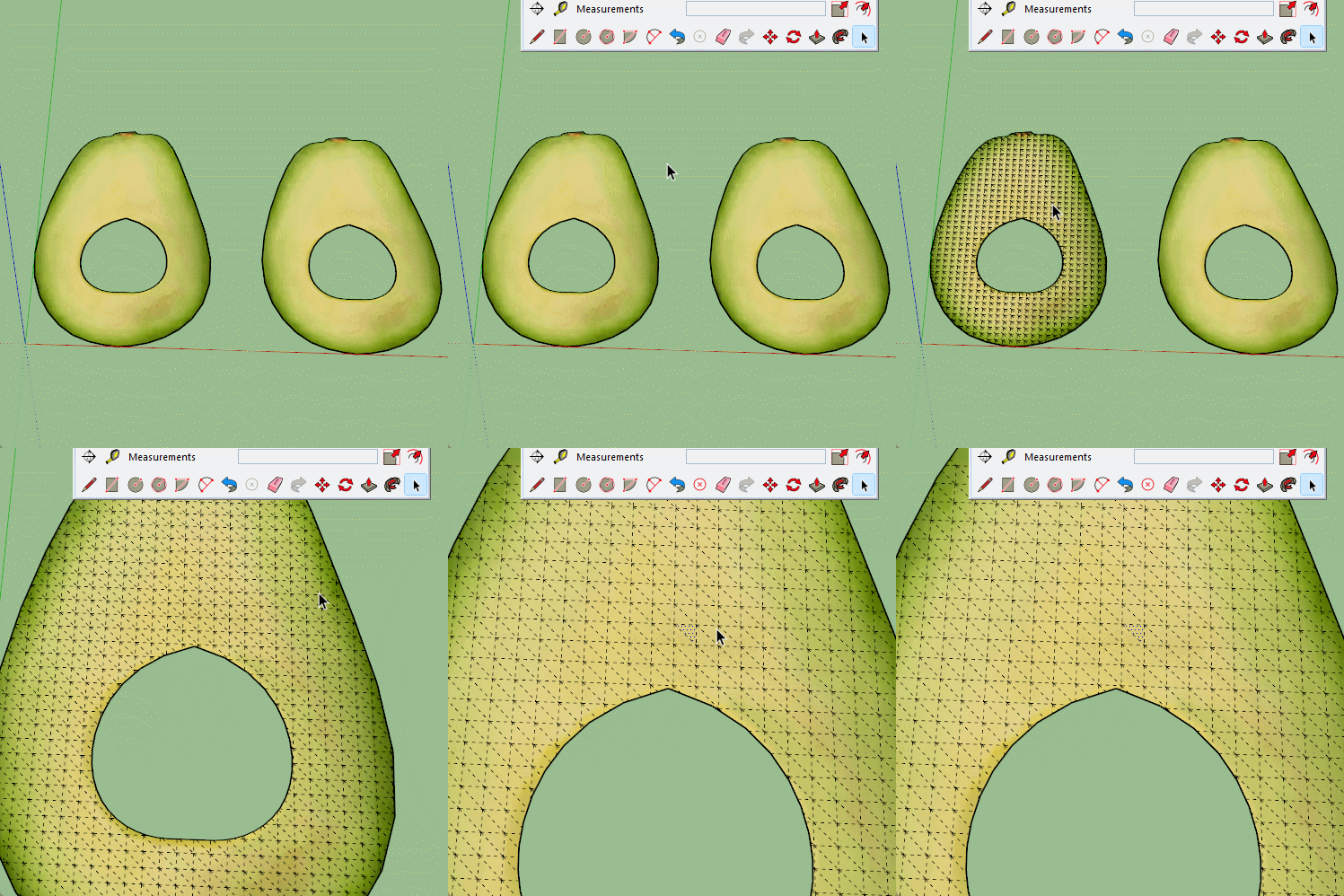
However, here is a simple one I made by using sandbox From Scratch, I just made a mesh and exploded it on top of the avo and removed the bits not wanted. This gives a regular grid that doesn't conform to the shape, so it may produce strange results around the borders depending on what you do with it.