sketchucation logo sketchucation
    • Login
    Oops, your profile's looking a bit empty! To help us tailor your experience, please fill in key details like your SketchUp version, skill level, operating system, and more. Update and save your info on your profile page today!
    โš ๏ธ Update | Sketchucation Tools 5.0.8 released with licensing improvements and bugfixes Download

    Rayscaper New Releases

    Scheduled Pinned Locked Moved Extensions & Applications Discussions
    rayscaperrender
    466 Posts 12 Posters 213.8k Views 13 Watching
    Loading More Posts
    • Oldest to Newest
    • Newest to Oldest
    • Most Votes
    Reply
    • Reply as topic
    Log in to reply
    This topic has been deleted. Only users with topic management privileges can see it.
    • KrassK
      Krass
      last edited by Rich O Brien

      Hello,
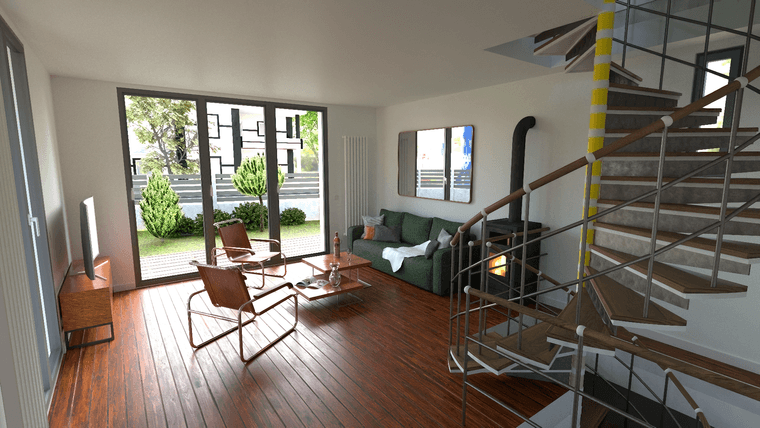
      first interior render with GPU, 10 000 samples, took 20:50 mn. Still very noisy
      0c0946f4-b02c-420a-a214-d5d3adab8f2d-image.png

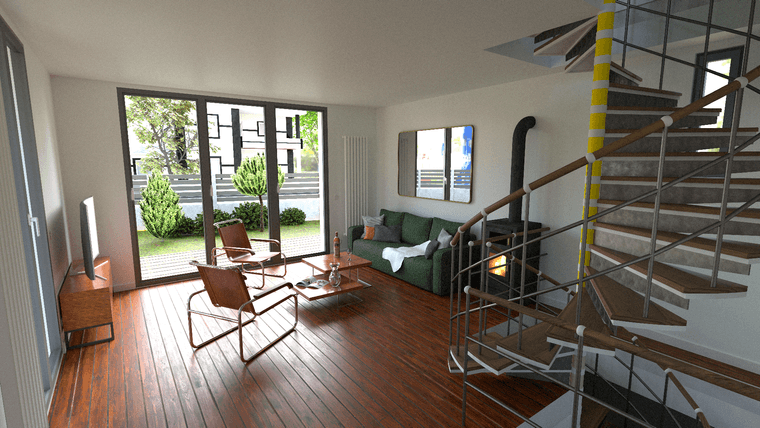
      after external denoiser
      c47b667d-2203-45aa-ac44-4a1a4d730af3-image.png

      Krass

      1 Reply Last reply
      Reply Quote 2
      • P
        pixelcruncher Extension Creator
        last edited by

        @Krass, those are nice renders!

        By external denoiser, do you mean the one in Rayscaper or something else?
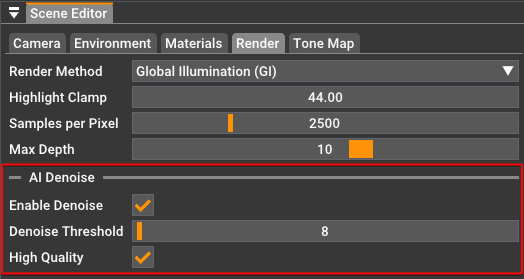
        image.png

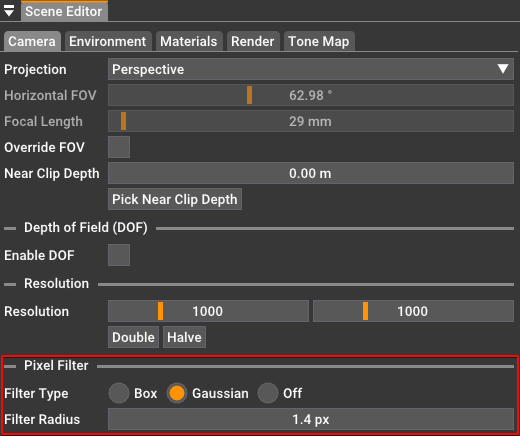
        Pixel filtering can also help to get rid of some of the jagged lines:
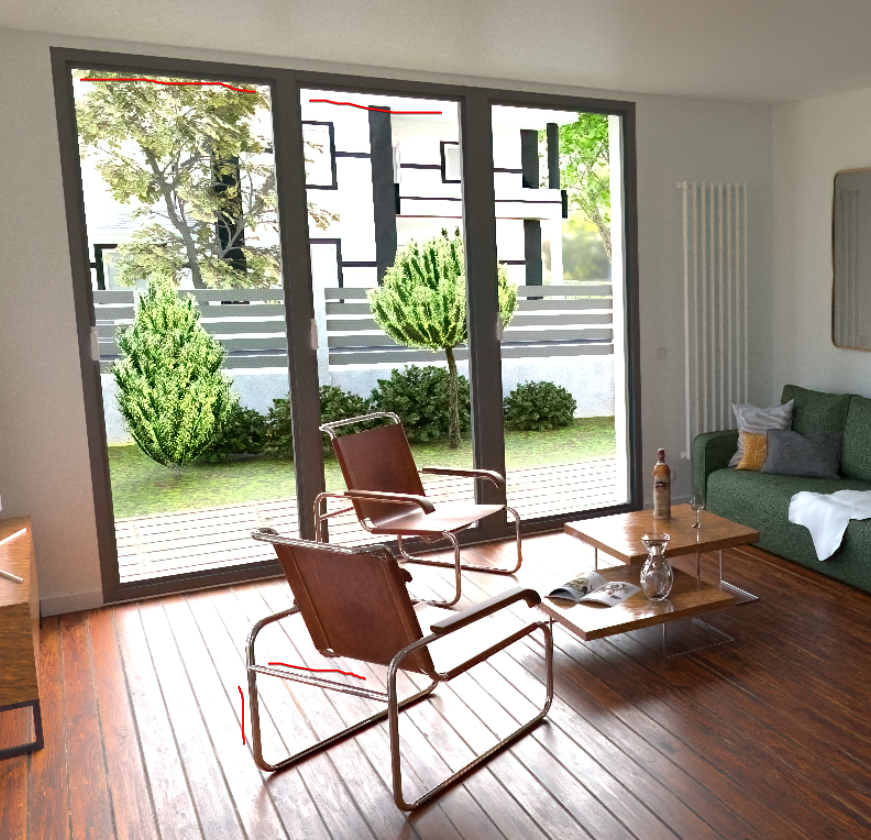
        image.png

        image.png

        Happy Rendering!
        Thomas

        I'm the developer of Rayscaper: https://rayscaper.com/ - Fast and easy rendering for SketchUp.

        1 Reply Last reply
        Reply Quote 1
        • KrassK
          Krass
          last edited by

          Hello,
          another test where I changed the lights and set the gaussian filtering mode (radius 1.2 px) to, like antialias, correct the material problems.
          I like the result, but I'd have to add some artificial lights to illuminate the scene.
          https://jskup.fr/wp-content/uploads/2025/02/gaussian-1.2-denoise-denoise.png

          Krass

          1 Reply Last reply
          Reply Quote 0
          • KrassK
            Krass
            last edited by

            I also applied a light coat of denoiser

            Krass

            1 Reply Last reply
            Reply Quote 0
            • KrassK
              Krass
              last edited by

              By external denoiser I mean I use a program dedicated to denoising

              Krass

              1 Reply Last reply
              Reply Quote 1
              • KrassK
                Krass
                last edited by

                an other render, this time I used Rascaper denoiser option
                https://jskup.fr/wp-content/uploads/2025/02/filter-box-plus-RSCaper-denoiser.png

                Krass

                1 Reply Last reply
                Reply Quote 1
                • KrassK
                  Krass
                  last edited by

                  with rayscaper denoiser on
                  https://jskup.fr/wp-content/uploads/2025/02/filter-box-plus-RSCaper-denoiser.png

                  Krass

                  1 Reply Last reply
                  Reply Quote 1
                  • P
                    pixelcruncher Extension Creator
                    last edited by

                    @Krass I like the result.

                    FYI, Rayscaper uses Intel's OpenImageDenoise (link). I think this is the same denoiser that Twilight Render uses in its denoise extension, so you should see comparable results.

                    I'm the developer of Rayscaper: https://rayscaper.com/ - Fast and easy rendering for SketchUp.

                    1 Reply Last reply
                    Reply Quote 1
                    • KrassK
                      Krass
                      last edited by

                      final high res render, reduced in 1080 p and an other render, exterior
                      https://jskup.fr/wp-content/uploads/2025/02/rayscaper-1080p.jpg
                      https://jskup.fr/wp-content/uploads/2025/02/final2.jpg

                      Krass

                      KrassK 1 Reply Last reply
                      Reply Quote 2
                      • KrassK
                        Krass @Krass
                        last edited by Krass

                        I'm getting used to this little program
                        https://jskup.fr/wp-content/uploads/2025/02/2denoised.jpg
                        https://jskup.fr/wp-content/uploads/2025/02/4denoised.jpg

                        Krass

                        1 Reply Last reply
                        Reply Quote 2
                        • P
                          pixelcruncher Extension Creator
                          last edited by pixelcruncher

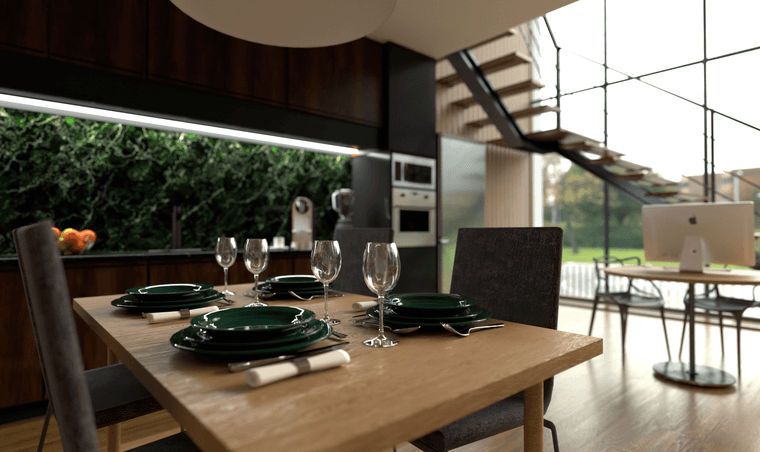
                          Nice renders, especially the last one with the dinner plates.Nice use of DOF.
                          2d1655d7-56c1-4d29-b78e-c9178c45ac98-image.png

                          I'm the developer of Rayscaper: https://rayscaper.com/ - Fast and easy rendering for SketchUp.

                          S 1 Reply Last reply
                          Reply Quote 0
                          • S
                            sashapepperspray @pixelcruncher
                            last edited by

                            @pixelcruncher Hello, I have downloaded sketchup 2025 and rayscaper doesn't work, it just says idle and doesn't render, (and do you have plans to incorporate sketchup's pbr materials into rayscaper's materials?) thanks

                            P 1 Reply Last reply
                            Reply Quote 1
                            • Rich O BrienR
                              Rich O Brien Moderator
                              last edited by

                              Thomas was is aware of the incompatibility with 2025.

                              Download the free D'oh Book for SketchUp ๐Ÿ“–

                              1 Reply Last reply
                              Reply Quote 1
                              • P
                                pixelcruncher Extension Creator
                                last edited by

                                Hey, Rayscaper users!

                                Another release!

                                Rayscaper 0.9.44 Beta is available in the SketchUcation store. More fixes and improvements. As always, I recommend upgrading to the latest version.

                                What Changed?

                                • Added support for SketchUp 2025.
                                • Fixed energy loss in glass materials, which previously caused them to appear too dark.
                                • Made asset thumbnail size configurable via the settings dialog.
                                • Fixed reloading of SketchUp materials in Rayscaper.
                                • Fixed light emission issues with HDRI environments.
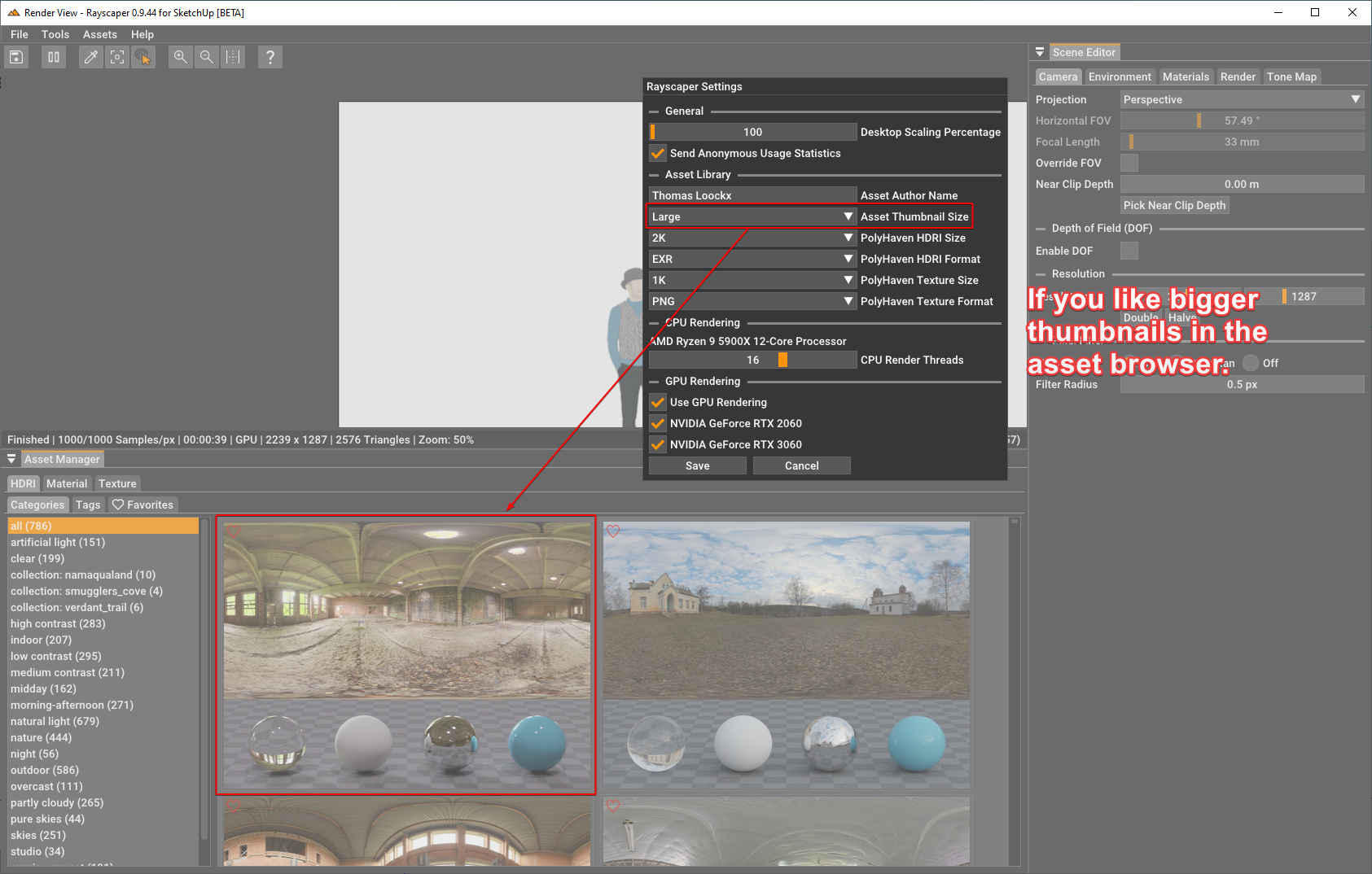
                                • Removed the 1000ร—1000 pixel resolution limit for the free version.

                                The asset thumbnail size is configured via the settings dialog:
                                6897290e-a4cb-4ff5-aff0-d07cb2c60286-image.png

                                Help me build the community ๐Ÿ‘

                                If you like Rayscaper, please share your renders (final or work-in-progress, it doesn't matter)! This is motivating and will help me showcase its capabilities to new users.

                                Happy Rendering!

                                I'm the developer of Rayscaper: https://rayscaper.com/ - Fast and easy rendering for SketchUp.

                                1 Reply Last reply
                                Reply Quote 0
                                • P
                                  pixelcruncher Extension Creator @sashapepperspray
                                  last edited by

                                  @sashapepperspray said in Rayscaper New Releases:

                                  @pixelcruncher Hello, I have downloaded sketchup 2025 and rayscaper doesn't work, it just says idle and doesn't render, (and do you have plans to incorporate sketchup's pbr materials into rayscaper's materials?) thanks

                                  SketchUp 2025 is now supported in version 0.9.44 Beta. Let me know if there are any issues.

                                  I plan to map SketchUp's PBR material to Rayscaper's PBR material in one of the upcoming releases.

                                  Cheers,
                                  Thomas

                                  I'm the developer of Rayscaper: https://rayscaper.com/ - Fast and easy rendering for SketchUp.

                                  S 1 Reply Last reply
                                  Reply Quote 1
                                  • S
                                    sashapepperspray @pixelcruncher
                                    last edited by

                                    @pixelcruncher Thanks, it works

                                    1 Reply Last reply
                                    Reply Quote 1
                                    • KrassK
                                      Krass
                                      last edited by

                                      Hello, Pixelcruncher,
                                      I updated the rbz from sketchucation, but I don't have this option to choose the thumbnail size.(very good improvement)
                                      But I didn't uninstall rayscaper before reinstalling,

                                      Krass

                                      P 1 Reply Last reply
                                      Reply Quote 0
                                      • KrassK
                                        Krass
                                        last edited by

                                        that's fine, but I had to delete the rayscaper files in the hidden folders and in the sketchup plugins too. that's great, it'll let me look at the texture previews in detail on my laptop...., which has a high-definition screen, and I needed a magnifying glass...

                                        Krass

                                        1 Reply Last reply
                                        Reply Quote 0
                                        • KrassK
                                          Krass
                                          last edited by

                                          and thank you for removing the pixel resolution limitation

                                          Krass

                                          1 Reply Last reply
                                          Reply Quote 0
                                          • P
                                            pixelcruncher Extension Creator @Krass
                                            last edited by

                                            @Krass said in Rayscaper New Releases:

                                            Hello, Pixelcruncher,
                                            I updated the rbz from sketchucation, but I don't have this option to choose the thumbnail size.(very good improvement)
                                            But I didn't uninstall rayscaper before reinstalling,

                                            Hey @Krass ,

                                            Can you check the version you are running?
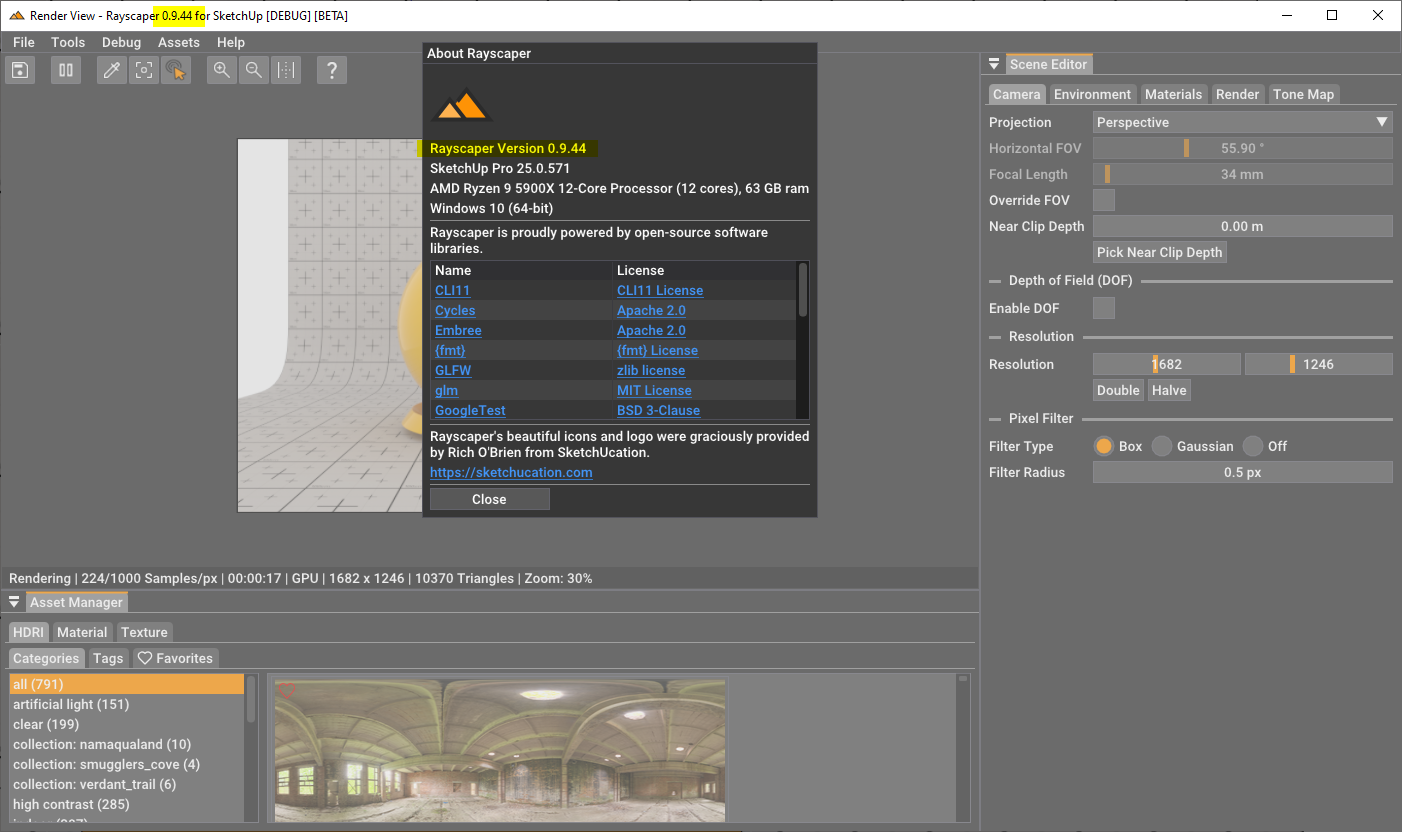
                                            6313345e-1802-497c-9303-a9c65ed9570b-image.png

                                            If it's 0.9.44 or higher, you should be able to configure the thumbnails via the settings dialog:
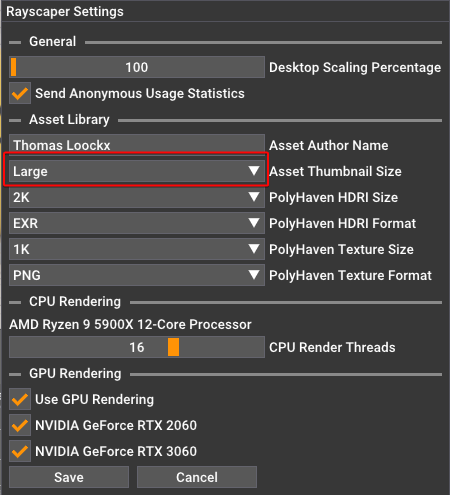
                                            f95e28cb-8c69-48e5-878b-3c7a6eeafc2a-image.png

                                            After updating the plugin in SketchUp, a restart of SketchUp is required. Otherwise, you will continue to run the older version of Rayscaper.

                                            Regards,
                                            Thomas

                                            I'm the developer of Rayscaper: https://rayscaper.com/ - Fast and easy rendering for SketchUp.

                                            1 Reply Last reply
                                            Reply Quote 0

                                            Hello! It looks like you're interested in this conversation, but you don't have an account yet.

                                            Getting fed up of having to scroll through the same posts each visit? When you register for an account, you'll always come back to exactly where you were before, and choose to be notified of new replies (either via email, or push notification). You'll also be able to save bookmarks and upvote posts to show your appreciation to other community members.

                                            With your input, this post could be even better ๐Ÿ’—

                                            Register Login
                                            • 1
                                            • 2
                                            • 20
                                            • 21
                                            • 22
                                            • 23
                                            • 24
                                            • 22 / 24
                                            • First post
                                              Last post
                                            Buy SketchPlus
                                            Buy SUbD
                                            Buy WrapR
                                            Buy eBook
                                            Buy Modelur
                                            Buy Vertex Tools
                                            Buy SketchCuisine
                                            Buy FormFonts

                                            Advertisement