sketchucation logo sketchucation
    • 登入
    Oops, your profile's looking a bit empty! To help us tailor your experience, please fill in key details like your SketchUp version, skill level, operating system, and more. Update and save your info on your profile page today!
    🔌 Smart Spline | Fluid way to handle splines for furniture design and complex structures. Download

    SubD examples and models

    已排程 已置頂 已鎖定 已移動 SUbD
    renderpluginsextensions
    1.7k 貼文 81 Posters 1.1m 瀏覽 79 Watching
    正在載入更多貼文
    • 從舊到新
    • 從新到舊
    • 最多點贊
    回覆
    • 在新貼文中回覆
    登入後回覆
    此主題已被刪除。只有擁有主題管理權限的使用者可以查看。
    • ely862meE 離線
      ely862me
      最後由 編輯

      Thanks !
      Lovely shoes !
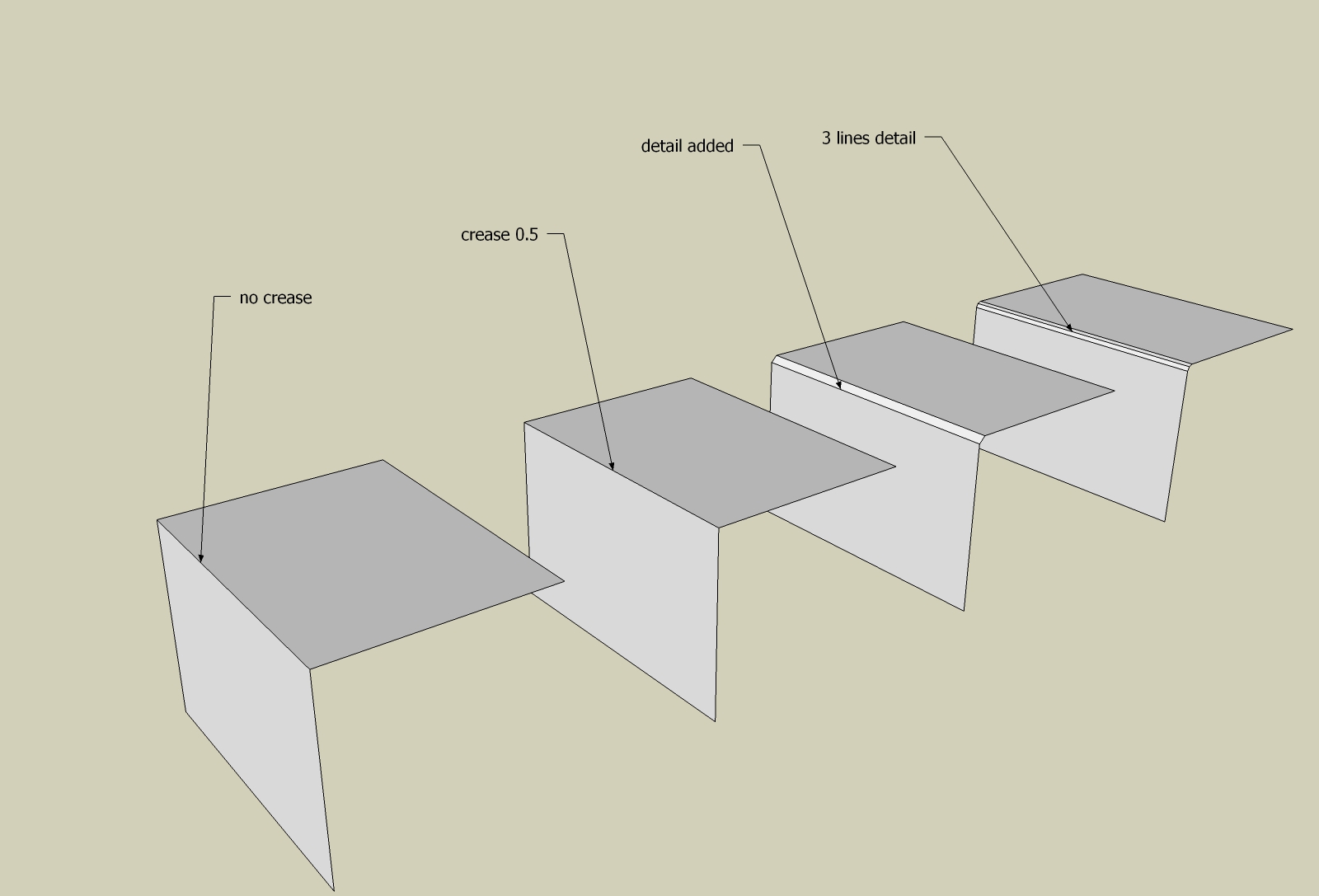
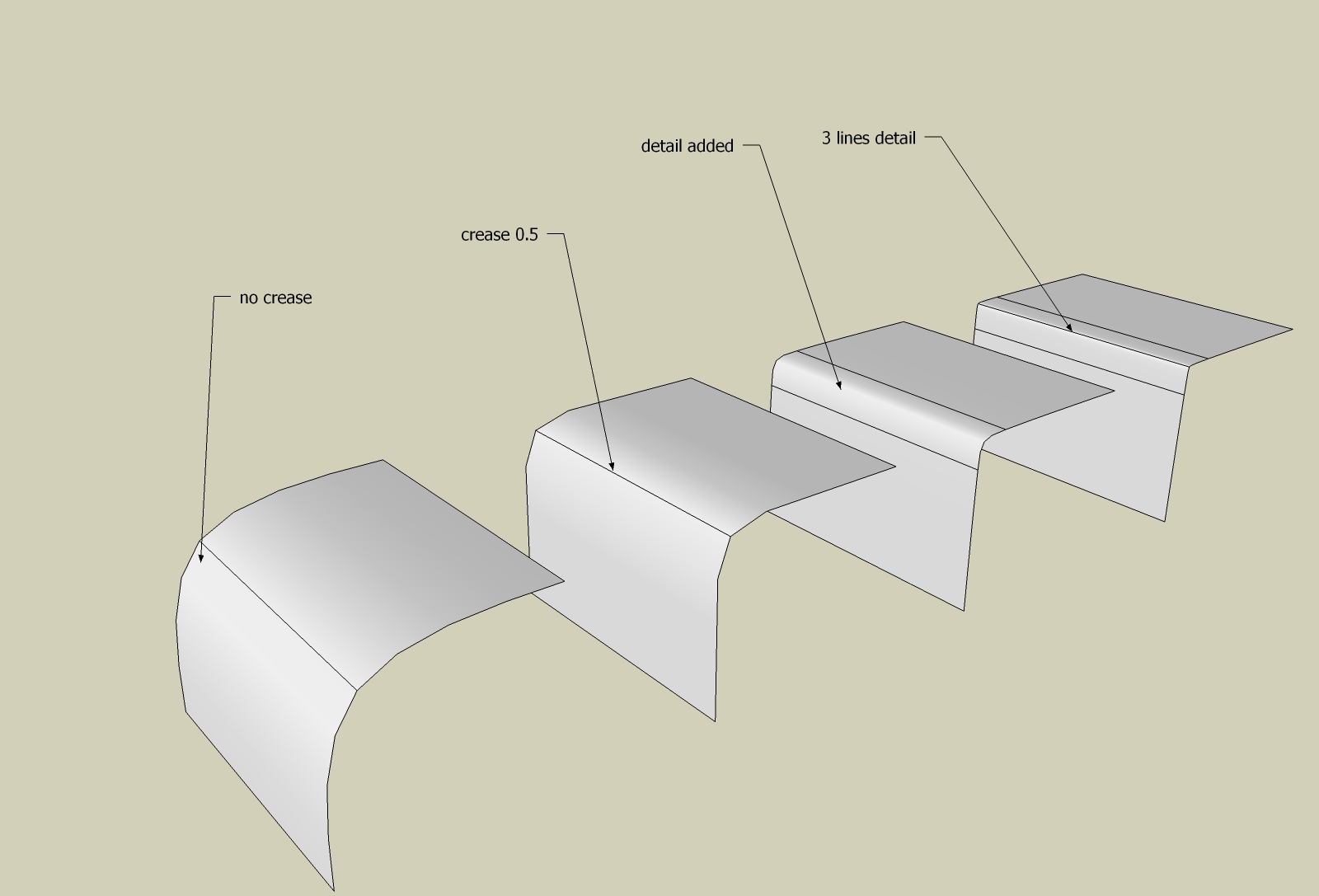
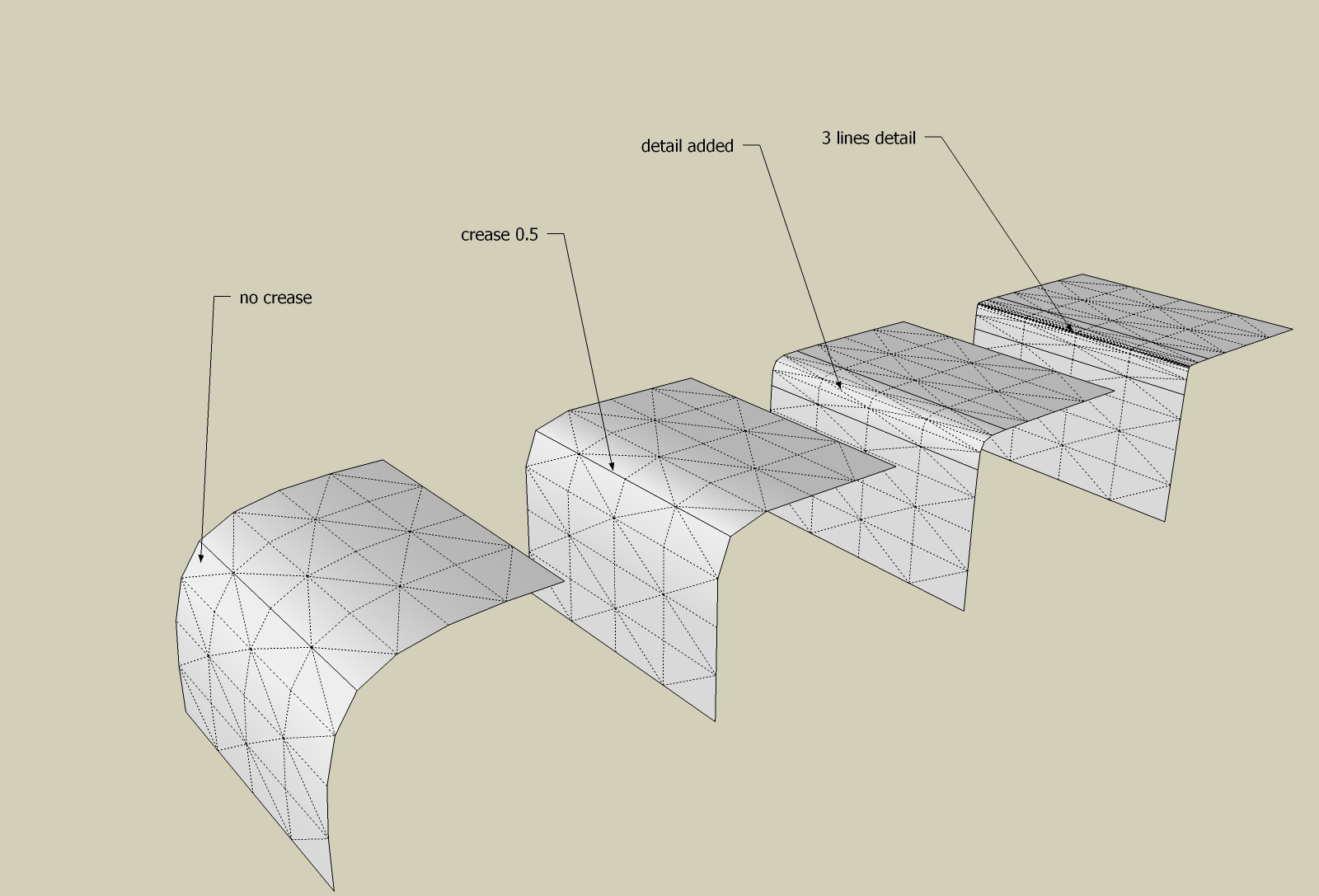
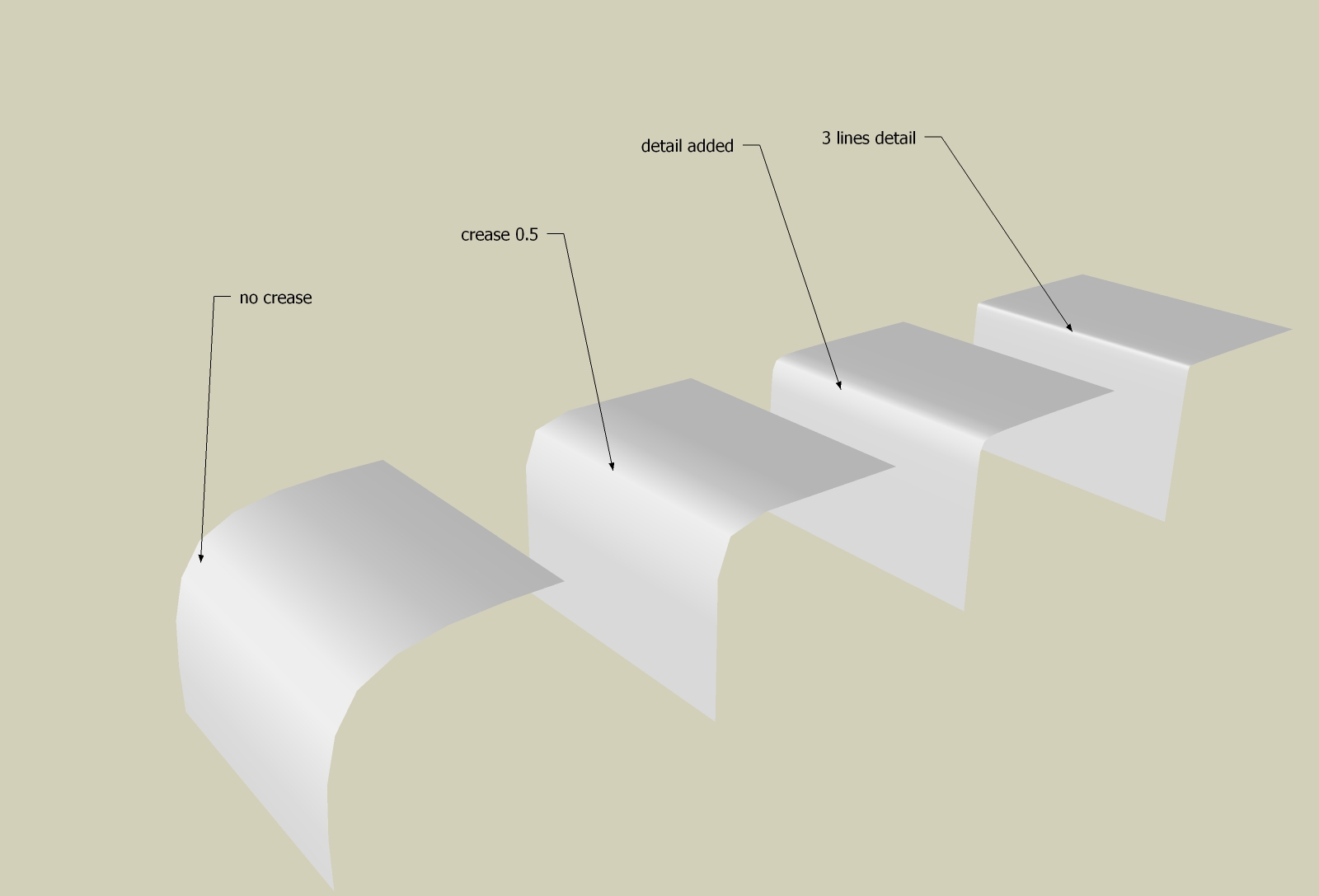
      As with Artisan, adding two lines makes is rounder adding three lines makes it sharper and also rounder.
      The crease tool is gorgeous, especially that is editable while the surfaces is subdivided, but at low subdivisions it will never offer you the roundness of the adding detail.
      In the futures, if possible, Thomas would you add more geometry along the lines Crease is activated ?
      1.jpg


      2.jpg


      3.jpg


      4.jpg

      Elisei (sketchupper)


      Before no life was done on Earth it was THE LIFE ITSELF...GOD
      Come and See EliseiDesign

      1 條回覆 最後回覆 回覆 引用 0
      • cottyC 離線
        cotty
        最後由 編輯

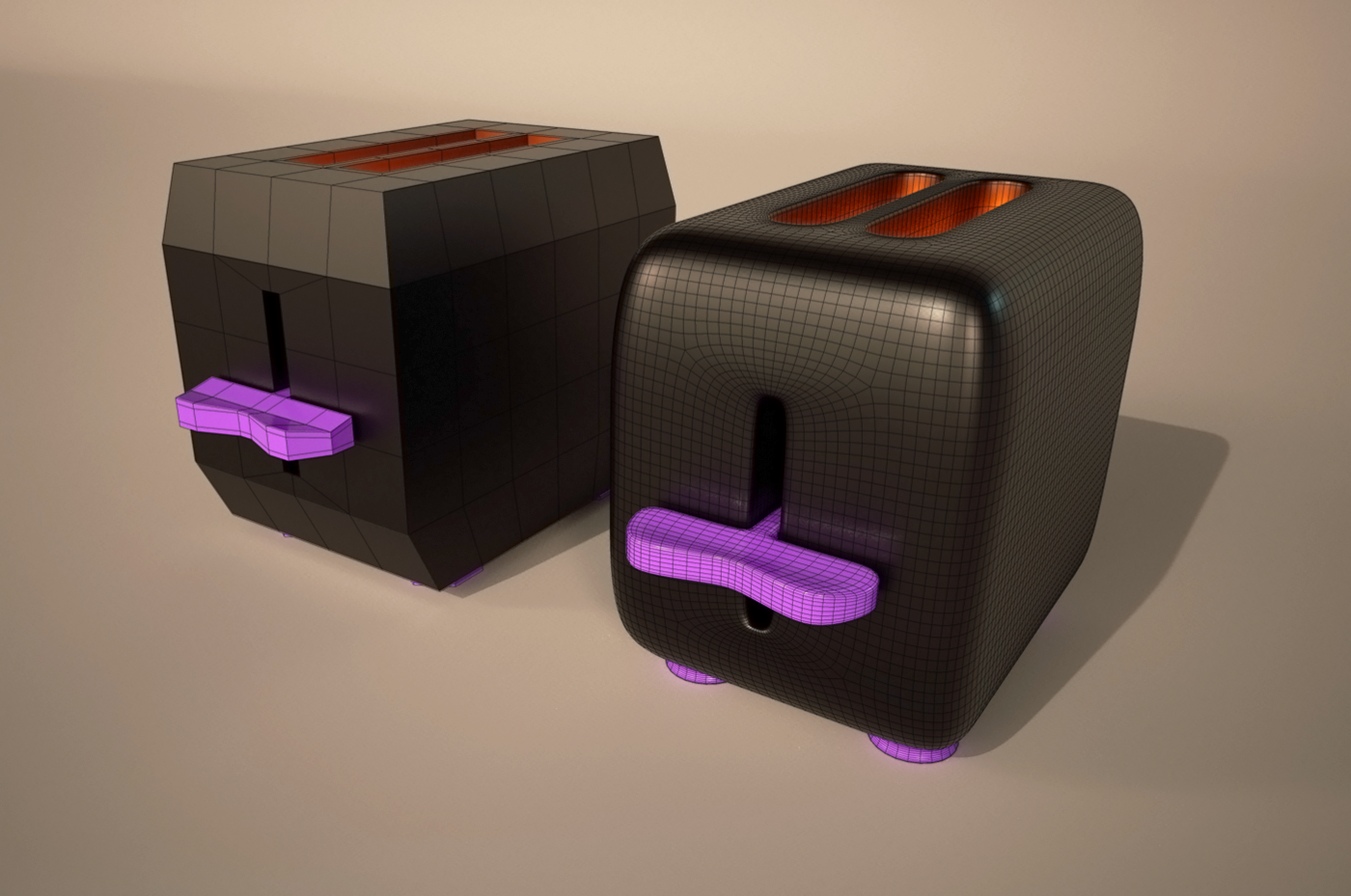
        cotty_toaster.png


        cotty_toaster_subd.zip

        my SketchUp gallery

        1 條回覆 最後回覆 回覆 引用 0
        • pilouP 離線
          pilou
          最後由 編輯

          Tyranny of G2! 💚

          Frenchy Pilou
          Is beautiful that please without concept!
          My Little site :)

          1 條回覆 最後回覆 回覆 引用 0
          • JQLJ 離線
            JQL
            最後由 編輯

            Cotty I actually prefer the left toaster model design. You should increase crease values! 😄

            www.casca.pt
            Visit us on facebook!

            1 條回覆 最後回覆 回覆 引用 0
            • pbacotP 離線
              pbacot
              最後由 編輯

              I'd take either of those toasters. I assume that finish is expensive though.

              MacOSX MojaveSketchUp Pro v19 Twilight v2 Thea v3 PowerCADD

              1 條回覆 最後回覆 回覆 引用 0
              • thomthomT 離線
                thomthom
                最後由 編輯

                Ely - you're teasing us! Can't wait to see the whole model you're working on!

                cuttingedge: That's looking really nice. Good topology flow. I would have loved to see how you modelled that. Ever considered doing a timelaps video?

                Thomas Thomassen — SketchUp Monkey & Coding addict
                List of my plugins and link to the CookieWare fund

                1 條回覆 最後回覆 回覆 引用 0
                • thomthomT 離線
                  thomthom
                  最後由 編輯

                  @ely862me said:

                  In the futures, if possible, Thomas would you add more geometry along the lines Crease is activated ?
                  I'm in the progress of implementing OpenSubdiv. It does has something called adaptive subdivision - that might do what you want. But I suspect it will be at the expense of live creasing (or any live editing of the subdivided mesh). So one would have to choose if you want uniform subd that us denser but allow tweaking of the subdivided results, or adaptive for optimal polycount.

                  Thomas Thomassen — SketchUp Monkey & Coding addict
                  List of my plugins and link to the CookieWare fund

                  1 條回覆 最後回覆 回覆 引用 0
                  • cottyC 離線
                    cotty
                    最後由 編輯

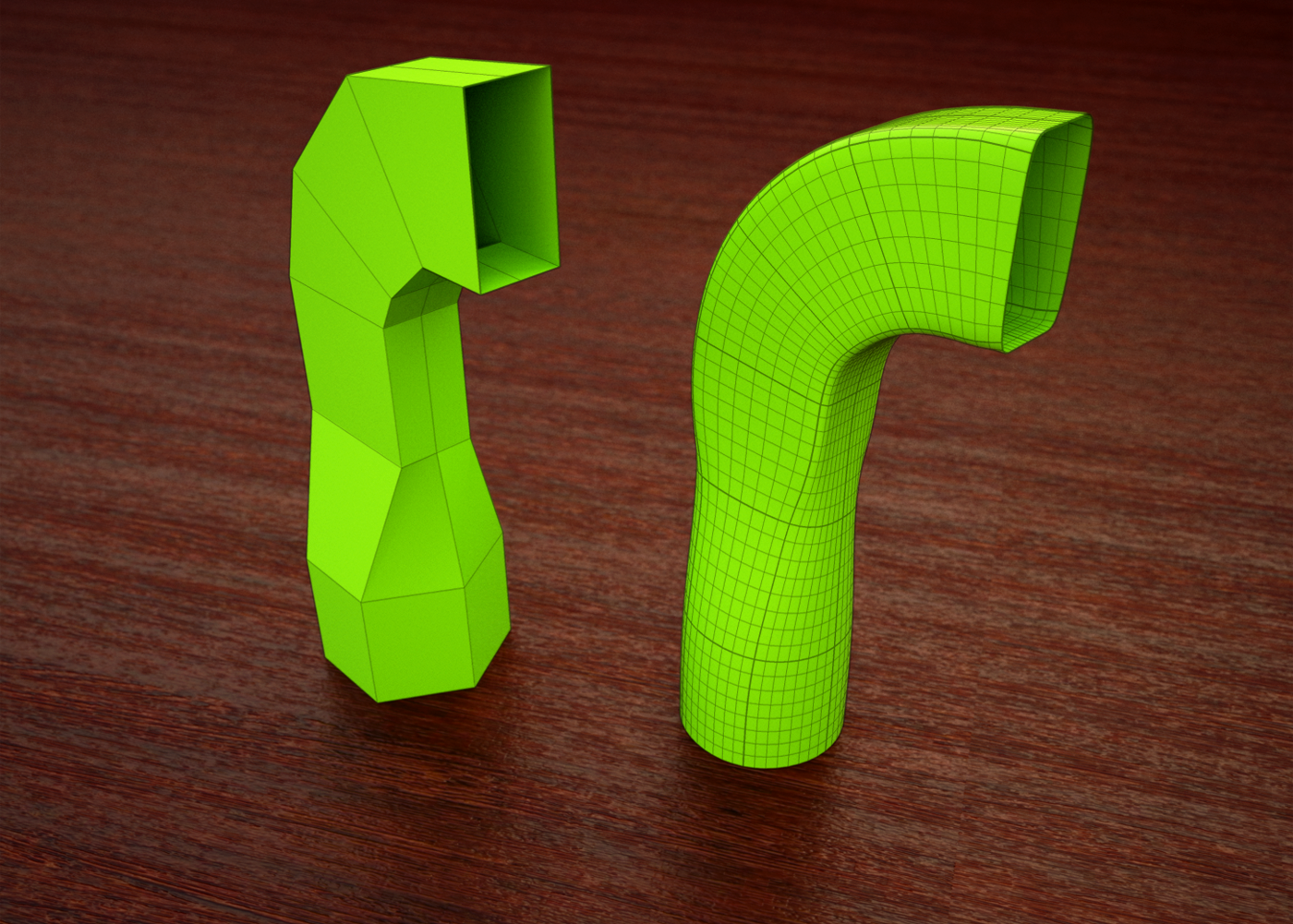
                    SCF_Cotty_subd30.png


                    SCF_Cotty_subd30.skp

                    my SketchUp gallery

                    1 條回覆 最後回覆 回覆 引用 0
                    • jiminy-billy-bobJ 離線
                      jiminy-billy-bob
                      最後由 編輯

                      @jql said:

                      @jiminy-billy-bob said:

                      @jql said:

                      It would be cool to have render engines integrated in the workflow

                      This is already in the pipes!

                      Bah Jiminy, you're always ahead of my cool ideas...

                      I didn't came up to the idea. I just happened to follow the discussion 😄

                      25% off Skatter for SketchUcation Premium Members

                      1 條回覆 最後回覆 回覆 引用 0
                      • C 離線
                        cuttingedge
                        最後由 編輯

                        Cotty how do you display the subquads without the triangulation showing?

                        1 條回覆 最後回覆 回覆 引用 0
                        • Rich O BrienR 離線
                          Rich O Brien Moderator
                          最後由 編輯

                          @cuttingedge said:

                          Cotty how do you display the subquads without the triangulation showing?

                          QuadFace Tools > Unsmooth Quads

                          Download the free D'oh Book for SketchUp 📖

                          1 條回覆 最後回覆 回覆 引用 0
                          • thomthomT 離線
                            thomthom
                            最後由 編輯

                            @cotty said:

                            [attachment=1:1vpqla6u]<!-- ia1 -->SCF_Cotty_subd30.png<!-- ia1 -->[/attachment:1vpqla6u]

                            That's a great example of blending shapes with creases. I'm thinking I should set up a dedicated section on the website for these types of studies.

                            Thomas Thomassen — SketchUp Monkey & Coding addict
                            List of my plugins and link to the CookieWare fund

                            1 條回覆 最後回覆 回覆 引用 0
                            • thomthomT 離線
                              thomthom
                              最後由 編輯

                              @rich o brien said:

                              @cuttingedge said:

                              Cotty how do you display the subquads without the triangulation showing?

                              QuadFace Tools > Unsmooth Quads

                              But what about the thicker lines in that render - representing the original edges? How is that done? Multiple passes?

                              Thomas Thomassen — SketchUp Monkey & Coding addict
                              List of my plugins and link to the CookieWare fund

                              1 條回覆 最後回覆 回覆 引用 0
                              • cottyC 離線
                                cotty
                                最後由 編輯

                                @rich o brien said:

                                @cuttingedge said:

                                Cotty how do you display the subquads without the triangulation showing?

                                QuadFace Tools > Unsmooth Quads

                                Yes, screenshot here: http://sketchucation.com/forums/viewtopic.php?f=397%26amp;t=63826%26amp;start=30#p585747

                                @thomthom said:

                                But what about the thicker lines in that render - representing the original edges? How is that done? Multiple passes?

                                Since two of your plugins are not enough 😉 :

                                • SubD
                                • Edit group
                                • Select all
                                • SeletionToys: Select only -> Edges
                                • Group selected edges
                                • Gropued edges without faces are treated as profiles
                                • Increase profile width in the style settings
                                • Exit SubD group
                                • Unsmooth quads

                                my SketchUp gallery

                                1 條回覆 最後回覆 回覆 引用 0
                                • HornOxxH 離線
                                  HornOxx
                                  最後由 編輯

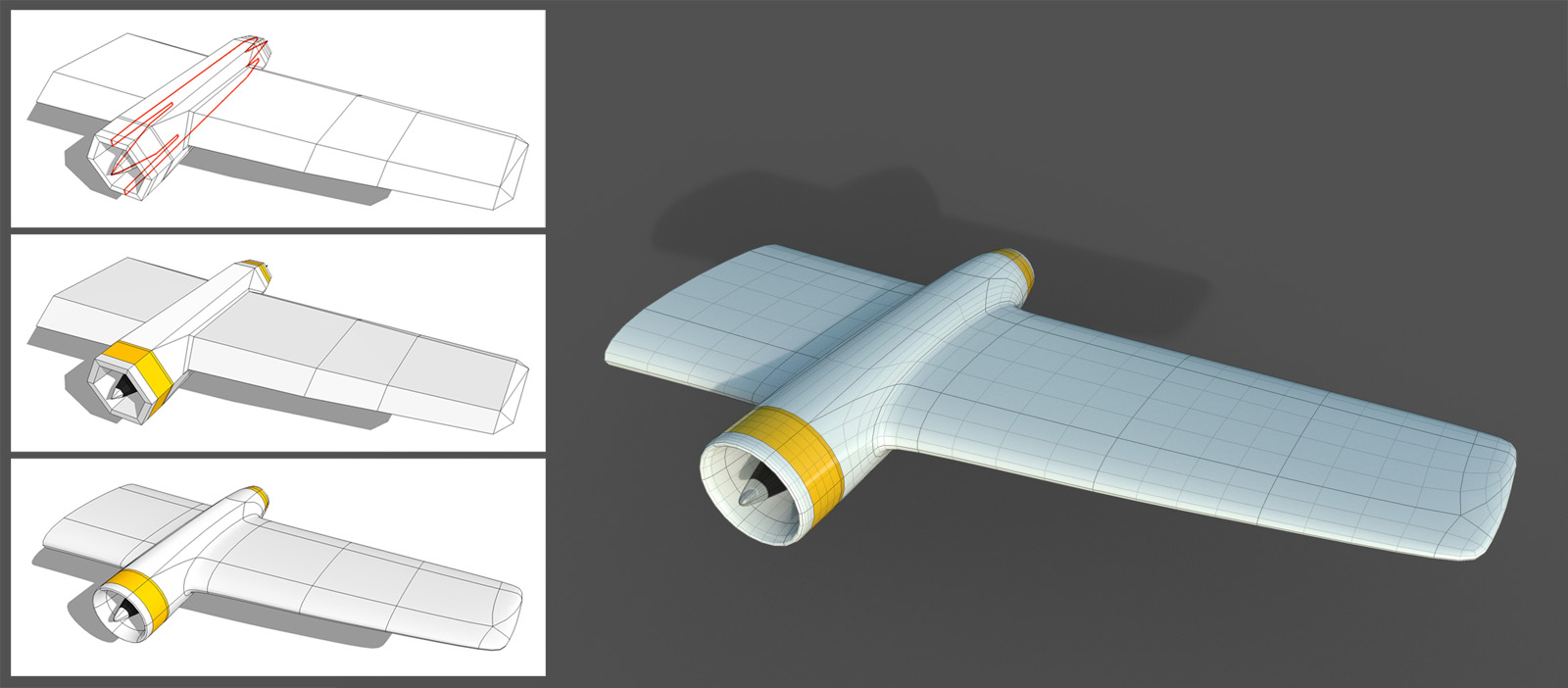
                                  not a plane but at least a wing


                                  Collage 1600.jpg


                                  plane wing.skp

                                  never trust a skinny cook

                                  1 條回覆 最後回覆 回覆 引用 0
                                  • JQLJ 離線
                                    JQL
                                    最後由 編輯

                                    That wing rocks HornOxx!

                                    www.casca.pt
                                    Visit us on facebook!

                                    1 條回覆 最後回覆 回覆 引用 0
                                    • alvisA 離線
                                      alvis
                                      最後由 編輯

                                      Can you explain to me, why the first attempt fails. Why I should select one edge of triangulated face, that the second attemt must be fine.
                                      https://youtu.be/XiUtriWV_lo

                                      1 條回覆 最後回覆 回覆 引用 0
                                      • thomthomT 離線
                                        thomthom
                                        最後由 編輯

                                        @alvis said:

                                        Can you explain to me, why the first attempt fails. Why I should select one edge of triangulated face, that the second attemt must be fine.
                                        https://youtu.be/XiUtriWV_lo

                                        The Convert triangulated Mesh to Quads function doesn't always succeed. It's hard, impossible, to reliable determine exactly how the mesh should be converted as it would require AI understanding of the mesh's topology. In your example it's easy for use humans to see what should be a quad, but not for a script. The script doesn't even take into account soft/smooth/hidden properties - it just sees a set of triangles.

                                        In the case of your mesh there it looks like you have hard edges and then some soft+smooth edges between triangles pairs. Then you want to use the Convert SandboxTools Quads to QuadFace Tools quads instead. (left to the monkey icon). If those edges where hidden you you'd want to use the Blender Quads to QFT Quads function (the monkey icon).

                                        Thomas Thomassen — SketchUp Monkey & Coding addict
                                        List of my plugins and link to the CookieWare fund

                                        1 條回覆 最後回覆 回覆 引用 0
                                        • dereiD 離線
                                          derei
                                          最後由 編輯

                                          @thomthom said:

                                          @alvis said:

                                          Can you explain to me, why the first attempt fails. Why I should select one edge of triangulated face, that the second attemt must be fine.
                                          https://youtu.be/XiUtriWV_lo

                                          The Convert triangulated Mesh to Quads function doesn't always succeed. It's hard, impossible, to reliable determine exactly how the mesh should be converted as it would require AI understanding of the mesh's topology. In your example it's easy for use humans to see what should be a quad, but not for a script. The script doesn't even take into account soft/smooth/hidden properties - it just sees a set of triangles.

                                          In the case of your mesh there it looks like you have hard edges and then some soft+smooth edges between triangles pairs. Then you want to use the Convert SandboxTools Quads to QuadFace Tools quads instead. (left to the monkey icon). If those edges where hidden you you'd want to use the Blender Quads to QFT Quads function (the monkey icon).

                                          Humm, i was in similar situations... means that either more documentation is needed to make it easier to understand when to use each function, or maybe if you would think appropriate, to make the quad-detection script to be more "intelligent", so it can take into consideration multiple parameters at the same time. For example not all Fredo Tools are good in creating or preserving quads... but they do smoothing. So, would be good to rely better on conversion.
                                          Thank you! Keep up the good work ! 🎉

                                          DESIGNER AND ARTIST [DEREI.UK](http://derei.uk/l)

                                          1 條回覆 最後回覆 回覆 引用 0
                                          • thomthomT 離線
                                            thomthom
                                            最後由 編輯

                                            Yes, better documentation is indeed in need - as well as improving the tools. But docs are on the top of my list when I get home from my travels next week.

                                            I plan to set up a new site for QFT - move away from the BitBucket wiki.
                                            Better text and visuals describing the various features of QFT. GIFs to illustrate common topology pattern.

                                            And extend SUbD's site to include more examples of how various topology patterns subdivide.

                                            Thomas Thomassen — SketchUp Monkey & Coding addict
                                            List of my plugins and link to the CookieWare fund

                                            1 條回覆 最後回覆 回覆 引用 0
                                            • 1
                                            • 2
                                            • 3
                                            • 4
                                            • 5
                                            • 6
                                            • 82
                                            • 83
                                            • 4 / 83
                                            • 第一個貼文
                                              最後的貼文
                                            Buy SketchPlus
                                            Buy SUbD
                                            Buy WrapR
                                            Buy eBook
                                            Buy Modelur
                                            Buy Vertex Tools
                                            Buy SketchCuisine
                                            Buy FormFonts

                                            Advertisement