sketchucation logo sketchucation
    • 登入
    Oops, your profile's looking a bit empty! To help us tailor your experience, please fill in key details like your SketchUp version, skill level, operating system, and more. Update and save your info on your profile page today!
    🔌 Smart Spline | Fluid way to handle splines for furniture design and complex structures. Download

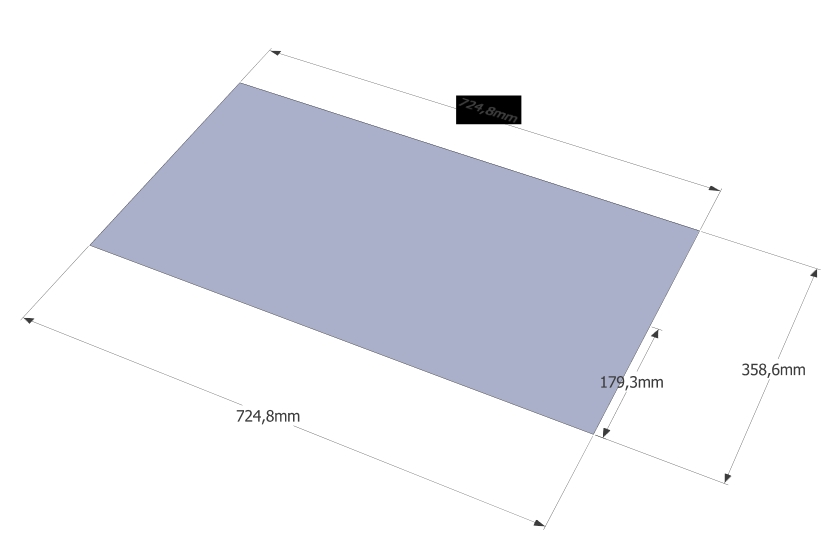
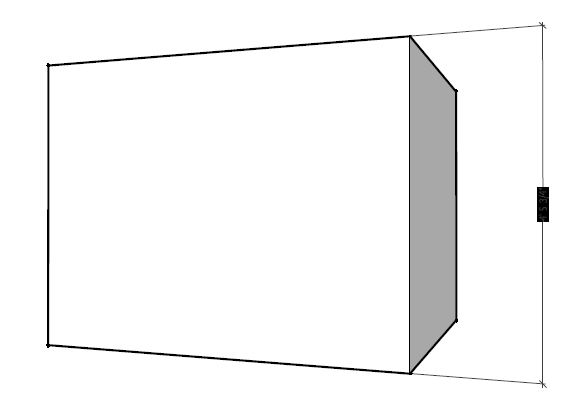
    Measurment text in black area

    已排程 已置頂 已鎖定 已移動 SketchUp Bug Reporting
    sketchup
    24 貼文 5 Posters 4.5k 瀏覽 5 Watching
    正在載入更多貼文
    • 從舊到新
    • 從新到舊
    • 最多點贊
    回覆
    • 在新貼文中回覆
    登入後回覆
    此主題已被刪除。只有擁有主題管理權限的使用者可以查看。
    • Dave RD 離線
      Dave R
      最後由 編輯

      Did you try turning off Hardware Acceleration?

      Etaoin Shrdlu

      %

      (THERE'S NO PLACE LIKE)

      G28 X0.0 Y0.0 Z0.0

      M30

      %

      1 條回覆 最後回覆 回覆 引用 0
      • robertWanR 離線
        robertWan
        最後由 編輯

        Yes. All combinations.

        Robert

        1 條回覆 最後回覆 回覆 引用 0
        • K 離線
          kaas
          最後由 編輯

          just for testing: have you tried a different pdf-printer like bullzip? Also, the object behind the text wouldn't have opacity applied to it? If so, did you try different opacity settings in the style?

          1 條回覆 最後回覆 回覆 引用 0
          • TIGT 離線
            TIG Moderator
            最後由 編輯

            I can print HLR PDFs using PDF995, without any graphic glitches...
            So it is probably either an issue with your PDF-maker or a Graphics Card issue ?

            TIG

            1 條回覆 最後回覆 回覆 引用 0
            • robertWanR 離線
              robertWan
              最後由 編輯

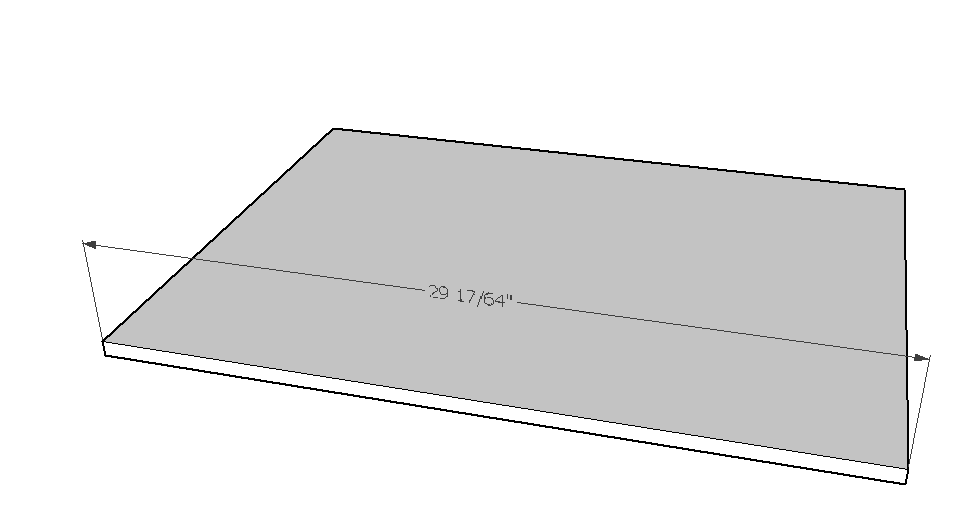
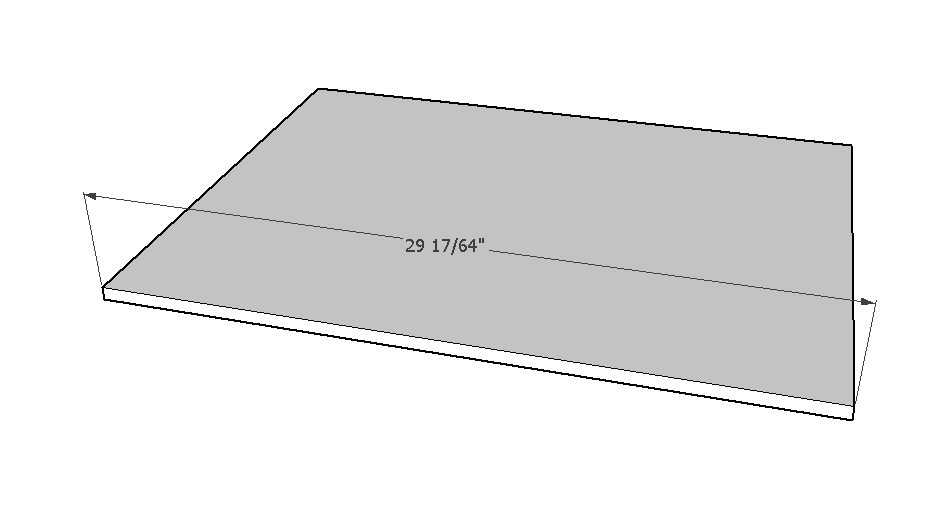
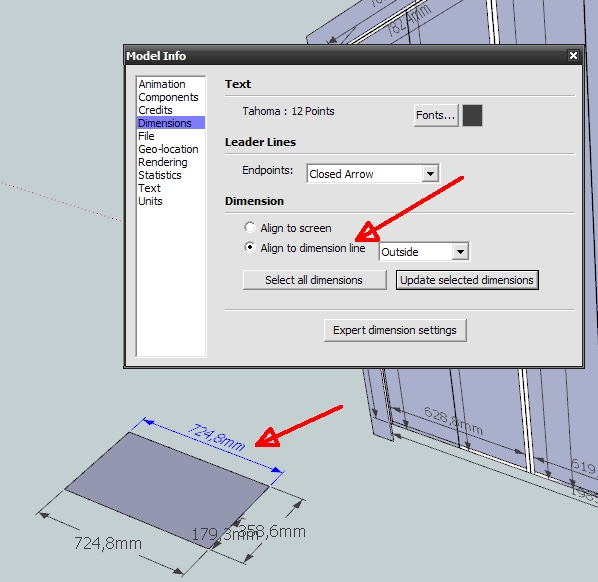
              I've noticed that it only happens with measurements which are aligned to dimension line.

              Robert

              align.jpg


              align2.jpg

              1 條回覆 最後回覆 回覆 引用 0
              • TIGT 離線
                TIG Moderator
                最後由 編輯

                Yes !

                A break through...

                I too confirm that only if the dim-text is 'aligned', then the HLR PDF shows a black rectangle.
                Without the HLR setting they all print OK !

                TIG

                1 條回覆 最後回覆 回覆 引用 0
                • robertWanR 離線
                  robertWan
                  最後由 編輯

                  So it is a bug? In SU2014 same.
                  How is it in SU2015?

                  Robert

                  1 條回覆 最後回覆 回覆 引用 0
                  • Dave RD 離線
                    Dave R
                    最後由 編輯

                    I don't see it in 2015.

                    Screenshot - 11_23_2014 , 5_42_15 PM.png
                    Screenshot - 11_23_2014 , 5_43_00 PM.png

                    Etaoin Shrdlu

                    %

                    (THERE'S NO PLACE LIKE)

                    G28 X0.0 Y0.0 Z0.0

                    M30

                    %

                    1 條回覆 最後回覆 回覆 引用 0
                    • TIGT 離線
                      TIG Moderator
                      最後由 編輯

                      I see it in v2015.

                      TIG

                      1 條回覆 最後回覆 回覆 引用 0
                      • Dave RD 離線
                        Dave R
                        最後由 編輯

                        I wonder why I don't have any issue on my machine with this.

                        Etaoin Shrdlu

                        %

                        (THERE'S NO PLACE LIKE)

                        G28 X0.0 Y0.0 Z0.0

                        M30

                        %

                        1 條回覆 最後回覆 回覆 引用 0
                        • C 離線
                          Charlie__V
                          最後由 編輯

                          @tig said:

                          I see it in v2015.

                          +1
                          Camera set to Parallel Projection....default views (top/front/right..etc) gives expected results.
                          Perspective views not so much.

                          Charlie
                          SUv15
                          MS Win7 64 Bit

                          parallel.JPG

                          pspctv.JPG

                          Precision M1710/Win 7 Pro 64 bit/i-7 6920 Quad core 2.9 Ghz -3.8/16Gb ram/NVIDIA M5000M 8Gb

                          1 條回覆 最後回覆 回覆 引用 0
                          • K 離線
                            kaas
                            最後由 編輯

                            @dave r said:

                            I wonder why I don't have any issue on my machine with this.

                            maybe its due to different gfx cards / gfx card settings / OS versions / ...?

                            1 條回覆 最後回覆 回覆 引用 0
                            • C 離線
                              Charlie__V
                              最後由 編輯

                              @dave r said:

                              I wonder why I don't have any issue on my machine with this.

                              Could still be Print Driver........I am using Adobe Acrobat ProXI.

                              Charlie

                              Precision M1710/Win 7 Pro 64 bit/i-7 6920 Quad core 2.9 Ghz -3.8/16Gb ram/NVIDIA M5000M 8Gb

                              1 條回覆 最後回覆 回覆 引用 0
                              • Dave RD 離線
                                Dave R
                                最後由 編輯

                                @unknownuser said:

                                @dave r said:

                                I wonder why I don't have any issue on my machine with this.

                                Could still be Print Driver........I am using Adobe Acrobat ProXI.

                                Charlie

                                So maybe the issue is more with print drivers? I don't have a printer connected to my PC and the default "printer" is set as One Note.

                                Etaoin Shrdlu

                                %

                                (THERE'S NO PLACE LIKE)

                                G28 X0.0 Y0.0 Z0.0

                                M30

                                %

                                1 條回覆 最後回覆 回覆 引用 0
                                • TIGT 離線
                                  TIG Moderator
                                  最後由 編輯

                                  I get it when using PDF995, which I think uses some 'ghostscript' arcanery...

                                  TIG

                                  1 條回覆 最後回覆 回覆 引用 0
                                  • C 離線
                                    Charlie__V
                                    最後由 編輯

                                    @dave r said:

                                    @unknownuser said:

                                    @dave r said:

                                    I wonder why I don't have any issue on my machine with this.

                                    Could still be Print Driver........I am using Adobe Acrobat ProXI.

                                    Charlie

                                    So maybe the issue is more with print drivers? I don't have a printer connected to my PC and the default "printer" is set as One Note.

                                    My WAG......Printing w/HLR yields a partially vector based file....no? (lines are vector...& text appears to be raster....to me anyway)

                                    I tested this using windows XPS writer.......which I am pretty sure saves as a .jpg or similar image file. (all raster)
                                    I do not have any other print driver installed to test further.

                                    Charlie

                                    PS:
                                    XPS Writer does not black out the text.
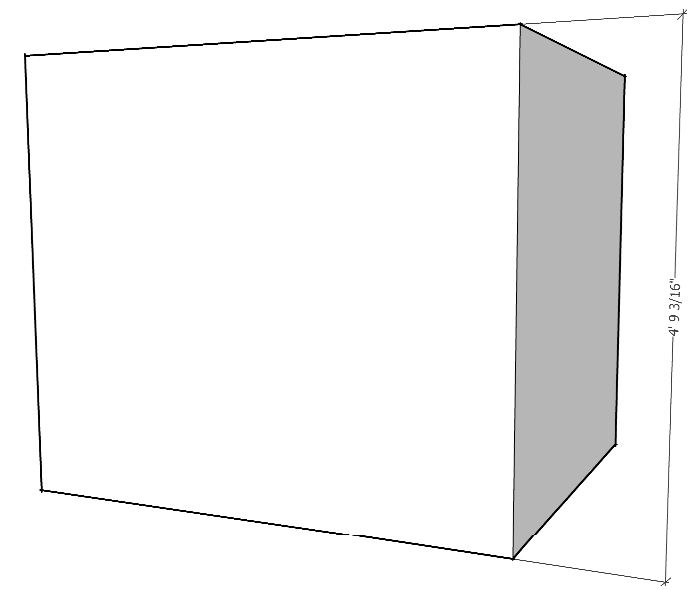

                                    MS_XPS_Writer_HLR

                                    Precision M1710/Win 7 Pro 64 bit/i-7 6920 Quad core 2.9 Ghz -3.8/16Gb ram/NVIDIA M5000M 8Gb

                                    1 條回覆 最後回覆 回覆 引用 0
                                    • C 離線
                                      Charlie__V
                                      最後由 編輯

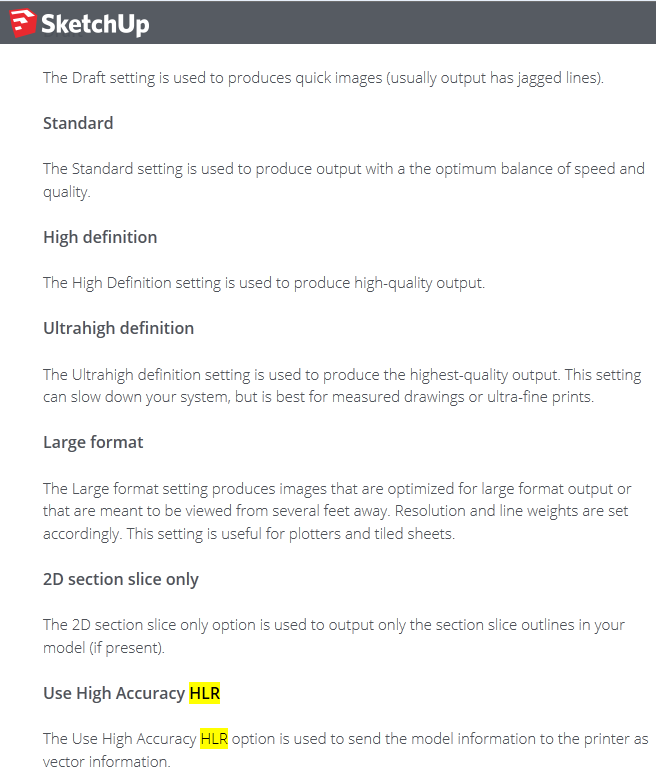
                                      Just following up........I looked to the Trimble SU........Knowledge center.......(search) HLR.

                                      As I suspected.......the HLR print (output) option is vector based output.

                                      So...somewhere......somehow.....the black dimension boxes are cause/effect of......??

                                      SU dimension text fails to convert/display as vector?

                                      User "success" in printing to HLR (w/o blacked out dimension text) .....most likely does not contain any vector based attributes. (IOW: print driver is really printing as .jpg/or other "image" file)

                                      I do not have an answer/solution.......but to say the HLR print option......when used with a vector capable print driver.......will unfortunately create the blacked out text/dims. as depicted above.

                                      Best,
                                      C

                                      Trimble_SU_Print_To_HLR

                                      Precision M1710/Win 7 Pro 64 bit/i-7 6920 Quad core 2.9 Ghz -3.8/16Gb ram/NVIDIA M5000M 8Gb

                                      1 條回覆 最後回覆 回覆 引用 0
                                      • 1
                                      • 2
                                      • 1 / 2
                                      • 第一個貼文
                                        最後的貼文
                                      Buy SketchPlus
                                      Buy SUbD
                                      Buy WrapR
                                      Buy eBook
                                      Buy Modelur
                                      Buy Vertex Tools
                                      Buy SketchCuisine
                                      Buy FormFonts

                                      Advertisement