[Plugin] Bitmap To Mesh
-
Hmm... That message about not being supported - it would indicate you have an OSX version older than 10.7. Though that seem rather old - as it incorrectly matching your system? What is your OSX version?
-
HI Thom, this is what I have:
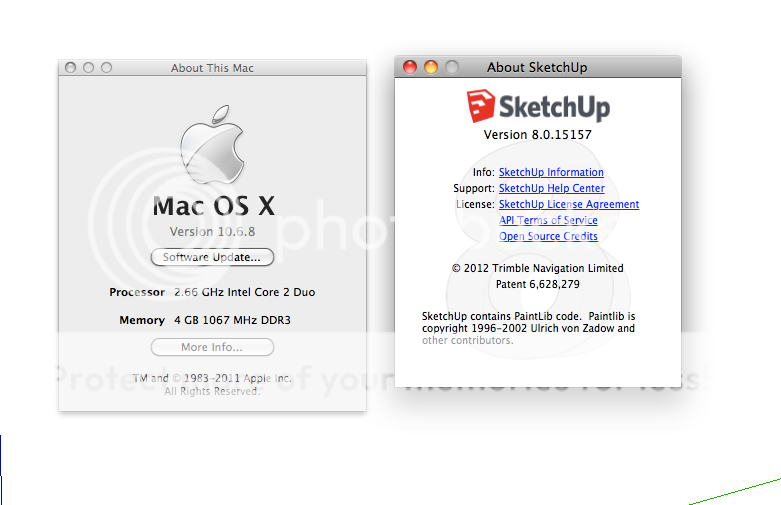
So what do I have to do in order to get your plugin works under this circumstances?
-
You have an old [now unsupported] OSX 10.6
As TT said, you need to have at least 10.7...Can't you update your OS ?
There is the 'Software Update...' button on the 'About This Mac...' dialog...If for some reason you can't upgrade your OS, then several Extensions [including this one] will not work...
That is the limitation, unless you change things...Also SketchUp no longer supports v8 [and v2013 will cease shortly] - also several Extensions will no longer work in older SketchUp versions [this is often irrespective of the computer's OS, since they might rely on new API features, which are unavailable in those older SketchUp versions] - so why no 'bite-the-bullet' and upgrade both your OS and SketchUp version ?
-
I'm afraid the 10.7 requirement is because I no longer have machines to build for older systems. For every release of OSX it gets harder to support these as well as older versions. I might have to drop 10.7 soon as well given the frequency of OSX releases.

-
Only thing I can think of to run 10.6 would be to try one of the older versions of TT_Lib: https://bitbucket.org/thomthom/tt-library-2/downloads
Though you will then have less features and bug-fixes.
I'm also not sure which version might be compatible.
-
It is a pity.
Thank you Thomas, and you too Tig.
I will look forward to upgrade every thing.
Thank you again and continue with the great job for us the sketchupers. -
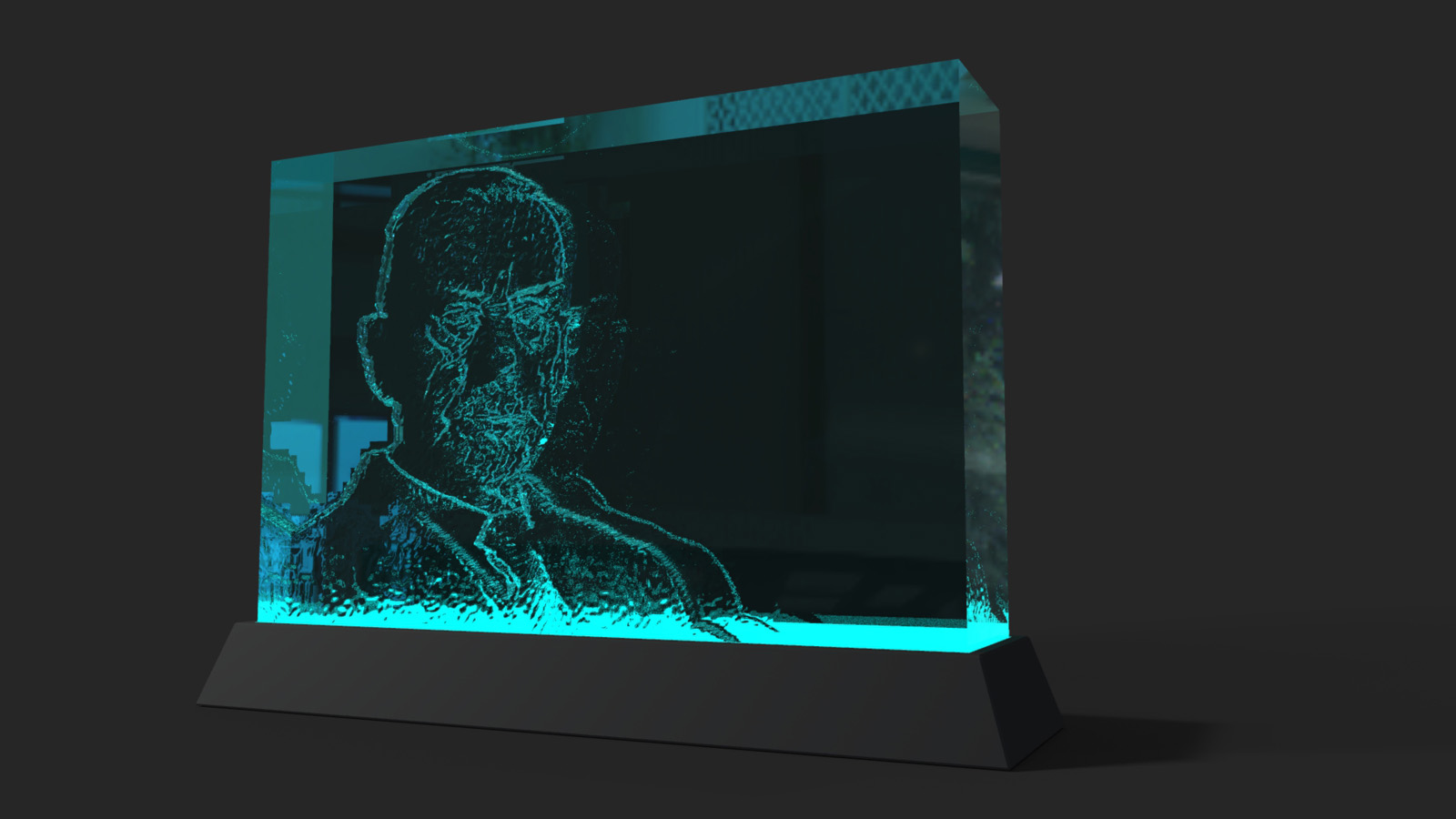
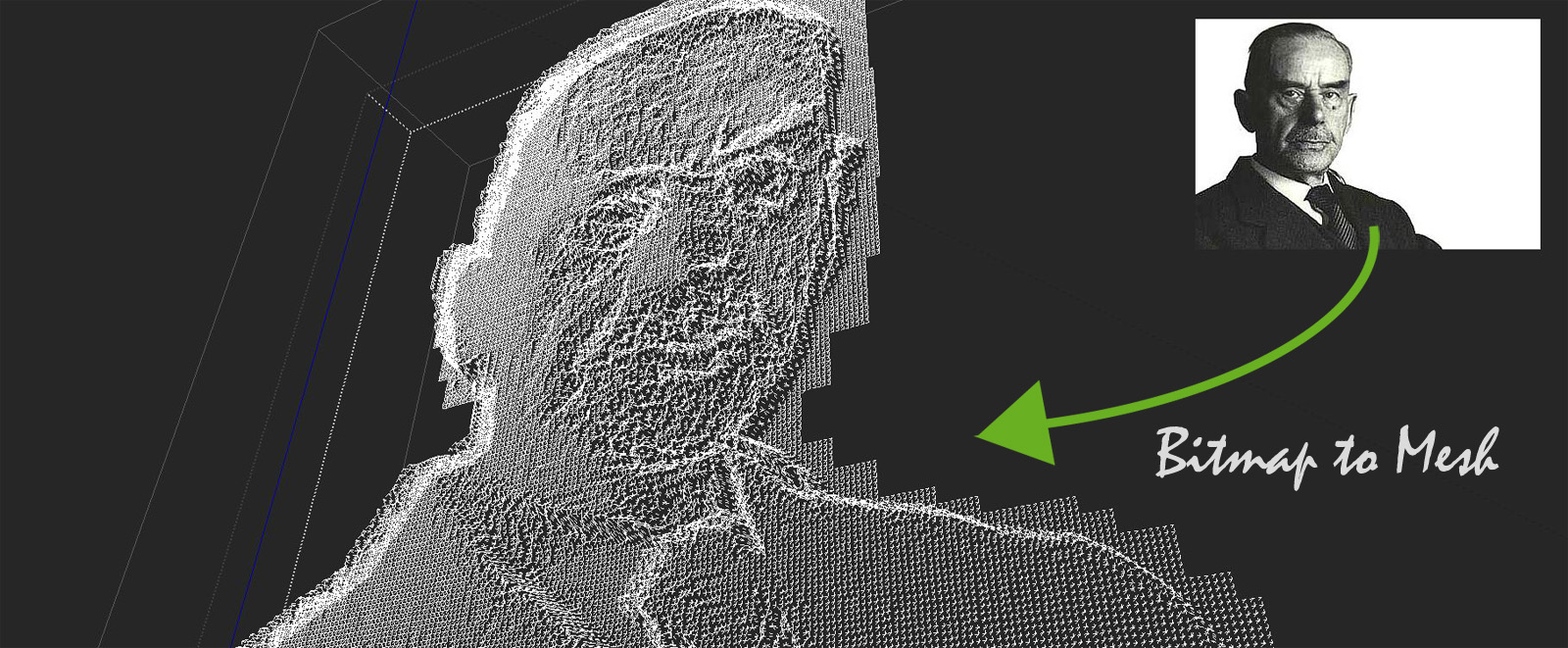
Hi All, I was just playing something around this evening
Some people succeed in lasering or engraving contours into a thick glass somehow - I have no idea how
thay do it so this little exercise, to put the author Thomas Mann in thick glass, should just imitate this nice gimmick …
such a great plugin - thanks for it!
-
Version 1.0.0
See first post for more details: https://sketchucation.com/forums/viewtopic.php?f=323&t=31339#p275772
-
Hello!
I just wanted to say THANK YOU for this great plugin! It saved me a lot of time. I could just import a heightmap instead of having to trace over a topographical map by hand. You saved me about a few weeks of work!
If I ever upload my finished "project" to the 3D-Warehouse I will put a link to this plugin in the description.Thank you very much!!!
-
2017/SketchUp/Plugins/tt_bitmap2mesh/error_reporter/error_reporter.rb:289:in
each' C:/Users/Mistress Venhallyn/AppData/Roaming/SketchUp/SketchUp 2017/SketchUp/Plugins/tt_bitmap2mesh/error_reporter/error_reporter.rb:289:intrigger_event'
C:/Users/Mistress Venhallyn/AppData/Roaming/SketchUp/SketchUp 2017/SketchUp/Plugins/tt_bitmap2mesh/error_reporter/error_reporter.rb:250:inblock in create_dialog' SketchUp:1:incall'Having problems with this plugin not generating things Bitmap iin this case was 128 pixels on a side, no colorspace info, etc. Just the way it's supposed to be. I'm now stumped.
Thanks in advance help is greatly appreciated
-
How about sharing the BMP file so we can see it and maybe help you out?
-
Thanks Dave; I would, but .bmp extensions are not allowed. (just tried to upload the bmp as an attachment) Besides, I think the problem may be something tweaked with the plugin in regard to it's interaction with SU 2017. Since I updated a few days ago, the plugin keeps trying to make a second copy of the mesh at the time when it completes the first, and throws an error.
By the way, been meaning to say this for years, I like your signature.
-
How about uploading the BMP to DropBox and sharing the link.
What did you update a few days ago?
Thanks on the signature.
-
I no longer do business with Dropbox. Long story.
I did solve the problem. Somehow an earlier version of the plugin got left behind when I updated it the other day. Removed it, no more problem.
Thanks anyway.
-
Think I could get a working script of this for sketchup8? I cant seem to want to update because I have a LOT of plugins that work well together already

-
I guess that thomthom's code uses Ruby API calls that are only available with newer versions of SketchUp.
So looks like v8 can't hack it ! Sorry. -
So team: I haven't used this plugin in a while, and I may be doing something wrong. I am trying to make a mesh obviously. .. from a BMP of this image and all it does is stall out my Puter. What am I doing wrong? Something wrong iwth the image? not enough contrast?
thx,
D
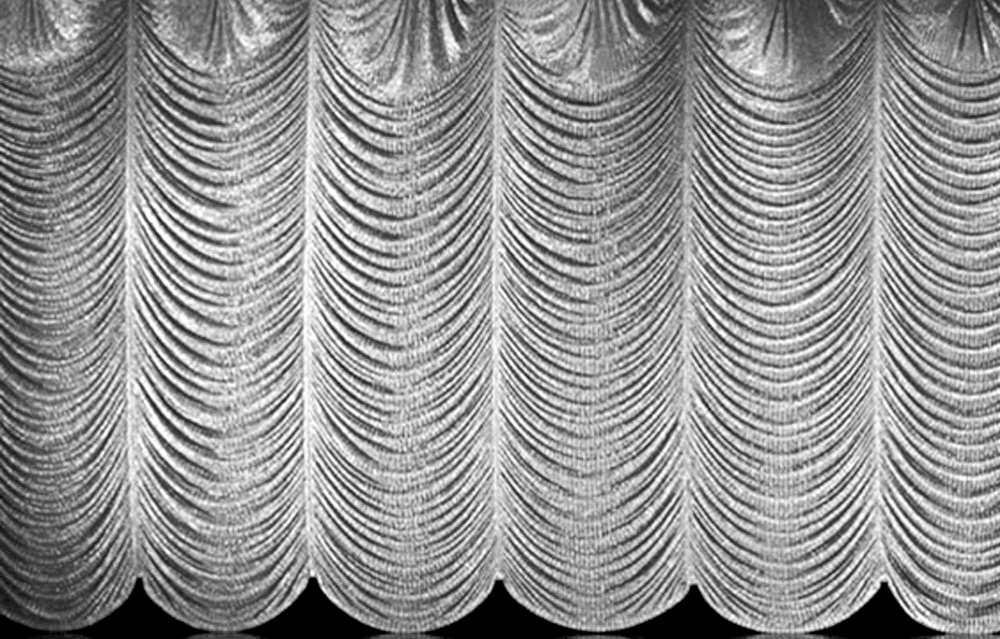
p.s. I guess i could crop it to one panel and just repeat the model. Would that help?
-
Holey buckets! There's a lot to process there. I can imagine your puter needing to take a break now and then. It would help if you can reduce the size of the image to one panel although it might still be a lot of work. It'll certainly create a lot of geometry.
-
So i discovered. I got it to work with one panel, but the results were underwhelming. I think I will just use the image and a call it a day.

Holy Buckets???

-
Probably a good idea to use the image as a texture. Reminds me of the curtain slides that would show during intermissions in the old black and white films.
Holey if the water won't stay in.








Hello! It looks like you're interested in this conversation, but you don't have an account yet.
Getting fed up of having to scroll through the same posts each visit? When you register for an account, you'll always come back to exactly where you were before, and choose to be notified of new replies (either via email, or push notification). You'll also be able to save bookmarks and upvote posts to show your appreciation to other community members.
With your input, this post could be even better 💗
Register Login


Advertisement