⚠️ Important | Libfredo 15.6b introduces important bugfixes for Fredo's Extensions Update
  • Dynamic Component Attribute default Units

    sketchup
    6
    0 Votes
    6 Posts
    2k Views
    T
    Hey Mike, I'm sure you figured this out already, but when you first create the attribute type a number with the inch mark like 0" or 0' in the value box and hit enter. This will set the unit for that attribute to inches. This only works for the first time a value is entered. After that first initial value, you will need to use the attribute info dialog to make changes. In addition, you can use 0 to set it to text (not "Default: Text") and 0cm to set it to centimeters. If anyone knows a shortcut for setting the unit to Decimal Number, I would love to hear it!
  • Rotating handle then opening door

    2
    0 Votes
    2 Posts
    420 Views
    P
    please up load your model however a simple method is to split a counter into sections with if statements basic handle turn, then door.skp
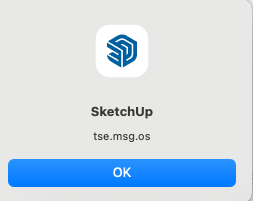
  • "SketchUp tse.msg.os". Alert

    1
    1
    0 Votes
    1 Posts
    102 Views
    No one has replied
  • Dynamic Components

    sketchup
    7
    0 Votes
    7 Posts
    4k Views
    B
    @borisbeaulant I was unaware of that huge detail (sub-groups). This might be a great solution for me. Thank you Boris, thank you OCL.
  • Creating Dynamic Component Question - Cabinet Doors

    8
    4
    1 Votes
    8 Posts
    329 Views
    Dave RD
    @jcarterKBdesign The horizontal rails need to have their X Position locked to the left corners of the left hand stile. The X Position of the right hand stile needs to be based on the width of the door Here in my drawer component you can see how the positions of some of the elements are established. In this case the drawer box component's axes are placed so the drawer can be dropped into place at the front lower left corner of the opening and leave the required spacing. [image: 1724190737259-screenshot-8_20_2024-10_36_30-am.png]
  • 18 instead of 1,8

    11
    0 Votes
    11 Posts
    320 Views
    A
    You are right! If I press the K key they disappear! An interesting function, discovered by accident.
  • Unlock a world of casual fun and excitement with the premier

    1
    0 Votes
    1 Posts
    80 Views
    No one has replied
  • [Outstanding Сasual Dating Verified Females]

    1
    0 Votes
    1 Posts
    66 Views
    No one has replied
  • Premier Сasual Dating - True Females

    1
    0 Votes
    1 Posts
    83 Views
    No one has replied
  • DC - onclick function - position update problem

    1
    0 Votes
    1 Posts
    86 Views
    No one has replied
  • New to DC: topic for my simple questions to the pros

    sketchup
    74
    0 Votes
    74 Posts
    59k Views
    P
    Hi again! another silly question: is there any way a plugin could select all the dynamic components which share the exact same attribute selections as the selected one? Could be very useful. A searched a lot but could not find any in the internet.. Thanks in advance!
  • Which DC extension

    2
    0 Votes
    2 Posts
    141 Views
    Rich O BrienR
    Dynamic Components is part of SketchUp's vanilla install. It used be a Pro only feature when there was the Free/Pro products. There are DC related extensions out there but they piggy back on the core DC functionality. So it's best to focus on the native DC before improving it with extensions tailored towards particular use cases. FlexTools would be a good example of DC on steroids.
  • DC Exploration 2 - Movement! (rotation, linear)

    sketchup
    19
    0 Votes
    19 Posts
    10k Views
    SJS66S
    Wouldn't let my upload my mp4 file showing my onClick rotations so here's a screenshot of the tap at least. Be nice if you got a prompt or message that it was the wrong file type or something rather than just not working...does it have to be a gif or something? Doh! [image: BIrj_PuretecTriplaT3_screenshot230322.jpg]
  • Open -slide back

    2
    0 Votes
    2 Posts
    230 Views
    P
    deleted one door used series of steps and conditions as trigger points wrapped the door in another component to preserve the axis, then copy, move, flip BarBox2019.skp
  • Datebest.net - visit website and win smartphone!

    1
    0 Votes
    1 Posts
    81 Views
    No one has replied
  • Datebest.net - visit website and win smartphone!

    1
    0 Votes
    1 Posts
    73 Views
    No one has replied
  • Datebest.net - visit website and win smartphone!

    1
    0 Votes
    1 Posts
    78 Views
    No one has replied
  • Datebest.net - visit website and win smartphone!

    1
    0 Votes
    1 Posts
    64 Views
    No one has replied
  • Datebest.net - visit website and win smartphone!

    1
    0 Votes
    1 Posts
    69 Views
    No one has replied
  • Datebest.net - visit website and win smartphone!

    1
    0 Votes
    1 Posts
    63 Views
    No one has replied

Advertisement