⚠️ Update | Sketchucation Tools 5.0.8 released with licensing improvements and bugfixes Download

  • Lengthen

    5
    0 Votes
    5 Posts
    2k Views
    B
    I do this ALL the time. I am constantly gobsmacked that nobody seems to use the most obvious tool for the job which is Fredoscale. It works on several levels for this kind of alteration which is so perfectly suited to furniture manufacture that anybody who uses SU for furniture design and does not use Fredoscale all the time needs their head examined. [image: Standard hooters table] I manufacture tables for Hooters in SA- this is my model of a standard high table which comes in a variety of sizes depending on restuarant. [image: fredoscale!!!!!] Resize all the relevant components in the table without changing the ones which should remain as they are. Ie. the edging on the top, the leg section width, the corner rails, the overhang of top to frame. [image: voila!] I the use cut list plugin to get a 100% accurate cut list of this table which is sent to the machine shop with one click. I challenge anyone with whatever software or method to accurately alter a cut list for a table to a new dimension in fewer steps and with as complete accuracy! Fredo has simply changed my life. This is just one of the many ways the tools can be used- hope you go download it and start using now. And also make use of the very handy donate button in his sub menu
  • Adding fabric to wood?

    13
    0 Votes
    13 Posts
    4k Views
    R
    Years ago, I mean many, I worked for an engineering and architecture firm that designed the original "Inn of the Mountain God's" for the Mescalero Apache tribe in New Mexico. The Tribal chairman's wife had some ideas she wanted incorporated into the window drapes. To mock up the design we wrapped a piece of 3/4" plywood with canvas and silk screened the design onto the canvas surface. The canvas shrank so tightly that the plywood broke. Admittedly, we were prototyping and experimenting, but consider shrinkage when the adhesive meets the material and don't underestimate the power of shrinking cloth.
  • Pembroke Table model

    6
    0 Votes
    6 Posts
    917 Views
    C
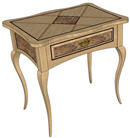
    @dave r said: I understand about the unique leg now. A close look that the crossing of the two stretchers is revealing. Almost like real woodwork..
  • How do I draw a table top with curved sides?

    22
    0 Votes
    22 Posts
    5k Views
    C
    Nice demo Jean! I like your second method, pretty crafty.
  • Latest Furniture Commission

    9
    0 Votes
    9 Posts
    1k Views
    M
    Check your PM!
  • Plugin for model comments/notes?

    10
    0 Votes
    10 Posts
    896 Views
    Dave RD
    And what I've seen of what you've done has been pretty good.
  • Widen mantel leg & moldings

    8
    0 Votes
    8 Posts
    2k Views
    Dave RD
    If you don't care about having separate pieces for the molding, using Follow Me is a good way to create it. Make sure the path and the profile are in a context separate from everything else in the model. That usually means you'll trace around other components to create the path for Follow Me. Your path and profile do not need to be in contact with one another for Follow Me to work but the path must follow the shape that you want the molding to take. To edit the Follow Me molding in the way you need for moving the pilasters in your model, you'd open the molding component for editing and drag a left to right selection box around the part of the molding that wraps around the pilaster and then move the selection over the required distance. I use Follow Me to create moldings like this but generally, once the design is settled, I would divide it into separate pieces and make components of them.
  • Future project.

    6
    0 Votes
    6 Posts
    984 Views
    HumpmetwiceH
    @chrisglasier said: Have you seen Todd's table? Nice thanks for the link. His skill seems far beyond mind but I'll post pics when done.
  • Another easy one

    3
    0 Votes
    3 Posts
    611 Views
    M
    oops-sorry I didn't think the question posted the 1st time I wrote because I had a message the the internet was not responding. And the rectangle to type the question in went blank. So I just rewote it withyout lookimg in the forum section. sorry guys'
  • Easy hole question

    5
    0 Votes
    5 Posts
    1k Views
    gillesG
    There is also the very new Hole on solid http://forums.sketchucation.com/viewtopic.php?f=323&t=41582&hilit=hole+on+solid#p368373 [image: HOLE_ON_SOLID.png]
  • Dovetail plugin

    11
    0 Votes
    11 Posts
    6k Views
    K
    I decided to add another way to detail drawers and add dovetails to the corner joints using some other plugins and my K2WS_Tools. http://forums.sketchucation.com/viewtopic.php?f=323&t=39870 My process is to use a starting drawer component I created that has 1 dr box side, 1 dr box end, dr bottom and an added front. (I happen to build most drawers as complete drawer box which has a drawer front added.) I bring this component into my drawing re size with Fredo6 FreeScale, complete the box, add dovetails, then use BooTools Difference to add the bottom slots. The reason I start with only a partial box is that if there are 2 instances of a component (think sides) that re-size then one of these components is made unique and has a new name. So this way I make the copies after re-sizing and only have one side component. To demonstrate this process I have uploaded 2 videos to YouTube: Part 1 shows some of my drawing style and completing the drawer. Part 2 shows how my K2WS_Tools is used to add thru dovetails and how BooTools is used to make the bottom slots. These are my very first videos so be kind with comments about the presentation but see if this would fit your sketch-up workflow. Keith Part 1: [flash=560,315:l2tmpd3h]http://www.youtube.com/v/aVRiQZhyus0[/flash:l2tmpd3h] Part 2: [flash=560,315:l2tmpd3h]http://www.youtube.com/v/od-lx0Db0U0[/flash:l2tmpd3h]
  • 5 piese door cut list

    2
    0 Votes
    2 Posts
    700 Views
    M
    you might enter some values so that users would get a hint on the type of input required.
  • Solisesting ?

    6
    0 Votes
    6 Posts
    807 Views
    Dave RD
    Scott, it's one thing to request services from others. Advertising your own services in an entirely different matter. If you want to sell a product or your services, you can purchase advertising space like any other firm would be expected to do. It's a pretty simple concept. Frankly, I don't think the 3D Warehouse would be a good place to advertise a product you want to sell. It's not the place folks are likely to look if they are searching for your product. And if you put a SketchUp model of the product on the 3DWH, anyone could download it and use it to make their own copy of your product.
  • Cool animation/construction manual

    5
    0 Votes
    5 Posts
    1k Views
    pilouP
    Why not ask you to the autor? E mail : post@alan3d.com some other videos the same + audio + end more [flash=560,315:ctnsizcs]http://www.youtube.com/v/G_5eBi4ag-M[/flash:ctnsizcs]
  • Bill of Materials

    3
    0 Votes
    3 Posts
    1k Views
    S
    Thanks so much, this looks perfect and is running smoothly
  • Keyboard Shortcuts

    8
    0 Votes
    8 Posts
    12k Views
    D
    If you like using shortcut keys...I have found adding a gaming keypad to my system helpful. These keypads have programmable keys that enable tool and/or procedures. The unit I use is a Razer Nostromo with 17 keys. Each key can be programmed with a shortcut or a macro (multiple key strokes). There is even 8 levels or layers for each key giving you 136 keys to program (although I find this overkill). I programmed all my most common tools used in the drawing process. I memorized the key locations quite quickly. Keeping my left hand on the keypad and my right on the mouse, drawing speed has increased nicely. Just remember to do some finger/hand stretches. Carpal tunnel is always been a problem with CAD operators.
  • A "how to" video in sketchup

    6
    0 Votes
    6 Posts
    2k Views
    M
    No sawdust, and that saw is pretty sharp by the looks of things!
  • An engineer's approach to woodworking

    4
    0 Votes
    4 Posts
    1k Views
    Jean-FrancoJ
    Hi, I'm visiting Matthias site for a long time now. He always surprise me with his creativity. All seems so simple to him.
  • Make drawings faster

    4
    0 Votes
    4 Posts
    2k Views
    Dave RD
    That does look nice. good work. I can't post the LayOut files I've done because they are all for other clients. You can get some of them here, though. This one would be a good example.
  • HATCH in SU

    2
    0 Votes
    2 Posts
    1k Views
    ipsketchpiI
    and these option is also very good !!!!!!!!! http://forums.sketchucation.com/viewtopic.php?f=323&t=38637&hilit=hatchfaces Download plug in called Hatchfaces

Advertisement