sketchucation logo sketchucation
    • Login
    1. Home
    2. valerostudio
    3. Posts
    Oops, your profile's looking a bit empty! To help us tailor your experience, please fill in key details like your SketchUp version, skill level, operating system, and more. Update and save your info on your profile page today!
    ⚠️ Important | Libfredo 15.6b introduces important bugfixes for Fredo's Extensions Update
    V
    Offline
    • Profile
    • Following 0
    • Followers 0
    • Topics 129
    • Posts 1,382
    • Groups 1

    Posts

    Recent Best Controversial
    • RE: Onyx trees and vray OBJ to .vrmesh converter

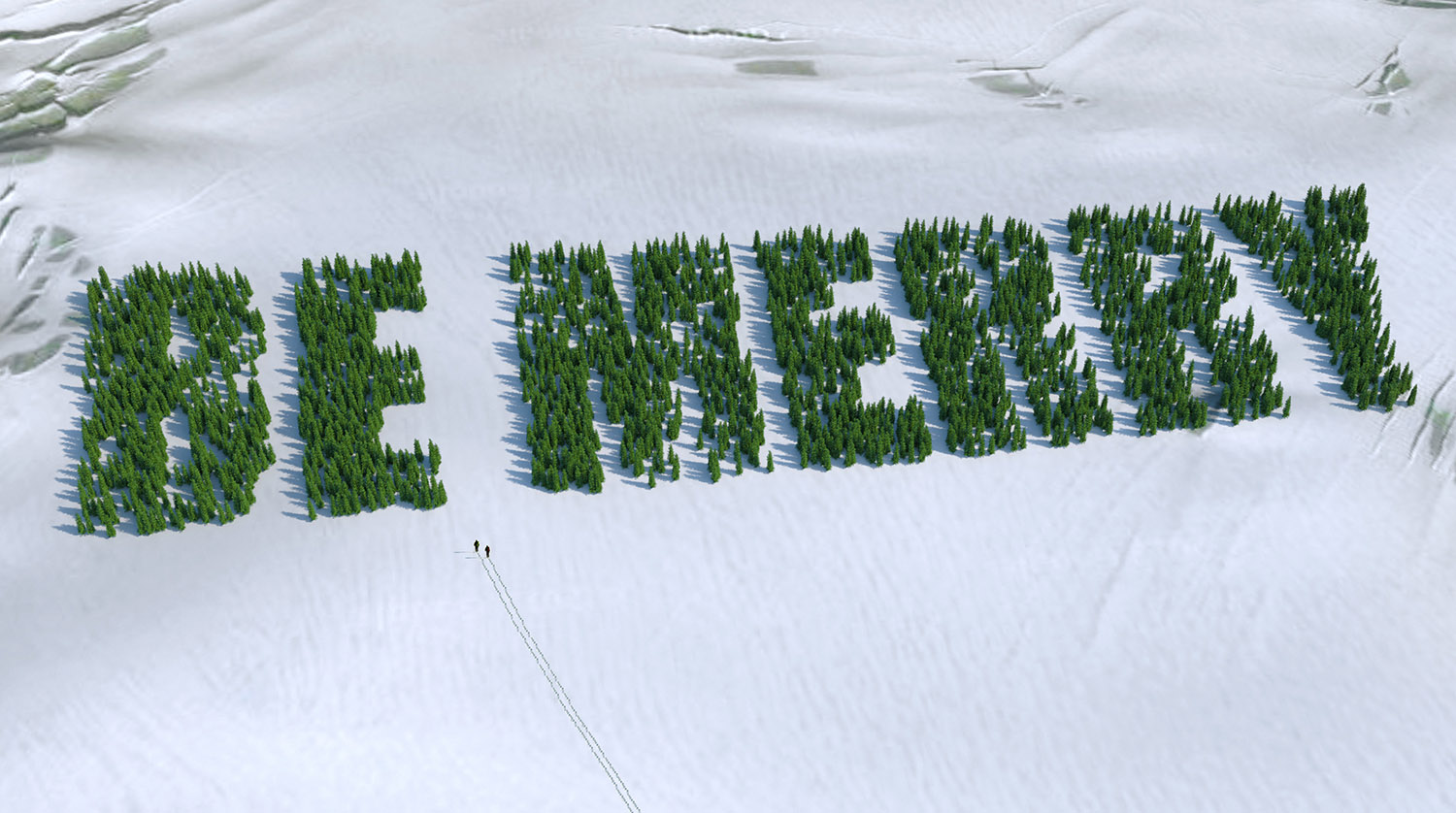
      Thanks! I do highly recommend all of the Onyx products for making 3d landscaping for SketchUp and for V-Ray proxies. You decide what the tree looks like and how many polys. Endless creations from one purchase. When you buy pre made trees on the web you are confined by their 10-20 trees and cannot be as creative. Onyx is also great at reducing and optimizing models so you can make SketchUp plants and are fairly low polygon.

      Another tip - Being able to use geometric leaves cuts your render times down considerably. I would only recommend alpha transparency on leaves that are in the fore and middle ground of your project. If you are rendering a forest, I would definitely go with the geo leaves.
      posted in V-Ray
      V
      valerostudio
    • RE: Vray crashing SketchUp

      Try IP address of 127.0.0.1

      Which version of V-Ray are you exactly?

      posted in V-Ray
      V
      valerostudio
    • RE: Sketchup crashes when assigning Maxwell materials

      There as a bug in SU8 with SKM files crashing SU with VR1.6-2.0 installed. Are you on SU2013?

      posted in Extensions & Applications Discussions
      V
      valerostudio
    • 3D Peeps?

      Anyone know the best way to pose and make 3D people for SU, like the ones you see on Form Fonts? Is it Poser?

      posted in SketchUp Components sketchup
      V
      valerostudio
    • RE: Vray crashing SketchUp

      I cant take credit for it. It's a new feature in VR 2.0 that isn't discussed a whole lot, but its purpose is to render to 64 bit. The only problem is that you dont get to see your LC pass, so you have to wait for that to run before you see your preview in the VFB.

      http://help.chaosgroup.com/vray/help/sketchup/150PB/distributed_rendering.htm

      posted in V-Ray
      V
      valerostudio
    • RE: Lampshade Material

      Also, if you go to the Chaos site and go to the material downloads section, under the Other category, there is a material called Old Shade, that might be a good starting point. You really want to see some texture through the paper.

      posted in V-Ray
      V
      valerostudio
    • RE: Lampshade Material
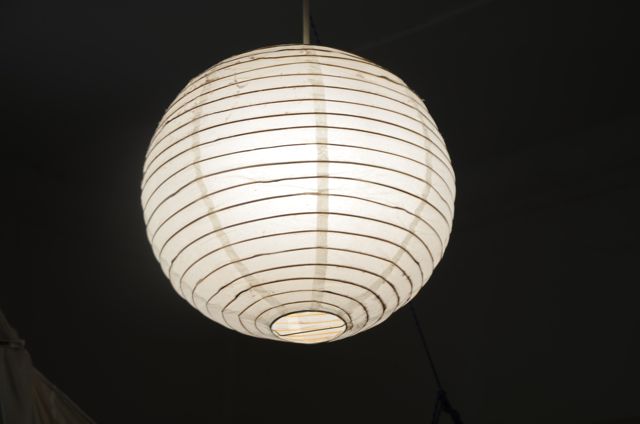
      1. The material needs to be applied to both faces.

      2. I would suggest to look at the real world condition to see how to make this more realistic.

      LampShade (1).jpg

      posted in V-Ray
      V
      valerostudio
    • RE: Lampshade Material

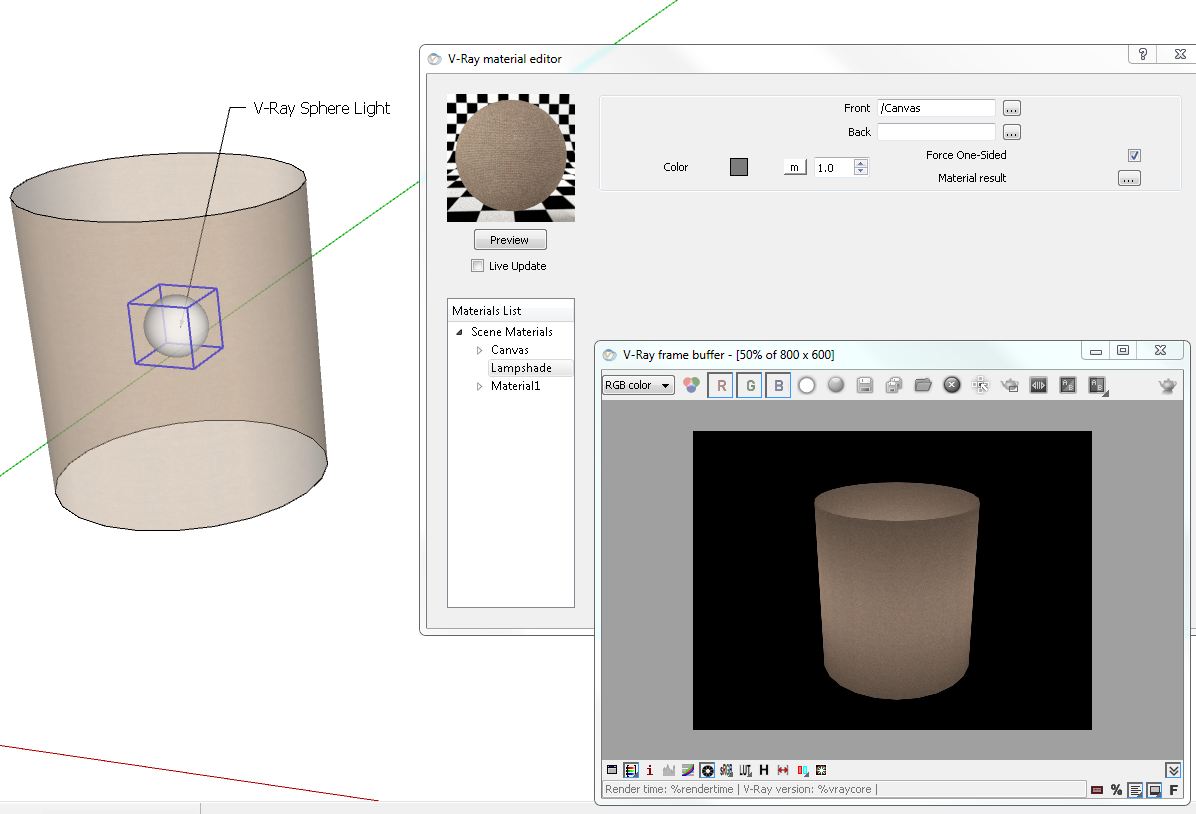
      It's pretty simple. Just make sure you are using the V-Ray 2 sided material and not the SketchUp 2 sided, use a sphere light inside the lamp. Like Andy said, dont put an emissive layer on your shade material. Theres no need for it.

      Lampshade.JPG

      posted in V-Ray
      V
      valerostudio
    • Interesting Read on Render Optimization

      Came across this on the V-Ray for Max forums.

      Link Preview Image
      V-Ray Render Optimization | Akin Bilgic

      An in-depth tutorial detailing the step-by-step procedure to optimize V-Ray's settings to get the best possible render quality and fastest render time for a given scene.

      favicon

      (www.cggallery.com)

      posted in V-Ray render plugins extensions
      V
      valerostudio
    • RE: Having problem with region rendering?

      You should be on 2.0 by now. 1.6 is a beta version and is not longer relevant.

      posted in V-Ray
      V
      valerostudio
    • RE: How to render lines ?

      It's not too complex. I would use TIG's tools or Pipe Along Path. 1001 bit Pro and Profile Builder can do this also.

      posted in V-Ray
      V
      valerostudio
    • RE: Vray crashing SketchUp

      "Ive been working with large models in Sketchup, usually around 100mb. Ive been using Vray plug-in to render these images. Some of the vray materials I made myself using fairly high quality images"

      Seems you answered your own question. All of these things will crash a render. Dont forget, you are still stuck withing the confines of a 32 bit program (SketchUp)

      My advice is to render straight to EXR using the Render to VRIMG feature. Tick on Preview so you can see the progress. When the EXR file is saved, you need 2 things to open it

      1. Photoshop CS5 or higher 64 bit
      2. ProEXR installed for Photoshop

      Without this, you will not get your render channels.

      Alternatively, you can render to VRIMG and use the utility to get your channels. I prefer EXR, but either will work.

      You also have the ability to render your scene using the DR Spawner locally on your machine as a 64 bit process. Just tick on DR, tick on Dont use local machine, start the 64 bit Spawner on your local machine, and then make sure local host is ticked on under the Hosts.

      posted in V-Ray
      V
      valerostudio
    • RE: Too many objects

      What version of V-Ray? If you have 2.0 you should be using proxies for those trees.

      I think you may be running out of memory. SketchUp is 32 bit so you are limited to 4GB of RAM regardless of your specs.

      If you have 1.49 you can try rendering to VRIMG.

      posted in V-Ray
      V
      valerostudio
    • RE: Spots of light in my render

      1.6 is the beta version with many bugs. You need to be on the latest 2.0 to take full advantage of the bug hunt that went on during beta.

      posted in V-Ray
      V
      valerostudio
    • RE: Spots of light in my render

      Your 2 problems are the version you are using 1.48 and emissive materials. You cannot use emitters as light sources in that version. They are better in 2.0 but you still should not light a scene with them. It is not the same a VRay light material in Max. We don't have this feature yet.

      Some tips

      • Use IES, spots, omnis, rect lights, to light your scene

      Add a rect light at all of your window openings and set to light portal setting

      Update to 2.0 when you can or at least 1.49.01 (1.48 is old old old)

      posted in V-Ray
      V
      valerostudio
    • RE: Green pixels/dirt/smudge on Vray render

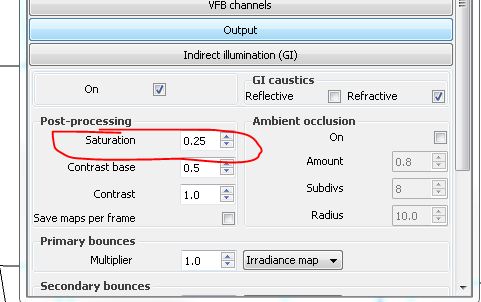
      It's most likely the green bouncing off of your tile. In your options, try to set your GI Post Processing Saturation setting to .25 or less and see if that helps.

      See if This Helps.JPG

      posted in V-Ray
      V
      valerostudio
    • RE: Spots of light in my render

      Which version of V-Ray?
      Are you using an emissive material in the scene?
      What are you render settings?

      Generally, it could be just low render settings. You need to increase your Light Cache to 12-1800 for final interiors and set you DMC sampler thresh to .005 or less.

      If you are using VR 2.0 then try to load in one of the interior presets (Either High or Very High)

      Note - This will increase render times significantly.

      posted in V-Ray
      V
      valerostudio
    • Happy Holidays

      Wishing Happy Holidays and a prosperous New Year to all my SketchUcation friends.

      Matt

      ECard.jpg

      posted in V-Ray render plugins extensions
      V
      valerostudio
    • RE: SU crashes on importing Vray material.

      Which V-Ray and which SketchUp version?

      posted in V-Ray
      V
      valerostudio
    • RE: How to dominate "lighting"

      Part of the issue I see is that you are using an emitter material in 1.49.01. The emit material is not like the VRay light material in Max and creates a lot of splotches and noise. I have found the emitter material in 2.0 to be better but it is still not the VRay Light Material unfortunately. 2 Suggestions I have

      Try using "The Universal Method" for your render settings. This can be found on the Chaos Forums under Max Tutorials.
      http://forums.chaosgroup.com/showthread.php?33385-Universal-V-Ray-settings-(well-almost)

      Read through this article and approach your light setups the same what a photog would.
      http://www.popphoto.com/how-to/2013/03/how-to-mix-light-sources-to-warm-interior-photo

      posted in V-Ray
      V
      valerostudio
    • 1
    • 2
    • 24
    • 25
    • 26
    • 27
    • 28
    • 69
    • 70
    • 26 / 70