It's gotta be 1.49.01 - this is an old bug thats been around for a while. I would upgrade to 2.0
Oops, your profile's looking a bit empty! To help us tailor your experience, please fill in key details like your SketchUp version, skill level, operating system, and more. Update and save your info on your profile page today!
⚠️ Important | Libfredo 15.6b introduces important bugfixes for Fredo's Extensions Update
V
Offline
Posts
-
RE: When i reopen the file, all material setting were gone!!
-
RE: Keep background from frame buffer
Are you asking about the actual image that appears in the background of your render?
-
RE: [HELP] Lighting rendering trouble
If you are using 2.0 there are presets for interiors. They work very well.
-
RE: [HELP] Lighting rendering trouble
My first guess is you have a material that has an emitter layer and its blowing out the render. When you click override that emitter material is not casting light.
-
RE: Dazed And Confused
How do folks feel about the "Universal Method"? I like using it on interiors. I find that I get extremely clean renders with this method.
-
RE: Need advice - light under platform
We've all been there. The learning is the fun part. Well maybe not when a client is waiting for a render and you can't figure something out, that's gray hair and ulcers. Other than that - FUN FUN FUN!!!
-
RE: Need advice - light under platform
You should be able to achieve this as mentioned above with an emissive material or a rect light. Make sure your front face is facing out if you use an emitter and if you use a rect light, make sure your intensity is high enough for the scene. I like to set my lights to Watts and use 75 as a starting point.
-
RE: Dazed And Confused
Both Lynda.com and Evermotion have some nice VR4SU rendering courses.
-
RE: Missing items - going mad
Dome light is an incredible feature. Image based lighting is where everything is heading. I read an article about Pixar's Monster University being totally lit using IBL.
-
RE: Missing items - going mad
Is there a command we can run in the debugger to list all missing materials?
-
RE: Dazed And Confused
I really like the first one. Now, if you want a shadow casting into the space from the sun, get an HDRI with a strong sun shadow. I recommend buying a pro set if you plan on using dome light a lot. I really like VizPeople's HDRI set 2. It's a good starter set with a nice range of skies.
-
RE: Dazed And Confused
I still think the lighting setup is flat. Maybe consider using a dome light for your environment then add some plane lights behind the camera. Think about a high end photoshoot for an architectural interiors magazine. They come in with all kinds of lighting equipment.
We should setup renders the same way a photog would shoot the space.
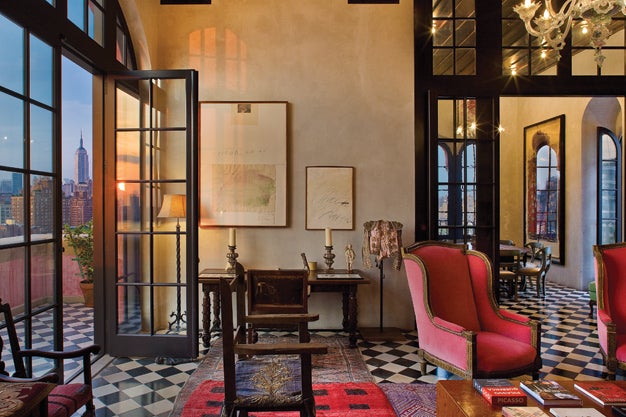
How To: Mix Light Sources to Warm Up an Interior Photo
Juxtapose warm-toned and cool-toned lighting to capture a room's sunny feel

Popular Photography (www.popphoto.com)
-
RE: Depth of Field problem vray sketchup
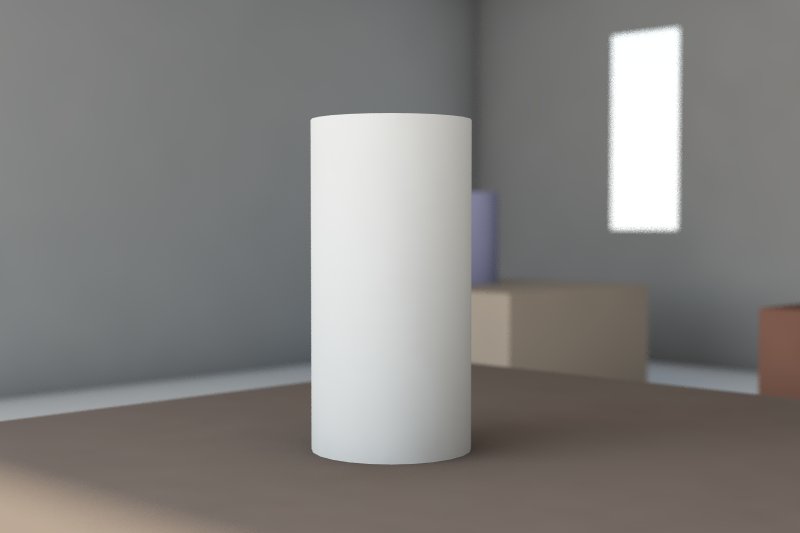
Works for me. Maybe because you don't have the latest licensed version??? The only thing I did was add more lighting, colors, and reduced the F stop to 3 to exaggerate the Bokeh.
-
RE: Dazed And Confused
1 - I never use pure white. There is no such color in the real world. Use something like 90% white.
2 - Turn on Ambient Occlusion in the GI settings, this will make details pop
3 - You need to light your scene in a more interesting way. There was a nice tutorial on how to approach lighting a scene on CGBlog. Its a pay site and for MAX but all the principles apply.
http://www.cg-blog.com/index.php/2012/04/24/delicate-room-light-balance.htm
-
RE: Need some advice with Vray settings ...
My last question would be which version of 2.0 do you have? Is is the very latest?
-
RE: Depth of Field problem vray sketchup
Make sure DOF is enabled in your camera settings and set your camera focus using the tool on the VR Toolbar (looks like a crosshair).
-
RE: Need some advice with Vray settings ...
What are your DMC and Image Sampler settings?