Anyone know of any tricks or plugins that might accomplish this?
Oops, your profile's looking a bit empty! To help us tailor your experience, please fill in key details like your SketchUp version, skill level, operating system, and more. Update and save your info on your profile page today!
Urasik Extensions | Lots of new extensions to check out Learn More
V
Offline
Posts
-
Curving a texture for arches?
-
RE: Little triangle created at origin when bringing in component
I get all the time too. I reported it to Trimble as a bug and it was being "worked on".
-
RE: Skatter
Hands down one of the biggest game changer plugins for SketchUp.

-
RE: 3D Warehouse differs between web and in Sketchup
I just gave it a test by searching "car" and the results seemed to match in both the web version and the comp browser version.
-
RE: VRAY causing Sketchup 2015 to bug splat
How are you bringing in your old plugins for 2014? When I went to 2015 I had to fresh install everything. No copy and pasting from the Plugins folder, that was too messy. Fresh install every plugin from the Extension Warehouse and the SketchUcation toolbar. Its painful at first but a good clean way to start with 2015.
-
RE: Issues with sketchup and vray - missing objects in render
Version of SU? Version of V-Ray? Sounds like an old bug from the 1.7 beta.
-
RE: I hear crickets....
Working on my Thea proxy library today.
 I haven't given up on V-Ray but I do hope that along with the a 3.0 release there is a more seriousness taken with the SketchUp community. The Thea guys are on the ball and as far as a rendering engine in SketchUp, it's a great solution.
 -
RE: Help! Regarding IES Lights Settings
You must have 2 different versions of VRay though because SU8 is 32 bit and 2015 is 64, right?
I wouldnt mix versions like this. Stick with one or you are asking for trouble in my opinion.
-
RE: I hear crickets....
If by lag you mean the time it takes to parse, this is a huge issue we all have with SU/VR as our models get larger and larger. No tricks to solve this other than make small crappy models, who wants that?
As for RT. I think there are still bugs there so I would be as bold to say that it doesn't fully work.
Thea uses CPU AND GPU for its RT engines. Presto is very fast and parsing times are almost instant. The biggest thing for me with Thea is there are constant updates, new developments, they implement community suggestions quickly and seriously, and a good amount of transparency over there. I think Chaos needs to either send us some kind of teaser, update on development, or they are going to start losing some of us to Thea or other engines.
When/if Corona for SketchUp comes out, that might be another threat to V-Ray also.
-
RE: V-ray / podium
Give me oil paint and it will look like a 3rd grader painted something. Give it to Renoir and...
My point is that just by installing V-Ray isn't going to instantly make great realistic renderings. It doesnt matter what program you use, you have to learn every nook and cranny and feature to make these things sing. You have to learn lighting and material principles, good detailed modeling and thinking like a photographer when you setup your cameras, etc. Photoshop goes a long way too for post.
If you are in it for the long haul and want to really learn all the features of V-Ray, then I highly recommend it.
I also use Thea which might have less of a learning curve in SketchUp and will allow you to render unbiased images which, in turn, are the most realistic. But be forewarned, an unbiased engine at the resolution you are talking could take a very long time.
-
RE: Google maps texture gets weird render
Z-Fighting. 2 faces sharing the same exact space. You seem to have overlapping terrains.
-
RE: HELP! "Unable to edit light - no light asset was provided"
Nope, it is not solved and still does come back randomly. I think it might have something to do woth creating a light while within a group or component. I agree that just saying "restart" is not a good solution or answer. Let's hope that all of these bugs are gone with the next release that we so patiently wait for. Now I'm starting to sound like I did when I was using 1.49.01 and that's scary!
-
RE: Help! Interior scenes - lights too bright or room too dark
There is no magic button. You have to light a scene the way you would in real life. Fixtures with IES lights, windows letting in sunlight, maybe you even setup a few rectangular lights behind your camera as additional lighting, the same way a photographer would.
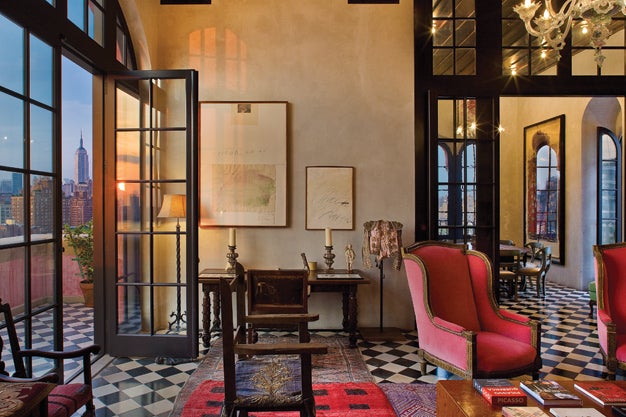
How To: Mix Light Sources to Warm Up an Interior Photo
Juxtapose warm-toned and cool-toned lighting to capture a room's sunny feel

Popular Photography (www.popphoto.com)
http://www.cg-blog.com/index.php/2012/09/04/living-light-balance.htm
-
RE: Looking for Rewiews
VRay gets a 8.5 in my opinion and the reason it doesn't get a 10 are some bugs / missing features.
Based on what you are saying you need to do, I would recommend Thea. The new feature that recognizes SketchUp section planes will be killer for what you are doing and the Presto engine uses CPU and GPU at the SAME TIME. No other engine does this from what I understand.
-
RE: Importing vismat into sketchup issue
Sounds like you changed your Viewport viewing style in SketchUp to show Monochrome mode. Just change the viewing style to Texture mode.
-
RE: HELP PLS: Building Light Cache Take Ages (Newbie)
2 things it could be
1- light portals - I find if you set rect lights to portal mode, it just kills LC
2- Displaced materials? If you have a lot of displacement in your scene, try to disable it in your globals and see if thats the issue.
-
RE: Help interior is blotchy all over.
Do not use emissive materials to light your scene. Some engines can do this, VRay for SU cannot right now. you have to place IES or spots in those cans.
-
RE: I hear crickets....
I just this video the other day... looks like Chaos is busy porting to other programs first.
-
RE: [Plugin Library] LibFredo6 - v15.9a - 25 Mar 26
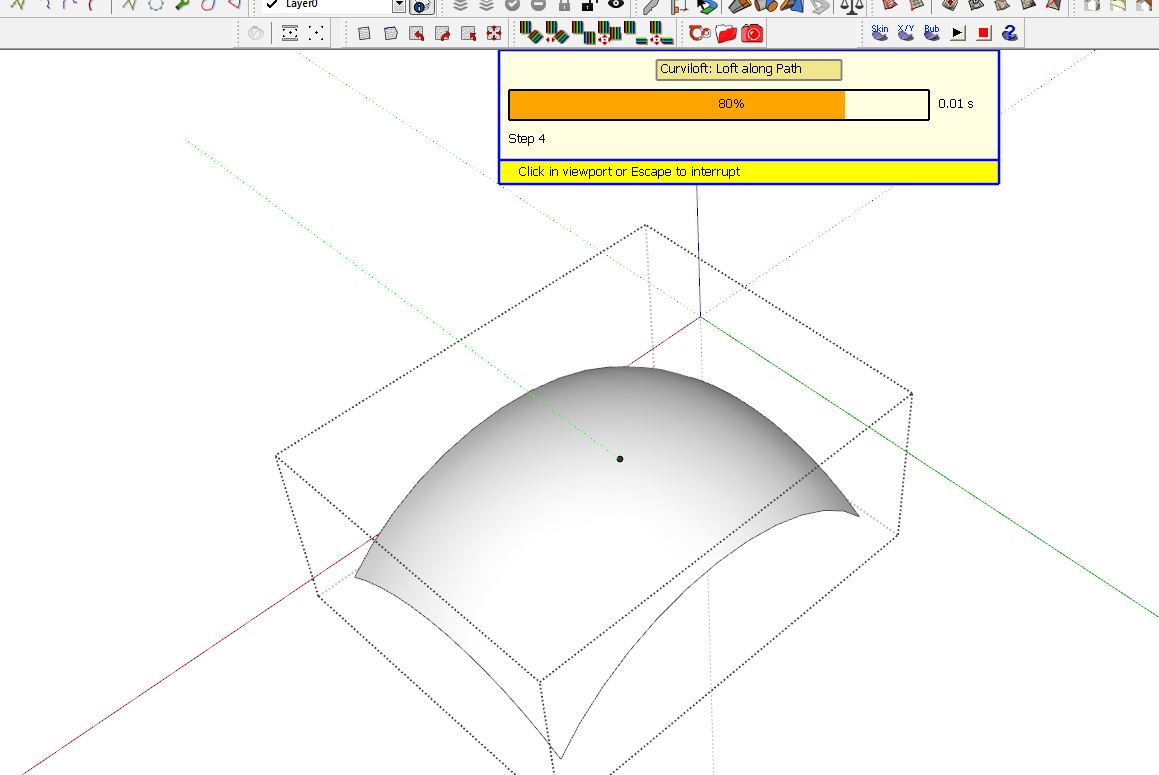
Having an issue with Curviloft and this update. Toolbar doesn't open and I get this box. When I exit out of Curviloft and open ToolsOnSurface, the same Curviloft box now opens. Same issue happens with RoundCorner as well.
-
RE: How to make my render more realistic with vray?
There is no short answer to this. Most of us have worked hard at learning how to make the software do what we as artists need it to do to tell the story.
A realistic render will be the product of:
1 - a detailed accurate model
2- realistic lighting setup
3 - realistic materials
4- good camera and composition settingsA good start might be
http://sketchucation.com/shop/books/intermediate/1285-v-ray-for-sketchup