Does the 3D warehouse offer the ability for viewers to contact the author by email?
Oops, your profile's looking a bit empty! To help us tailor your experience, please fill in key details like your SketchUp version, skill level, operating system, and more. Update and save your info on your profile page today!
Urasik Extensions | Lots of new extensions to check out Learn More
P
Offline
Posts
-
3d warehouse
-
RE: SCALE FIGURE LAYERS
The typical Earthlings such as Bryce. If I move layer 1 into the default layer, the component still functions and appears the same.
-
DOCUMENT UPDATE
In the layout 2015 toolbar customization panel, there is a command called 'update document'. I dragged it into the toolbar and closed out the box, but it fails to update my drawings. Any ideas?
-
RE: Component collection search engine
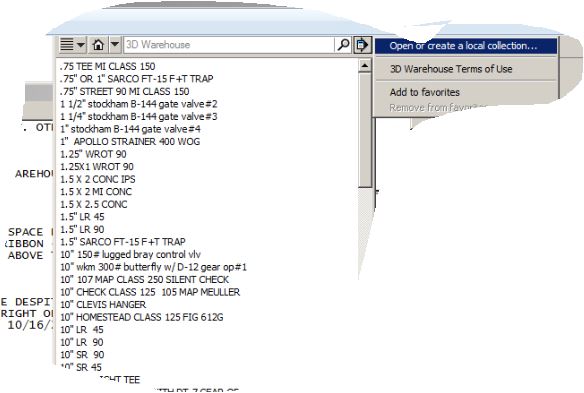
I understand how to navigate to a local collection of components. The problem is I don't like rummaging thru a list of 100 or so components for what I need. I want to be able to type, say, 'flange' into a search box and have it return all components containing that text. In doing so, I would have a short list to easily pick from.
-
RE: Component collection search engine
clicking the folder icon in the taskbar is fine unless you have several folders activated... because now you need to select the components folder from the list that pops up. each click robs me of time when on a drawing deadline. so this all goes back to my hope that Trimble will incorporate a search utility for components stored in the hard drive.
-
RE: Component collection search engine
I can drag a down-sized explorer window onto a maximized SU screen. However, the moment I click the SU screen to begin sketching, the explorer screen hides itself. Then I have to start playing with alt-tab. Am I doing something wrong?
-
RE: PIPE-ALONG-PATH SNAFU
Attached, please find an SU file containing a collection of un-extrudable paths within which you may find a clue that gives rise to this issue, albeit an infrequent one.
-
RE: NEW SCALE FIGURE?
ok. now I know what a scale figure is. they should have called it a 'human scale figure'. I thought they meant something along the lines of a drawing scale representation such as 1" = 1'-0".
-
RE: Component collection search engine
In reply to Krisidious’ suggestion to use the Microsoft windows folder with its own search feature instead of the SU components sampler – I had no idea that the drag and drop method could be used. So I am thankful for that. The only drawback is needing to split the screen unless you have two monitors.
-
RE: Fillet multiple corners
Noticing it will not work on non-rectangular faces such as 3 or 6 sided polygons.
-
Component collection search engine
I hope the folks at trimble will someday improve the way we look up components that are stored in large collections on the pc's hard drive. a search utility/ engine would solve the problem! maybe integrate the windows search utility with the SU program? maybe use the search field currently in the components window that has grayed out "3D Warehouse" in it?
-
Toolbar icon size
in sketchup, we have the option for small tool icons. this is helpful for displaying many tools on a small laptop screen. so why doesn't layout offer the same thing?
-
RE: Fillet multiple corners
Got it! Thanks.
However - it only works when you're working with a face. It cannot work on mere edges. -
Fillet multiple corners
"Double clicking on a face near a vertex connecting two edges automatically creates a fillet with the last used radius, allowing you to quickly fillet multiple corners with the same radius."
The above was found in 2015 release notes. However, I do not comprehend how to accomplish the work. -
Autosave influences crash
I seem to have a tendency to crash when performing a command while autosave is unknowingly running in background. Is it just me? My files are usually around 15 to 20 megs.