pure kt render, su outpot shows "how to"
 Offline
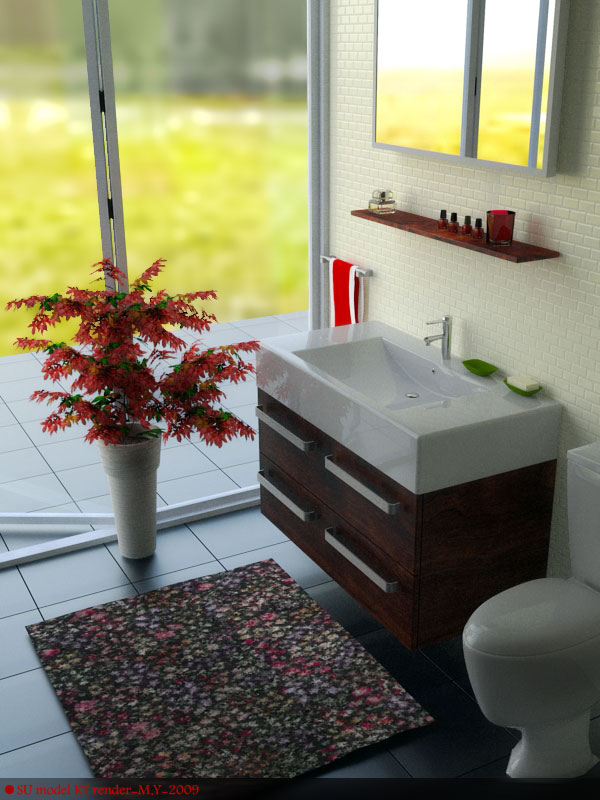
su model+Kt render ..fog is added py post pro using depth map..
great renders..recently I made a KT maquette material pack , based on my sketchup material pack (http://www.sketchucation.com/forums/scf/viewtopic.php?f=40&t=12210), and shared it over KT forum (material section) . and here r some render using this pack , hope u joy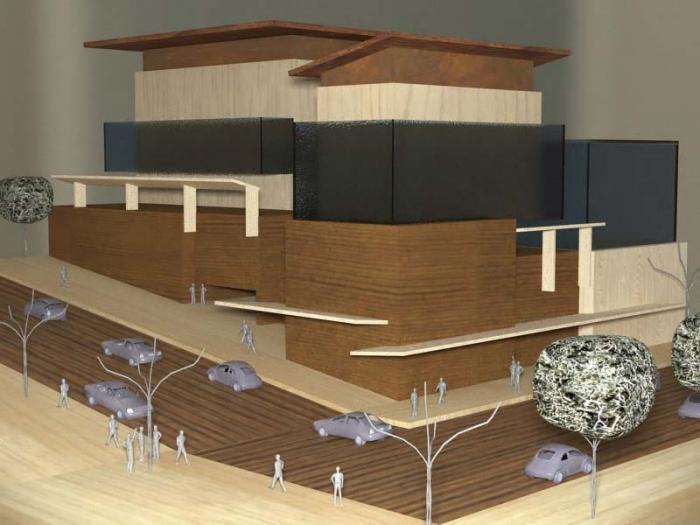
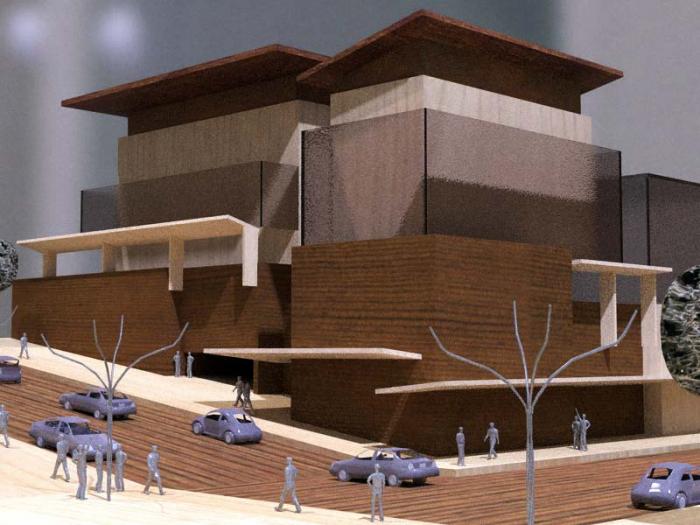
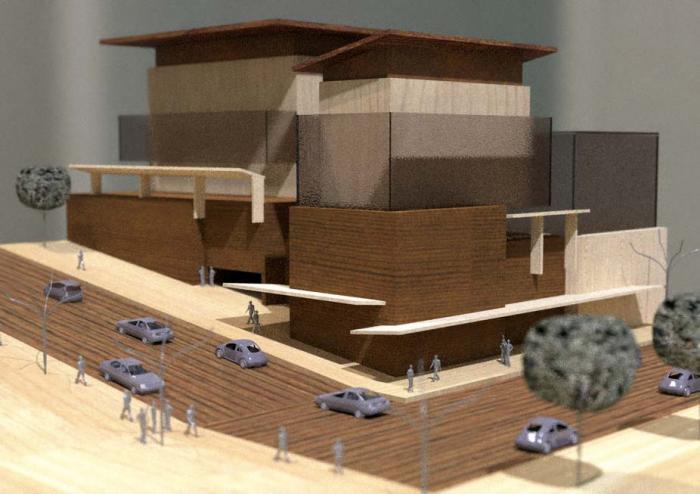
and here is the material pack:
http://www.pushpullbar.com/forums/attachment.php?attachmentid=51551&d=1238624518
discusstion:
http://www.pushpullbar.com/forums/kerkythea/10610-simulation-physical-model-cardboard-wood-5.html
cheers
recently i made a kt material pack , based on these 2 skp materials, you can download over material section of kt forum, and also on pushpulbar forum ,
http://www.pushpullbar.com/forums/attachment.php?attachmentid=51551&d=1238624518
discusstion:
http://www.pushpullbar.com/forums/kerkythea/10610-simulation-physical-model-cardboard-wood-5.html
cheers
I whish there was an optoin to have precise skin, or smooth skin ( i mean , skin goes trough the sections , or let user to have a telorance choise ) and not going tightly trough midway section guides. or maybe like what there is in max LOFT tool , if there was a choise to choose section guides as components ,so that when the section is edited ,the skin is updated automatically.
the first render tooks eye to right part of the image and the there is no other move for eye to comeback to image,
the 2nd one: i don't think anybody see the huge size painting from too clse distance, and so it seems ther is a strange view..
3rd one , your vanishing point is not matched whit the hdri background image , and it makes the rende confusing ( kt gives you a good controll on hdri situation)
4th one:adding more reflection to floor and more reflection and transparency to glass ( beside the steps) would make ur rende better in my sight.
and about the 5th : it is your best render in my sight.
your persons are a bit jiggy...
thanx for sharing , seeing forward to see more (and better) renders 
nice rende r, but too repetative textures , you may work on them in material editor , or a posst pro whit ps, also adding something ( maybe just a 2d picture ) in front of your glass ( and behinde the camera) may make your glass to seem more realastic. and what about 2d bushes? i guess u've ignored them to texture correctly... 
keep good rendering
hi all!
if I was mr. GOOGLE...then i'd ...Fredo6...
what is best fit in blank area? please say your opinion
thanx again Fredo6
here is another render of the same scene but whit more details, i think maybe if there was a better texturing way in su then the seat was not so artificail...BTW here is the result ( i was forgetting to add door lock!!! and it was down to floor! )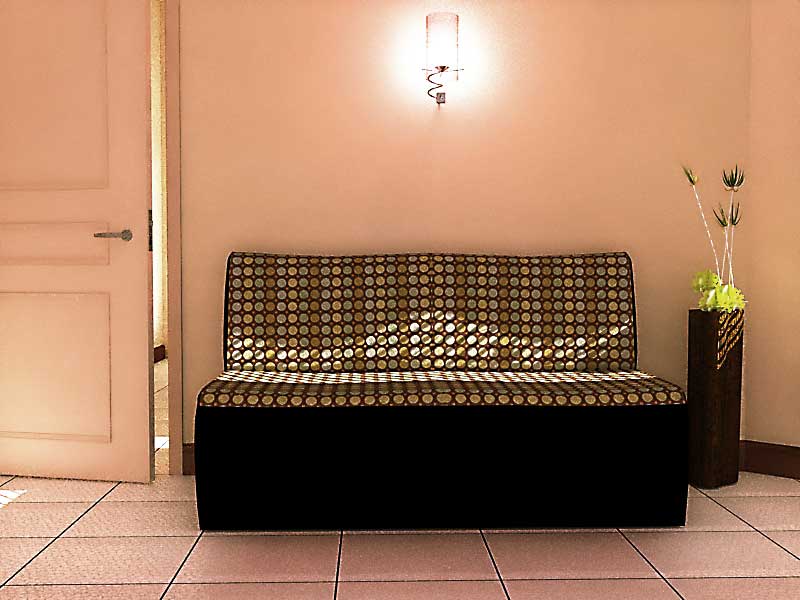
@pibuz said:
Hi Majid!
...
Then, i discovered the SHARPEN filter of Photoshop a month ago, and i can say that it slightly increases realism sometimes: perhaps you can try playing a little with its parameters!
...
And obviously, if you find something interesting, share your tips
recently I tried unsharpen ,as usual over a simple KT render , The amount of sharpen filter, was low but i repeated the filter several times and here is the result,


but desaturation made it too artifical...
Thanx so much , very^1000 thank you Fredo  , and for your generosity.... very appreciated. your plugins are a BEND in sketchup path..
yours truely , majid
many many thanx for feedback and so sorry...
first you must do a right-click over "Diffuse" and select second icon (that is for choosing bitmaps):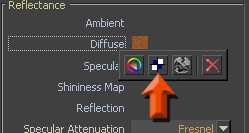
and then browse for textures: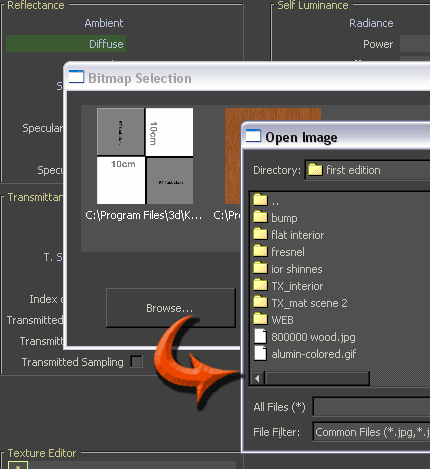
here are textures, UNZIP them where you've downloaded the matscene
nice renders , and nice trees too.
how did you made those trees? they seem to be 3d? don't they?
dear rombout, you have projected the texture, but if you install uvtool you can do a right-click over the same material and the adjust is as cilynderical textureing. maybe then you need to adjust material size using material editor.
maybe u can use KT to make fast and high quality renders,if so then maybe this can help you:
http://www.sketchucation.com/forums/scf/viewtopic.php?f=80&t=17207
yes, in fact layers and sub layeres are one of the powerful tools of KT, but i've prevent to describe it at "fast start4architects" because of a bit confusing. by the way i guess by seeing the wink tut and after a while you will be familiar enough whit layering system.
and was the wink tut useful and clear enough?
as some KT masters awared me , my thin frosty material was tricky ,and maybe the only way to make correct material is using "layered materials" ... and also describing "how to make layered materials" was not easy to write , so i made an wink exe tut, that describes how to make a simple layered material ( also it is a thin frosted glass).it is a bit tricky to , but much much more better than what i've described in "fast start" guide.
cheers
@remus said:
Does it slow down the render much? i imagine you add quite a few polys...
yes, it slows down the render , but not too much . in fact it doesnt affect rendering , but antialiasing time became much more than when i wasn't using proxies. so i guess a preset that uses unbiased method (like preset no 20 ) will work better whit this scene.
UVTool v1.0 is very simlpe . it doesnt unwrap , but simply it adds 2 new commands to your right-click menu that lets you to have "spherical" or "cilinderical" mapping to your mesh, it desn't undersyand which mesh you have selected, but remaps it as a sphere or a cilinder. it desnt separate mesh parts