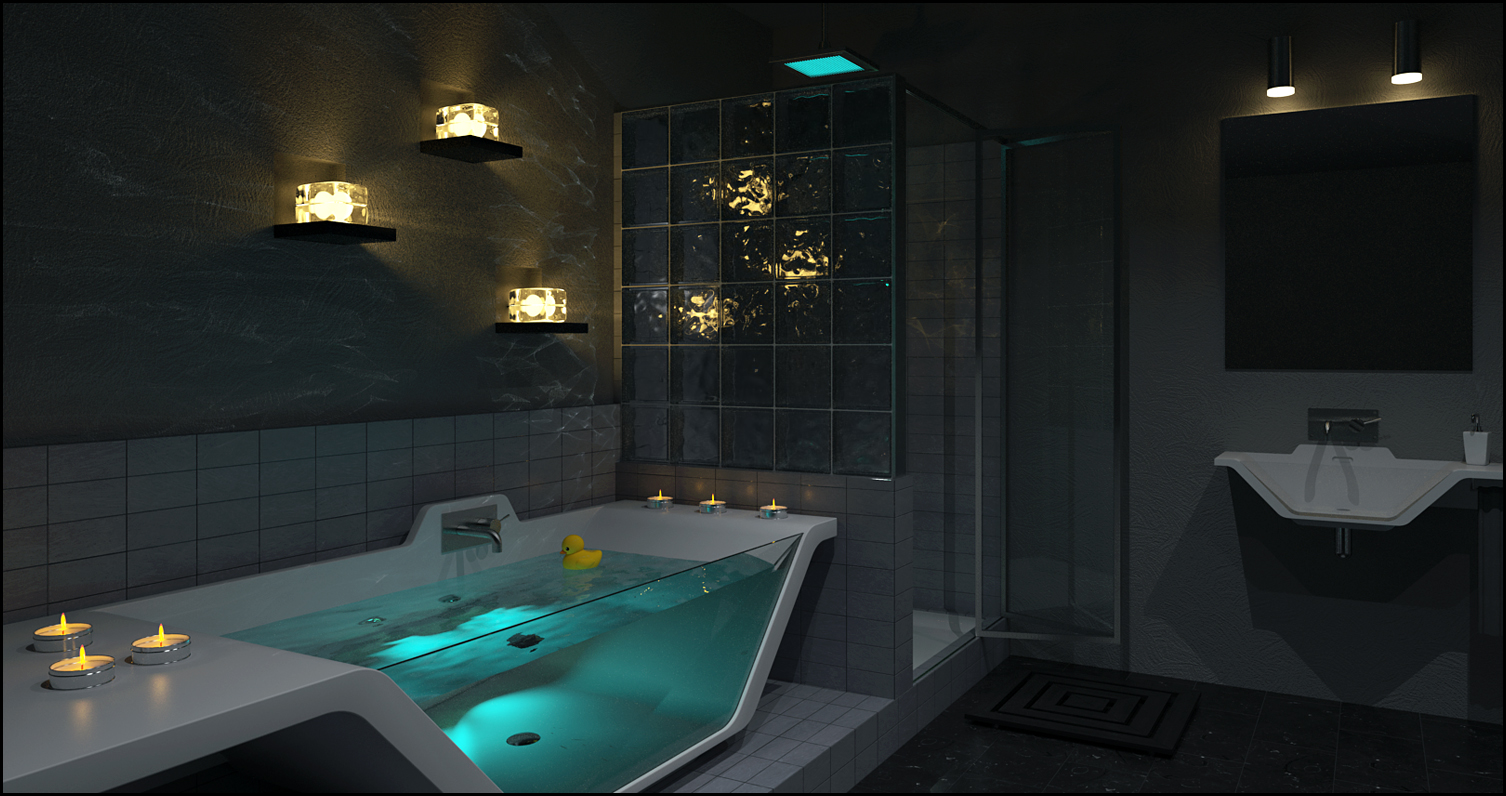
The whole idea was based around the caustics, so I'm glad you like the effect.
The scene was rendered using Thea.
 H
Offline
H
Offline
The whole idea was based around the caustics, so I'm glad you like the effect.
The scene was rendered using Thea.
I'm not quite happy with this, but I think this will be my last attempt at the challenge.
@prostata123 said:
No one voted it but I remember a very useful function to swap the materials post rendering (without having to re-render the scene)
Thea has that via Colimo. Very useful when working with interior designers.
Nice project and judging by the roof you should have no problem with this shape now 
As suggested by Daredevil, for that particular shape I think Curviloft is a good option - use the loft along path option.
I've exaggerated the rotation here (using Curviloft), but it should give you an idea of what is possible.
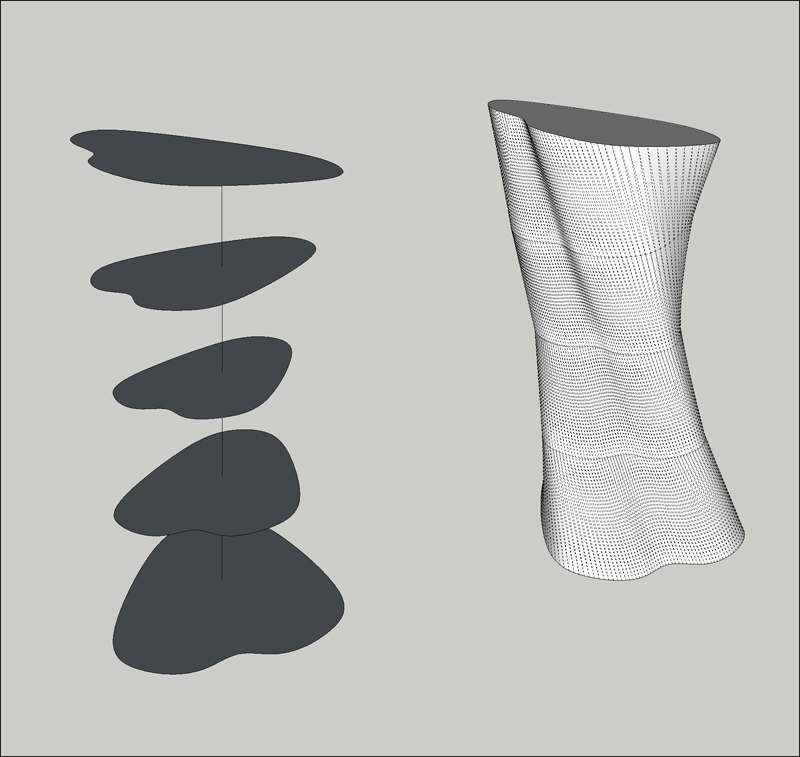
And now again with Artisan (you need to crease the edges of the base and top planes):
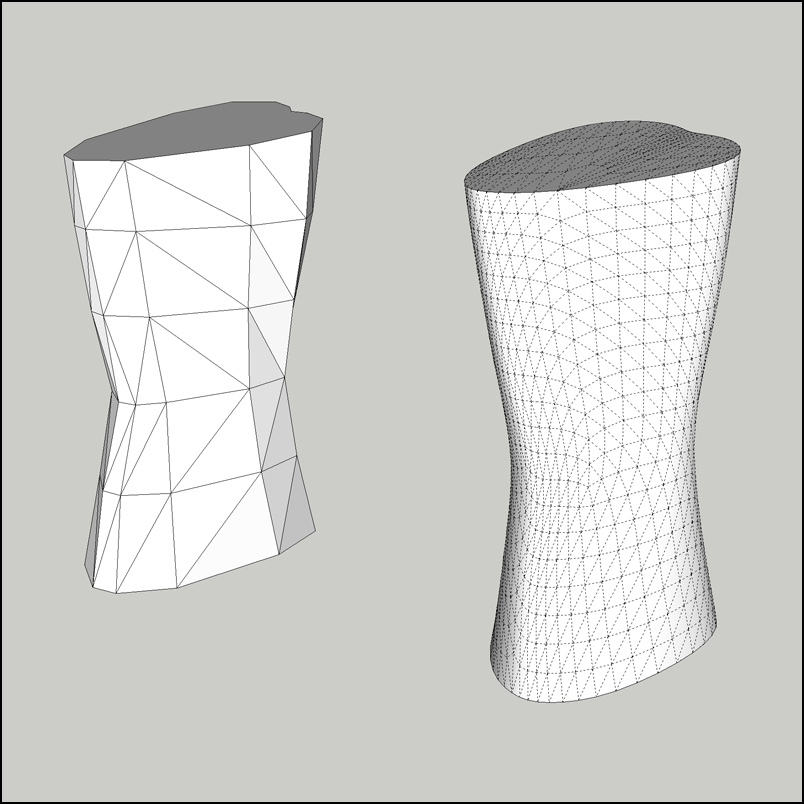
There are plenty of ways to skin this particular cat and I'm sure someone else will be along in a minute with an alternative method.
I expected to see this last year when the Bamboo went wireless with multi-touch. Better late than never 
Next up: Cintiq multi-touch with wi-fi 
Here are some of the other previews:

If you follow Photoshop development news, you may have noticed that over the past few weeks they've been releasing sneak peek videos on their YouTube account

Web Designer Depot (www.webdesignerdepot.com)
Nice find Wyatt  You've hopefully saved me a few quid.
I agree - I can't imagine being able to get any design or visualisation work done without an Adobe suite. I know that there is software out there that can get the job done, but I'm just so familiar with the Adobe work flow that it doesn't make sense to look at the alternatives.
I'm even willing to overlook the fact that I'm going to have to upgrade from CS3 to CS5.5 in order to qualify for an upgrade discount (can you tell I'm still a bit annoyed about the change in policy? )
Looking at some of the other CS6 sneak peaks it looks like it's going to be a major upgrade as well - certainly in terms of performance anyway.
Eric,
Just so you know, Adobe won't be offering upgrade discounts for CS6 unless you have CS5.
As expected SU grinds and groans under the strain. Even the Thea exporter has trouble when using my preferred settings.
For this exercise I'll stick with the high poly model, but I've already modelled something simpler for real-world situations.
Really inspirational work!!!
I keep returning to the thread and pouring over the images - each time finding some amazing details and wondering how you pulled them off. In particular the folded umbrella has really got me scratching my head.
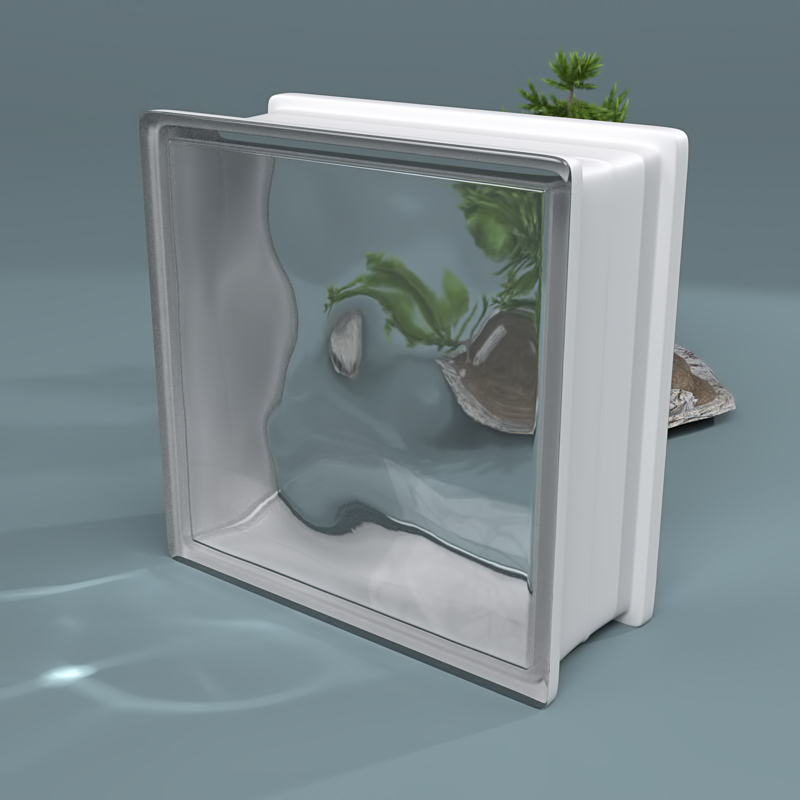
I had a bit of time this afternoon to do some work on this. I started out modelling a basic glass block, but sort of overdid the modelling. I could have just kept things simple (push/pull, follow me and some rounded edges), but working from a 2D CAD drawing I was determined to be as accurate as possible and basic modelling was proving a pain when it came to the concave centre profile.
In the end I decided that Artisan was the best tool for the job:
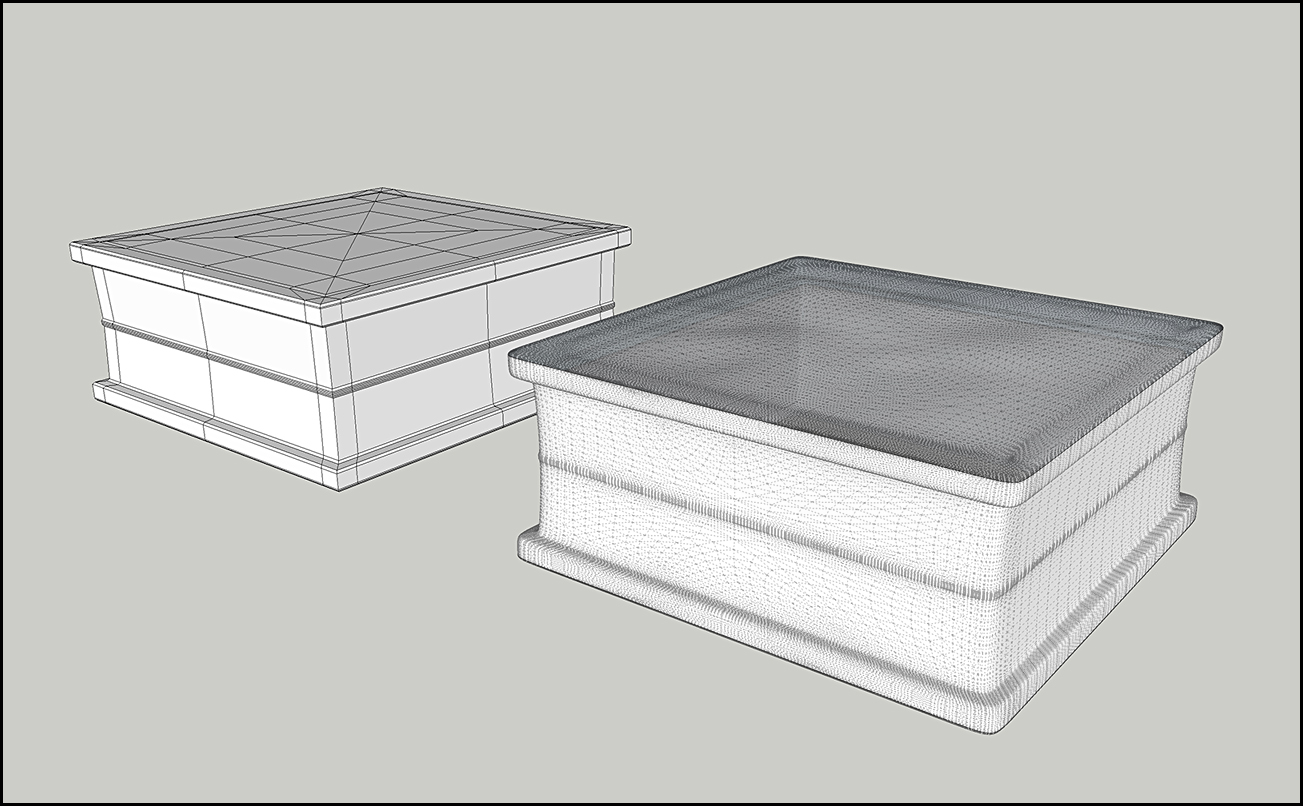
And here's a test render - checking the caustics and deformation:
I then set up a rough room/scene to test some lighting ideas:
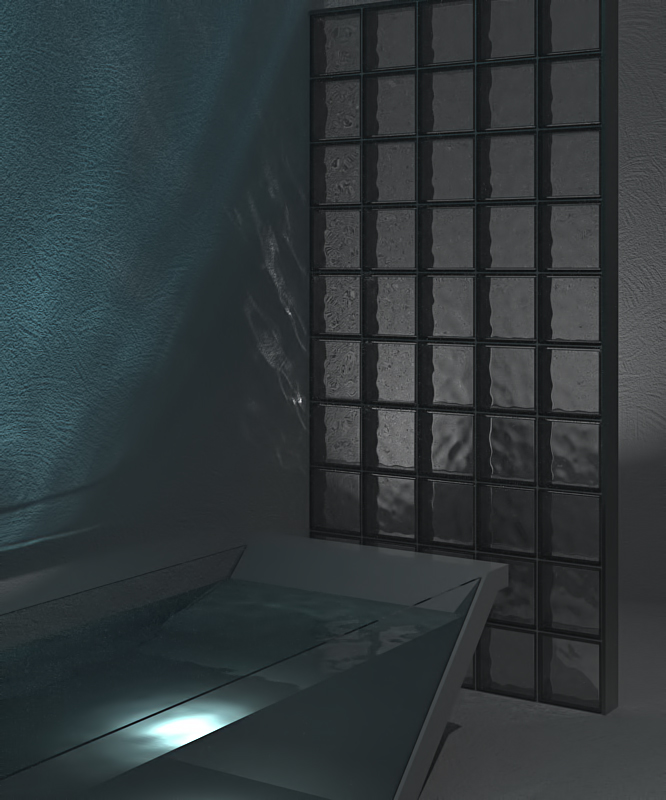
So with all the above shaping up, I've now got a good idea of what I want to do for my final scene.
I've only tried one of the above solutions (with no success) but whilst looking at my options I thought that I could subscribe to CS5.5 whilst waiting for CS6. However I stumbled upon a slight problem that more people should be aware of.
In the past Adobe offered good discounts when upgrading from the previous 3 versions. When CS6 is released these discounts will only apply to people who have CS5 
I had a similar problem recently. My instinct was to uninstall and reinstall the driver, but I couldn't do that.
In the end I installed the new beta driver. I was then able to uninstall the old driver and the new one was automatically loaded into Sketchup.
Hope this helps.
I know plenty of people who find Starck's use of language to be impenetrable, but I understand what you mean Dale.
The key difference for me is that despite Starck's eccentric use of language, he expresses himself in a manner that is very humanistic and sympathetic to how we interact with one another and our environment - which does of course include a desire to surround ourselves with beautiful stuff.
Some designers and companies are so self absorbed they forget that people have actually got to use these products and live with them on a daily basis.
I'm not sure what happened - I was expecting something like this. It'll be an issue with the lighting or the ground material (which has very little reflectivity). Hopefully I can sort it out for my final scene.
There's no doubt that Starck is a great designer and his views on design are always memorable and food for thought. Only yesterday I was trying to explain my take on the above quote to a client who was stuck in a 'cynical' mindset - let's just say it didn't go down too well.
Having said that, when it comes to certain Starck designs I sometimes struggle to see how he lives up to his own ideals and it becomes a case of 'do as I say, not as I do'.