sketchucation logo sketchucation
    • Login
    1. Home
    2. Gaieus
    3. Posts
    Oops, your profile's looking a bit empty! To help us tailor your experience, please fill in key details like your SketchUp version, skill level, operating system, and more. Update and save your info on your profile page today!
    🚨 Skimp | 25% Off until March 30 Buy Now
    Offline
    • Profile
    • Following 0
    • Followers 0
    • Topics 427
    • Posts 19,763
    • Groups 1

    Posts

    Recent Best Controversial
    • RE: [Tutorial - Modelling] Building a Dome - Part #1

      Well, thanks for the feedback - I hope to be able to add a couple of new ones every week.

      They may look a bit too "specialized" (with those architecture history class taste) but I hope everyone will find them useful and discover little tips or techniques that can be used in other contexts, too.

      posted in SketchUp Tutorials
      GaieusG
      Gaieus
    • RE: Export DWG taking too long - URGENT

      @povoom said:

      I know this was an old post but all reply was not helpful.

      Ah well, since Fernanda did not come back with any more usable info (like an skp file for instance), "help" had to stop where info stopped.

      Thanks for your interest though. πŸ˜‰

      posted in Newbie Forum
      GaieusG
      Gaieus
    • RE: [Tutorial - Modelling] Modelling a Gothic Window #1

      Thanks Pyroluna, I have corrected the text (rectangle is only deleted in a later step).

      posted in SketchUp Tutorials
      GaieusG
      Gaieus
    • RE: [Tutorial - Modelling] Modelling a Gothic Window #1

      Lloyd: here is the model: http://sketchup.google.com/3dwarehouse/details?mid=14dd943b8df80452af7c14c30c36d523

      As for the frame: I use the outline of the opening's back face to use the Follow me tool on. It would be easier with the TubeAlongPath plugin but I need to ask TIG for some minor modifications for that plugin (the orientation of faces that are extruded).

      As for the see-through window: I kep that face in the opening component till the end as it is a useful thing to qickly select all the surrounding edges (or everything with just that face) when doing the follow me operation or scaling.

      Then just double click on it, make a group, cut it (Ctrl+X), exit the opening component and paste in place (Edit menu) then move it slightly back so that it's in the middle of the framing.

      This way you end up with a single glass plane exactly in the middle.

      And yes, that part at the end might be a bit rashly put together - I may amend it with a couple of lines of text (maybe additional screenshots, too), sorry.

      (I already have the next tut with some sort of mullions just need to create the steps and upload them) πŸ˜‰

      Window.png
      Kris: thanks πŸ‘

      posted in SketchUp Tutorials
      GaieusG
      Gaieus
    • RE: Smooth right-click option...

      You can also download (and print if you wish) the Quick reference card that lists all the modification keys:
      http://support.google.com/sketchup/bin/answer.py?hl=en&answer=116693

      posted in SketchUp Discussions
      GaieusG
      Gaieus
    • RE: Re: Some Funny Pics.

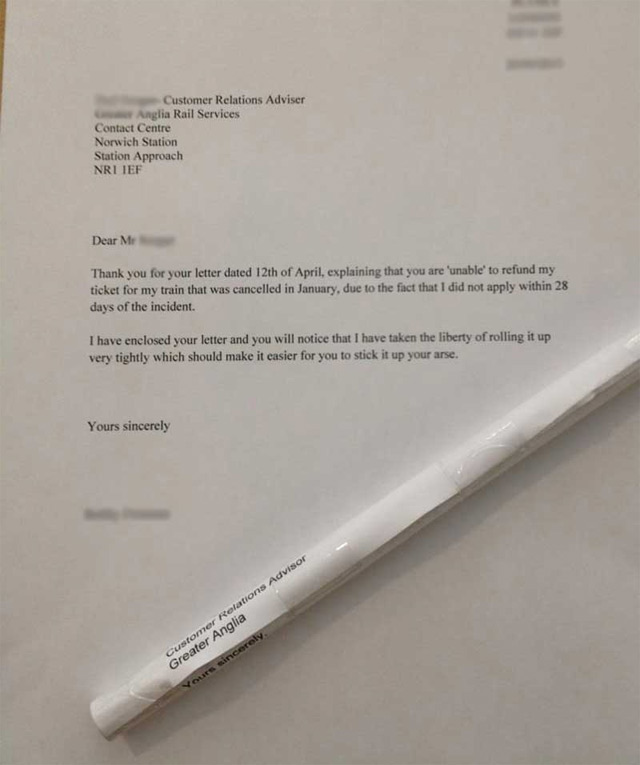
      http://m.cdn.blog.hu/ho/homar/image/201305/stickitup.jpg

      posted in Corner Bar
      GaieusG
      Gaieus
    • RE: Tool or plugin for slanted cone

      Ah, I see. Sorry but I am a complete idiot when it comes to coding (I can only model what I can see or at least envision).

      posted in Newbie Forum
      GaieusG
      Gaieus
    • RE: Sketchup raster image edges not visible

      Hi Geert,

      Could you also attach the skp file itself?

      posted in Newbie Forum
      GaieusG
      Gaieus
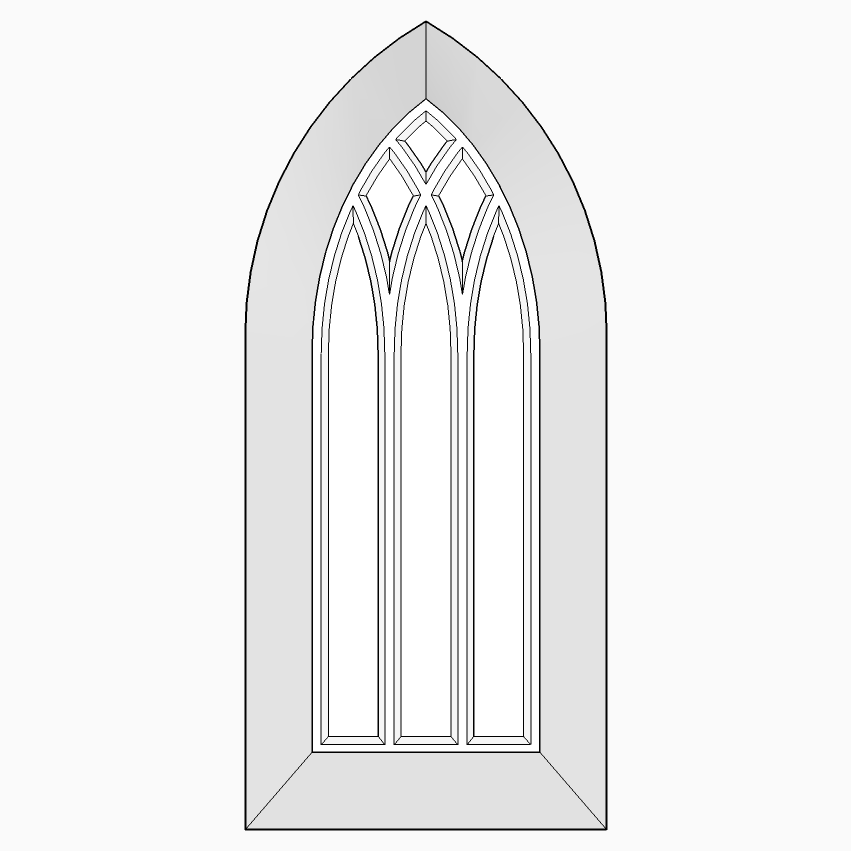
    • [Tutorial - Modelling] Modelling a Gothic Window #1

      In the tutorials section.

      C&C, suggestions and questions welcome.

      posted in SketchUp Tutorials sketchup
      GaieusG
      Gaieus
    • RE: Gothic window

      @unknownuser said:

      Seems Gaieus has made a complete tutorial about this sort of piece of architecture!

      @gaieus said:

      Actually I am planning to post a whole series of tuts for these antique pieces so in time, there may be more of them (and more elaborate than that thing showing only the pointed arch)

      Here's #1 πŸ˜‰

      posted in Newbie Forum
      GaieusG
      Gaieus
    • RE: Re: Some Funny Pics.

      moses.jpg

      posted in Corner Bar
      GaieusG
      Gaieus
    • RE: Tool or plugin for slanted cone

      Hi Elissa,

      Do you mean something like this? If yes, no plugin is needed actually.

      posted in Newbie Forum
      GaieusG
      Gaieus
    • RE: Custom initial inference point...

      πŸ‘ I often wish this would be possible.

      Try FredoScale maybe. It has such a nifty function.

      posted in SketchUp Discussions
      GaieusG
      Gaieus
    • RE: 800+ plugins now = 1 click ;)

      What version of SU do you have? (It needs the latest, SU 8 version - Pro or Free, does not matter)

      posted in SketchUp Discussions
      GaieusG
      Gaieus
    • RE: Scale tool - change size in a certain direction

      If you also type the unit (say 50mm) when entering the value while scaling, it will scale to that size exactly (not 50% or 50x as large).

      posted in Newbie Forum
      GaieusG
      Gaieus
    • RE: A Welcome Message to New SketchUcation Members

      Hi Robert,

      You seem to have been able to register - otherwise you could not even post. πŸ˜’

      posted in Newbie Forum
      GaieusG
      Gaieus
    • RE: Colouring components

      What TIG says. Briefly on the SU Help sites: http://support.google.com/sketchup/bin/answer.py?hl=en&answer=94958

      posted in Newbie Forum
      GaieusG
      Gaieus
    • RE: Filling voids

      Peter, I can hardly picture your issue. A couple of images - or even better, the skp file itself - would be extremely helpful.

      posted in Newbie Forum
      GaieusG
      Gaieus
    • RE: Why does rotate work?

      Also (though this may be a dumb remark and sorry but I do not intend it as an offense), make sure you are actually using the Rotate tool and not the Protractor tool.

      posted in Newbie Forum
      GaieusG
      Gaieus
    • RE: SketchUcation MUST BE MAD! UPDATE 23/07/2013

      Gary, here is a link to a page where all freebies (either free for premium members or some for all members) and discounted commercial plugins (for premium members) are listed:
      http://sketchucation.com/premium-services

      Also, when you are logged in and browsing the shop, anywhere where you can only see a "Download" button (and no "Buy" button), it is a freebie for you:
      http://sketchucation.com/shop

      posted in Newbie Forum
      GaieusG
      Gaieus
    • 1
    • 2
    • 8
    • 9
    • 10
    • 11
    • 12
    • 988
    • 989
    • 10 / 989