sketchucation logo sketchucation
    • Login
    1. Home
    2. fredo6
    3. Topics
    Oops, your profile's looking a bit empty! To help us tailor your experience, please fill in key details like your SketchUp version, skill level, operating system, and more. Update and save your info on your profile page today!
    Urasik Extensions | Lots of new extensions to check out Learn More
    Offline
    • Profile
    • Following 0
    • Followers 69
    • Topics 175
    • Posts 5,433
    • Groups 3

    Topics

    • fredo6F

      [Plugin] FredoBend - v1.3b - 04 May 26

      Watching Ignoring Scheduled Pinned Locked Moved Plugins
      58
      5
      3 Votes
      58 Posts
      5k Views
      TIGT
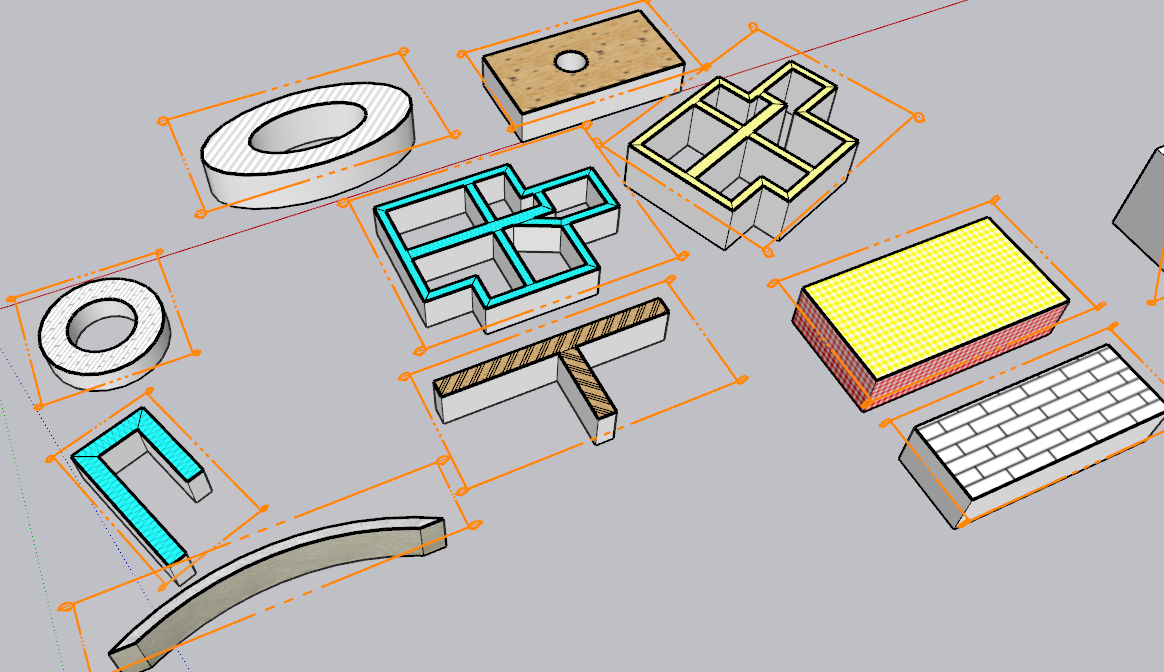
      @fredo6 I think it's best for a bent object's geometry to follow a 'curve' and start perpendicular to the start/end segment. But if the path is a full circle the bending should start perpendicular to a mid-segment, to keep the objects 'endmost' dimensions correct: and if it's around an arc [partial circle] that's user-defined it should be treated like any other curve: but if it's a swept form around a notional partial-circular path, that should then start/end perpendicular to a half-segment - that way the bent form stays as dimensionally true as it can be.
    • fredo6F

      [Plugin] FredoSection - v1.5c - 30 Jan 26

      Watching Ignoring Scheduled Pinned Locked Moved Plugins
      42
      8
      4 Votes
      42 Posts
      4k Views
      TIGT
      If you want to disable it then you should use the 'SketchUcation' Plugins Manager red-button to 'Unload' it. After a restart of SketchUp it should no longer load. Pour désactiver ce plugin, utilisez le bouton-rouge «Décharger» du Gestionnaire de Plugins «SketchUcation». Après le redémarrage de SketchUp, il ne devrait plus se charger.
    • fredo6F

      [Plugin] LayOps - v1.3a - 18 Dec 25 (Dual Dimensions in Layout)

      Watching Ignoring Scheduled Pinned Locked Moved Plugins
      6
      7
      2 Votes
      6 Posts
      516 Views
      fredo6F
      NEW RELEASE: LayOps v1.3a - 18 Dec 25 Requirements: >= LibFredo6 15.6a LayOps 1.3a is a release including: Extension of validity Home Page of LayOps for information and Download. Main post of this thread.
    • fredo6F

      [Plugin] Pic2Shape - v1.3a - 17 Dec 25 (Image Contouring)

      Watching Ignoring Scheduled Pinned Locked Moved Plugins
      31
      4
      4 Votes
      31 Posts
      7k Views
      N
      Hello, I have a problem[image: 1776712744881-%D9%84%D9%82%D8%B7%D8%A9-%D8%B4%D8%A7%D8%B4%D8%A9-2026-04-20-211527-resized.png]
    • fredo6F

      [Plugin] FredoBatch - v1.5a - 18 Dec 25

      Watching Ignoring Scheduled Pinned Locked Moved Plugins
      10
      5
      1 Votes
      10 Posts
      1k Views
      alexpacio2013A
      @fredo6 This plugin is fantastic and very useful but not well known, which is why I would like to write an article about it for an Italian group, but I have a problem. Being disabled, when I open the Freddo Batch windows, they open at the top, above and outside the limits of the open SketchUp window, and due to my inability to use a normal mouse, I use a virtual mouse (eviacam). It's difficult for me to move the window because the top bar is used by eviacam but is not editable. It's only my problem, but this is the only plugin I have this issue with. Is it possible to have the windows open inside the SketchUp window? [image: 1767352063969-yljde2xlc5-resized.png]

    • fredo6F

      [Plugin] Please2d - v1.0b - 20 Nov 24

      Watching Ignoring Scheduled Pinned Locked Moved Plugins
      2
      5
      0 Votes
      2 Posts
      225 Views
      fredo6F
      NEW RELEASE: Please2D - v1.0b - 20 Nov 24 Requirements LibFredo6: v14.7a or above Sketchup version: SU2017 and above Please2D 1.0b is a maintenance release including: Bug fxing Home Page of Please2D for information and Download. Main post of this Please2D thread.
    • fredo6F

      [Plugin] FredoConnect - v1.4a - 19 Dec 25

      Watching Ignoring Scheduled Pinned Locked Moved Plugins
      7
      5
      3 Votes
      7 Posts
      823 Views
      fredo6F
      NEW RELEASE: FredoConnect v1.4a - 19 Dec 25 Requirements LibFredo6: v15.6a or above Sketchup version: SU2023 and above FredoConnect 1.4a is a maintenance release including: Extension of validity Home Page of FredoConnect for information and Download. Main post of this FredoConnect thread.
    • fredo6F

      [Plugin] ElevationProfile - v1.4a - 17 Dec 25

      Watching Ignoring Scheduled Pinned Locked Moved Plugins
      14
      5
      1 Votes
      14 Posts
      1k Views
      fredo6F
      NEW RELEASE: ElevationProfile v1.4a - 17 Dec 25 Requirements: LibFredo6 15.6a ElevationProfile v1.4a is a release including: Extension of validity Home Page of ElevationProfile for information and Download. Main post of this thread.
    • fredo6F

      [Plugin] Fredo Layport - v1.4a - 19 Dec 25

      Watching Ignoring Scheduled Pinned Locked Moved Plugins
      9
      8
      2 Votes
      9 Posts
      1k Views
      fredo6F
      NEW RELEASE: Layport v1.4a - 19 Dec 25 Requirements: LibFredo6 15.6 Layport v1.4a is a maintenance release: Extension of validity Home Page of Layport for information and Download. Main post of this Layport thread.
    • fredo6F

      Fredo6 Plugins - Price increase as of 03 Jun 2024

      Watching Ignoring Scheduled Pinned Locked Moved Plugins
      5
      3 Votes
      5 Posts
      582 Views
      Rich O BrienR
      Go here: https://sketchucation.com/plugin-list.php Pick any Fredo extensions included in a the bundle and then pick the Bundle option For example if you pick FredoScale: https://sketchucation.com/purchase-smart.php?plugin=fredoscale You'll see option for Bundles
    • fredo6F

      Fredo6 plugins and SU2024

      Watching Ignoring Scheduled Pinned Locked Moved Plugins
      14
      3 Votes
      14 Posts
      2k Views
      Rich O BrienR
      Hello. Licenses will periodically call home to validate. Not sure what you mean by reset? If you can share more info like error messages or alerts that would be great. Can you also run the Window > Libfredo Settings > Fredo6 Plugins Information for Sketchucation Support menu command in SketchUp and copy/paste the output into your reply.
    • fredo6F

      [Plugin] MatSim (Material Simulation) - v1.7a - 17 Dec 25

      Watching Ignoring Scheduled Pinned Locked Moved Plugins
      37
      4
      0 Votes
      37 Posts
      4k Views
      fredo6F
      NEW RELEASE: MatSim v1.7a - 17 Dec 25 Requirements LibFredo6: v15.6a or above Sketchup version: SU2017 and above MatSim 1.7a includes changes for: Extension of validity Home Page of MatSim for information and Download. Main post of this MatSim thread.
    • fredo6F

      [Plugin] HoleEditor - v1.0a - 11 Mar 23

      Watching Ignoring Scheduled Pinned Locked Moved Plugins
      2
      0 Votes
      2 Posts
      199 Views
      S
      Hi, thank you for the extension. Just reporting 2 bug for holes in circularobjects: hole resizing also resizes the parent object hole deletion also deletes the parent object See video https://youtu.be/22DBUKVdRz0
    • fredo6F

      [Plugin] FredoSketch - v1.7a - 17 Dec 25

      Watching Ignoring Scheduled Pinned Locked Moved Plugins
      35
      4
      0 Votes
      35 Posts
      9k Views
      fredo6F
      NEW RELEASE: FredoSketch v1.7a - 17 Dec 25 Requirements: LibFredo6 15.6 FredoSketch v1.7a is a maintenance release: Extension of validity Home Page of FredoSketch for information and Download. Main post of this FredoSketch thread.
    • fredo6F

      [Plugin][$] ThruPaint - v2.9a - 21 Apr 26

      Watching Ignoring Scheduled Pinned Locked Moved Plugins
      188
      4
      0 Votes
      188 Posts
      46k Views
      fredo6F
      NEW RELEASE: ThruPaint v2.9a - 21 Apr 26 Requirements: >= LibFredo6 15.9b ThruPaint 2.9a is a release including: bug fixing Future compatibility Home Page of ThruPaint for information and Download. Main post of this thread.
    • fredo6F

      More Fredo6 plugins becoming paid extensions

      Watching Ignoring Scheduled Pinned Locked Moved Plugins
      165
      0 Votes
      165 Posts
      94k Views
      Dave RD
      @Steve-Rugg said in More Fredo6 plugins becoming paid extensions: how do I know what extensions that covers? Each license is for a single extension. The extension is named in the license file. This is a license for FredoCorner. [image: 1757987169018-screenshot-9_15_2025-8_44_26-pm.png] As for which one you bought, click on PluginStore and then My Licenses. [image: 1757987376316-screenshot-9_15_2025-8_47_41-pm.png]
    • fredo6F

      [Plugin] MoveAlignMe (MAM) - v1.4a - 02 Apr 24

      Watching Ignoring Scheduled Pinned Locked Moved Plugins
      19
      4
      0 Votes
      19 Posts
      18k Views
      fredo6F
      NEW RELEASE: MoveAlignMe v1.4a - 01 Apr 24 Requirements: LibFredo6: v14.3b Sketchup version: SU2017 and above MoveAlignMe 1.4a is a maintenance release for: future compatibility. Home Page of MoveAlignMe for information and Download. Main post of this MoveAlignMe thread.
    • fredo6F

      Summer Sales for Fredo6 Plugins

      Watching Ignoring Scheduled Pinned Locked Moved Plugins
      2
      0 Votes
      2 Posts
      72k Views
      TampaPowersT
      Awww I missed it
    • fredo6F

      Summer Sales for Fredo6 Plugins

      Watching Ignoring Scheduled Pinned Locked Moved SketchUp Discussions sketchup
      1
      0 Votes
      1 Posts
      2k Views
      No one has replied
    • fredo6F

      [Plugin] LordOfTheToolbars - v3.0a - 21 Apr 26

      Watching Ignoring Scheduled Pinned Locked Moved Plugins
      498
      4
      1 Votes
      498 Posts
      406k Views
      N
      Bug Report: SU2026 / Fatal crash on startup with D5 Render LiveSync (Errno::EISDIR) Hi Fredo, The last update doesn't fix the D5 issue. Either way, we can only use one of them (LOTT or D5 Render). So now my entire workflow is blocked, and so is the workflow of other D5 and LOTT users. We really need a QUICK fix for this, please. I am reporting a fatal initialization crash occurring on SketchUp 2026.1.2 when using the latest D5 Render LiveSync plugin alongside Lord of the Toolbars (v3.0a) and LibFredo6 (v15.9c). The Master Toolbar (yellow wheels) becomes completely unresponsive, and all custom toolbars disappear from the screen. The Ruby Console highlights an unhandled directory scanning error in lordofthetoolbarsmanager.rbe inside the ghost_command_register method. It appears the script tries to open a sub-directory as a file, throwing an Errno::EISDIR exception. The main folder causing the issue is d5_converter, located at: %AppData%\Roaming\SketchUp\SketchUp 2026\SketchUp\Plugins\d5_converter Exact stack trace: #<Errno::EISDIR: Is a directory @ rb_sysopen - c:/users/[username]/appdata/roaming/sketchup/sketchup 2026/sketchup/plugins/d5_converter> C:/Program Files/SketchUp/SketchUp 2026/SketchUp/Tools/RubyStdLib/FileUtils.rb:2290:in `initialize' C:/Program Files/SketchUp/SketchUp 2026/SketchUp/Tools/RubyStdLib/FileUtils.rb:2290:in `open' C:/Program Files/SketchUp/SketchUp 2026/SketchUp/Tools/RubyStdLib/FileUtils.rb:2290:in `copy_file' C:/Program Files/SketchUp/SketchUp 2026/SketchUp/Tools/RubyStdLib/FileUtils.rb:1088:in `copy_file' C:/Program Files/SketchUp/SketchUp 2026/SketchUp/Tools/RubyStdLib/FileUtils.rb:887:in `block in cp' C:/Program Files/SketchUp/SketchUp 2026/SketchUp/Tools/RubyStdLib/FileUtils.rb:2481:in `block in fu_each_src_dest' C:/Program Files/SketchUp/SketchUp 2026/SketchUp/Tools/RubyStdLib/FileUtils.rb:2497:in `fu_each_src_dest0' C:/Program Files/SketchUp/SketchUp 2026/SketchUp/Tools/RubyStdLib/FileUtils.rb:2479:in `fu_each_src_dest' C:/Program Files/SketchUp/SketchUp 2026/SketchUp/Tools/RubyStdLib/FileUtils.rb:886:in `cp' c:/users/[username]/appdata/roaming/sketchup/sketchup 2026/sketchup/plugins/!!fredo6_lordofthetoolbars/lordofthetoolbarsmanager.rbe:733:in `ghost_command_register' c:/users/[username]/appdata/roaming/sketchup/sketchup 2026/sketchup/plugins/!!fredo6_lordofthetoolbars/lordofthetoolbarsmanager.rbe:1361:in `command_register' Temporary Workaround found: Renaming the d5_converter folder to _d5_converter allows LOTT to load correctly, but it completely breaks the D5 LiveSync connection. Downgrading D5 LiveSync to v1.6 also works. It seems a simple check to skip directories (like File.directory?) during the ghost_command_register file loop would prevent this crash. Thank you for your work!
    • 1 / 1