sketchucation logo sketchucation
    • Login
    1. Home
    2. derei
    3. Posts
    Oops, your profile's looking a bit empty! To help us tailor your experience, please fill in key details like your SketchUp version, skill level, operating system, and more. Update and save your info on your profile page today!
    πŸ”Œ Smart Spline | Fluid way to handle splines for furniture design and complex structures. Download
    Offline
    • Profile
    • Following 0
    • Followers 0
    • Topics 147
    • Posts 828
    • Groups 1

    Posts

    Recent Best Controversial
    • RE: [Plugin] Layers Panel 1.2.1

      Feature request: Render Layers option compatible with Twilight Render

      Suggestion:
      -instead (or beside it) having that button "Move selection to the Highlighted Layer", it could be useful that right click on a certain layer to add this option. Why? - because it happened for me several times to accidentally have a different layer selected than the one I wanted to. But right clicking on a layer makes that 100% that is the wanted layer (because the user is ALREADY with the cursor on it).

      posted in Plugins
      dereiD
      derei
    • RE: 3D Printer SERIES X WIP/Project

      @hellnbak said:

      Nice modeling and render πŸ‘

      I'm curious, the home 3D printer market is getting really competitive, what features would make yours stand out from the crowd (aside from the fact that it looks really cool πŸ˜‰ )?

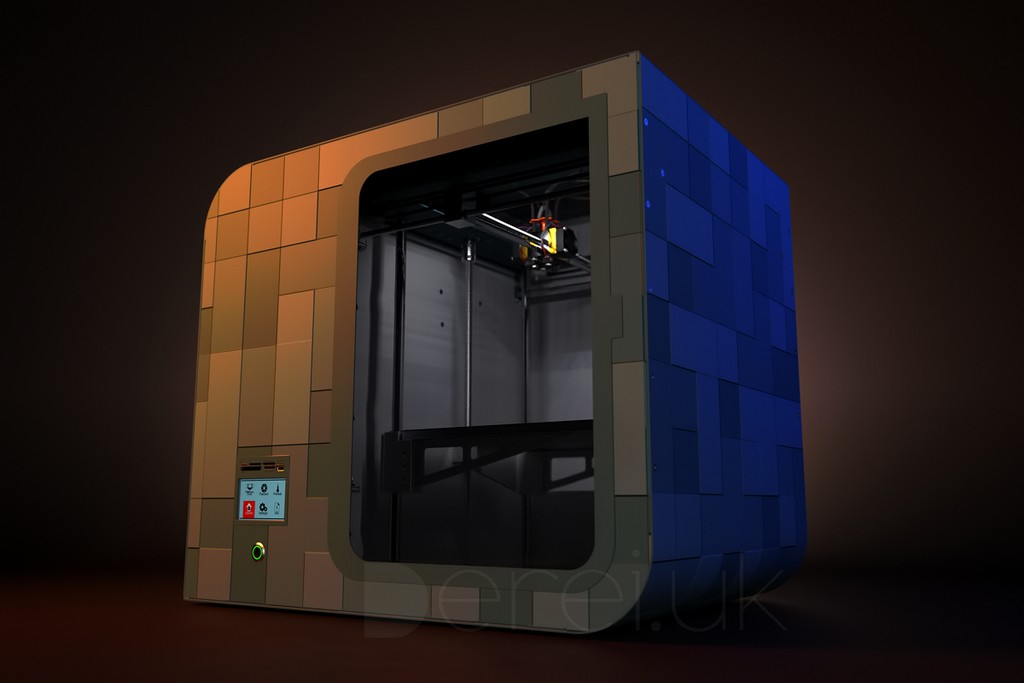
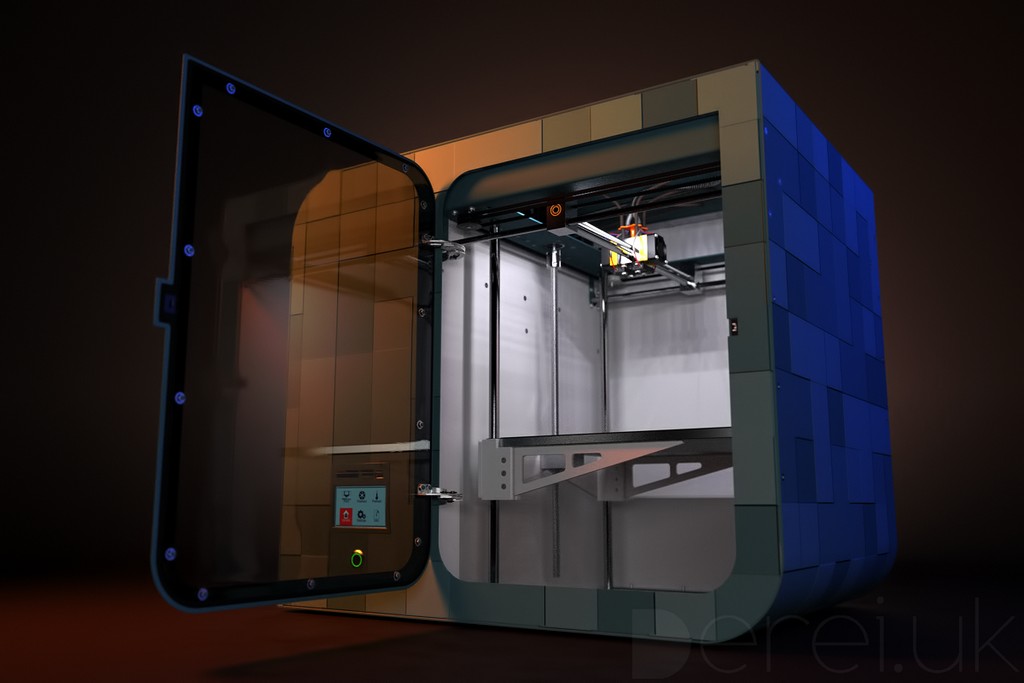
      1. First of all, it has a much bigger printing plate (about 1ft x 1ft) with more than 1ft in height (more "industrial" use, not only "hobby").
      2. Then, it can print with 4 materials simultaneously (on the same model, I mean).
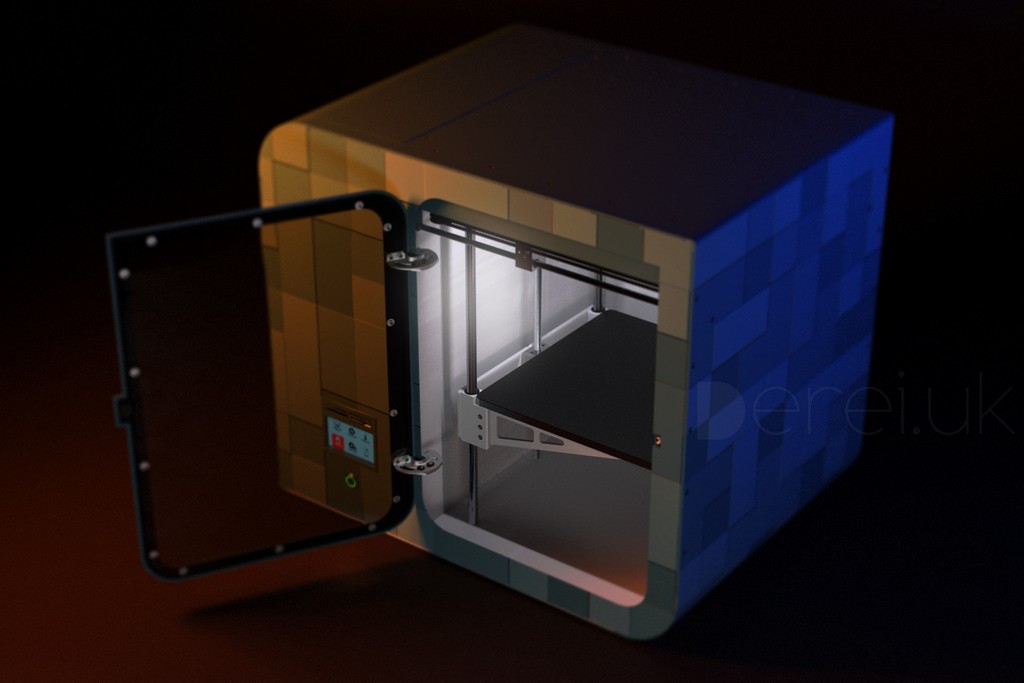
      3. Third: has a enclosed environment (temperature and airflow controlled). That means a bigger printing speed (optimal material hardening speed due cooling-down) and no dust.
      4. Has interior light
      5. It can be suited with a small computer to process basic functions like loading models from USB/SD, basic displaying on a touchscreen... it can be Android based, for example. So that means that in certain situations you won't even need a PC to run it.
        Want more? πŸ’š

      We are not fully aware yet of the final costs of the electronics, but as for now this BIG one can achieve a pretty competitive price, compared with "home printers".

      posted in Gallery
      dereiD
      derei
    • RE: 3D Printer SERIES X WIP/Project

      @d12dozr said:

      Real project, or just for fun? Great renders!

      I hope it will end up like a real thing. Because it started like that, but then something happened and the project was stalled. I want to revive it eventually, because it's really promising.
      This particular renders were made as a portfolio/fun; just tried to improve/replace the existing ones (that I made for the actual project).

      posted in Gallery
      dereiD
      derei
    • RE: 3D Printer SERIES X WIP/Project

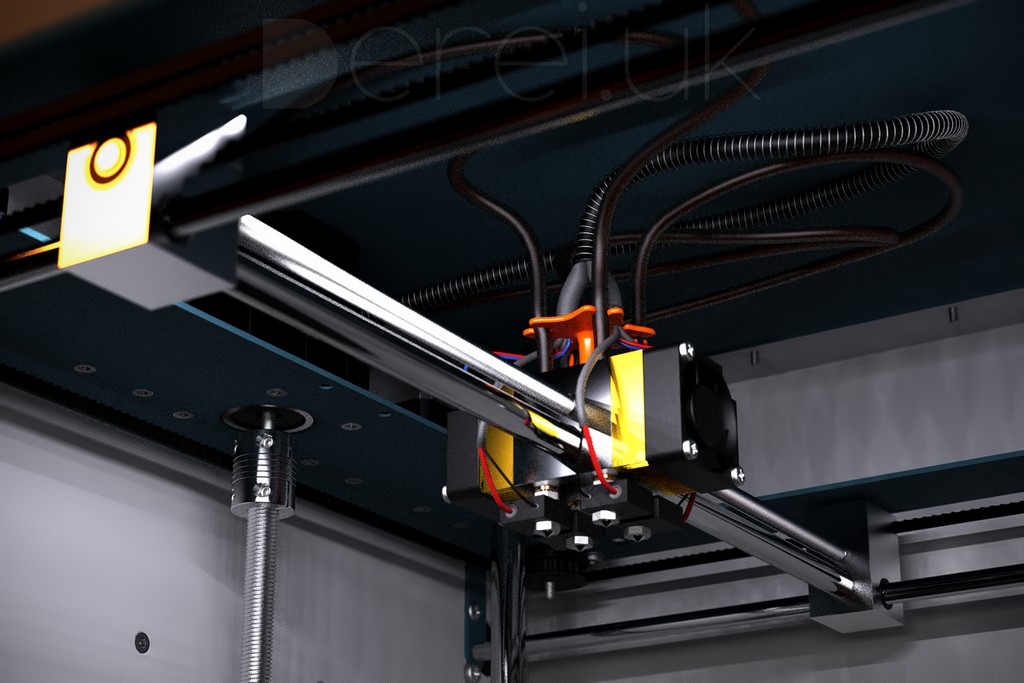
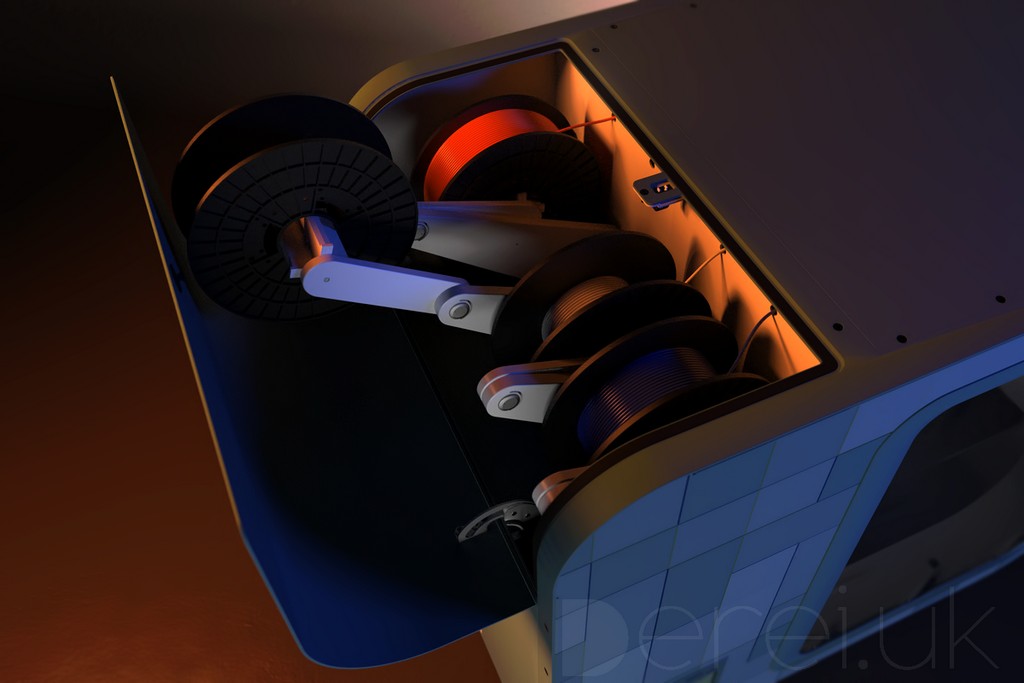
      yes, you are right, those are for heating the printing heads. And the black wires nearby are for heat sensor. The filaments go trough the (rubber) tubes on the top. And the electrical goes trough the coil spring reinforced tube.

      posted in Gallery
      dereiD
      derei
    • RE: 3D Printer SERIES X WIP/Project

      @cotty said:

      Nice design!
      (For a 4 color print head, you should choose different colors πŸ˜‰ )

      What colors would you recommend ?

      posted in Gallery
      dereiD
      derei
    • 3D Printer SERIES X WIP/Project

      Hope you like it

      RENDER1.jpg
      RENDER2.jpg
      RENDER3.jpg
      RENDER4.jpg
      RENDER6.jpg

      posted in Gallery
      dereiD
      derei
    • RE: [Plugin] SketchUcation Tools 2.6.1

      I agree... eventually a secure deletion backed up with password (to ask for account password on deletion). Because once logged in, everyone who has access to SU can delete them. And second, introducing a password is nothing like "accidentally hit delete".
      For now I'm fine... is only two that I need purged and they don't bother me that much. If there will be more, then I will either ask for cleaning, or hopefully a new version of the app will be available and I will be able to do it myself.

      posted in Plugins
      dereiD
      derei
    • RE: [Plugin] SketchUcation Tools 2.6.1

      How can I delete the bundles? From what I read, only copied one can be deleted at this moment.
      I have 2 more bundles that are useless and I want to get rid of them.

      posted in Plugins
      dereiD
      derei
    • RE: [Plugin] ToolbarEditor (1.1.2) – updated 08.06.2014

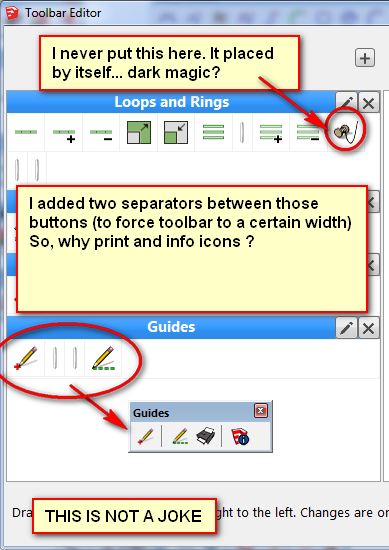
      I think I found a very nasty bug on Toolbar Editor. It acts strange sometimes. Please check the image attached.
      Also, a backup function for it would be nice... ideally embedded in warehouse user account somehow, if possible.
      But, in the meantime, look at my unintended toolbars:
      Is not the first time when it acts randomly. On a previous date I found a separator that I never dragged it in place.
      Any possible explanation?
      2015-02-04_191921.png

      posted in Plugins
      dereiD
      derei
    • Sketchup 2015(next maintenance) Wish[list]

      Well, it seems that Trimble is starting to do a good job with SU and this makes me happy.
      I noticed that toolbars don't get messy anymore, everything is more robust, but there is still a lot of inconsistency with icons (native tools can be customized, extension can't... and so on).

      But, the biggest issue that is now, is that there isn't a LOCK TOOLBAR option, that won't allow accidental dragging or the toolbars to move if window is resized. - I have some free space under the vertical toolbars and if I resize the window, on maximize, the toolbar is moved down and the gap now will be in the upper side.

      So, yeah... maybe a LOCK TOOLBAR would be a simple yet useful thing to add.

      Wish you best.

      posted in SketchUp Feature Requests sketchup
      dereiD
      derei
    • Any plugin that does this? (sorry for ambiguity)

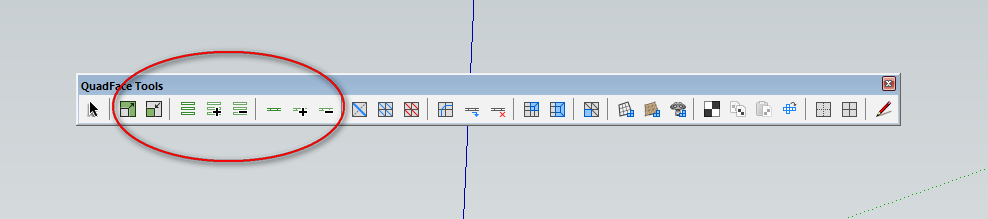
      I'm using QuadFace Tools, but only for few elements on the entire toolbar (those inside red ellipse).
      I don't even know how to use the others... unfortunately.

      And since I switched from my BIG DISPLAY, to a tiny laptop (forced by circumstances), now every square centimeter on my screen is highly precious to me.
      I want to know if there is any plugin that acquires similar results (like selecting loops/rings, eventually with faces too), so I can replace this huge toolbar with something smaller and focused only on what I need.

      Thank you.

      2015-01-20_014451.png

      posted in Plugins
      dereiD
      derei
    • RE: Preview - Sketchup Floating Camera [Update 2011-03-19]]

      Ok SketchUp 2015 it doesn't want to load... giving me this error:

      Error Loading File floating_camera.rb Error: #<SyntaxError: C:/Users/######/AppData/Roaming/SketchUp/SketchUp 2015/SketchUp/Plugins/floating_camera/mixin/load_instructor.rb:239: invalid multibyte escape: /^\x89PNG/ invalid multibyte escape: /^\xff\xd8\xff\xe0\x00\x10JFIF/ invalid multibyte escape: /^\xff\xd8\xff\xe0/ invalid multibyte escape: /^\xff\xd8\xff\xe1(.*){2}Exif/ C:/Users/######/AppData/Roaming/SketchUp/SketchUp 2015/SketchUp/Plugins/floating_camera/mixin/load_instructor.rb:366: syntax error, unexpected ':', expecting keyword_then or ',' or ';' or '\n' when 1: puts "file failed (invalid t... ^ C:/Users/######/AppData/Roaming/SketchUp/SketchUp 2015/SketchUp/Plugins/floating_camera/mixin/load_instructor.rb:367: syntax error, unexpected ':', expecting keyword_then or ',' or ';' or '\n' when 2: puts "file failed (unknown):... ^> C:/Program Files/SketchUp/SketchUp 2015/Tools/RubyStdLib/rubygems/core_ext/kernel_require.rb:45:inrequire'
      C:/Program Files/SketchUp/SketchUp 2015/Tools/RubyStdLib/rubygems/core_ext/kernel_require.rb:45:in require' C:/Users/######/AppData/Roaming/SketchUp/SketchUp 2015/SketchUp/Plugins/floating_camera.rb:49:in class:CameraFloatTool'
      C:/Users/######/AppData/Roaming/SketchUp/SketchUp 2015/SketchUp/Plugins/floating_camera.rb:48:in <module:CControl>' C:/Users/######/AppData/Roaming/SketchUp/SketchUp 2015/SketchUp/Plugins/floating_camera.rb:45:in <top (required)>'`

      posted in Plugins
      dereiD
      derei
    • RE: [Plugin] Custom Toolbars Plugin

      I see, thanks for clearing it out. For me was a very good asset. It didn't remembered too many views. I think it was about 5. But it was helpful when experimenting with views, for rendering. Sometimes I just wanted to see if another view was better, but then, I decided to go back... Now I'll just have to stick to the current limitations.

      posted in Plugins
      dereiD
      derei
    • RE: Quick way to migrate everything to a new SU version?

      thank you all. Indeed, manually migrating is annoying. But Krisidious helped me, I didn't even knew that option exists. At least the plugins that I had installed from there I could recover easily.
      Just small tweaks and I'll be on the go.

      Wish you best πŸ˜‰

      posted in SketchUp Discussions
      dereiD
      derei
    • RE: [Plugin] Custom Toolbars Plugin

      The "viewRedo" message for Sketchup.send_action, seems unimplemented in API and not present in standard Camera toolbar, but is available in Camera drop-down menu. May be just an omision from Trimble, or it was intended to not be available? Any reasons for that?
      I remember a time when it was, and I had it on my Custom Toolbar.

      posted in Plugins
      dereiD
      derei
    • Quick way to migrate everything to a new SU version?

      I decided to give a try to SU2015, but I think I am just too lazy to start all over again installing plugins, customizing toolbars, settings.
      Is there any way to just import all that from a earlier SU version? (I know about shortcuts, but is it possible for everything else?)
      Btw, I think Su should ask if it finds some other installations, if user wants to import everything to the new installation. Just a easy migration.
      Thank you.

      posted in SketchUp Discussions sketchup
      dereiD
      derei
    • [REQ] A good SVG Importer/Exporter

      Over the last years, Inkscape and SVG format got a lot of ground, and despite the fact that Inkscape had a very slow development in the last years, now it seems to be back to life. Thus, more and more of us are using it (I certainly do).

      I know there already had been done a tool to import SVG into Sketchup ( http://sketchucation.com/forums/viewtopic.php?f=180%26amp;p=99818 ), also FlightOfIdeas have an exporter... the problem is that both go in conflict with other plugins and mess up everything.

      Maybe it would be a good idea to have such a plugin, even if for start will be a very basic tool.

      Thank you very much for reading and taking it into consideration.

      posted in Plugins
      dereiD
      derei
    • RE: [Plugin] SketchUcation Tools 2.6

      cannot install plugins under Windows 8 😞 ... in SU Status bar it says "Sketchucation Archive Installer..." but in the end, no plugin installed.
      And in Ruby Console I get this:

      Error; #<Errno;;EACCES; Permission denied - C;/Program Files (x86)/Google/Google SketchUp 8/Plugins/t999>
      (eval);935;in `delete'
      (eval);935;in `installable?'
      (eval);226;in `getplugins?'
      (eval);1018;in `rbzInstaller'
      (eval);1249;in `rbzDirect'
      (eval);1125;in `loadHandler'
      (eval);466;in `loadFromURL'
      (eval);1173;in `new'
      (eval);935;in `call'
      (eval);935
      

      How can I fix that?
      Thanks

      posted in Plugins
      dereiD
      derei
    • RE: SketchUp 2015 Wishlist

      I WISH...

      Arcs with variable number of segments (sides). Option to either set number of segments for arc (eg. 12), or to set the length of one segment and the total number of segments to be approximated depending on total length of the arc.
      It also could be a nice plugin... I tried a piece of code, but I could not figure out how to make the inference, so I gave up.

      posted in SketchUp Feature Requests
      dereiD
      derei
    • RE: Let's build a new 3D software!

      @mike lucey said:

      Hi Oli,

      I can understand where you are coming from as can others here that are becoming more and more disillusioned with SketchUp's on going development. It looks that its just not developing fast enough for many BUT on the other hand the it looks that the vast majority of its user-base are more that happy with SketchUp in its current state and ongoing development rate.

      Every week I read through hundreds of 'Comments' from newbies signing up for SCF and not a day goes by that I don't read comments on how SketchUp meets the newbies exact needs.

      As you say, at this moment, SU meets newbies exact needs, well I'm not satisfied at all with this needs. I mean, the charm of SU is it's simplicity, its versatility, but let's not get trapped here. Is NOT ok to be perfect for newbies... because especially with SU, you end to be a newbie in very short time... few weeks, months perhaps. What then? I start learning 3 more apps to complete my circle of needs? I fail to see the efficiency in this. Of course, there are areas that will never (and should not) be covered by SU. But I must agree that SU it's a lot left behind. As the computing power increased, the complexity of the model had increased too. And texturing needs and graphic displaying needs... SU just don't use all hardware possibilities that are available now.
      In my past I tried a lot of options, to combine several software to develop a more complex workflow, but it gets confusing from one point. The speed decreases drastically and I see no benefit of that. And my final option was to reduce the complexity of my services (and this is bad).

      posted in Corner Bar
      dereiD
      derei
    • 1 / 1