sketchucation logo sketchucation
    • Login
    1. Home
    2. cuttingedge
    3. Posts
    Oops, your profile's looking a bit empty! To help us tailor your experience, please fill in key details like your SketchUp version, skill level, operating system, and more. Update and save your info on your profile page today!
    Urasik Extensions | Lots of new extensions to check out Learn More
    C
    Offline
    • Profile
    • Following 0
    • Followers 0
    • Topics 55
    • Posts 311
    • Groups 1

    Posts

    Recent Best Controversial
    • RE: [Plugin] QuadFaceTools

      HI Thomas, Just to drop a note that i really did appreciate QFT now that SubD is out and prove to be one of the most useful plugin.

      Just wondering if we have a "relax tool" in the QFT suite or in any plugin you authored. I hope I know what im saying by relax which means to kind of smooth out the geometry without subdividing it but not destroying the quadface integrity of the model.

      posted in Plugins
      C
      cuttingedge
    • RE: SubD examples and models

      @thomthom said:

      There are talks going on with various render engines to allow for them to render high-poly variants from the low-polys.

      It is a modifier in vray for max. A real cool one.

      If this can be integrated in SubD...That would be a great great addition. Imagine how much file size we could save.

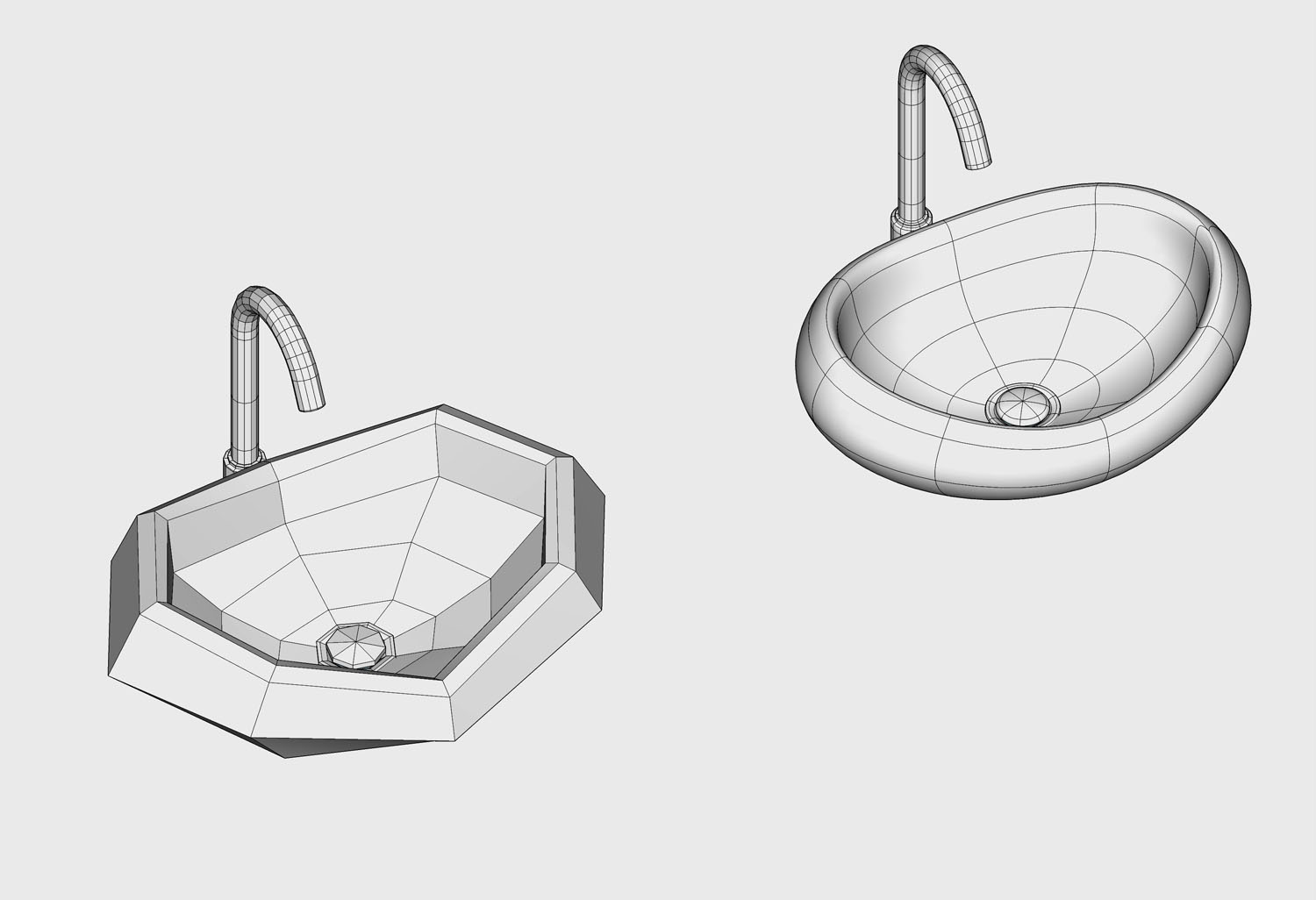
      The above wash basin model for example

      [highlight=#ffff40:vijj6b6u]low poly model = 122KB
      +1 iteration = 1300 kb
      +2 iteration = 4221 kb
      +3 iteration = 15,704 kb[/highlight:vijj6b6u]

      Ohh...This may be a start of SubD wishlist!

      posted in SUbD
      C
      cuttingedge
    • RE: SubD examples and models

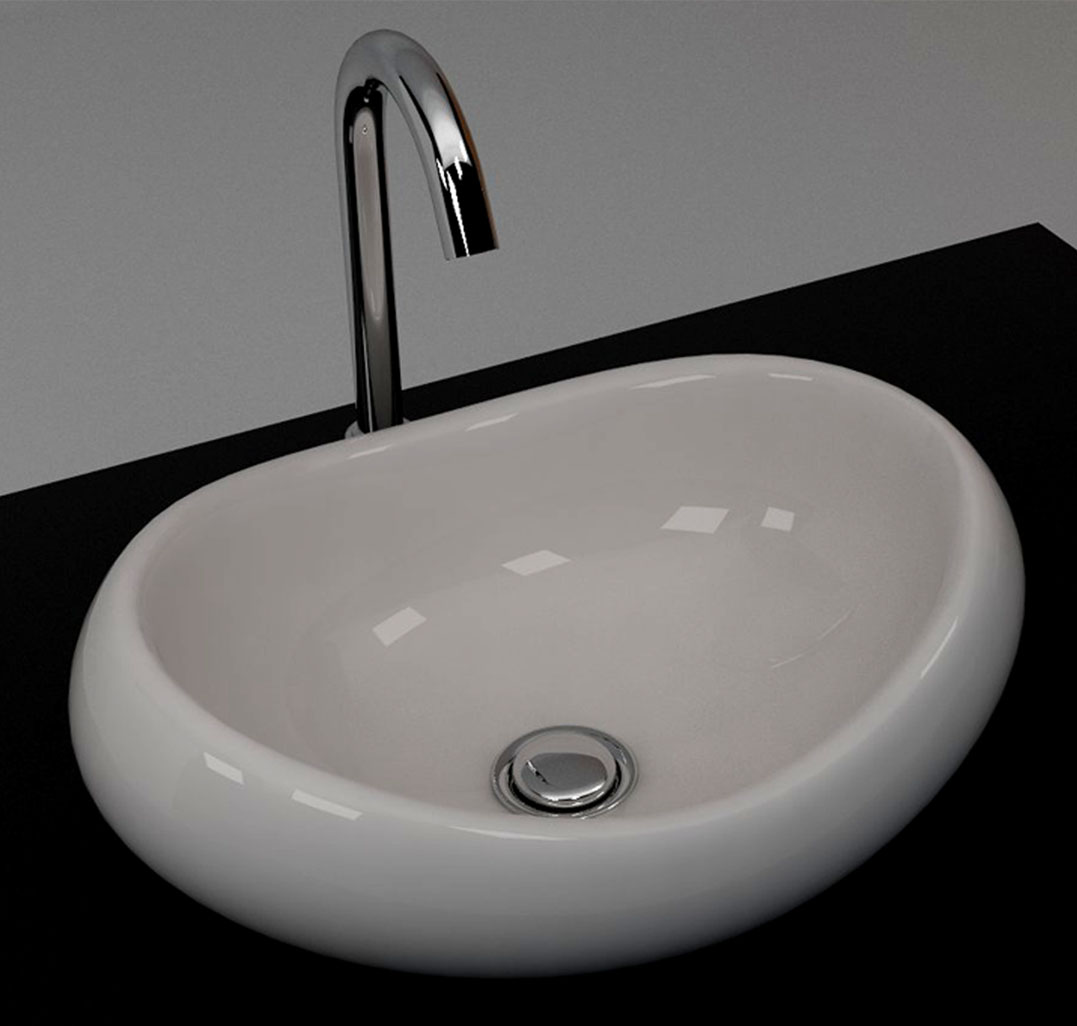
      Getting into the good habit of doing it in quads. Now I have better appreciation of QFT, Vertex tools and slowly unlearning the ngon habit. sometimes, bit of frustration... but getting there. Here's Roca Urbi wash basin which i used in a recent project.

      wires

      render


      model

      posted in SUbD
      C
      cuttingedge
    • RE: How do import skpmodels and save all textures in one folder?

      @dave r said:

      I'm confused. Do you want to import the SketchUp model into SketchUp? If so, the textures are saved in the file itself. There is no need to create a separate folder for them.

      Yes i do... As a general practice I do keep a single folder of maps that i import into my model.. But then when I import new skp models I want the maps to be saved in the same folder... The thing is when I want to modify the map, say change the color of the wood for example in photoshop, I'd need to access them quickly .As a vray user, if I want to add bump maps, reflection maps, this is where I go to edit them.

      I dont know maybe I should have posted this in VRAY forum.. But then I guess, some of you can shed light on this..

      posted in SketchUp Discussions
      C
      cuttingedge
    • RE: SubD examples and models

      @panixia said:

      once you catch the basic trick, every plugin you are confortable with can be useful in the process..
      (still missing a quad version of jointpushpull or any other very needed proper quad-shell IMHO)

      here is point tools + voronoi + split tools + vertex tools + sub-d + beziere surface + flowify

      looks clean modeling.. šŸ‘ Overtime, a good modelling habit will get us there. Sometime ago, I requested an offset that produces quads right away so that split tools wont be necessary..

      posted in SUbD
      C
      cuttingedge
    • How do import skpmodels and save all textures in one folder?

      Is there a way to import sketchup files and have all textures saved in one defined place?

      In another software (3ds max), when you are importing, it asks you where it can save the texture in one place, so you can easily access or link them.

      At the moment, what happens is all textures are saved in temporary folder with random names (in my case because Im using vray Chaos group texture cache). Makes it so hard to find them, and link them.

      I wonder if there is a plugin that can save the texture using its original name (not renamed)and save it in one folder.

      posted in SketchUp Discussions sketchup
      C
      cuttingedge
    • RE: Quick Comparison -Subd and Artisan

      @ely862me said:

      I have fixed the geometry by removing the triangulation and by using the Quad face tools. I have also oriented each diagonal on the same direction, this helps a lot with Artisan too.
      Honestly I don't exactly know which of the functions works to fix it because I have tried for a couple of times all the convert from tris to quads including the sandbox option.

      Thanks for this, I didnt know that both soft-ness and smooth-ness of the geometry has influence over the quality of the subdivisions.

      Artisan would give similar results to soft&smooth" and non-soft&smooth geometry.

      Now Im learning...

      posted in SUbD
      C
      cuttingedge
    • RE: Quick Comparison -Subd and Artisan

      @thomthom said:

      Can you share the model for this one? Looking at the result of SUbD there it almost looks like the control-mesh isn't built up on QuadFace quads. It looks like the squares are triangulates as the SUbD output should be more regular than that if it's coming from a quad-mesh.

      Thanks Thomas for your quick reply.. I know I must be doing something not right. My quads may not be exactly quads. I hope I know what you mean by "Quadface Quads"

      I like the fact that Subd detects internal faces and notifies. Artisan doesnt.

      Let me share you two simple models to test . The sculpture and goblet.
      Here are simple skp objects

      Here's also a screenshot. For the sake of investigating the mesh, the smoothing slide is on 0.
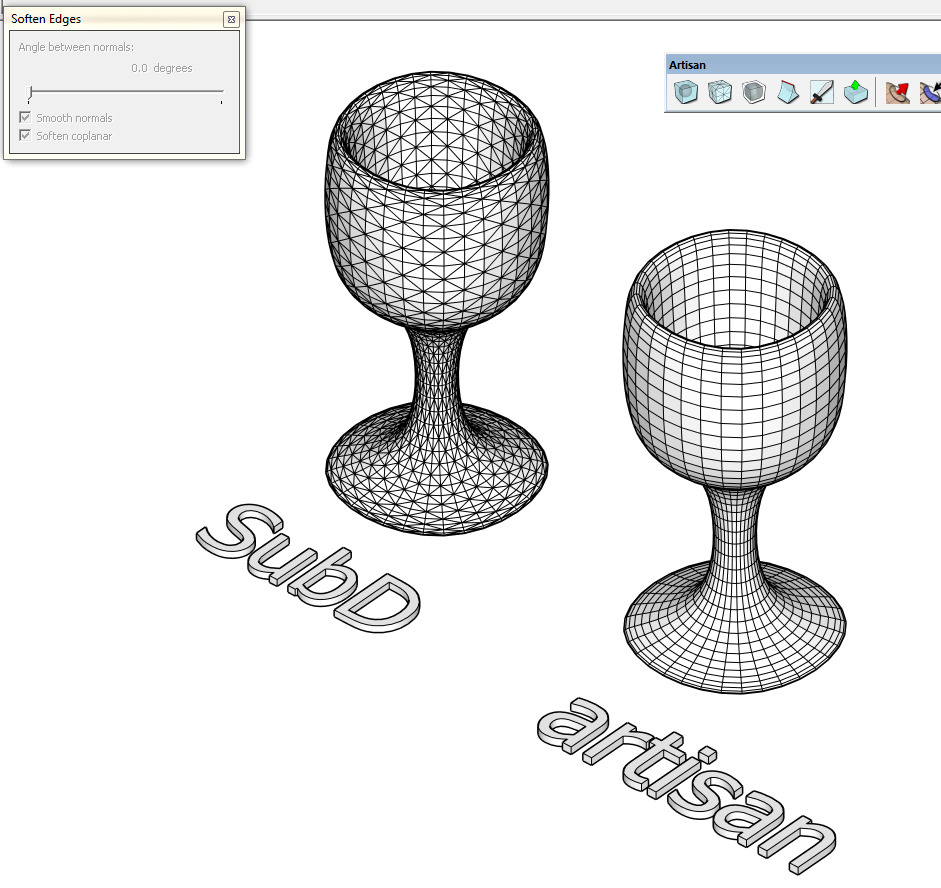
      Here, Subd shows triangulation, while artisan shows quads

      screenshot

      I hope I can learn better workflows modeling in quads.

      posted in SUbD
      C
      cuttingedge
    • Quick Comparison -Subd and Artisan

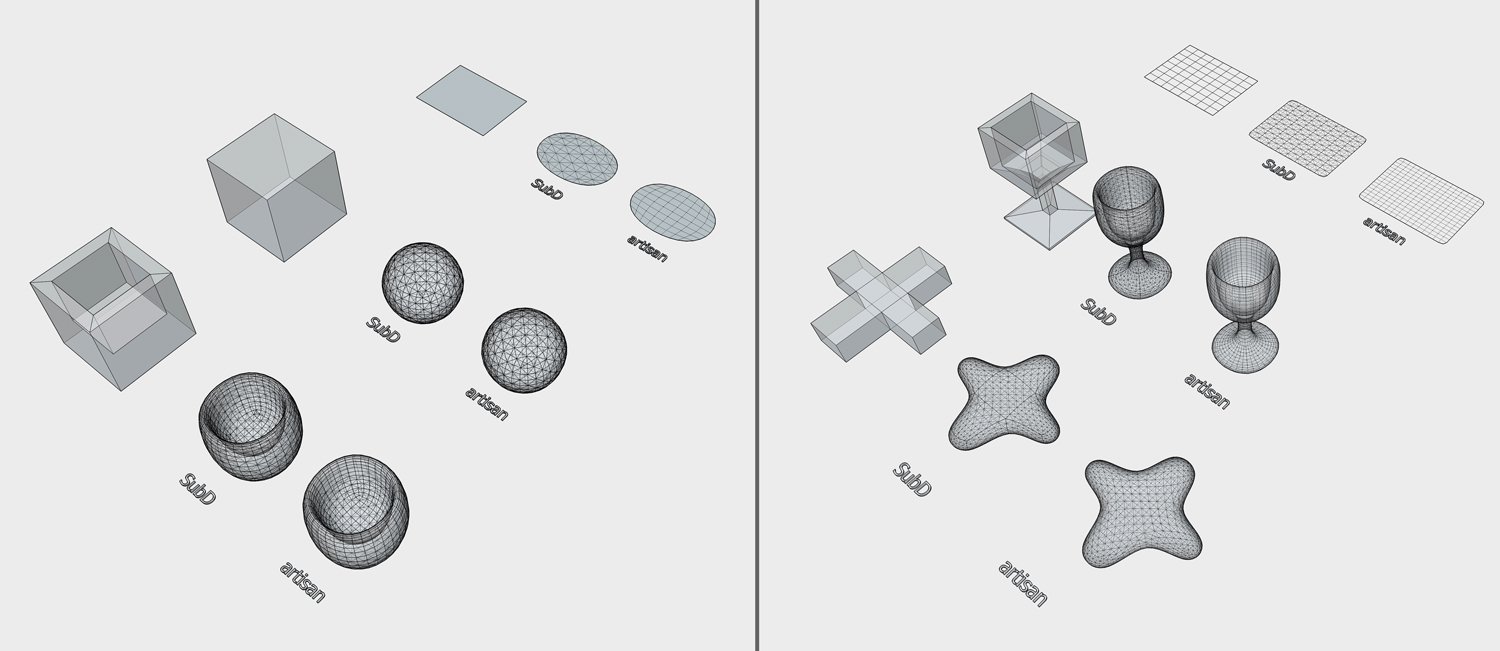
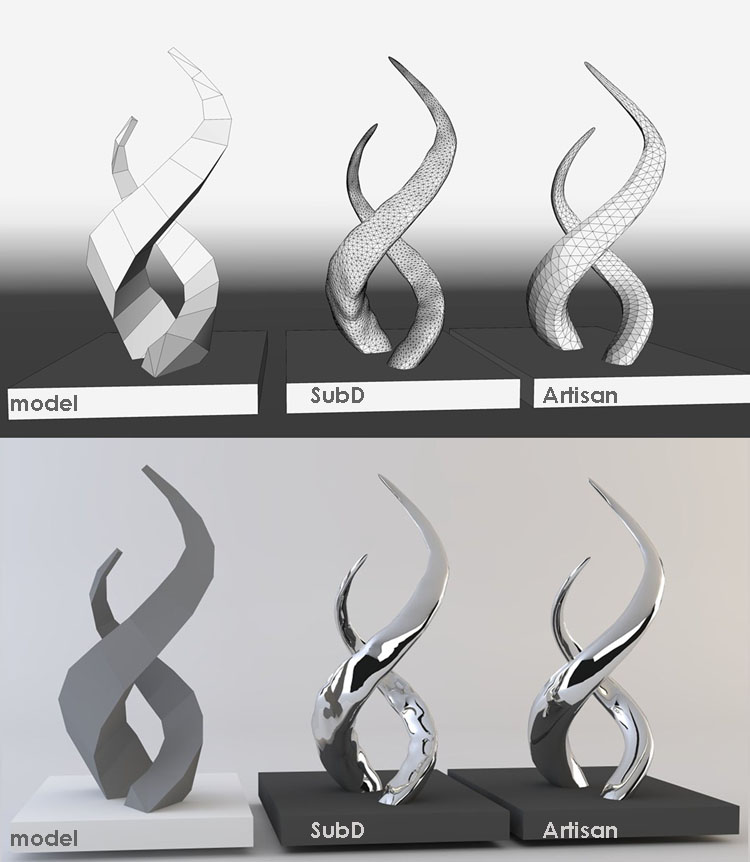
      Following the release of the much awaited SubD. I did a quick test to compare subD and artisan. So far these are my observations:

      1. The first thing I noticed is that in simple flat surfaces, Subd triangulates while Artisan
        kept the quads.

      2. In the next other model (the goblet) , I see more triangulation in Subd than in Artisan.

      3. In more complex model (the sculpture), I do have a little issue smoothing the SubD model
        even I put more iteration, the artisan gives a smoother surface.

      Simple object test -Subd & artisan

      sculpture test -Subd & artisan

      The SubD and artisan has almost similar subdivision function.. The advantage of Subd, is you can always go back to the low poly mode and do modification rather than saving proxies after proxies in each stage of modeling... plus it retains the material and UV info (haven’t fully tried this though). You will lose all materials in artisan once subdivided.

      Im still learning Subd and its uses in my modeling career. šŸ˜„

      posted in SUbD render plugins extensions
      C
      cuttingedge
    • RE: SubD examples and models

      I think Cotty has a new baby... This thing excites me..

      posted in SUbD
      C
      cuttingedge
    • RE: Introducing SUbD for SketchUp...

      The long wait is over..One of the best news to SU users in a long while. Quads is still the way to go. Thanks Thomas ..May your kind multiply!

      posted in SUbD
      C
      cuttingedge
    • How to align multiple objects according to their axes?

      I have 3 cylinders , a cube and a 2 spheres which i want to perfectly align along the blue axis. I know the best way to do it is put the axis of each in the center then align them. Is there a plug in that does that in one click. I just cant snap to the axes to align manually.

      posted in SketchUp Discussions sketchup
      C
      cuttingedge
    • RE: [Plugin] [$] S4U Divide

      great useful plugin to speed things up

      posted in Plugins
      C
      cuttingedge
    • RE: Upholstered furniture

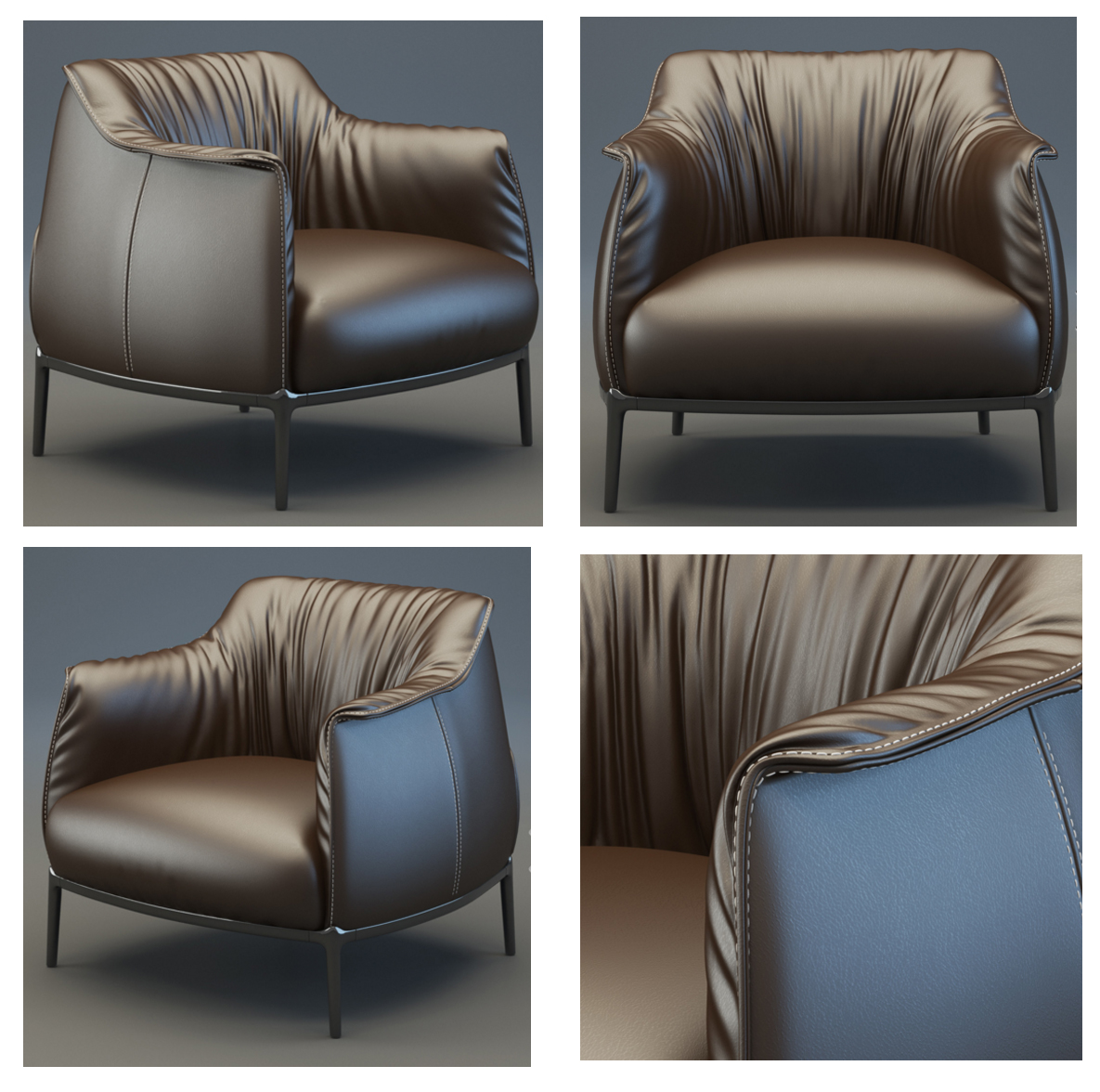
      Ive been thinking if possible to do model this Poltrona Frau Chair in SU with all the techniques youve shared so far . Well I know, anything is possible, (these images are 3d model sold by turbosquid) but how easy or how hard, or how detailed we can go is a big Q.Poltrona Frau archibald

      posted in Gallery
      C
      cuttingedge
    • RE: Upholstered furniture

      @alvis said:

      You Noticed correctly. I use a mixed technique. In some places, the geometry have wrinkles and crease. For the rendering, I applied bump map

      but how do you place the bump map of wrinkles where it should be when we do not have proper UV unwrap?

      posted in Gallery
      C
      cuttingedge
    • RE: DINING AREA

      such a decent render.. great lighting ..something is just not so right with the wood texture. otherwise perfect

      posted in Gallery
      C
      cuttingedge
    • RE: Upholstered furniture

      I think what makes a sofa realistic are the fine creases. I see this in your renders but I dont see them in the wires shown. Are you further subdividing and sculpting these fine creases or do you apply some bump or normal map?. Certainly i will not think that you photoshopped it.

      posted in Gallery
      C
      cuttingedge
    • How do I open from working directory?

      hello everyone..Maybe a noob question guys.
      How do I make SU to always open files from the working folder? For some reason, SU don’t display always the last file accessed from the file dropdown. And when I hit ctrl O (windows 7) it brings me to 'my documents', takes me 8-10 clicks to get me back to my working folder- (not hard but wearing me down somehow). In our world every click and hovering around the screen counts in sucking up our energy.

      posted in SketchUp Discussions sketchup
      C
      cuttingedge
    • RE: Google SketchUp vs. 3dsMax

      The 5 year old thread is alive!. I was taunted for going the sketchup path some 8 years ago. Totally abandoned my Max workflow but that took me to a new level in my designing career. I know, Im far from the best in the ā€œrenderingā€ area but Im able to make the decent renders that convince clients.

      Now I end up using both though 90 percent of what I do revolved around SU. I rarely touch Max,only when I need some high quality renders, or when I need to pass a task to some Max user colleauge and finally when I face SU’s limitations in poly count and other things.

      Finally some of the best stills and animation renders in the Architectural industry are done in Max. I say we cant do away with Max until our plugins or SU itself has "all" those capabilities.

      Gone are the days that were given a week to produce a nice decent render.Were literally given hours to produce something convincing. This is the edge of SU over Max.
      posted in SketchUp Discussions
      C
      cuttingedge
    • RE: Feedback on the Plugin Store search function....

      I cant complain when Im receiving amazing stuff for free. But yeah.. search funtion could be better..

      posted in SketchUp Feature Requests
      C
      cuttingedge
    • 1 / 1