sketchucation logo sketchucation
    • Login
    1. Home
    2. chrisjk
    3. Posts
    Oops, your profile's looking a bit empty! To help us tailor your experience, please fill in key details like your SketchUp version, skill level, operating system, and more. Update and save your info on your profile page today!
    ⚠️ Important | Libfredo 15.6b introduces important bugfixes for Fredo's Extensions Update
    C
    Offline
    • Profile
    • Following 0
    • Followers 0
    • Topics 9
    • Posts 280
    • Groups 1

    Posts

    Recent Best Controversial
    • RE: How can I add new styles to SU on a Mac?

      Having had a quick look at the API docs (from a non-ruby coders viewpoint!) I agree with Gai's comment insofar as it refers to the kind of entry represented by --Runtime-- Of course, scripts can and do affect menus as far as plugin names etc are concerned.

      I suggest you post the question in the Developers forum.

      I don't think it's just a "Mac thing".
      posted in SketchUp Components
      C
      chrisjk
    • RE: How can I add new styles to SU on a Mac?

      Chuck,
      I really don't know - I don't have such a menu item.

      I suspect it might be connected to some plugin you have - SketchyPhysics perhaps? If so, you might have misfiled one of the ruby scripts.

      posted in SketchUp Components
      C
      chrisjk
    • RE: How can I add new styles to SU on a Mac?

      Make sure they go in the correct folder:-

      Macintosh HD/Library/Application Support/Google SketchUp 7/SketchUp/Styles

      The Styles folder will also have sub-folders, create your own for imports if you want.

      posted in SketchUp Components
      C
      chrisjk
    • RE: Type faces for drawing street maps

      Ray,
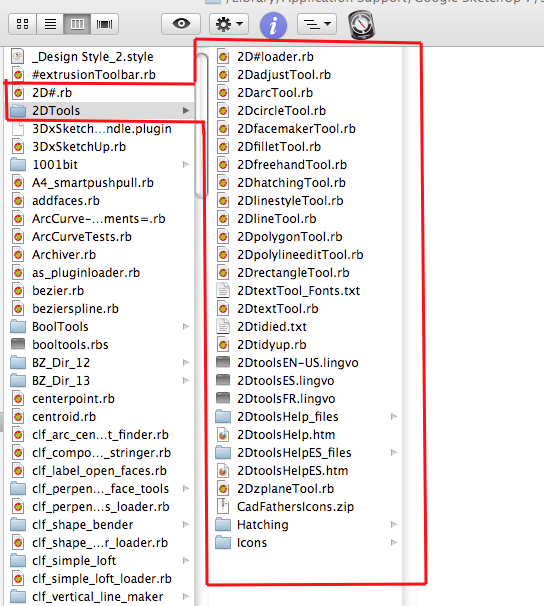
      This is what you should see in your plugins folder (CadFathers Icons.zip is optional - another set of icons.)

      2D tools.png

      posted in Newbie Forum
      C
      chrisjk
    • RE: Clean install file structure

      Since none of the above are actually needed for anything except their specific uses, you could start with an empty folder.

      posted in SketchUp Discussions
      C
      chrisjk
    • RE: Type faces for drawing street maps

      Ray,
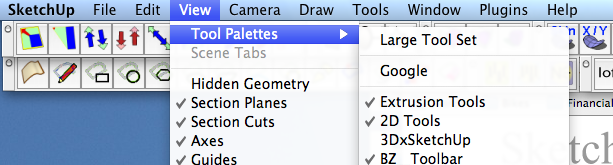
      As a Mac User, I can vouch for TIG's 2D tools working in OS X. You need to check the menu item as shown below to see a toolbar-
      Screen shot 2010-02-14 at 17.33.25.png

      If you don't see this option, check that your Plugins folder is properly located at root level, not User level - in fact there should be no Plugins folder at User level although some things create one there.

      The tools should still appear in the main "Draw" menu without a specific toolbar showing.

      posted in Newbie Forum
      C
      chrisjk
    • RE: How to model a carved finial

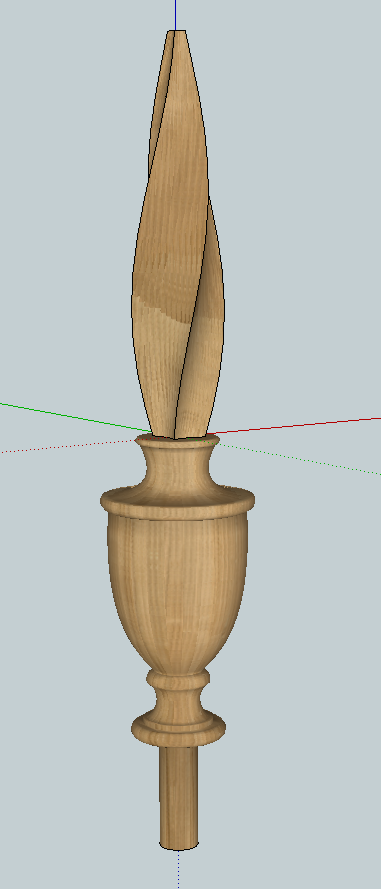
      Here's one to play with. The model is too heavy as it stands and it also needs scaling.

      Screen shot 2010-02-14 at 13.31.30.png


      Flame finial.skp

      posted in Newbie Forum
      C
      chrisjk
    • RE: How to model a carved finial

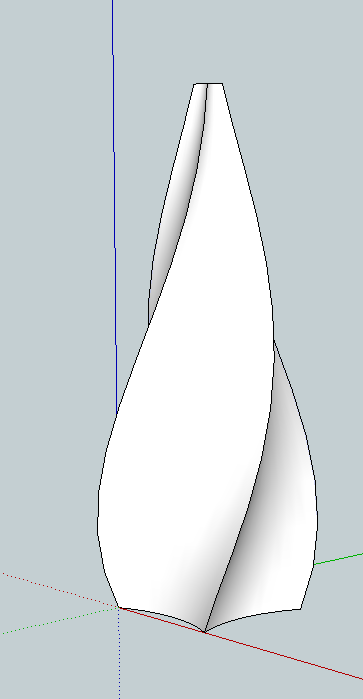
      A somewhat better one:-

      Made using TIG's Extrude Edges by Rails plugin then tapering and twisting with Fredoscale.

      Screen shot 2010-02-14 at 12.58.03.png

      posted in Newbie Forum
      C
      chrisjk
    • RE: How to model a carved finial

      There is more recent advice and more relevant on twists here:-

      http://forums.sketchucation.com/viewtopic.php?f=79&t=26031

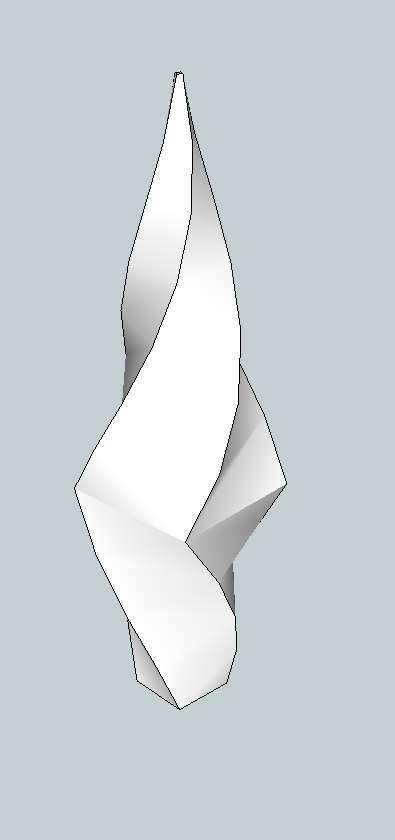
      This is a very rough one I did using Fredoscale (twist then taper) The bottom part can of course just be lathed.

      Screen shot 2010-02-14 at 10.44.32.png

      posted in Newbie Forum
      C
      chrisjk
    • RE: How to model a carved finial

      They are normally hand carved as here :-

      http://www.vermontwindsorchairs.com/index.php3?gallery=-25-Queen_Anne_High_Boy

      posted in Newbie Forum
      C
      chrisjk
    • RE: Thomas Jefferson's Book Stand

      I reckon anyone researching a particular subject might like 5 books open at the same time - pre-personal computers this would have been like hyperlinks. I suspect the books would also have had numerous slips of paper in them, marking particular pages.

      posted in Gallery
      C
      chrisjk
    • RE: [Plugin] Extrude Edges by Face

      TIG,
      I guess you never sleep! Or perhaps you do..

      You left Manifold stuff out of the TIGtools folder. 😄

      OK - I know it wasn't really a mistake , I just did a wholesale replace of the folder - me being lazy.

      Now and then, I find myself thinking, "I should use XYZ program, it's easier to do XXX" then another plugin arrives that mostly addresses my problem and I save $500.

      posted in Plugins
      C
      chrisjk
    • RE: How do I twist a bar?

      Gai,

      I kind of agree with you except for the fact that I think many of the plugins do stuff that I think SU ought to have as built-ins. However, as you frequently demonstrate it isn't a lot harder to do quite complex things with the toolset as provided. It's a bit like the discussions that arise in woodworking between the handtool enthusiasts and the power tool users.

      posted in Newbie Forum
      C
      chrisjk
    • RE: How do I twist a bar?

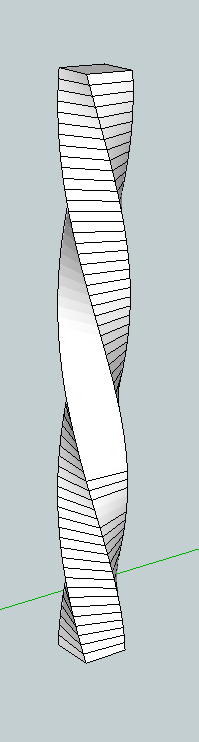
      Or if you don't mind a plugin, here is one using Fredo's Scale plugin - Box twist. I made the initial bar by repeated alt-Push/Pulls to subdivide it before twisting. The only bore is hiding all the lines, I have done a few in the pic.

      Screen shot 2010-02-12 at 14.13.41.png

      posted in Newbie Forum
      C
      chrisjk
    • RE: Script? Lock Component placement action / lock copy command

      My mistake I think..
      I started to make a video showing it and now can't repeat what I thought I did to place by the new insertion point, it seems to be the bottom LH corner of the box again.. 😒

      posted in Plugins
      C
      chrisjk
    • RE: Script? Lock Component placement action / lock copy command

      But if I move the insertion point as I try to demonstrate below, I can then place copies by the new insertion point. I use a Mac - dunno if this makes a difference?
      Screen shot 2010-02-12 at 12.59.13.png

      posted in Plugins
      C
      chrisjk
    • RE: Script? Lock Component placement action / lock copy command

      You can change the insertion point too OK I find now after trying it, so I am not sure why Thom says the method doesn't respect it.

      posted in Plugins
      C
      chrisjk
    • RE: Script? Lock Component placement action / lock copy command

      If you keep control V pressed, then a new copy appears wherever you single click the mouse. Control V is the lock you want.

      Although the insertion point seems always to be the bottom front LH corner of the bounding box.

      posted in Plugins
      C
      chrisjk
    • RE: Script? Lock Component placement action / lock copy command

      Just copy (Ctrl C) the first instance and then keep hitting paste (Ctrl V).

      posted in Plugins
      C
      chrisjk
    • RE: Does anyone knows which software is used for these images?

      @ildiko said:

      @proseduction said:

      Someone send me these pictures with the question if i knew what kind of software was used. First i thought of sketchup, but when i heared in what time he made this images i had my doubts. That's why i would like to ask y'all if someone knows what software is used for these images.

      It may be Artlantis!
      Artlantis has a feature that allows you to cut the model and create sections in perspective or parallel view. The other reason why I think that it was Artlantis, are the empty walls (at least I see them this way). Artlantis triangulates the model keeping only the faces.
      The third reason, is that Artlantis is fast....

      Ildiko

      Thank you for another ad... 😒

      posted in Extensions & Applications Discussions
      C
      chrisjk
    • 1
    • 2
    • 8
    • 9
    • 10
    • 11
    • 12
    • 13
    • 14
    • 10 / 14