sketchucation logo sketchucation
    • Login
    1. Home
    2. Box
    3. Posts
    Oops, your profile's looking a bit empty! To help us tailor your experience, please fill in key details like your SketchUp version, skill level, operating system, and more. Update and save your info on your profile page today!
    πŸ”Œ Easy Offset | Offset selected faces in SketchUp in positive and negative offsets. Download
    Offline
    • Profile
    • Following 1
    • Followers 4
    • Topics 46
    • Posts 5,313
    • Groups 1

    Posts

    Recent Best Controversial
    • RE: Rotating Spherical pieces around a common axis

      Just in the interests of clarity, the Thylacine was a Tasmanian Tiger not a Tasmanian Devil. πŸ˜„

      and just a thought on the thread, Is there not some way to use the "Glue to" feature so the pieces could slide around on the surface of an invisible globe.

      posted in SketchUp Discussions
      BoxB
      Box
    • RE: Community Photo Album

      I use photobucket all the time.

      It has the ability to create group albums.

      @unknownuser said:

      Overview: Group Albums

      Group albums allow multiple people to contribute and share digital media from a single album. Public group albums can be viewed by anyone. Private group albums can only be viewed by people who know the group album URL and password. All contributors to a group album must first register and log into their own personal Photobucket account.

      A group album is owned and maintained by one Photobucket account holder. The owner controls the name, status (public vs. private), vanity URL, and also has control over the content added to the group album. The group album owner, and all contributors, can invite others to the album via email.

      Many of the features and functionality included with an individual Photobucket album are also available with a group album, with the exception of the Slideshow feature. Content from a group album may be saved to a viewer's personal Photobucket account.

      Note: Group Albums receive Free account benefits (even if you have a Pro account). See Free Accounts for more information.

      posted in Corner Bar
      BoxB
      Box
    • RE: Friends are like underwear...

      Some of them will go all the way to Uranus to protect you from Klingons.

      posted in Corner Bar
      BoxB
      Box
    • RE: Build this in SketchUp

      Damn these 30 minute challenges are getting tough!

      posted in Corner Bar
      BoxB
      Box
    • RE: Mech Fish [Video] - UPDATED AGAIN!

      I get the same copyright problem here in Germany.

      posted in Gallery
      BoxB
      Box
    • RE: Adding tubing to a wireframe object

      Lines to Tubes will do it for you.
      http://forums.sketchucation.com/viewtopic.php?t=12354

      posted in Newbie Forum
      BoxB
      Box
    • RE: Iron Trees with Synthetic Leaves?

      @tfdesign said:

      There's no such thing as 'wonder technology'

      "Computers in the future may weigh no more than 1.5 tons."
      - Popular Mechanics, forecasting the relentless march of
      science, 1949.

      "I think there is a world market for maybe five computers."
      - Thomas Watson, chairman of IBM, 1943.

      "I have traveled the length and breadth of this country and talked
      with the best people, and I can assure you that data processing is
      a fad that won't last out the year."
      - The editor in charge of business books for Prentice Hall, 1957.

      "But what ... is it good for?"
      - Engineer at the Advanced Computing Systems Division of IBM,
      1968, commenting on the microchip.

      " There is no reason anyone would want a computer in their home."
      - Ken Olson, president, chairman and founder of
      Digital Equipment Corp., 1977.

      posted in Corner Bar
      BoxB
      Box
    • RE: Help me, I don't remember ruby

      Or just plain old Weld.

      favicon

      (www.smustard.com)

      posted in Newbie Forum
      BoxB
      Box
    • RE: 1st or 3rd angle projection- what's your preference?

      @tig said:

      ... extract...
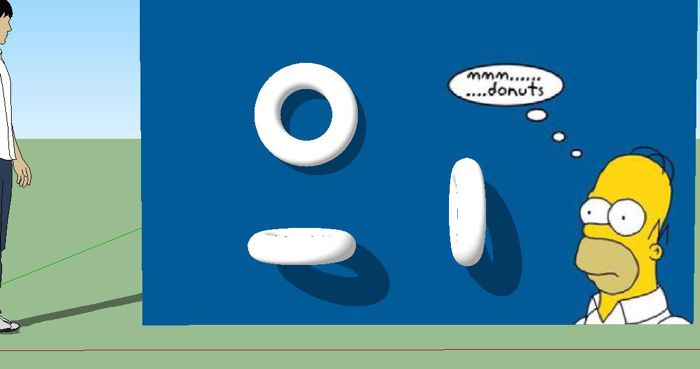
      hence the third-angle symbol shows the cone with its large end away from the donut.
      ???


      4th angle.JPG

      posted in SketchUp Tutorials
      BoxB
      Box
    • RE: Interesting, and probably controversial

      Now it is such a bizarrely improbably coincidence that anything so mindbogglingly useful as sketchucation could have evolved by chance that some thinkers have chosen to see it as a final and clinching proof of the non-existence of God.
      The argument goes something like this: "I refuse to prove that I exist," says God, "for proof denies faith, and without faith I am nothing."
      "But," says Man, "sketchucation is a dead giveaway isn't it? It could not have evolved by chance. It proves you exist, and so therefore, by your own arguments, you don't. QED"
      "Oh dear," says God, "I hadn't thought of that," and promptly vanishes in a puff of logic.

      posted in Corner Bar
      BoxB
      Box
    • RE: Hotel Design - Your thoughts

      It's a great piece of work.

      My minor criticisms would be,

      you have a couple of sections of the animation that are superfluous, for example the section moving through the corridor where you only see the tops of the doors.

      and the thing that jumped out at me is the clash of styles between the model and the artwork.
      I would rather see the artwork more in keeping with the rest of the structure and less photo realistic.

      Now I'm trying to think how to finish this, looked at it, liked it and just wanted to give you some specific feedback.

      posted in Gallery
      BoxB
      Box
    • RE: Zooming Sometimes Non Responsive

      You'll probably find it is due to the position of the cursor. If your cursor is on something close it will zoom very fast but if it is on a point in the distance it will seem to do nothing.

      posted in Newbie Forum
      BoxB
      Box
    • RE: The Move Tool

      And don't forget the most common thing people miss, Click and release and move then click again. Click and drag doesn't work so well.

      posted in Newbie Forum
      BoxB
      Box
    • RE: How would you model this?

      just to finish some of the story with reference to the stainless-steel grid bars.

      If you have ever tried to retrieve a sack of marbles from a storm water drain, you will understand the dangers of sitting on, or even hovering too close to, such a construction!

      posted in SketchUp Discussions
      BoxB
      Box
    • RE: Engineer Husband

      ............and if you ask an engineer if a glass is half full or half empty he will simply say the glass is the wrong size, while the real answer is, Waiter, bring another before I finish this.

      posted in Corner Bar
      BoxB
      Box
    • RE: Question regarding push-pull tool

      You might find Simple Shell useful.
      http://forums.sketchucation.com/viewtopic.php?t=33169

      posted in Newbie Forum
      BoxB
      Box
    • RE: Segmenting a cube or rectangle

      There is Voxelize, don't know if it does what you want though.

      http://forums.sketchucation.com/viewtopic.php?f=180&t=36063#p317499

      posted in SketchUp Discussions
      BoxB
      Box
    • RE: Skydome No Shadow

      You don't need to make a transparent PNG, just paint it with anything and edit that materials transparency.

      posted in SketchUp Discussions
      BoxB
      Box
    • RE: Dimensioning to a sideline not a point

      Actually erichf you don't have to click on the corners in layout, that's more of an SU issue.

      Just remember the three clicks, once on the start line, once on the finish line and a third to set.

      posted in LayOut Discussions
      BoxB
      Box
    • RE: Dimensioning to a sideline not a point

      @erichf said:

      The dimension tool does snap to the side line, but clicking the mouse won't place the end point on the line. If I hold the mouse down, the dimension stays in the right spot, but as soon as I release the mouse, the end point moves.

      The trick is to think 3 clicks.

      Click on the line you wish to measure from.
      Click on the line you wish to measure to.
      And click a 3rd time to set the position.

      If you move the mouse after the 2nd click the measurement will move allowing you to place it where you want it and a 3rd click will set it in that position.

      posted in LayOut Discussions
      BoxB
      Box
    • 1 / 1