Looks amazing!
Oops, your profile's looking a bit empty! To help us tailor your experience, please fill in key details like your SketchUp version, skill level, operating system, and more. Update and save your info on your profile page today!
FredoBend | Powerful new bending tool for SketchUp Download
A
Offline
Posts
-
RE: RGB to hex Greasemonkey script.
Interesting site... shows a lot of info on a certain color. HOWEVER, it takes several steps to copy the hex info using that site..
-
RGB to hex Greasemonkey script.
I made a Greasemonkey script (Javascript) that will convert an rgb to hex value if you type in the rgb value in the google search bar.
I thought it might be useful for the kind of people who use Sketchup...
http://userscripts.org/scripts/show/78704
Edit: If anyone thinks it is useful, I can add a converter to hex from rgb as well, or possibly add a flag to switch the definitions. (typing in "hex(r, g, b)" instead of "rgb(r, g, b)" for a hex value)
-
RE: Ambience / diffuse setting plugin request
The models will go into a computer game.
Any suggestions on a different format and/or intermediate programs?
-
Ambience / diffuse setting plugin request
Edit: I am half sure I already posted something like this but it didn't go anywhere...
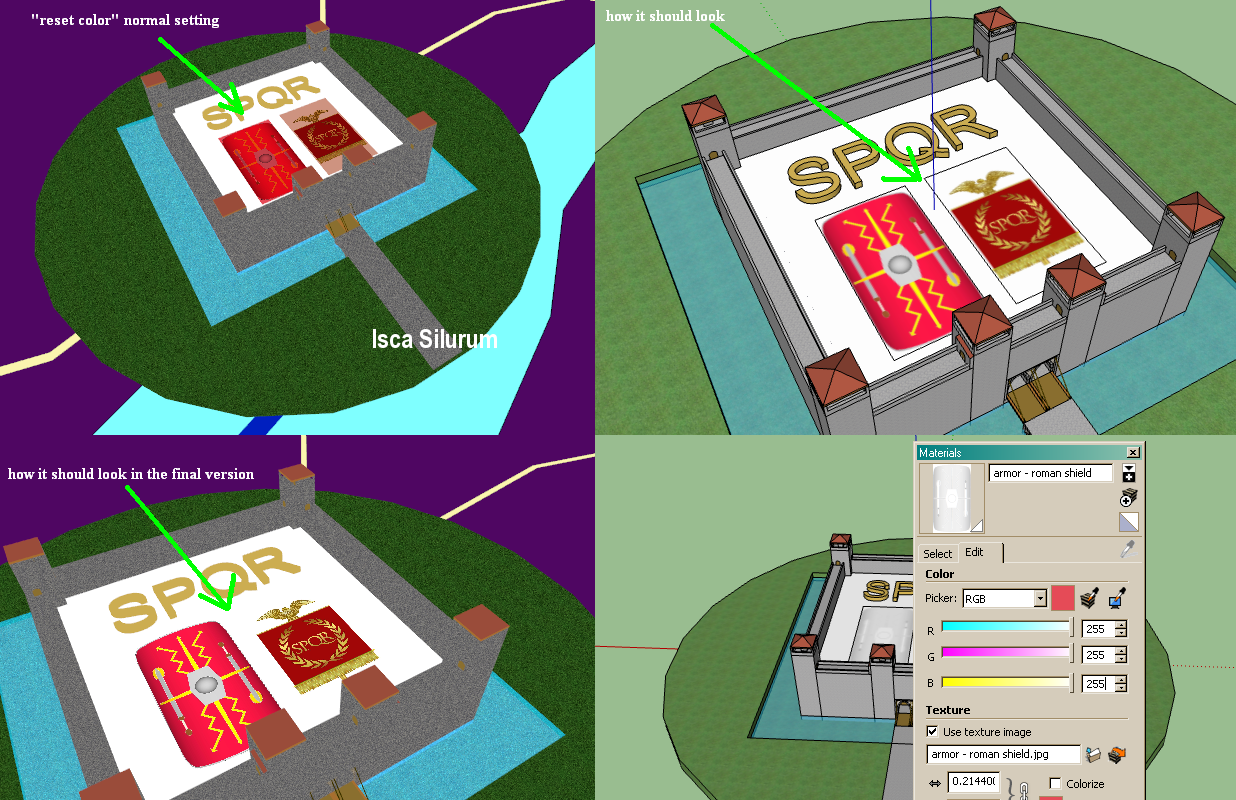
A few months ago, I tried exporting a building from Sketchup to the 3ds format. A serious problem I had is that ambiance (or was it diffuse?) settings could not be controlled. I had to export twice (see top and bottom-left of attachment):
Once with a "white" color for the textures.
Once with a "normal" color (unchanged-- the "reset color" setting)
Then, I had to overwrite textures for the "white" color textures.The problem with just using "white" colors is that the texture becomes modified -- see bottom-right of attachment.
The problem with just using normal colors is that the model gets a texture setting that's not desirable.I cannot control this setting.. hoping someone could help!
Another problem I have is that with the 3ds format, all the texture file names are reduced 8 in the prefix. This is a problem for both clarity and where 8 isn't enough -- different textures start over-riding each other. I'm not sure if it is an inherent limitation of 3ds, or Sketchup's fault.
It's a huge hassle right now...
Thanks.
-
RE: [Plugin Library] LibFredo6 - v15.9a - 25 Mar 26
Hi Fredo,
Thanks a lot for fixing the greying-out issue!
-
RE: [Plugin Library] LibFredo6 - v15.9a - 25 Mar 26
Ok, I don't know exactly what's wrong but I am guessing it has to do with memory (undo/redo interference?) and/or interference with other functions. As I posted before, when I have this library active (the loader is in plugins), my flip, rotate, and group tools gradually become greyed out. The "greying-out" happens a lot faster on bigger models.
This can happen when I don't use any library functions, either.
-
RE: Stretching with an offset + stretching on all sides
@gaieus said:
Ah come on, you won't forget if you really try to do it a couple of times to see how it works!
Forgetting everything is in my nature. As is learning new things (and old things).

-
RE: Stretching with an offset + stretching on all sides
Thanks.
I could never understand this philosophy of forcing the user to input stuff in stages, without telling the user what those stages are. Same with copying with ctrl and then pressing "x10" or whatever. There's no interface that says "now enter the amount of copies made you want-- you have to remember!
It's simply un-intuitive to have to type in the number and press enter AFTER the operation.. I am going to forget all about this in a few months and post the same question.

-
RE: Stretching with an offset + stretching on all sides
@tig said:
You are falling it the Scaling Pythagoras Trap !
When you scale from the center on a diagonal and type in a scale value it scales the XYZ sides to match, but when you type in a dimension it sets the size of the diagonal, not the XYZ sides size.
So for example if you have a 1m cube and use Scale+Ctrl and type in 500mm the cube scales about its center so that the diagonal is now 500mm long - if you wanted the sides to be 500mm long you should have typed 0.5...
You need to do a bit of pre-planning and work out the ratio first NewSize/OldSize = scale_factor - here 500mm/1000mm=0.5.
Entering a dimension is pretty impractical in this type of scaling unless you do want the diagonal to become a set length...
Alternatively use the uniform Scale + Ctrl with a side handle and the modifier 'Shift' key and type 500mm to make all edges 500mm, scaling from the center ???

Yes yes, I usually use a scaling factor when I do this, so it's not a problem...My problem is that I CAN'T type a number when I press and hold CTRL (or CTRL+SHIFT)!
-
RE: [Plugin Library] LibFredo6 - v15.9a - 25 Mar 26
OK, I finally read the PDF, and I like all these features. I do.
I just can't pin this bug down yet, but I am occasionally experiencing a problem with being unable to rotate, group, or flip certain elements when the Fredoscale z loader is active. Sometimes, the option to Group is in the "View" menu but not in the Context menu.
-
RE: Stretching with an offset + stretching on all sides
Oh, of course! Thanks.
Would be interesting, though, if you could just do something like +5m in the Scale tool and it would do the same thing.
BTW, while we're on the subject, I am having trouble inserting a value when I "scale on all sides" (CTRL+scale): typing a number doesn't work.. what's going on there?
-
RE: Stretching with an offset + stretching on all sides
@tig said:
You must usually have some idea of the dimension you require 'in advance' ?
Well, usually but not always.
@unknownuser said:
if it's neither of the above then how are you to make it any meaningful 'size' ?... then can only scale it dragging a handle 'by eye' ??
I'll try to rephrase... this tool would work like so: whatever the size is, add X meters to it. Even if I knew the original size, I would have to add! Just adding one mesh is not so bad, but if I have several meshes that I want to resize by some amount it gets more tedious.
-
RE: Stretching with an offset + stretching on all sides
@tig said:
agememnus
I haven't read the whole thread but you say you can't Scale to a set size...I wanted to add a certain height/width/length, instead of setting it to a particular size that I knew in advance.
xrok1, I'll keep looking at fredoscale but I find I have to constantly remove it because it disables grouping, rotating and flipping for some objects.
-
RE: C != C
@chris fullmer said:
I started reading a book on js, HTML and DOM scripting. The first 10 chapters were just the author ranting about how bad people have mis-used javascript in the past. I didn't want his bitter history report, I just wanted to learn js. Sort of put me off the language for now.
JS is a very permissive scripting language! People can make all sorts of mistakes and not even realize it until it's time to expand their little program into "the real world" (tm). I would highly recommend learning the basics as it can make a website much more than plain html. With the recent Google Chrome's and Firefox's very fast Canvas (graphics) rendering, JS has become even more useful.
-
RE: Stretching with an offset + stretching on all sides
@martinrinehart said:
@agamemnus said:
I was afraid of this. I know about everything you just mentioned but I was hoping I had missed some little-known shortcut. I guess not.
Some of these problems have simple Ruby Console solutions. I'm not sure I understand what you were doing, tho. Would a picture be possible?
Take a look at my ship WIP:
http://forums.sketchucation.com/viewtopic.php?f=81&t=26699What would you do if you wanted to scale the hull to a certain width/height/length? The inner skin of the hull needs to be scaled exactly as much (in terms of absolute size--ie, +10 meters in length) to maintain the shell size, but the regular Sketchup scaling tools can't do that.
-
RE: [WIP] Roman Trade Ship -- looking for ship building input
Cool, nice find! That ship is exquisitely modeled. I'm guessing the modelers for that ship were able to get a lot of info for it, and the scale seems good. It does help.
-
RE: [WIP] Roman Trade Ship -- looking for ship building input
@xrok1 said:
i'd hate to meet the guy who could wield those oars!

Lol.
 There's supposed to be some sort extension handle attached to the oars, but I'm not quite sure how it should be modeled.
 -
[WIP] Roman Trade Ship -- looking for ship building input
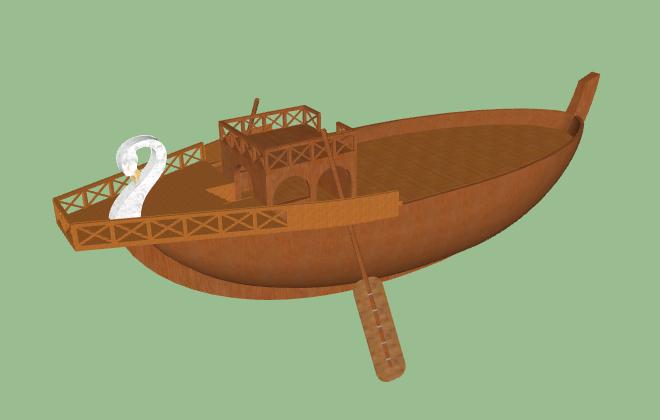
I am basing my ship on some literature, a multitude of drawings and toy models. Unfortunately it's very difficult to pin down the details. If anyone knows--
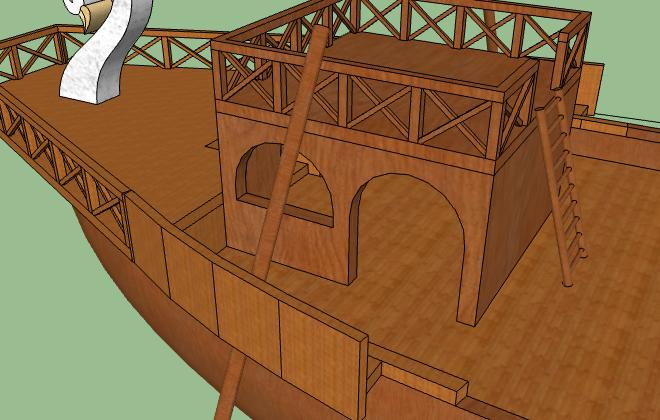
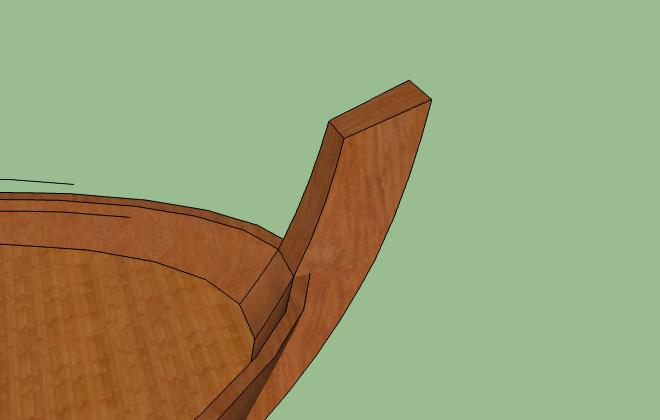
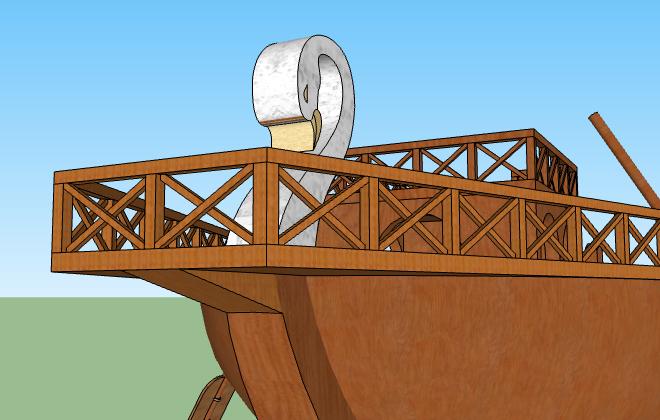
- The swan. Keep it as a glorified plank? If not, any suggestions on giving shape to it?
- I have no idea how the rigging should really look like in an ancient Roman trade ship.
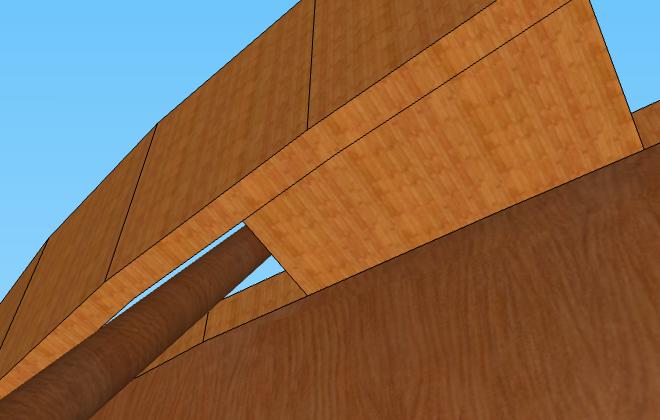
- The oars. Their configuration varies wildly. Some pictures put the oar controls on the stern deck, while others have the oars on the observation deck. Some pictures have the oars inside an elaborate wooden framework appended to the hull, some don't. Some pictures indicate the oars could be rotated on two angles: up/down and sideways. Furthermore: how do they keep the oars from sliding into the sea?? Figuring out how to model the oar controls is the most difficult part so far, as I have no solid reference... The oar controls are currently a work-in-progress.
- The central plank on the hull. Is it too big, relatively? Also: should it jut out inside, too? The central plank size currently "affects" the size of the swan figurehead in the stern.
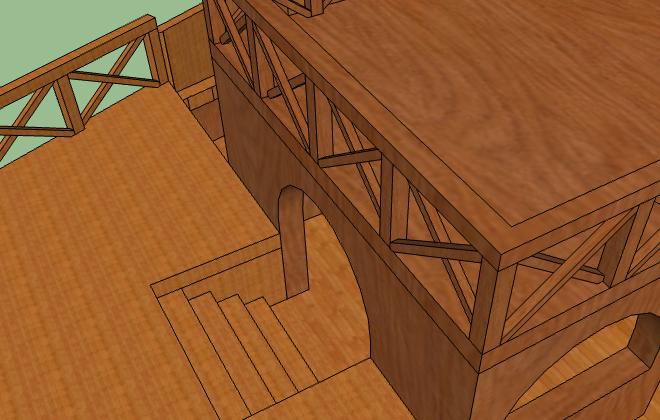
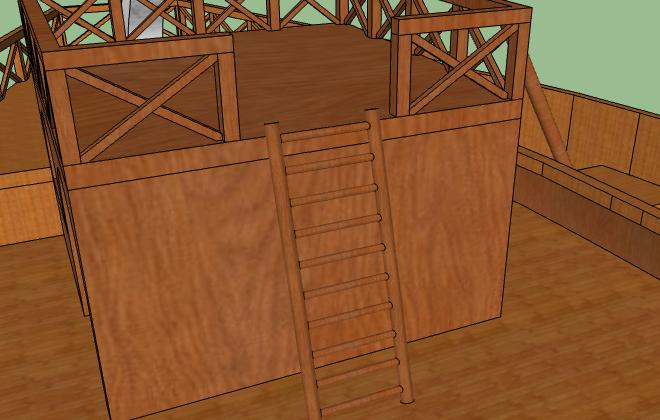
- The ladder. How should I secure it?
- Edit: I know the length might be an issue, but I can make the ship longer with relatively few modifications and I'm not yet sure what the final width to length ratio will be.
If anyone wants to try their hand at making the oar controls I can pm them the model link.
-
RE: Stretching with two reference points

I actually tried Fredo's stuff once, a while ago, but I had trouble with rotation and flipping options (edit: and grouping) randomly disappearing and didn't notice this one. I'll download it again and try. Thanks!