sketchucation logo sketchucation
    • Login
    1. Home
    2. agamemnus
    3. Posts
    Oops, your profile's looking a bit empty! To help us tailor your experience, please fill in key details like your SketchUp version, skill level, operating system, and more. Update and save your info on your profile page today!
    ⚠️ Important | Libfredo 15.8b introduces important bugfixes for Fredo's Extensions Update
    A
    Offline
    • Profile
    • Following 0
    • Followers 0
    • Topics 39
    • Posts 228
    • Groups 1

    Posts

    Recent Best Controversial
    • RE: Stretching with an offset + stretching on all sides

      I was afraid of this. I know about everything you just mentioned but I was hoping I had missed some little-known shortcut. I guess not.

      It's not a simple planar surface. I had to manually (and very carefully) get the current bounding box size of the object, then I scaled it, and then I re-positioned it very carefully...

      In this case I was making a ship (boat) hull. I had to reposition the smaller inner hull piece in the center of the larger outer hull piece.

      • First, I got the bounding box.
      • Second, I drew a line from one side of the top-midpoint of the hull piece to the other side.
      • Third, I hid the skin of the piece.
      • Fourth, I copied the piece. Then, I calculated the smaller piece sizes and scaled/stretched each side appropriately.
      • Fifth, using the midpoints of the line I drew, I re-positioned the smaller piece in the middle of the larger piece.
      • Sixth, I deleted the lines and un-hide the skins.

      It's a lot of work for something that should have been in the basic Sketchup interface to begin with...
      posted in Newbie Forum
      A
      agamemnus
    • RE: Stretching with two reference points

      @mitcorb said:

      @agamemnus said:

      That won't work... I want to stretch ("scale") the entire ladder.

      But I notice that the bottom rung of the ladder is disproportionately close to the bottom ends of the rails. Should this distance not be approximately 12"[~300mm]?

      No, I did that on purpose. It's more convenient (for the ladder users) for the distance between the bottom of a ladder and the bottom rung (same for top and top rung) to be smaller than the distance between each rung.

      @unknownuser said:

      Also, see if you can measure the vertical distance of the ladder, and then the vertical deck to deck distance. The ratio of these two distances will give you a clue to the scale factor you need.

      Well, that's just it. I want to avoid having to do that. It's really cumbersome!

      posted in Newbie Forum
      A
      agamemnus
    • RE: Stretching with two reference points

      That won't work... I want to stretch ("scale") the entire ladder.

      posted in Newbie Forum
      A
      agamemnus
    • RE: Stretching with an offset + stretching on all sides

      Well, "Scale" stretches. So, yes, but not exclusively. If there's some other tool that does what Scale does but allows using an offset then I'd like to use that tool.

      posted in Newbie Forum
      A
      agamemnus
    • RE: Disabling snap points... my dream.

      Thanks, good workarounds.

      posted in Plugins
      A
      agamemnus
    • Stretching with an offset + stretching on all sides

      (Another two stretching Qs, before I'm even done with the first one!)

      1. Is there any way, plugin or otherwise, to stretch something using a specific offset instead of a ratio?

      2. When I stretch all sides of an object with CTRL, the value field is disabled-- I can't type in the stretch ratio. Is there any way to bypass this somehow and be able to type in the ratio?

      posted in Newbie Forum sketchup
      A
      agamemnus
    • RE: Stretching with two reference points

      I'm stretching a ladder so that it touches both the top of the observation deck and the bottom of my ship. So, I can't use the move tool to stretch.


      ladder.JPG

      posted in Newbie Forum
      A
      agamemnus
    • RE: Stretching with two reference points

      @unknownuser said:

      There is a 'To Target' option in Fredo's Scale Plugin, but to be honest i'm kinda confuddled by your query? Can you supply a pic for more info on your issue?

      @agamemnus said:

      stretch an object such that a specific point on my object aligns with a point on the outside?

      The tool can also stretch objects faces/vertices/endpoints

      Now that i think about it i'm way off the mark πŸ˜•

      Stretch an object such that, when stretched, a point on the object aligns with a point outside the object. Just like move, but stretching the entire object instead of just a face or line.

      posted in Newbie Forum
      A
      agamemnus
    • Stretching with two reference points

      Ok this is kind of a noob question but...

      Say I want to stretch an object such that a specific point on my object aligns with a point on the outside.. how do I do that?

      posted in Newbie Forum sketchup
      A
      agamemnus
    • RE: Disabling snap points... my dream.

      Dave R... ok, that wasn't what I meant. It's kind of difficult to explain succinctly.

      Say you have one line. And then another line right after it in going in the same direction. Physically they can be replaced by a longer line equal to the length of the two shorter lines. Sometimes I make these line breaks in my program. I don't want Sketchup doing inference-snapping on the line segments some of the time.

      posted in Plugins
      A
      agamemnus
    • Disabling snap points... my dream.

      Is there any way anyone can think of to disable those pesky snap points?

      They are the cause of many problems when making a model.

      I'll list a few problems now..

      • When trying to trace a drawing, snap points start telling me to draw on the blue, green, or red axis, when all I want to do is to trace the lines on the flat drawing. I want to be able to disable axis snap points!

      • Line segment snap points causing small errors that eventually force me to remake a segment of my drawing -- say, two line segments: one is .01 m and one is 49.09m. The snap point randomly goes to either the end of one or the other. I want to be able to disable co-linear line segment snap points!

      • Snap points on smoothed surfaces. I'm sure there are many examples, but this is the problem I'm faced with today: I have a boat hull, and I drew a line across the center of the hull (on top) so I can position the boat hull according to its lengthwise midpoint. But, when I try to click the midpoint of the line, I keep snapping to points in the hull. Sure, I can hide the hull temporarily, but it's a bit of a hassle. I want to be able to disable smoothed-over line snap points!

      😞

      posted in Plugins
      A
      agamemnus
    • Textures gone bad when exporting to 3ds... and seams.
      • TEXTURES ... it exports the "color" of texture as the "diffuse" setting!!! AAAAAAAAARRGH!
        Is there any way to change this color without re-coloring the texture??? I loaded the texture using Sketchup's "import" feature. When I change the color to white, the texture also changes to become a grey/white texture!!!

      =Edited below=

      • When exporting to 3ds format with "full hierarchy", I get visible seams (due to vertex rounding errors?) for adjacent co-planar polygons! Workaround: export it as a single object. Edit: Actually, I'm not really sure about this. It seems that even exporting as a single object gives seams. Exploding everything removes the seams, though...
      posted in SketchUp Bug Reporting sketchup
      A
      agamemnus
    • RE: [Plugin] UVTools 0.2 Pro (Beta) (Updated for SU6)

      Thanks!

      posted in Plugins
      A
      agamemnus
    • Texturing in sketchup--tips?

      I've given up trying to texture in Sketchup and I only do it now when flat images on a 2D polygon are involved. The texturing tool is cumbersome and insufficient.

      It's even difficult to resize to the correct size with those tools, never mind wrapping around anything but a flat geometry.

      I do have the cylinder-texture and spherical-texture extensions, but my objects are usually not cylinders or spheres!

      Does anyone have any tips on extensions or perhaps even special texturing add-ons or other programs I could use?

      posted in SketchUp Discussions sketchup
      A
      agamemnus
    • RE: Stretching a group to polygon surface plugin = ?

      Actually, I was thinking of something much older than any of these, but I think "stick groups to mesh" should work. Thanks! β˜€

      posted in SketchUp Discussions
      A
      agamemnus
    • Stretching a group to polygon surface plugin = ?

      I forgot the plugin to stretch a group to a polygon surface. For instance, I want to move a 3d letter-polygon "S" to cylindrical surface, as a simple example -- I want the S to curve along the surface. I remember there was a tool for this, but I don't remember the name. Help!

      posted in SketchUp Discussions sketchup
      A
      agamemnus
    • RE: Render this: NPR Lighthouse

      Wow, nice renders/shots/effects!

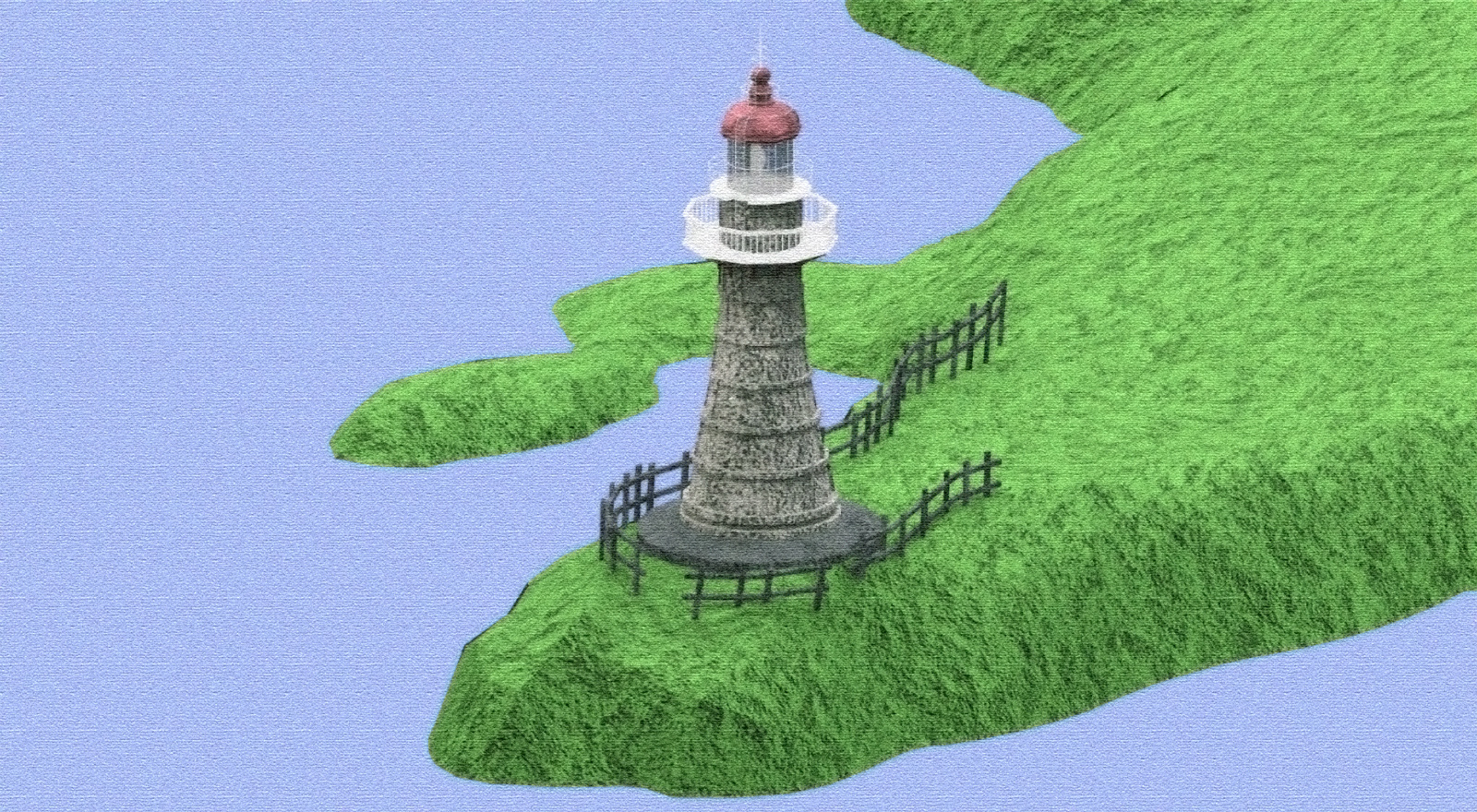
      I cannot render that well. (I used iRender) So, I hid it with combinations and image blends of renders with Photoshop effects applied. πŸ‘Ώ

      The image was rendered in parallel projection mode.

      lighthouse3_closeup.jpg

      lighthouse3_scaled.jpg

      posted in Gallery
      A
      agamemnus
    • RE: Criminal Scene, for fun~~~

      I can hear the Law & Order guys on top of that one.

      posted in Gallery
      A
      agamemnus
    • RE: Museum of Nature -- a modular construction

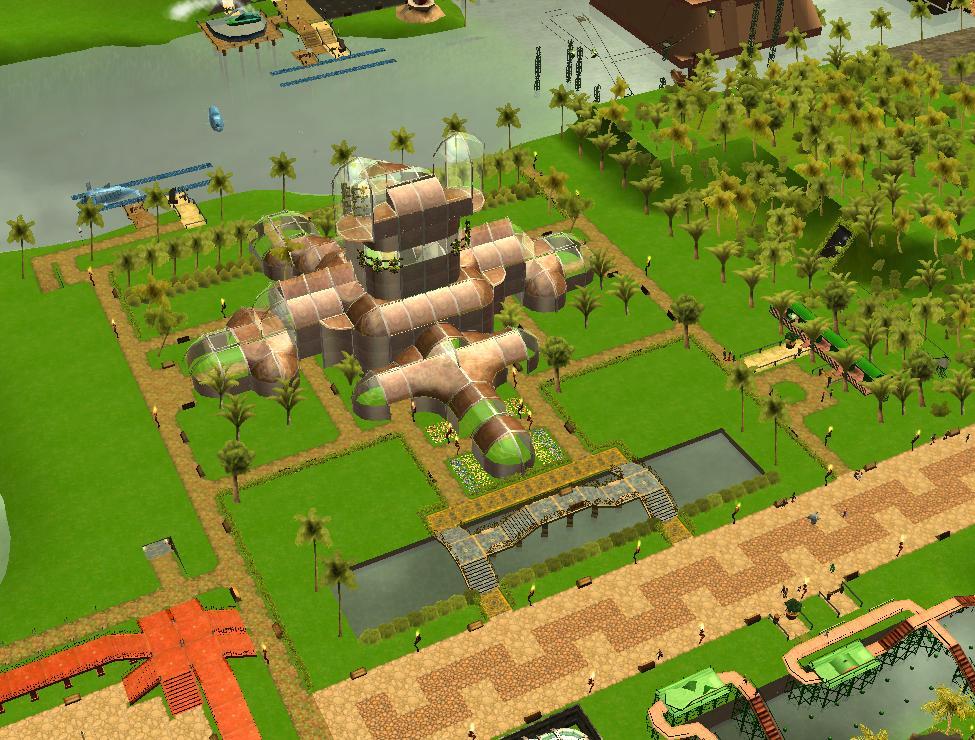
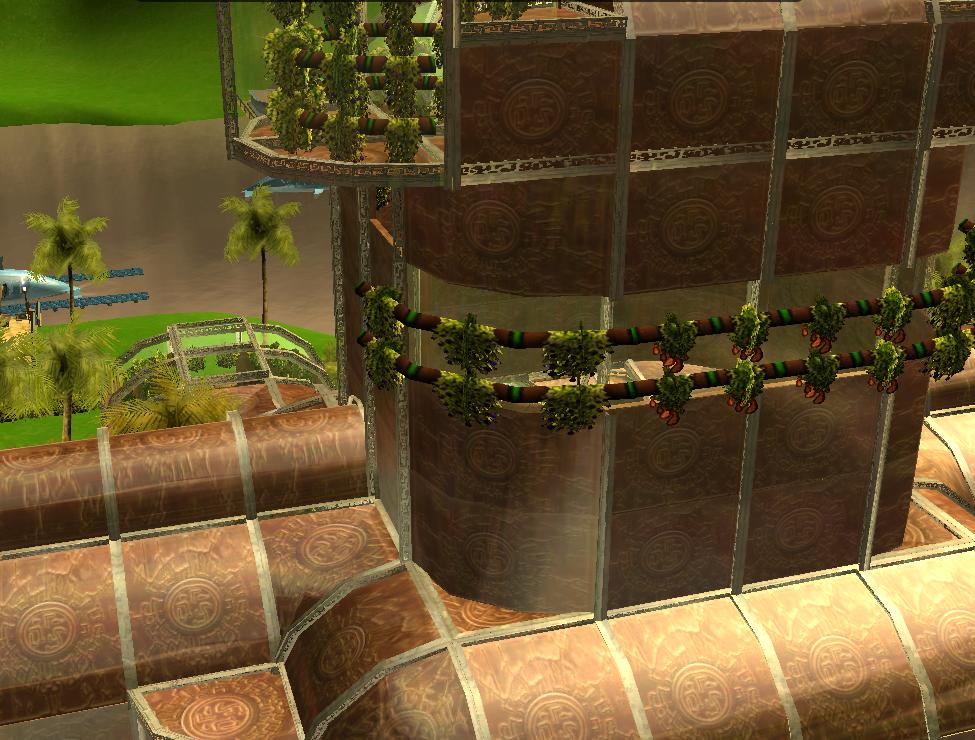
      I made the model in RCT3 first. I just copied it by sight and made similar-looking components as those in RCT3 as I went along. Of course, the model in RCT3 looks more lively but I can't copy the details in RCT3 by sight. πŸ˜‰

      posted in Gallery
      A
      agamemnus
    • Museum of Nature -- a modular construction

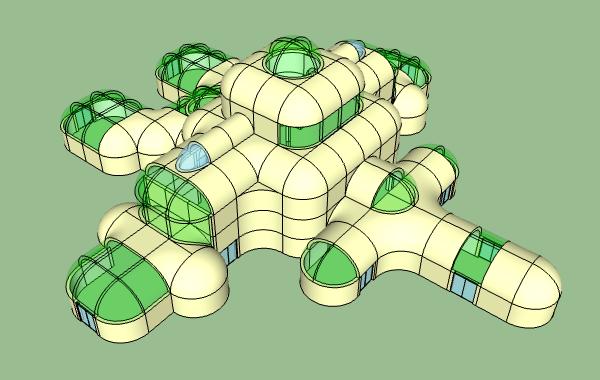
      I made this modular structure based on a building I made in a game called Rollercoaster Tycoon 3. I would love input on what I could do with the inside of the model -- I would like to add stairs, floors, and possibly elevators/escalators, but I am not sure what the plan should be or how to work with the inside in the most efficient manner.

      Any other comments or suggestions in general are welcome.

      I have attached three models, with "building - museum of nature contracted.skp" being the latest model.

      • The big towers just weren't looking quite right... that is why you don't see them in the last version. Not sure what to do with those.
      • The green "glass" is actually areas of where various greenery would grow. See the RCT3 screenshots for an idea of how it would work.

      building - museum of nature.skp


      building - museum of nature expanded.skp


      building - museum of nature contracted.skp


      museum of nature screenshot 1.JPG


      museum of nature screenshot 2.JPG


      museum of nature sketchup screenshot.jpg

      posted in Gallery
      A
      agamemnus
    • 1 / 1