sketchucation logo sketchucation
    • Login
    Oops, your profile's looking a bit empty! To help us tailor your experience, please fill in key details like your SketchUp version, skill level, operating system, and more. Update and save your info on your profile page today!
    Mac User? | Join the Rayscaper Beta for Mac Learn More

    Rayscaper New Releases

    Scheduled Pinned Locked Moved Extensions & Applications Discussions
    rayscaperrender
    540 Posts 13 Posters 248.9k Views 14 Watching
    Loading More Posts
    • Oldest to Newest
    • Newest to Oldest
    • Most Votes
    Reply
    • Reply as topic
    Log in to reply
    This topic has been deleted. Only users with topic management privileges can see it.
    • pixelcruncherP
      pixelcruncher Extension Creator
      last edited by pixelcruncher

      Hey, Rayscaper users!

      Rayscaper 0.9.96 Beta is available. You can get it via:

      • The SketchUcation store.
      • Direct download: Rayscaper_Win_0.9.96_Beta.rbz.

      I recommend upgrading to the latest version. This release is all about water and light 🌊💡

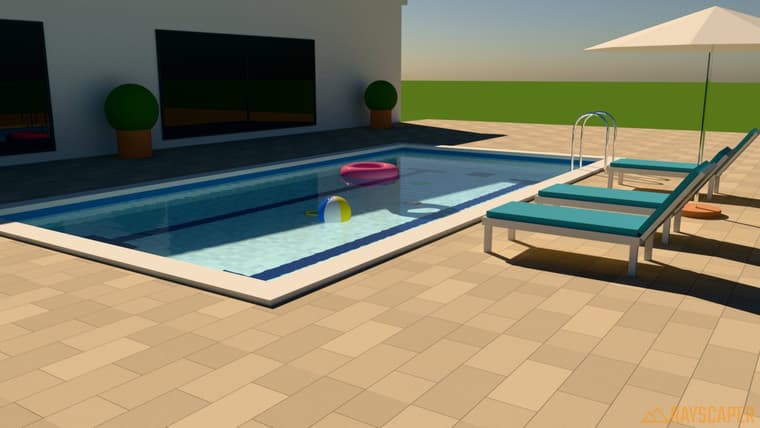
      01_water_pool.jpg

      New: Water Material

      Rayscaper now has a dedicated Water material for pools, ponds, lakes and spas. Assign it to a single face or a closed box, pick a preset, and you're done.

      • Realistic waves: layered swell and fine ripples, with direction, size and strength controls.
      • Depth you can see: water gets darker and more tinted as it gets deeper, so a pool's deep end actually looks deep.
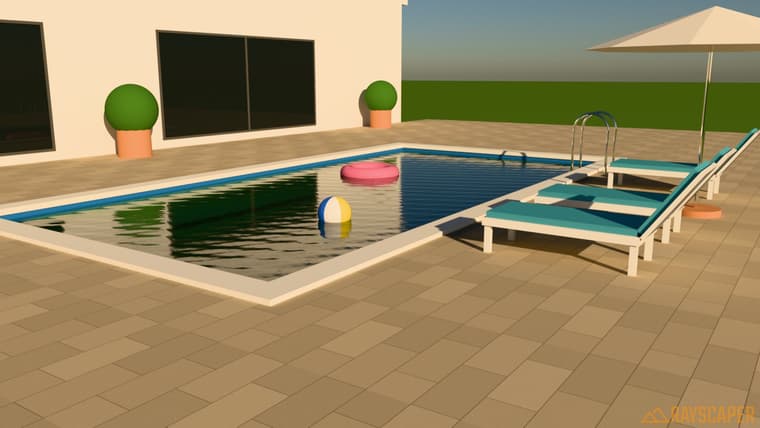
      • Controllable reflections: from crisp mirror-like water at sunset to soft, choppy reflections.
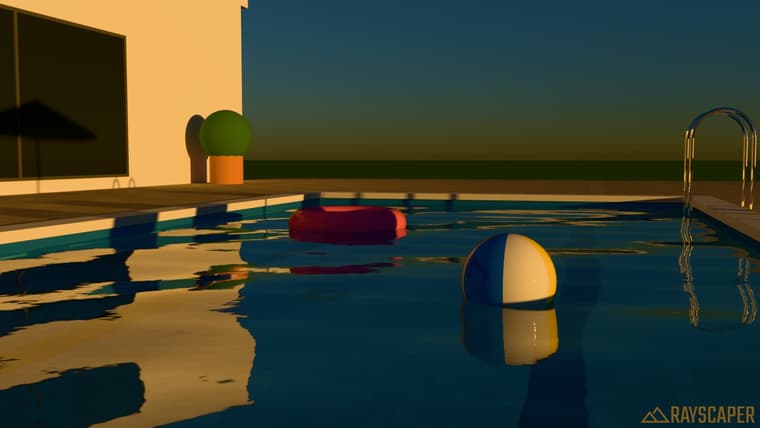
      02_water_sunset_reflections.jpg

      03_water_calm_dark.jpg

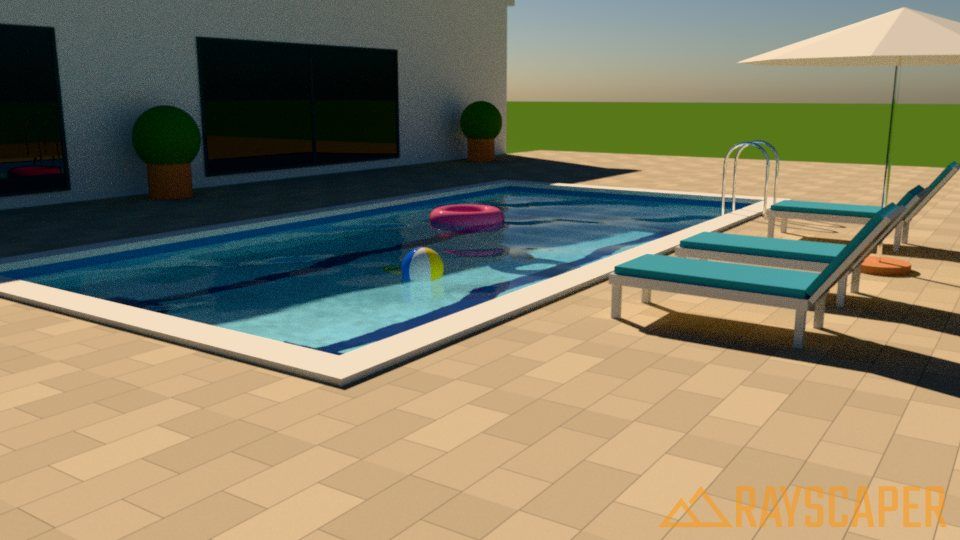
      Clarity controls how far you can see into the water:
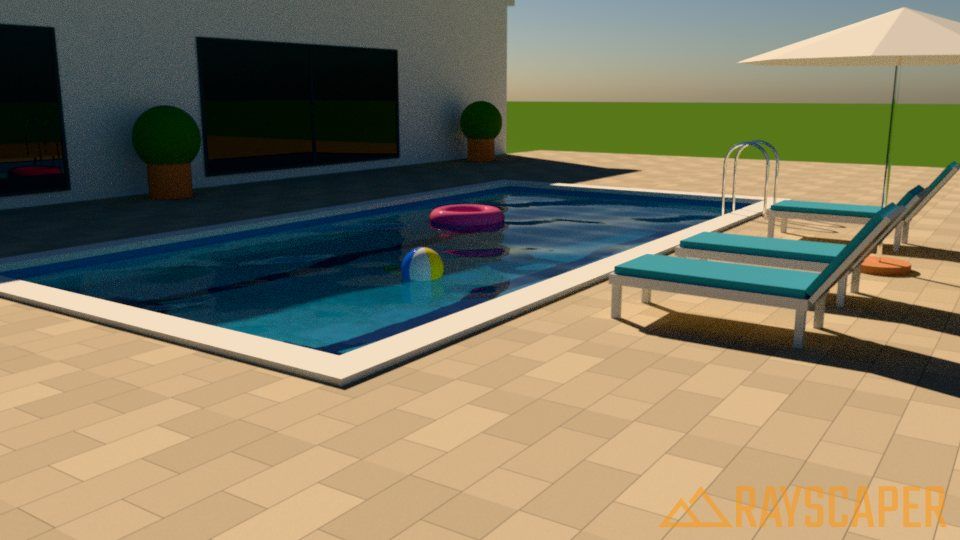
      04_water_clarity_1m.jpg
      05_water_clarity_4m.jpg

      It ships with presets to get you started, including the new Tropical, Reflecting Pool and Spa.

      New: IES Light Profiles for Spotlights

      Spotlights can now use IES profiles for realistic, architectural light patterns: batwing, wall wash, narrow and medium spot, wide flood and elliptical beam. The light editor shows a preview of each distribution so you can see what you're picking.
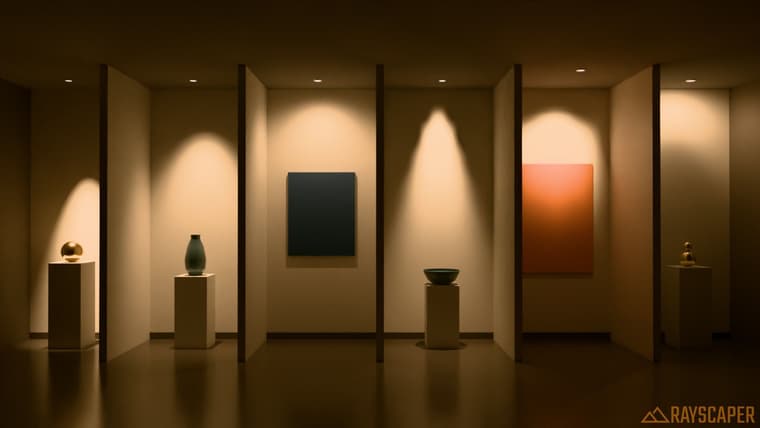
      image.jpeg

      Other Improvements

      • Add procedural material previews, so material thumbnails render faster and no longer hang.
      • Select newly placed lights automatically and show the active light tool in the toolbar.
      • Refresh the user interface with a consistent set of toolbar icons, sharper icon scaling, clearer list selection, and a tidier settings layout.

      Fixes

      • Fix textures rendering cyan after editing a texture image in an external editor, saving, and reopening the model.
      • Fix vignette falloff at high strength.

      Full release notes: rayscaper.com/manual/release-notes

      Help Me Build the Community 👍

      If you like Rayscaper, please share your renders (final or work-in-progress, it doesn't matter)! This is motivating
      and helps me showcase its capabilities to new users.

      Follow me on X.

      Happy Rendering!
      Thomas

      I'm the developer of Rayscaper: https://rayscaper.com/ - Fast and easy rendering for SketchUp.

      1 Reply Last reply
      Reply Quote 1
      • KrassK
        Krass
        last edited by

        Great, thanks Thomas. I needed water materials this morning and you granted my wish tonight...!

        Krass

        pixelcruncherP 1 Reply Last reply
        Reply Quote 1
        • pixelcruncherP
          pixelcruncher Extension Creator @Krass
          last edited by

          @Krass I will be waiting for those awesome renders!

          I'm the developer of Rayscaper: https://rayscaper.com/ - Fast and easy rendering for SketchUp.

          1 Reply Last reply
          Reply Quote 0
          • KrassK
            Krass
            last edited by

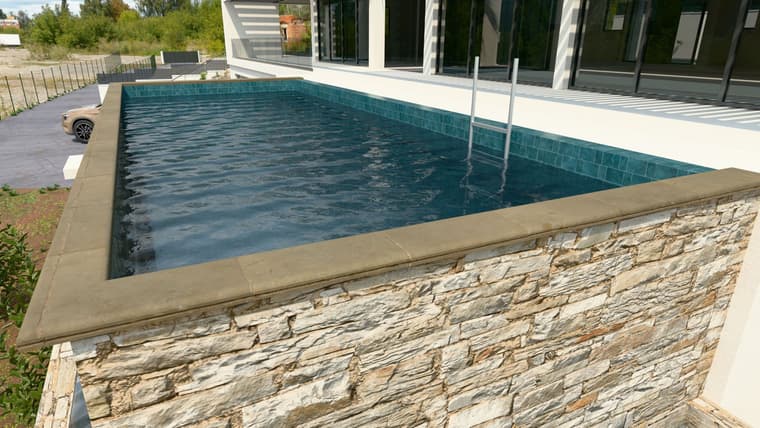
            rayscayper pool with water material

            RSwater.jpg

            Krass

            pixelcruncherP 1 Reply Last reply
            Reply Quote 0
            • pixelcruncherP
              pixelcruncher Extension Creator @Krass
              last edited by

              @Krass Nice!

              I'm the developer of Rayscaper: https://rayscaper.com/ - Fast and easy rendering for SketchUp.

              1 Reply Last reply
              Reply Quote 0
              • KrassK
                Krass
                last edited by

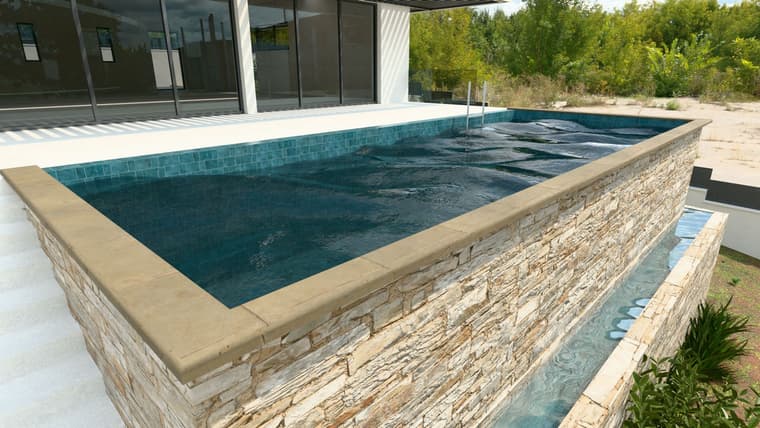
                I really like the two buttons for hiding the settings and assets—you can quickly switch to a large-scale view of the render—and the minimalist icon design.
                And this time, it successfully loaded the HDRI map at full resolution
                for this render, which features actual waves in the geometry.
                vraies-vagues.jpg

                Krass

                1 Reply Last reply
                Reply Quote 1
                • Mike AmosM
                  Mike Amos
                  last edited by

                  Sharp, I am missing the splash where my ex jumped in to create the waves though.......

                  Absentia mortis praesentiam vitae probat, vita autem est argumentum constantiae.

                  pixelcruncherP 1 Reply Last reply
                  Reply Quote 0
                  • KrassK
                    Krass
                    last edited by

                    yes, but 3D splash is very hy skill !
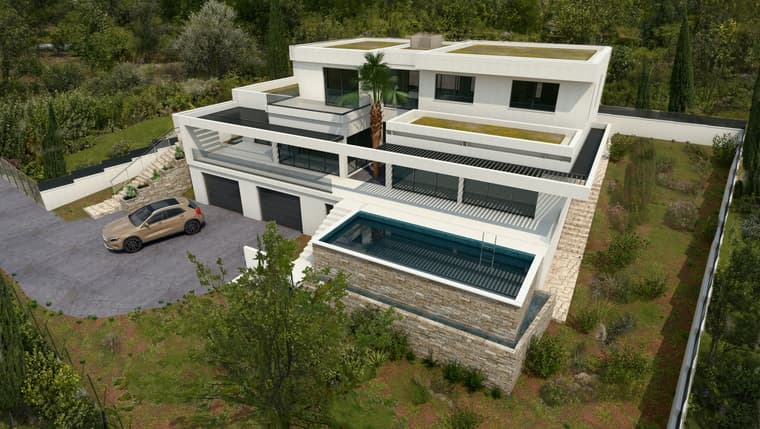
                    The pool on the screen is an "infinity pool"; I wouldn't have the patience right now to model that in SketchUp... then again, maybe I would? But AI does it in a couple of quick moves.
                    And if you send me a photo of your ex, she (he) will be in the image!

                    Krass

                    1 Reply Last reply
                    Reply Quote 1
                    • Mike AmosM
                      Mike Amos
                      last edited by

                      I tried but the camera broke, or I had a tree in the way. Not sure which.
                      Either way fangs for the memories is about as far as I go these days. It is a fine Mr Kipling image tho'.

                      Absentia mortis praesentiam vitae probat, vita autem est argumentum constantiae.

                      1 Reply Last reply
                      Reply Quote 0
                      • pixelcruncherP
                        pixelcruncher Extension Creator @Mike Amos
                        last edited by

                        @Mike-Amos, I'm working on that feature. Exes are tricky, though...

                        I'm the developer of Rayscaper: https://rayscaper.com/ - Fast and easy rendering for SketchUp.

                        1 Reply Last reply
                        Reply Quote 0
                        • Mike AmosM
                          Mike Amos
                          last edited by

                          Thankfully, exes are his tory. I know, a laboured joke.

                          Absentia mortis praesentiam vitae probat, vita autem est argumentum constantiae.

                          1 Reply Last reply
                          Reply Quote 0
                          • KrassK
                            Krass
                            last edited by Krass

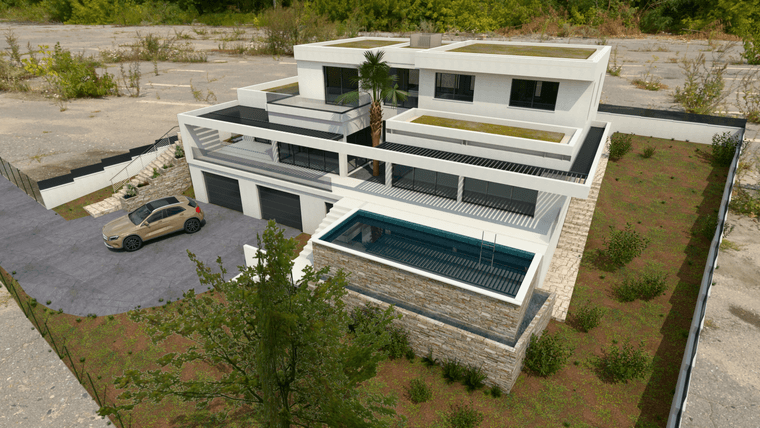
                            here same rayscaper render and Qwen image AI model to generate vegetation outside the property. I used ZPIX, a free and simple AI image tool for computer desktop (no need to be connected after downloading the models) Link to zpix https://github.com/SamuelTallet/ZPix
                            before:
                            rendu scene 2.png

                            after:

                            zpix-qwen.jpg

                            Krass

                            1 Reply Last reply
                            Reply Quote 1
                            • KrassK
                              Krass
                              last edited by

                              but we will soon be able to scatter vegetation in Rayscaper...

                              Krass

                              1 Reply Last reply
                              Reply Quote 1
                              • pixelcruncherP
                                pixelcruncher Extension Creator @Krass
                                last edited by pixelcruncher

                                @Krass

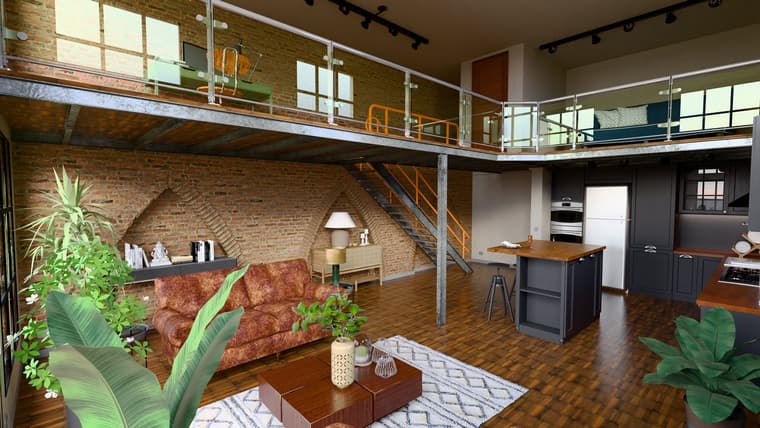
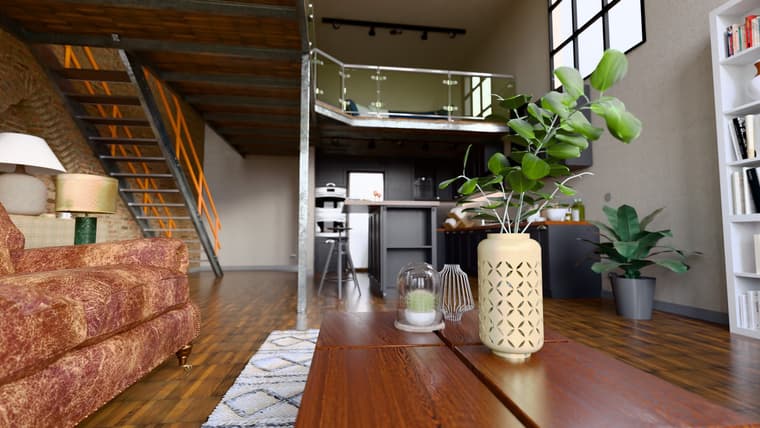
                                Sorry this took so long. I finally figured out the black spots in your loft scene (with the help of AI).

                                The cause: several materials use their color image as the normal map. A normal map is the purple-blue image that tells the renderer which way the surface faces at each pixel. When you use a color photo like wood instead, the dark parts of the image make the surface face into the floor, and those spots go black. That's why they follow the wood grain and show up mostly in the darker areas.

                                These are the materials where I found it, with the textures from your TEX folder:

                                • Floor ([Cinder Block]): uses WoodFloor032_2K-JPG_Color.jpg as the normal map. It should be WoodFloor032_2K-JPG_NormalDX.jpg.
                                • Underside of the mezzanine ([Cladding Stucco White]): uses Material-588-S_BaseColor.jpg. It should be Material-588-S_NormalDirectX.jpg.
                                • Kitchen island countertop (*16): uses 014chataignier.jpg. This one has no matching normal map, so just switch the normal map off.
                                • Sofa (leather): very likely the same thing, worth checking.

                                Here is the same view before and after, with only the floor and mezzanine normal maps switched off:
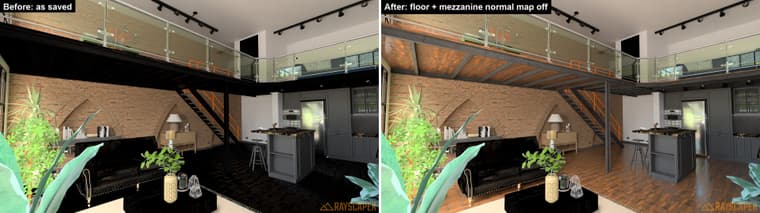
                                image.jpeg

                                The kitchen island was just reflecting the black floor, so it cleans up too. With this fixed, you shouldn't need the Photoshop cleanup anymore.

                                Thanks again for sending the scene; it made this much easier to track down! (1 year later).

                                Cheers,
                                Thomas

                                I'm the developer of Rayscaper: https://rayscaper.com/ - Fast and easy rendering for SketchUp.

                                1 Reply Last reply
                                Reply Quote 0
                                • KrassK
                                  Krass
                                  last edited by

                                  Anyway, thanks for your research. I'm going to do a lot of testing. And I'm impressed by the program's progress. Indeed, using "fake" normal maps is still a bit of a hack. I'll be more careful in the future.

                                  Krass

                                  1 Reply Last reply
                                  Reply Quote 1
                                  • KrassK
                                    Krass
                                    last edited by

                                    Thomas,
                                    The manual is excellent, the presentation is perfect—great work.
                                    Is it possible to save a preset of the settings?

                                    Krass

                                    pixelcruncherP 1 Reply Last reply
                                    Reply Quote 1
                                    • pixelcruncherP
                                      pixelcruncher Extension Creator @Krass
                                      last edited by

                                      @Krass Not yet, but it's already on the list. This was requested before already.

                                      I'm the developer of Rayscaper: https://rayscaper.com/ - Fast and easy rendering for SketchUp.

                                      1 Reply Last reply
                                      Reply Quote 0
                                      • KrassK
                                        Krass
                                        last edited by

                                        It's flawless—not my 3D work, but the program itself.
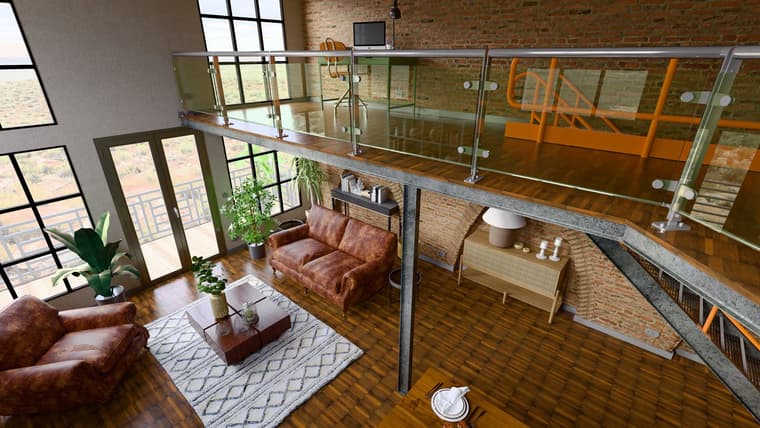
                                        scene1.jpg

                                        scene2.jpg

                                        Krass

                                        1 Reply Last reply
                                        Reply Quote 2
                                        • KrassK
                                          Krass
                                          last edited by

                                          scene3.jpg

                                          Krass

                                          1 Reply Last reply
                                          Reply Quote 2
                                          • pixelcruncherP
                                            pixelcruncher Extension Creator
                                            last edited by

                                            Hey, Rayscaper users!

                                            Rayscaper 0.9.99 Beta is available. It's a big one: scatter, a material library, a new sky and a simpler editor, and one of the last steps before Rayscaper 1.0. You can get it via:

                                            • The SketchUcation store.
                                            • Direct download: Rayscaper_Win_0.9.99_Beta.rbz.

                                            I recommend upgrading to the latest version.
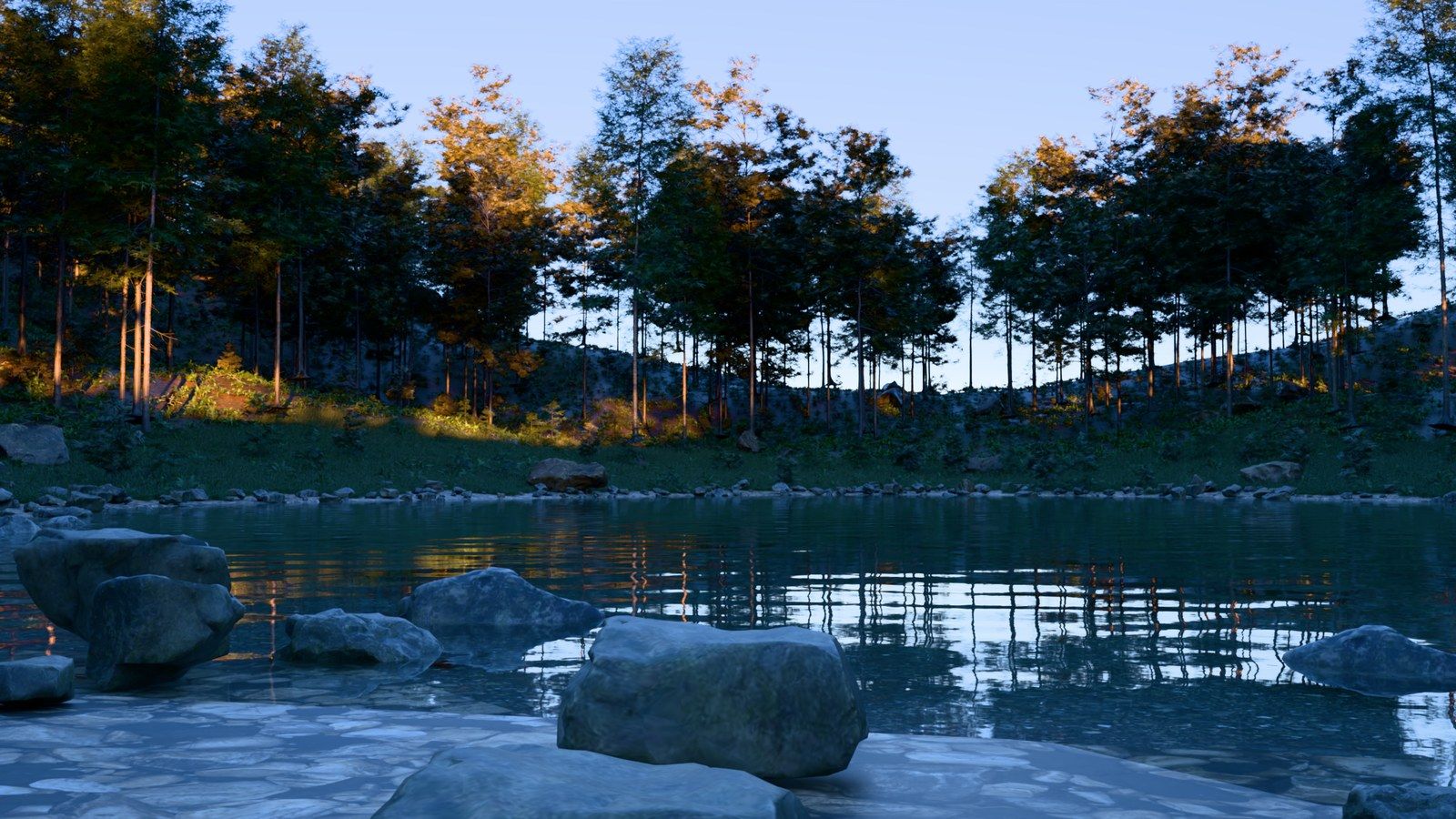
                                            Forest pond at sunset, scattered with Rayscaper

                                            Scatter

                                            Fill a terrain with trees, plants, rocks or grass straight from SketchUp. Pick the surfaces and the components to scatter, and Rayscaper renders thousands of instances with a preview in the SketchUp viewport. Material filters and a Weight control decide where things grow, and the Projection and Wrap modes place objects on curved surfaces and walls. The render stays responsive while you drag sliders, even with a lawn of 170,000 instances.
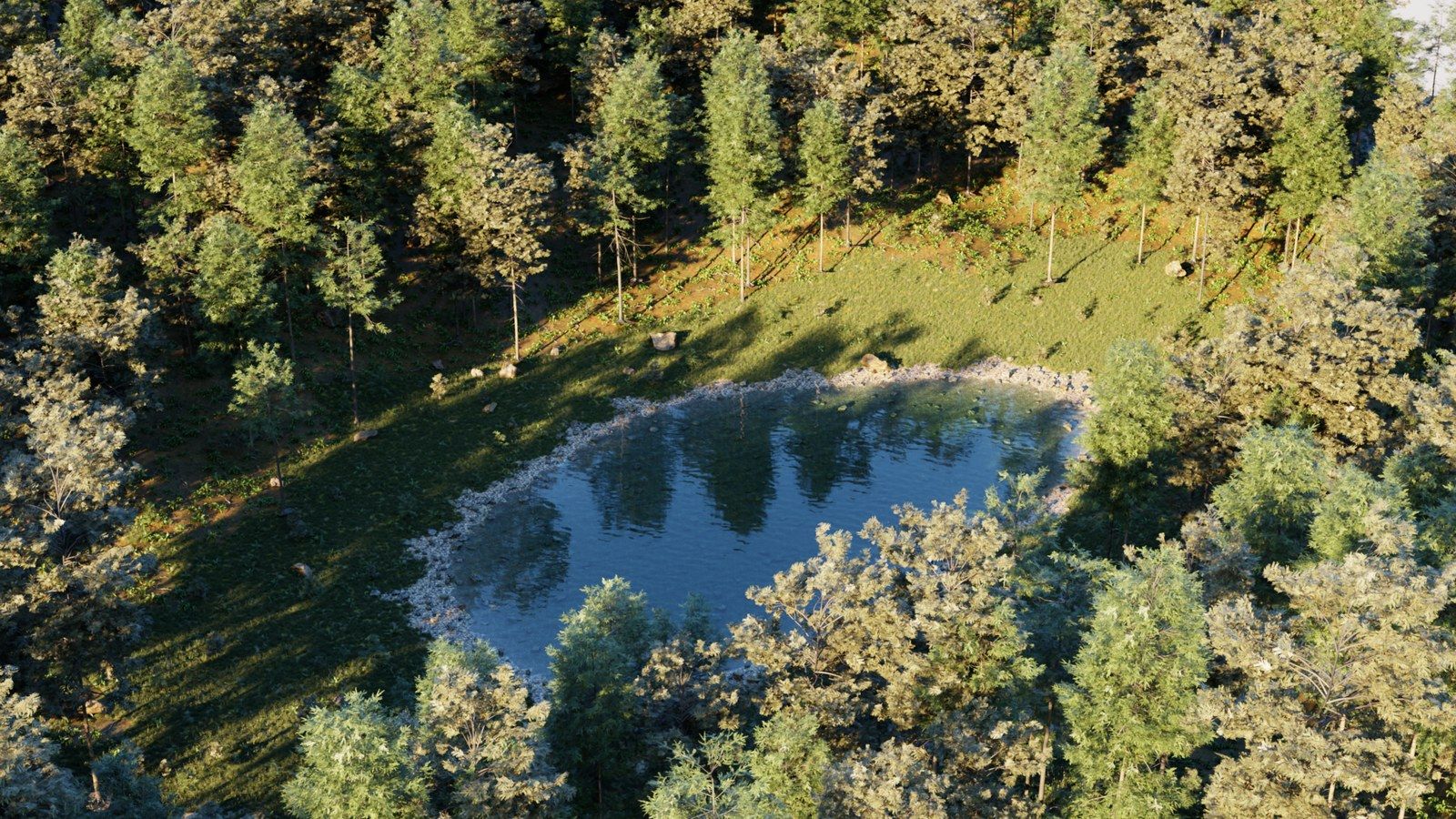
                                            Aerial view of a scattered forest

                                            Rayscaper Material Library

                                            The asset library now has about 80 ready-made Rayscaper materials: glass, gems, metals, car paints, lacquers, ceramics, plastics, fabrics, leathers, liquids, water and lights.
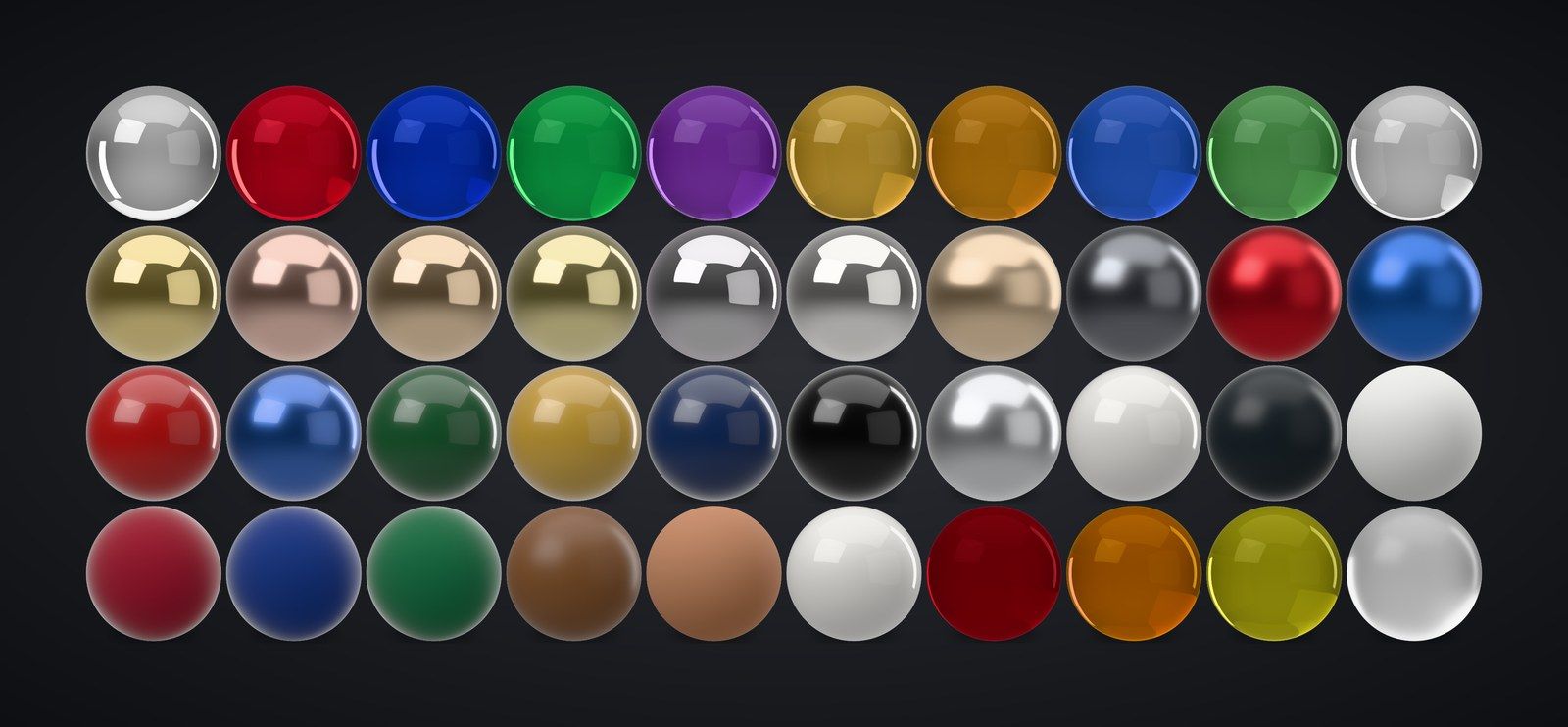
                                            Rayscaper material library

                                            A Simpler Material Editor

                                            The material editor has four types: Standard, Glass, Metal and Water. Standard gets a Finish preset (Matte, Satin, Glossy, Lacquered, Fabric, Mirror), Metal offers ten real metals with a Tint, and the settings most people never touch move into the presets. Older Coated, Diffuse, Mirror and Plastic materials open as Standard materials.

                                            A New Sky

                                            The Sky is one physically based sky now: a clear blue sky with a pale horizon, and a ground that's lit the same way. Pick a preset (Clear, Hazy, Overcast, Soft Light, Golden Hour, Sunset or Blue Hour) and tune it with a single Haze slider. Older skies open as the new one.
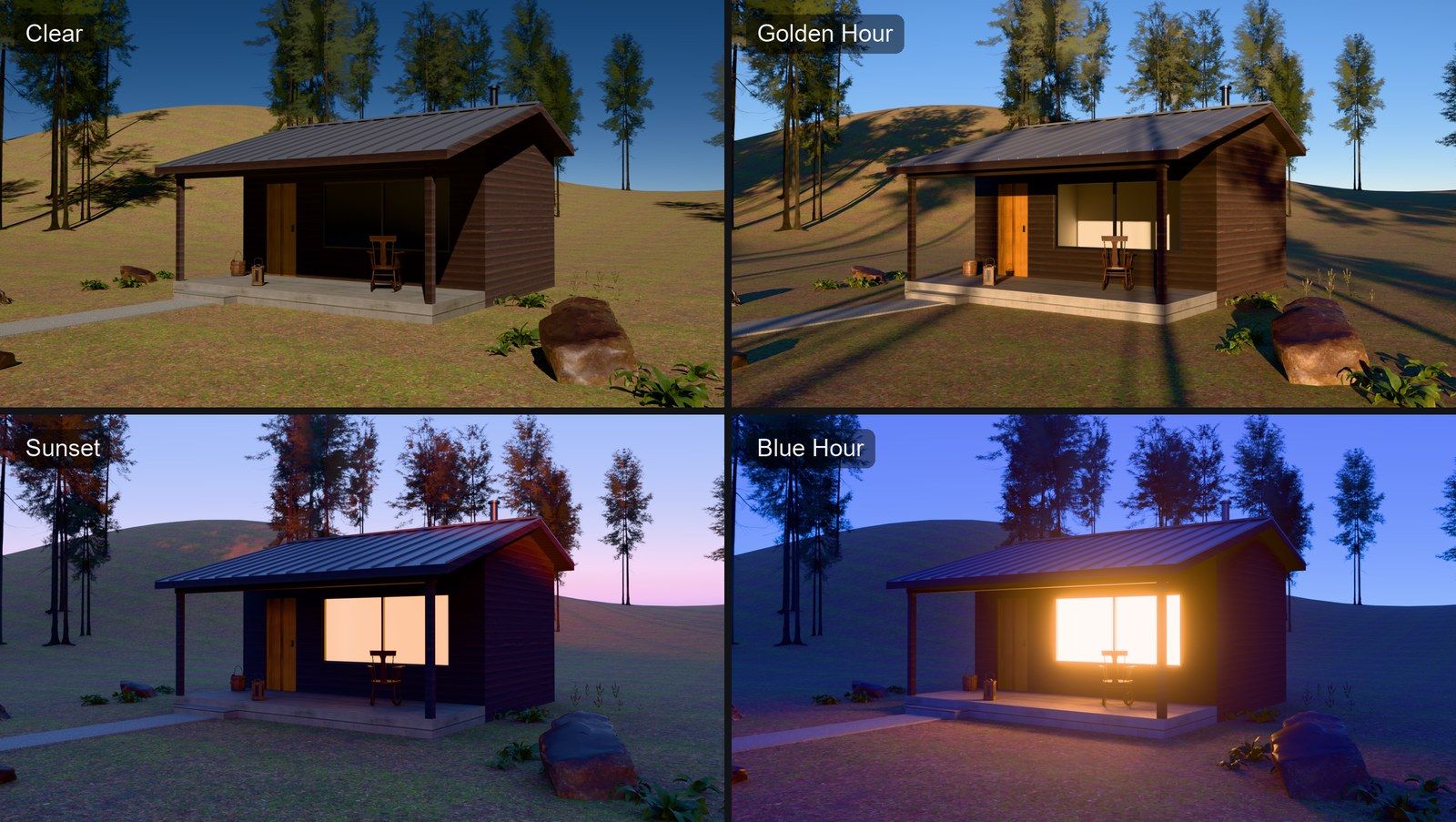
                                            Sky presets: Clear, Golden Hour, Sunset, Blue Hour

                                            Quality Presets and Simpler Render Settings

                                            Choose Draft, Preview, Final or High instead of tuning bounces and clamps, and set the resolution with Aspect Ratio and Size presets. Rayscaper now renders on the GPU by default and falls back to the CPU when the GPU fails. Bloom and glare look the same in every scene, so lamps glow instead of washing out the image.

                                            Textured Emission

                                            Light-emitting materials can use a texture, for screens and signs.
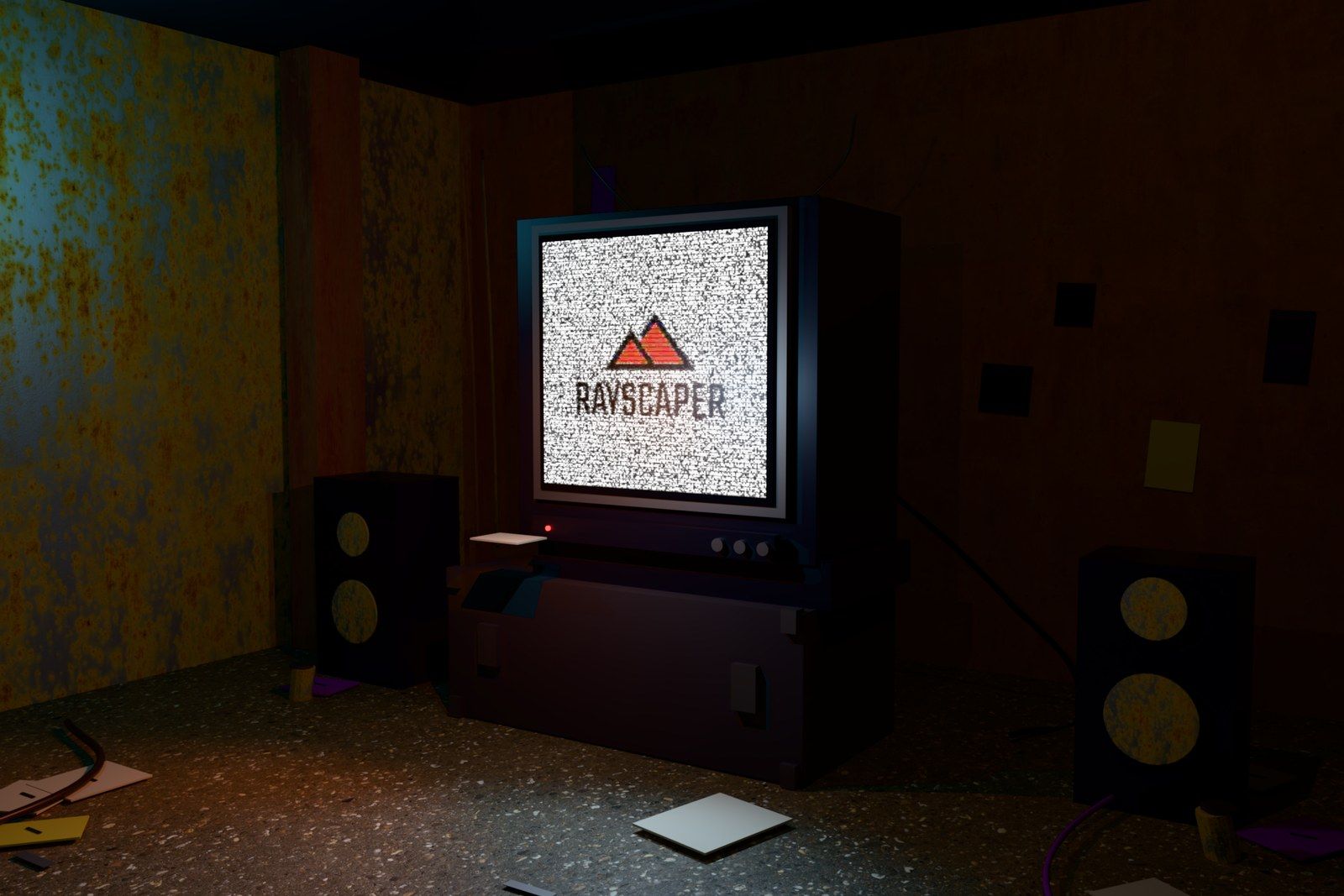
                                            Textured emission on a CRT screen

                                            Also New

                                            • A review and repair window for image files that are missing when a scene loads.

                                            Bug Fixes

                                            • Fix the render no longer following orbiting and scene changes in SketchUp after the first start.
                                            • Fix Start Render doing nothing on models with stored Rayscaper settings.
                                            • Fix animation frames saving before denoising finishes.
                                            • Fix a bright flash at the start of renders with auto exposure.
                                            • Fix crashes when the scene changes during rendering and when a render finishes right before the engine stops.
                                            • Fix mouse position offsets on desktops with display scaling.
                                            • Fix normal map rotation, and keep normal maps and emission when changing the material type.
                                            • Fix scatter orientation and height offsets on the underside of spheres and thin surfaces.
                                            • Remove stale instances from emptied Skatter compositions.

                                            Full release notes: rayscaper.com/manual/release-notes

                                            On the Way to 1.0

                                            This is the last stretch of the beta. Rayscaper will leave the beta soon, and the next big milestone is the first 1.0 release. The simplified editor, the material library and scatter in this version are a big step towards it. If anything still bothers you, now is the best time to let me know.

                                            About the Free Version

                                            Rayscaper remains free to try, with a few more limits than before:

                                            • Renders inside SketchUp, including saved images and animation frames, are limited to 1280 pixels on the longest edge.
                                            • Renders carry a watermark, now with a faint logo pattern over the whole image.
                                            • Free renders can't be used commercially.

                                            Scene editing and animation stay fully available, and your scenes keep the resolution you set, so a license ($99, once) restores full size right away.

                                            Help Me Build the Community 👍

                                            If you like Rayscaper, please share your renders (final or work-in-progress, it doesn't matter)! This is motivating and helps me showcase its capabilities to new users.

                                            Follow me on X.

                                            Happy Rendering!
                                            Thomas

                                            I'm the developer of Rayscaper: https://rayscaper.com/ - Fast and easy rendering for SketchUp.

                                            1 Reply Last reply
                                            Reply Quote 2

                                            Hello! It looks like you're interested in this conversation, but you don't have an account yet.

                                            Getting fed up of having to scroll through the same posts each visit? When you register for an account, you'll always come back to exactly where you were before, and choose to be notified of new replies (either via email, or push notification). You'll also be able to save bookmarks and upvote posts to show your appreciation to other community members.

                                            With your input, this post could be even better đź’—

                                            Register Login
                                            • 1
                                            • 2
                                            • 23
                                            • 24
                                            • 25
                                            • 26
                                            • 27
                                            • 25 / 27
                                            • First post
                                              Last post
                                            Buy SketchPlus
                                            Buy SUbD
                                            Buy WrapR
                                            Buy eBook
                                            Buy Modelur
                                            Buy Vertex Tools
                                            Buy SketchCuisine
                                            Buy FormFonts

                                            Advertisement