Rayscaper New Releases
-
Oh well, that lasted a long time did it not.
I cannot run Rayscaper, it is installed but, when I start the app the !render! window will not open.
All this happened post a diffusion update.
Report below.
Extension Errors Report
SketchUp: 24.0.594
OS: Windows 11
Ruby: 3.2.2Extension: SketchUp Diffusion (1.2025.09.28)
Error: LoadError (127: The specified procedure could not be found. - C:/Users/mike1/AppData/Local/Temp/SketchUpDiffusion.so)
<internal:C:/Program Files/SketchUp/SketchUp 2024/Tools/RubyStdLib/rubygems/core_ext/kernel_require.rb>:85:inrequire' <internal:C:/Program Files/SketchUp/SketchUp 2024/Tools/RubyStdLib/rubygems/core_ext/kernel_require.rb>:85:inrequire'
c:/users/mike1/appdata/roaming/sketchup/sketchup 2024/sketchup/plugins/su_diffusion/su_loader.rbe:28:in<module:SketchUpDiffusion>' c:/users/mike1/appdata/roaming/sketchup/sketchup 2024/sketchup/plugins/su_diffusion/su_loader.rbe:1:in<main>'
C:/Program Files/SketchUp/SketchUp 2024/Tools/extensions.rb:197:ineval' C:/Program Files/SketchUp/SketchUp 2024/Tools/extensions.rb:197:inrequire'
C:/Program Files/SketchUp/SketchUp 2024/Tools/extensions.rb:197:inload' C:/Users/mike1/AppData/Roaming/SketchUp/SketchUp 2024/SketchUp/Plugins/su_diffusion.rb:21:inregister_extension'
C:/Users/mike1/AppData/Roaming/SketchUp/SketchUp 2024/SketchUp/Plugins/su_diffusion.rb:21:in<module:SketchUpDiffusion>' C:/Users/mike1/AppData/Roaming/SketchUp/SketchUp 2024/SketchUp/Plugins/su_diffusion.rb:5:in<top (required)>' -
Hello, Pixelcruncher,
I'have installed RS 9.6.9
I'm testing it. When I hide a SU tag it stays visible. The only way seems to Hide a group so that it will not be visible. So: we can't use Hide/reveal Tags?Krass
-
Going cold turkey, sketchup is completely uninstalled for a while.
-
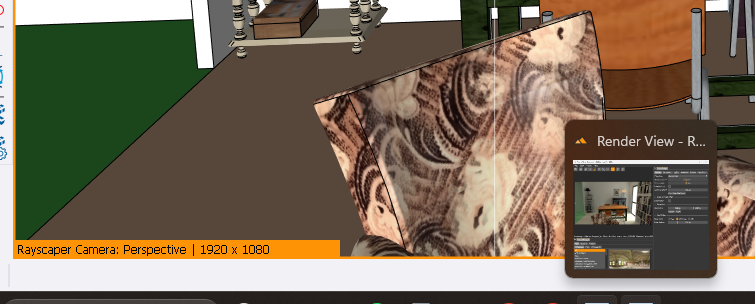
This time I have a scene that is a bit heavy, I copied an entire apartment in duplicate and when I open RS, it is active but the window does not want to enlarge and remains stuck in the taskbar. We can see in the thumbnail that it is working on the project, it is rendering... but I also did not have a Rayscaper loading window -
The latest version is broken for me... I installed it and I don't think I restarted SU and it worked. But now the window is stuck in the taskbar;
I'm going to reinstall 9.6.4 to test. -
Ok, rayscaper is back if I use 9.6.4
-
Need a revert version button.
-
@pixelcruncher any update on when the material inheritance is going to be fixed?
-
Hello, pictures of another apartment I would like to buy, I prefer this one. the exterior is made up, it's the hdri map. but the view is really nice in truth. Rayscaper render Magnfic Upscale
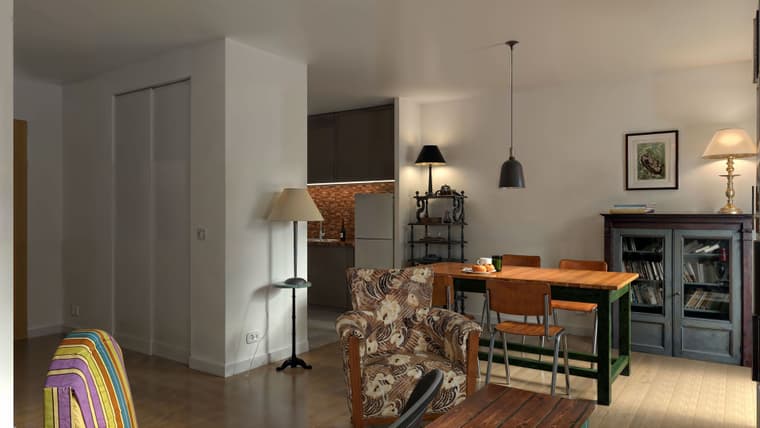
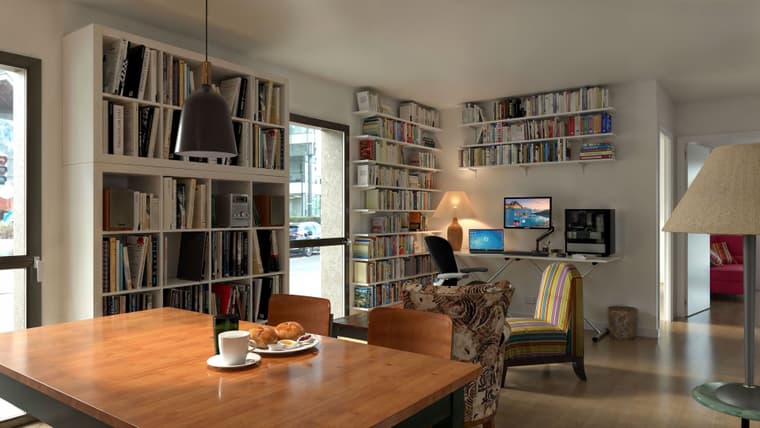
-
Can someone post the .9.6.4 build please, da nada here.
-
OK, hover the cursor over the sketchup icon on the task bar, right click on the Rayscaper window and maximise. The render window will not open elsewise.
-
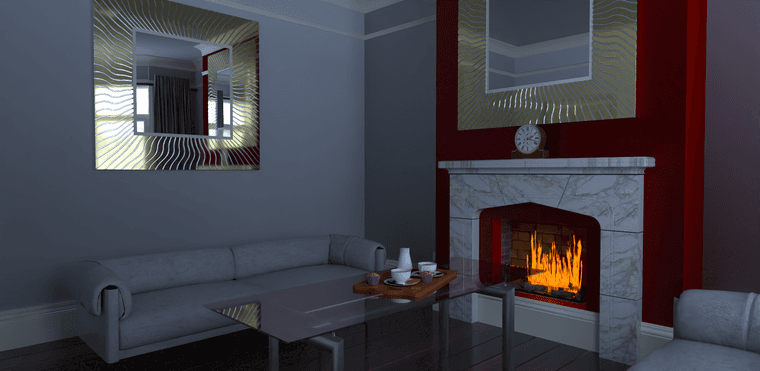
Running the .69 build. EVERY new model loaded will require the steps above. right click on the render window on the task bar and select maximise. When this is done once per new model, session, each new start of Rayscaper will occur as per normal.
-
Thanks Mike, I'will test your tip. here is the 9.6.4 version, tell me when your download is ok, I will delete the file:
https://www.swisstransfer.com/d/698b91bc-e0e6-4fc5-8434-9b06ef0571f7 -
Done, I thank you Sir.
-
Hey folks,
Sorry for the late replies. It was a bad weekend to go on a trip.
 — I assumed that the build I posted fixed the crash just before I left. Will post an updated build here ASAP.
@pixelcruncher any update on when the material inheritance is going to be fixed?
Will try to do that in the release after this one. The next one will be a hotfix for the crashes users encountered.
Need a revert version button.
Agreed, but it's not that simple to do with a SketchUp extension. I will make downloads of older releases available on the Rayscaper website. Stay tuned.
OK, hover the cursor over the sketchup icon on the task bar, right click on the Rayscaper window and maximise. The render window will not open elsewise.
Thanks for the workaround. I will fix it.
Cheers,
ThomasI'm the developer of Rayscaper: https://rayscaper.com/ - Fast and easy rendering for SketchUp.
-
Thanks PixC. Good luck
-
I never doubted you would. My first thought was the Diffusion update seeing as that was the last thing to happen prior to the issue presenting.
Conflict with Diffusion?
-
Just so you know Mr Cruncher, Sir.
When you get the chance to get away from the rat race, ANY weekend is a good time to do so. You Sir, are worth it. In a very poor paraphrasing of the advertisement.
-
@pixelcruncher thank you
-
Hey, Rayscaper users!
Rayscaper 0.9.72 Beta is available. You can get it via the SketchUcation store.
I recommend upgrading to the latest version.
What Changed?
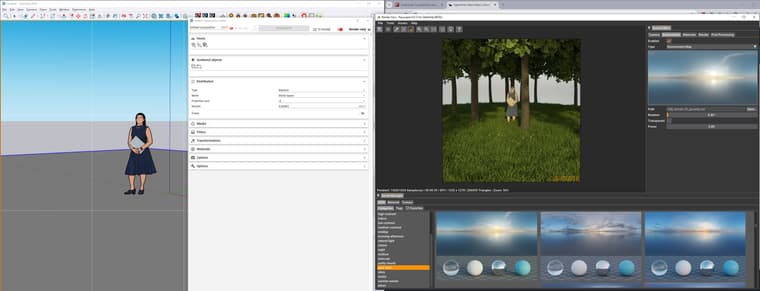
- Rayscaper now supports direct integration with the Skatter plugin. Render-only Skatter data can now be ingested directly from Skatter, bypassing the
SketchUp viewport. This offloads complex instancing and geometry handling to Rayscaper, keeping SketchUp responsive and lightweight during rendering.
Perfect for large vegetation or scattering setups — just hit render and let Rayscaper handle the heavy lifting. (@ntxdave Thanks for connecting me with the Skatter people). - Bugfix: push/pull geometry would not properly propagate to Rayscaper.
- Fix Rayscaper for SketchUp 2024, caused by a breaking change in the SketchUp SDK. Note: Going forward, Rayscaper will only support the latest three
SketchUp releases because now that it's for sure that the SDK is not backwards compatible, it's too much overhead for me to maintain more versions. The
current version supports: SketchUp 2026, SketchUp 2025 & SketchUp 2024. - Make materials assigned to a SketchUp group or component instance work again. cc: @sashapepperspray
Here's a screenshot of a simple forest I created using Skatter:
Help Me Build the Community

If you like Rayscaper, please share your renders (final or work-in-progress, it doesn't matter)! This is motivating and helps me showcase its capabilities
to new users.Follow me on https://x.com/rayscaper3d.
Happy Rendering!
Thomas - Rayscaper now supports direct integration with the Skatter plugin. Render-only Skatter data can now be ingested directly from Skatter, bypassing the




Hello! It looks like you're interested in this conversation, but you don't have an account yet.
Getting fed up of having to scroll through the same posts each visit? When you register for an account, you'll always come back to exactly where you were before, and choose to be notified of new replies (either via email, or push notification). You'll also be able to save bookmarks and upvote posts to show your appreciation to other community members.
With your input, this post could be even better 💗
Register Login


Advertisement