sketchucation logo sketchucation
    • 登入
    Oops, your profile's looking a bit empty! To help us tailor your experience, please fill in key details like your SketchUp version, skill level, operating system, and more. Update and save your info on your profile page today!
    🔌 Smart Spline | Fluid way to handle splines for furniture design and complex structures. Download

    [Plugin] Animator - v4.6a - 18 Dec 25


    已排程 已置頂 已鎖定 已移動 Animator Beta
    renderpluginsextensions
    595 貼文 119 Posters 1.9m 瀏覽 119 Watching
    正在載入更多貼文
    • 從舊到新
    • 從新到舊
    • 最多點贊
    回覆
    • 在新貼文中回覆
    登入後回覆
    此主題已被刪除。只有擁有主題管理權限的使用者可以查看。
    • Rich O BrienR 離線
      Rich O Brien Moderator
      最後由 編輯

      Sim lab can do it. Not as real as Thea but still pretty acceptable.

      Blender would do this also. But we know where that discussion goes!

      I didn’t try your file yet on my 2018 and Thea. Will do so later.

      Download the free D'oh Book for SketchUp 📖

      1 條回覆 最後回覆 回覆 引用 0
      • ntxdaveN 離線
        ntxdave
        最後由 編輯

        @rich o brien said:

        I didn’t try your file yet on my 2018 and Thea. Will do so later.

        When I downloaded the trial, it would not give me the option to install for 2018.

        With some of the latest stuff for SimLab composer, you can do what he is trying to do here with Animator. Especially with the VR version plus it has a lot of interactive capabilities.

        Animator also works well with Twilight Render Pro.

        Press F1...thank me later

        1 條回覆 最後回覆 回覆 引用 0
        • soloS 離線
          solo
          最後由 編輯

          Okay, all fixed, it is indeed a Thea bug and I do have a fix thanks to Tomasz (the Thea plugin author)

          http://www.solos-art.com

          If you see a toilet in your dreams do not use it.

          1 條回覆 最後回覆 回覆 引用 0
          • fredo6F 離線
            fredo6
            最後由 編輯

            @solo said:

            Okay, all fixed, it is indeed a Thea bug and I do have a fix thanks to Tomasz (the Thea plugin author)

            What was the fix ?

            Fredo

            1 條回覆 最後回覆 回覆 引用 0
            • soloS 離線
              solo
              最後由 編輯

              @fredo6 said:

              @solo said:

              Okay, all fixed, it is indeed a Thea bug and I do have a fix thanks to Tomasz (the Thea plugin author)

              What was the fix ?

              Fredo

              I was given a new .rbs file, it's a temporary fix, Tomasz will get that sorted soon, he is very busy with Thea v 2.0 at moment.

              http://www.solos-art.com

              If you see a toilet in your dreams do not use it.

              1 條回覆 最後回覆 回覆 引用 0
              • ntxdaveN 離線
                ntxdave
                最後由 編輯

                Good to hear the situation is being addressed. I had reached out for a trial for 2018 so I could try you model and see what happened on my machine. They did send me a link but I will back off and let you guys get it resolved. 😄

                Press F1...thank me later

                1 條回覆 最後回覆 回覆 引用 0
                • fredo6F 離線
                  fredo6
                  最後由 編輯

                  Solo,

                  Thanks. I don't know what the fix can be, as it worked fine on my side.

                  I had to tweak the sunlight setting to remove the black background (not perfect as shadows are projected in the empty space), but I do get a normal movement for the different parts.
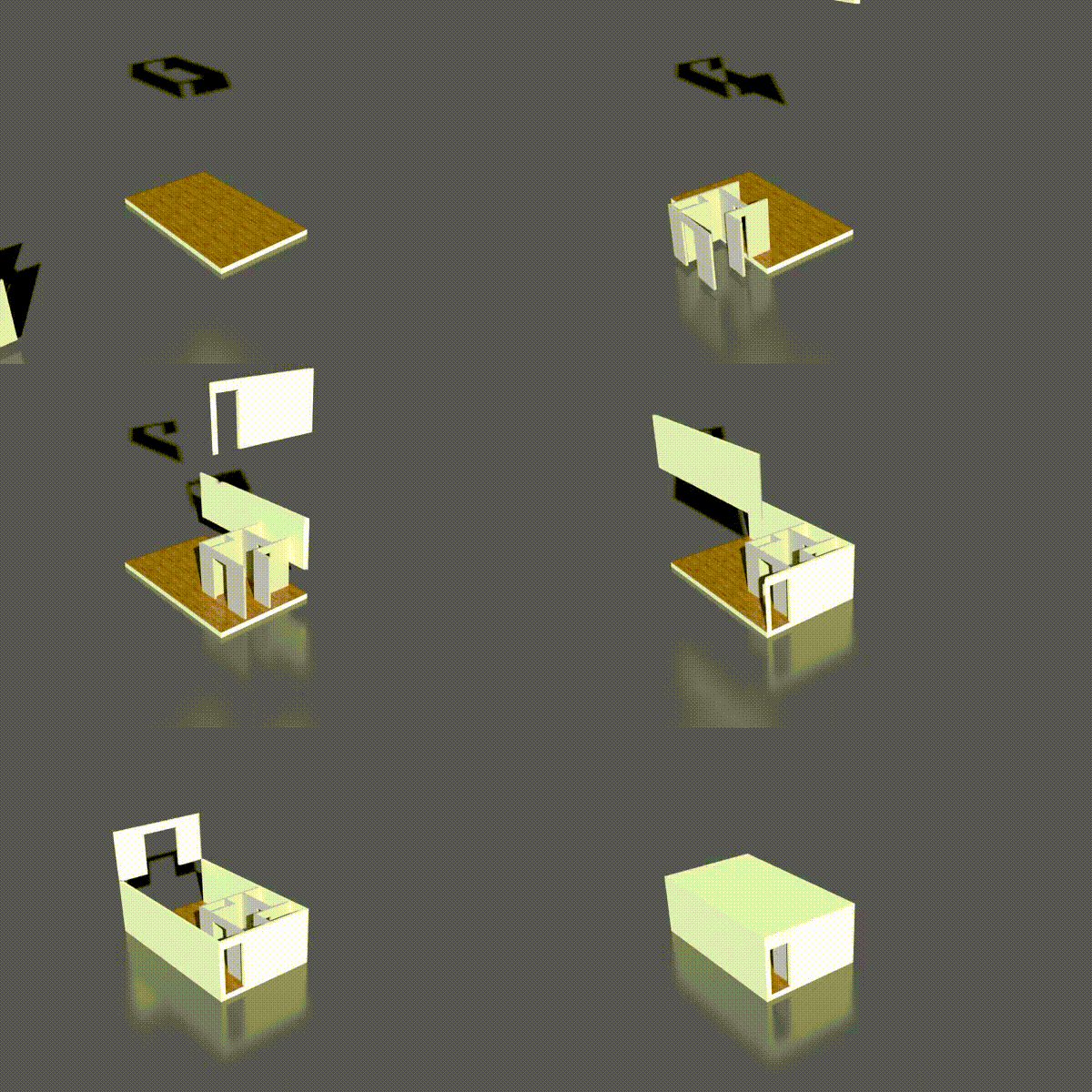
                  Film 1.gif

                  Fredo


                  Film 1.mov

                  1 條回覆 最後回覆 回覆 引用 0
                  • M 離線
                    Mike598601
                    最後由 編輯

                    @fredo6 said:

                    Is Vray 3.6 installed in SU2018?

                    I will investigate on my side

                    Fredo

                    Hi Fredo,

                    Did you check on this? I have just done a completely fresh install of everything onto a new PC, so SU 2018 Pro, Animator 1.8b, LibFredo6 8.0b and V-Ray 3.6 and it still doesn't appear as an option to Render.

                    Kind regards

                    Mike

                    1 條回覆 最後回覆 回覆 引用 0
                    • fredo6F 離線
                      fredo6
                      最後由 編輯

                      @mike598601 said:

                      Did you check on this? I have just done a completely fresh install of everything onto a new PC, so SU 2018 Pro, Animator 1.8b, LibFredo6 8.0b and V-Ray 3.6 and it still doesn't appear as an option to Render.

                      I installed VRay 3.6 and found the same results as you.

                      Actually, the API has changed and at least one method has disappeared.

                      I contacted Chaos Group to inquire about this.

                      In the meantime, I am afraid that Animator won't support VRay 3.6, as I cannot do anything on my side (note that the VRay API is not documented, and thus the integration in Sketchup was more in a beta stage).

                      Sorry for that. I hope it won't take too long.

                      Fredo

                      1 條回覆 最後回覆 回覆 引用 0
                      • fredo6F 離線
                        fredo6
                        最後由 編輯

                        I just published LibFredo6 8.0c, which includes a fix for compatibility with VRay 3.6.

                        However, I noticed that VRay 3.6 may freeze after rendering a number of frames. Please report if you have this case.

                        Thanks

                        Fredo

                        1 條回覆 最後回覆 回覆 引用 0
                        • L 離線
                          liam887
                          最後由 編輯

                          Wow cant wait to take this for a spin!

                          VISIT MY ONLINE GALLERY
                          http://www.robotsvdinosaurs.com/

                          1 條回覆 最後回覆 回覆 引用 0
                          • M 離線
                            Mike598601
                            最後由 編輯

                            Possible issue with v1.8g - tried to change layer visibility and animator just crashed on saving. Couldn't get out of animator back to sketchup.

                            1 條回覆 最後回覆 回覆 引用 0
                            • fredo6F 離線
                              fredo6
                              最後由 編輯

                              @mike598601 said:

                              Possible issue with v1.8g - tried to change layer visibility and animator just crashed on saving. Couldn't get out of animator back to sketchup.

                              Do you mean bugsplat?

                              Fredo

                              1 條回覆 最後回覆 回覆 引用 0
                              • fredo6F 離線
                                fredo6
                                最後由 編輯

                                New Release: Animator - v1.8h - 15 Mar 18

                                Requirement: LibFredo6 v8.1e

                                Minor release

                                • bug fixing of a problem in v1.8g related to cameras and visual effects
                                • Extension of validity

                                See main post for RBZ files

                                1 條回覆 最後回覆 回覆 引用 0
                                • N 離線
                                  nuddles
                                  最後由 編輯

                                  when I render an animation by vray,it always stop at 2′17″or 2′18″,and continue rendering next frame,however,the last image was not rendered completely. I used Sketchup 2017 pro and VFS 3.40.04

                                  1 條回覆 最後回覆 回覆 引用 0
                                  • fredo6F 離線
                                    fredo6
                                    最後由 編輯

                                    New Release: Animator - v2.0a - 07 May 18

                                    Requirement: LibFredo6 v8.3a

                                    Major release
                                    Animator 2.0 toolbar.png

                                    1. Revamping of the user interface, with a dark theme, based on constructive, artistic advice from derei.

                                    Animator Dark Theme.png

                                    1. Major functional evolutions in the Timeline
                                    • Contextual menu, with many options available about the navigation in the timeline and the manipulation of selected elements
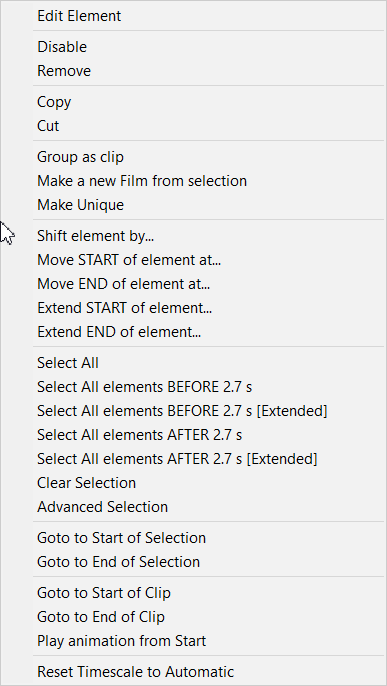
                                    Animator 2.0 - contextual menu.png

                                    • Move and resize of several elements by dragging. You can also specify a shift for moving the start time and end time of elements, as well as align elements. When moving or resizing elements, there now inferences in the timeline to better align elements
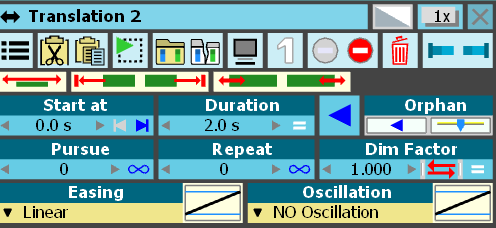
                                    Animator - timeline moving.png

                                    • Insertion (as well as removal) of empty space in the timeline (via contextual menu), and also at the beginning and at the end (via white arrows).

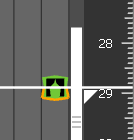
                                    Animator Insert before Beg.png
                                    Animator Insert at End.png

                                    • Advanced Selection panel, filtering by category and position versus the current time
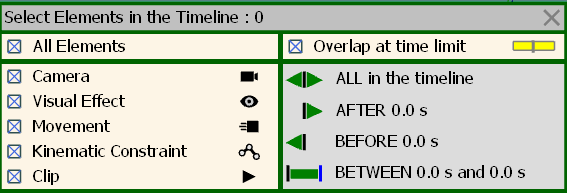
                                    Animator Advanced Selection Panel.png

                                    • Change of the time scale by Alt+mousewheel. You can reset to automatic time scaling by Alt + Click in the time track.

                                    • Name of elements displayed in the rectangles in the timeline (optional). There is an option in the Default Parameters to display names when the timeline is Horizontal or Vertical or both, or not to display name.
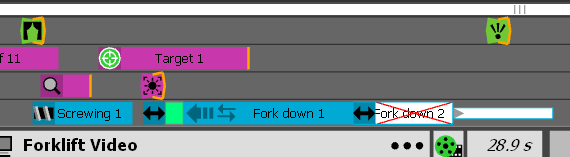
                                    Animator Display Names.png

                                    1. New Positioner dialog box(with single icon in toolbar) allowing to load, save, delete, rename and replace positioners
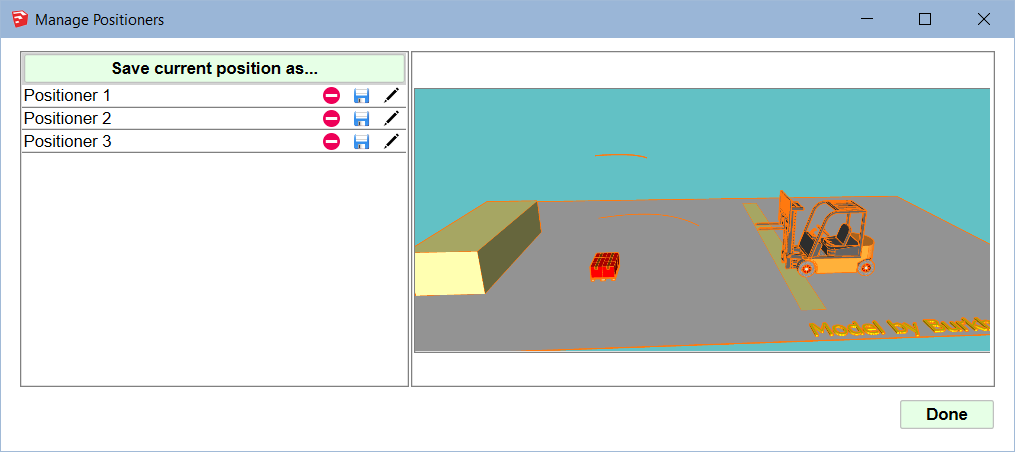
                                    Animator - Positioner Dialog.png

                                    1. Constant acceleration, based on 2 speeds, one for start one for end, for movements: Translation, Screw, Rotate, Spin and AlongPath

                                    Animator - Acceleration.png

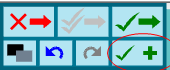
                                    1. SaveNext button in the Movement Editor, allowing to save the current sequence and then go directly to the edition of a new one with the same selected object
                                    Animator - Save Next.png

                                    1. The visitor mode has been disabled, as it does not work.

                                    See plugin home page of Animator for Download of RBZ from the PluginStore.

                                    See Main Post of the Animator thread for more information.

                                    1 條回覆 最後回覆 回覆 引用 0
                                    • SchuppeS 離線
                                      Schuppe
                                      最後由 編輯

                                      Hi Fredo
                                      WOW, more than i dreamed of !!! I will go into this the next days.
                                      Thanks a lot for your work, great!!! merci beaucoup, tu es le meilleur !!
                                      I know its silly but it feels like christmas, lol

                                      Schuppe

                                      1 條回覆 最後回覆 回覆 引用 0
                                      • A 離線
                                        Ahmed0007
                                        最後由 編輯

                                        Thanks a lot for your work, great!!!

                                        1 條回覆 最後回覆 回覆 引用 0
                                        • OxerO 離線
                                          Oxer
                                          最後由 編輯

                                          Hi Fredo, I created the Spanish language file for Animator v2.0a, here the file:

                                          Spanish language file for Animator v2.0a

                                          "The result is the end what is important is the process" by Oxer
                                          http://www.oxervision.blogspot.com/

                                          1 條回覆 最後回覆 回覆 引用 0
                                          • jgbJ 離線
                                            jgb
                                            最後由 編輯

                                            Fredo
                                            Is there any chance you could come up with a 32bit Animator version? I have SU 2015 32 bit and I cannot upgrade my system to 64 bit O/S (Win 10). The h/w IS 64bit, my Win 10 was mistakenly upgraded to 32bit.
                                            Even if a few features are disabled, it would be better than nothing.


                                            jgb

                                            1 條回覆 最後回覆 回覆 引用 0
                                            • 1
                                            • 2
                                            • 22
                                            • 23
                                            • 24
                                            • 25
                                            • 26
                                            • 29
                                            • 30
                                            • 24 / 30
                                            • 第一個貼文
                                              最後的貼文
                                            Buy SketchPlus
                                            Buy SUbD
                                            Buy WrapR
                                            Buy eBook
                                            Buy Modelur
                                            Buy Vertex Tools
                                            Buy SketchCuisine
                                            Buy FormFonts

                                            Advertisement