sketchucation logo sketchucation
    • Login
    Oops, your profile's looking a bit empty! To help us tailor your experience, please fill in key details like your SketchUp version, skill level, operating system, and more. Update and save your info on your profile page today!
    Mac User? | Join the Rayscaper Beta for Mac Learn More

    [Plugin] SketchUV - now free

    Scheduled Pinned Locked Moved Plugins
    176 Posts 62 Posters 175.8k Views 62 Watching
    Loading More Posts
    • Oldest to Newest
    • Newest to Oldest
    • Most Votes
    Reply
    • Reply as topic
    Log in to reply
    This topic has been deleted. Only users with topic management privileges can see it.
    • ToboboT
      Tobobo
      last edited by

      That does look better Rich, as always with this sort of thing the client wants it to be triangular faces. ๐Ÿ˜’

      Toby

      Philippians 4:13

      I can do everything through him who gives me strength.

      1 Reply Last reply
      Reply Quote 0
      • Rich O BrienR
        Rich O Brien Moderator
        last edited by

        You can have tris but that shape is hard to resolve

        Download the free D'oh Book for SketchUp ๐Ÿ“–

        1 Reply Last reply
        Reply Quote 0
        • ToboboT
          Tobobo
          last edited by

          @rich o brien said:

          You can have tris but that shape is hard to resolve

          Ok thanks Rich ๐Ÿ˜„ , I will try and sort it

          Toby

          Philippians 4:13

          I can do everything through him who gives me strength.

          1 Reply Last reply
          Reply Quote 0
          • FrederikF
            Frederik
            last edited by

            Not sure if you can use this, but that paper globe model is available for free at model+model... ๐Ÿ˜‰

            I downloaded the OBJ and imported it to SketchUp and got this result...
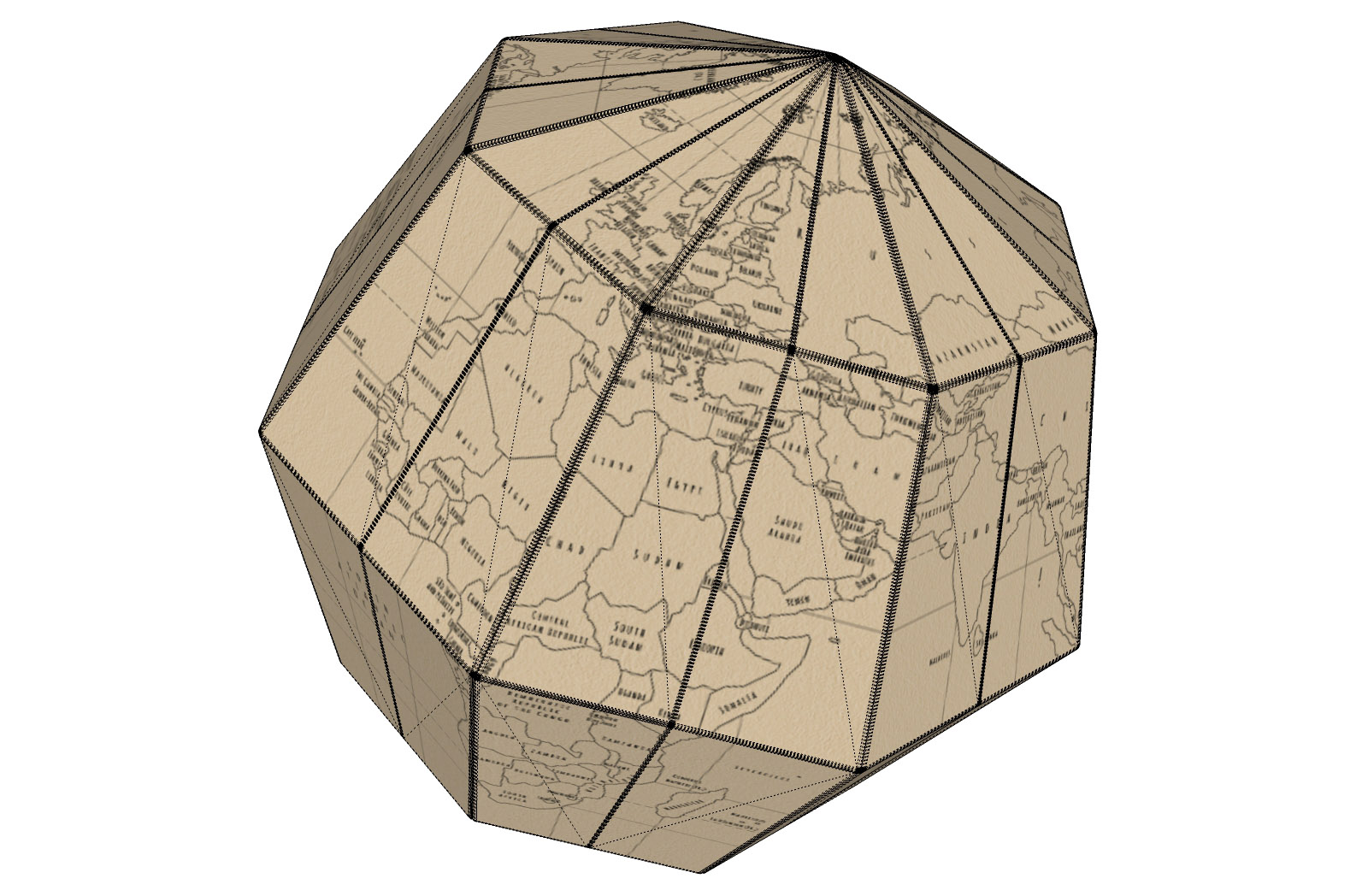

            Geografia-paper-globe.jpg

            Cheers
            Kim Frederik

            1 Reply Last reply
            Reply Quote 0
            • Rich O BrienR
              Rich O Brien Moderator
              last edited by

              A hipoly lo poly version.

              Download the free D'oh Book for SketchUp ๐Ÿ“–

              1 Reply Last reply
              Reply Quote 0
              • FrederikF
                Frederik
                last edited by

                It even looks great when rendered... ๐Ÿ˜„


                Geografia-paper-globe_Thea-render.jpg

                Cheers
                Kim Frederik

                1 Reply Last reply
                Reply Quote 0
                • FrederikF
                  Frederik
                  last edited by

                  My pleasure... ๐Ÿ˜„

                  Cheers
                  Kim Frederik

                  1 Reply Last reply
                  Reply Quote 0
                  • J
                    jamenloh
                    last edited by

                    Hey man, thanks for the plugin ! It solves so many problems we are facing ! I just downloaded it to try , am facing an issue with your plug in.

                    I've followed the tutorial by clicking the surface , the iconbar , align the angles and select the context menu planar surface - but it doesn't apply the UV map ... it just applis my last texture.

                    Have tried it many times to no avail.

                    Any idea what happened ?

                    1 Reply Last reply
                    Reply Quote 0
                    • ToboboT
                      Tobobo
                      last edited by

                      @frederik said:

                      It even looks great when rendered... ๐Ÿ˜„

                      That's great ๐Ÿ˜„

                      Thanks mate!

                      Toby

                      Philippians 4:13

                      I can do everything through him who gives me strength.

                      1 Reply Last reply
                      Reply Quote 0
                      • Z
                        Zacchia
                        last edited by

                        Many thanks for this nice plugin!!

                        1 Reply Last reply
                        Reply Quote 0
                        • romboutR
                          rombout
                          last edited by

                          I got a question. Ive read somewhere when import a obj mesh which gets triangulated at normal size (for me metric) better use a smaller import size. Im using meter in blender and than import it as inch into SU, cm still gives triangles and mm cuts holes.

                          what scale do i need to use to set it back to meter. Im searching google but im not sure what keywords i need to use. Im non english person so bit harder for correct translation.

                          Doing my own tests i came around 39.35% when i use the scale tool in SU, im still a bit off. Anyone here who knows the exact scale method

                          1 Reply Last reply
                          Reply Quote 0
                          • romboutR
                            rombout
                            last edited by

                            After checking again and using a simple cube i found that 39.37% scale is exact. I could also use the tape measure ofcourse, i totally forgot about that function. Measuring the down scaled part and than simply typing the exact number.

                            Now i wonder why the scale is such awkward number, any know familiar with this ๐Ÿ˜„

                            1 Reply Last reply
                            Reply Quote 0
                            • Z
                              Zacchia
                              last edited by

                              This is because 1 m is about 39.37 inches I think...

                              1 Reply Last reply
                              Reply Quote 0
                              • A
                                AcesHigh
                                last edited by

                                I suppose this is not the place... or maybe it is... but I followed the Roadkill SketchUV road mapping tutorial and it didnยดt work at all.

                                The problem was that my road had a more complex triangulation and when I started pulling the border vertexes arond at RoadKill, Roadkill did not know how to deal with the vertexes in the middle of the road... it resulted in a bad mess, specially when I would pull the right vertexes to the right side of the map... there were triangles jumping all over the place inside Roadkill ๐Ÿ˜•

                                1 Reply Last reply
                                Reply Quote 0
                                • D
                                  dacastror
                                  last edited by

                                  mistakes like this are appearing on the console

                                  Error: #<NameError: uninitialized constant DM_SketchUV::DM_UVTool::Set>

                                  I'm using Sketchup 2015. When you use version 1.0 works fine, but there are flaws in version 1.0.1

                                  1 Reply Last reply
                                  Reply Quote 0
                                  • W
                                    Whaat
                                    last edited by

                                    @dacastror said:

                                    mistakes like this are appearing on the console

                                    Error: #<NameError: uninitialized constant DM_SketchUV::DM_UVTool::Set>

                                    I'm using Sketchup 2015. When you use version 1.0 works fine, but there are flaws in version 1.0.1

                                    Thanks for the report - I'll look into it. Are you sure you have the latest version installed?

                                    SketchUp Plugins for Professionals

                                    1 Reply Last reply
                                    Reply Quote 0
                                    • BSquared18B
                                      BSquared18
                                      last edited by

                                      **Hello Dale,

                                      I started a thread titled "Need Help Using SketchUV for UV mapping" at:

                                      404 Not Found

                                      favicon

                                      (sketchucation.com)

                                      In short, I am trying to UV-map the texture from a .png file to a SketchUp 3D model of an aircraft instrument panel. The details are in the above-mentioned thread.

                                      I've gone through the steps listed in your tutorials, except that instead of applying a texture from SU's Paint Bucket palette, I have tried to import it using SU's Import Texture feature.

                                      But after applying it and trying to export it using Marginal's SU2XP plugin, I do not get the desired effect.

                                      Do you have any suggestions?

                                      Thank you,
                                      Bill**

                                      1 Reply Last reply
                                      Reply Quote 0
                                      • H
                                        hsrhdrehre5654654
                                        last edited by

                                        Great tool. Just one question.. im trying to export the uvs. Here is the problem, i set the extraction path in, for example d:/ , then i go to options - export uvs, and a msg appear saying that the uvs have been exported. Well, i cant find the obj file anywhere. And since in the msg box there is not info about the path itself, im totally lost. My guess is it is exporting the uvs to the default folder instead. So, what is the default folder where the uvs are exported?

                                        1 Reply Last reply
                                        Reply Quote 0
                                        • H
                                          hsrhdrehre5654654
                                          last edited by

                                          Oh well. NVM. It turns out i was "saving" the uvs, not exporting rofl!!! sorry my bad.

                                          1 Reply Last reply
                                          Reply Quote 0
                                          • dereiD
                                            derei
                                            last edited by

                                            Can't export UVs. The error is "Unable to export UVs" and after a quick inspection in the console, it seems the default export path doesn't exist anymore (indeed, the folder was renamed). The problem is that I have no idea how I can convince the plugin to export somewhere else...

                                            Please help!

                                            DESIGNER AND ARTIST DEREI.UK

                                            1 Reply Last reply
                                            Reply Quote 0

                                            Hello! It looks like you're interested in this conversation, but you don't have an account yet.

                                            Getting fed up of having to scroll through the same posts each visit? When you register for an account, you'll always come back to exactly where you were before, and choose to be notified of new replies (either via email, or push notification). You'll also be able to save bookmarks and upvote posts to show your appreciation to other community members.

                                            With your input, this post could be even better ๐Ÿ’—

                                            Register Login
                                            • 1
                                            • 2
                                            • 3
                                            • 4
                                            • 5
                                            • 8
                                            • 9
                                            • 1 / 9
                                            • First post
                                              Last post
                                            Buy SketchPlus
                                            Buy SUbD
                                            Buy WrapR
                                            Buy eBook
                                            Buy Modelur
                                            Buy Vertex Tools
                                            Buy SketchCuisine
                                            Buy FormFonts

                                            Advertisement