sketchucation logo sketchucation
    • 登入
    Oops, your profile's looking a bit empty! To help us tailor your experience, please fill in key details like your SketchUp version, skill level, operating system, and more. Update and save your info on your profile page today!
    ⚠️ Important | Libfredo 15.6b introduces important bugfixes for Fredo's Extensions Update

    [Plugin] SplitUp

    已排程 已置頂 已鎖定 已移動 Plugins
    38 貼文 20 Posters 83.8k 瀏覽 20 Watching
    正在載入更多貼文
    • 從舊到新
    • 從新到舊
    • 最多點贊
    回覆
    • 在新貼文中回覆
    登入後回覆
    此主題已被刪除。只有擁有主題管理權限的使用者可以查看。
    • Rich O BrienR 線上
      Rich O Brien Moderator
      最後由 編輯

      Here's a tool you might find useful for displacement.

      [flash=600,338:37mvwqrx]http://www.youtube.com/v/ggP__N-8Sg4[/flash:37mvwqrx]

      (c) TIG 2011-2016
      Usage:
      Splits selected 'quad faces' into the specified number of parts.
      Use in Ruby Console or other code, thus:
      SplitUp.new(2) [or more sloppily SplitUp.new 2]
      as shown here 2 is the number of divisions wanted.
      OR use Tools > Split Tools... > submenu item SplitUp and enter the
      division number in the dialog [default=1 >> NO splits]
      [The Plugins menu item is now disabled by default from v1.5 but see end
      of the main code IF you want to re-enable it...]
      If any selected face is not a quad OR a quad with one quad-hole - then the face and probably all of its connected neighbours should first be 'Quadrilateralized' - i.e. split up into quads - a message tells you this, but you may still continue...
      New edges are softened/smoothed.
      It returns the number of faces processed and made [n,nn]
      It's one step undoable.

      Donations:
      By PayPal.com to info @ revitrev.org

      Version:
      1.0 20110717 First issue. [Alpha]
      1.1 20110718 Now works on quads and quads with one quad hole. Plugins menu item and dialog added.
      1.2 20110718 Softened/smoothed new edges.
      1.3 20110719 Glitches with smoothing etc fixed.
      1.4 20111111 Overhauled and less error prone.
      1.5 20120219 Plugins menu item disabled; now in Tools > Split Tools submenu.
      2.0 20160818 Now comes within the SplitTOOLS RBZ, do not install separately. Signed for v2016

      http://forums.sketchucation.com/viewtopic.php?p=386658#p386658

      Download the free D'oh Book for SketchUp 📖

      1 條回覆 最後回覆 回覆 引用 0
      • Rich O BrienR 線上
        Rich O Brien Moderator
        最後由 編輯

        Thanks to TIG for the code. I only bugged him to make it happen 😒

        Download the free D'oh Book for SketchUp 📖

        1 條回覆 最後回覆 回覆 引用 0
        • D 離線
          driven
          最後由 編輯

          Excellento...

          I've been waiting for this one, cheers to bringing it to fruition. [and/or bugging TIG]

          john

          learn from the mistakes of others, you may not live long enough to make them all yourself...

          1 條回覆 最後回覆 回覆 引用 0
          • K 離線
            ktslambieng
            最後由 編輯

            woa... thank u verry much.
            I have found,
            I asked,
            I have now found

            1 條回覆 最後回覆 回覆 引用 0
            • massimoM 離線
              massimo Moderator
              最後由 編輯

              Thanks Rich&TIG. 👍 Will test it.

              1 條回覆 最後回覆 回覆 引用 0
              • N 離線
                numerobis
                最後由 編輯

                👍 looks VERY useful! Thanks! 😎

                1 條回覆 最後回覆 回覆 引用 0
                • andybotA 離線
                  andybot
                  最後由 編輯

                  THANK YOU!!! I've been doing this manually for the longest time. This is perfect!!!

                  http://charlottesvillearchitecturalrendering.com/

                  1 條回覆 最後回覆 回覆 引用 0
                  • J 離線
                    JGA
                    最後由 編輯

                    Thanks for sharing the ruby & providing the clear video, but can I ask what this would be used for?
                    I thought the mantra for SKUP was to minimise the numbers of edges & faces.

                    Regards,
                    JGA

                    1 條回覆 最後回覆 回覆 引用 0
                    • massimoM 離線
                      massimo Moderator
                      最後由 編輯

                      From Rich's first post...

                      @unknownuser said:

                      Here's a tool you might find useful for displacement.

                      😄

                      1 條回覆 最後回覆 回覆 引用 0
                      • Rich O BrienR 線上
                        Rich O Brien Moderator
                        最後由 編輯

                        You could also use it for crosswords or sudoku. It has a myriad of uses 👍

                        Download the free D'oh Book for SketchUp 📖

                        1 條回覆 最後回覆 回覆 引用 0
                        • massimoM 離線
                          massimo Moderator
                          最後由 編輯

                          🤣

                          1 條回覆 最後回覆 回覆 引用 0
                          • J 離線
                            JGA
                            最後由 編輯

                            🤣
                            Still none the wiser though...

                            Regards,
                            JGA

                            1 條回覆 最後回覆 回覆 引用 0
                            • massimoM 離線
                              massimo Moderator
                              最後由 編輯

                              Well JGA it's useful if you want to subdivide a surface in order to use it in a rendering software which supports displacement. 😉

                              1 條回覆 最後回覆 回覆 引用 0
                              • Rich O BrienR 線上
                                Rich O Brien Moderator
                                最後由 編輯

                                @massimo said:

                                Well JGA it's useful if you want to subdivide a surface in order to use it in a rendering software which supports displacement. 😉

                                ...and displacement is like bumps on steroids.

                                Download the free D'oh Book for SketchUp 📖

                                1 條回覆 最後回覆 回覆 引用 0
                                • TIGT 離線
                                  TIG Moderator
                                  最後由 編輯

                                  I know nothing...
                                  I was only acting on orders.
                                  😲

                                  TIG

                                  1 條回覆 最後回覆 回覆 引用 0
                                  • massimoM 離線
                                    massimo Moderator
                                    最後由 編輯

                                    😆

                                    1 條回覆 最後回覆 回覆 引用 0
                                    • Rich O BrienR 線上
                                      Rich O Brien Moderator
                                      最後由 編輯

                                      He's been a good pupil. Bit cranky but certainly has potential. 👍

                                      Download the free D'oh Book for SketchUp 📖

                                      1 條回覆 最後回覆 回覆 引用 0
                                      • F 離線
                                        Fletch
                                        最後由 編輯

                                        Very nice, thank you gentlemen!

                                        Fletch
                                        Twilight Render Cross-platform Plugin for SketchUp on PC or Mac

                                        1 條回覆 最後回覆 回覆 引用 0
                                        • P 離線
                                          Panga
                                          最後由 編輯

                                          Thanks a lot for this one !!! 👍

                                          1 條回覆 最後回覆 回覆 引用 0
                                          • simon le bonS 離線
                                            simon le bon
                                            最後由 編輯

                                            Hi Rich and all,

                                            Your ruby tools collection is growing very nicely (I'm using your pen tools for a little while and like it a lot 😉 )

                                            Concerning SplitUp, I am in limbo 😕
                                            I know what is a displacement map but I can't figure out how SplitUp can help 😳
                                            Could you give the idea ?

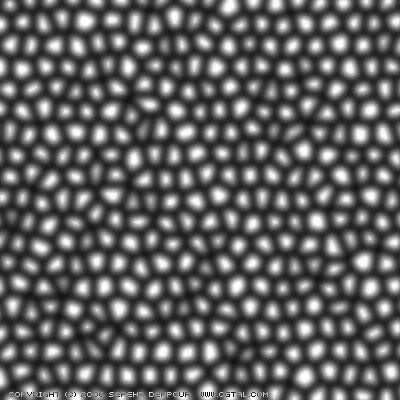
                                            http://i274.photobucket.com/albums/jj245/Spendauballet/TheaRender/Khashak-map.jpg

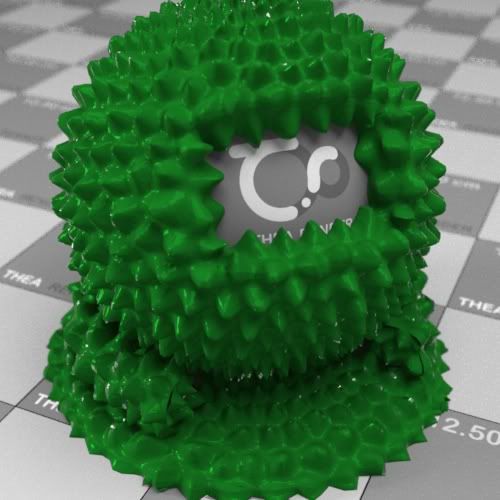
                                            http://i274.photobucket.com/albums/jj245/Spendauballet/TheaRender/Khashak-map_ball.jpg

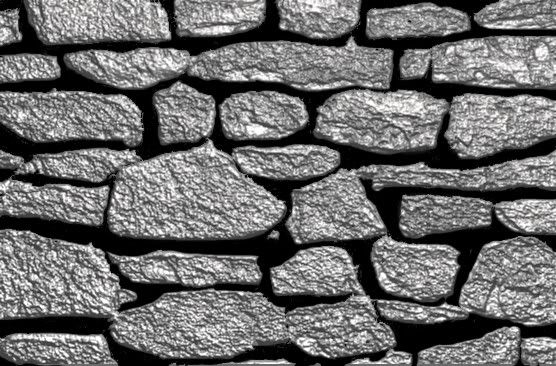
                                            http://i274.photobucket.com/albums/jj245/Spendauballet/TheaRender/StoneBumpmap_Sim4.jpg

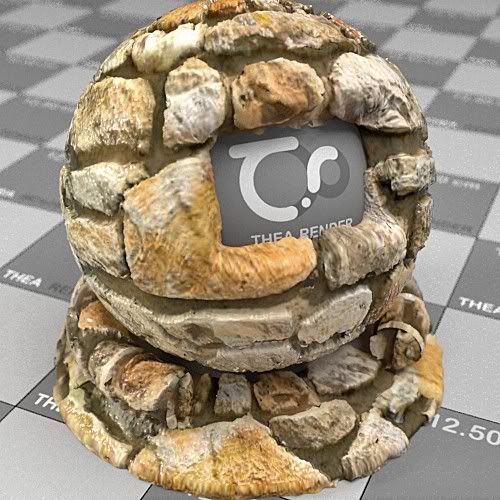
                                            http://i274.photobucket.com/albums/jj245/Spendauballet/TheaRender/StoneDispMap_handPainted_Ball_2b.jpg

                                            Cheers,
                                            Simon

                                            1 條回覆 最後回覆 回覆 引用 0
                                            • 1
                                            • 2
                                            • 1 / 2
                                            • 第一個貼文
                                              最後的貼文
                                            Buy SketchPlus
                                            Buy SUbD
                                            Buy WrapR
                                            Buy eBook
                                            Buy Modelur
                                            Buy Vertex Tools
                                            Buy SketchCuisine
                                            Buy FormFonts

                                            Advertisement