sketchucation logo sketchucation
    • 登入
    Oops, your profile's looking a bit empty! To help us tailor your experience, please fill in key details like your SketchUp version, skill level, operating system, and more. Update and save your info on your profile page today!
    🔌 Easy Offset | Offset selected faces in SketchUp in positive and negative offsets. Download

    [Plugin] QuadFaceTools

    已排程 已置頂 已鎖定 已移動 Plugins
    673 貼文 116 Posters 524.0k 瀏覽 116 Watching
    正在載入更多貼文
    • 從舊到新
    • 從新到舊
    • 最多點贊
    回覆
    • 在新貼文中回覆
    登入後回覆
    此主題已被刪除。只有擁有主題管理權限的使用者可以查看。
    • K 離線
      kaas
      最後由 編輯

      I'm using
      QFC 0.12.0
      TTlib 2.10.6

      I attached a file. The shape doesn't really matter though - sometimes it crashes on me on a simple box...

      Edit 10-10-2016: just cleaned my plugin directory. Installed TT_lib2, QFT, Selectiontoys and tested again. Same crashes so I would suspect no clashing plugins.


      qft_oops.skp

      1 條回覆 最後回覆 回覆 引用 0
      • thomthomT 離線
        thomthom
        最後由 編輯

        Hmm.... I cannot reproduce on this one either. Can you do a video capture to show your steps?

        Thomas Thomassen — SketchUp Monkey & Coding addict
        List of my plugins and link to the CookieWare fund

        1 條回覆 最後回覆 回覆 引用 0
        • K 離線
          kaas
          最後由 編輯

          @thomthom said:

          Hmm.... I cannot reproduce on this one either. Can you do a video capture to show your steps?

          Here you go - shocking isn't it? I'm thinking I'm wasting your time. There must be something wrong at my end. Although it is strange; only TTlib2, QFT, Selection toys installed (all fresh from SketchUcation tools & TTlib2 from Extension warehouse). SU-pro 16.1.1449 64 bit.

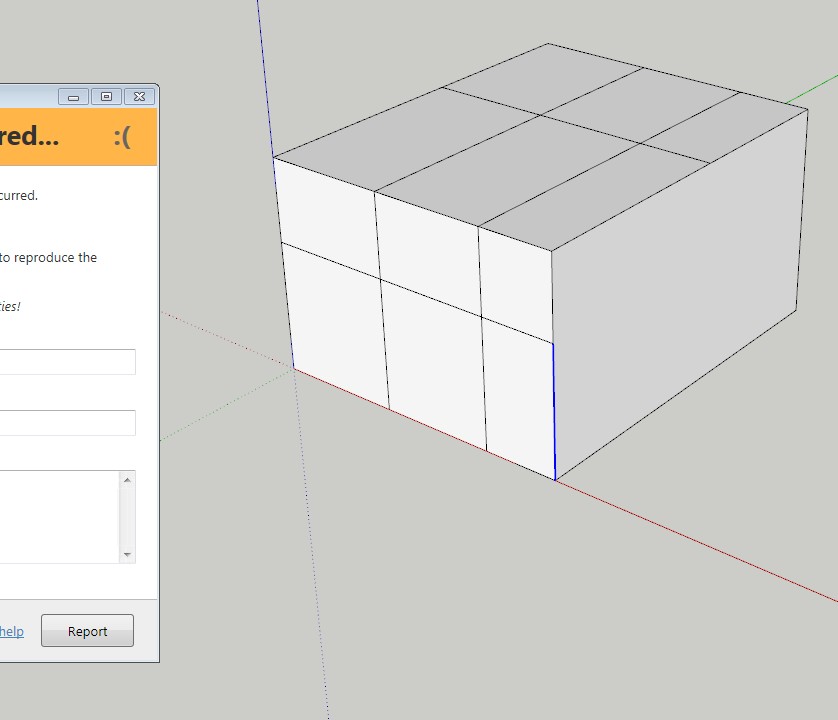
          Edit + pic: it also crashes after adding a few loops and at some point it doesn't detect the loop anymore (blue line) and...ooops

          qft_oops.avi


          qft_oops2.jpg

          1 條回覆 最後回覆 回覆 引用 0
          • thomthomT 離線
            thomthom
            最後由 編輯

            Hmm... have you submitted the reports? Did you include your name/email other info?

            Also, what version of Internet Explorer do you have installed? The error reporting dialog looks odd.

            Thomas Thomassen — SketchUp Monkey & Coding addict
            List of my plugins and link to the CookieWare fund

            1 條回覆 最後回覆 回覆 引用 0
            • K 離線
              kaas
              最後由 編輯

              @thomthom said:

              Hmm... have you submitted the reports? Did you include your name/email other info?

              Also, what version of Internet Explorer do you have installed? The error reporting dialog looks odd.

              I have submitted only a very few (user name Max). Sometimes it caused an oops-loop and I didn't report those either.

              I'm running win7 x64 on my desktop with IE11.0.9600.18449

              1 條回覆 最後回覆 回覆 引用 0
              • thomthomT 離線
                thomthom
                最後由 編輯

                I see the issue now. It's when you offset only one edge.
                https://bitbucket.org/thomthom/quadface-tools/issues/103/offsetloop-errors-when-selecting-only-one

                I also noticed another issue, if you pick an edge at the end of your selection the offset is missing an edge.
                https://bitbucket.org/thomthom/quadface-tools/issues/104/offsetloop-missing-edges

                Thomas Thomassen — SketchUp Monkey & Coding addict
                List of my plugins and link to the CookieWare fund

                1 條回覆 最後回覆 回覆 引用 0
                • K 離線
                  kaas
                  最後由 編輯

                  @thomthom said:

                  I see the issue now. It's when you offset only one edge.
                  .. I also noticed another issue, if you pick an edge at the end of your selection the offset is missing an edge...

                  Both true. Glad you could reproduce the issue. I'm a bit confused nobody has noticed this before. The offset tool itself could be quite useful.

                  1 條回覆 最後回覆 回覆 引用 0
                  • thomthomT 離線
                    thomthom
                    最後由 編輯

                    As it is now, consider the OffsetTool an alpha-version. I would not have exposed it yet had it not been for being persistently nagged to do so. 😉

                    Thomas Thomassen — SketchUp Monkey & Coding addict
                    List of my plugins and link to the CookieWare fund

                    1 條回覆 最後回覆 回覆 引用 0
                    • HornOxxH 離線
                      HornOxx
                      最後由 編輯

                      Hi All
                      I just nee a little help how to install the current QuadFace tools correctly, to get
                      access to this cool live mesh analysis feature.

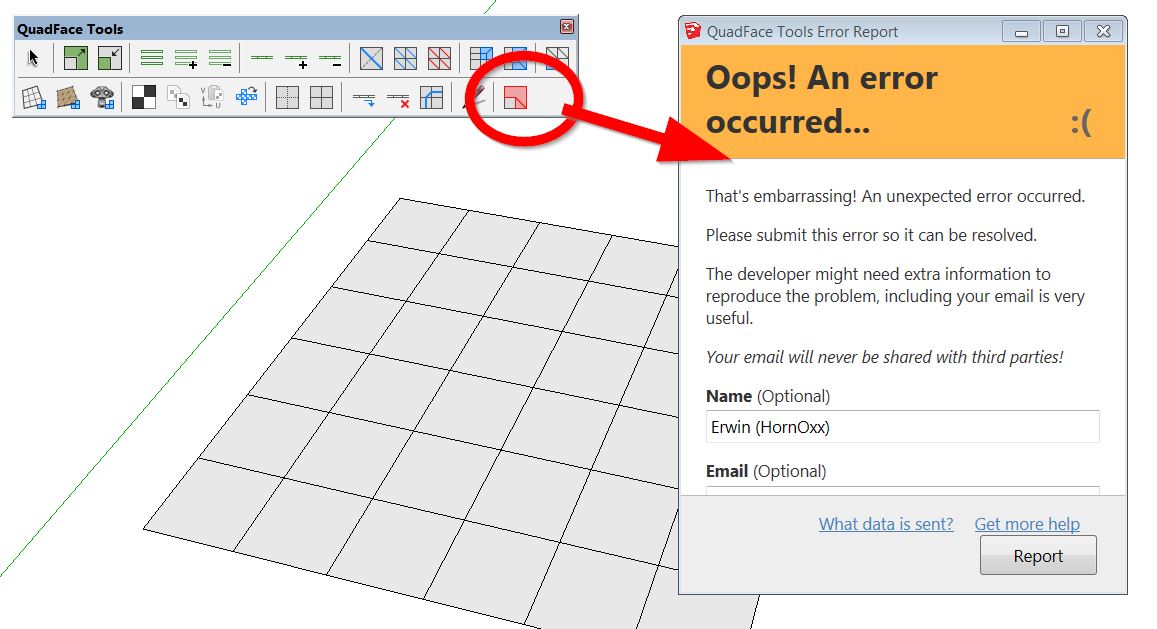
                      I always get the error message (shown below) when I activate live mesh analysis.
                      I also installed the current tt Lib².
                      I´m trying to run Quadface tools within my SU 2015 Make which is my prefered Quad-version
                      with tools like SubD, Vertex tools etc...

                      I appreciate any help - Thanks


                      quadface-bug.jpg

                      never trust a skinny cook

                      1 條回覆 最後回覆 回覆 引用 0
                      • thomthomT 離線
                        thomthom
                        最後由 編輯

                        @hornoxx said:

                        I´m trying to run Quadface tools within my SU 2015 Make which is my prefered Quad-version
                        with tools like SubD, Vertex tools etc...

                        Ah, sorry - bad user feedback on my end. The error is due to the functionality being SU2016+ only.

                        Thomas Thomassen — SketchUp Monkey & Coding addict
                        List of my plugins and link to the CookieWare fund

                        1 條回覆 最後回覆 回覆 引用 0
                        • O 離線
                          optimaforever
                          最後由 編輯

                          Hello Thomas,

                          Perhaps has it been asked before, but is there a way to tweak the bydefault colors for the analysis tool? Not that I don't understand your wise choice of colors, but I'd prefer more contrasted colors like white-red...
                          And I agree, it's a pity one can't replace a default sketchUp view mode (like monochrome or x-ray that I don't use often) with this analyse view mode, to keep the textures/UVW mapping.

                          Otherwise, good job! 👍

                          1 條回覆 最後回覆 回覆 引用 0
                          • thomthomT 離線
                            thomthom
                            最後由 編輯

                            No color options as of yet. But it's something I wanted to add. The current version was a quick and dirty tool - turns out to be more useful than expected.

                            Thomas Thomassen — SketchUp Monkey & Coding addict
                            List of my plugins and link to the CookieWare fund

                            1 條回覆 最後回覆 回覆 引用 0
                            • eneroth3E 離線
                              eneroth3
                              最後由 編輯

                              I've just discovered the UV Mapping Tool in this plugin and it's so incredible useful. Not finding it earlier is definitely a Doh Moment for me. I'm a quad fan now! 😛

                              My website: http://julia-christina-eneroth.se/

                              1 條回覆 最後回覆 回覆 引用 0
                              • thomthomT 離線
                                thomthom
                                最後由 編輯

                                @eneroth3 said:

                                I'm a quad fan now! 😛

                                whohoo! 😄

                                Thomas Thomassen — SketchUp Monkey & Coding addict
                                List of my plugins and link to the CookieWare fund

                                1 條回覆 最後回覆 回覆 引用 0
                                • C 離線
                                  cmoreink
                                  最後由 編輯

                                  How do you import an .obj file?
                                  It crashes every time I try ---> file, import, select .obj file "oops, an error occurred 😞" a message displays (box) askes me if I want to send a report.
                                  The tool bar displays ok
                                  Any idea why?

                                  my portfolio

                                  1 條回覆 最後回覆 回覆 引用 0
                                  • jo-keJ 離線
                                    jo-ke
                                    最後由 編輯

                                    I would like to use this plugin to texture a curtain.

                                    Link Preview Image
                                    3D Warehouse

                                    3D Warehouse is a website of searchable, pre-made 3D models that works seamlessly with SketchUp.

                                    favicon

                                    (3dwarehouse.sketchup.com)

                                    I tried to convert the mesh but it doesn't work.

                                    What did I wrong?

                                    same with that one:

                                    Link Preview Image
                                    3D Warehouse

                                    3D Warehouse is a website of searchable, pre-made 3D models that works seamlessly with SketchUp.

                                    favicon

                                    (3dwarehouse.sketchup.com)

                                    http://www.zz7.de

                                    1 條回覆 最後回覆 回覆 引用 0
                                    • jo-keJ 離線
                                      jo-ke
                                      最後由 編輯

                                      I really don't know how to convert the mesh, to let the texturing tool work.

                                      anybody has got an idea?

                                      http://www.zz7.de

                                      1 條回覆 最後回覆 回覆 引用 0
                                      • A 離線
                                        alamin
                                        最後由 編輯

                                        any pdf manual?

                                        1 條回覆 最後回覆 回覆 引用 0
                                        • BoxB 離線
                                          Box
                                          最後由 編輯

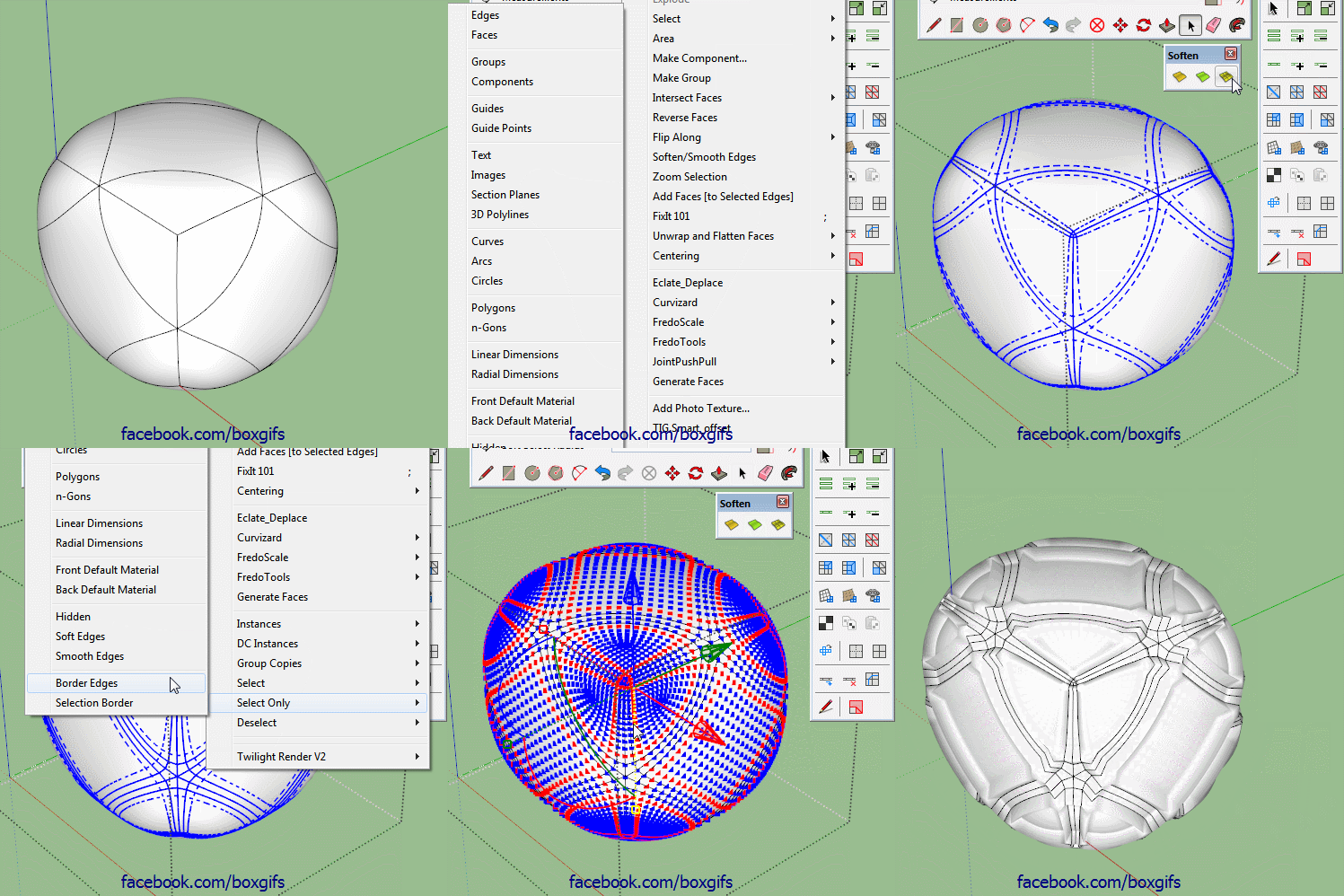
                                          Thomthom, any chance of adding a selection option where you can step the ring/loop selected?
                                          So, instead of adding or subtracting, each click moves the selection one loop over and deselects the one you are on.

                                          Edit: I'll just add this gif to help explain what I mean,I have a workaround but it would be helpful to have.

                                          Step Select.gif

                                          1 條回覆 最後回覆 回覆 引用 0
                                          • pilouP 離線
                                            pilou
                                            最後由 編輯

                                            No French UI version ❓

                                            Frenchy Pilou
                                            Is beautiful that please without concept!
                                            My Little site :)

                                            1 條回覆 最後回覆 回覆 引用 0
                                            • 1
                                            • 2
                                            • 24
                                            • 25
                                            • 26
                                            • 27
                                            • 28
                                            • 33
                                            • 34
                                            • 26 / 34
                                            • 第一個貼文
                                              最後的貼文
                                            Buy SketchPlus
                                            Buy SUbD
                                            Buy WrapR
                                            Buy eBook
                                            Buy Modelur
                                            Buy Vertex Tools
                                            Buy SketchCuisine
                                            Buy FormFonts

                                            Advertisement