[Plugin] QuadFaceTools
-
I'm using
QFC 0.12.0
TTlib 2.10.6I attached a file. The shape doesn't really matter though - sometimes it crashes on me on a simple box...
Edit 10-10-2016: just cleaned my plugin directory. Installed TT_lib2, QFT, Selectiontoys and tested again. Same crashes so I would suspect no clashing plugins.
-
Hmm.... I cannot reproduce on this one either. Can you do a video capture to show your steps?
-
@thomthom said:
Hmm.... I cannot reproduce on this one either. Can you do a video capture to show your steps?
Here you go - shocking isn't it? I'm thinking I'm wasting your time. There must be something wrong at my end. Although it is strange; only TTlib2, QFT, Selection toys installed (all fresh from SketchUcation tools & TTlib2 from Extension warehouse). SU-pro 16.1.1449 64 bit.
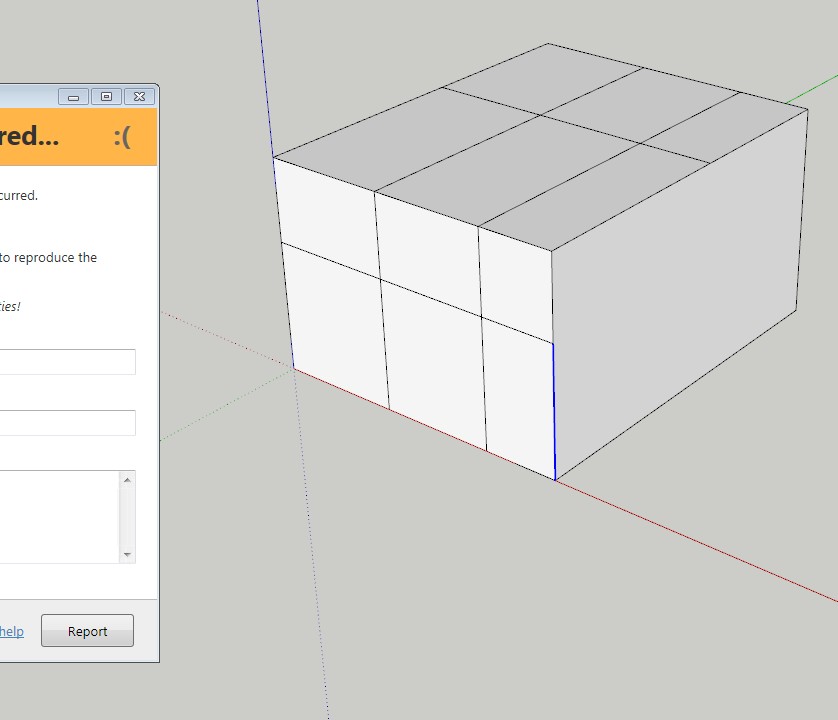
Edit + pic: it also crashes after adding a few loops and at some point it doesn't detect the loop anymore (blue line) and...ooops
-
Hmm... have you submitted the reports? Did you include your name/email other info?
Also, what version of Internet Explorer do you have installed? The error reporting dialog looks odd.
-
@thomthom said:
Hmm... have you submitted the reports? Did you include your name/email other info?
Also, what version of Internet Explorer do you have installed? The error reporting dialog looks odd.
I have submitted only a very few (user name Max). Sometimes it caused an oops-loop and I didn't report those either.
I'm running win7 x64 on my desktop with IE11.0.9600.18449
-
I see the issue now. It's when you offset only one edge.
https://bitbucket.org/thomthom/quadface-tools/issues/103/offsetloop-errors-when-selecting-only-oneI also noticed another issue, if you pick an edge at the end of your selection the offset is missing an edge.
https://bitbucket.org/thomthom/quadface-tools/issues/104/offsetloop-missing-edges -
@thomthom said:
I see the issue now. It's when you offset only one edge.
.. I also noticed another issue, if you pick an edge at the end of your selection the offset is missing an edge...Both true. Glad you could reproduce the issue. I'm a bit confused nobody has noticed this before. The offset tool itself could be quite useful.
-
As it is now, consider the OffsetTool an alpha-version. I would not have exposed it yet had it not been for being persistently nagged to do so.

-
Hi All
I just nee a little help how to install the current QuadFace tools correctly, to get
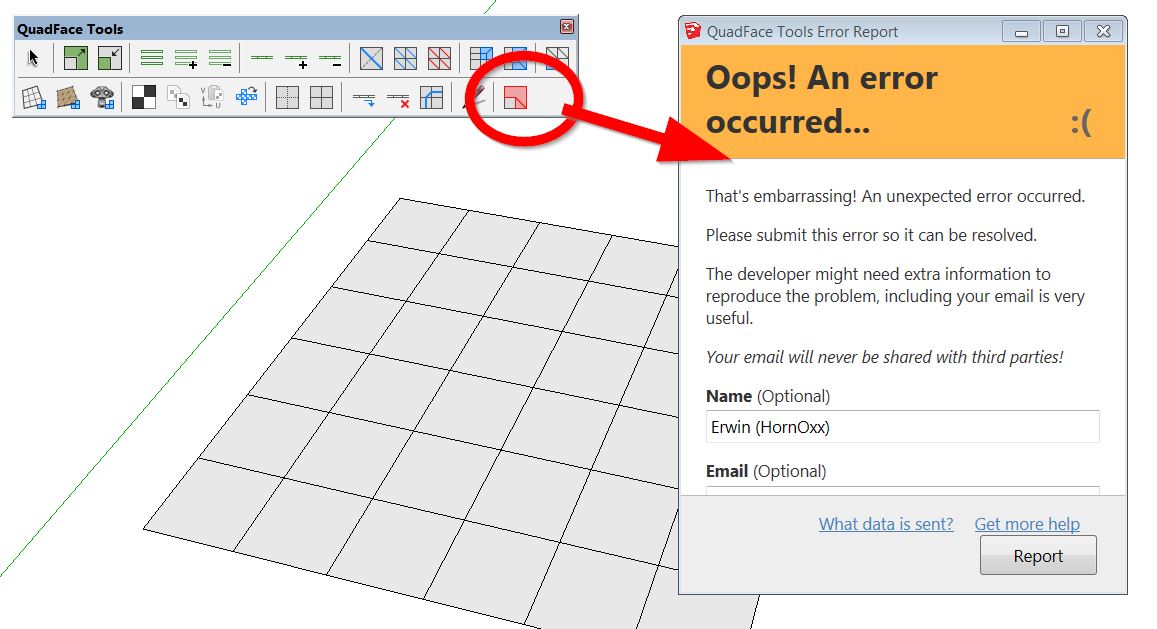
access to this cool live mesh analysis feature.I always get the error message (shown below) when I activate live mesh analysis.
I also installed the current tt Lib².
I´m trying to run Quadface tools within my SU 2015 Make which is my prefered Quad-version
with tools like SubD, Vertex tools etc...I appreciate any help - Thanks
-
@hornoxx said:
I´m trying to run Quadface tools within my SU 2015 Make which is my prefered Quad-version
with tools like SubD, Vertex tools etc...Ah, sorry - bad user feedback on my end. The error is due to the functionality being SU2016+ only.
-
Hello Thomas,
Perhaps has it been asked before, but is there a way to tweak the bydefault colors for the analysis tool? Not that I don't understand your wise choice of colors, but I'd prefer more contrasted colors like white-red...
And I agree, it's a pity one can't replace a default sketchUp view mode (like monochrome or x-ray that I don't use often) with this analyse view mode, to keep the textures/UVW mapping.Otherwise, good job!

-
No color options as of yet. But it's something I wanted to add. The current version was a quick and dirty tool - turns out to be more useful than expected.
-
I've just discovered the UV Mapping Tool in this plugin and it's so incredible useful. Not finding it earlier is definitely a Doh Moment for me. I'm a quad fan now!

-
-
How do you import an .obj file?
It crashes every time I try ---> file, import, select .obj file "oops, an error occurred " a message displays (box) askes me if I want to send a report.
The tool bar displays ok
Any idea why? -
I would like to use this plugin to texture a curtain.

3D Warehouse
3D Warehouse is a website of searchable, pre-made 3D models that works seamlessly with SketchUp.
(3dwarehouse.sketchup.com)
I tried to convert the mesh but it doesn't work.
What did I wrong?
same with that one:
3D Warehouse
3D Warehouse is a website of searchable, pre-made 3D models that works seamlessly with SketchUp.
(3dwarehouse.sketchup.com)
-
I really don't know how to convert the mesh, to let the texturing tool work.
anybody has got an idea?
-
any pdf manual?
-
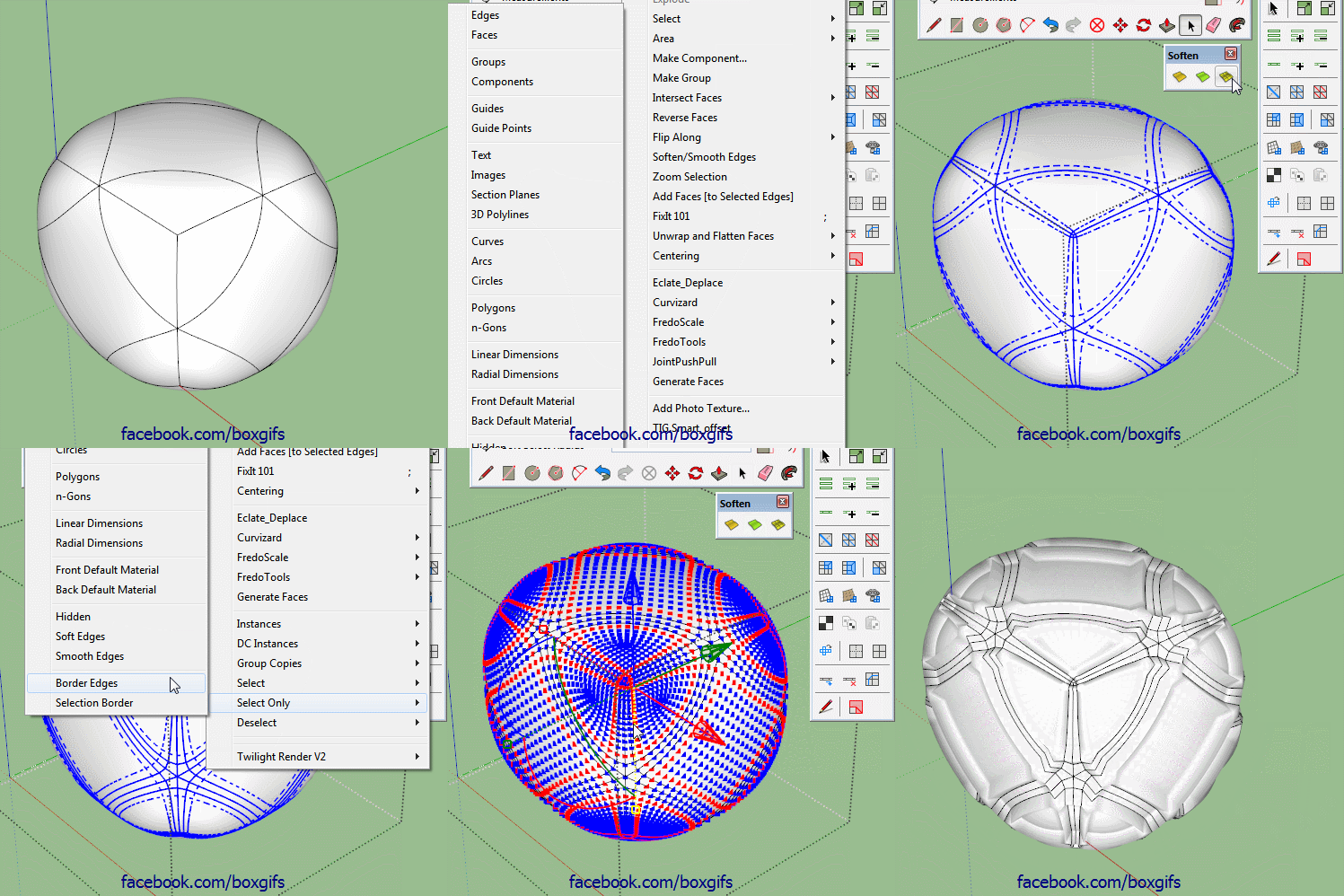
Thomthom, any chance of adding a selection option where you can step the ring/loop selected?
So, instead of adding or subtracting, each click moves the selection one loop over and deselects the one you are on.Edit: I'll just add this gif to help explain what I mean,I have a workaround but it would be helpful to have.
-
No French UI version








Hello! It looks like you're interested in this conversation, but you don't have an account yet.
Getting fed up of having to scroll through the same posts each visit? When you register for an account, you'll always come back to exactly where you were before, and choose to be notified of new replies (either via email, or push notification). You'll also be able to save bookmarks and upvote posts to show your appreciation to other community members.
With your input, this post could be even better 💗
Register Login


Advertisement