Agreed, you have to put the glass material on both sides and make sure the backfaces are facing in, if you glive your glass thickness and are using a refraction layer.
Oops, your profile's looking a bit empty! To help us tailor your experience, please fill in key details like your SketchUp version, skill level, operating system, and more. Update and save your info on your profile page today!
Urasik Extensions | Lots of new extensions to check out Learn More
V
Offline
Posts
-
RE: Problems with glass
-
RE: Rendering issue
Your opening an tutorial file meant for a much older version of Vray. I believe those files have been kicking around from the old 1.05 version. Try to open your Options and click Load Defaults. This will at least get you a image rendered with the Sky GI. If you are using the latest 1.49.01 plugin I would not use these files.
-
I kind of HATE DISPLACEMENT
I get that displacement calculations are going to take some time, but I really wish I could use this more and I just don't because it easily triples my render times. I almost totally stay away from disp because I find that it takes hours and hours to even get the first render pass to calc. I use the default settings of 256 and 4 on the edge and the thing just crawls. In most cases I use it very sparingly and on 1 or 2 materials. I use grayscale images for the map at 8 bit. Am I missing something or is this just how it is?
-
RE: What do I do with the _s image files?
I put them in the M under Perpendicular in Fresnel Reflection. The S is a specular map and tells the material what parts reflect less/more than others. Example, a tile's grout would not reflect much at all, if any, so the grout lines would be almost black.
Arrowway rocks BTW - good investment! -
RE: Vrimg help urgent
You know, I may have not. Why? Does this converter export the channels? I thought it was not doing this in this version.
-
RE: Will vray rendered images ever replace the digital Camera?
I agree. Thea or Maxwell for renderings that need to look 'real'. That and you really need to master the program and material settings. You can get very realistic results from Vray, but you need correct materials and lighting as well as high render settings. I just think that a rendering that is setup and rendered HQ would cost about the same as a photog taking a picture in a studio. Maybe we dont charge enough!

-
RE: Vray - to the scale renders
Also you need to set your field of view to 1. You wont be able to rendering a true elevation with vray but a FOV of 1 is not noticeable as a perspective.
-
RE: Vrimg help urgent
@dkendig said:
you need the converter tool that's listed here? http://spot3d.com/vray/misc/tools/vsketchup.html In the future, I would recommend using the Chaos Group forums when you really need support for V-Ray for SketchUp, I believe this question has been answered before on those forums. SketchUcation is great for users interacting with each other, but if you need some sort of technical support for the product, I would really recommend that you ask the folks that make it, in addition to asking everyone on this forum
This converter just saved my life. It does work with 1.49.01 but you dont get the channels. I accidently ran an overnighter and forgot to set it to EXR! Thought I was screwed. but this did the job.
-
RE: Proxy renders
Yes, I have heard the same. I also heard that RT will be there too! Cant wait.
-
RE: What is your favorite Photorealistic Renderer?
VRay if you have cash to spend on an engine and Kerkythea if you are looking for a free solution. Things are tight these days and Kerkythea gets the job done for $0.
-
RE: Proxy renders
Proxy is something that we hope will be in the next release. For now, we wait. VVray for MAX is way ahead of the curve with things like fur and proxies. We just have to be patient for now or drop 5k on MAX w/ Vray.
-
RE: More detailed render
Higher res! Go to something like 7000 pixels and let the thing cook overnight. I find its better to have a very high res and use the default Image Sampling of .01 than to descrease that number to something like .005 or less and render at 2000 pixels. Then run a unsharp mask filter in Photoshop and reduce the size down to what you want. That's my opinion.
-
RE: RT Coming to VR4SU?
I think the switch over to Chaos caused some... well... chaos and Sigraph probably was something they took a lot of time prepping for. The thing that this plugin has going for it is VRay. For now, VRay is the industry standard rendering engine in arch/viz and that didnt happen by accident. Will something else come along and take the title? Probably not soon. I have looked at Maxwell and other engines out there, but I have not been totally sold. I thought for sure that Maxwell was going to become the next big thing and it's user base is rather small. The video that was posted is proof that they are working hard on a new release and they have stated that when Vray for Rhino is up to par, then all the new updates will be translated to the SU plugin. I have no idea how long that will take. We have to be patient I guess.
-
RE: Vray for sk: blue background
It's blue because your sunlight GI is going to be bluish in color, especially on white faces. See this video which explains how to reduce the bluish toning. http://youtu.be/cPxtadpyM20
-
RE: Problem with applying Sea water material (renders wrong)
jeloon, I dowloaded that seawater material and took a closer look. 2 things...
-
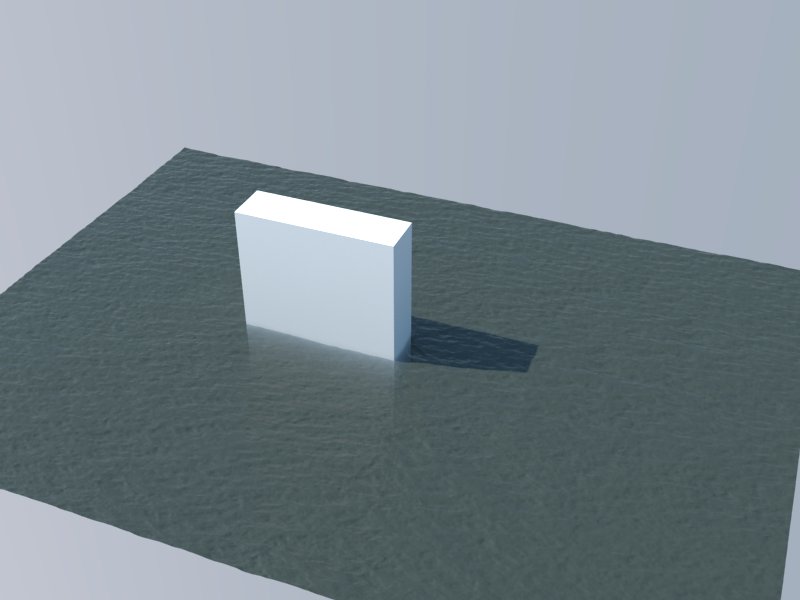
you do need to group the water geometry into a group because it uses displacement (see tutorials on this site about displacement).
-
the water coloring is coming from the fod color set in the refraction layer so you need to have a solid object in order for it to render with color.
I think there are much better sea water materials than this. I really dont like the effect.
-
-
RE: Problem with applying Sea water material (renders wrong)
In order to get displacement, the faces with the sea water need to be in a group. I would start there.
-
RE: HOW TO REDUCE THE SIZE OF SKETCHUP FILE ....
Be careful of where your components come from. Anything modeled in MAX and brought in will kill your file. 3DS into SU will increase your file size 10 fold.
-
RE: Twinkle Twinkle
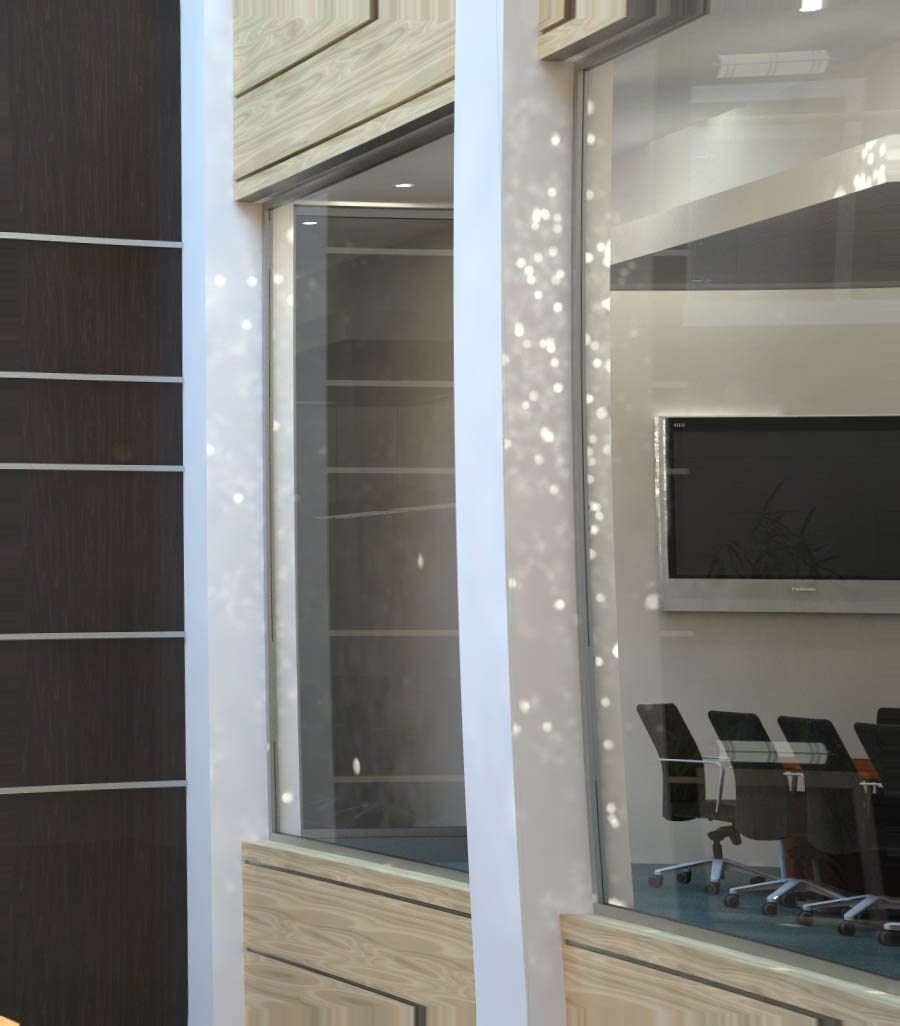
Yep, there are a bunch of emmissive materials. Should I stay clear or them or crank up their subdivs?
-
Twinkle Twinkle
What would cause this sparkling in my rendering? Trying to figure out if it's the glass or my lighting. I already tried higher hemsph subdiv in my IR map but that doesnt help at all.