I'm a semi-retired programmer, and I've been planning to pick up Ruby ever since I started using them in SU. I'll soon be fully retired, and then I'll have the time.
Do any of you Ruby guys have a decent write-up on the API? 
I'm a semi-retired programmer, and I've been planning to pick up Ruby ever since I started using them in SU. I'll soon be fully retired, and then I'll have the time.
Do any of you Ruby guys have a decent write-up on the API?
Is there any reference material at all for the 1958 Ford Nucleon concept?
I posted mine back in September:
http://www.sketchucation.com/forums/scf/viewtopic.php?f=81&t=12929
It's presently under snow, and I'll get back to work on it in the spring.
@unknownuser said:
An edible mesh? Is that function of the new Dynamic Components?
Happy Turkey Day all.
I had mesh potatoes with my turkey. Does that count? 
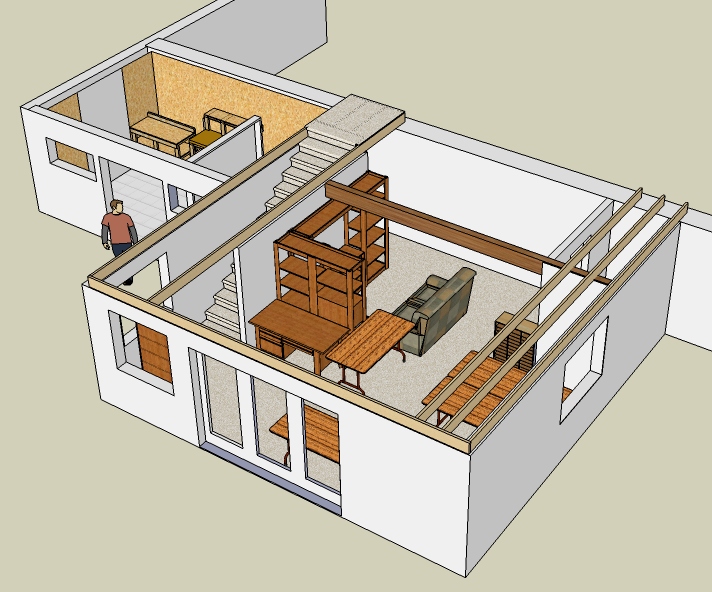
I've done models of several parts of my house to help with DIY projects, but never the whole house. I'll probably do that eventually, but here's the single largest chunk that I've modeled. I did it to reorganize my office, so all I did was the space itself and the major pieces of furniture. Not shown are four different computers and the accompanying detritus. 
My house is a three-level, on a hillside. My office and shop comprise the lower level.
Chris,
Seeing as you thought it might be the video card, I updated my drivers (NVIDIA GeForce 8600GT). No change. But, for all you NVIDIA users, NVIDIA has a massive driver update on line dated October 7, 2008.
Anyway, I copied my problem components from my current working file into Translucent.skp, zipped it up, and attached it here.
Translucent.zip
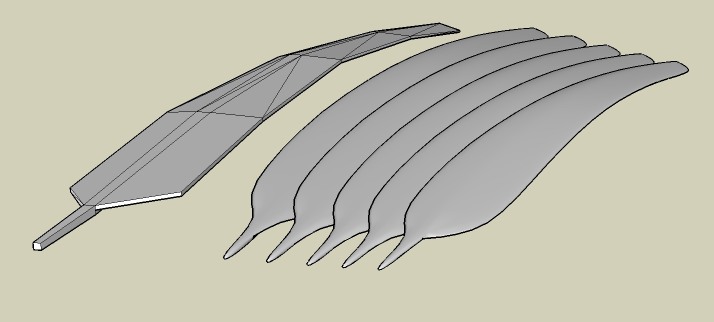
This is a (partial) working set of flight feathers from a model of a Great Heron in flight. The opening viewpoint is from above. This bird has white feathers, and the feathers are translucent, showing the feather shaft when backlit. This is the effect I'm trying to achieve.
If you orbit the model to see it edge on, you'll see that the feathers don't touch one another, but overlap, with the trailing edge of a leading feather beneath the leading edge of the feather behind. This relationship will not be correctly displayed as you orbit.
The left set of feathers is the original grouping, and the set on the right is copied and mirrored. The two groups don't display in the same way. On the left the second and third feathers are conflicted, and on the right, it's the first and second. There are others, but these are more obvious.
As you can see, I have the file set to no profiles, and no edges. Turn edges or profiles on, and the problem seems to disappear -- the edges are displayed correctly, but the surfaces are still wrong. Plus, showing the edges kind of spoils the effect I'm trying for.
Picky, I know. I expect that I'll just change the coloration to that of a Great Blue Heron (they're very similar) and forget about the translucent effect. It was interesting to try, though... 
@unknownuser said:
But there is a bug with how SU displays images that are set to be transparent. It often gets their draw order incorrect if the quality is turned up high.
This is the problem, then. The draw order is scrambled, and the higher quality makes it worse. 
Thanks for the response.
@chris fullmer said:
Is your model by chance actually using semi transparent images? Those have been buggy since v.6
Chris
Chris,
I'm using one of the stock translucent glass materials, edited for color and set at 72 percent opacity.
What's the difference between semi-transparent and translucent?
@mirjman said:
in your styles palette, make sure "transparency quality" is set to "nicer" rather than "faster" might clear up your situation
Thank you, sir. That worked.
Edit: Rats! It worked on the sample problem that I created to test it, but it made the problem worse in the actual model I'm trying to fix. I'm guessing it's because the translucent objects in the actual model are much closer together than the sample I posted here. I'll try a render (eventually), and hope for the best...
I've run into an annoying problem with components that have been painted with a translucent color. The attached SKP has the three rows of spheres shown in the picture. They are all the same component, created from a cube with SubSmooth, and duplicated with the move tool.
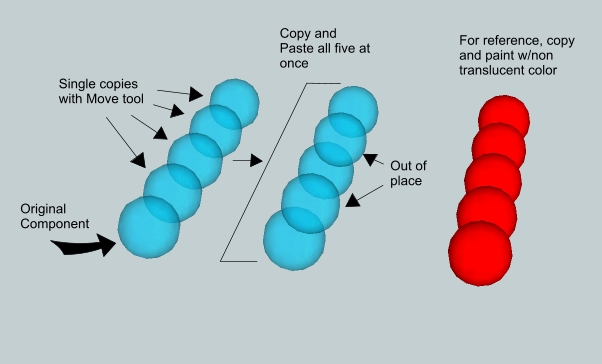
The translucent blue sphere at the lower left is the original component. I dragged and duped the next four to complete the row. Then I did a copy and paste of the entire row to get the second and third rows. I painted the third row in a non-translucent red.
As you can see, the second and fourth sphere in the second row seem to be out of place. Also, if you orbit these images, you'll see that the relative positions of the spheres in the first and second rows seem to reverse. The solid red spheres behave as expected.
This is obviously a problem with the display order of translucent surfaces, but I can't see any rhyme or reason to it. The first row seems to show that translucent surfaces are displayed in the order that they are created, one behind another. But when I copied and pasted the first row to create the second, the order changed.
What is controlling this?
P.S. This is not an example of the image that I'm trying to control, it's an image that I created to demonstrate the effect. And I first ran into it in SU6, but this example is SU7.
Since I recently bumped one of my own threads for the first time, I have mixed feelings about this.
On one hand, people who missed the thread when I first posted it will now see the earlier pics as well as the current ones and (hopefully) will see some improvement in my techniques.
On the other hand, some people will see the same thread title come back up and think, "I've already seen that," and ignore it. I've seen people add the word "Updated" to thread titles to indicate that there is new content.
I visit other forums where this has been taken to extremes, and continuing threads have thousands of posts. These tend to be long conversations by a limited number of individuals, and I ignore them. Other forums have strict "new content, new post" rules. This seems to work ok, especially if the forum software allows you to view all the posts of a specific user. Since the SketchUcation forum allows that, the rule would be reasonable here.
In the end, I think we need a ruling by forum management. I don't particularly care which way it goes, but it would be nice to have a guideline so no one gets offended...
@pbacot said:
er may a newbie interject? What is the meaning of "proxy" in this context? Why is it useful?
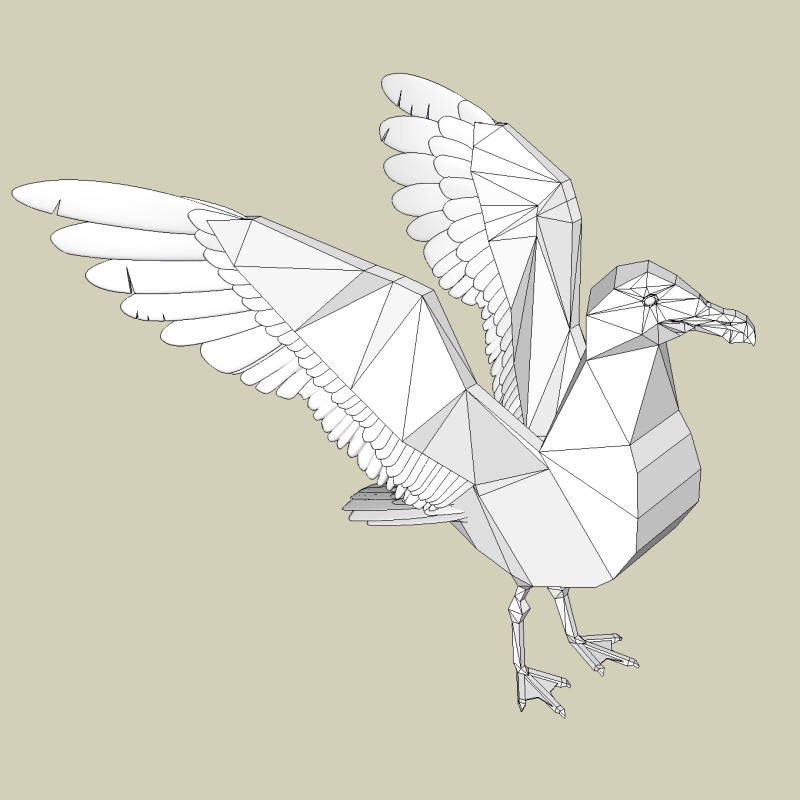
Note the rough, angular image of the seagull head in the left background of the picture of the three heads. That's the proxy for the center image. I only had to draw that much, then SubSmooth took it to the next step (the center image). SubSmooth subdivided every polygon in the proxy, smoothed it, then did it again a second time. SubSmooth is like a "magic wand," and the folks here like to "see the proxy" rather than see only the finished image, because they like to see the magic*.
That said, even creating the proxy is hard for me. Getting my head (and eye) around actually drawing organic shapes in 3D is a completely new experience for me, and I'm really enjoying it.
*Magic is provided by Whaat, proxy is provided by Teezer. YMMV...
@aernoud said:
But ive a question, did you model the proxy with help from an image of a seagull, without an image ?
With lots of images. I searched "seagull" in Google Images, and went through hundreds of them. I copied a couple of dozen to a folder, so I would have references from a number of different angles.
But what you see is as far as I will go with the seagull. My intent is to practice building organic shapes with SU and SubSmooth, not to do seagull illustrations. I do like bird shapes, however.
And feathers, with compound curves...
Again, thank you all for your kind words.
Here is another picture from the seagull build. Like the cat, I built the parts of the seagull separately, then combined them. I left Bryce in this image to show the size of my working drawings. At this size, the move tool ( ) and the push/pull tool ( ) snap to quarter-inch spacing, and that allows me to easily make very fine adjustments.
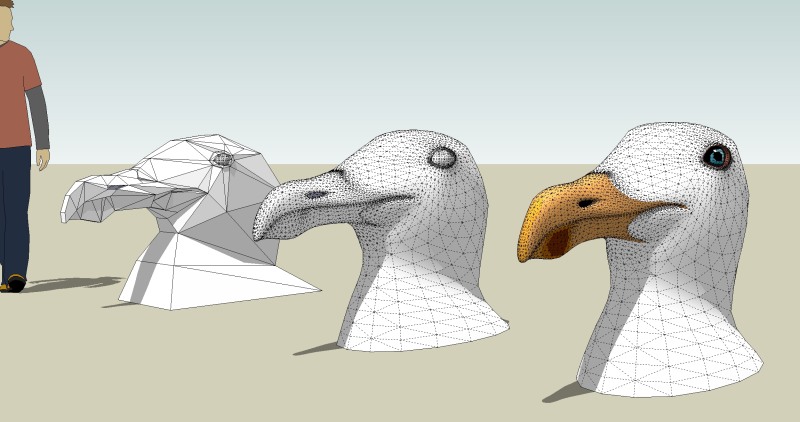
Note that I didn't use this finished head when I put the parts together. I used the basic proxy, which meant that I had to paint the head on the full model a second time. This one was just to see how it would look... 
A SketchUp seagull...
The final working proxy. The feathers had already been SS'd at this point.
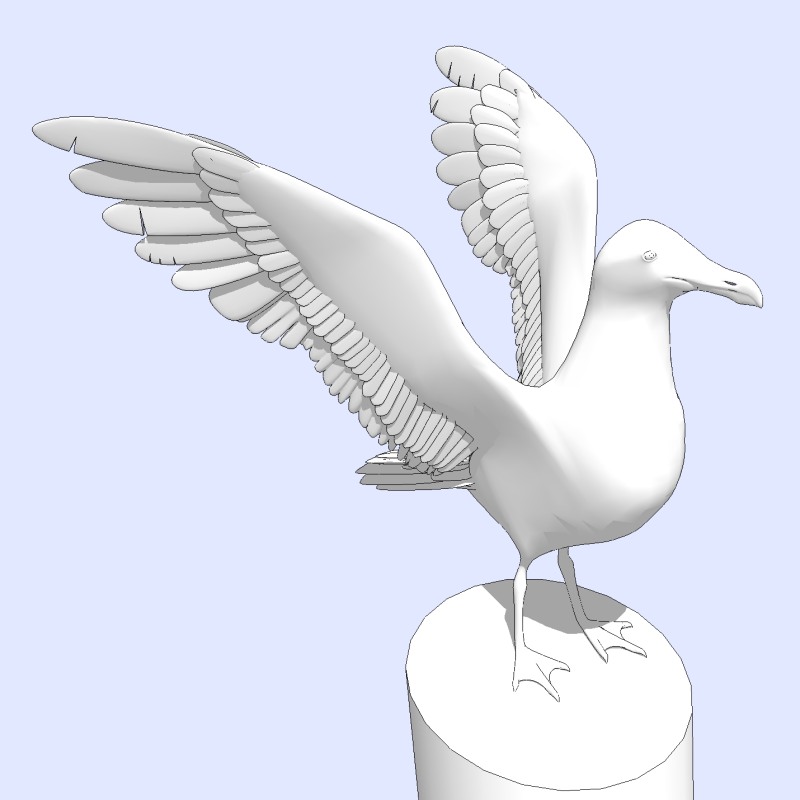
The fully SS'd version in monochrome.
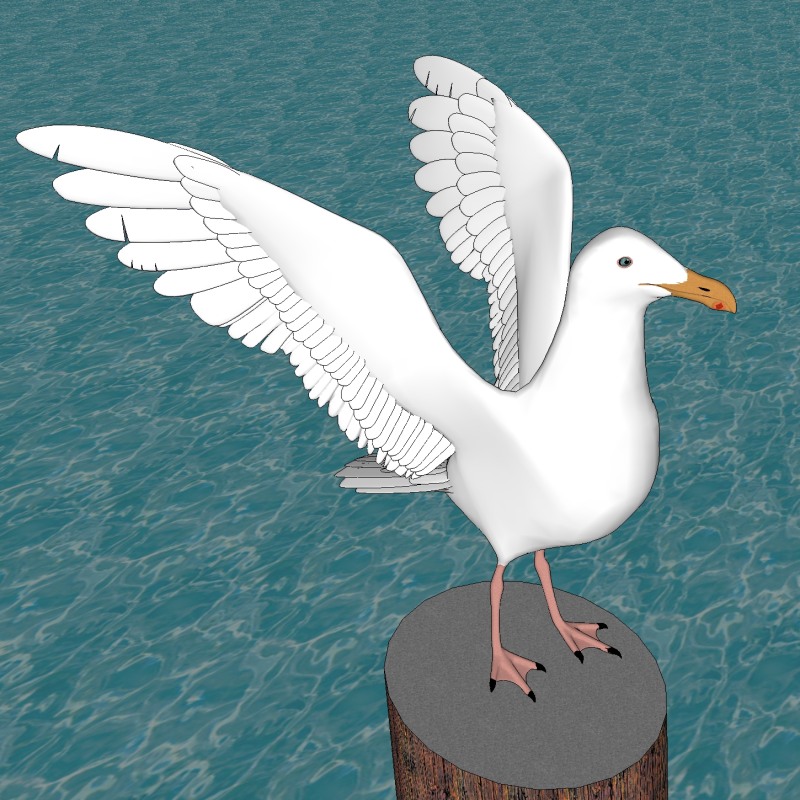
Some color to perk it up.
I find this annoying, but the only place it's ever affected something I've built is putting it down as underlayment for tile. I've had two pieces of slightly different thickness fail to butt together smoothly, and that caused me a bit of fill work with a putty knife.
And OSU is particularly bad about being one thickness at the edges and another in the center.
No associated SU problems, though...
Slick! I loved the presentation, too...
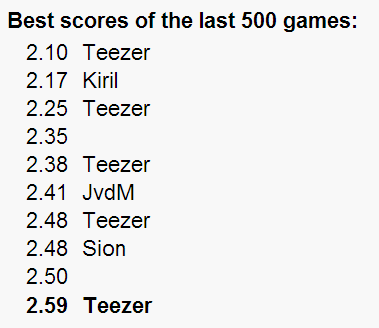
I tried to blitz it this morning (it's a rainy day), and it was rolling 500 games in 15 minutes or so. I did manage to grab 5 spots on the top 10, but there were no great scores -- I was going too fast:
@pixero said:
I got 1.91 and made number two!!!
I should have gotten a better over all but I got a 7.1 on one of the equidistance...
Congratulations Jan, you were number one when I signed on this morning.
My top score (1.87) fell off overnight (they only keep the results of the last 500 games), so pulling a screenshot like Chango70 did is the only way to preserve it for posterity.
I find the parallelogram the hardest and the circle the easiest, but I have zero-zeroed all of them at least once. Unfortunately, I am prone to finger twitches, so it's tough for me to get through a game without a total glitch... 
This is called The Eyeballing Game, and it plays to the strength of a SketchUpper. You'll see what I mean immediately -- it's obvious how to play, and you should be able to get into the top 10 easily. In fact, the whole top 10 should be SketchUppers.
My best score is 2.14 (lower is better). I was so stoked by getting that score after 5 tries (the previous number one was ALEX at 2.21), I failed to key my name in the winners box, so that blank 2.14 at the top of the list should read TEEZER!
Needless to say, I shall continue to play until I get my name on the board. I hope to see other Sketchucation names there soon...