Someome mentioned that he has a problem when he exports a model to AutoCAD when he uses "Hide". He says that the model sort of disintegrates in front of him and he wants to know what the problem is and why he can't work with the exported SketchUp model in AutoCAD. Not being an AutoCAD user I was a bit perplexed since the lines actually hiding when one chooses a "hide" command seemed like a desirable outcome. However he assured me that in true counter-intuitive fashion one is expecting to see MORE detail in the AutoCAD model when one chooses to "HIDE". Can anyone explain to me what is going on here? What is wrong so I can tell the fellow how to fix it. Many thanks.
Oops, your profile's looking a bit empty! To help us tailor your experience, please fill in key details like your SketchUp version, skill level, operating system, and more. Update and save your info on your profile page today!
Urasik Extensions | Lots of new extensions to check out Learn More
S
Offline
Posts
-
Export to AutoCAD problem
-
RE: Ellipse Ruby-Is there?
Hey Didier, I'll take what you have so far. Doesn't have to have all the bells and whistles. Couldn't find it on your site. Just wondering. thanks so much again.
-
RE: Ellipse Ruby-Is there?
ohnmygosh, Didier you are amazing. Talk about fast off the mark. I am so grateful and my students who asked for it will be so grateful. Thanks so much!
-
Ellipse Ruby-Is there?
I could have sworn I've seen something like this somewhere in the past, but now I can't find it. Not under parabola or parabolic either. Surely someone has come up with something?
-
RE: Workaround for disappearing "explode"-shortcut?
I think you should contact tech support with all of this stuff. They may have something for you.
The best way to contact tech support nowadays is from within the help menu of an open application of SketchUp. -
RE: Workaround for disappearing "explode"-shortcut?
Just wondering if the keyboard shortcuts that keep disssappearing work more consistenty if we do this the old fasshioned way by saving/exporting the shortcuts to the perferences.dat file into the Support Folder?
-
RE: Wall "cutter" for windows
one of the questions I get asked most often when I am teaching a SketchUp class is about the ability to cut 2 surfaces.
This would be just wonderful. Everyone is waiting for it.
So I have a question. From the video it appears that you start off with a NON cutting component and the frame and window are placed on the surfac of the wall. When using your script an opening is punched into the wall and the window component is moved halfway inward or thereabouts. So how would it work if you DO want some framing on the outside of the wall? -
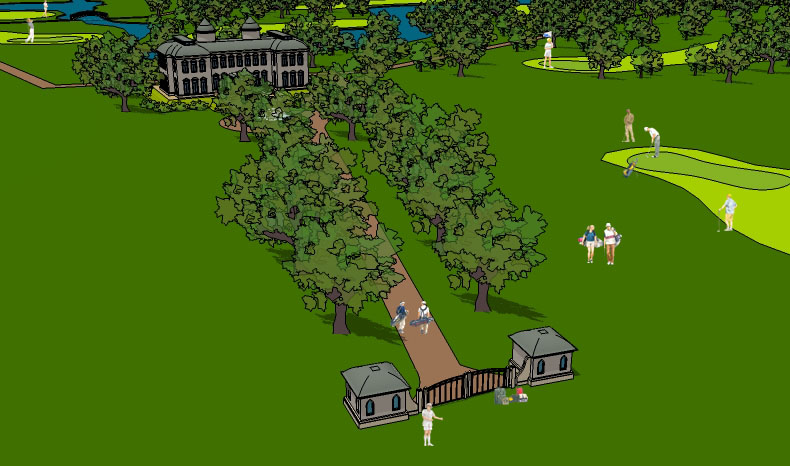
RE: Work in progress: Golfcourse
Gee Alexander, thanks a bunch.
The golf people that I posted can be had from my site.
in the search box search on "golf" AND on SKP so you don't get the PNG ones. -
RE: I need "Getting Started" Advice
There is always a discount offered at one of the trade shows. AIA and ASLA as well as MACWorld and SIGRAPH etc. You can check on the SketchUp website to see if they are attending a trade show near you or if you know someone who is going, they can pick up the discount coupon code for you. It usually means $100US off the price.
Aside from that, there is a very rare discount offered at weird times. Like when the SketchUp for Dummies book came out they offered $50 off plus the book when you buy SketchUp. There was another one once, can't remember what the occasion was but it is not what you might expect like XMAS or something of that sort.
It isn't expensive really when compared to other software, so ultimately you buy it when you need it.
-
RE: Perspective, FOV and other interesting stuff (I hope)
Tina I think the first one of the 2 is the more interesting. Or maybe not. I think I see a little distortion. What is the white stuff?
-
RE: Work in progress: Golfcourse
I couldn't resist. I just threw the people in at any size. Just for fun.
Edson what a marvelous project.
-
RE: Perspective, FOV and other interesting stuff (I hope)
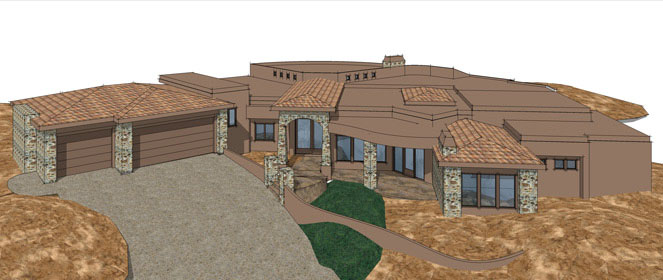
Tina, that is looking interesting. Do you have permission to get closer in? Can you cut some of the property, just some, so that you can get a closer overhead view? I think that is what worked so well in the Jamieson painting I posted: from above but close in.
Definitely will need something in the foreground for depth. I wonder what it would look like if you employed 2 point perspective?
-
RE: Welcome our new moderator
Tina that's wonderful. How do you guys ever find the time? Amazing. Thanks to all the moderators again and again. Very much appreciated.
-
RE: Shadow on a transparent surface
You probably already know, but just in case: if you turn the opacity to 70 or higher, it will then receive shadows. Or at least that was the rule when they first introduced transparency in SketchUp. Haven't tried it since \
Juat checked. That measure has to do with casting shadows, not receiving them. sorry about that. -
RE: Webex Demo: Teaching SketchUp through the NET
Thanks Dylan, I may just plan a major SketchUp Love In. Invite 15 of you at a time just to hear voices and wish good cheer of the season. In fact. I'm sure I will. Maybe just before XMAS.
BTW Dylan, how did your training sessions go?
-
RE: Perspective, FOV and other interesting stuff (I hope)
Roger, that image conveys a sense of depth far more convincingly and successfuly than most images I have seen. I like it very well.
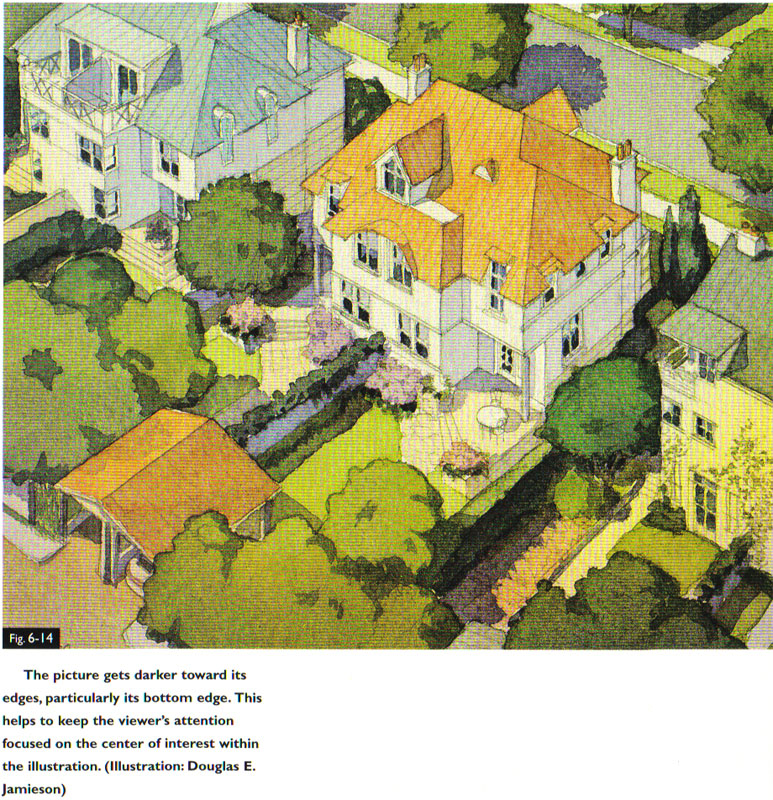
Tina, when you said you needed a top down view, I immediately thought of this image which is in my "Color Drawing" book, ( the last printing. I don't know if it is in the newest version) There is a lot of roof showing in these but he seems to accomplish it very successfuly. I'm afraid the quailty of the scan is horrible so don't judge by the texture and coloured ridges you see. They are not really there. The paint transitions smoothly and as Doyle notes in the book there is a subtle gradiation from one corner to the other.
I also have a fabulous mansion done by Elizabeth Day from a top down view but I can't access that computer at the moment.
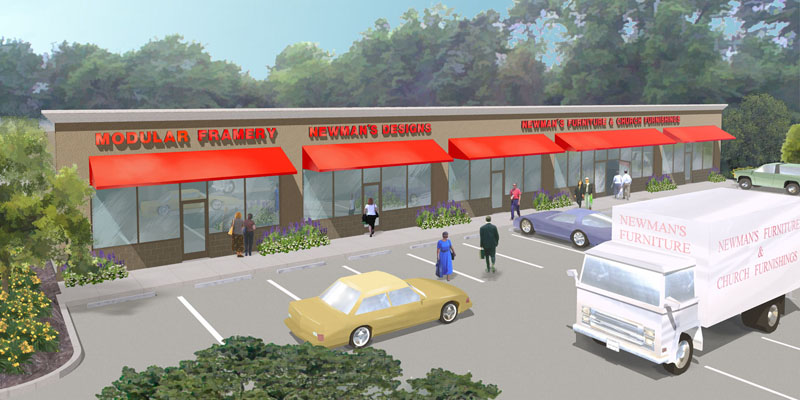
I've got one of my own from a long time ago, not a very romantic subject and don't look too carefully at the composition, I was forced to do a lot of things I didn't want to do, but this is what I mean about peeking down over a foreground tree.
Actually Tina I think that yours doesn't work because you haven't really commited to the view from an angle above. It is precisely becuase that angle is neither here nor there, that it isn't very exciting yet.
-
RE: Webex Demo: Teaching SketchUp through the NET
Thanks for that link, Mike. I went and checked it out. The good points are that it appears quite a bit cheaper than Webex and it too covers PC & MAC. Also, you can commit to a monthly service only if you wish. No need to have a yearly contract, though it is cheaper that way.
The shorcoming is that they do not offer a VOIP option at all and the conference calling feature is toll based. 5 cents per minute. It would appear that that is paid by the client calling in. It is so open ended and unkown a figure that I beleive that to be off-putting. Using Skype for free is an option but then it isn't integrated and just adds another layer of technical difficulty with conference attendees.
Can you tell me more about how you made voice connection when you attended your on-line seminar? Was there file sharing? Instructor accessed a student' remote computer to make corrections? With you at all? Was it fast, slow, in- between? Anything else you can add? Webcam? Instructor guaging pace at which students managed or did not manage to follow?