Works great!
 Online
Which extension are you referring to? All of them?
Are you Mac or Windows?
https://sketchucation.com/webshop/my-licences.php should be clear now.
To activate and release in Sketchucation Tools you can open the Settings > Licenses and activate as needed
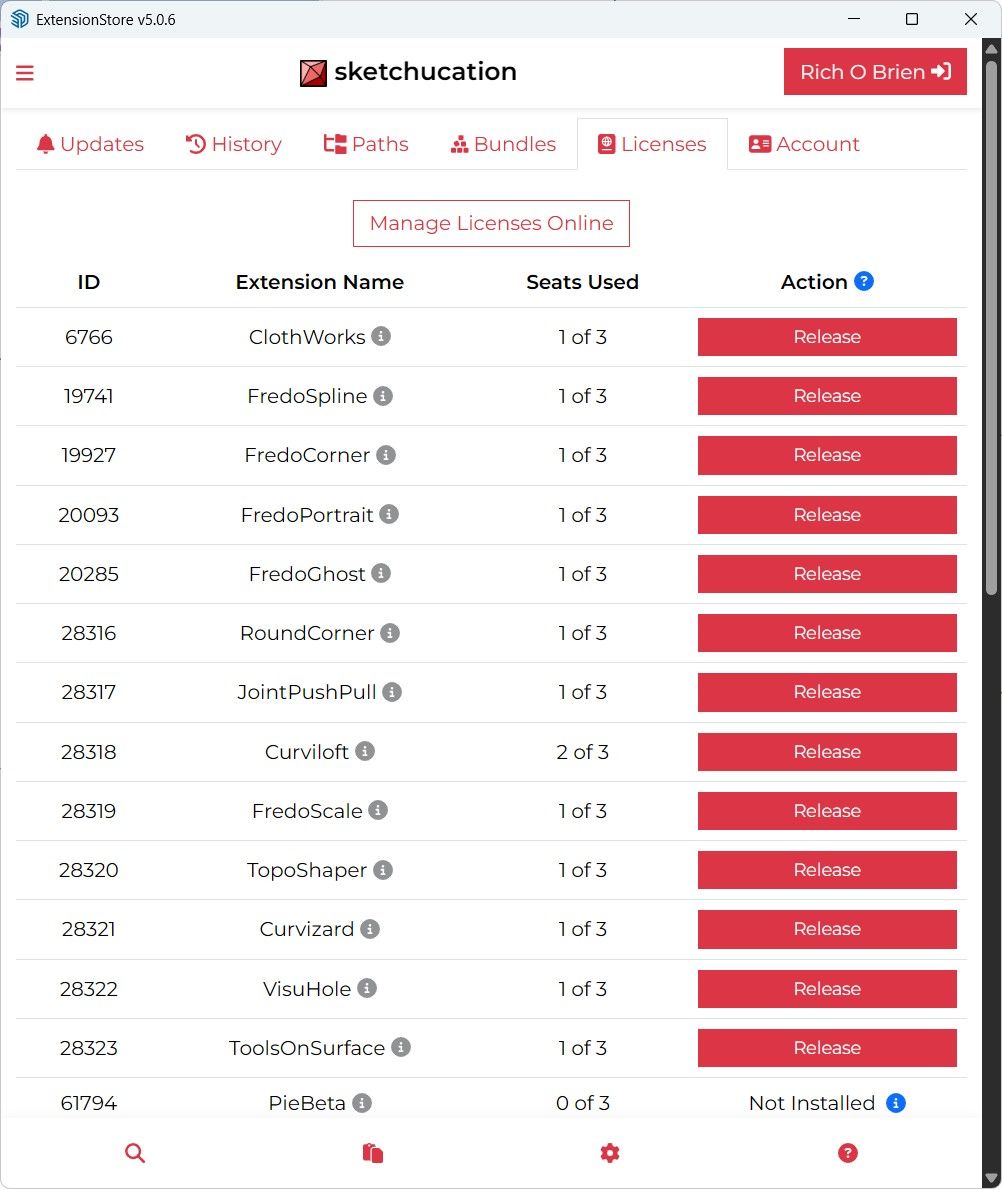
Each is a device you activated on. So yes.
I can do it for you. Give me a few mins.
Unless you others frozen you didn't show?
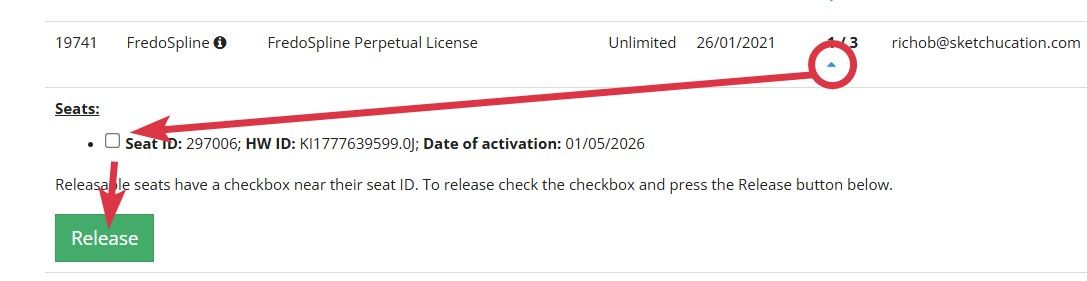
You can do it. Click checkbox and then release
That's still a single device.
What do you see at https://sketchucation.com/webshop/my-licences.php ?
Can you click the blue chevron and see occupied seats with a checkbox to release seats?
I'd recommend repairing your Windows install. Sound like you have a real mess on your hands to be honest.
I use a tool called WinUtil to debloat Windows after installation to remove all the crud it adds.
But that's not really related to this thread.
I saw that but haven't tried it yet. Would love to see it as a standalone open sourced app rather than web based though.
Is there a limit to installing licenses or can I install unlimited licenses?
You can have 3 seats activated before you see the exceeded message.
If you visit https://sketchucation.com/webshop/my-licences.php you can release seats or do at the devices.
Fine for me
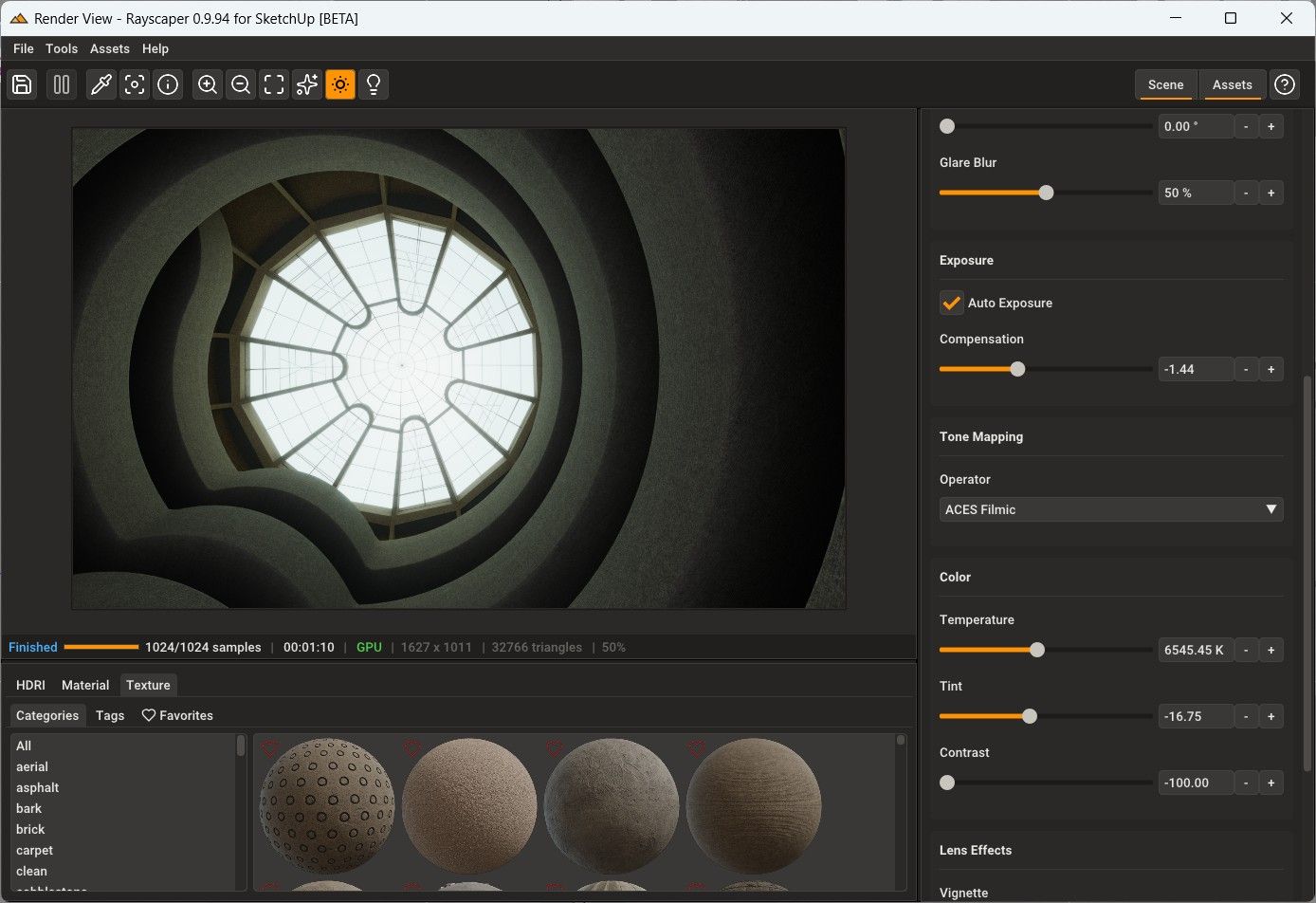
SU2026, Win11, Update through Sketchucation Tools
Hi
Send me an email at support@sketchucation.com regarding publishing here.
Are you using a Spotlight or Sphere light above the objects?
Yes, use a texture instead of geometry.
You are asking alot of SketchUp to deform that type of mesh. A large planar face with many holes that have a high poly count means you have no surface topology to deform.
Better suited to a NURBs app like Rhino, MoI or Plasticity.
Since you are using SketchUp commercially you need to get at least a SketchUp Pro subscription. Then you'll have LayOut and .dwg export capability.
I never thought of that....
It is likely the geometry that is too dense if it is freezing.
Did you try FredoBend?
