Style and SKM icons
-
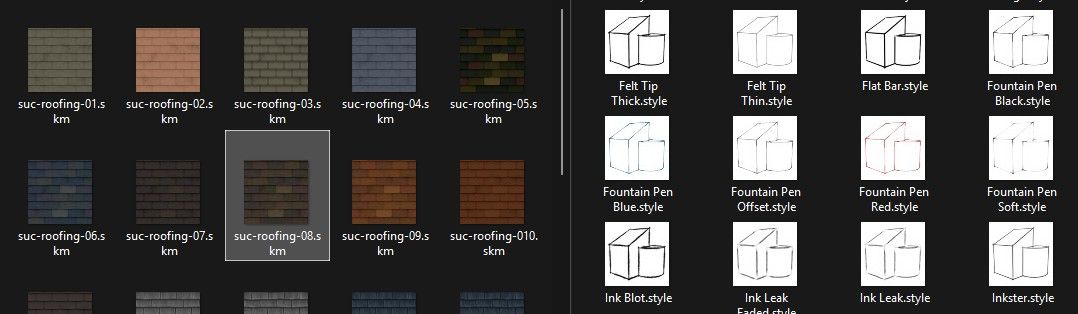
One long running Windows Explorer bugbear is that SKP files etc show an image in their file-icon,
but SketchUp’s .SKM [material] and .Style files do not
[of course they do show up in SketchUp itself, but use a generic icon in Windows Explorer].
There are paid 3rd party apps to fix this, but the free ones
[e.g. SageThumbs] fail with SKMs - that's until now.
There is a good free and safe alternative called ‘Icaros’.
It’s simple to install and use.
You need to add this to its supported filetype lists -;.style;.skmand restart to see your Style and SKM files images in Windows Explorer file-icons…
https://github.com/Xanashi/Icaros/releases/tag/v3.3.5 -
Works great!



Hello! It looks like you're interested in this conversation, but you don't have an account yet.
Getting fed up of having to scroll through the same posts each visit? When you register for an account, you'll always come back to exactly where you were before, and choose to be notified of new replies (either via email, or push notification). You'll also be able to save bookmarks and upvote posts to show your appreciation to other community members.
With your input, this post could be even better 💗
Register Login


Advertisement