the Sh#t house is funny.
Here's a typical comment heard just before the residents leave and go on vacation:
" Honey did you remember to close the Lid on the Sh#it house"
Hehehe.
the Sh#t house is funny.
Here's a typical comment heard just before the residents leave and go on vacation:
" Honey did you remember to close the Lid on the Sh#it house"
Hehehe.
Watch the video and imagine that sketchup on both machines or multiple machines is getting data from a central location a server somewhere. Scott is downloading data sets and that data is then translated by ruby into geometry. It would appear that through ruby Sketchup can communicate bi-directional to a remote computer so the possibility of shared modeling does exist.
Watch the video and imagine that sketchup on both machines or multiple machines is getting data from a central location a server somewhere. Scott is downloading data sets and that data is then translated by ruby into geometry. It would appear that through ruby Sketchup can communicate bi-directional to a remote computer so the possibility of shared modeling does exist.
Thanks Mike I'm also on the lookout for a way to display sketchup models live on the web.
Thanks Susan I sent him an email...we'll see where it goes.
Here is a picture of a product for those of us that sh*t outside of the box.
Thanks Richard I think you have me mixed up with someone else on the woodworking. I have not done any woodworking since high school, other than model making.
I do hope your cars are included in SU out of the box.
a bit expensive but this software has the ability to create imersive 3d navigatable environments.
I agree with Ross and the comments of others here regarding having "Correct" interior shadows. I admire Craig for being straight up with us here in this public forum. It's obvious that the people who develop SketchUP and the people who use it agree that fixing the problem is a worthy cause. I just hope that someday it gets fixed. It's not going to stop me from using SU but having it fixed would eliminate a few headaches that occur on occasions while using the software.
Shadow Baking could also speed up animation considerably.
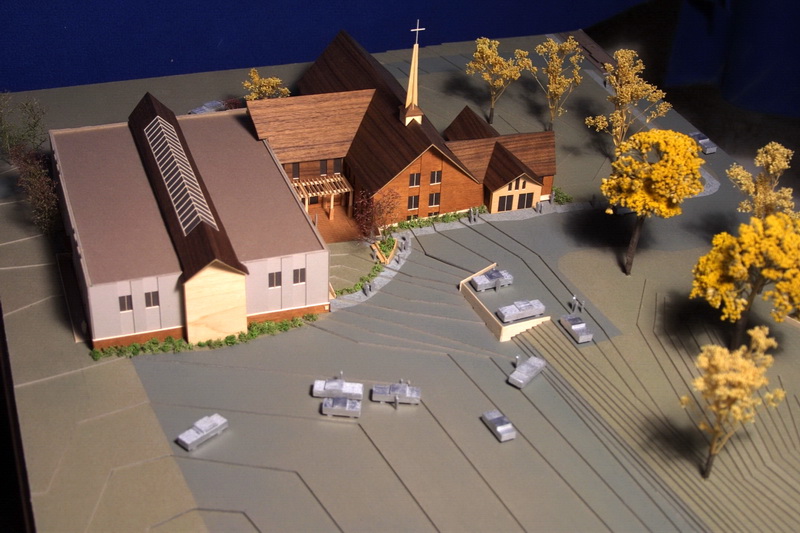
Very nice I love the scale model look. Here is one of my real models using mahogany, Walnut, and Maple veneers. I like yours better, but there is nothing quite as rewarding as making a physical model.
Rick can you get your 4 month old to help out with ruby coding and expedite the process..
This is all very cool TBD It'll be interesting to see where this all leads to.
I made a personal plea with one of the Google programmers I met at basecamp to address this issue. I told him that the legions of Sketchup users would look up to him as a genius if he was able to achieve this.
On the mere mortal side of things would it be possible for a programmer to extract the code for carmack's reverse from version 4 and turn it into a ruby plug in? accessible from a secret hidden button of course wink wink nudge nudge know what I mean.
Here is a link to the result for this model from the web exporter plugin:
and here is a hacked version that I made using my own images generated from 36 separate scene tabs with 36 camera locations in a ring around the model pointing at the same spot.
Essentially the web exporter as it exists now is marginally useful but IF I could get the same result native with the plugin as I can by manually making my own images and altering the html file to point to those then the plug-in will be golden.
Now I need to figure out how to edit the html file to give left and right arrows for navigation and a return to image one or return to the first image button.
and then a button that will point the html file to option b images, or option c images. then you should be able to switch on the fly from option a to b to c and spin them arround all in the same browser window. That would be cool.
Just out of curiosity and I will experiment but maybe someone already has would it be possible to create your own 360 degree camera rotation and scene tabs and export your own images. The same quantity of images that the web exporter makes and substitute your created images for the ones that the plugin creates, there by making use of all of the features of the plugin but giving youself the flexibility to control the camera angle and flight path. lets say you set the animation to take a shot every 10 degrees that would be 36 images if you create your own 36 images it would be easy to rename them to the same name as the ones created by the plugin and put them in the same location as the html file and badda boom badda bing you now have your own images as a web rotatable image.
And it should be possible to have a web button in the html file to reload new images IE keep the web browser loaded but now instead of pointing to imagea-01, imagea-02...etc. it poins to imageb-01, imageb-02. So for instance lets say you have a house with two different design options. If you are in the web browser spinning arround the "option a" house and you click a button to load the option B house and now option b images are displayed. Anyway I'm getting ahead of my self but I think there is alot of potential for the web exporter plugin.
ah yes Java is a plugin, Sometimes I forget. BTW does the sketchup web exporter require a browser plugin to view?
Todd Great to hear that you are on a version of web exporter. I would whole heartily welcome a more robust version.
here is a java based 3d image viewer that requires no web plugin to view images:
http://www.anything3d.com/product/webutils/demo.php3?obj=j-present&objset=all
under the advanced view you can zoom in, pan even change the colors of the object. I'd think this could be possible with the sketchup web exporter if it has a programmer add a few bells and whistles.
Thanks Jim for your reply.
I'll upload a video showing what is happening and that should explain it better than my words.
Is there a way to control the camera position in Sketchup's beta release of Web Exporter?
I've tried this but when I use it on my model it automatically pulls back the camera to a distance away from the model which is much farther than I would like. Is there a way to control exactly where the camera is positioned.
It appears that it is zooming out to be able to cover the extents of the model but I would like to fill the frame with them model.
any thoughts?
Thanks
Phil