sketchucation logo sketchucation
    • Login
    1. Home
    2. mwm5053
    3. Posts
    Oops, your profile's looking a bit empty! To help us tailor your experience, please fill in key details like your SketchUp version, skill level, operating system, and more. Update and save your info on your profile page today!
    ⚠️ Important | Libfredo 15.6b introduces important bugfixes for Fredo's Extensions Update
    M
    Offline
    • Profile
    • Following 0
    • Followers 0
    • Topics 69
    • Posts 718
    • Groups 1

    Posts

    Recent Best Controversial
    • RE: Rendering engine.

      This is how it's done. click on dmg and when you see it mount click on the word Kerkythea, to see Kerkythea .pkg right click show package contents, click om contents. find Archive.pax.gz and unpack it to either apps folder or new folder in my docs and call it KT or something, there you will see folders for material, globales,and more. To start KT you will need to click on Unix icon Kerkythea (not Kerkythea.ini) this will open program.BUT to open a SU file in KT you will need SU2KT 3.17 0n this page http://www.kerkythea.net/joomla/index.php?option=com_remository&Itemid=42&func=select&id=7 and install it like any other plugin.When you export your first SU model it will ask you where is unix Kerkythea, navigate to folder where all the folders and unix icon Kerkythea are if you followed this procedure it will work for any ver. OSX if you have ? or problems report back here.

      Believe me when I say I lke KT it's powerful it's FREE but you got a lot of learning and reading to do to get good at it You might want to try Twilight render written by the same folks as KT and big brother Thea render. There's lots of people here that use it and KT has a decent forum but not as it was back in 2007 and 2008

      Walt
      posted in Extensions & Applications Discussions
      M
      mwm5053
    • RE: Style Experiment

      @ Peter Well I guess both I now see Dave had a house too but I don't think you where hijacking the thread this a good way to learn new ideas.

      posted in WIP
      M
      mwm5053
    • RE: Style Experiment

      I like that one you did of the house.

      posted in WIP
      M
      mwm5053
    • RE: Style Experiment

      I looked there but really couldn't tell which one it was I also have Dave's styles from SketchUpArtists.

      posted in WIP
      M
      mwm5053
    • RE: Style Experiment

      Where do I find Dave's grainy pencil style.


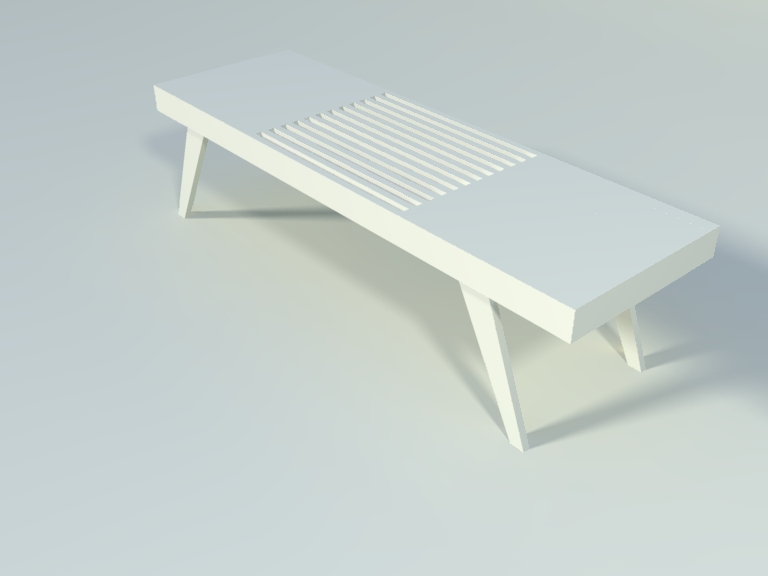
      Dave's table.jpg

      posted in WIP
      M
      mwm5053
    • RE: Converting non cutting window component to one that cuts

      Thanks guys I watched that video. Just to save face here I didn't model the can light it's from KT's component lights to use in with KT and the walls in the .skp was just a fast way of showing my predicament with the can light but thanks TIG for your explanation. I think instead of using there's I'll model my own.

      posted in SketchUp Discussions
      M
      mwm5053
    • RE: Converting non cutting window component to one that cuts

      I have more trouble with this and don't know why. a somple exercise. make a can light to cut opening did as TIG said watched a video the other day still no cut opening, the component browser Edit says it will cut opening some eluding my simple mid here. If I could get some help a BIG THANKS


      cutting comp..skp

      posted in SketchUp Discussions
      M
      mwm5053
    • RE: Plugins and extensions for a newbie!

      Depends on what you what to model. House, furniture, cars, organic modeling. I would start Fredo6 joint push/pull, round corner, curviloft need to download Fredo lib most current ver. There are a lot of good plugins here, at Smustard.com and Ruby.com. I would stick to the ones here first so you can get help if you need it. There's a book store here with really good books (PDF) to help in using the plugins for that particular model.

      Walt

      posted in Newbie Forum
      M
      mwm5053
    • RE: Some Doors and Windows for you all (Update)

      Thanks again needed some doors just like these today. 🎉

      Walt

      posted in SketchUp Components
      M
      mwm5053
    • RE: On a Mac wondering if anyone has this problem, Image on File

      Sorry guys still getting this took 45 sec for icon to load that's ok I don't want to take up all your time, I probably owe you at least a 6 pack for sure by now.


      a1.jpg

      posted in SketchUp Discussions
      M
      mwm5053
    • RE: On a Mac wondering if anyone has this problem, Image on File

      That worked better that why I don't code

      and a big thanks to you too for helping this afternoon

      posted in SketchUp Discussions
      M
      mwm5053
    • RE: On a Mac wondering if anyone has this problem, Image on File

      😳 ha what a boob

      posted in SketchUp Discussions
      M
      mwm5053
    • RE: On a Mac wondering if anyone has this problem, Image on File

      glmanage-r cache resuted in glmanage cache reset will look for those files in user/ library

      posted in SketchUp Discussions
      M
      mwm5053
    • RE: On a Mac wondering if anyone has this problem, Image on File

      I tried glmanage-r says file not found

      posted in SketchUp Discussions
      M
      mwm5053
    • RE: On a Mac wondering if anyone has this problem, Image on File

      [quote]some people recommend clearing those after a reset via qlmanage, so if it's not working from 'Ruby Console', do it from 'Terminal.app'/quote]

      thats some useful info how do you do that

      posted in SketchUp Discussions
      M
      mwm5053
    • RE: On a Mac wondering if anyone has this problem, Image on File

      Same busy signal. if I go to my applications folder and navigate to SU 8 I get preview immediately. It only happens on files. I ran Disk Utility to check permissions ( Someone suggested it to someone else on Mac Forums having the same problem with there MBP) no change.

      posted in SketchUp Discussions
      M
      mwm5053
    • RE: On a Mac wondering if anyone has this problem, Image on File

      This ia what I got from ruby

      qlmanage -p ~/Downloads/chain.skp 2>&1 Error: #<SyntaxError: (eval):3068: compile error (eval):3068: parse error, unexpected '~', expecting kDO or '{' or '(' qlmanage -p ~/Downloads/chain.skp 2>&1
      ^
      (eval):3068: unknown regexp options - cha
      (eval):3068: parse error, unexpected tINTEGER, expecting $
      qlmanage -p ~/Downloads/chain.skp 2>&1`
      ^>
      (eval):3068

      First suggestion didn't change any thing.

      Thanks

      posted in SketchUp Discussions
      M
      mwm5053
    • RE: On a Mac wondering if anyone has this problem, Image on File

      Happens with other apps too but I thought one of the Mac gurus here might be experiencing the same thing.

      posted in SketchUp Discussions
      M
      mwm5053
    • RE: On a Mac wondering if anyone has this problem, Image on File

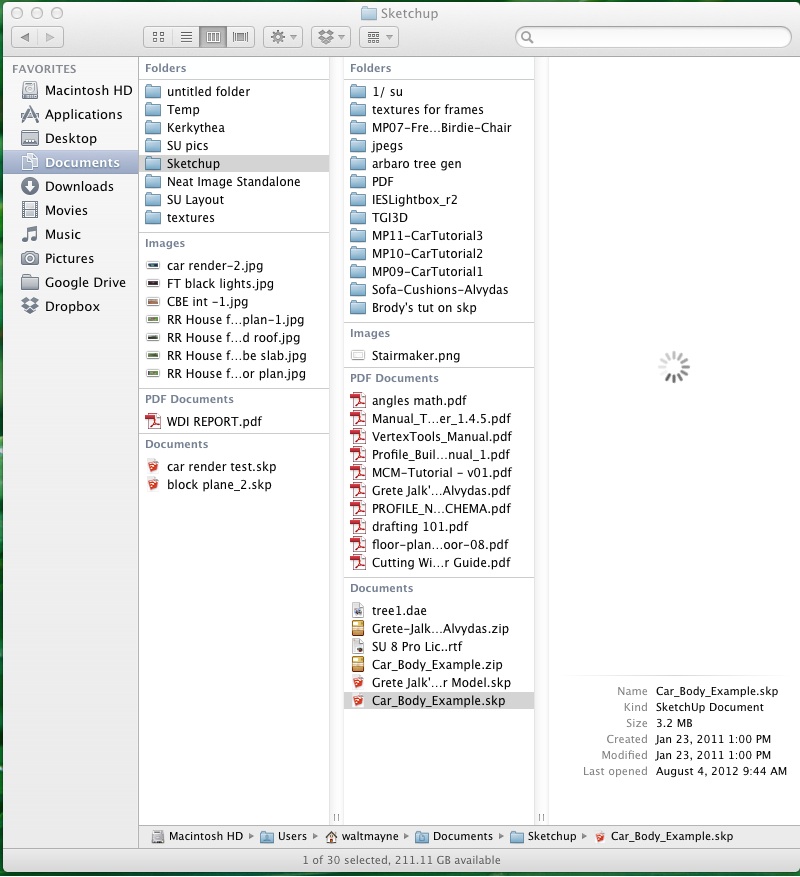
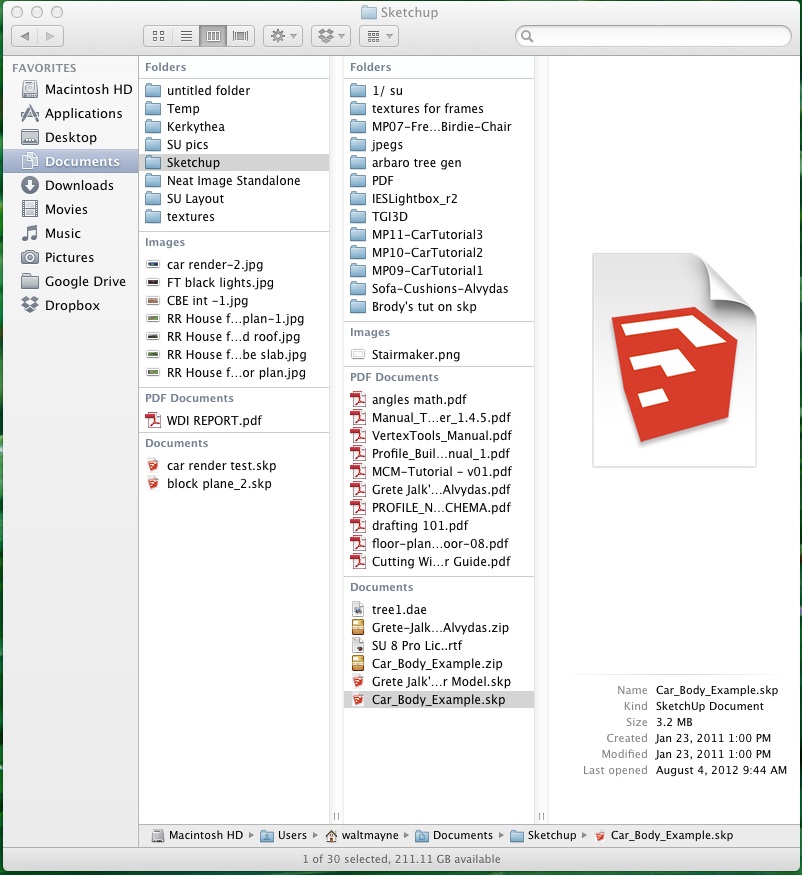
      Not good at explaining I know for sure. First attachment is when I click once on a .skp file not open it. 2nd attacment is after 30 sec or more during this time a process called Quick Look Helper is pegging out my cpu and the only reason I brought this up was when I open a.skp then export to KT it crashes SU because the cpu is running wide open looking for the SU icon that's what started the investigation.


      finder 1.jpg


      finder 2.jpg

      posted in SketchUp Discussions
      M
      mwm5053
    • RE: On a Mac wondering if anyone has this problem, Image on File

      I'm guessing the only thing to do is tun off show preview column

      posted in SketchUp Discussions
      M
      mwm5053
    • 1
    • 2
    • 18
    • 19
    • 20
    • 21
    • 22
    • 35
    • 36
    • 20 / 36