If you use a Mac you know they love shortcuts for about everything this is a dashboard app that has lot of Mac apps only (wish the made one for SU) for you to look up from Finder to Mail and third part apps like Apature, Keynote and lots more.


Enjoy
If you use a Mac you know they love shortcuts for about everything this is a dashboard app that has lot of Mac apps only (wish the made one for SU) for you to look up from Finder to Mail and third part apps like Apature, Keynote and lots more.
Enjoy
Well been doing some checking and these are my result from Clovis NM USA- Sheffield England. Thing is while replying to post it will be fine on sec then I'm back to waiting like Pete on Chrome it stuck on sending request. 
And Pete's got some pretty fast internet there

took 45 sec to load this page slower than anywhere else
I don't mind seeing the ads here I kinda enjoy them but ever since we changed to the new forum look it takes for ever to load a page. I made mention of this months ago and I don't understand why I seem to be the only bugged about it or the only one with the problem. rant over sorry
When I open finder and go to My Documents/Sketchup, (where I store my SU files) finder can't locate the SU icon when I click on a Skp file. I think I noticed this only recently ever since they changed to the new Icon. The reason I'm saying this is it pegs out my 4core processor and only stops when finder has located it. Actually in Activity Monitor it's the Quick Look Helper that is looking for it. Not a big deal but wondered if anyone else noticed it or having a problem.
I've done several houses after starting out using SU for just woodworking until I found the HouseBuilder Plugin
http://rhin.crai.archi.fr/rld/plugin_details.php?id=188
I love it. Click here, click there and instant wall with studs and an outer layer of skin the first thing you will notice though is you see the studs through the skin so the skin is on a layer called layer0_skin that you turn on and off and put the studs and plates on a layer of they're own you can specify 2x4 or 2x6 you can change plate height, header heigh,t stud centers and edit the wall for doors,windows openings, they're are by far a lot people who use follow ne around the outer perimeter and some use lines and rectangle tool build walls and push/pull for doors and windows, did I mention doing gable roofs, However theres an other plugin called Build Edge that simpler and does a better job of roofs but no studs and have to cut open your openings. Use this tread if you have more questions.
And welcome as a new member very friendly place and lots of the best advice you'll get for SU
Just one other thing you'll want to read this if you haven't installed plugins before
http://sketchucation.com/resources/tutorials/37-beginner/108-installing-sketchup-plugins
Walt
Yep that worked Thanks again Jeff
Thanks Jeff that helps a lot will try it and get back
I haven't posted these till now because I don't think they are as good as most that I see in the gallery they where me learning KT
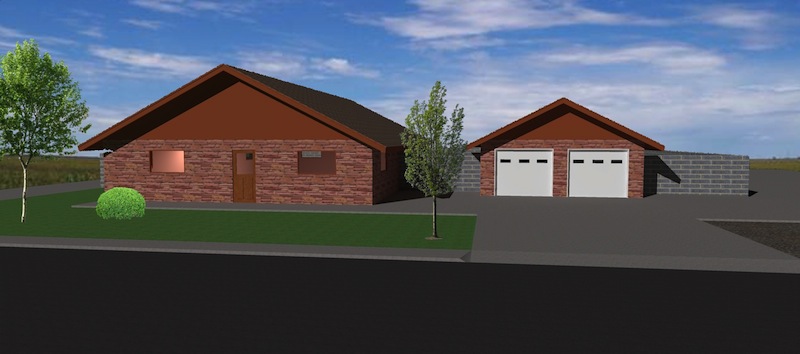
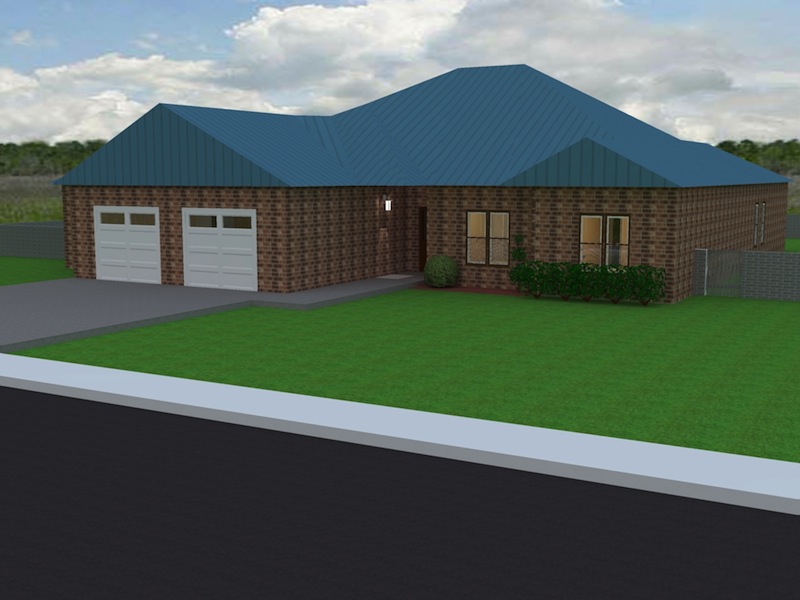
I did all of the above suggestions thanks by the way. Pixelmator wants to know where to save it, by default it wants to save it in MacHD/private/tmp so I let it didn't work, so I did it again and saved it in user/documents didn't work, I guess what I need to know is where to save it ?
While watching a video that thomthom did on quadface tool unwrap he edited a texture in Ps and save it, and it was updated in SU while I'm not using Ps but Pixelmator for Mac it doesn't seem to update Su for me. Is this a Ps thing or am I missing something here.
http://www.youtube.com/watch?v=hnW_yjkM_SY it's about 4:00 in
So why don't you post the .skp and see what we can do with it. I can explain how to do in in KT.
I've recently came to a place in my SU experience I needed to jump to a new plane. So I bought some books from hereon chair modeling and cars but I'm stuck. In the attachments one I can't figure out how ely862me chamfered these edges without using tape measure tool and manually drawing lines. and in the second attachment how alvis went step by step to achieve last proxy.
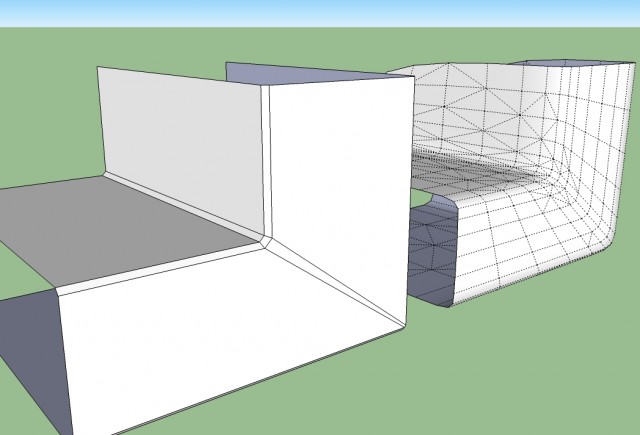
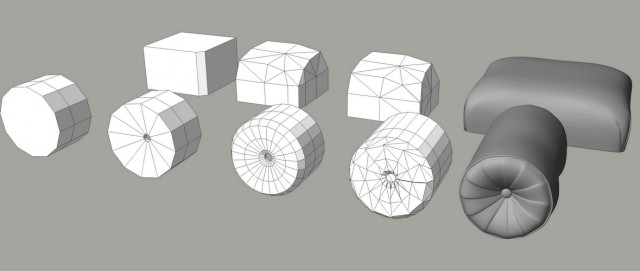
@ely862me said:
U need to make corners like this.
Just been reading this and wondered how to do those corner. I tried Fredo6 bevel to now avail