Need help removing errors. All ruby's are in pplugin folders why this error message?
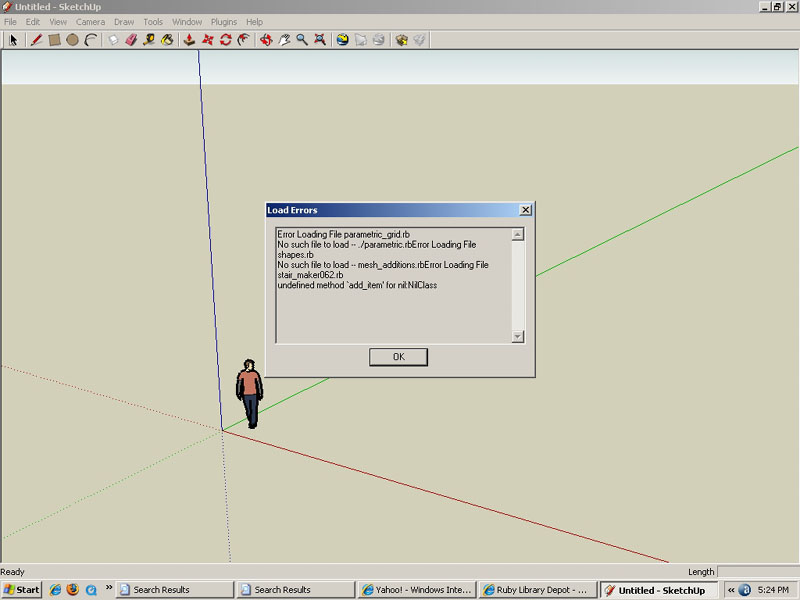
Need help removing errors. All ruby's are in pplugin folders why this error message?
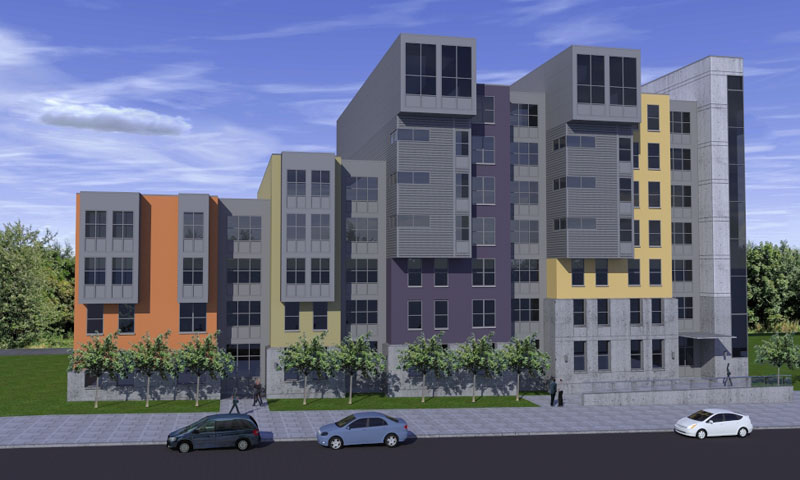
Does anyone know if there is a good way to darken lines on a dark material in k?
I am able to make the lines appear dark on lighter surfaces but if the surfaces are dark the lines began to disappear. Notice the metal panels, the lines are too subtle not dark enough, although the lines on the lighter conc surface are fine. Is this a challenge in other rendering programs. I'm anxious to hear how others have dealt with this situation.
Making a bumpmap does not offer the control that I want in locating the lines.
The model was made in su with the lines drawn on the faces. I'm using the echo version of kerkythea for my renders.
My apologise to the designer. This is a model of a photo from the internet 
Anyone remember where I can find the ruby script that made pages for each hour of the day for a shade study?
Boofredlay,
Thats what I'm looking for. It seams that your plan has that color balance. The building foot print on my drawing appears to be a little strong in relation to the other colors. Do you have saved standard color schemes that you've use over and over. I'm not really looking to heavily render the plan. I just need for the most part
an attractive flat color combo.
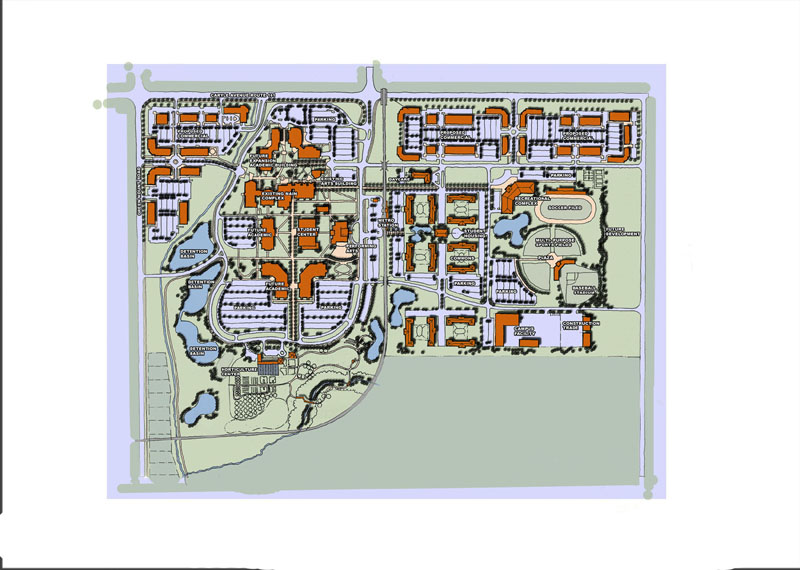
Was wondering of anyone had any references for good ideas for base maps for masterplanning. I'm working on a small community college and Im looking for basic ideas: Examples of circulation, vehicular and pedestrian diagrams, land massing etc. I mostly looking for good graphic content using color in photoshop.
ps. I'm a novice photoshoper and dicovered a technique that was helpful in making the trees into a brush stoke which saved a lot of time. If there any photoshop tips on developing the masterplan along the way would be helpful as well.
No, This is what I'm getting at...
I had to revise a part of the master plan and in doing so lost some faces i.e. the parking lot and roads. When using makefaces it closed faces but made coplanar faces in some areas. I'm finding myself tracing the thing all over again which works sometimes but not all_trial and error.
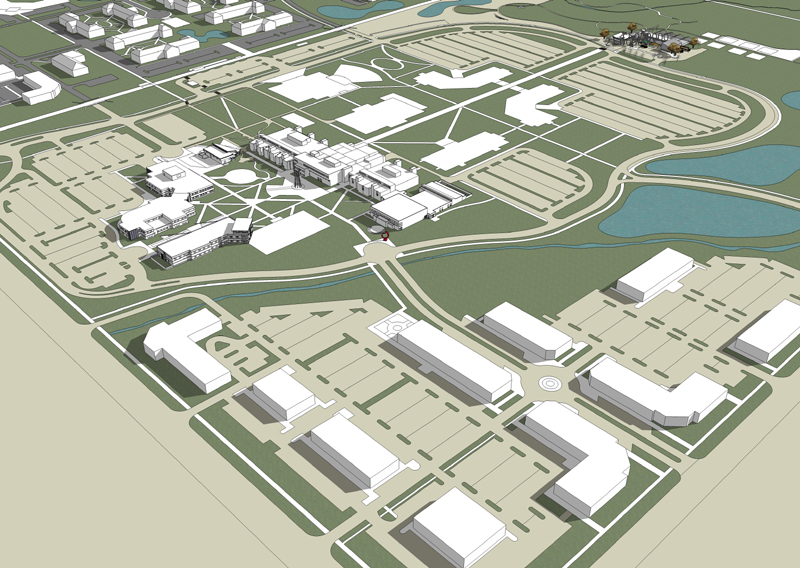
Is there a sure fire way to get rid of coplaner faces w/o destroying other faces.
Su is not playing nice today  I've tried intersect with model which works some of the time. What other tricks can I try to get rid of this annoying problem?
Does anyone notice when you offset an arc it becomes a curve entity? Which means the entity has different characteristics. Just noticed this while using center point ruby.
Center point ruby did not work on the curve entity 
This is an amazing response, Thanks Bob! I'll try my rendering in K when I get a break in action and post my attempt. There is so much useful knowledge generated here 
Wonderful Alan thanx for this useful tip!
Thanks Kris,
Is this a pay per use with sweets, I will have a look.
Is Engineering News Record a good source? Just looking for alternatives.
Does anyone know of a source for statistics about historical construction costs or projections into the future on building and construction?
Has anyone resolved the toolbar issue? They keep restacking to the left. Still no way to lock in place?
How would you model something like this accurately?
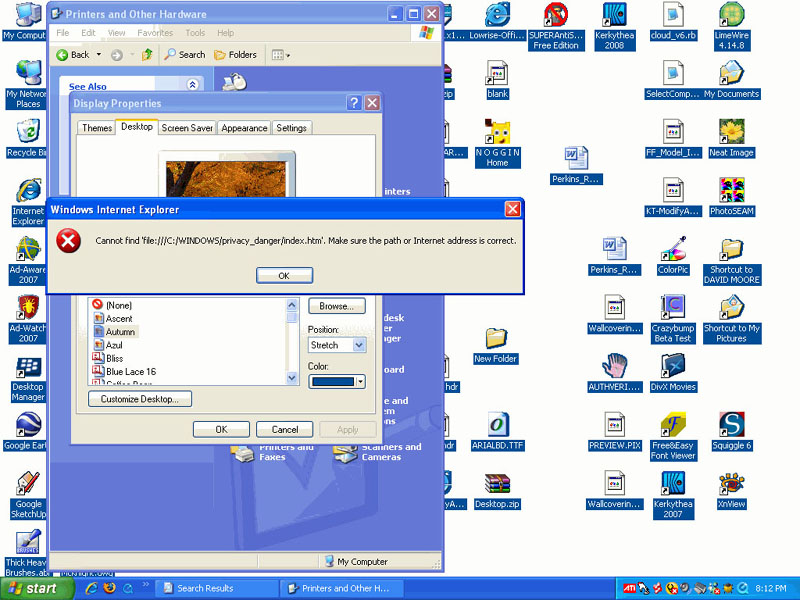
I resolved my issue I think. I had manually deleted the file it was looking for. I undeleted this file which displayed a red screen with "danger" written as a watermark.
I clicked the upper righthand "x" which close the danger screen. My background was apparently behind this image. 
Is anyone familiar with this error message. A virus messed up my screen image and will not allow me to change it. I have tried accessing via control panel way but it will not change. 
You guy's are great! Thanks for the answer
Oh, one more thing. If you already have a large texture(s) mapped in your su file whats the best way to reduce the size? Is there a ruby script to help facilatate this if there are many oversized images in your model?
And even before that, say you receive a model from someone else, where in sketchup does it show what resoltion the image is currently?
J,
These are nice. I can't wait to get a chance to use some of k's new features.
How long did the outdoor render take and what settings?